INSTER
WSHDRMMC0013
Instruction Manual
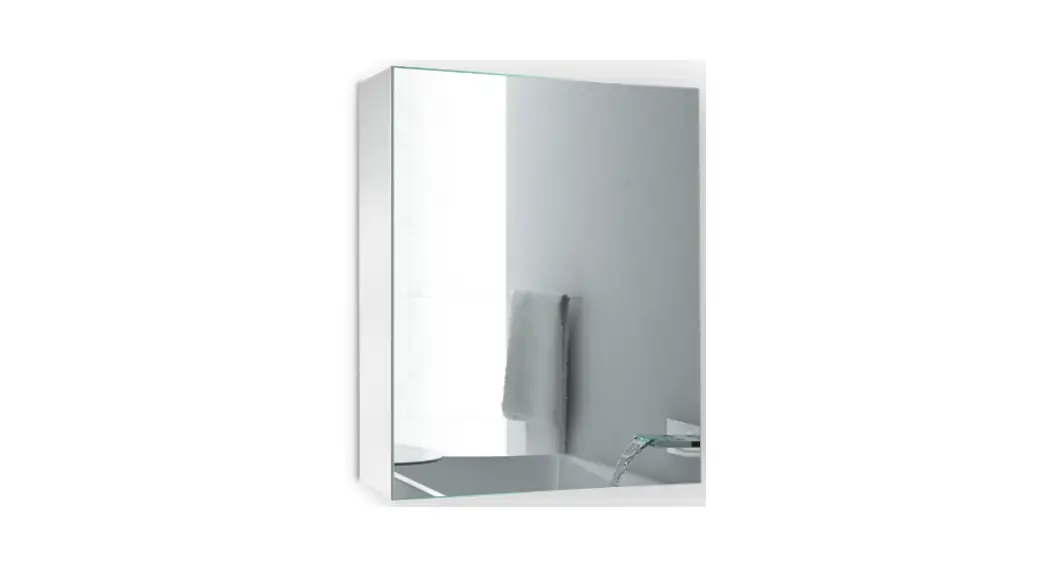
LED Lighted Medicine Cabinet
Installation and Operating Manual 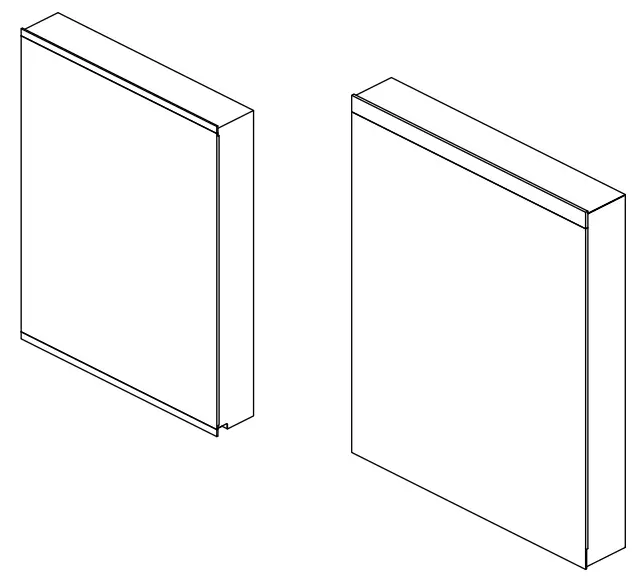
WSHDRMMC0013
BEFORE YOU BEGIN
Please read these instructions carefully to familiarize yourself with the required tools, materials, and installation sequences. Follow the sections that pertain to your particular installation. This will help you avoid costly mistakes. In addition to proper installation, read all operating and safety instructions.
All information in these instructions is based upon the latest product information available at the time of publication. J Sing LLC reserves the right to make changes in product characteristics, packaging, or availability at any time without notice.
These instructions contain important care, cleaning, and warranty information please leave instructions for the consumer.
Before installation carefully inspect the new fixture for any signs of damage. WARNING: Risk of injury or product damage. Be careful when opening the door to avoid pinching fingers. CAUTION: Risk of electric shock. Electrical wiring may need to be relocated. Important Information: This cabinet is designed for either right or left door swing. Check the wall cavity for obstructions. WARNING: Don’t use acidic or alkalic cleaners or alcohol to clean the surface. Use a dampened cloth to clean. CAUTION: Risk of property damage. Use anchors (not provided) rated for the loaded weight of this product. Refer to the anchor manufacturer’s instructions.
Grounding Instructions
- This product should be grounded. In the event of an electrical short circuit, grounding reduces the risk of electric shock by providing an escape wire for the electric current.
WARNING: Risk of electric shock. Improper use of the grounding plug can result in a risk of electric shock.
- If repair or replacement of the cord is necessary, do not connect the grounding wire to either flat blade terminal. The wire with insulation having an outer surface that is green with or without yellow stripes is the grounding wire.
- Check with a qualified electrician or service personnel if the grounding instructions are not completely understood, or if in doubt as to whether the product is properly grounded.
- This product is factory equipped with a specific electric cord. If the product must be reconnected for use on a different type of electric circuit, the connection should be made by qualified service personnel.
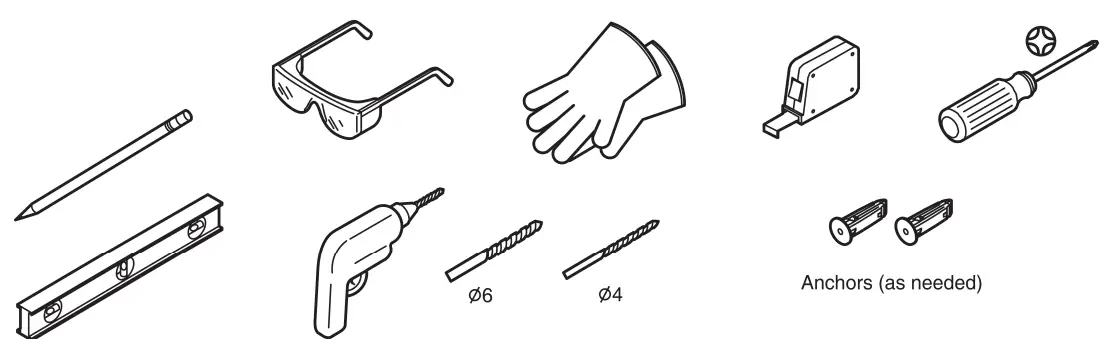
TOOLS REQUIRED
PARTS SUPPLIED
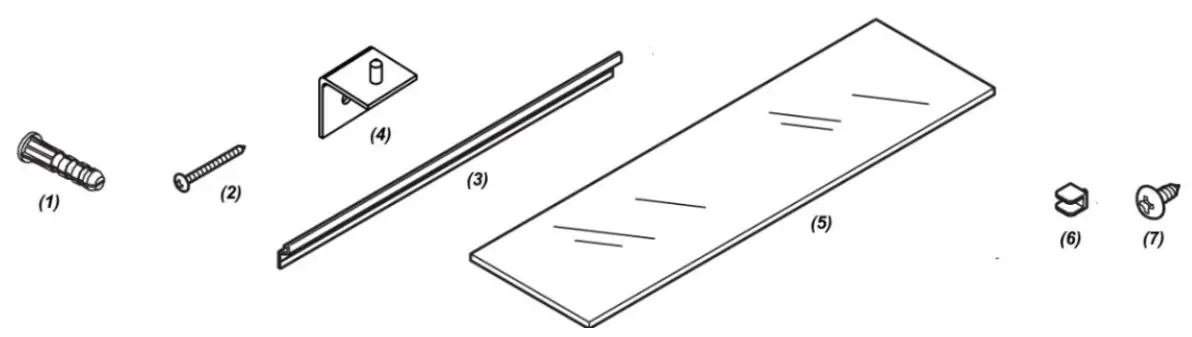
| Item | (1) Anchors | x 6PCS | |
| (2) Screws for wall | x 4PCS | (3) Mounting Bar | x 1 PCE |
| (4) Support Angle | x 2PCS | (5) Glass panel | x 2PCS |
| (6) Clips | x 8PCS | (7) Screws for Support Angle | x 2PCS |
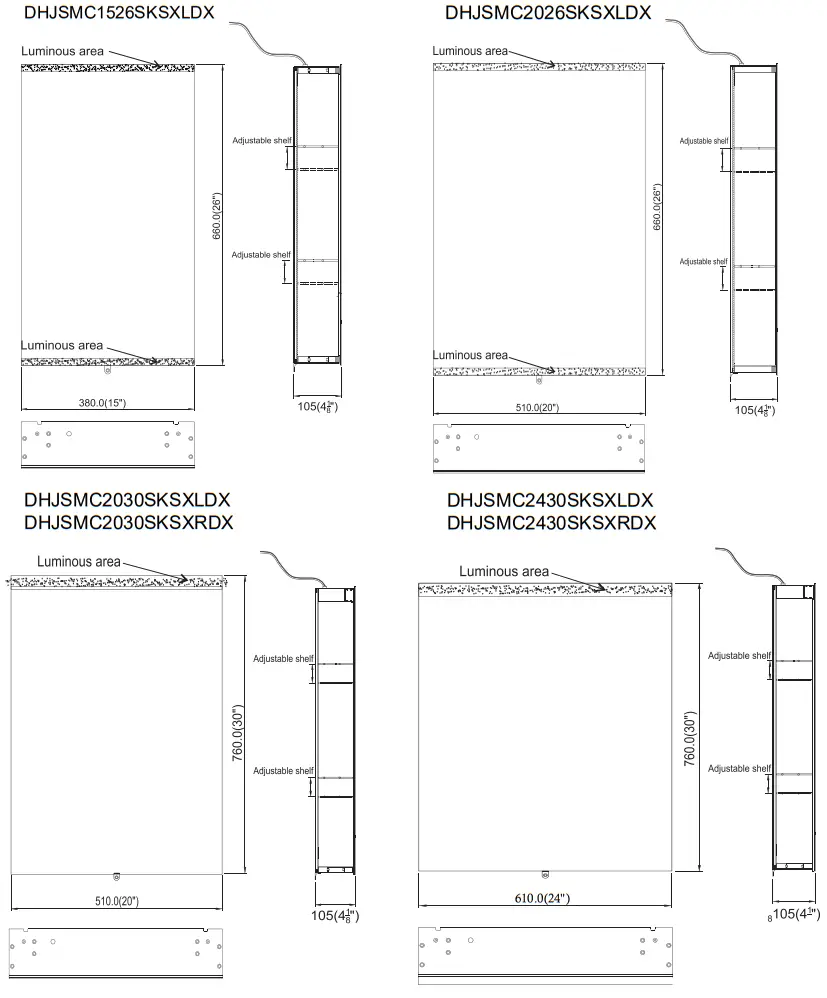
SIZE — MM & INCH
Reference Value
INSTALLATION for DHJSMC1526SKSXLDX and DHJSMC2026SKSXLDX
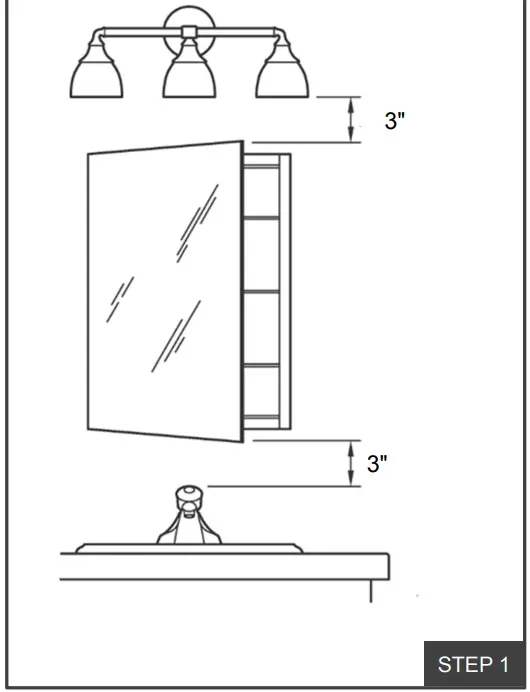
Verify minimum clearances.
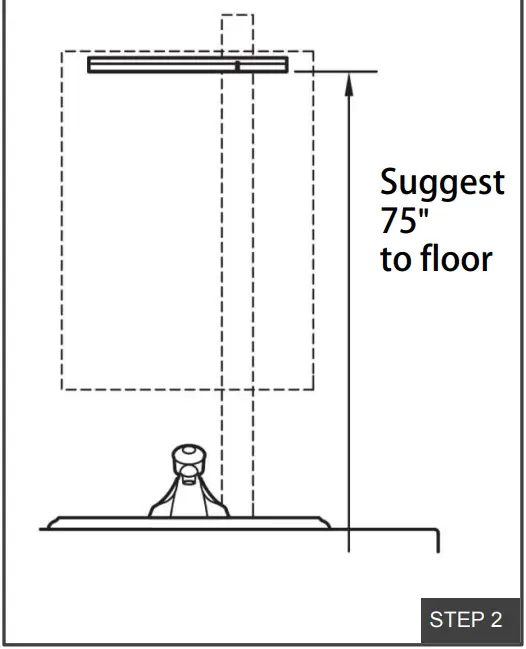
Place the Mounting Bar on wall and make sure it is horizontal by level.
Drill holes. Insert anchors where needed. Secure the mounting bar with screws. 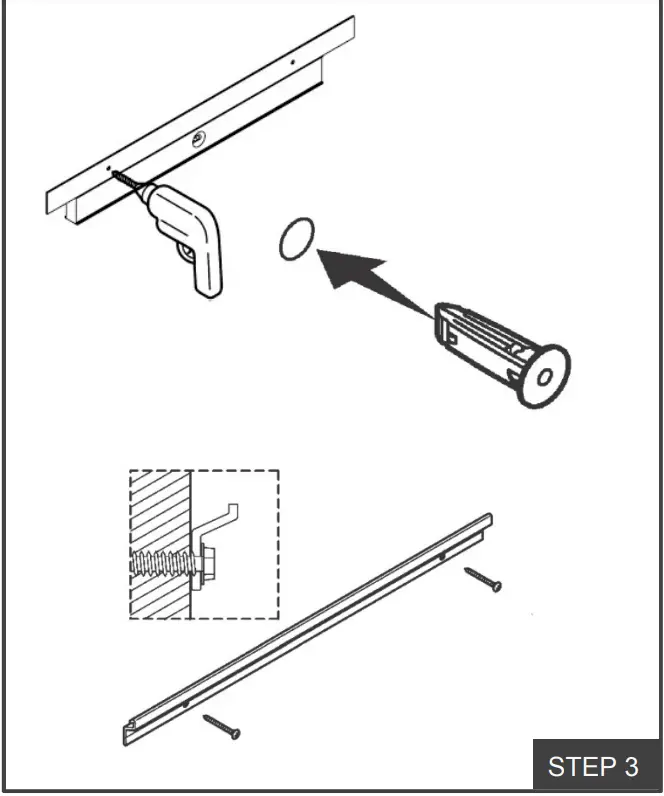
We provide plug along with cabinet. Optional to cut the plug directly and connect to electrical wiring if using a wall switch. 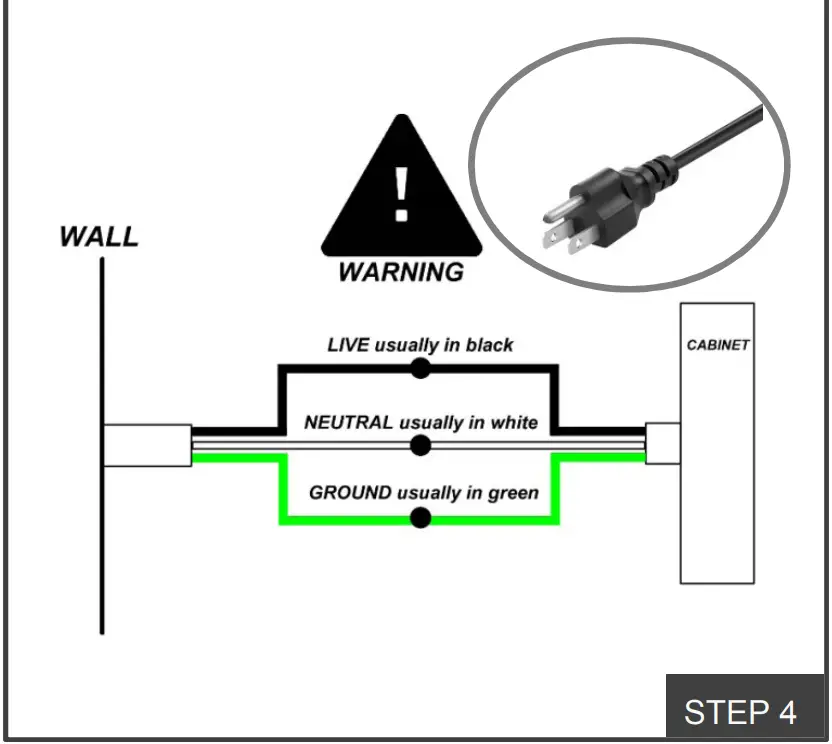
Lift the cabinet onto the mounting bar. Ensure the hooks engage the mounting bar.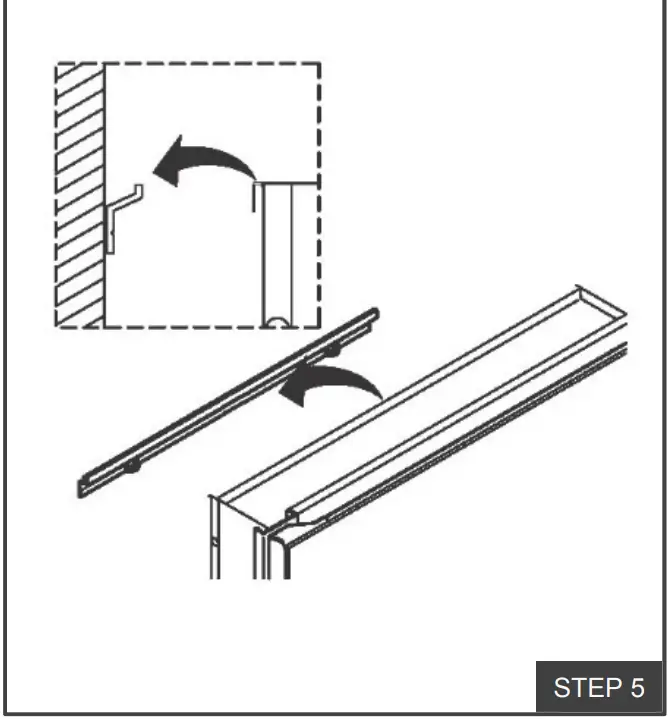
Place the support angle on the bottom of the cabinet. Mark hole location on wall. Drill hole. Insert anchor where needed. Fixed the support angle by screw. 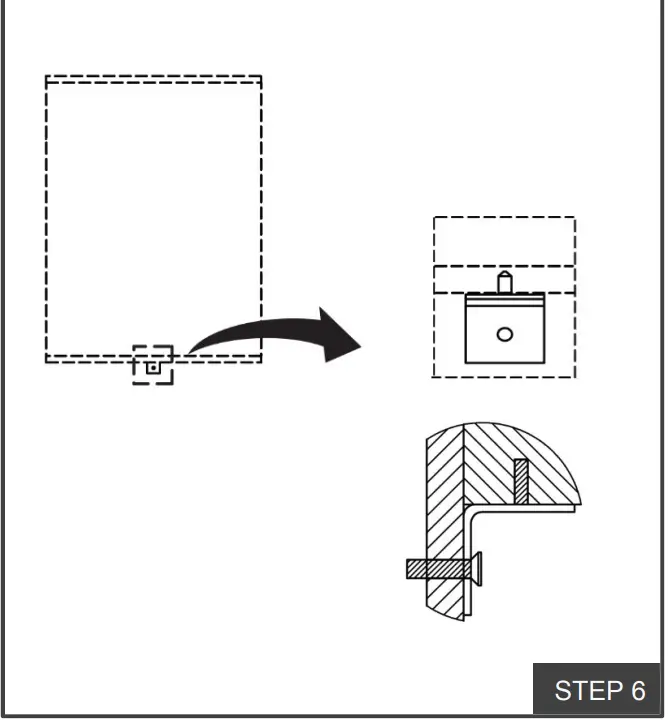
If the door is left open, it can be changed to right open by releasing the hinge and rotate the door, and vice versa. 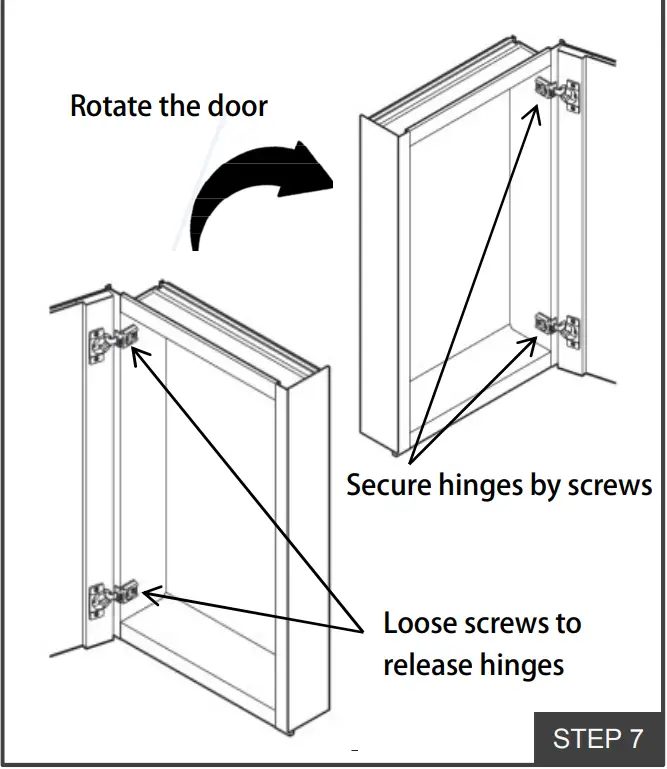
Install the clips. Insert the shelves between the clips. 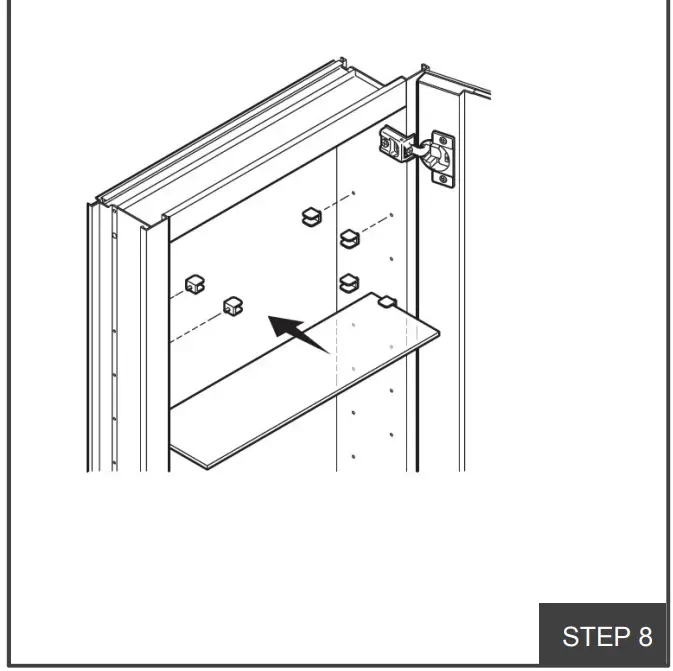
Turn on/off the light by waving your hand underneath the cabinet or control by wall swatch. 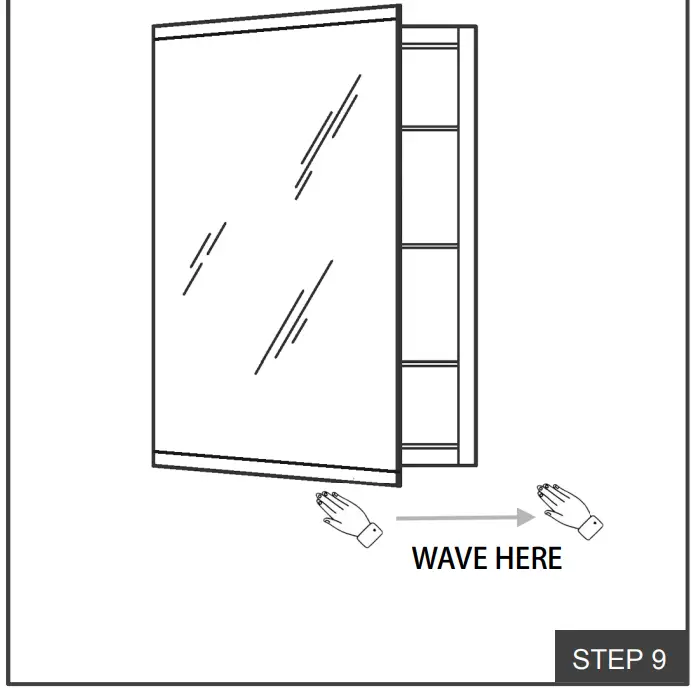
Dimming by placing your hand under the sensor.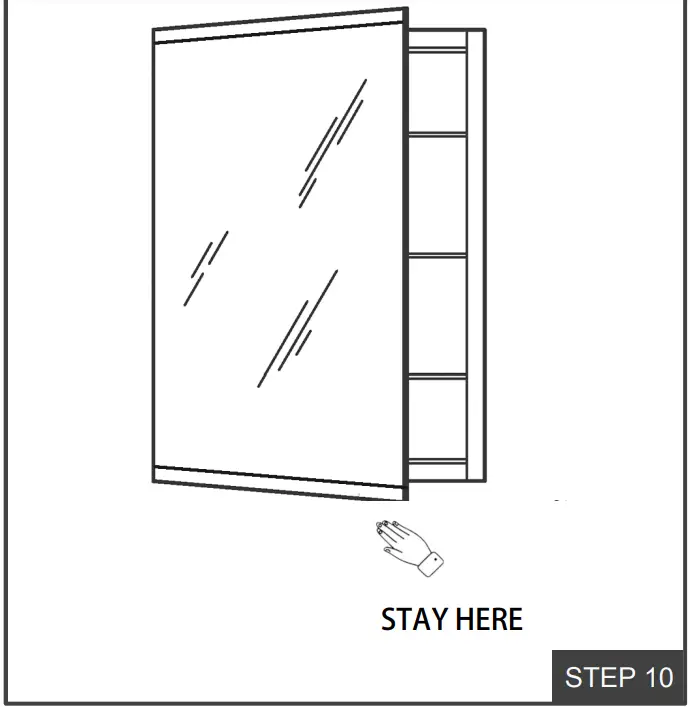
DOOR ADJUSTMENT (IF NEEDED)
Adjust corresponding screws on the hinge to align the doors, ensure that gaps are even and the doors open and close smoothly .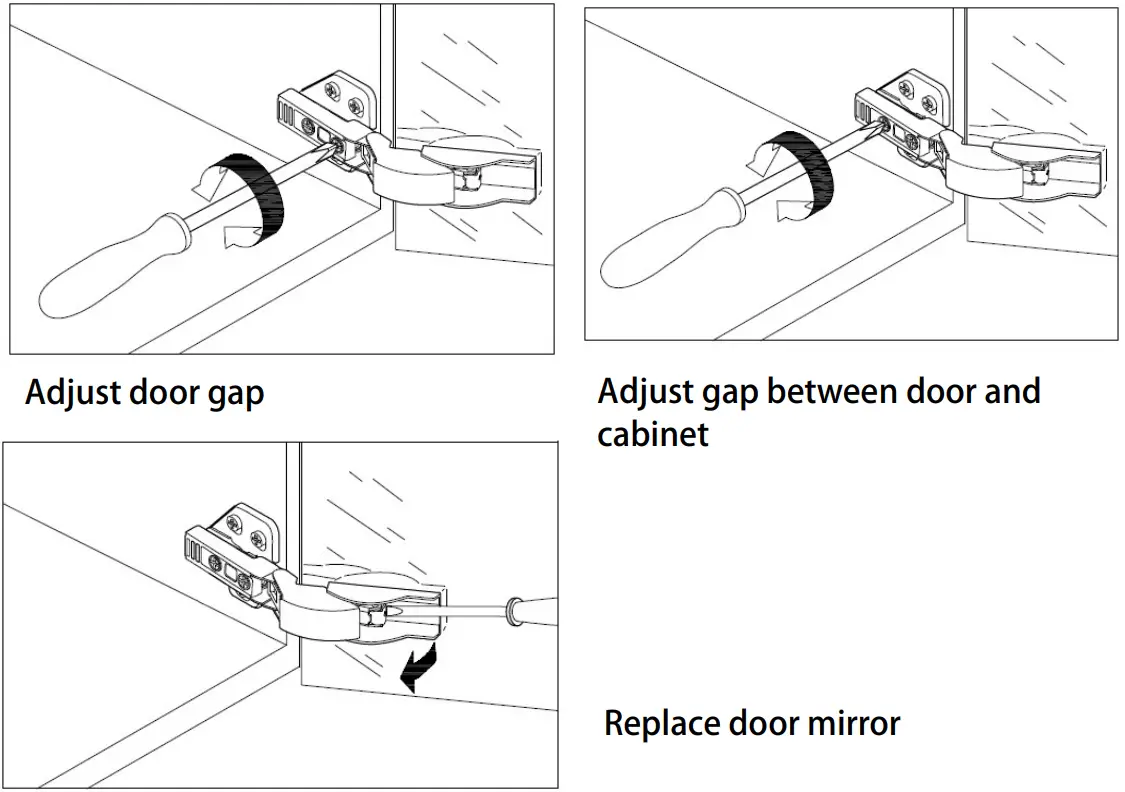
INSTALLATION for
DHJSMC2030SKSXLDX and DHJSMC2030SKSXRDX
DHJSMC2430SKSXLDX and DHJSMC2430SKSXRDX
We separate left-open door and right-open door for these models, they are not interchangeable. Luminous area is on top of the cabinet.
Make sure you are installing correct one.

Verify minimum clearances. 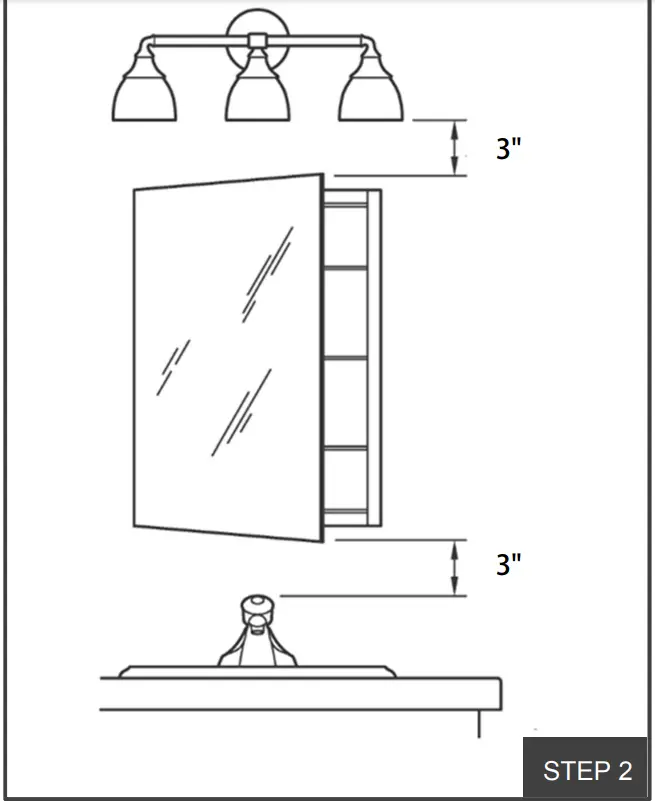
Place the Mounting Bar on wall and make sure it is horizontal by level. 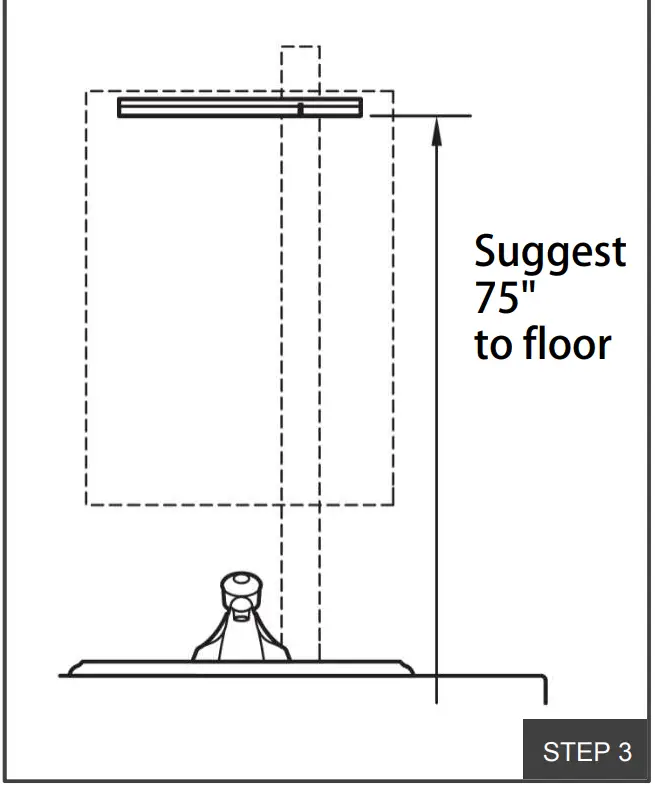
Drill holes. Insert anchors where needed. Secure the mounting bar with screws.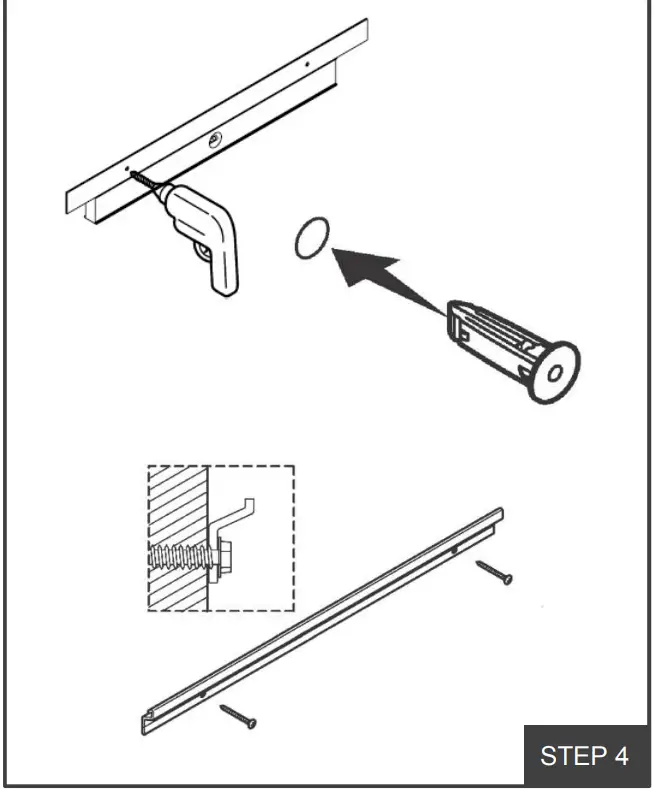
We provide plug along with cabinet. Optional to cut the plug directly and connecto electrical wiring if using a wall switch. 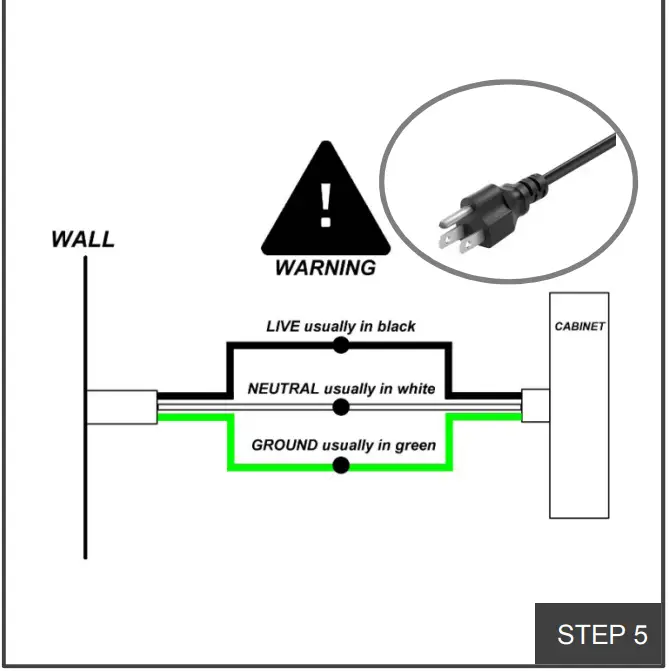
Lift the cabinet onto the mounting bar. Ensure the hooks engage the bar. 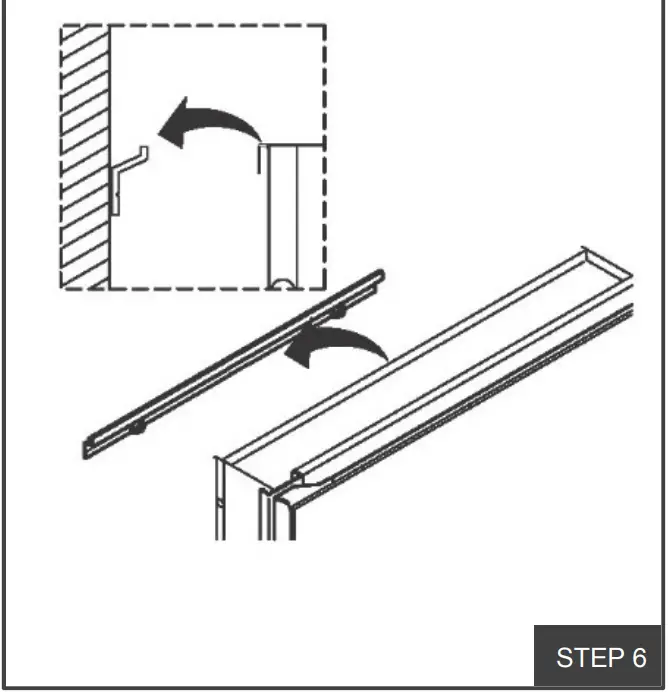
Place the support angle on the bottom of the cabinet. Mark hole location on wall. Drill hole. Insert anchor where needed. Fixed the support angle by screw.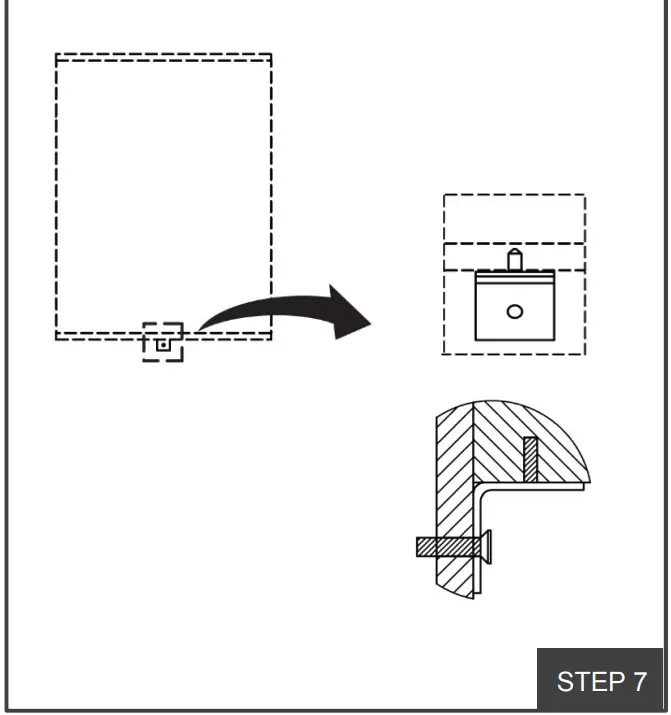
Install the clips. Insert the shelves between the clips. 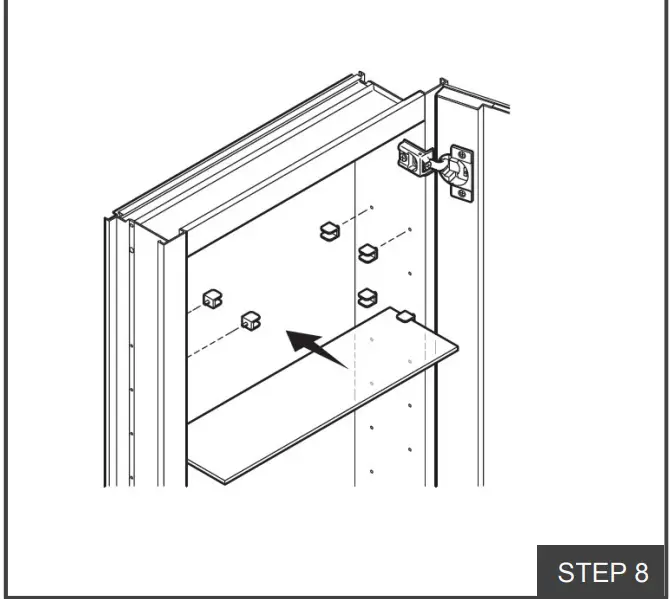
Turn on/off the light by waving your hand underneath the cabinet or control by wall swatch. 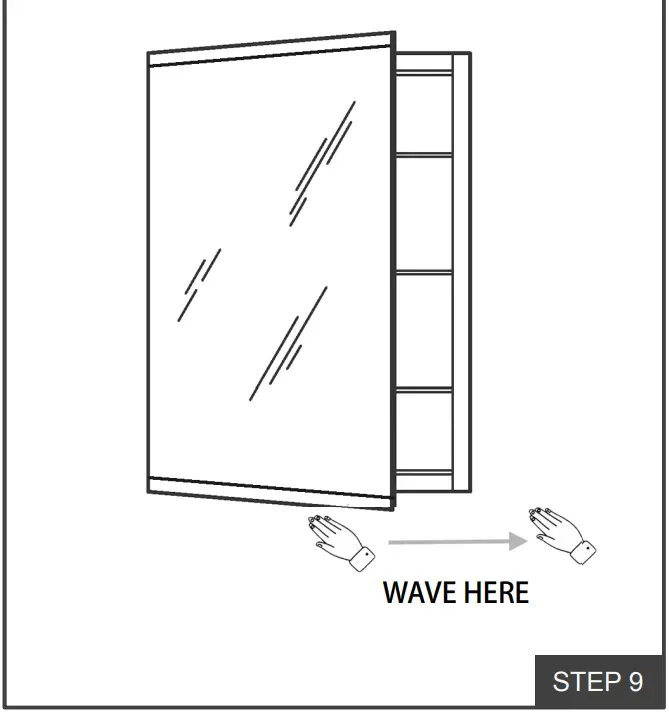
Dimming by placing your hand under the sensor.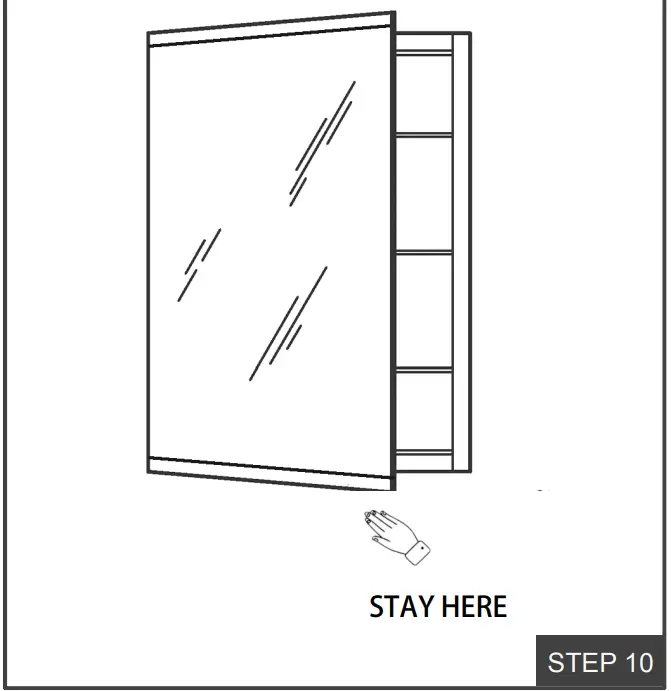
DOOR ADJUSTMENT (IF NEEDED)
Adjust corresponding screws on the hinge to align the doors, ensure that gaps are even and the doors open and close smoothly.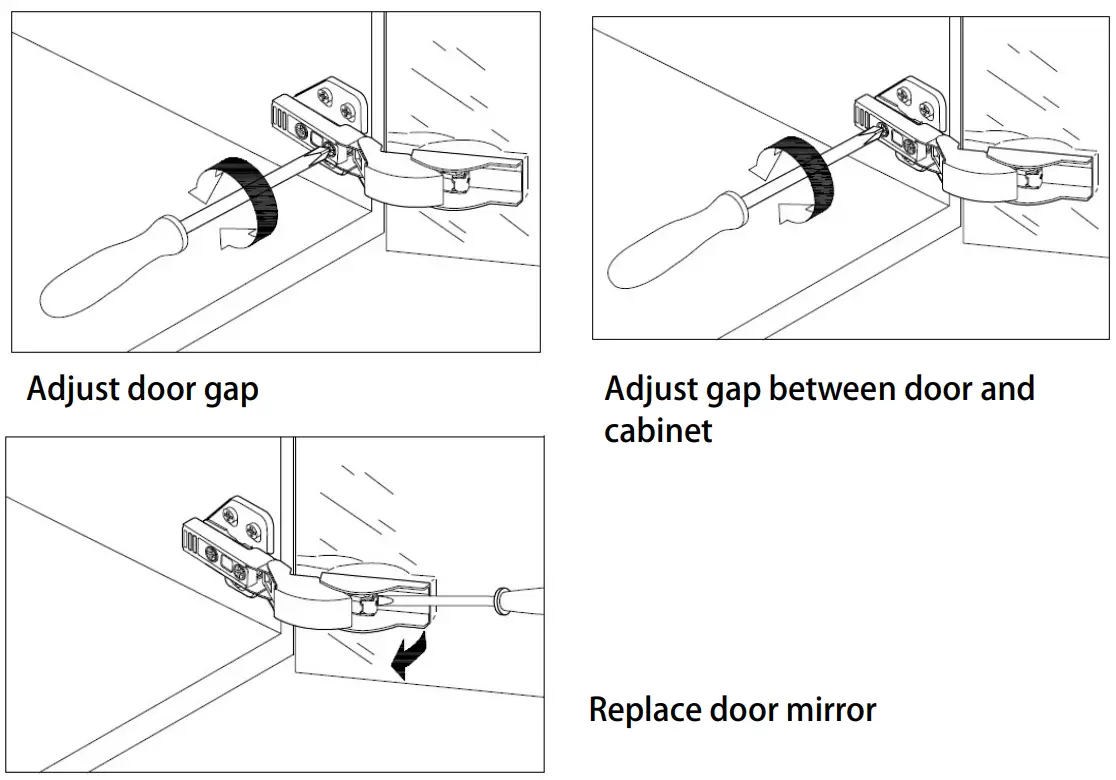
INSTER