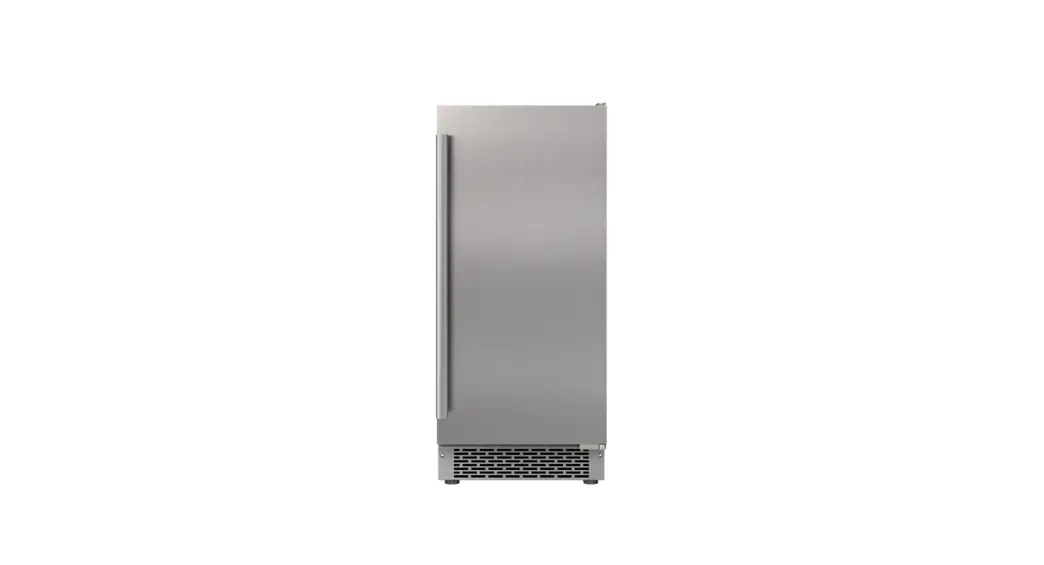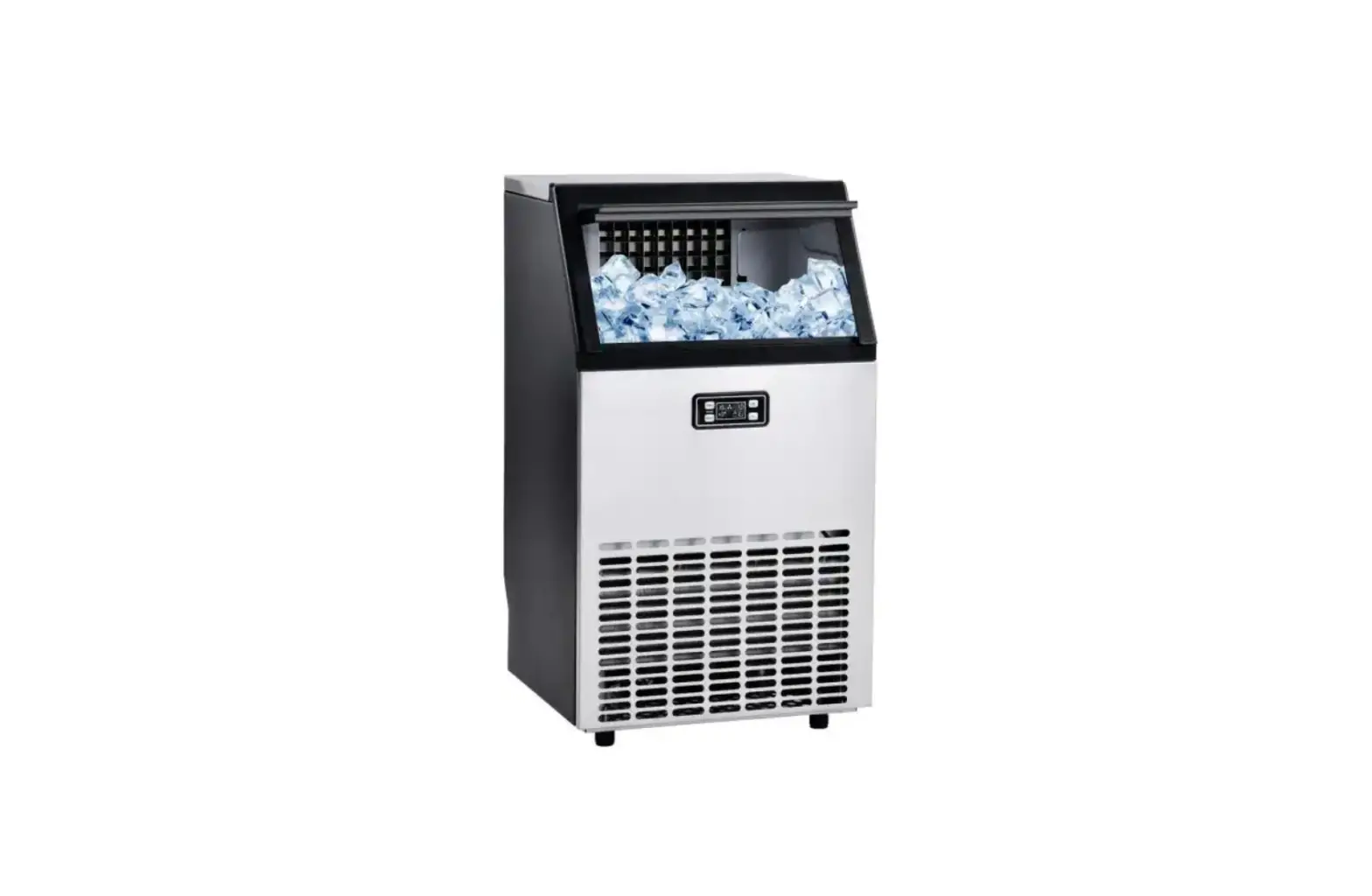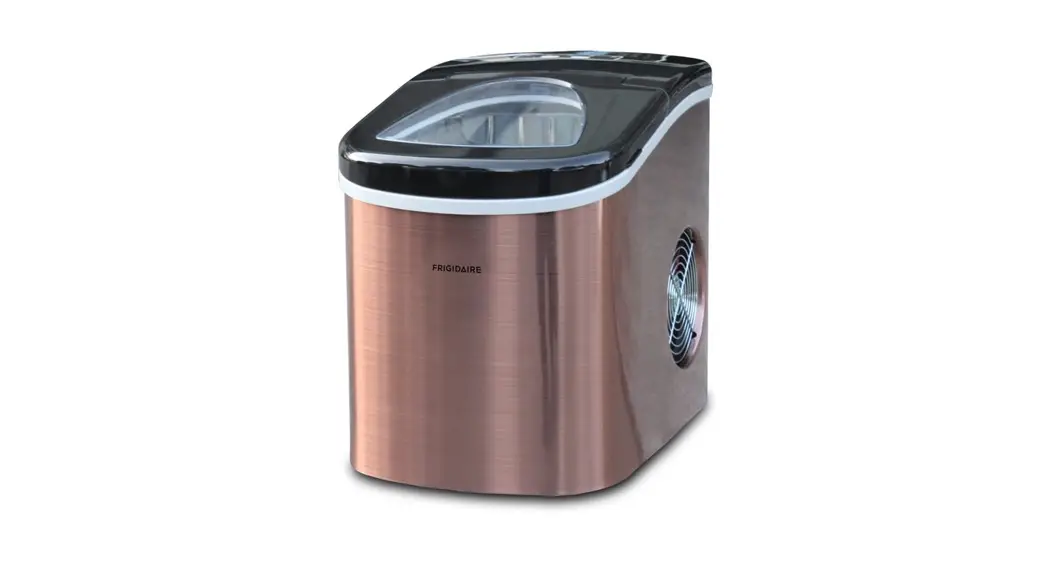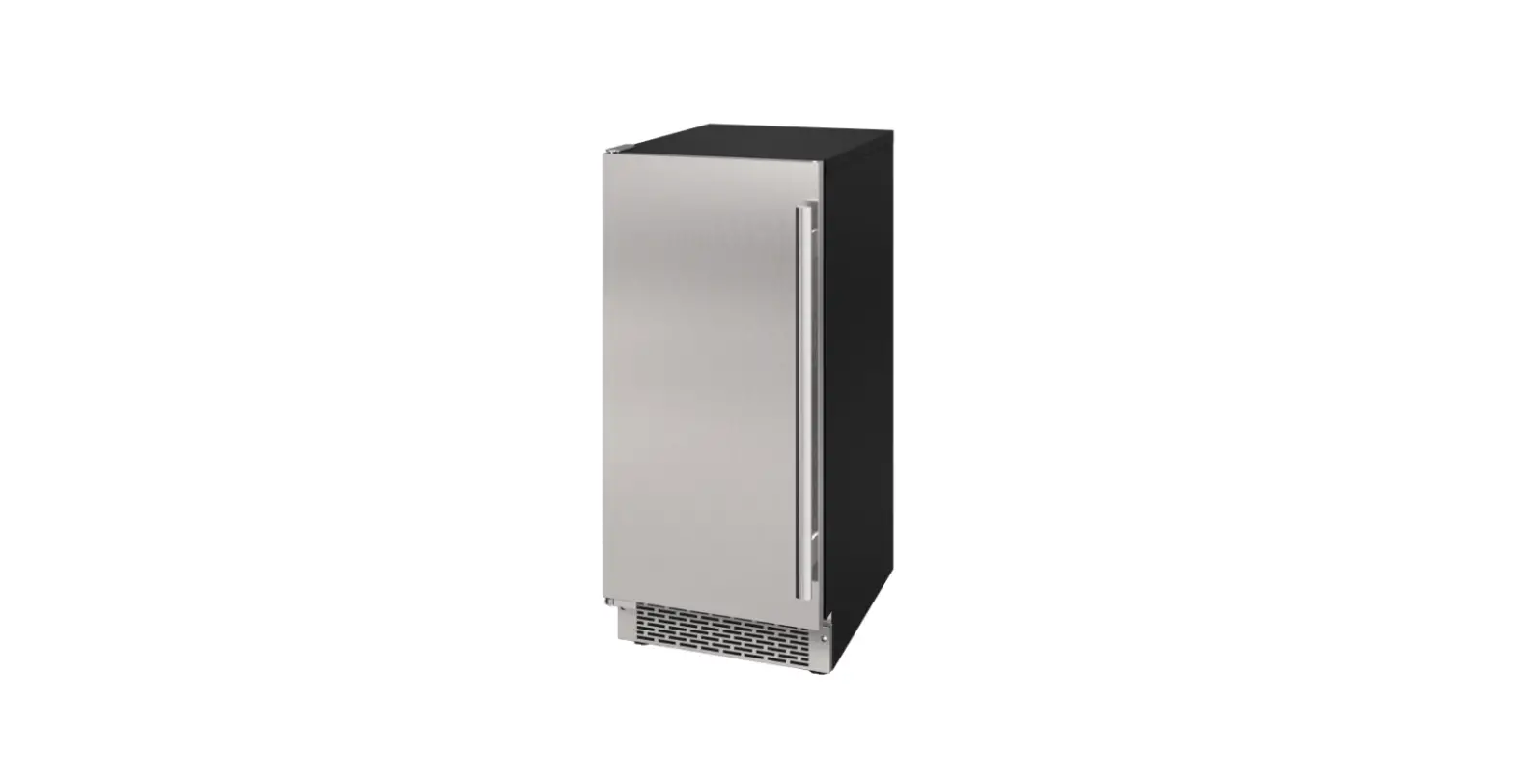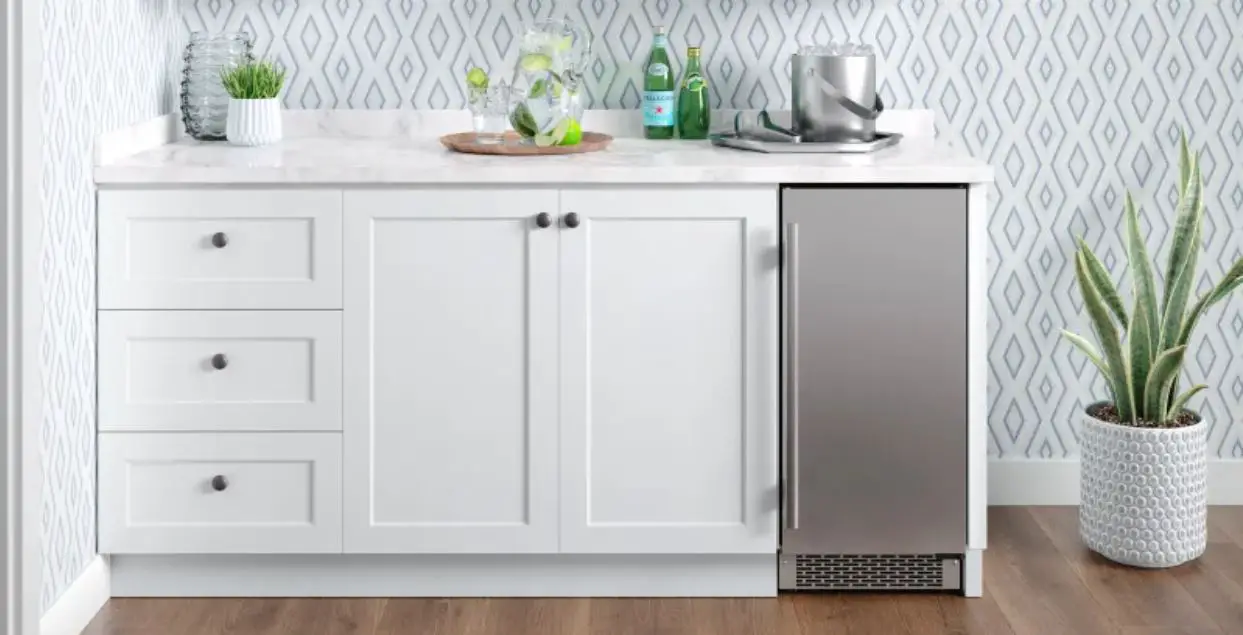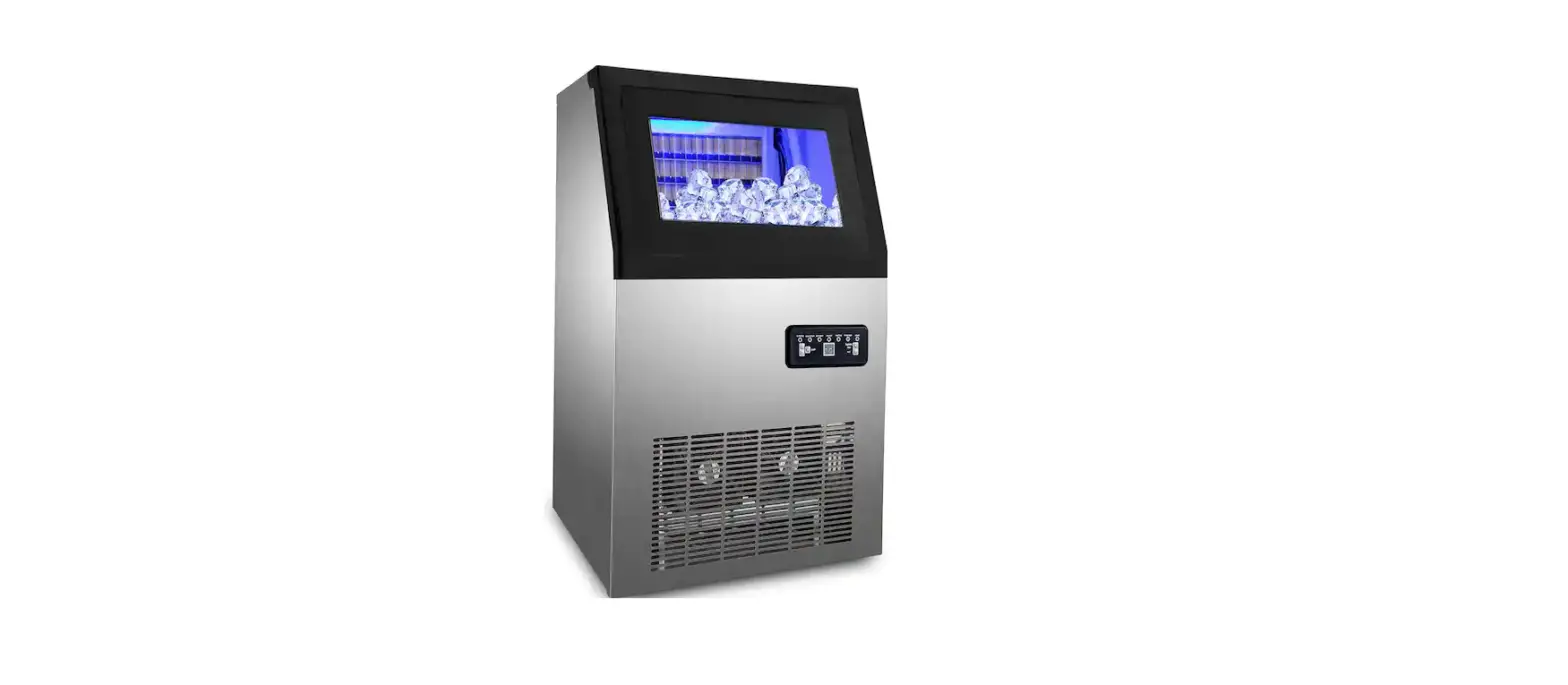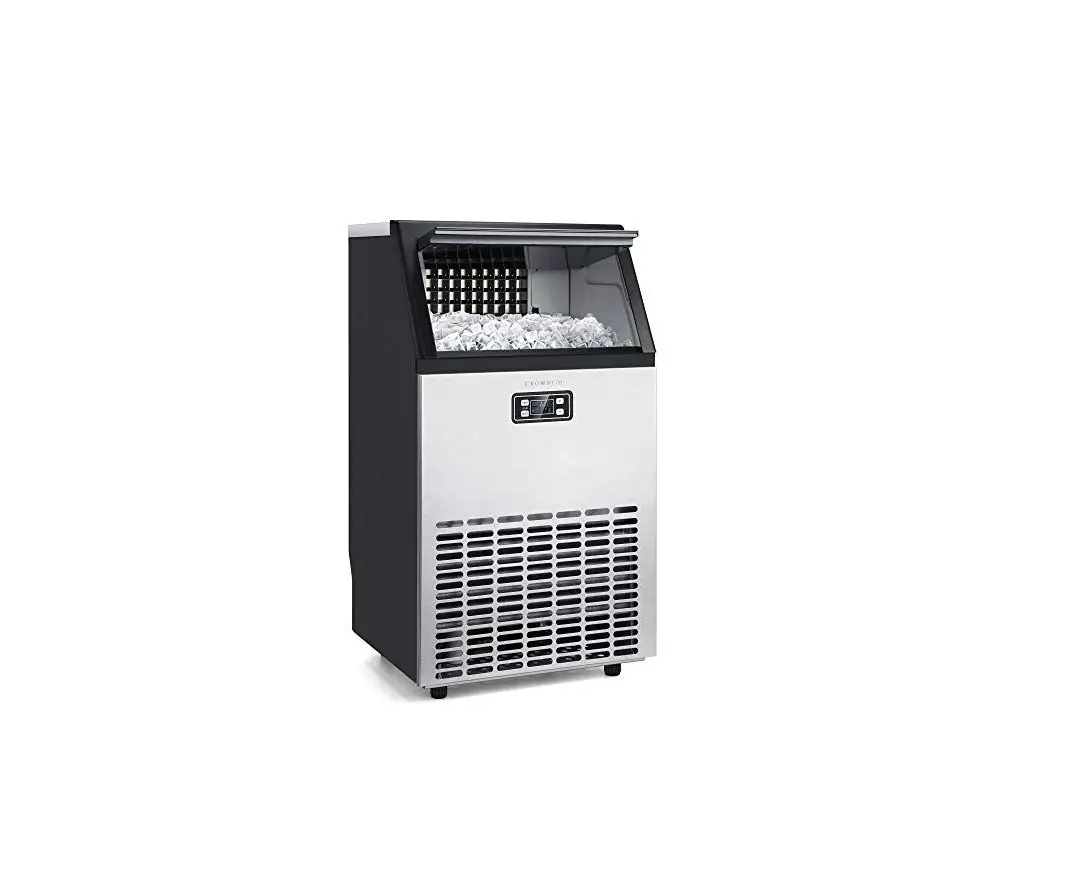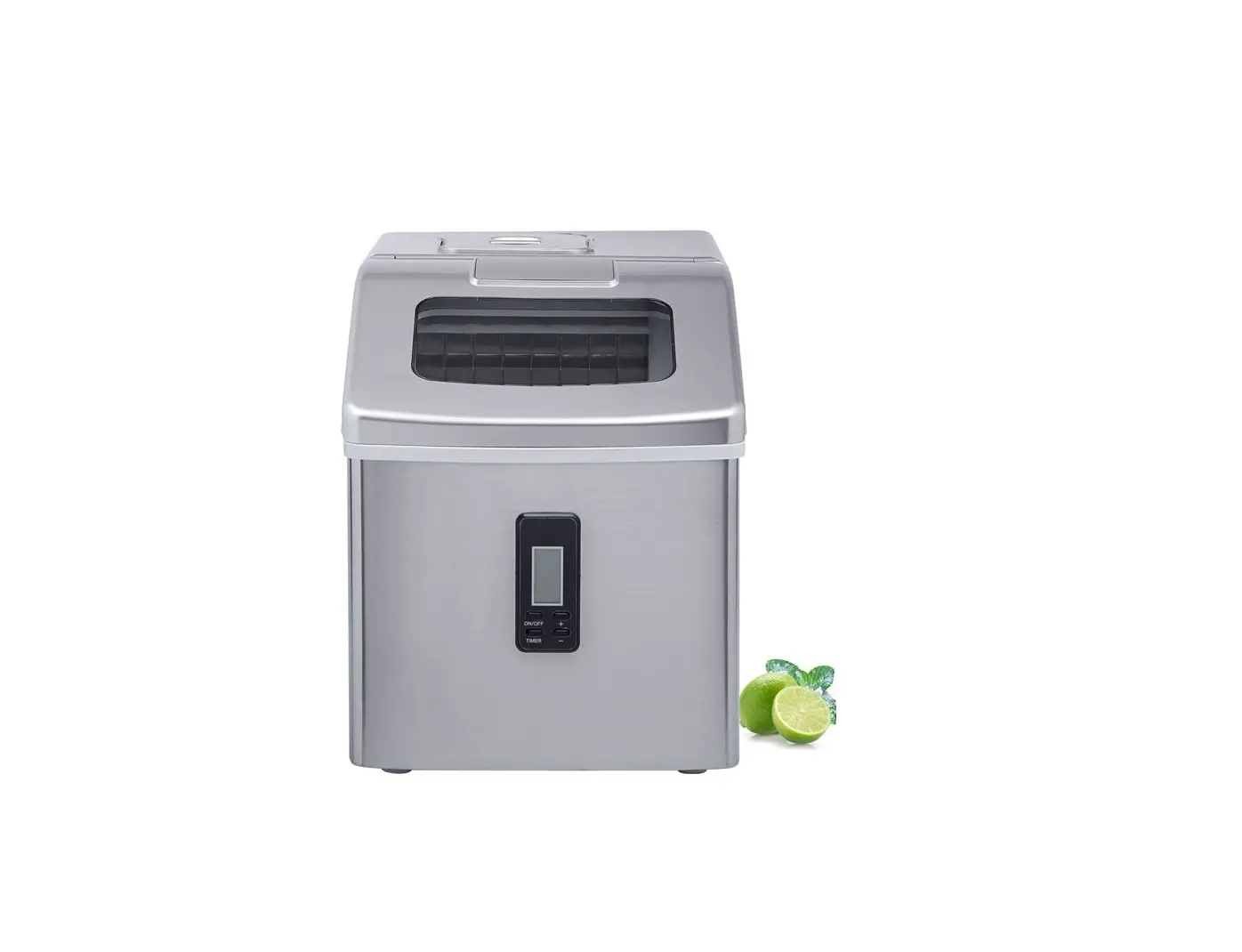
Kozart 48 lbs.Freestanding Ice Maker User Manual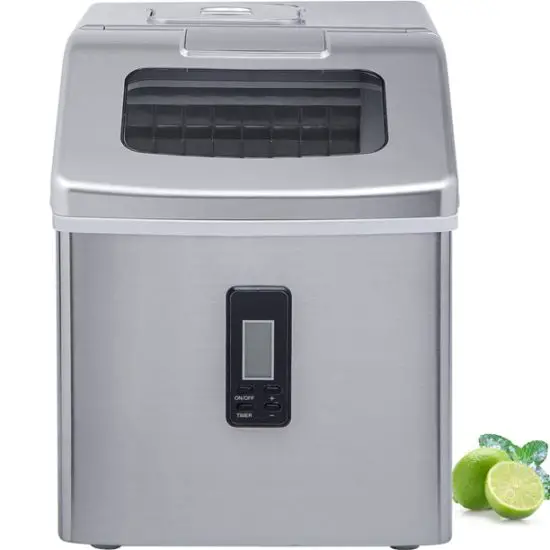
IMPORTANT SAFETY INSTRUCTIONS
Your safety and the safety of others are important to us. To ensure proper use and for your safety, please read the following instructions completely before operating this appliance. This is the safety alert symbol:
All safety messages will follow the safety alert symbol and the word “DANGER” or “WARNING”.
DANGER
WARNING
Text under Danger and Warning informs
Disregarding the instructions may lead to serious injury or death, and damage to the ice machine.
All safety messages alert you to a potential hazard and provide helpful information on how to reduce the chance of injury.
PREPARING YOUR ICE MAKER FOR USE
IMPORTANT SAFETY TIPS
When using electrical appliances, basic safety precautions should be followed to reduce the risk of fire, electric shock, and injury to person or property. Read all instructions before using any appliance.
- Do not operate this, or any other appliance with a damaged cord. Connect to properly polarized outlets only. No other appliance should be plugged into the same outlet. Be sure that the plug is fully inserted into the receptacle.
- Do not run the power cord over carpeting or other heat insulators. Do not cover the cord. Keep cord away from traffic areas, and do not submerge it in water.
- We do not recommend the use of an extension cord, as it may overheat and become a risk of fire. If you must use an extension cord, use No.14 AWG minimum size and rated nolessthan1875 watts.
- Unplug the ice maker before cleaning or making any repairs or servicing.
- Exercise caution and use reasonable supervision when appliance is used near children.
- Do not use your ice-maker outdoors. Place the ice-maker away from direct sunlight and make sure that there is at least 6 inches of space between the back of your unit and wall. Keep a minimum distance of 6 inches on each side of your unit free.
- Do not use other liquid to make the ice-cube other than water.
- Do not clean your ice maker with flammable fluids. The fumes can create a fire hazard or explosion.
- Do not tip over.
- If the ice maker is brought in from outside in wintertime, give it a few hours to warmup to room temperature before plugging it in.
WARNING: This appliance must be earthed.
- DANGER – Risk of Fire or Explosion. Flammable Refrigerant Used. Do Not Use Mechanical Devices To Defrost Ice Maker. Do Not Puncture Refrigerant Tubing.
- DANGER – Risk Of Fire Or Explosion. Flammable Refrigerant Used. To Be Repaired Only By Trained Service Personnel. Do Not Puncture Refrigerant Tubing.
- CAUTION – Risk Of Fire Or Explosion. Flammable Refrigerant Used. Consult Repair Manual/Owner’s Guide Before Attempting To Install or Service This Product. All Safety Precautions Must be Followed.
- CAUTION – Risk Of Fire Or Explosion. Dispose Of Property In Accordance With Federal Or Local Regulations. Flammable Refrigerant Used.
- CAUTION – Risk Of Fire Or Explosion Due To Puncture Of Refrigerant Tubing; Follow Handling Instructions Carefully. Flammable Refrigerant Used.
- The ice maker should be installed in accordance with the safety standard for Refrigeration Systems, ASHRAE15. The ice maker shall not be installed in corridors or hallways of public buildings.
- If the unit is with problem need to be maintained, that replacing with like components and that servicing shall be done by factory authorized service personnel, so as to minimize the risk of possible ignition due to incorrect parts or improper service.
IMPORTANT:
Electrical wiring color code:
Green or Green with a strip yellow: Ground Line
White: Neutral Line
Black: Live Line
To avoid a hazard due to instability of the appliance, it must be placed on an even or flat surface.
GETTING TO KNOW YOUR UNIT
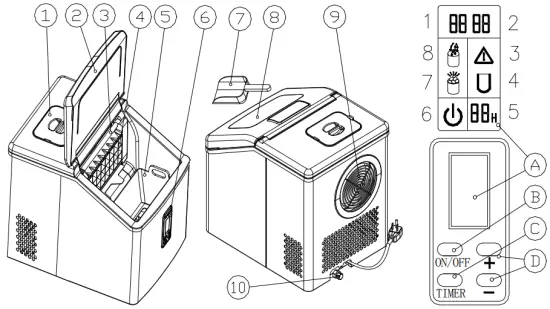
- Water Tank Cover: Please make sure the water is not filled over “FULL” level.
- Cover
- Water Pipe
- Evaporator
- Ice Basket
- Control Panel
- A. LCD Display Area
- Ambient Temperature
- Time Indicator
- Failure Indicator:
Flash: Intake air temperature sensor malfunction
Stay ON: Ice making malfunction - Ice making display area:
Flash: the machine is dumping ice
Zoom: the machine is making ice - Time and Timer Display Area:
It refers to ice making time if there’s only number in it.
It refers to the countdown time if there’s a letter “H” behind the number. - Power Indicator:
Flash: the machine is in standby mode
Stay ON: the machine is making ice - Ice Full Indicator: it’s turned on when the Ice Basket is full. Remove ice from the basket to ensure the machine works properly.
- Add Water Indicator:
Flash: water is filling
Stay ON: there is insufficient water in water tank
- B. Power Button:
Press this button to turn ON or turn OFF the machine. To force start ice dumping, press and hold the Power Button for more than 5 seconds. - C. TIMER: This indicates the time has been set for the Ice Maker to automatically turn ON or OFF.
- D. “+” “–”: Set ice making duration and timer.
Increase or decrease 1 minute/hour with each press.
- A. LCD Display Area
- Ice Scoop
- Viewing Window
- Air Outlet: Please make sure there’s no object at least 20cm around the air outlet.
- Water Outlet: For draining water from the water tank.
UNPACKING YOUR ICE MAKER
- Remove the exterior and interior packaging. Check that ice basket and ice scoop is included. If any parts are missing, please contact our customer service.
- Clean the interior with lukewarm water and a soft cloth. Take out the ice basket and clean it
- Place your ice maker on a level surface where is protected from direct sunlight and other sources of heat (i.e.: stove, furnace, and radiator). Make sure that there is at least 6inchesof space between the back and sides of your ice maker and the wall.
- Allow one hour for the refrigerant fluid to settle before plugging ice maker in.
- The appliance must be positioned so that the plug is accessible.
CONNECTING YOUR ICE MAKER
DANGER
Improper use of the grounded plug can result in the risk of electrical shock. If the power cord is damaged, please call our customer service.
- This unit should be properly grounded for your safety. The power cord of this appliance is equipped with a three-prong plug which mates with standard three prong wall out lets to minimize the possibility of electric shock.
- Plug your appliance into an exclusive, properly installed, grounded wall outlet. Do not under any circumstances, cut or remove the third (ground) prong from the power cord. Any questions concerning power and/or grounding should be directed toward a certified electrician.
- This appliance requires a standard 110-120volt, 60Hz electrical outlet with three-prong ground.
CLEANING AND MAINTAINING YOUR ICE MAKER
Clean it thoroughly before you use it for the first time.
Make sure the unit is unplugged before attempting to clean and allow it to warm up to room temperature.
- Take out the ice basket.
- Clean the interior with diluted detergent, warm water and a soft cloth.
- Rinse the inside part and drain out water through the draining port by unplugging the drain cap on the back.
- The outside of the ice maker should be cleaned regularly with a mild detergent solution and warm water.
- Dry the interior and exterior with a soft cloth.
- When the machine is not in use for a long time, open the water drain cap to drain water completely out from the water tank.
To maintain maximum efficiency and to prevent bacterial growth, we suggest you clean your unit regularly, especially the water pipe and water filters
- If there is no water flowing down but you can still hear the compressor and water pump are working, the water pipe is probably blocked. To clean it up, turn off the unit
first and then remove it from the unit. Clean each hole on the pipe wall as shown in the right picture. After cleaning it up, make sure it’s replaced correctly and the right end is connected to the silicone pipe.
- For both of the water tank and the big water reservoir, clean them with diluted detergent, warm water and a soft cloth. Rinse the inside and drain out the water from the draining port by unplugging the drain cap on the back. It will help you keep the unit and ice-cube clean and maintain its efficiency.
- If you find there are ice left in evaporator and cannot be removed easily, press and hold the power button for more than 5 seconds to activate ice dumping mode. The whole process might take 1-3 minutes.
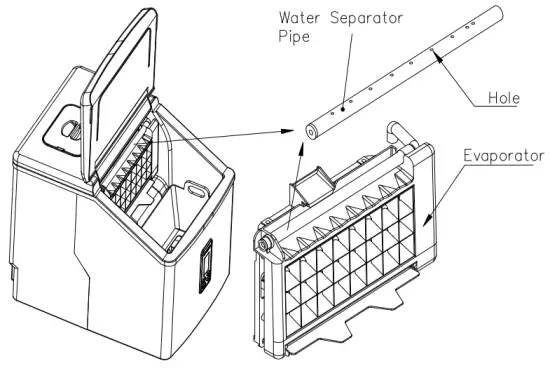
How to drain out the water from the internal tank and big water reservoir completely
To drain out the water from both the big water tank and inner tank, unplug your unit and remove the cap of the Water Outlet.
USING YOUR ICE MAKER
Adding Water
Remove the water reservoir cover and pour potable water into the reservoir. Make sure the water level is below the FULL mark as shown in the right picture. Close the cover at once to avoid foreign matter enter. Warning: Do not pour the water into the internal water tank underneath the ice basket. This tank is not big enough and will affect the ice making performance.
Turn “ON”:
Operation Panel and Display Area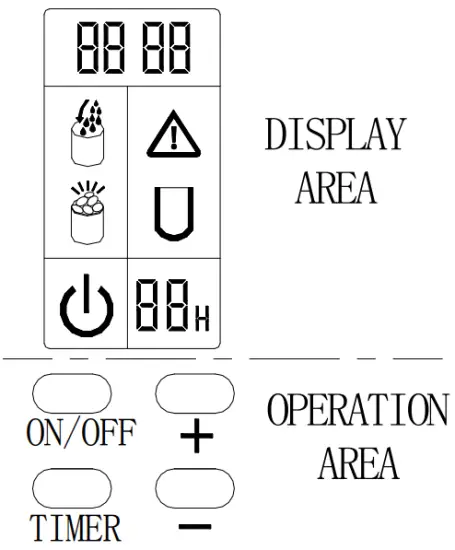
- A. Plug the Ice Maker into the outlet, the Power Indicator
 and
and  will turn on and flash. The water tank starts filling the inner tank under the ice basket until it reaches required water level, and symbol turns off. Press Power Button (ON/OFF) on the operation panel to start making ice. During ice making process, stays on, ice making symbol
  zooms, and the current ambient temperature is shown on the upper left of the display. For example, ”25” indicates that the current ambient temperature is 25degreesCelsius. After a few minutes of ice making, the number in Time Indicator starts to flash, indicating the remaining time for this ice making cycle. For example, a flashing number “8”means it will take 8 minutes to finish the ice making.
 - B. It starts dumping ice after this ice making cycle finishes. The ice making symbol flashes, and the inner tank begins to replenish till the set value, then begins the next ice making cycle. Symbol lights up if there is insufficient water in tank, and the machine stops working. Add water, turn on the machine and you can continue making ice.
- C. Each ice making cycle lasts about 15-25 minutes. It varies according to the ambient temperature and water temperature. The duration especially lasts longer when you use it
for the first time, or the water temperature is high. - D. Adjustment of ice thickness: During the ice making cycle, the thickness of the ice cube is can be adjusted by pressing “+” and “—” on the operation panel. The default figure at the lower right of the display for ice making time is “0”. Each time you press “+”, the duration adds 1 minute, and the ice cube will be thicker. The maximum time can be addedis6minutes. The actual duration will be displayed in the lower right corner of the display. Each time you press “—”, the duration decreases 1 minute, and the ice will be thinner. The maximum time can be reduced is 6 minutes. After the machine is powered on again, it returns to the default setting “0”. Please note the time you set takes effect from the next ice making cycle.
- E. If the Ice Full Indicator lights up, the ice maker stops working. Remove ice from the basket and it will start working again.
 and
and  zooms, and the current ambient temperature is shown on the upper left of the display. For example, ”25” indicates that the current ambient temperature is 25degreesCelsius. After a few minutes of ice making, the number in Time Indicator starts to flash, indicating the remaining time for this ice making cycle. For example, a flashing number “8”means it will take 8 minutes to finish the ice making.
Shutdown
During the ice making process, press the “ON/OFF” button on the operation panel to shut
down the machine and it enters standby mode. Press and hold the “ON/OFF” button for more than 5 seconds during ice making cycle, the machine goes to the dumping process. This function helps to remove ice from the icing pan. Press the “ON/OFF” button again and the machine will shut down.
Timer Setting
Setting range: 1-24 hours
Regular shutdown: Schedule an auto shutdown during the ice making cycle. Regular start:
Schedule a startup on standby mode.
- A. How to set the timer
Press the “TIMER” button on the operation panel, a flashing number “1H” appear sat the bottom right of the display, and then press “+” or “-” button to adjust the time you need. Each press adds or reduces 1 hour. The letter “H” flashes while you’re adjusting time, and stops flashing after the setting is done for 5 seconds. The “H” in the display indicates that the machine is currently is on timer function. It starts counting down until the number turnsto0. The machine enters the mode you preset after the countdown finishes. - B. How to cancel the timer
When the machine is scheduled (the display has XX H), press the “TIMER” button, the timing number on the screen will flash, and then press it again to cancel the timer.
Ice making duration and countdown time display alternatively every 5 seconds if the machine is scheduled.
Display Backlight settings
Press and hold the “TIMER” button for more than 5 seconds to set the blue backlight.
- Mode 1: Light the blue backlight for a long time;
- Mode 2: The blue backlight is on when the button is pressed, and goes out after 10seconds.
Machine Drainage
Unscrew the drain nut on the back of the machine counter clockwise, and then pull out the silicone plug to drain the water in the tank. The machine must be on standby mode while draining the tank. Put back the silicone plug and drain nut after draining out the water.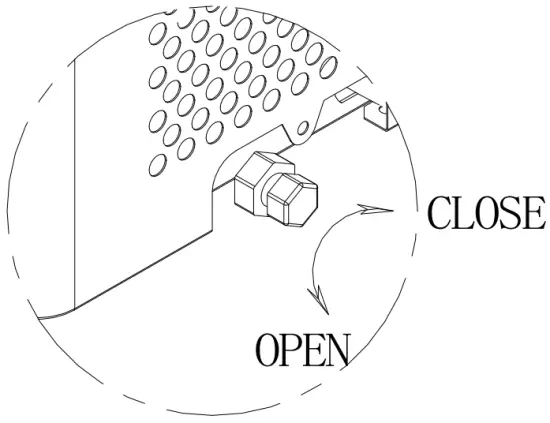
Good hygiene is important for staying healthy. Please change water every 24 hours and clean the water tank and inner tank every 3 days.
WARNINGS
- A. Make sure the water tank, water filter and the water separator pipe are cleaned regularly. Blockage may lead to poor performance of the unit.
- B. Water temperature will affect the performance of ice making. The lower the temperature is, the more ice cube produce.
- C. Ambient temperature will affect the performance of ice making. The cooler the ambient temperature is, the more ice cube produce.
- D. Good quality water ensures a proper performance and relatively longer operational life. Purified water and distilled water are recommended. Bad quality water will not affect the working of the unit, but it might be noisy while making ice.
- E. There will be a three-minute delay if the compressor restarts.
TROUBLESHOOTING
| PROBLEM | POSSIBLE CAUSE | SOLUTION |
| Ambient temperature display “E” on standby mode | The ambient temperature sensor damaged | Turn on the machine, “E” disappears and the ambient temperature will no longer display. |
 Ice Full Indicator Light is on | Too much ice cube in the basket | Remove ice from the basket |
 Add Water Indicator is on | Insufficient water in tank | Turn off the unit, add water to <FULL> level, and re-start the unit. |
| The water reservoir has water, but reservoir is on | The inlet solenoid valve damaged | Need professional maintenance |
| Inner water level exceeds ice basket, and is on | The water level switch in the inner tank does not slide up and down smoothly | Clean the water level switch until it slides smoothly |
| is flashing | Ambient temp sensor damaged | The unit can still work, and you need to change a new sensor |
| stays on | Refrigerating tube sensor damaged | Need professional maintenance |
| No water come out from the water pipe | The holes are blocked | Use slim wire to prick each hole until water flow out easily |
| Water filter block | Clean the water filter | |
| Ice cube is too thick and can’t drop down | Ice making cycle is too long | Press “—” to decrease the ice making duration |
| Ice making performance is poor | Ambient temperature is too high | Move the unit to a cooler place |
| Water temperature is too high | The water temp should be no higher more than 77℉ | |
| Ice making duration is too short | Press “+” to increase the ice making Duration | |
| Unit works but there’s no ice cube | Ambient temperature temperature is too high or water | Move the unit to a cooler place where the ambient temp. is lower than 86 ℉ , and fill with cooler water. |
| Refrigerant system leakage | Need professional maintenance | |
| Refrigerant system is blocked | Need professional maintenance |
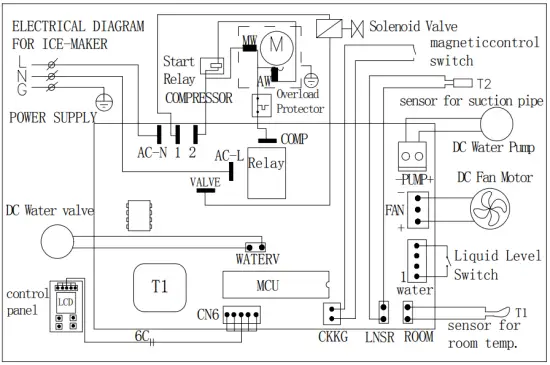
TECHNICAL PARAMETERS & CIRCUIT DIAGRAM
TECHNICAL PARAMETERS
| Protection Type | I | I |
| Rated Voltage/Frequency | 115V/60Hz | 115V/60Hz |
| Ice Making Current | 1.6A | 1.6A |
| Ice Harvest Current | 2.6A | 2.6A |
| Refrigerant /Volume | R600a/32g | R600a/32g |
| Design Pressure | ||
| High Side | 260Psig | 260Psig |
| Low Side | 88Psig | 88Psig |
| Net Weight | 10.5Kg | 11.0Kg |
| Enclosure | Plastic | Stainless Steel |
CIRCUIT DIAGRAM