Todos Industrial SEATH6 Baby Anti Abandonment Car Seat Pad User Manual
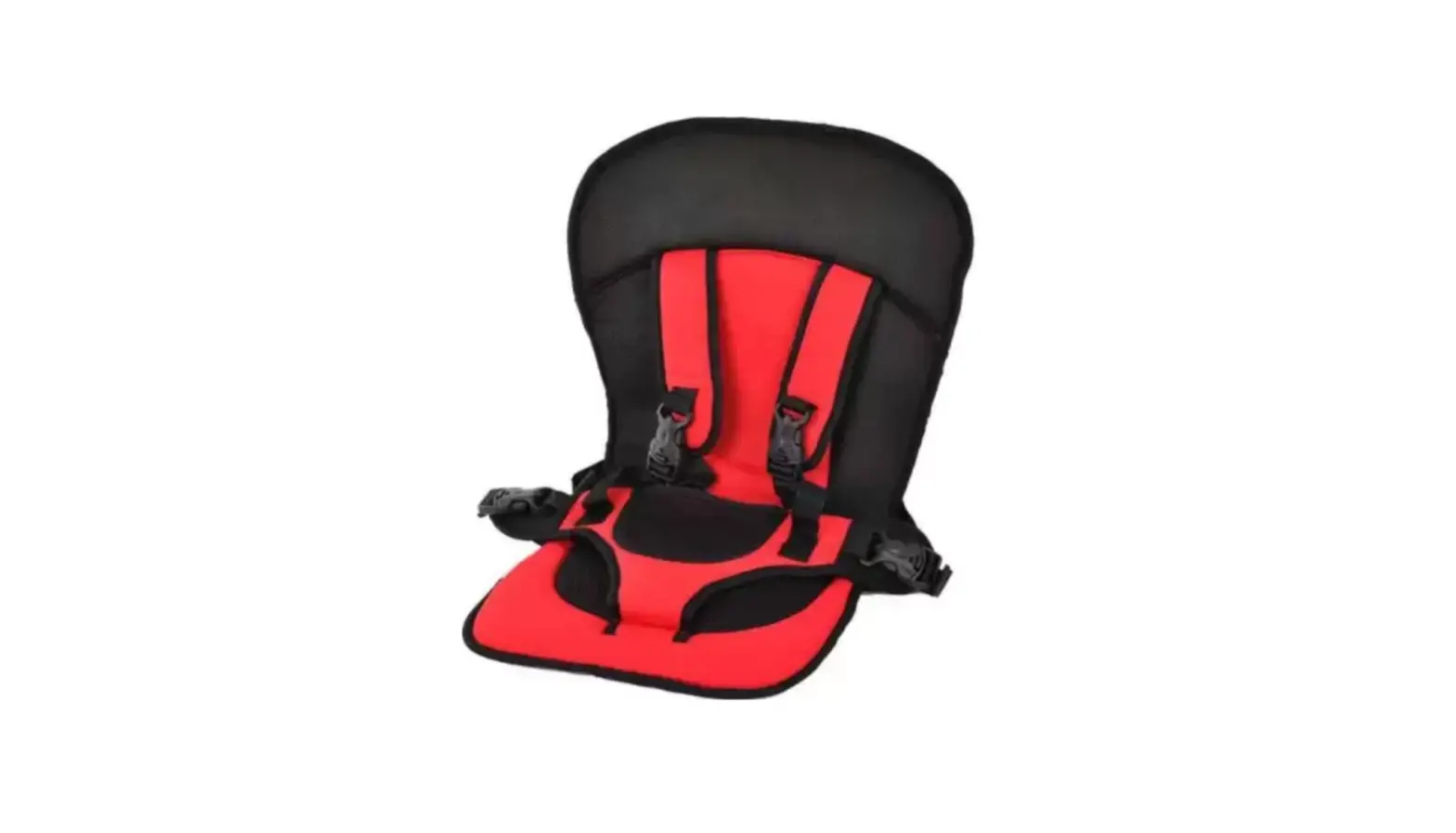
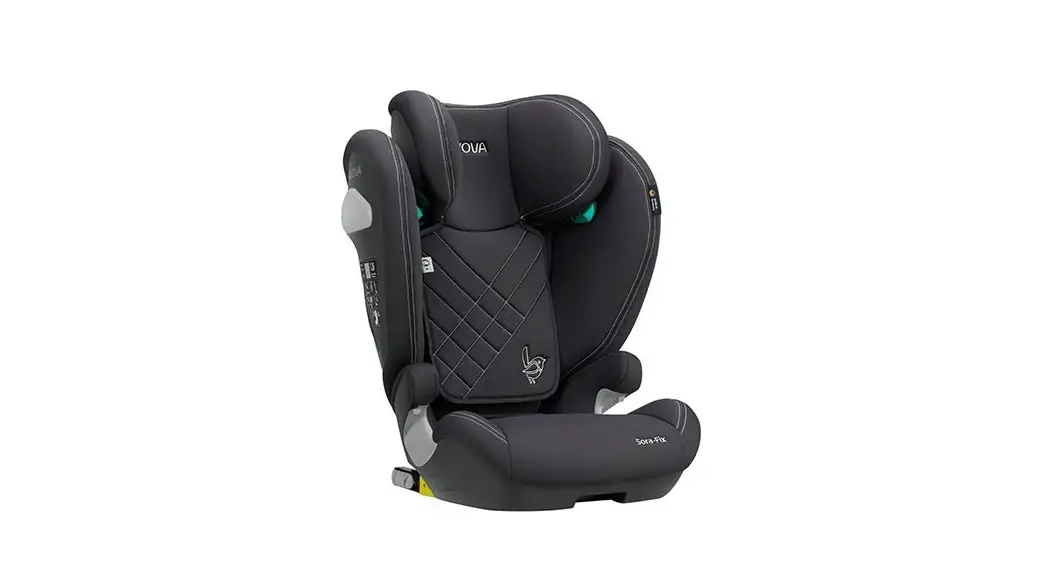
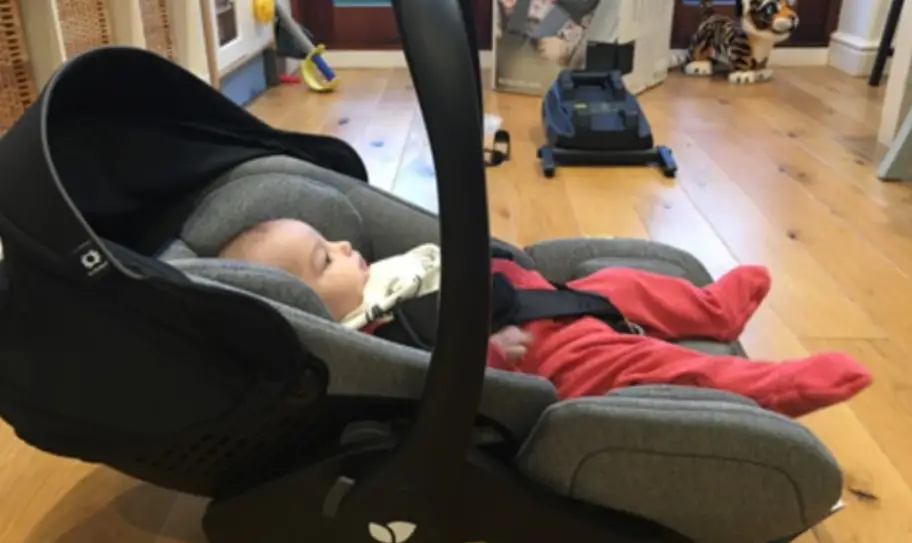
It’s a great honor that our hiup “smart pad” child safety seat can accompany your child safely through a new stage in his or her life. To ensure the safety of your child, please install and use the smart pad correctly as described in this manual. If you have any questions about use, please feel free to contact us.
SAFETY INSTRUCTIONS
Please read this manual carefully, otherwise improper installation may cause injury. In this case, the manufacturer will not be liable
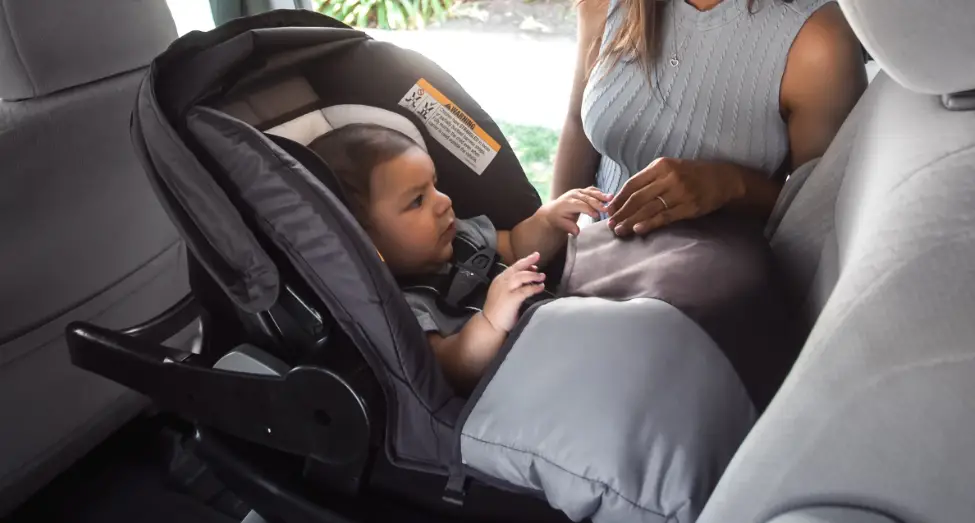
- This “smart pad” is suitable for children’s weight of 6kg-25kg
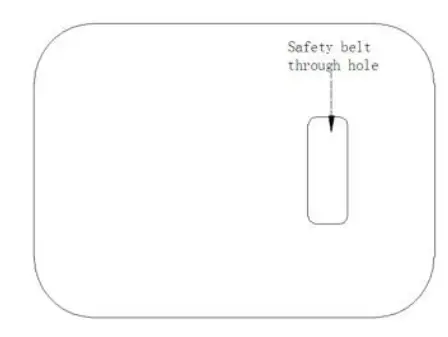
- This “smart pad” is positioned and fixed by a three-point seat belt through the middle aperture.
- The safety belt cannot be used without passing through the “smart pad” aperture.
- Make sure that the seat belt buckle is locked correctly, in case of emergency, the child can be released quickly.
- Smart pad” should be kept away from corrosive substances.
- If you have any questions about the use and install a “smart pad” app, please call the company service hotline.
COMPONENTS
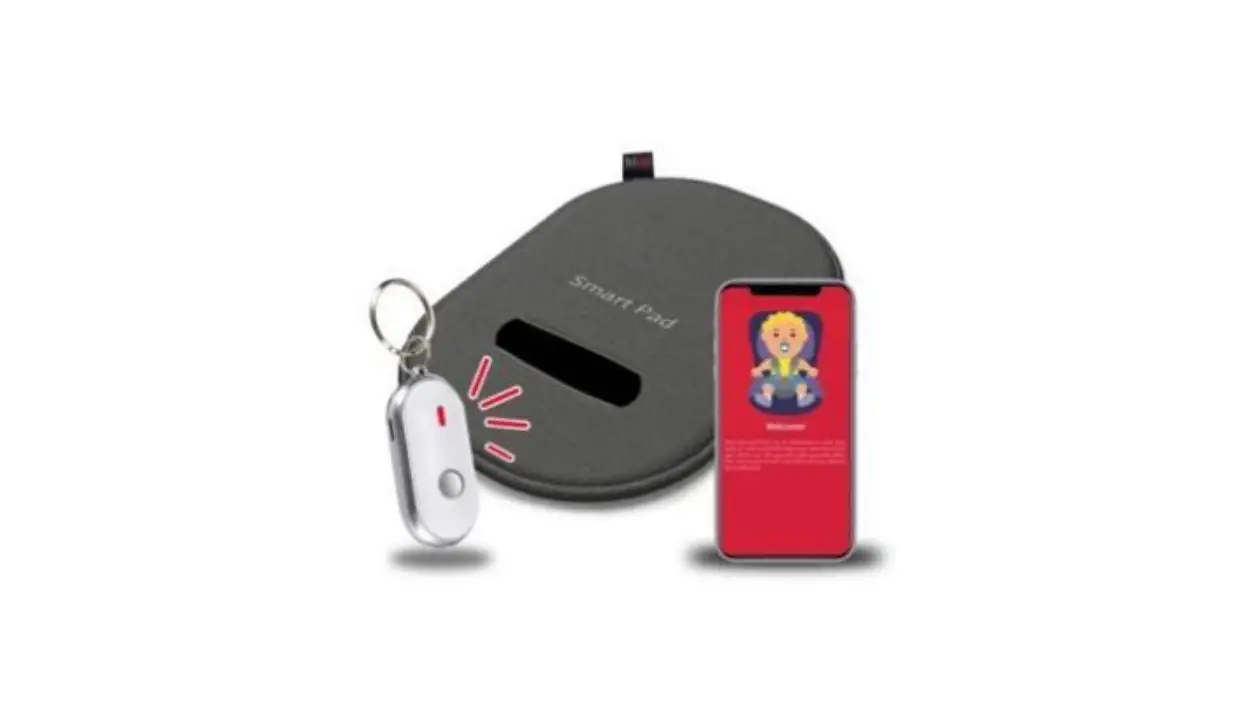
PAD StyleCushion Style
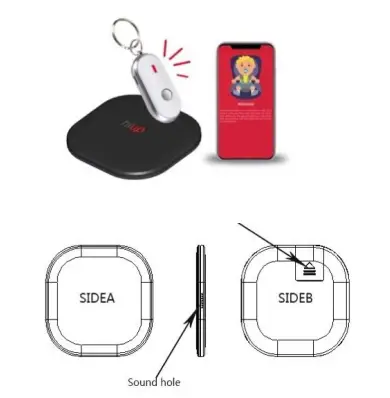
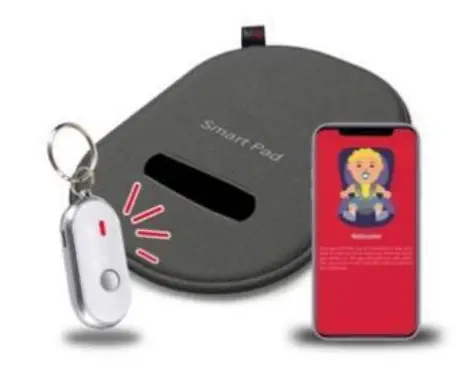
Keychain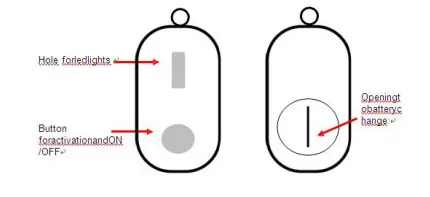
CLEANING AND MAINTENANCE
Washing instructions: do not disassemble, do not clean, only dry by

Caution
“Smart pad” internal pressure sensor and circuit board components are not waterproof, please do not soak or soak in water.
APP OPERATION INSTRUCTIONS
APP Introduction
a:Search and download “Hiup” from app store or Android
b:Register in the login interface according to the instructions
c:Login
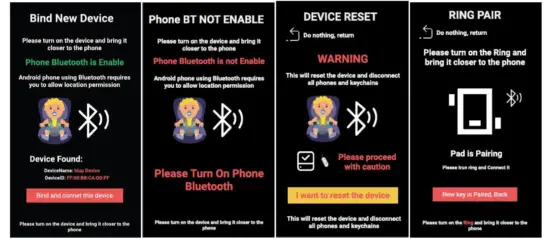
d:add device: Smart pad, Keychain as below
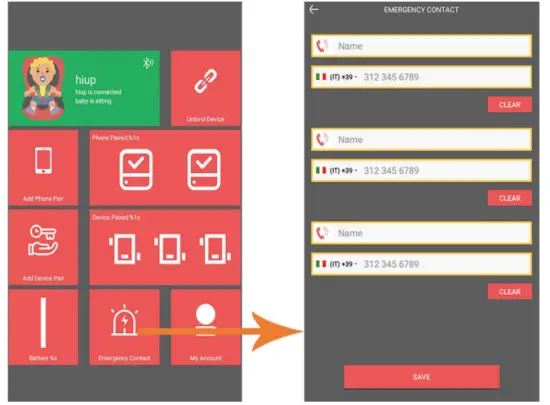
e:Add 3 emergency numbers and enable 3 emergency numbers
How it works
Set emergency numbers. They will receive an alert SMS with the car’s position in case of emergency.
f: Page status management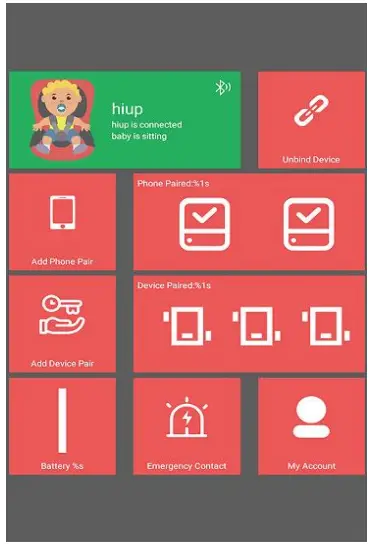
SPECIFICATION PARAMETER
| Product Style | PCBA | BabySeat+remote control |
| Dimension | 150*150*13.5MM/220mm*300mm*13.5mm | |
| net weight | About 100g | |
| Battery | Type | Button Battery |
| Compacity(Keychain) | 3.0V/220mAh(Keychain)CR2032 | |
| Compacity(“Smart pad”) | 3.0V/540mAh(cushion) CR3032 | |
| Duration of flight | Standby time: about 5 months, continuous use time: about 2 to 3 months | |
| System Hardware Configuration: | ||
| CPU | Type | FR866 4.2 Low-power BLE Bluetooth chip, |
| ROM | 78KB SRAM | |
| SPI Flash | 2M | |
| Frequency | 12-4SMhz speed | |
| buzzer | Internal | buzzer *2 A remote control and a host |
| Sensor | Pressure Sensor | YES |
| LED | Indicator | YES Remote control supports four-color indicator |
| Connection | ||
| Bluetooth | 4.2 | YES,One BabySeat host supports 3PCS remote control, 2PCS mobile phone |
| I/O Configuration | ||
| Button | Physical button(remote control) | YES,Power(remote control) |
| Software Configuration | ||
| Type | Item | Description |
| APP | (APP) Apple Store | |
| (APK)Google store | ||
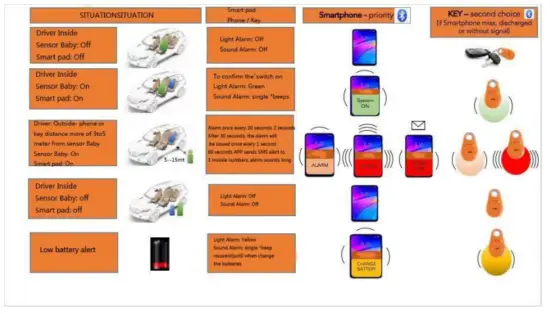
FUNCTION DESCRIPTION
FCC Statement
- This device complies with Part 15 of the FCC Rules. Operation is subject to the following two conditions:
- This device may not cause harmful interference.
- This device must accept any interference received, including interference that may cause undesired operation.
- Changes or modifications not expressly approved by the party responsible for compliance could void the user’s authority to operate the equipment.
NOTE
This equipment has been tested and found to comply with the limits for a Class B digital device, pursuant to Part 15 of the FCC Rules. These limits are designed to provide reasonable protection against harmful interference in a residential installation. This equipment generates uses and can radiate radio frequency energy and, if not installed and used in accordance with the instructions, may cause harmful interference to radio communications. However, there is no guarantee that interference will not occur in a particular installation. If this equipment does cause harmful interference to radio or television reception, which can be determined by turning the equipment off and on, the user is encouraged to try to correct the interference by one or more of the following measures:
- Reorient or relocate the receiving antenna.
- Increase the separation between the equipment and receiver.
- Connect the equipment into an outlet on a circuit different from that to which the receiver is connected.
- Consult the dealer or an experienced radio/TV technician for help.