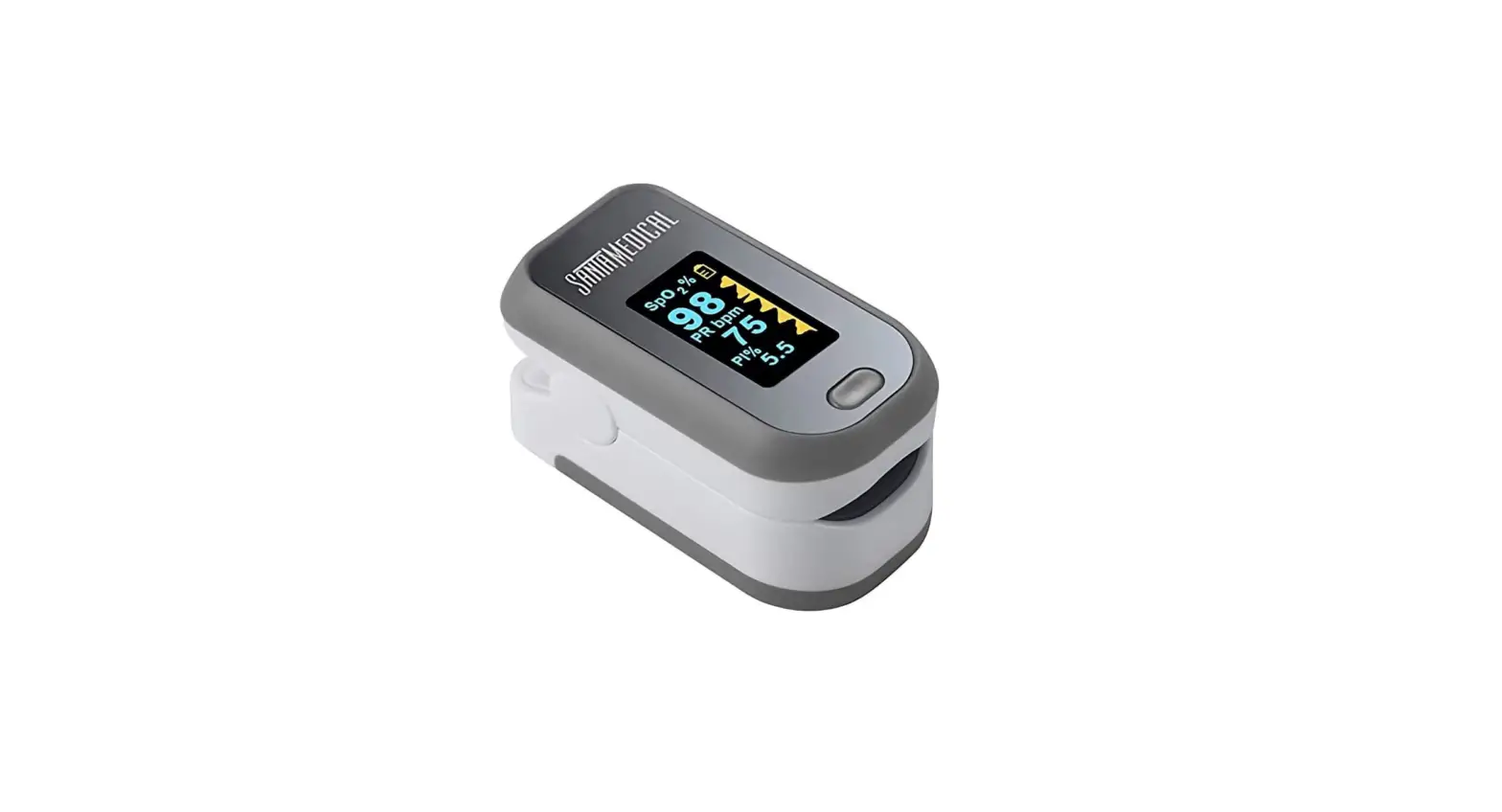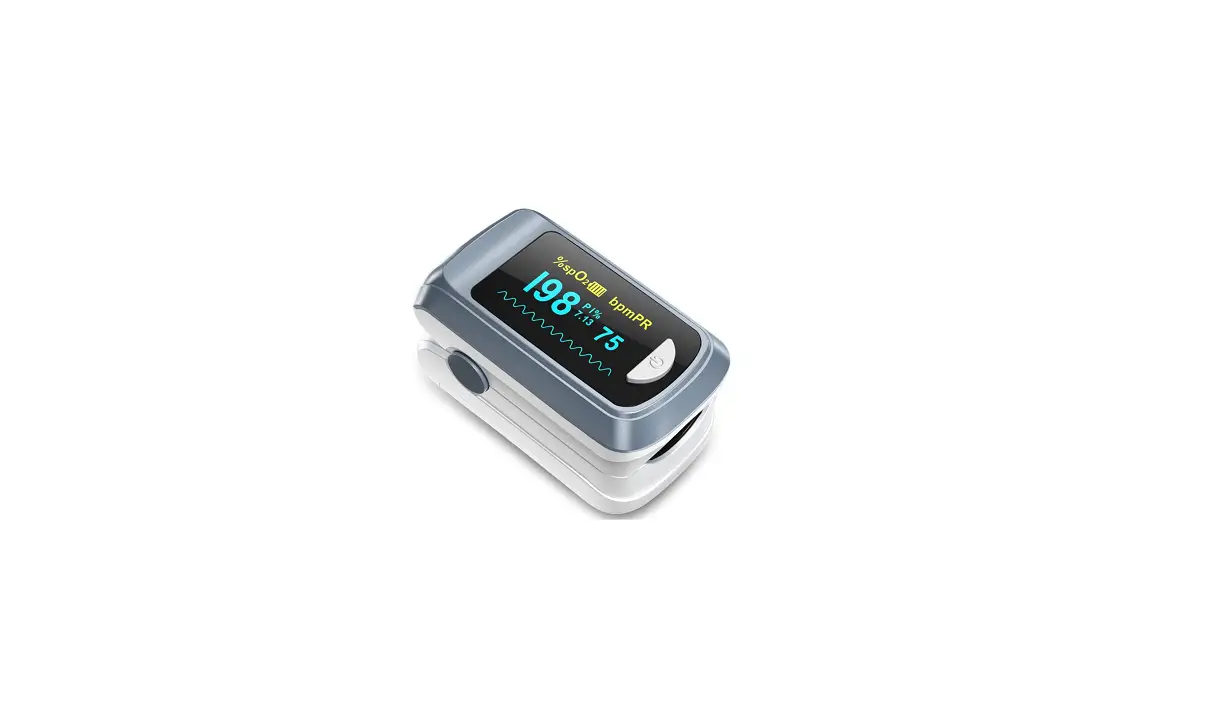

Owner’s Manual
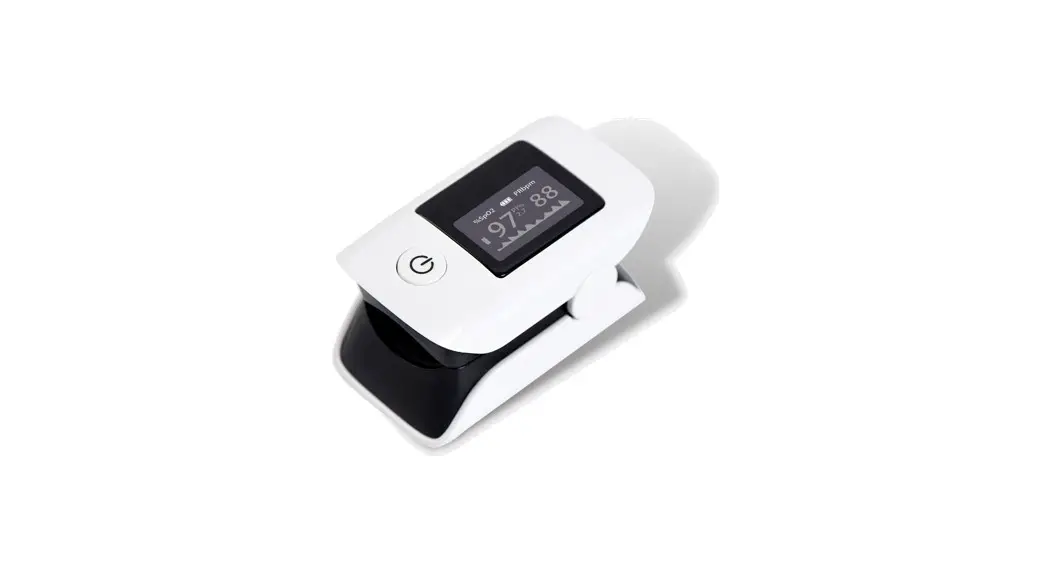
Fingertip Pulse oximeter
XM-103
Document No.: JDXM-0304-052 Version: Z
General Description
CAUTION:
Federal (U.S.) Law restricts this device to sale by or on the order of a physician.
Oxygen binds to hemoglobin in red blood cells when moving through the lungs. It is transported throughout the body as arterial blood. A pulse oximeter uses two frequencies of light (red and infrared) to determine the percentage(%)of hemoglobin in the blood that is saturated with oxygen. The percentage is called blood oxygen saturation, or SpO2. A pulse oximeter also measures and displays the pulse rate at the same time it measures the SpO2 level.
The oximeter is for prescription use or prescription home use.
This device conforms to IEC6061-1, IEC60601-1-2, IEC60601-111, ISO 80601-2-61, IEC 62304, 47 FCC part 15C, ANSI C63.27 .
Measurement Principle
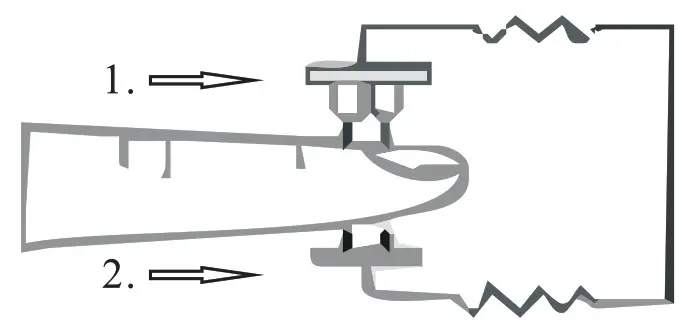
PRINCIPLE of the oximeter is as follows: The pulse oximeter works by applying a pulsating arteriolar vascular bed. The sensor contains a dual light source and photo detector. The one wavelength of light source is 660nm, which is red light the other is 905nm, which is infrared-red light skin, bone, tissue and venous vessels normally absorb a constant amount of light over time. The photo detector in finger sensor collects and converts the light into electronic signal which is proportional to the light intensity. The arteriolar bed normally pulsates and absorbs variable amounts of light during systole and diastole, as blood volume increases and decreases. The ratio of light absorbed at systole and diastole is translated into an oxygen saturation measurement. This measurement is referred to as SpO2.
Diagram of Operation Principle
- Red and infrared-ray emission tube
- Red and infrared-ray receipt tube
Safety Notice
- Before use,carefully read the manual.
- Do not use the pulse oximeter:
• if you are allergic to rubber products.
• if the device or finger is damp.
• during MRI or CT scan.
• while taking a blood pressure measurement on the arm.
• nail polish, dirty, coating fingers and false nails applied fingers.
• fingers with anatomical changes, edemas, scars or burns.
• Too big finger: the width of finger is over than 20mm and the thickness is over than 15mm.
• Too small finger: the width of finger is less than 10mm and the thickness is less than 5mm.
• Minors under 18 years old.
• The environmental light changes strongly.
• near flammable or explosive gas mixtures. - Extended use may cause pain for people with circulatory disorders. Do not use the pulse oximeter for longer than two hours on one finger.
- Measurements are for your information only – they are no substitute for a medical examination.
- Check the pulse oximeter regularly before use to ensure that there is no visible damage and the batteries are still sufficiently charged. In case of doubt, do not use the device and contact customer services or authorized retailer.
- Do not use any additional parts that are not recommended by the manufacturer.
- Any circumstances do not open or repair the device by yourself. Failure to comply will result in voiding of the warranty. For repairs, please contact customer services or authorized retailer.
- Do not look directly inside the housing during the measurement. The red light and the invisible infrared light in the pulse oximeter are harmful to your eyes.
- This device is not intended for use by people (including children) with restricted physical, sensory or mental skills or a lack of experience or a lack of knowledge, unless they are supervised by a person who has responsibility for their safety or they receive instructions from this person on how to use the device. Children should be supervised around the device to ensure they do not play with it.
- If the unit has been stored at temperatures below 0 , leave it in a warm place for about two hours before using it.
- If the unit has been stored at temperatures above 40 , leave it in a cool place for about two hours before using it.
- Neither of the displays for the pulse wave and pulse bar allows the strength of the pulse or circulation to be evaluated at the measurement site. Rather, they are exclusively used to display the current visual signal variation at the measurement site and do not enable diagnostics for the pulse.
- Operation of the fingertip pulse oximeter may be affected by the use of an electrosurgical unit (ESU).
- Follow local ordinances and recycling instructions regarding disposal or recycling or the device and device components, including batteries.
- This equipment complies with IEC 60601-1-2:2014 for electromagnetic compatibility for medical electrical equipment and systems. In healthcare center or other environment, their radio transmission equipment and electromagnetic interference may affect the performance of the oximeter.
- The oximeter contains radio communication function, it may affect other electronic medical equipment, so it should not be used close to or stacked with other equipment.
- This equipment is not intended for use during patient transport outside the healthcare facility.
- When the signal is not stable, the reading may inaccurate. Please do not reference.
Important Testing Guidelines
- Non-observance of the following instructions can lead to incorrect or failed measurements
• There must not be any nail polish, artificial nails or other cosmetics on the finger to be measured.
• Ensure that the finger nail on the finger to be measured is short enough that the fingertip covers the sensor element in the housing.
• Keep your hand, finger and body steady during the measurement.
• In cases of carbon monoxide poisoning, the pulse oximeter will display a measurement value that is too high.
• To avoid incorrect results, there should not be any strong light sources( e.g. fluorescent lamps or direct sunlight ) in the immediate vicinity of the pulse oximeter.
• Protect the pulse oximeter from dust, shocks, moisture, explosive materials.
• Excessive patient movement. - The following situations may cause inaccurate measurements
• Significant levels of dysfunctional hemoglobin (such as carbonyl hemoglobin or methemoglobin).
• Venous pulsations.
• Placement of a sensor on an extremity with a blood pressure cuff, arterial catheter,or intravascular line.
• The patient has hypotension, severe vasoconstriction, severe anemia, or hypothermia.
• The patient is in cardiac arrest or is in shock.
• Weak pulse quality (low perfusion).
• Low hemoglobin.
Intended Use
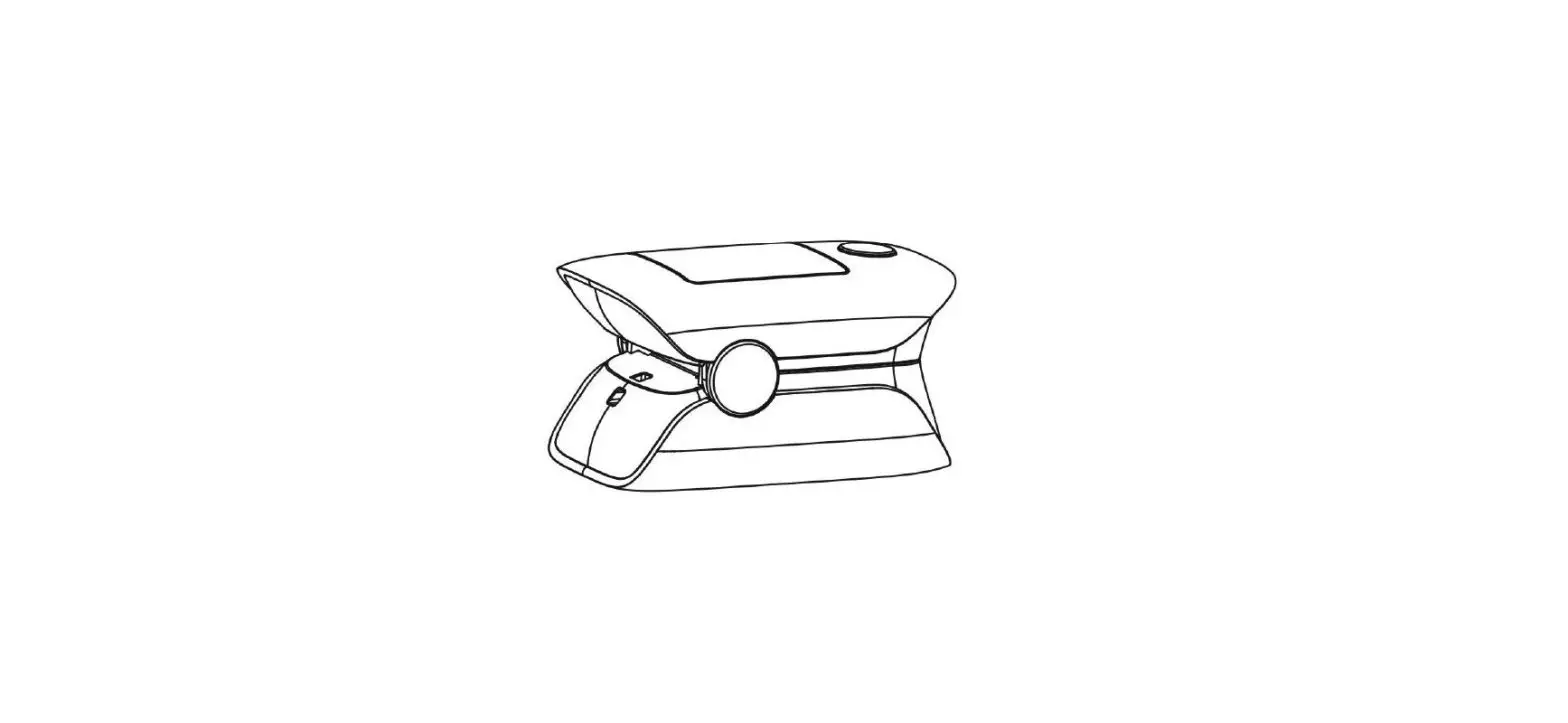
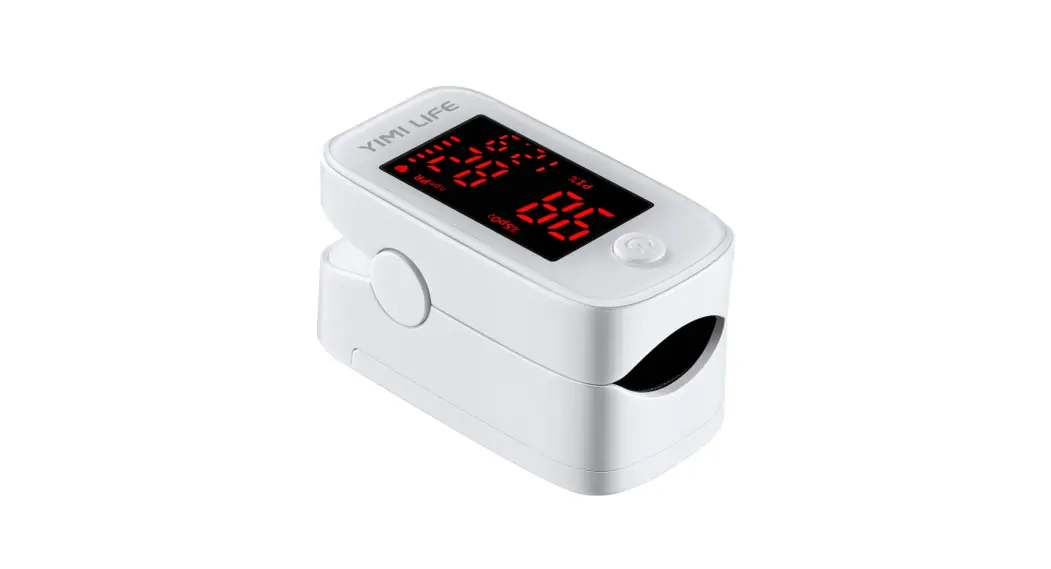
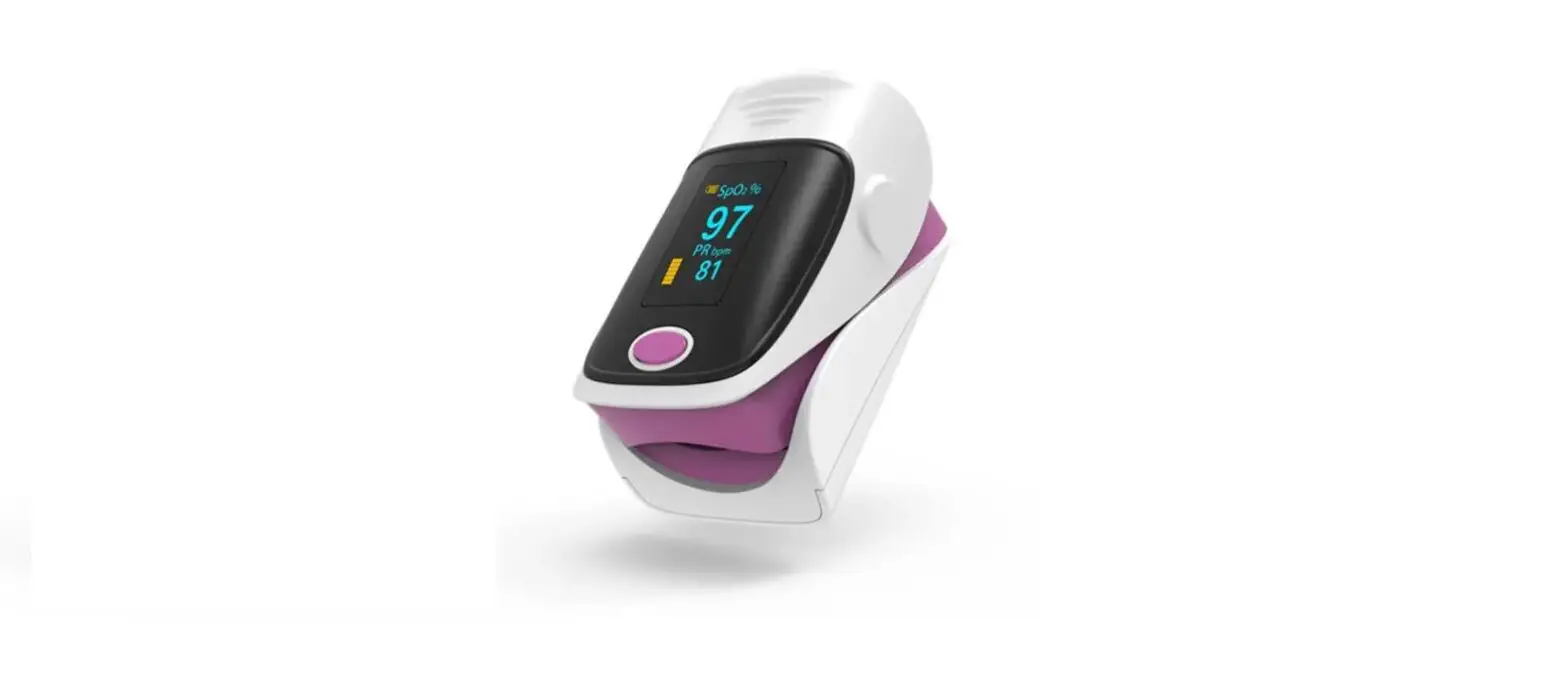
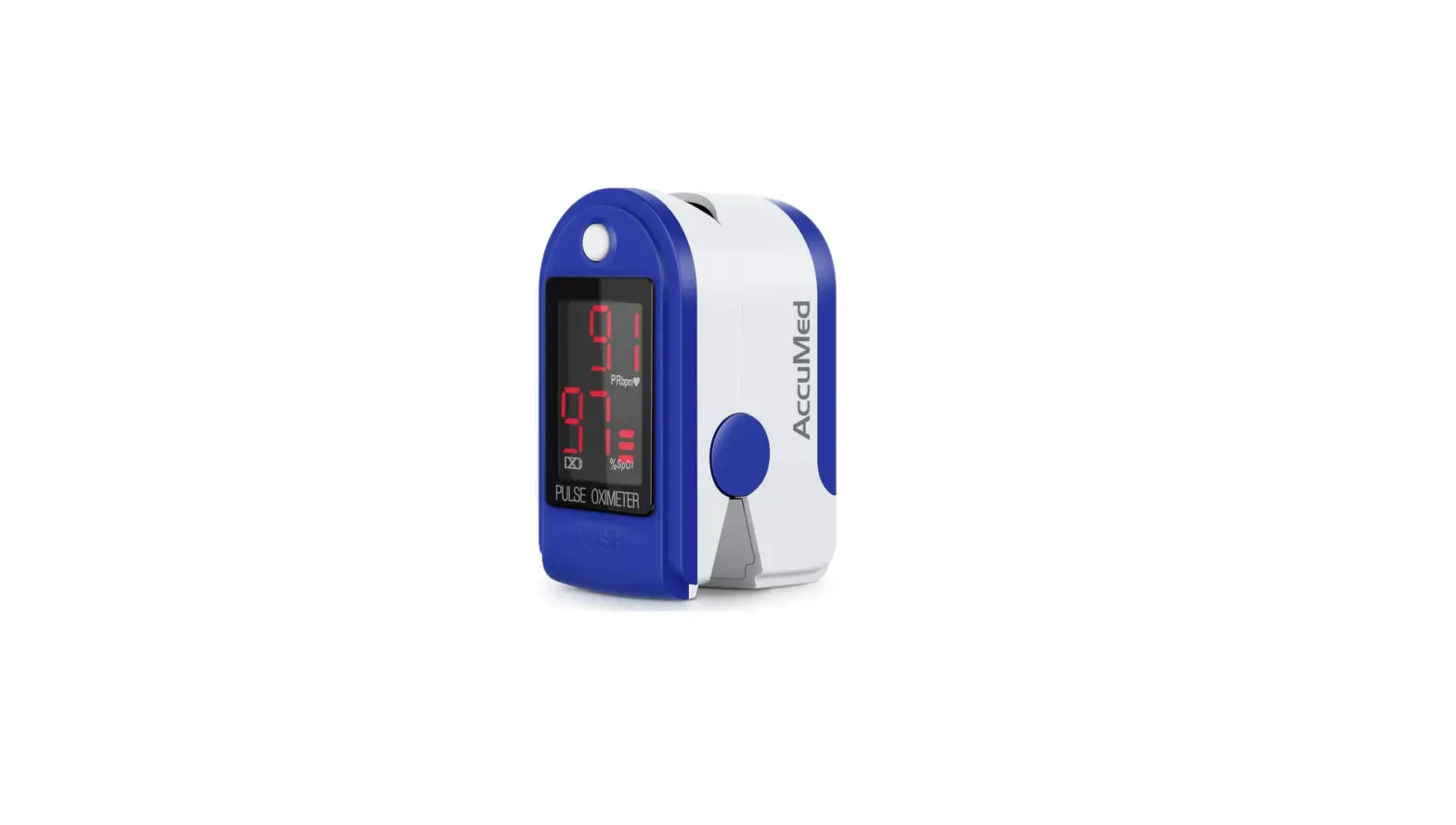
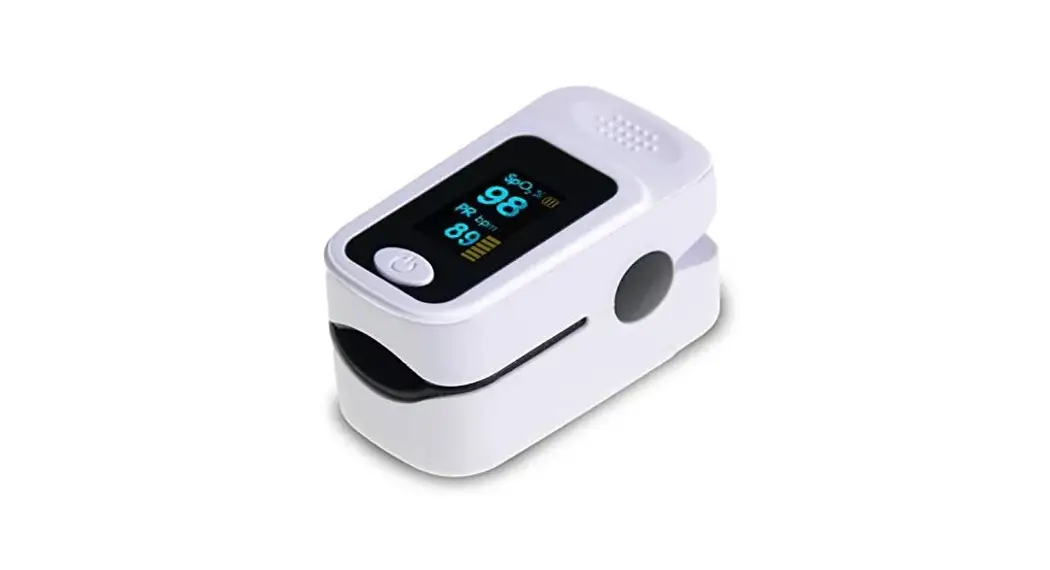
The fingertip pulse oximeter is a portable non-invasive, spot-check, oxygen saturation of arterial hemoglobin and pulse rate of adult at home, and hospital (including clinical use in internist/surgery, anesthesia etc).
Unit Illustration
Contents
- 1 x XM103 pulse oximeter
- 1 x Owner’s Manual
- 1 x Retaining strap
- 1 x Storage Bag
- 2 x 1.5v AAA batteries
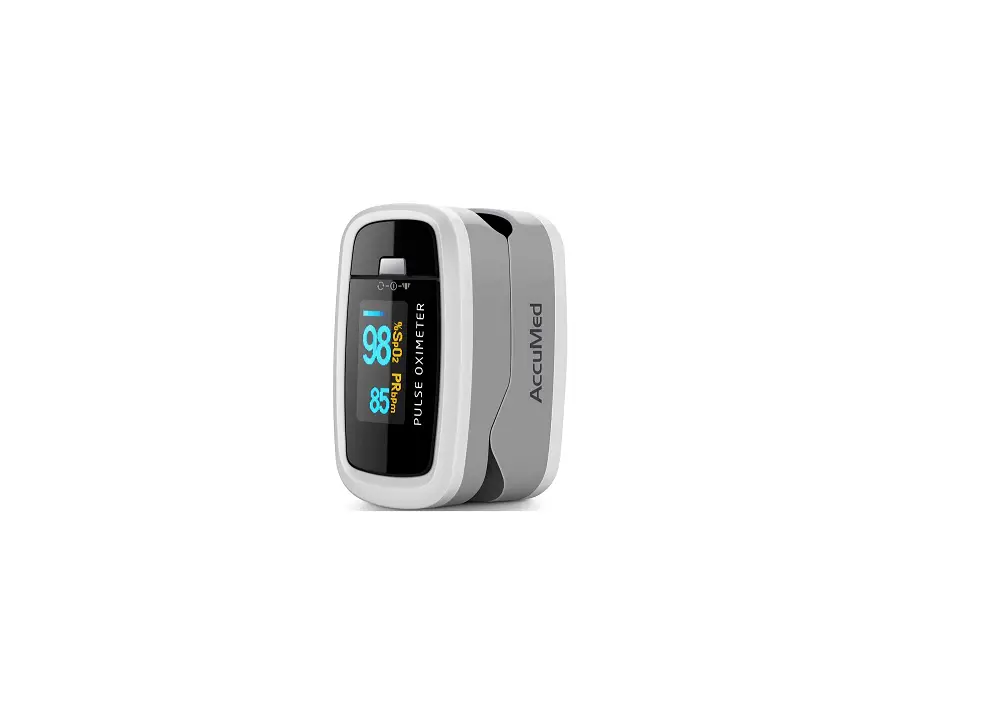
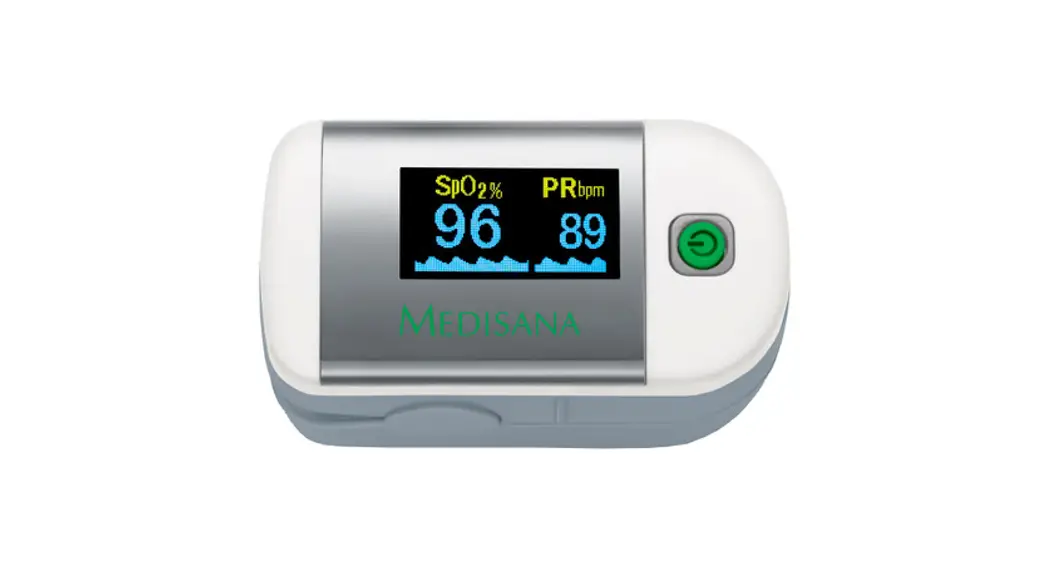
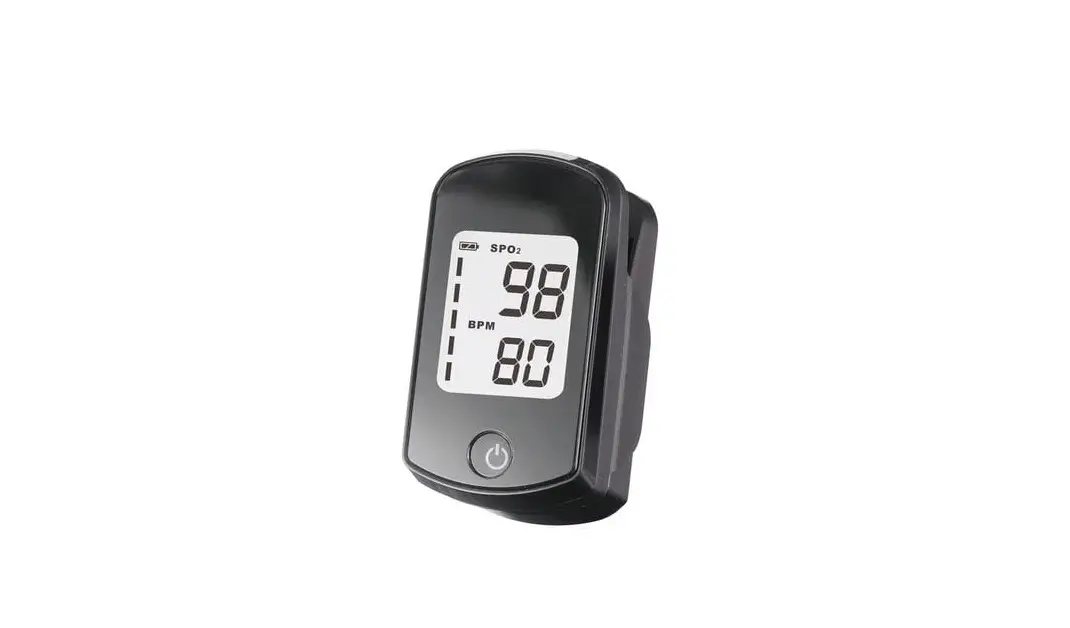
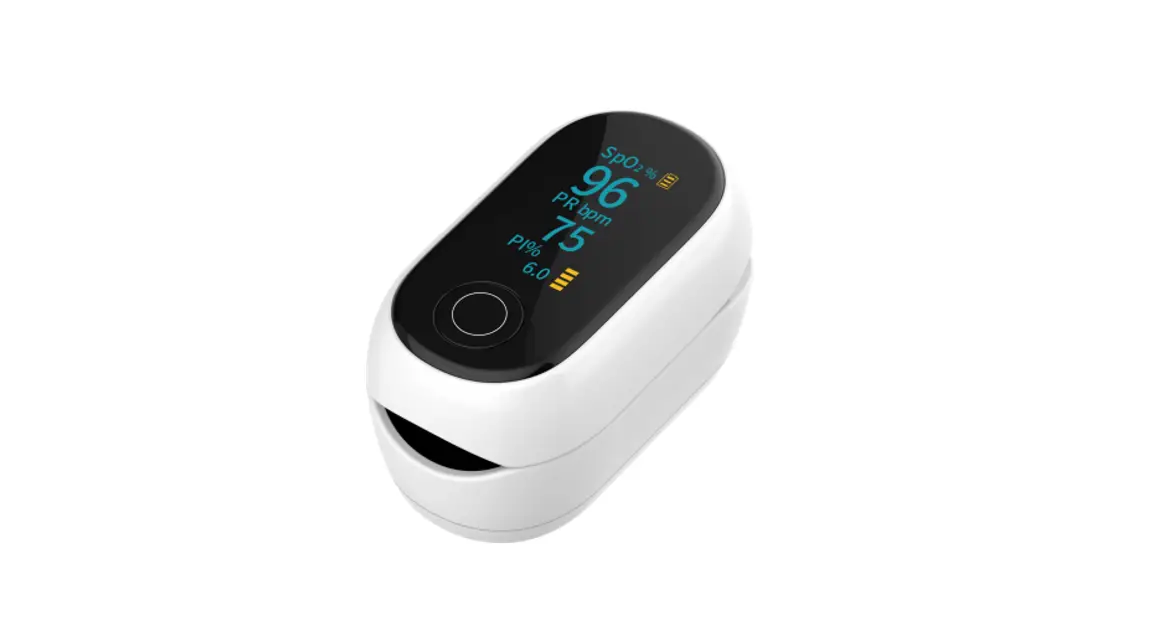
Monitor Unit
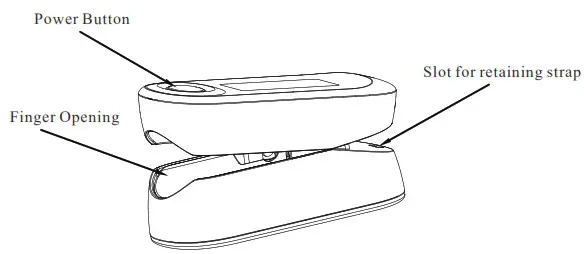
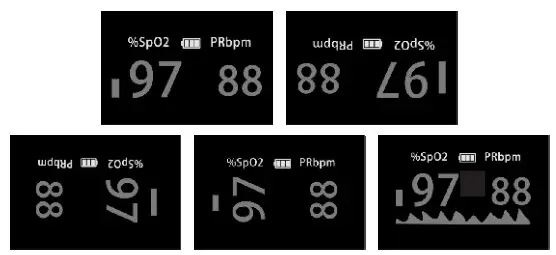
Display
Features
- Simple to operate and convenient to carry.
- Small volume, light weight and low power consumption.
- Displays SpO2, PR, Pulse bar, and waveform.
- Level 1-5 adjustable brightness.
- 5 display modes.
- A low voltage warning will be indicated in visual window when battery voltage is so low that normal operation of the oximeter might be influenced.
- When it shows “Finger out”, the pulse oximeter will power off automatically in 10 seconds.
- Beep.
- When the buzzer and reminder function are turned on, the numbers on the screen will flash when the reminder occurs, and the buzzer will beep.
- Bluetooth function.
Unit Operation
Battery Installation
Slide battery cover off as indicate by arrow. Install 2 new AAA alkaline batteries according to polarity. Close battery Cover.
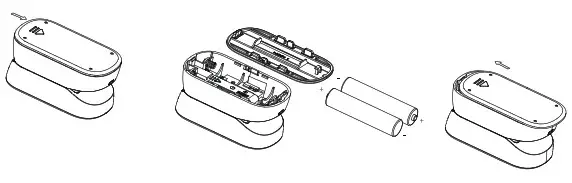
Note:
- Be sure to follow the correct polarity when installing the batteries.
Reversed batteries may cause damage to the device. - Use only the size and type of batteries specified.
- Do not mix different types of batteries together or old batteries with fresh ones. Always replace batteries as a simultaneous set.
- Replace the batteries in a timely manner when low voltage lamp is lighted.
- If the batteries in the device are depleted or the device will not be used for a long period of time, remove the batteries to damage or injury from possible battery leakage.
- Do not try to recharge batteries not intended to be recharged; they can overheat and rupture.
- Do not dispose of batteries in fire, batteries may explode or leak.
- Keep batteries away from children and pets. Batteries may be harmful of swallowed. Should a child or pet swallow a battery, seek medical assistance immediately.
- Please follow the law of the local government to deal with used batteries..
Attaching the retaining strap
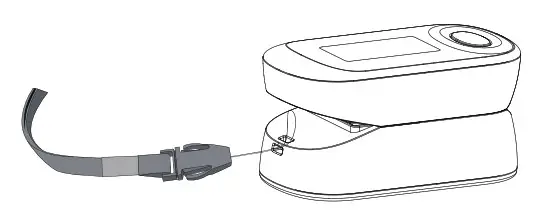
System Settings
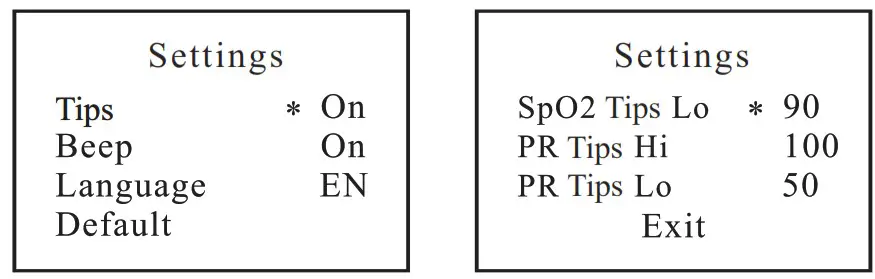
With power off, press the power button about 5 seconds to actuate system setting.
Setting available for Tips, Beep, Language, Default, SpO2 Tips Lo PR Tips Hi, PR Tips Lo and EXIT. Long press to enter the specific value setting, short press to switch among the setting items.
To Use
CAUTION: Please make sure your finger size is appropriate (fingertip width is about 10~20 mm, thickness is about 5~15 mm)
CAUTION: This device cannot be used in strong radiation environment. It can only be used after binding.
CAUTION: This device cannot be used with other medical devices or nonmedical devices.
CAUTION: When placing your fingers, ensure your fingers can completely cover the LED transparent window in the finger clamp compartment.
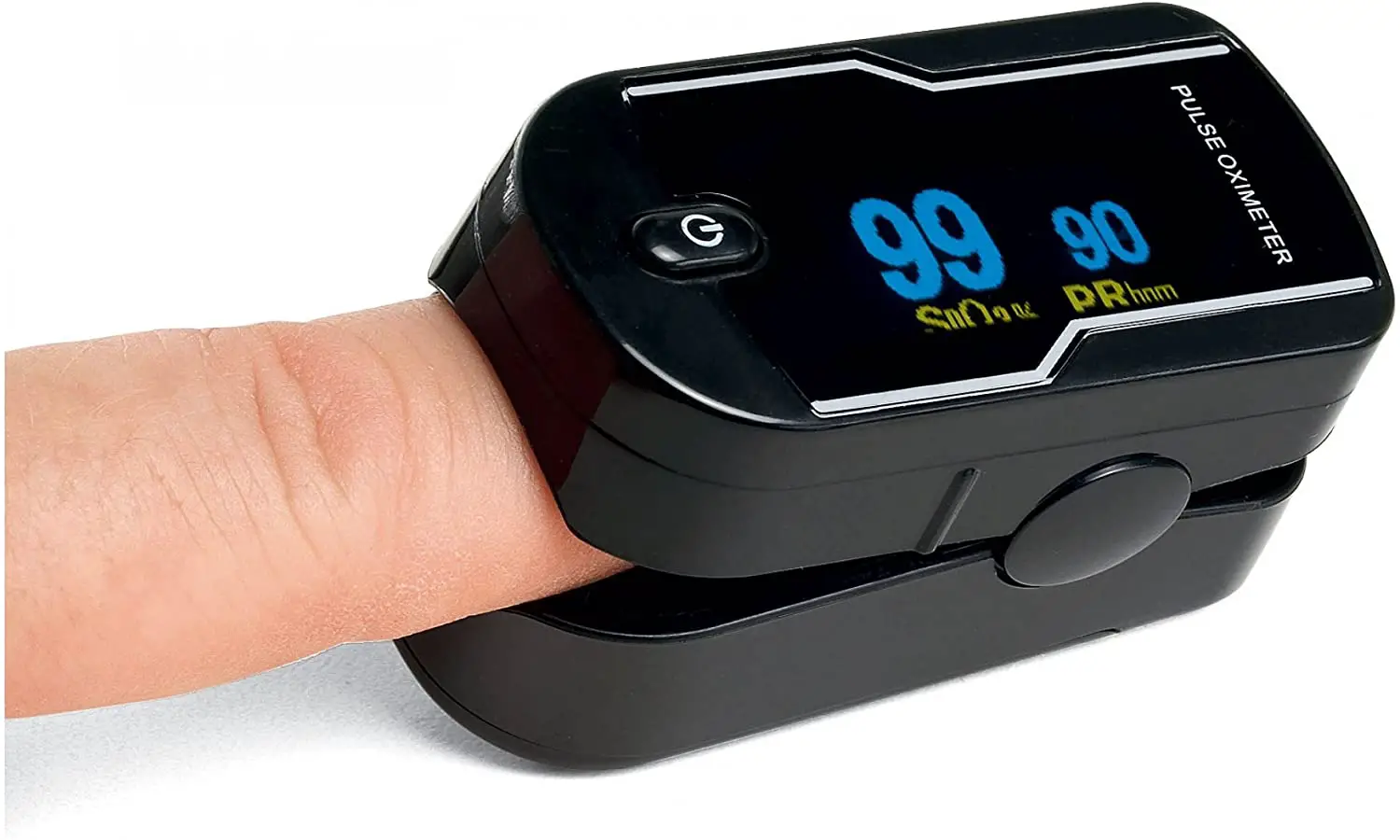
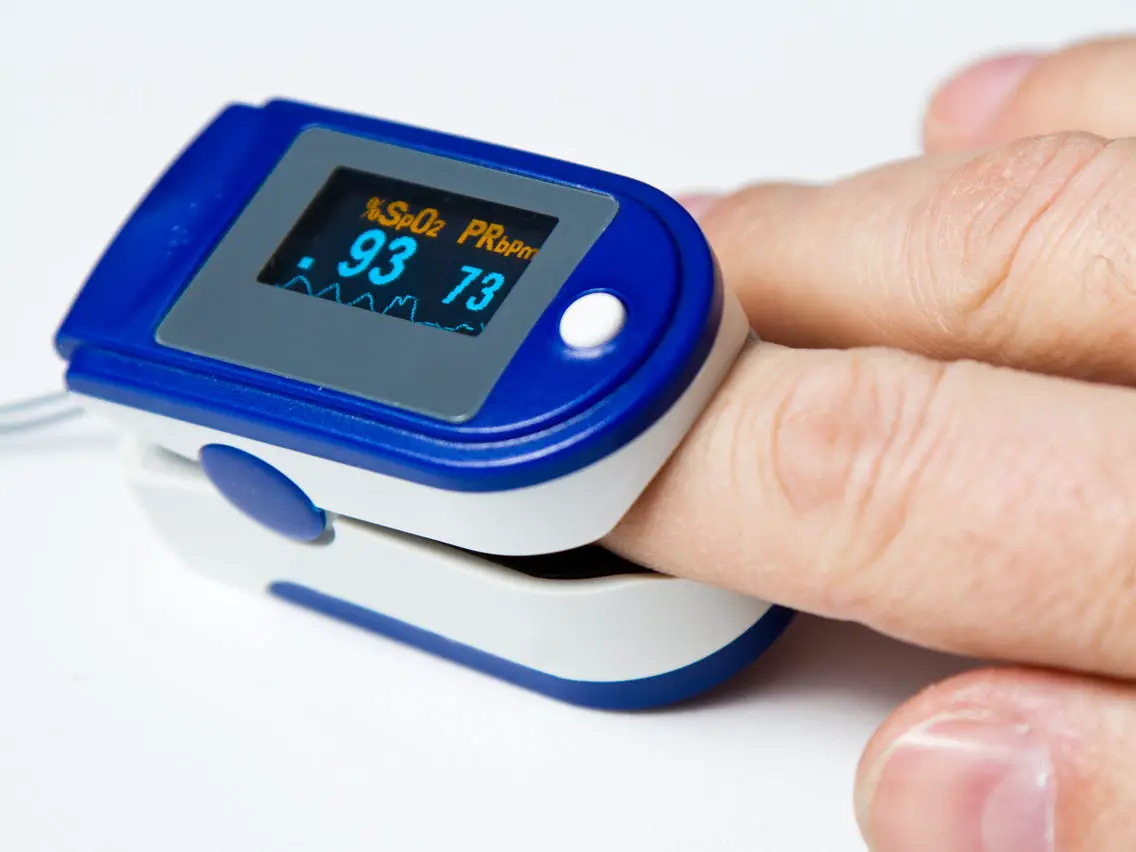
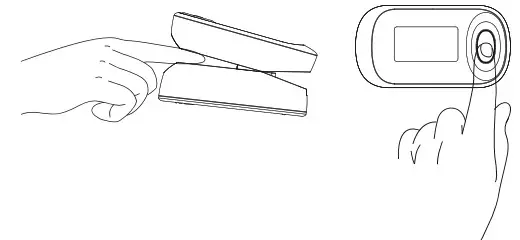
- As shown in the figure, squeeze the clip of the pulse oximeter, fully insert your finger into the finger clip compartment, and then loosen the clip
- Press the power button one time on front panel to turn the pulse oximeter on.
- Keep your hands still for the reading. Do not shake your finger during the test. It is recommended that you do not move your body while taking a reading.
- Read the data from the display screen.
- To select your desired display brightness, press and hold the power button during operaion untill the brightness level changes.
- To choose among the various display formats, press the power button briefly during operation.
- If you remove the oximeter from your finger, it will shut off after about 10 seconds.

- Using Bluetooth communication
a)Download and install the”JOYTECH Healthcare” app from your smartphone’s app store. Recommended App Store: recommend “Google store” for Android users, and recommend “App store” for IOS users.
b)Open the App on your phone. If requested, you should enable Bluetooth on your phone. You can enable Bluetooth under the Settings menu on your smart phone.
c)Create a new user account on the APP or use existed user name and password to login.
d) Attention: First, turn on the oximeter and then click “not connected” on the APP. When the APP scans the Bluetooth of the oximeter, the icon and the name of the oximeter will be displayed on the APP. At this time, click “Pair this device” on the APP, when “connected” is displayed on the APP, the connection is successful. Note: To realize the connection between the designated mobile phone and the designated oximeter, it is necessary to ensure that all oximeters except the designated oximeter are turned off.
e)When your oximeter is connected successfully to your smart phone, The data transfer will begin automatically. The APP will display the received data from oximeter immediately without delay. Note: The monitor requires a smart device with: Android 5.0 or later, IOS9.0 or later. - APP Introduction
As shown in the figure, this is an app icon.
The APP interface can display blood oxygen value, pulse rate value, pulse waveform and historical data curve, historical data is sotred in the APP, When the user pulls out the finger from the oximeter, the APP will record the data once, The “Home” page of the APP can display Last 3 historical data,and the “Curve” page of the APP can display a graph with all of historical data of any date in the past. The oimeter can only send the data to APP, mutual control is not supported. When the Bluetooth connection is succcessful between the oximeter and the APP , the APP cannot actively disconnect. The Bluetooth connection can only be disconnected when the oximeter is turned off or the Bluetooth of the mobile phone is turned off. Only when the original oximeter is disconnected, the APP can be paired with the new oximeter

Cleaning and Maintenance
- Please use medical alcohol to clean the silicone touching the finger inside of oximeter with a soft cloth dampened with 70% isopropyl alcohol. Also clean the being tested finger using alcohol before and after each test.
- Do not pour or spray liquids onto the oximeter, and do not allow any liquid to enter any openings in the device allow the oximeter to dry thoroughly before reuse.
- The fingertip pulse oximeter requires no routine calibration or maintenance other than replacement of batteries.
- The use life of the device is 3 years when it is used for 10 measurements every day and 15 minutes per one measurement. Stop using and contact local service center if one of the following cases occurs:
● An error in the Possible Problems and solutions is displayed on screen.
●The oximeter cannot be powered on in any case and not the reasons of battery.
●There is a crack on the oximeter or damage on the display resulting readings cannot be identified; the spring is invalid or the key is unresponsive or unavailable. - Cleaning and Disinfecting
Cleaning procedures:
a)Place the oximeter on a clean table and wipe the entire surface and upper and lower finger pads for 3 times by a clean soft cloth dipped in 70% isopropanol;
b) Wait for 1 minute to fully dry the oximeter. Disinfection procedures:
a) Dip a clean soft cloth in 70% isopropanol, and clip it by the finger pads for at least 3 minute;
b) Take out the soft cloth, wait for 1 minute to fully dry the oximeter.
CAUTION: Never use EtO or formaldehyde for disinfection. - The devise is provided as non-sterile, please clean and disinfect it according to the instructions before each use.
Troubleshooting Guide
| Problem | cause | Solution |
| Monitor do not display | Batteries are depleted | Replace the batteries |
| Batteries not inserted correctly | Reinsert the batteries. If after reinserting the batteries correctly There are still no measurement values displayed, contact customer service | |
| Measurements are erratic | Insufficient circulation in the measurement finger | Observe the Important Guidelines |
| Finger, hand or body is moving | Keep your finger, hand and body still during the measurement | |
| Cardiac arrhythmia | Seek medical attention | |
| Measurements can not be shown normally | Finger is not inserted correctly | Retry by inserting the finger |
| Patient’s Sp02 value is too low to be measured | There is excessive illumination; Or, Try some more times. If you can make sure no problem exist in the product, please go to a hospital timely for exact diagnosis. | |
| Connection failure/ Data is not being transmitted | The oximeter might not be porperly placed within the smart device’s tranmission range and is too far from the smart device | If there are no causes of data transmission interference found near the oximeter, move the oximeter with 16ft. (5m) of the smart device ang try again |
| The oximeter did not pair successfully to the smart device | Try to pair the devices once again | |
| The application on the smart device is not ready | Check the application then try sending the data again |
Specifications
| Model | XM-103 | |
| Display | OLED display | |
| Sp02 | Display Range | 0%-99% |
| Measurement Range | 70%-100% | |
| Accuracy | 70%— 100% ±2% 0%-69% no definition | |
| Resolution | 1% | |
| Pulse Rate | Display Range | 0-240bpm |
| Measurement Range | 30-240bpni | |
| Accuracy | 30- 100bpm,±2bpm; 100 —240bpm,±2% | |
| Resolution | Ibpm | |
| Power supply | 2×1.5vAAA batteries | |
| Power Consumption | <60mA | |
| Weight | Approx.50g | |
| Dimensions | Approx.60m m*32mtn.31.4mm | |
| Operating Environment | Temperature | 51C-40C |
| Humidity | 15%-93%RH | |
| Pressure | 700hPa–1060hPa | |
| Storage Environment | Temperature | -20t-55r |
| Humidity | 15%-93%RH | |
| Pressure | 700hPa-1060hPa | |
| Ingress Protection Rating | IP22 | |
| Classification | Internal Powered Equipment Type BF | |
| Bluetooth communication | Frequency range | 2.4QHz(2400-2483.5MH4 |
| Modulation | GFSK | |
| BT Version | 5.0 BT Signal mode | |
| Transmit output power | 3dBm @ room temperature | |
| Rx sensitivity | 97dBm (a I Mbps mode | |
| Supply voltage | I.8V – 3.6V | |
| Current consumption | 2uA@Steep Mode 5m@TX Mode (0dBm) 5m@RX Mode (0dBm) | |
| Probe LED Specifications | Wavelength | Power Consumption |
| RED | Approx. 660lim | Approx.3.2mW |
| IR | Approx. 905nin | Approx.2.4mW |
| The Date UPDATE period | Less than 12s | |
Note:
The functional tester cannot be used to assess the accuracy of the oximeter. The test methods used to establish the SpO2 accuracy is clinical testing. The oximeter used to measure the arterial hemoglobin oxygen saturation levels and these levels are to be compared to the levels determined from arterial blood sampling with a CO-oximeter.
- ISO 80601-2-61, medical electrical equipment – part 2-61: particular requirements for the basic safety and essential performance of pulse oximeter equipment.
- AAMI/ANSI ES60601-1:2005/(R)2012 and C1:2009/(R)2012 and a2:2010/(r)2012 (consolidated text) medical electrical equipment — part 1: general requirements for basic safety and essential performance.
- AAMI/ANSI/IEC 60601-1-2, medical electrical equipment — part 1-2: general requirements for basic safety and essential performance -collateral standard: electromagnetic disturbances — requirements and tests (General II (ES/EMC)).
- IEC 60601-1-11, medical electrical equipment — part 1-11: general requirements for basic safety and essential performance – collateral standard: requirements for medical electrical equipment and medical electrical systems used in the home healthcare environment. Correct disposal of this product. (Waste electrical & electronic equipment)
- This marking shown on the product indicates that it should not be disposed with other household waste at the end of its life. To prevent potential harm to the environment or to human health, please separate this product from other types of wastes and recycle it responsibly. When disposing this type of product, contact the retailer where product was purchased or contact your local government office for details regarding how this item can be disposed in an environmentally safe recycling center. Business users should contact their supplier and check the terms and conditions of the purchasing agreement. This product should not be mixed with other commercial wastes for disposal. This product is free of hazardous materials.
Icon Explanation
| Symbol | Definition | Symbol | Definition |
 | Type BF applied part. |  | Attention |
| IP22 | Protected against dripping water. | SpO2% | Oxygen saturation |
| PRbpm | Pulse rate (BPM) |  | Low power indication |
 | Alarm inhibit (Note: This device does not provide any alarm function) | SN | Serial No. |
 | Storage temperature and relative humidity |  | Follow instruction for use |
 | Date of Manufacture |  | Authorized representative in the European community |
 0123 0123 | European union approval |  | Manufacturer’s information |
 | Conformity to WEEE Directive |  | The Bluetoodar Smart word mark and logos are registered trademarks owned by Bluetoolh SIG. Inc. and any use of such make by JOYTECH Healthcare co.. Ltd. |
 | MR unsafe |  | Prescription use |
FCC Information
Caution: Changes or modifications to this unit not expressly approved by the party responsible for compliance could void the user authority to operate the equipment. This device complies with Part 15 of the FCC Rules. Operation is subject to the following two conditions:
- this device may not cause harmful interference, and
- this device must accept any interference received, including interference that may cause undesired operation.
*Note:The device has been evaluated to meet general RF exposure requirement.The device can be used in portable exposure condition without restriction.
This equipment has been tested and found to comply with the limits for a Class B digital device,pursuant to Part 15 of the FCC Rules. These limits are designed to provide reasonable protection against harmful interference in a residential installation. This equipment generates, uses, and can radiate radiofrequency energy. If this equipment does cause harmful interference to radio or television reception,which can be determined by turning the equipment off and on, the user is encouraged to try and correct the interference by one or more of the following measures:
- Reorient or relocate the receiving antenna.
- Increase the distance between the equipment and the receiver.
- Connect the equipment to an outlet on a circuit different from that to which the receiver is connected.
- Consult the dealer or an experienced radio/TV technician for help.
Warranty
The Fingertip Pulse oximeter is guaranteed for 2-year from the date of purchase. If the Fingertip Pulse oximeter does not function properly due to defective components or poor workmanship, we will repair or replace it freely. The warranty does not cover damages to your Fingertip Pulse oximeter due to improper handling. Please contact local retailer for details.
Contact Information
JOYTECH Healthcare Co., Ltd.
No.365, Wuzhou Road, Yuhang Economic Development Zone,
Hangzhou City, 311100 Zhejiang, China
Please contact us on:
Email: [email protected]
Telephone: +86-571-81957767
Fax: +86-571-81957750
Probe Accuracy of Oximeter
| Items | Descriptions |
| Clinical SpO2 accuracy (Arms) (70-80%) | ± 2% |
| Clinical SpO2 accuracy (Arms) (80-90%) | ± 2% |
| Clinical SpO2 accuracy (Arms) (90-100%) | ± 2% |
| Sterile | Non-sterile |
| Default settings | None |
| Reuse | Disinfect for repeated use |
- Instructions for the frequency of inspection of the application site for skin integrity:
Before each finger is inserted into the oximeter probe, the integrity of the skin should be visually checked to ensure that the skin is free from injury and other conditions. - Instructions for the frequency of sensor relocation:
There is no need to replace the blood oxygen sensor within the service life of the product. - Use during exercise and weak perfusion:
(1) DO NOT move your finger, arm and body during the measurement. Movement, including talking, coughing, or sneezing, during measurement, can affect the accuracy of the measurement results.
(2) The reading should NOT be considered reliable and accurate in the condition of low perfusion during measurement.
The sensor with specific monitor has been validated and tested for compliance with EN ISO 60601-2-61:2011 and FDA Guidance-Pulse
Oximeters – Premarket Notification Submissions [510(k)s].
In the clinical recruitment, the data is obtained from a controlled, induced hypoxia study in healthy adult volunteers. A total of 12 subjects including 6 females and 6 males were recruited from the healthy adult volunteers aged from 21 to 40 without smoker. In the clinical evaluation, 288 paired data of the 12 adults were validated for XM-103
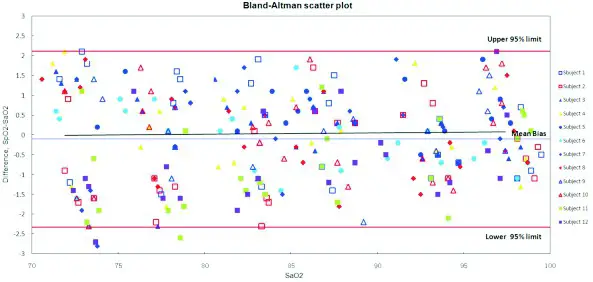
Fig.1: Linear regression fit (X axis is SaO2, Y axis is the difference of SpO2-SaO2)
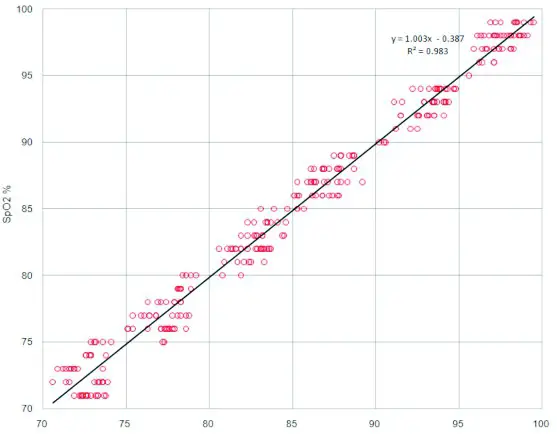
Fig. 2: Linear regression fit (X axis is SaO2, Y axis is SpO2 for the subject device)
Statement of Essential performance
a) When the Oximeter is placed on the patient‟s finger or simulated finger, the SpO2 values and PR values can be displayed normally.
b) Measurement accuracies:
* Clinical accuracy of SpO2 (Arms): in the range of 70%-100%, ± 2%;
* Clinical accuracy of pulse rate (Arms): in the range of 30~100bpm, ±2bpm; 100~240bpm,±2%.
Table 1
| Guidance and manufacturer’s declaration — electromagnetic emission | ||
| The device is intended for use in the electromagnetic environment specified below. The customer or the user of the device should assure that it is used in such an environment. | ||
| Emissions test | Compliance | Electromagnetic environment – guidance |
| RF emissions CISPR II | Group I | device uses RF energy only for its internal function. Therefore, its RF emissions are my low and very are not likely to cause any interference in nearby electronic equipment. |
| RF emissions CISPR II | Class B | The device is suitable for use in all establishments, including domestic establishments and those directly connected to the public low-voltage power supply network that supplies buildings used for domestic purposes. |
| Harmonic emissions IEC 61000-3-2 | Not applicable | |
| Voltage fluctuations/flicker emissions IEC 61000-3-3 | Not applicable | |
Table 2
| Guidance and manufacturer’s declaration — electromagnetic Immunity | |||
| The device is intended for use in the electromagnetic environment specified below. The customer or the user of the device should assure that it is used in such an environment. | |||
| Immunity test | IEC 60601 test level | Compliance level | Electromagnetic environment-guidance |
| Electrostatic discharge (ESD) IEC 61000-4-2 | ± 8 kV contact 32 kV, t4 kV, 38 kV, ±15 kV air | *8 kV contact 32 kV, dal kV, 38 kV, *15 kV air | Floors should be wood, concrete or ceramic tile. If floors are covered with synthetic material, the relative humidity should be at least 30 %. |
| Electrostatic transient / burst IEC 61000-4-4 | ± 2 kV for power supply lines 100 kHz repetition frequency ± 1 kV for input/output lines | N/A | NIA |
| Surge IEC 61000-4-5 | ± 0.5 kV, I I kV differential mode line•line | NIA | N/A |
| Voltage dips, short interruptions and voltage variations on power supply input lines 1EC 61000-4-11 | 0 %UT (100 %dip in UT ) for 0.5 cycle at 0°, 45°, 90`, 135°,180°, 225°, 270°, and 315° 0 %UT (100 %dip in UT) for I cycle at 0° 70% UT (30 % dip in UT ) for 25/30 cycles at 0° 0 %DT (100 %dip in UT) for 250/300 cycle at 0° | N A | N/A |
| Power frequency (50/60 Hz) magnetic field IEC 61000-4-8 | 30 Aim, 50160Hz | 30 Aim, 50160Hz environment. | Power frequency magnetic fields should be at levels characteristic of a typical location in a typical commercial or hospital |
| NOTE: UT is the a. c. mains voltage prior to application of the test level. | |||
Table 3
| Guidance and manufacturer’s declaration – electromagnetic immunity | |||
| The device is intended for use in the electromagnetic environment specified below. The customer or the user of the device should assure that it is used in such an environment. | |||
| Immunity test | IEC 60601 test level | Compliance level | Electromagnetic cm iron ment – guidance |
Conducted RF Radiated RF | 3 Vrms ISO kHz to 80 MHz 6 Vrats 150 kHz to 80 MHz outside ISM bandsa 10 V/m | N/A 10 V/m | Portable and mobile RE communications equipment should be used no closer to any part of the device, including cables, than the recommended separation distance calculated from the equation applicable to the frequency of the transmitter. Recommended separation distance
|
NOTE I At 80 MHz and 800 MHz, the higher frequency range applies.
NOTE 2 These guidelines may not apply in all situations. Electromagnetic propagation is affected by absorption and reflection from structures, objects and people. a The ISM (industrial, scientific and medical) bands between 0.15 MHz and 80 MHz are 6.765 MHz to 6,795 MHz; 13,553 MHz to 13.567 MHz; 26,957 MHz to 27,283 MHz and 40.66 MHz to 40.70 MHz. The amateur radio bands between 0.15 MHz and 80 MHz are 1,8 MHz to 2.0 MHz, 3.5 MHz to 4.0 MHz, 5.3 MHz to 5.4 MHz, 7 MHz to 7,3 MHz, 10.1 MHz to 10.15 MHz, 14 MHz to 14,2 MHz, 18,07 MHz to 18.17 MHZ 21,0 MHz to 21.4 MHz, 24.89 MHz to 24.99 MHz, 28.0 MHz to 29,7 MHz and 50.0 MHz to 54.0 MHz.
b The compliance levels in the ISM frequency bands between 150 kHz and 80 MHz and in the frequency range 80 MHz to 2,7 GHz are intended to decrease the likelihood that mobile/portable communications equipment could cause interference if it is inadvertently brought into patient areas. For this reason, an additional factor of 10/3 has been incorporated into the formulae used in calculating the recommended separation distance for transmitters in thee frequency ranges.
c Field strengths from fixed transmitters, such as base stations for radio (cellular/cordless) telephones and land mobile radios, amateur radio, AM and FM radio broadcast and TV broadcast cannot be predicted theoretically with accuracy. To assess the electromagnetic environment due to fixed RF transmitters, an electromagnetic site survey should be considered. If the measured field strength in the location in which the device is used exceeds the applicable RF compliance level above, the device should be observed to verify normal operation. If abnormal performance is observed, additional measure may be necessary, such as reorienting or relocating the device.
d Over the frequency range 150 kHz to 80 MHz, field strengths should be less than 3 V/m.
Table 4
| Recommended separation distances between portable and mobile RF communications equipment and the device | |||
| The device is intended for use in an electromagnetic environment in which radiated RF disturbances are controlled. The customer or the user of the device can help prevent electromagnetic interference by maintaining a minimum distance between portable and mobile RF communications equipment (transmitters) and the device as recommended below, according to the maximum output power of the communications equipment. | |||
| Rated maximum output of transmitter | Separation distance according to frequency of transmitter | ||
150 kHz to 80 MHz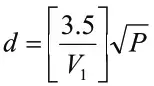 | 80 MHz to 800 MHz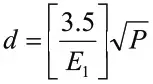 | 800 MHz to 2.7 GHz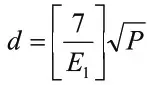 | |
| 0.01 | 0.12 | 0.04 | 0.07 |
| 0.1 | 0.37 | 0.12 | 0.23 |
| 1 | 1.17 | 0.35 | 0.7 |
| 10 | 3.7 | 1.11 | 2.22 |
| 100 | 11.7 | 3.5 | 7.0 |
| For transmitters rated at a maximum output powe not listed above the recommended separation distance d in metres (m) can be estimated using the equation applicable to the frequency of the transmitter, where P is the maximum output power rating of the transmitter in watts (W) according to the transmitter manufacturer. NOTE I At 80 MHz and 800 MHz, the separation distance for the higher frequency range applies. NOTE 2 These guidelines may not apply in all situations. Electromagnetic propagation is affected by absorption and reflection from structures, objects and people. | |||
Table 5
| Recommended separation distances between RF wireless communications equipment | |||||
| The device is intended for use in an electromagnetic environment in which radiated It? disturbances are controlled. The customer or the user of the device can help prevent electromagnetic interference by maintaining a minimum distance between RF wireless communications equipment and the device as recommended below, according to the maximum output power of the communications equipment. | |||||
| Frequency MHz | Maximum Power W | Distance | IF.0 60601 Test Level | Compliance Level | Electromagnetic Environment – Guidance |
| 385 | 2. | 0.3 | 27 | 27 | RF wireless communications equipment should be used no closer to any part of the device, including cables, than the recommended separation distance calculated from the equation applicable to the frequency of the transmitter. Recommended separation distance 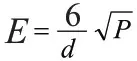 Where P is the maximum output power rating of the ransmitter in watts (W) according to the transmitter manufacturer and d is the recommended separation distance in meters (m). Field strengths from fixed RF transmitter, as determined by an electromagnetic site survey, should be less than the compliance level in each frequency range. Interference may occur in the vicinity of equipment marked with the following symbol: Where P is the maximum output power rating of the ransmitter in watts (W) according to the transmitter manufacturer and d is the recommended separation distance in meters (m). Field strengths from fixed RF transmitter, as determined by an electromagnetic site survey, should be less than the compliance level in each frequency range. Interference may occur in the vicinity of equipment marked with the following symbol:  |
| 450 | 0.3 | 28 | 18 | ||
| 710 | 2 | 0.3 | 28 | 28 | |
| 745 | |||||
| 780 | |||||
| 810 | 2 | 0.3 | 28 | 28 | |
| 870 | |||||
| 930 | |||||
| 1720 | 2 | 0.3 | 28 | 28 | |
| 1845 | |||||
| 1970 | |||||
| 2450 | 2 | 0.3 | 28 | 28 | |
| 5240 | 0.2 | 0.3 | 9 | 9 | |
| 5500 | |||||
| 5785 | |||||
| Note I: These guidelines may not apply in all situations. Electromagnetic propagation is affected by absorption and reflection from stmcnues, objects and people. | |||||
WARNINGS!
- This device should not be used in the vicinity or on the top of other electronic equipment such as cell phone, transceiver or radio control products. If you have to do so, the device should be observed to verify normal operation.
- The use of accessories and power cord other than those specified, with the exception of cables sold by the manufacturer of the equipment or system as replacement parts for internal components, may result in increased emissions or decreased immunity of the equipment or system.