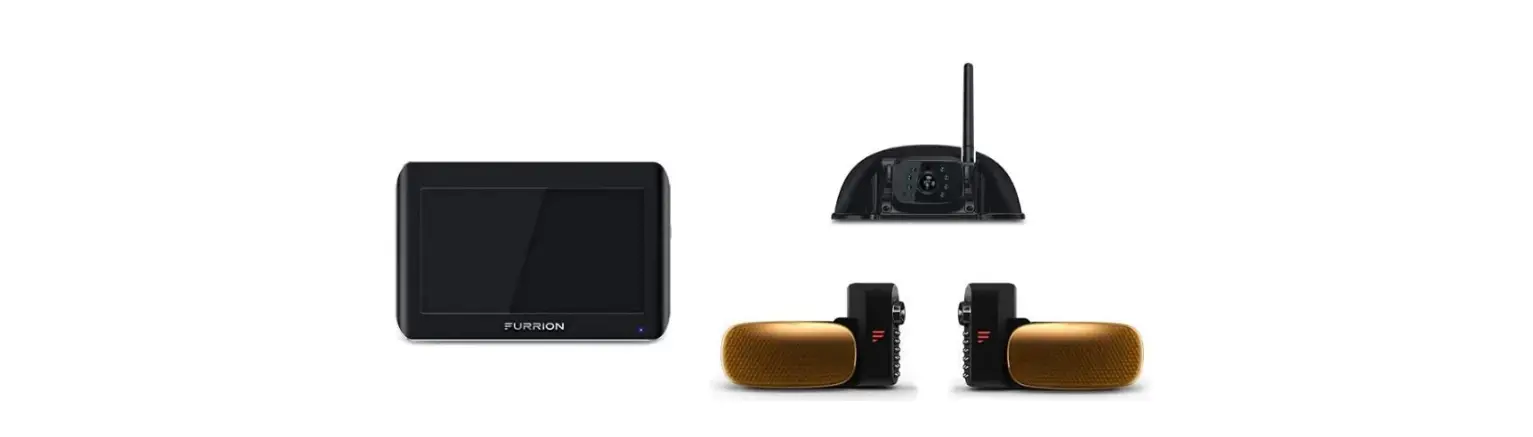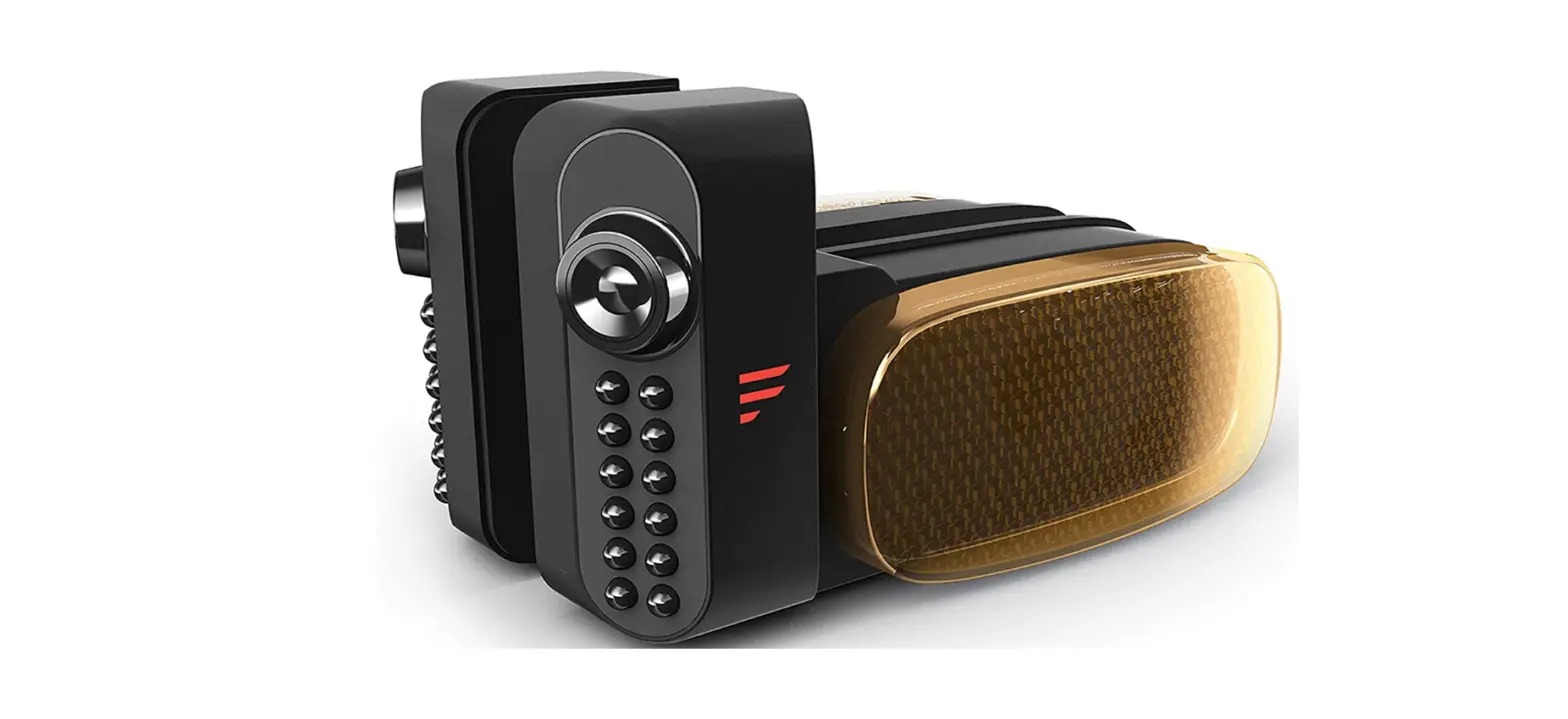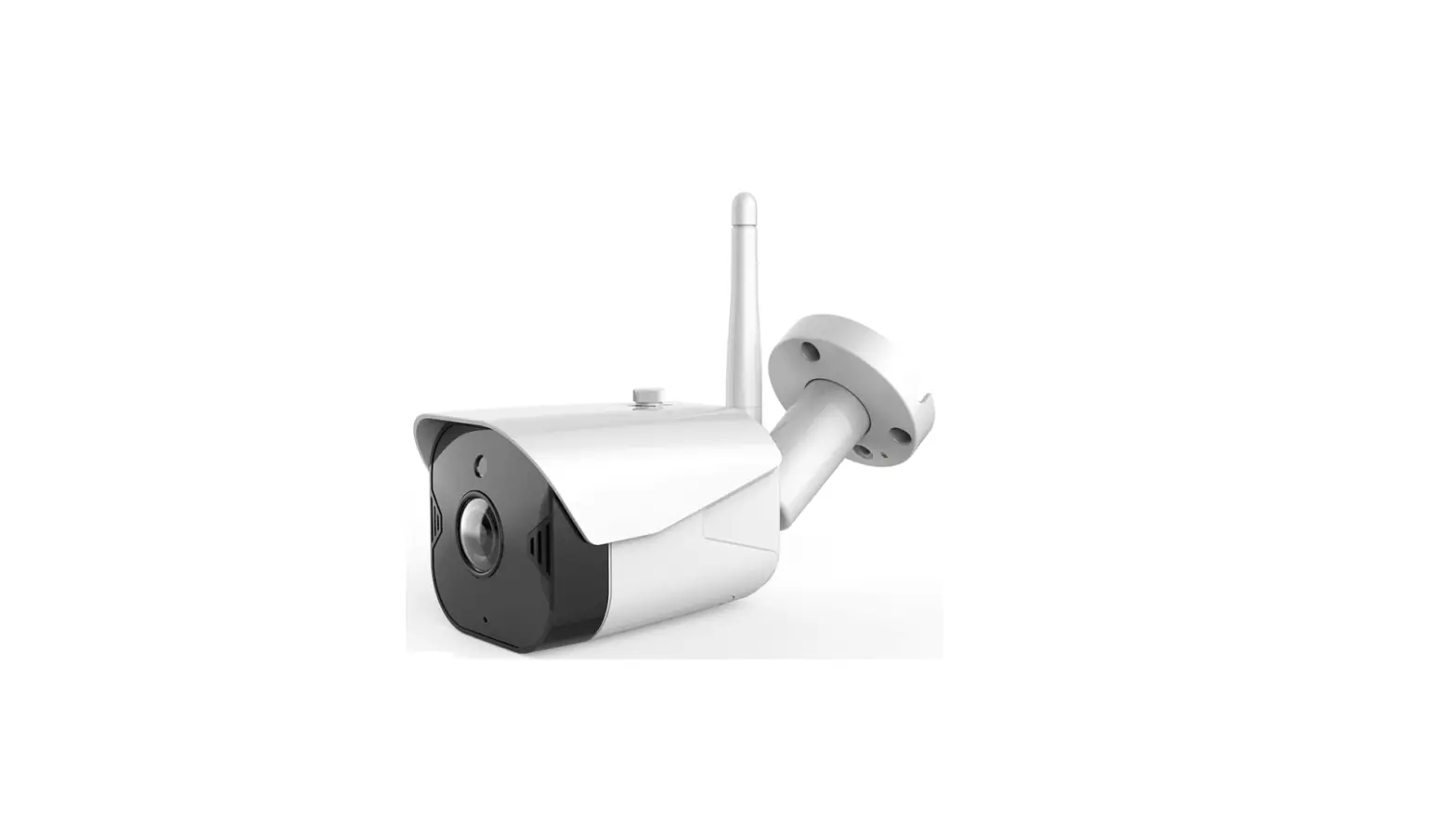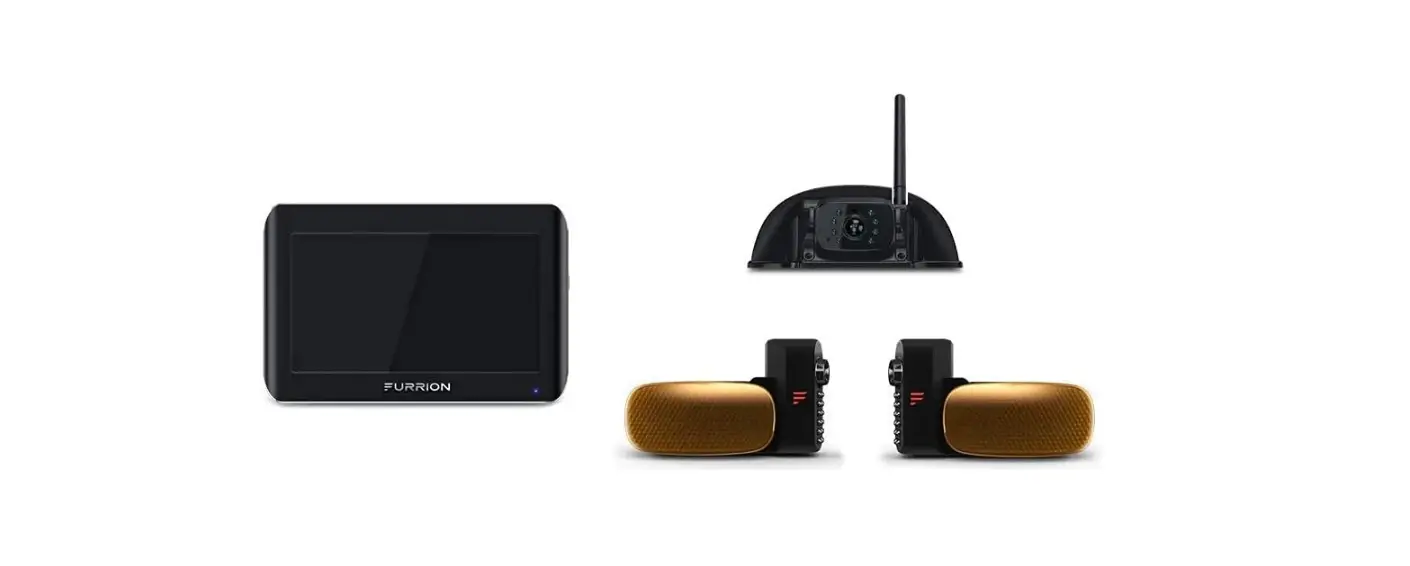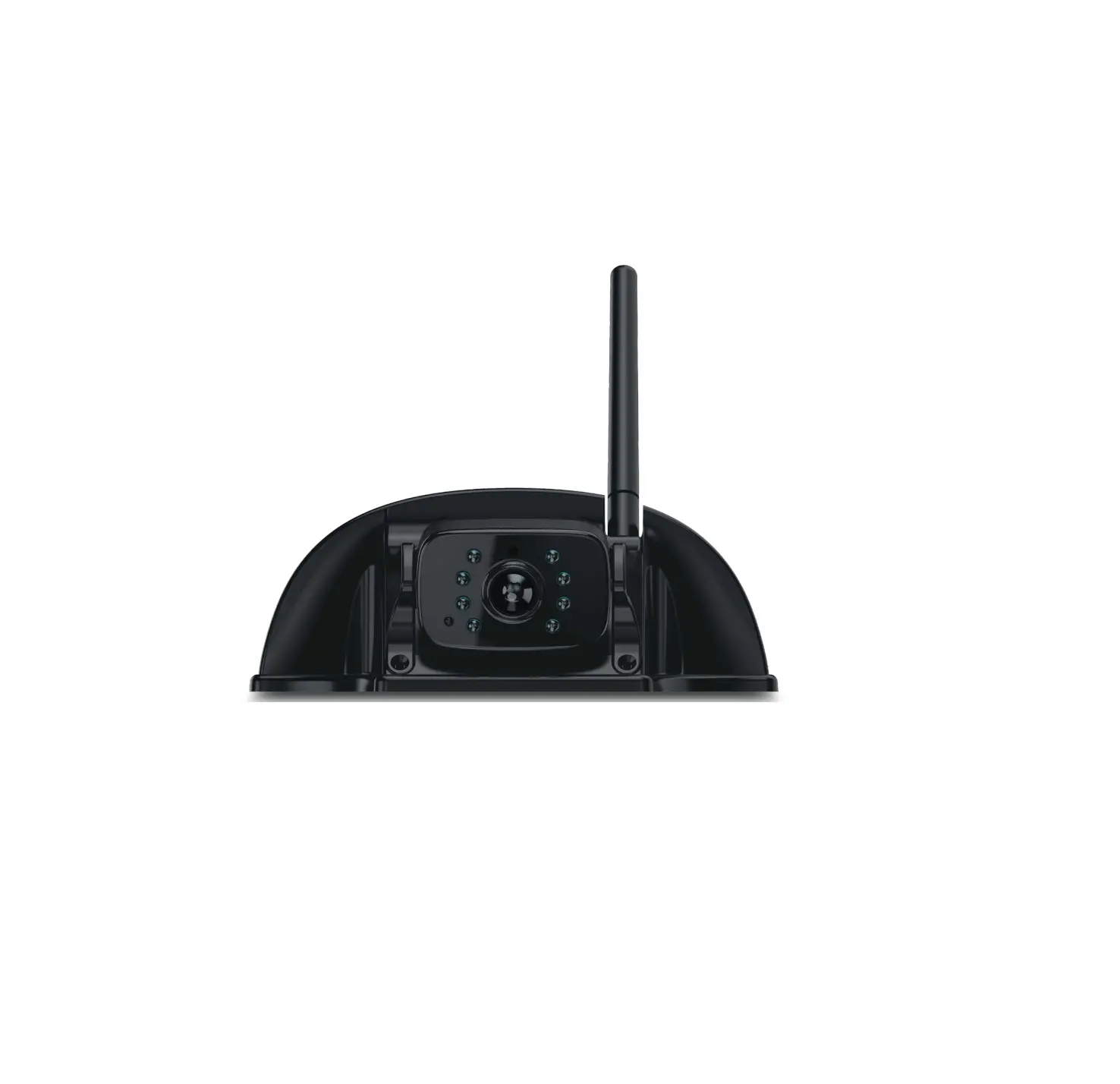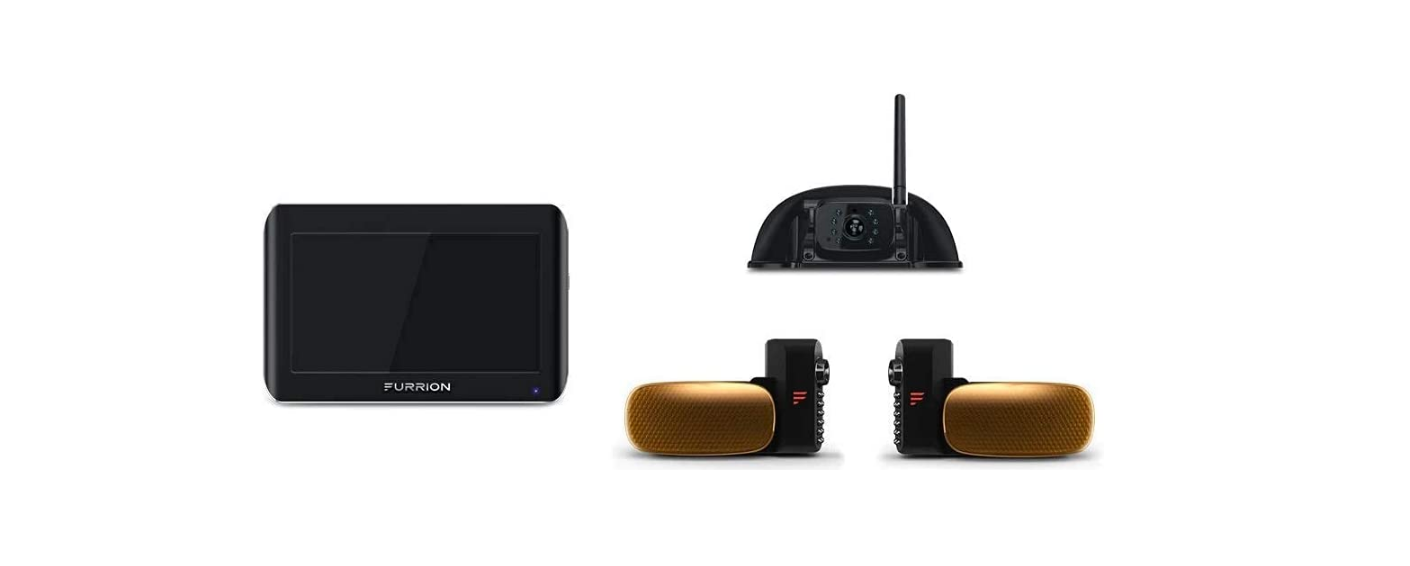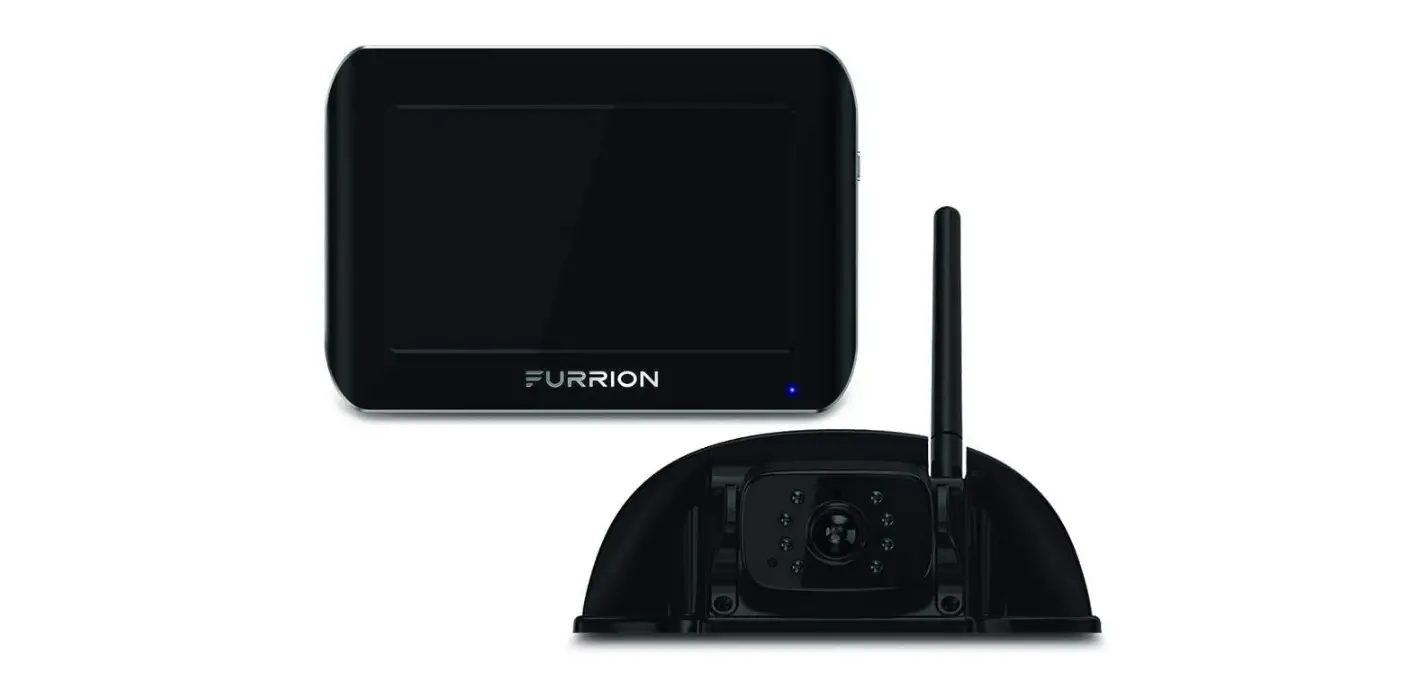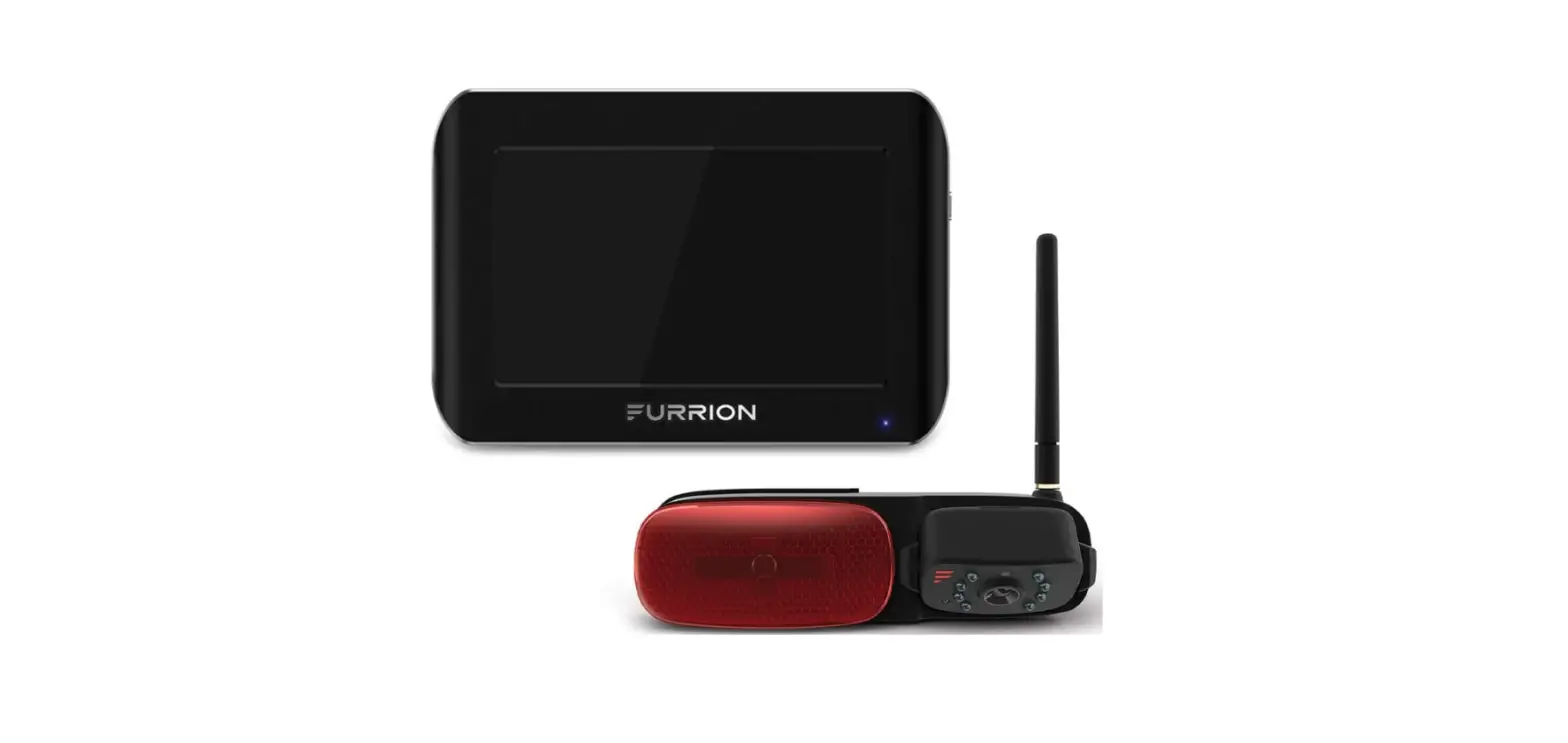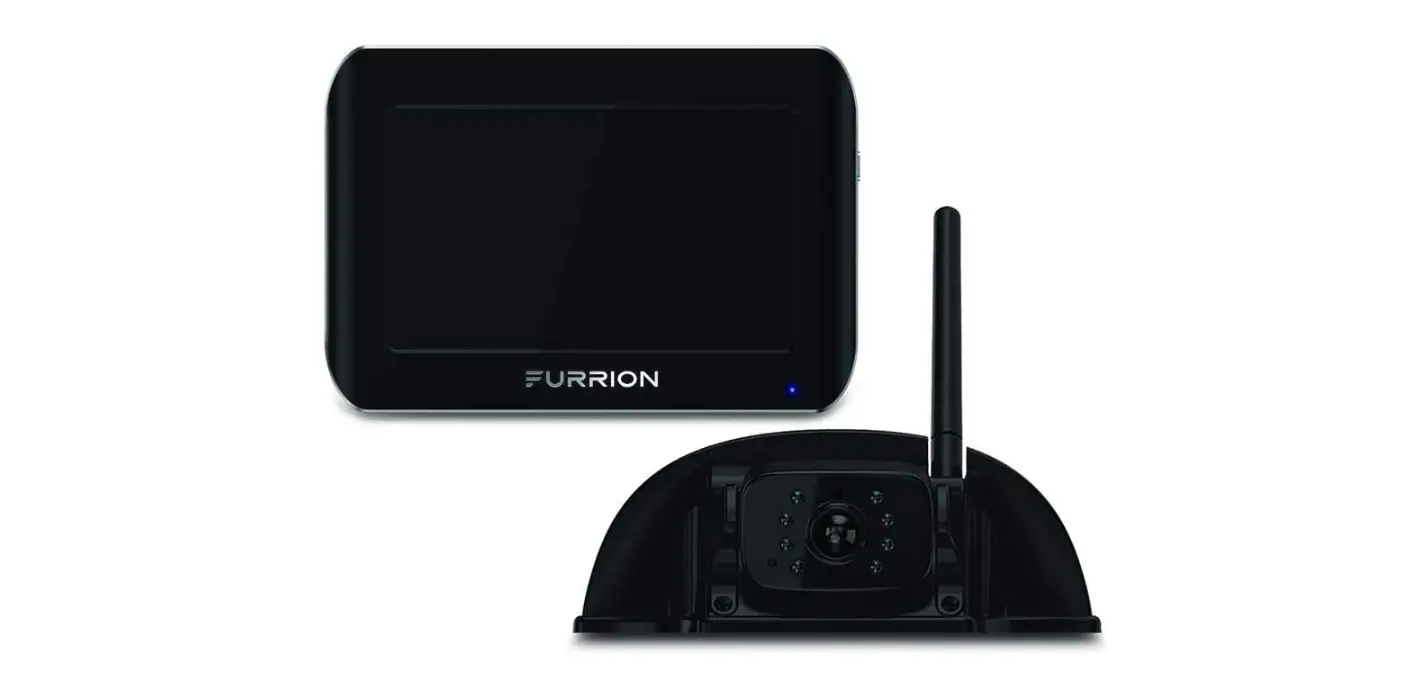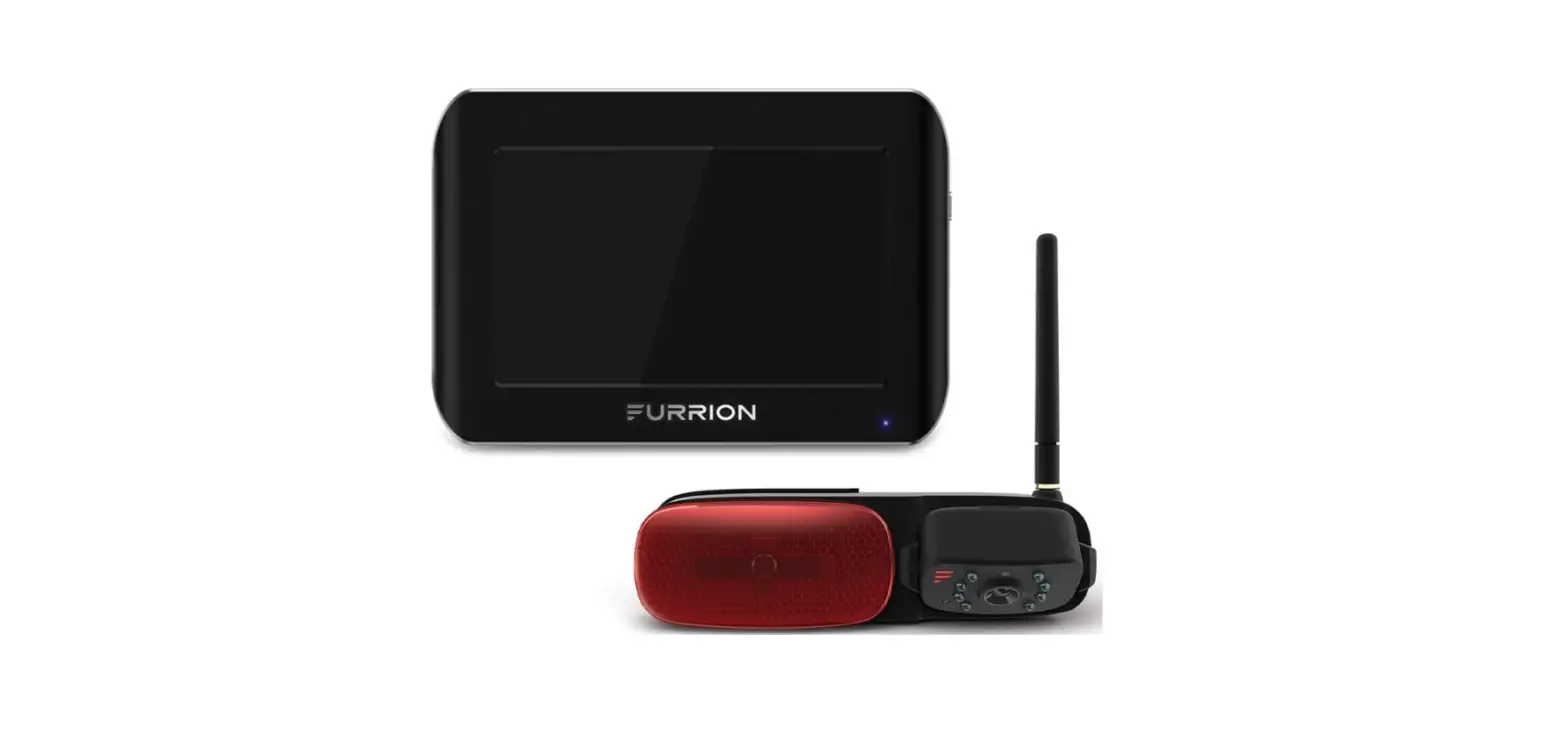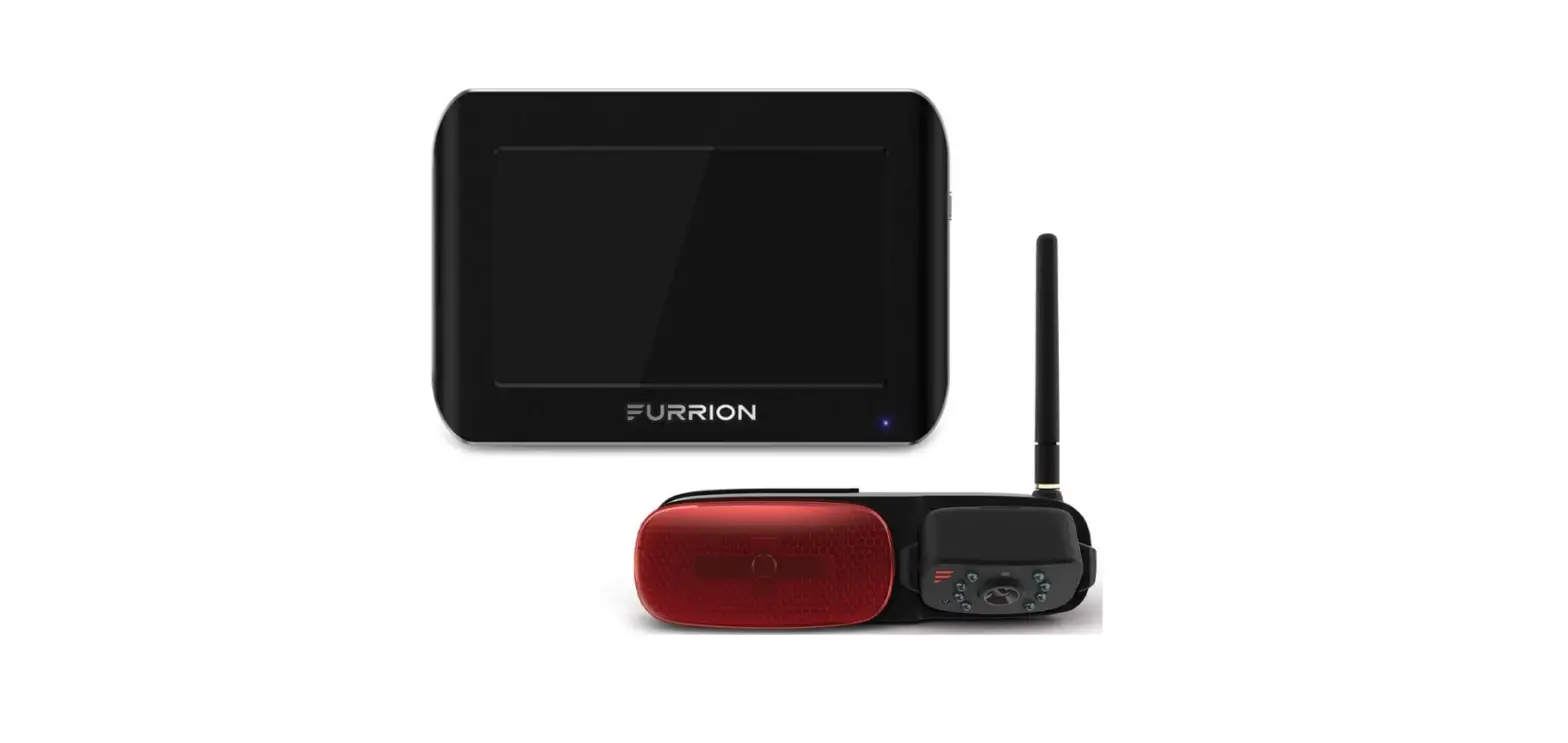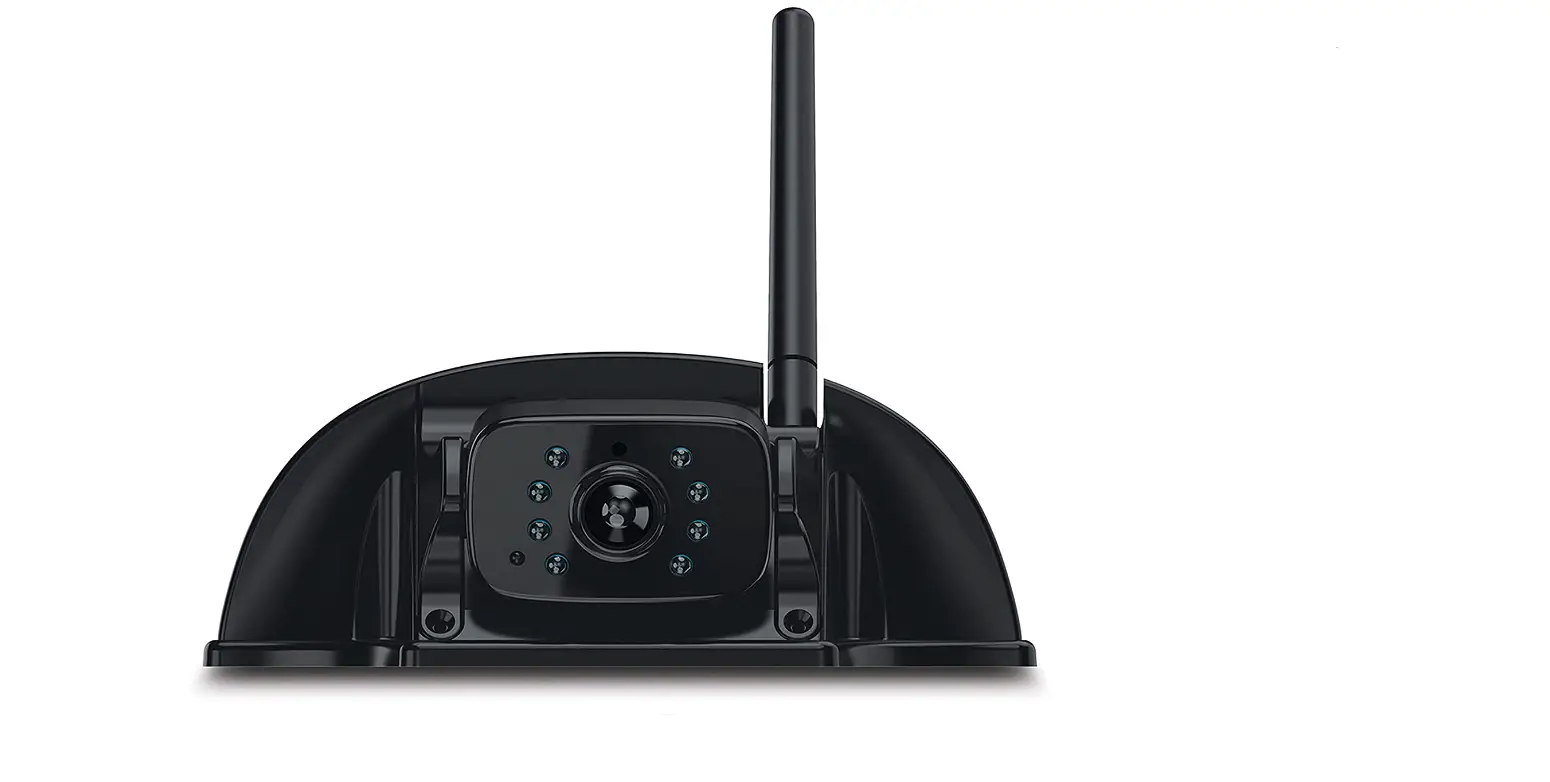

Furrion FCN48TASF Vision S Sharkfin Rear Doorway Security Camera
Important Safety Instructions
READ THESE INSTRUCTIONS CAREFULLY BEFORE INSTALLING OR USING THE SYSTEM
This product is intended to assist in safe driving and to allow the driver to have a broader view while the vehicle is in reverse. You, as the driver, are solely responsible for the safe operation of your vehicle and the safety of your passengers according to your local traffic regulations. Do not use any features of this system to the extent it distracts you from safe driving.
Your first priority while driving should always be the safe operation of your vehicle. Furrion cannot accept any responsibility for accidents resulting from failure to observe these precautions or safety instructions.
- This product utilizes high voltage. Any unauthorized modifications or damage to the product may result in electrical shock. Handle all components with care. Inspect regularly for damage to components and cabling.
- You are responsible for ensuring the installation of this product does not void or affect the vehicle manufacturer’s warranty. Furrion is not liable in full or in part for improper installation resulting in loss or damage to your property, or for voiding all or part of the vehicle manufacturer’s warranty.
- Do not apply excessive force to any of the components contained within this kit. Excessive force used before, during or after the installation that results in a damaged or nonfunctional part will void all warranties.
- Please follow the procedures in this instruction manual. Improper installation or modification of this product will void all warranties. Many jurisdictions have laws and regulations relating to the use of cameras and some do not allow for the obstruction of information contained on a license plate.
Before using this product, it is the buyer’s responsibility to be aware of and comply with any applicable laws and regulations that apply to license plates or may prohibit or limit the use of cameras.
Electrical Safety
- A battery or 12V DC electrical system presents a risk of electrical shock or burn. Ensure all power sources are isolated before installation.
- Insulate unconnected wires with vinyl tape or similar.
- Use insulated tools when working with a power supply.
Caution
- There are no serviceable parts in the Furrion Wireless Observation Camera System. Do not disassemble or attempt any repairs.
- There are no fuses or disconnects in the Furrion Wireless Observation Camera System. Install external fuses/ breakers as required.
Installation
- Installation and wiring of this product require specialist skills. To ensure proper and safe installation, please seek a specialist technician.
- Only use supplied or recommended parts.
- Use watertight connectors for the camera power supply cable to power source.
- Connect the camera to a 12-24V DC circuit using 18AWG or larger cables.
- Ensure correct polarity of DC power supply to the camera.
- To reduce the risk of fire, connect the camera only to a circuit provided with a maximum branch-circuit over current protection device.
- Do not route wiring in areas that may get hot.
- Take necessary precautions when working at elevated levels.
Use
- Electrical appliances and overhead power lines can affect the wireless signal.
Care
- Do not wash the vehicle with an automatic car wash or high-pressure water. This may damage the camera.
- Use a wet cloth to clean the camera lens. A dry cloth may scratch the camera lens.
FCC Statement
The equipment complies with RF exposure limits. This module is limited to installation in mobile or fixed applications. The antenna used for this transmitter must not be co-located or operating in conjunction with any other antenna or transmitter. This device complies with Part 15 of the FCC Rules. Operation is subject to the following two conditions:
- This device may not cause harmful interference.
- This device must accept any interference received, including interference that may cause undesired operation.
NOTE: The Grantee is not responsible for any changes or modifications not expressly approved by the party responsible for compliance. Such modifications could void the user’s authority to operate the equipment.
NOTE: This equipment has been tested and found to comply with the limits for a Class B digital device, pursuant to part 15 of the FCC Rules.
These limits are designed to provide reasonable protection against harmful interference in a residential installation. This equipment generates, uses, and can radiate radio frequency energy and, if not installed and used in accordance with the instructions, may cause harmful interference to radio communications. However, there is no guarantee that interference will not occur in a particular installation. If this equipment does cause harmful interference to radio or television reception, which can be determined by turning the equipment off and on, the user is encouraged to try to correct the interference by one or more of the following measures:
- Reorient or relocate the receiving antenna.
- Increase the separation between the equipment and the receiver.
- Connect the equipment to an outlet on a circuit different from that to which the receiver is connected.
- Consult the dealer or an experienced radio/TV technician for help.
RF Exposure
The device has been evaluated to meet the general RF exposure requirement. To maintain compliance with FCC’s RF exposure guidelines, this equipment should be installed and operated with a minimum distance of 20cm between the radiator and your body.
IC Statement
This device complies with Industry Canada licence-exempt RSS standard(s). Operation is subject to the following two conditions:
- this device may not cause interference, and
- this device must accept any interference, including interference that may cause undesired operation of the device.
RF Exposure
The device has been evaluated to meet the general RF exposure requirements. To maintain compliance with RSS-102 — Radio Frequency (RF) Exposure guidelines, this equipment should be installed and operated with a minimum distance of 20cm between the radiator and your body.
Product Overview
Product Description
The Furrion Vision S Camera System is designed to assist the driver by providing a clear and wide image of the area behind the vehicle whenever the vehicle is shifted into reverse. Never rely solely on this product to ensure the area is clear of children and/or obstructions. Use your monitor and look both ways. This product is not intended to replace existing safety procedures, but rather to add an additional safety tool for your vehicle.
CAUTION: Do not back up your vehicle while watching the monitor screen. Always look in the direction the vehicle is traveling. Use the monitor as an aid to ensure there are no children or obstructions. The image on the monitor is not designed to show distance and may be misleading. The actual distance is less than what appears on the monitor. The range of the image is limited. Be aware of blind spots.
Panel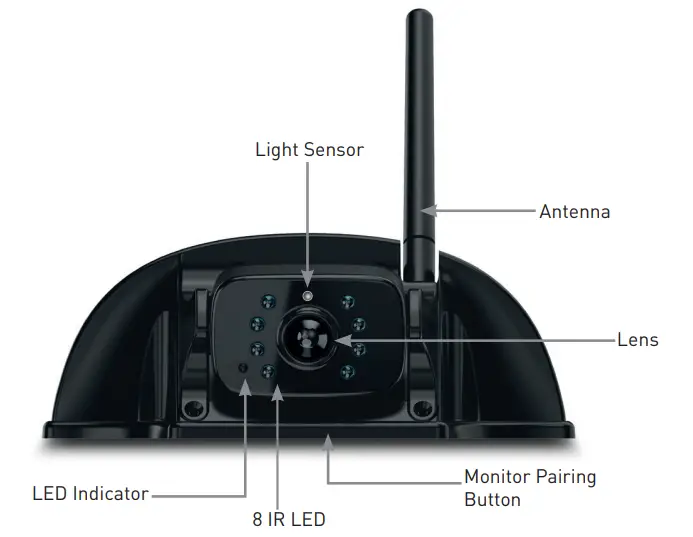
Getting Started
The camera and monitor need to be paired the first time you are using your Vision S Camera System.
NOTE: Ensure both the camera and monitor have power supplied during Pairing and setting processes. (The vehicle may need to be running.)
Pairing the 4.3” Vision S Camera System
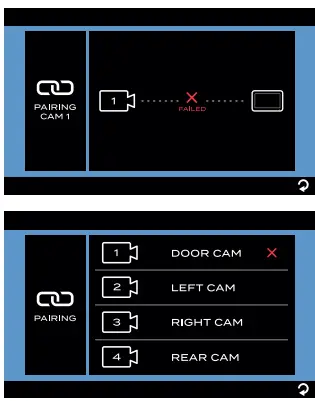
- Use or button to highlight the PAIRING menu, then press to enter the next page.

- Press the “MONITOR PAIRING” button at the bottom of the selected camera to pair.

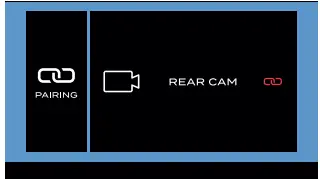
- Once paired successfully, a red
 icon will appear after the device list.

- An
 icon indicates pairing failed, repeat steps 2 and 3 to pair again.
 - Repeat steps 1 to 4 to pair the other cameras.
- Refer to “Camera Settings” section for detail settings of the camera.

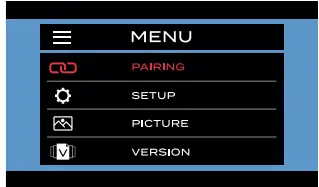
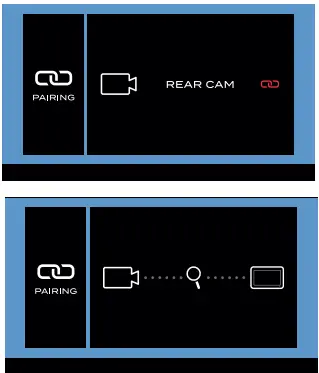
 icon will appear after the device list.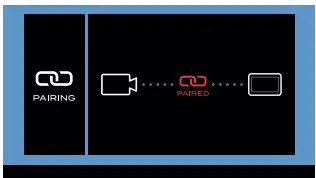
 icon indicates pairing failed, repeat steps 2 and 3 to pair again.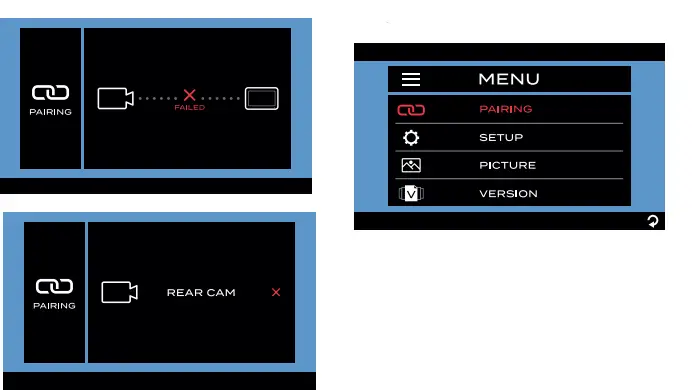
Pairing the 5“ and 7” Vision S Camera System
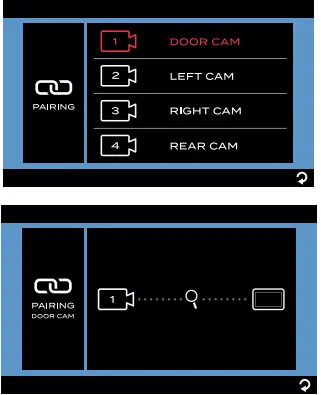
- Touch PAIRING on the screen. The PAIRING will be highlighted in red once selected and enter the submenu automatically.
- Select the desired camera you are going to pair. Press “MONITOR PAIRING” button at the bottom of the selected camera for 3 seconds to pair.
NOTE: The monitor can only pair to one camera for each channel and a total of four cameras are supported.
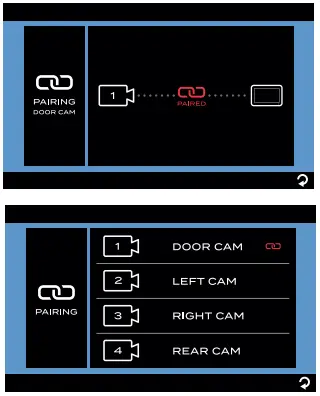
- Once paired successfully, a red icon will appear after the device list.

- An icon indicates pairing failed, repeat steps 2 and 3 to pair again.

- Repeat steps 1 to 4 to pair the other cameras.
- Refer to “General Setup” section on detail settings of the camera.
Installation
COMPLETELY READ THIS MANUAL BEFORE INSTALLATION
NOTE: We have included all of the items needed for most standard installations, but all vehicles are different. We recommend you review your vehicle completely before starting.
What’s in the box
Make sure you have all the following items included in the packaging. If any item is damaged or missing, contact your dealer.
- Camera
- Antenna x 1
- Warranty Card x 1
- Instruction Manual x 1
NOTE: The contents included may be different based on the kit you purchased. Please take the actual product as standard.
Suitable Installation Position
CAUTION
Ensure there are no electrical cables, gas lines, pipes or other important parts behind where the drill holes will be.
To prevent the risk of electric shock or fire, during installation, remove the key from the ignition and isolate the 12V or 24V power source.
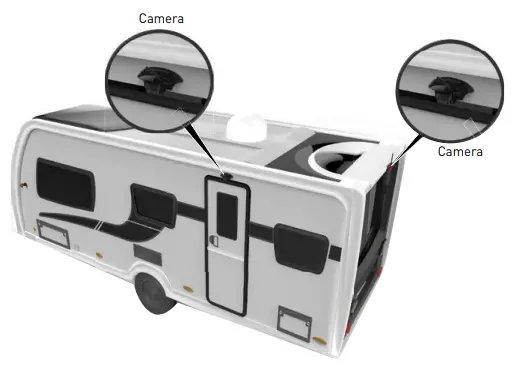
- For optimum performance, the camera should be mounted where there is a minimal obstruction between the camera and the monitor. Dense side-wall material and electrical appliances can reduce signal strength.
- Where practical install, as high as possible at the rear of the vehicle.
- Horizontal center of the vehicle or as close as is optimal.
- Mount camera at least 2 inches above or below running lights. Close proximity to lights may cause image blooming, blurring and reduced night vision performance.
- The area should be flat with enough surface area to accommodate the bracket.
- The surface area should be clean and dry for a watertight installation.
- Ensure that power can be fed to the installation area from within the vehicle.

Camera Installation
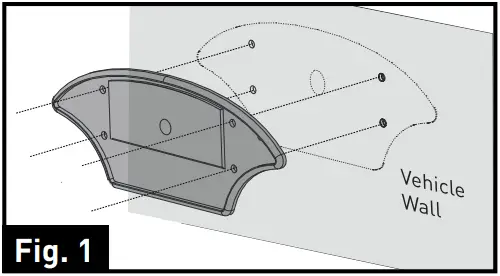
- Select a suitable mounting position where you are going to install the doorway camera. Mark a basic outline using the provided bracket gasket. (Fig. 1)

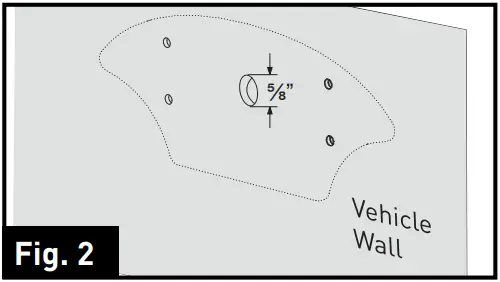
- Drill a 5/8” center hole on the vehicle wall using a 5/8” hole saw. (Fig. 2)

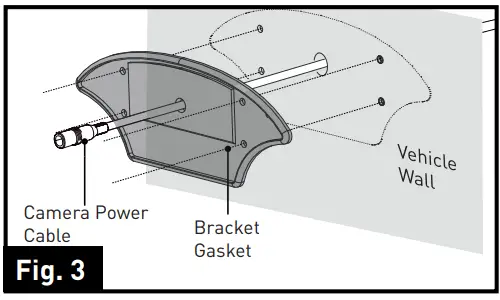
- Feed the supplied 6-foot camera power cable through the gasket. Ensure the bare end of the cable goes into the vehicle and the flat side faces inward. (Fig. 3)

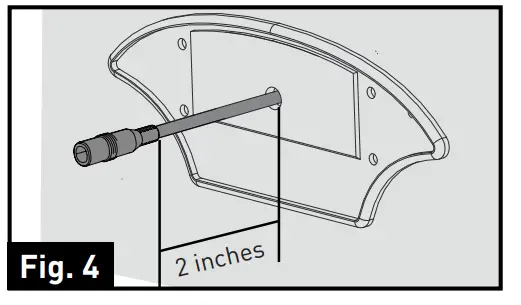
- Pull out the camera power cable, leaving approx 2 inches of slack. (Fig. 4)

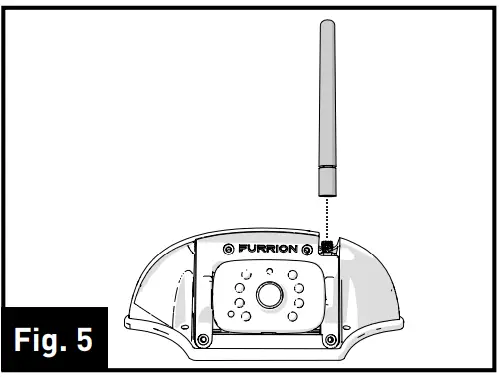
- Install the antenna onto the camera and rotate it clockwise to lock into place. (Fig. 5)

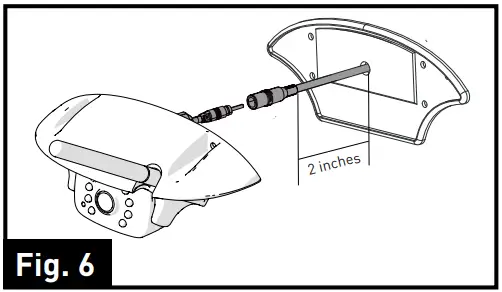
- Connect the camera power cable to the camera cable. (Fig. 6)

- Place the attached cables and connections into the bracket housing by first placing the cable to the right. Place the camera cable filter in the left of the bracket housing. (Fig. 7)

- Fix the gasket and bracket to the vehicle using four 3/4 ” flat self-tapping screws. Make sure the camera power cable is not damaged while attaching the device to the vehicle. (Fig. 8)

- Make sure the sealing lip around the edge of the gasket is seated over the edge of the bracket before fully tightening the screws.
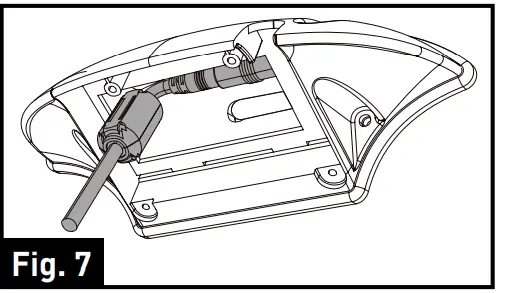
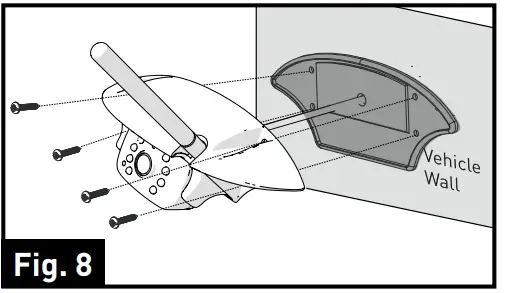
Connecting the Camera
WARNING
When connecting wires, ensure the circuit is isolated by disconnecting the negative terminal on the battery.
- Ensure correct polarity when wiring the cables. RED + BLACK
- Ensure correct polarity when wiring.
- Wire connections and terminals must be sealed and waterproof.
The Furrion Vision S Camera can be connected to an electrical power source via a 7 Way Connector.
Wiring to running lights: the camera will activate when the running lights are switched on.
Wiring to reverse lights: the camera will activate when the vehicle engages reverse gear.
Consult the vehicle’s service manual for specific wiring color codes.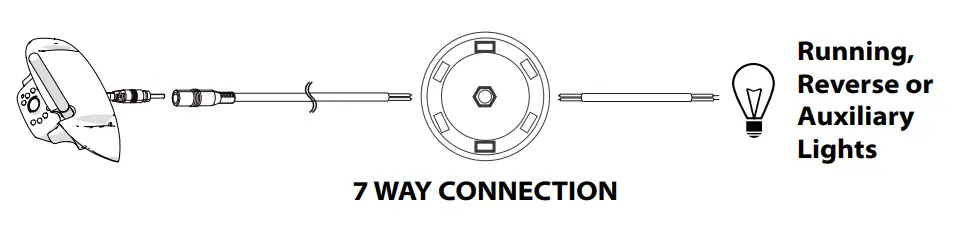
When wiring this camera directly to a 12V battery or converter in your RV, use an in-line switch on the power cable to power on or off your camera. This will enable this camera to be used when parked without a tow vehicle connected.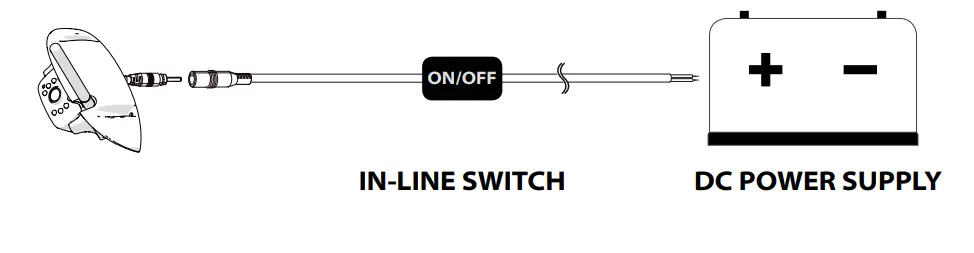
Specifications
| Specifications | |
| SUPPLY VOLTAGE | DC8 to 30V |
| WIRELESS FREQUENCY | 2.4 GHz |
| WIRELESS RANGE | 150m (open area) |
| TRANSMITTING SPEED | 6 Mbps (single) |
| RECEIVING SENSITIVITY | -88 +/-3dBm |
| DECOMPRESSION FORM | H.264 |
| DELAYING TIME | <250ms |
| IMAGE DISTANCE | <5m |
| CMOS SIZE | 1/3” |
| OPTICAL LENS | F2.0 |
| IR CUT FILTER | 850nm automatic |
| VIEW ANGLE | 120˚ |
| CURRENT (IR ON) | <500mA @12V |
| CURRENT (IR OFF) | <350mA @12V |
| CAMERA PIXEL | 720 x 480 |
Troubleshooting
| Problem | Solution |
|
Camera and Monitor won’t pair | Check if the camera is receiving power. |
| Make sure to hold the camera pairing button for 2 seconds. | |
|
Night vision is poor or does not function | The light sensor on the camera may be dirty or obstructed. |
| Ensure the camera unit is installed at least 2 inches away from rear lights. |
Warranty
FURRION WARRANTS FOR A PERIOD OF 1 YEAR FROM DATE OF RETAIL PURCHASE BY THE ORIGINAL END-USER PURCHASER, THAT THIS PRODUCT, WHEN DELIVERED TO YOU IN NEW CONDITION, IN ORIGINAL PACKAGING, FROM A FURRION AUTHORIZED RESELLER AND USED IN NORMAL CONDITIONS, IS FREE FROM ANY DEFECTS IN MANUFACTURING, MATERIALS, AND WORKMANSHIP. IN CASE OF SUCH DEFECT, FURRION SHALL REPLACE OR REPAIR THE PRODUCT AT NO CHARGE TO YOU. THIS WARRANTY DOES NOT COVER: PRODUCTS WHERE THE ORIGINAL SERIAL NUMBERS HAVE BEEN REMOVED, ALTERED OR CANNOT READILY BE DETERMINED; DAMAGE OR LOSS CAUSED BY ACCIDENT, MISUSE, ABUSE, NEGLECT, PRODUCT MODIFICATION, FAILURE TO FOLLOW INSTRUCTIONS IN INSTRUCTION MANUAL, COMMERCIAL OR INDUSTRIAL USE; DAMAGE OR LOSS CAUSED TO THE DECORATIVE SURFACE OF PRODUCT; TO ANY DATA, SOFTWARE OR INFORMATION; AND NORMAL WEAR AND TEAR. THIS WARRANTY ONLY PROTECTS THE ORIGINAL END-USER (“YOU”) AND IS NOT TRANSFERABLE; ANY ATTEMPT TO TRANSFER THIS WARRANTY SHALL MAKE IT IMMEDIATELY VOID. THIS WARRANTY IS ONLY VALID IN THE COUNTRY OF PURCHASE.
THIS WARRANTY AND REMEDIES SET FORTH ABOVE ARE EXCLUSIVE AND IN LIEU OF ALL OTHER WARRANTIES, REMEDIES AND CONDITIONS, WHETHER ORAL OR WRITTEN, EXPRESS OR IMPLIED. FURRION SPECIFICALLY DISCLAIMS ANY AND ALL IMPLIED WARRANTIES, INCLUDING, WITHOUT LIMITATION, WARRANTIES OF MERCHANTABILITY AND FITNESS FOR A PARTICULAR PURPOSE. IF FURRION CANNOT LAWFULLY DISCLAIM IMPLIED WARRANTIES UNDER THIS LIMITED WARRANTY, ALL SUCH WARRANTIES, INCLUDING WARRANTIES OF MERCHANTABILITY AND FITNESS FOR A PARTICULAR PURPOSE ARE LIMITED IN DURATION TO THE DURATION OF THIS WARRANTY.
No Furrion reseller, agent, or employee is authorized to make any modification, extension, or addition to this warranty.
FURRION IS NOT RESPONSIBLE FOR DIRECT, INDIRECT, SPECIAL, INCIDENTAL OR CONSEQUENTIAL DAMAGES RESULTING FROM ANY BREACH OF WARRANTY OR CONDITION, OR UNDER ANY OTHER LEGAL THEORY, INCLUDING BUT NOT LIMITED TO LOST PROFITS, DOWNTIME, GOODWILL, DAMAGE TO OR REPLACEMENT OF ANY EQUIPMENT OR PROPERTY, ANY COSTS OF RECOVERING, REPROGRAMMING, OR REPRODUCING ANY PROGRAM OR DATA STORED IN OR USED WITH FURRION PRODUCTS. FURRION’S TOTAL LIABILITY IS LIMITED TO THE REPAIR OR REPLACEMENT OF THIS PRODUCT PURSUANT TO THE TERMS OF THIS WARRANTY.
SOME STATES DO NOT ALLOW THE EXCLUSION OR LIMITATION OF INCIDENTAL OR CONSEQUENTIAL DAMAGES OR EXCLUSIONS OR LIMITATIONS ON THE DURATION OF IMPLIED WARRANTIES OR CONDITIONS, SO THE ABOVE LIMITATIONS OR EXCLUSIONS MAY NOT APPLY TO YOU. THIS WARRANTY GIVES YOU SPECIFIC LEGAL RIGHTS, AND YOU MAY ALSO HAVE OTHER RIGHTS THAT VARY BY STATE OR (WHERE APPLICABLE IN THE COUNTRIES WHERE FURRION HAS NON-US/CANADIAN AUTHORIZED DEALERS) COUNTRY. NO ACTION OR CLAIM TO ENFORCE THIS WARRANTY SHALL BE COMMENCED AFTER THE EXPIRATION OF THE WARRANTY PERIOD.
Keep your receipt, delivery slip, or another appropriate payment record to establish the warranty period. Service under this warranty must be obtained by contacting Furrion at [email protected]
Product features or specifications as described or illustrated are subject to change without notice.
FAQS
Will the furrion vision s sharkfin fcn48tasf pair with my cell phone (android)? or my truck (2022 chev silverado)?
No only the Furrion Monitor
Will this play on garmin for rv monitor?
No, only Furrion Monitors
Will the fur ruin camera pair with a Voyager monitor?
Not likely.
Could this camera be used inside a horse trailer to see the horses?
Yes it has very good low light pictures.
Do you pair this with the truck screen or?
Separate monitors
Do the sell a Replacement for outside camera casing
Will the Furrion camera powered up to a 2020 Chevrolet truck monitor
Will it work on a gmc trucks camera system?
Not sure. Some one might have one for sell on the web. My RV came with the housings already mounted. So i am certain someone has one for sale.
Will this camera work as a replacement to the 381556 fos48tapk-bl system?
NO
Does the Auto wake function have a alarm/ noise?
Should work with any fos model monitor
Can this camera be paired with my trucks back up camera screen ?
No alarm
Will it bluetooth to a phone or tablet?
It is meant to be a used as a standalone system so unfortunately it can only be paired with the Furrion monitor.
What is the amp draw?
No just the Furrion Monitor