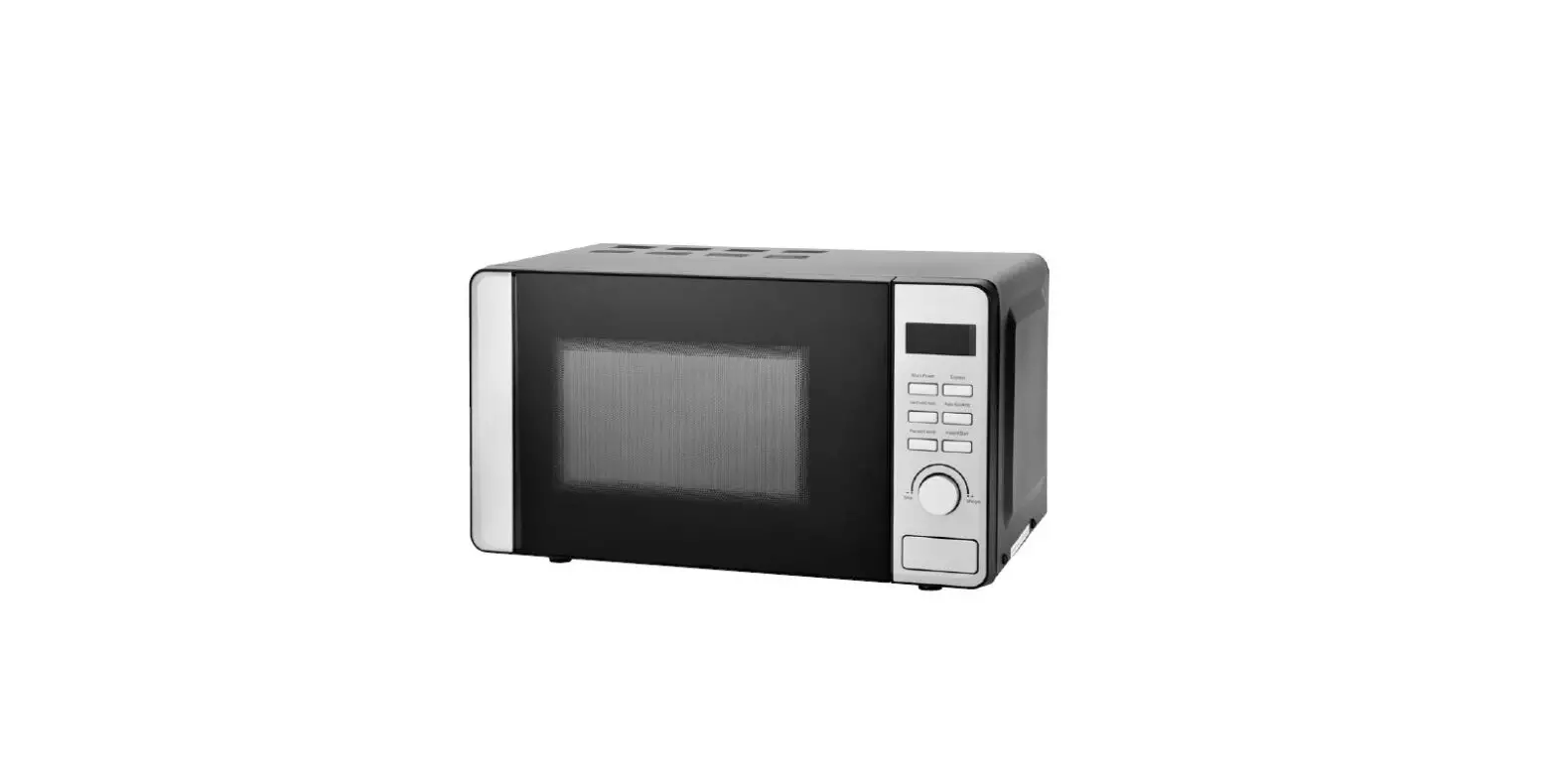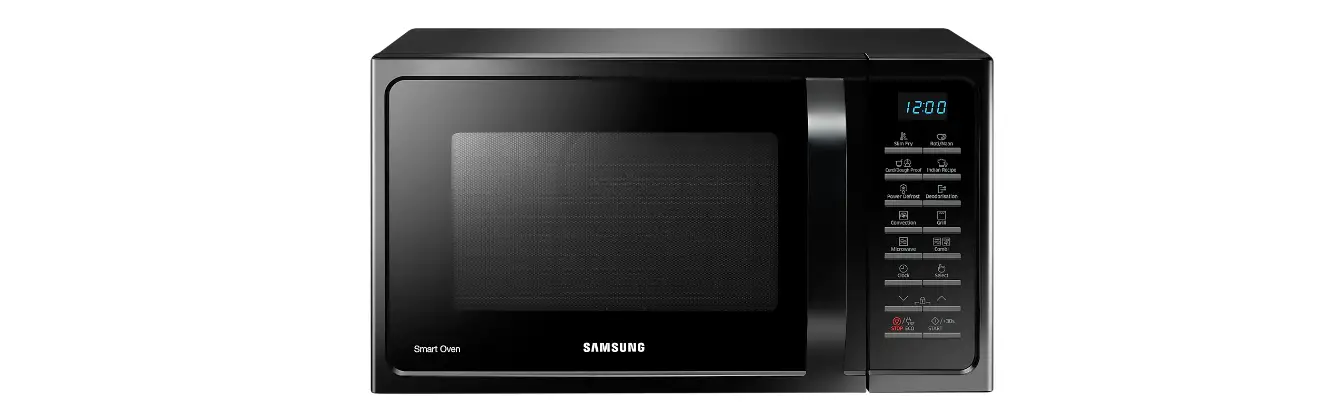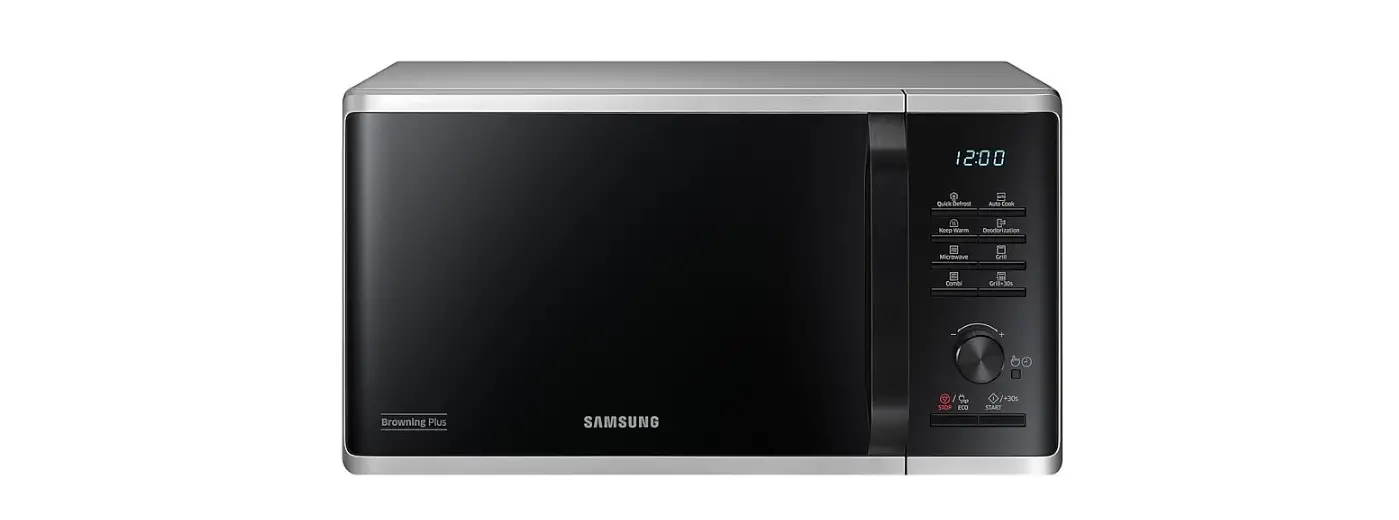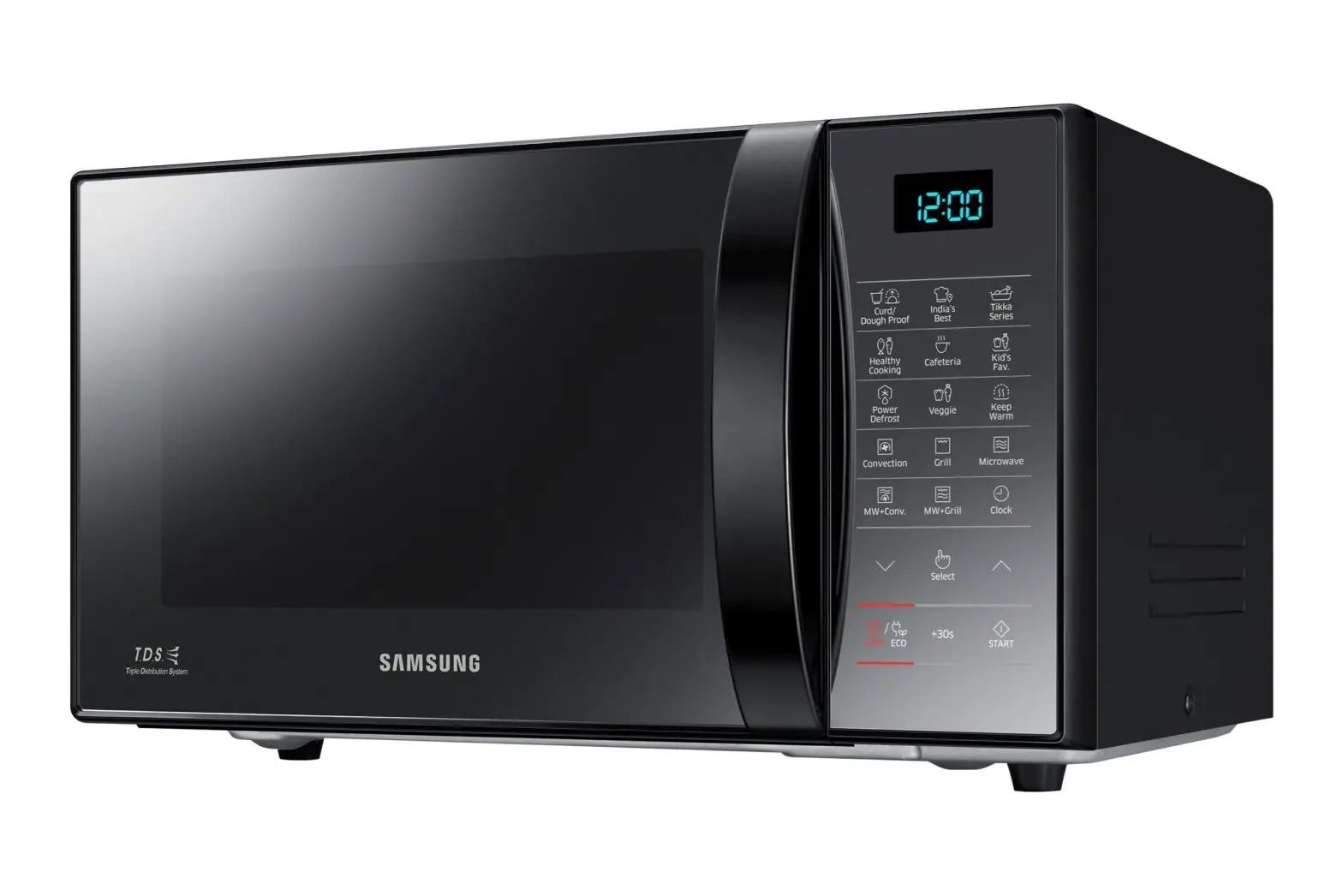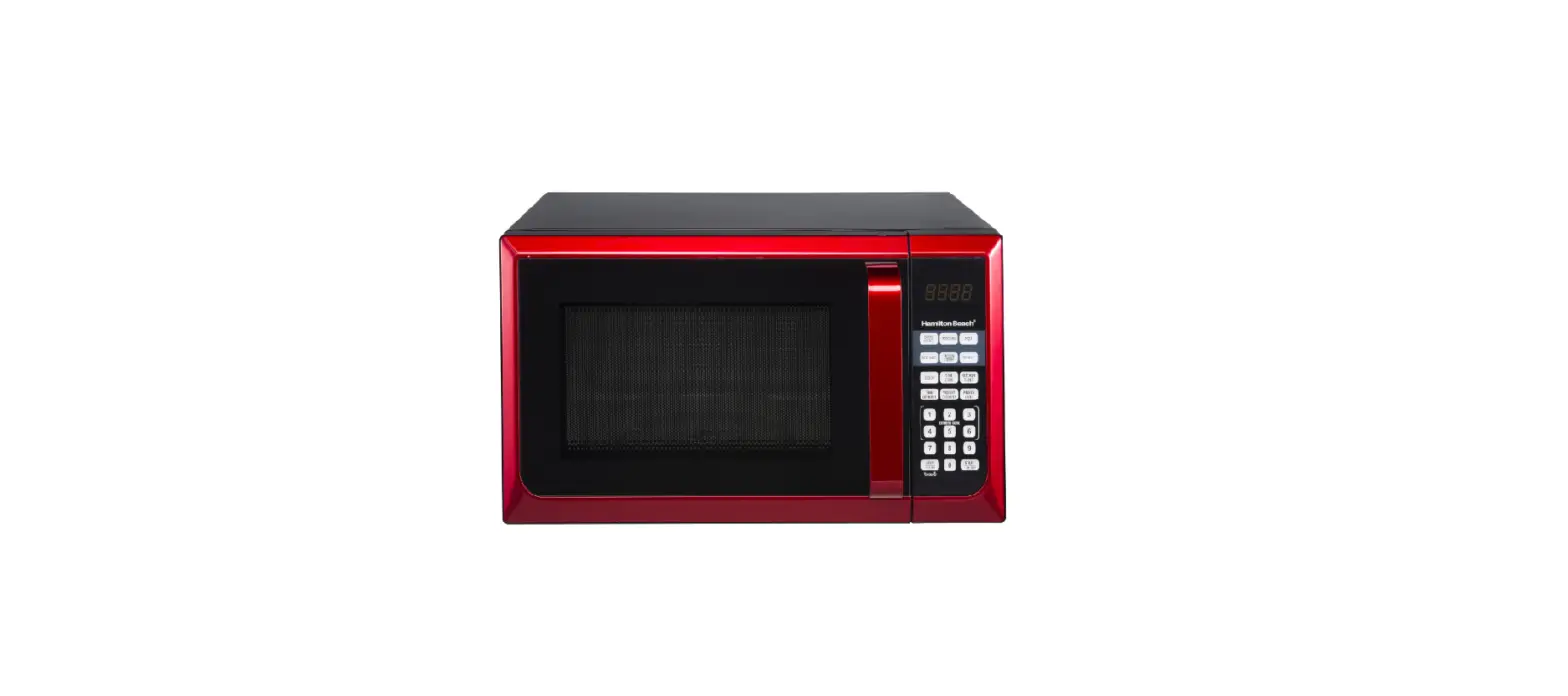

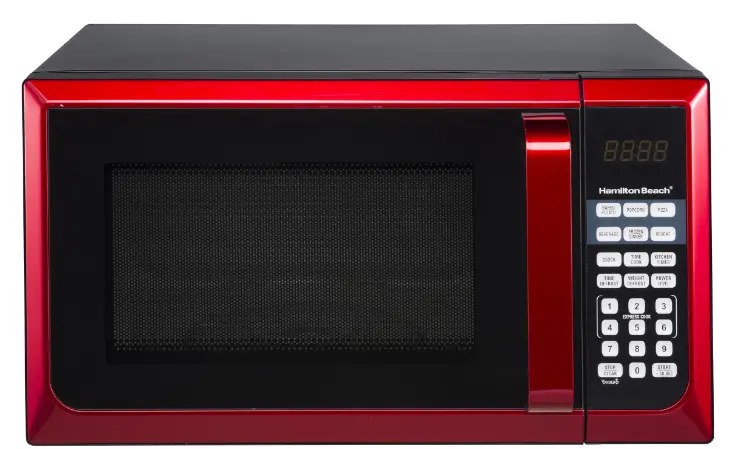
Hamilton beach mw900b microwave oven
!! IMPORTANT SAFETY INSTRUCTIONS !!
When using electrical appliances, basic safety precautions should be followed, including the following:
WARNING! – To reduce the risk of burns, electric shock, fire, injury to persons, or exposure to excessive microwave energy:
- Read all instructions before using the appliance.
- Read and follow the specific PRECAUTIONS TO AVOID POSSIBLE EXPOSURE TO EXCESSIVE MICROWAVE ENERGY found on page 5,
- This appliance must be grounded. Connect only to a properly grounded outlet. See 1MPORTANT GROUNDING INSTRUCTIONS” found on page 4.
- Install or locate this appliance only in accordance with the provided installation instructions.
- Some products such as whole eggs and sealed containers, like closed glass jars, are able to explode and should not be heated in this oven.
- Use this appliance only for its intended use as described in the manual. Do not use corrosive chemicals or vapors in this appliance. This type of oven is specifically designed to heat, cook, or dry food. It is not designed for industrial or laboratory use.
- As with any appliance, close supervision is necessary when used by children.
- To reduce the risk of fire in the oven cavity:
- Do not overcook food. Carefully attend to appliances when paper, plastic, or other combustible materials are placed inside the oven to facilitate cooking.
- Remove wire twist ties from paper or plastic bags before placing the bag in the oven.
- If materials inside the oven ignite, keep the oven door closed, turn the oven off and disconnect the power cord, or shut off power at the fuse or circuit breaker panel.
- Do not use the cavity for storage purposes. Do not leave paper products, cooking utensils, or food in the cavity when not in use.
- Liquids such as water, coffee, or tea are able to be overheated beyond the boiling point without appearing to be boiling. Visible bubbling or boiling when the container is removed from the microwave oven is not always present. THIS COULD RESULT IN VERY HOT LIQUIDS SUDDENLY BOILING OVER WHEN THE CONTAINER IS DISTURBED OR A UTENSIL IS INSERTED INTO THE LIQUID.
- Do not heat oil or fat for deep-frying. It is difficult to control the
the temperature of oil in a microwave oven. - Pierce foods with heavy skins such as potatoes, whole squash, apples and chestnuts before cooking.
- The contents of feeding bottles and baby jars should be stirred or shaken and the temperature should be checked before serving in order to avoid burns.
- Cooking utensils may become hot because of heat transferred from the heated food. Potholders may be needed to handle the utensil.
- Do not cover or block any openings on this appliance.
- Do not store this appliance outdoors. Do not use this product near water. For example, do not use near a kitchen sink, in a wet basement, near a swimming pool, or similar locations.
- Do not operate this appliance if it has a damaged cord or a plug, if it is not working properly or if it has been damaged or dropped.
- Do not immerse cord or plug in water. Keep the cord away from the heated surface.
Do not let the cord hang over the edge of the table or counter. - Use only thermometers, which are specifically designed for use in microwave ovens.
- Do not operate any heating or cooking appliance beneath this appliance.
- Be certain the glass tray and roller rings are in place when you operate the oven.
- This appliance should be serviced only by qualified service personnel. Contact the nearest authorized service facility for examination, repair, or adjustment.
- When cleaning surfaces of the door and oven that come together on closing the door, use only mild, nonabrasive soaps, or detergents applied with a sponge or soft cloth.
Important Grounding Instructions
This appliance must be grounded. In the event of an electrical short circuit, grounding reduces the risk of electric shock by providing an escape wire for the electric current.
WARNING Improper use of the grounding plug can result in a risk of electric shock.
Electrical Requirements
Three-pronged (grounding) plug
The electrical requirements are a 120 volt 60 Hz, AC only, 20 amp. It is recommended that a separate circuit serving only the oven be provided. The oven is equipped with a 3-prong grounding plug. It must be plugged into a wall receptacle that is properly installed and grounded.
Power Supply Cord
Properly polarized and grounded outlet
- A short power supply cord is provided to reduce the risks resulting from becoming entangled in or tripping over a longer cord.
- Longer cord sets or extension cords are available and may be used if care is exercised in their use.
- lf long cord or extension cord is used :
- The marked electrical rating of the cord set or extension cord should be at least as great as the electrical rating of the appliance.
- The extension cord must be a grounding-type 3-wire cord, and the longer cord should be arranged so that it will not drape over the countertop or tabletop where it can be pulled on by children or tripped over unintentionally.
Notes:
If you have any questions about the grounding or electrical instructions, consult a qualified electrician or service person. Neither manufacturer nor dealer can accept any liability for damage to the oven or personal injury resulting from failure to observe the electrical connection procedures.
Radio or TV Interference
Should there be any interference caused by the microwave oven to your radio or TV, check that the microwave oven is on a different circuit, relocate the radio or TV as far away from the oven as feasible or check the position and signal of receiving antenna.
Precautions To Avoid Possible
Exposure To Excessive Microwave Energy
- Do not attempt to operate this microwave oven with the door open since open-door operation can result in harmful exposure to microwave energy. It is important not to defeat or tamper with the safety interlocks.
- Do not place any object between the oven frame and the door. Do not allow soil or cleaner residue to accumulate on sealing surfaces.
- Do not operate the oven if it is damaged. It is very important that the oven door closes properly and that there is no damage to the:
- Door (including any dents)
- Hinges and latches (including broken or loose parts)
- Door seals and sealing surfaces
The oven should not be adjusted or repaired by anyone except qualified service personnel.
Features and Benefits
- 0.9 cu.ft. Oven Cavity
- 6 Power Levels
- Nine Instant One-touch Setting Buttons For Common Foods
- Electronic Digital Display With Clock (LED)
- Turnable
- Time Cook
- Time And Weight Defrost
- Remind Signal
- Kitchen Timer
Specifications
- Model. HB-P90D23AL-B8B-FR03(MW900B)
- Power Source..120V ~ 60Flz
- Power Consumption…1350W
- Maximum Output..900W
- Operation Frequency…2450 MFIZ
- Oven Capacity….0.9 cu. ft.
- Oven Cavity Dimensions…13 3/8 x 12 5/8 x 8 11/16 inches
- External Dimensions.. 19 x 15 5/16 x 13 7/16 inches
- Net Weight.. 31.1 lbs
How To Test For A Microwave-safe Dish
To determine if a dish is microwave-safe, place the dish in the microwave along with a glass measuring cup filled with one cup of water. Microwave for one minute on high and then carefully feel the dish.If it is warm, it is not microwave-safe.
Arcing – The microwave term for sparks in the oven. Caused by:
- Metal or foil touching the side of the microwave
- Upturned edges of foil not wrapped around the food
- Metals in the microwave such as twist ties, meat pins or metal rimmed dishes
- Recycled paper towels in the microwave that contain small flecks of metal
Materials For Use In Microwave
To avoid arcing and other hazards, follow these instructions for the use of safe materials in the microwave.
- Browning dish
Follow the manufacturer’s instructions. The bottom of browning dish must be at least 3/16 inch (0.5 cm) above the turntable. Incorrect usage may cause the turntable to break. - Dinnerware
Microwave-safe only. Follow the manufacturer’s instructions. Do not use cracked or chipped dishes. - Glassware
Heat-resistant oven glassware only. Make sure there is no metallic trim. Do not use cracked or chipped dishes. - Oven cooking bags
Follow the manufacturer’s instructions. Do not close with a metal tie. Make slits to allow steam to escape. - Paper plates/cups
Use for short-term cooking/warming only. Do not leave the oven unattended while cooking. - Paper towels
Use to cover food for reheating and absorbing fat. Use supervision for a short-term cooking only. - Parchment paper
Use as a cover to prevent splattering or a wrap for steaming.
Microwave-safe only. Follow the manufacturer’s instructions. Boiling bags and tightly closed plastic bags should be slit. - Plastic
pierced or vented as directed by the package. Due to various manufacturers, you may receive varying performance results when using a bacon tray. - Plastic wrap
Microwave-safe only. Use to cover food during cooking to retain moisture. Do not allow plastic wrap to touch food. - Thermometers
Microwave-safe only. - Wax paper
Use as a cover to prevent splattering and retain moisture.
Materials To Avoid In Microwave
- Metal pans and bakeware
- Recycled paper products
- Non-heat-resistant glass
* Non-microwave-safe-plastics »Metal twist ties (e.g. margarine tubs)
Setting Up Your Microwave
Installation:
- Make sure that all the packing materials are removed from the inside of the door.
- Check the oven for any damage, such as misaligned or bent door, damaged door seals and sealing surface, broken or lose door hinges and latches, and dents inside the cavity or on the door.
If there is any damage, do not operate the oven but contact qualified service personnel. - This microwave oven must be placed on a flat, stable surface
to hold its weight and the heaviest food likely to be cooked in the oven. - Do not place the oven where heat, moisture, or high humidity are generated or near combustible materials.
- For correct operation, the oven must have sufficient airflow. Allow 20cm of space above the oven, 10cm at back and 5cm at both sides. Do not cover or block any openings on the appliance. Do not remove the feet on which the oven stands.
- Do not operate the oven without a glass tray, roller support, and shaft in their proper positions.
- Make sure that the power supply cord is undamaged and does not run under the oven or over any hot or sharp surface.
- The socket must be readily accessible so that it can be easily unplugged in an emergency.
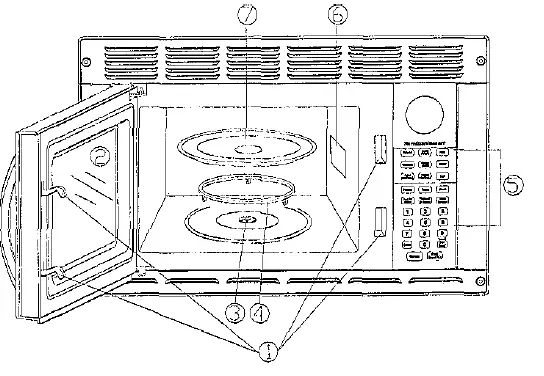
- Door Safety Lock System
- Oven Window
- Shaft
- Turntable Roller
- Control Panel
- Wave Guide
- Glass Tray
WARNING: FIRE AND SHOCK HAZARDS. Do not remove the mica board located on the right, inside wail of the cooking compartment. Unplug the microwave immediately and contact service support: at 1-866-257-3336 if the mica board becomes i or is missing.
Turntable Installation
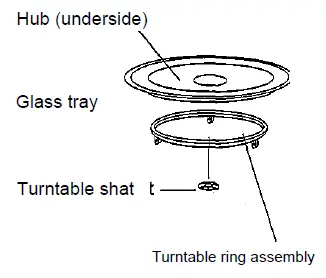
- Never place the glass upside down. The glass tray should never be restricted.
- Both glass tray and turntable ring assembly must always be used during cooking.
- All food and containers of food are always placed on the glass tray for cooking.
- The glass tray rotates either clockwise or counter-clockwise; this is normal.
- If the glass tray or turntable ring assembly cracks or breaks, contact service support; at 1-866-257-3336
To order a replacement turntable, pis call service ’support at .866-257-3336
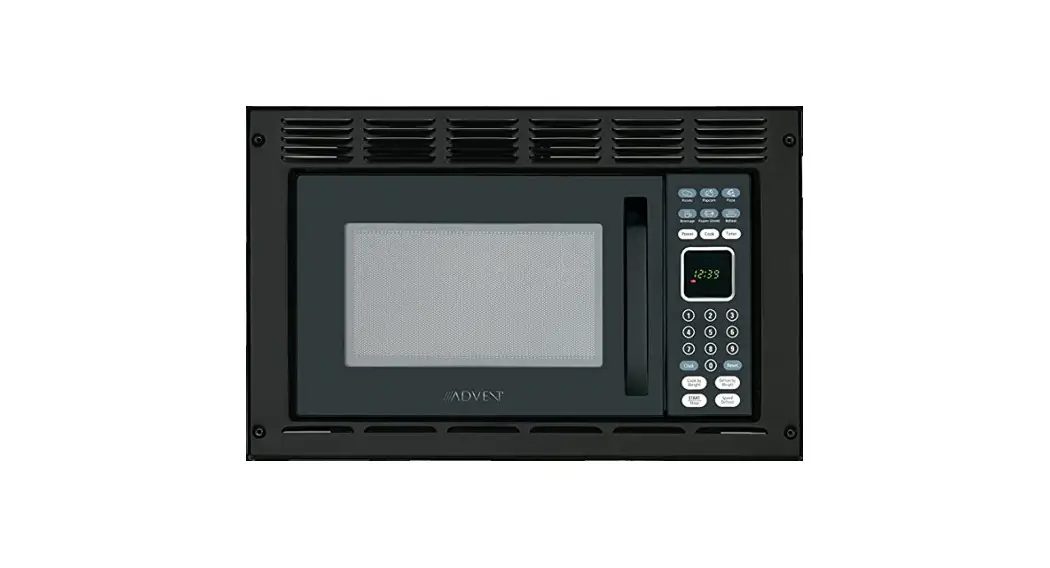
Control Panel
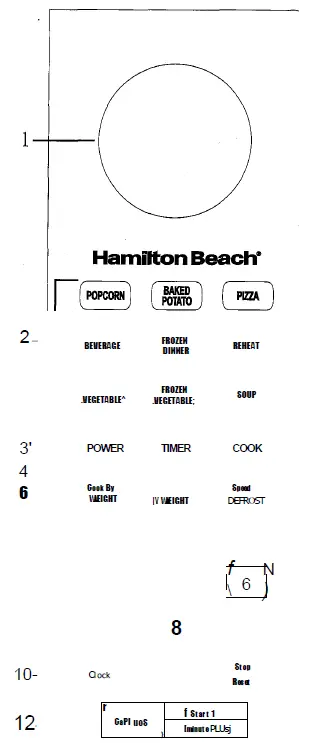
- MENU ACTION SCREEN
Cooking time, power, indicators and present time are displayed. - QUICK COOK BUTTONS
Instant settings to cook popuiar foods. - POWER
Use to set power levels other than high. - TIMER
Timer functions independently, even while a cooking program is in process. - COOK
Use to set multi-stage cooking. - COOK BY WEIGHT
Programmed cooking based on the weight of the foods to be cooked. - DEFROST BY WEIGHT
Programmed defrosting based on the weight of the foods to be defrosted. - SPEED DEFROST
Quick defrost function that alternates defrost and times to quickly and effectively defrost foods. - NUMBER PADS(0-9)
Touch to set time or food weight. - CLOCK
Touch to set the clock time. - STOP/RESET
Press to cancel the setting or reset the oven before setting a cooking program.
Press once to temporarily stop cooking, or twice to cancel. cooking altogether.
It is also used for setting child lock. - EXPRESS
Use to program the oven to microwave food at 100% power conveniently. - START/MINUTE PLUS
Touch to start cooking or to add an extra minute to your cooking cycle for each touch.
Operation
Setting The Clock
- Touch CLOCK pad.
- Use the number pads to enter the correct time.
- Touch CLOCK pad again.
NOTE:
This is a 12-hour or 24-hour cycle clock. When the oven is first plugged in or when power resumes after a power interruption, the display will
show ENTER CLOCK TIME. If you prefer to not have the clock
displayed, touch STOP/RESET.
Setting The Oven Timer
- Touch TIMER.
- Enter the amount of time by touching the number pads.
- Touch START/MINUTE PLUS.
NOTE:
The maximum time you can enter is 99 minutes and 99 seconds. Time countdown can be seen in display for 3 seconds before clock or cooking time is returned to display. Touch TIMER and then touch STOP/RESET to cancel TIMER during timing process.
Microwave Cooking
For microwave cooking, the longest cooking time is 99 minutes and 99 seconds. Select power level by pressing the POWER button:
| Press POWER button | power |
| once | 100% |
| twice | 80% |
| 3 times | 60% |
| 4 times | 40% |
| 5 times | 20% |
| 5 times | 0% |
For example, suppose you want to cook for 1 minute at 60% of microwave power.
- Press POWER to enter the power level.
- Use number pads to enter cooking time.
- Touch START/MINUTE PLUS.
NOTE: During the cooking process, you can check current cooking power by pressing POWER, and extend cooking time by pressing START/MINUTE PLUS. Each press adds 1 minute.
Speed Defrost
The longest defrosting time is 99 min and 99 sec.
- Touch SPEED DEFROST Pad.
- Enter desired to defrost time by touching the correct number pads.
- Touch START/MINUTE PLUS.
NOTE: Turn over food when oven pauses and signals. Touch START/MINUTE PLUS to resume defrosting.
Cook By Weight
- Touch COOK BY WEIGHT to select the one-digit code.
- Use the number pad to enter food weight (lb digit: from lib to 5 lb).
- Touch COOK BY WEIGHT again.
- Use the number pad to enter food weight (oz digit: from 1 oz to 16 oz).
- Touch START/MINUTE PLUS.
Cook By Weight Code Description
| CODE | TYPE | MAX WEIGHT |
| dl | Beef | 5 lb. 4 oz. |
| d2 | Mutton | 5 lb. 4 02. |
| d3 | Pork | 5 lb. 4 oz. |
NOTE:
Meat must be defrosted and at refrigerated temperature, Weight must be in pounds and ounces.
Ounce weights less than 10 must be preceded by a 0. If the label gives weight in pounds only, change the fraction of a pound to ounces by using the following chart.
Converting Fractions Of A Pound To Ounces
| Fractions of a pound | Ounces |
| Less than .03 | 0 |
| .03 to .09 | 1 |
| .lOto.15 | 2 |
| .16to .21 | 3 |
| .22 to .27 | 4 |
| .28 to .34 | 5 |
| .35 to .40 | 6 |
| .41 to .46 | 7 |
| .47 to .53 | 8 |
| .54 to .59 | 9 |
| .60 to .65 | 10 |
| .66 to .71 | 11 |
| .72 to .78 | 12 |
| .79 to .84 | 13 |
| .85 to .90 | 14 |
| .91 to .97 | 15 |
Turn over the meat when the oven pauses and signals. Touch START/MINUTE PLUS to resume cooking. Leave the meat a few minutes before carving.
Defrost By Weight
- Touch DEFROST BY WEIGHT once. “0.00” “LB” and ” shows on the display.
- Use the number pad 1~5 to enter food weight (lb digit: from 1 lb to 5 lb).
- Touch DEFROST BY WEIGHT again.
- Use the number pad to enter food weight (oz digit: from 1 oz to 16 oz).
- Touch START/MINUTE PLUS.
NOTE: Weight must be in pounds and ounces. Ounce weights less than 10 must be preceded by a 0. If label gives weight in pounds only, change the fraction of a pound to ounces by using the chart given above. The maximum weight is 5 lb.4 oz. Turn over food when oven pauses and signals. Touch START/MINUTE PLUS to resume defrosting.
Multistage Cooking
Your oven can be programmed for up to 3 automatic cooking sequences. Suppose you want to set the following cooking program.
Microwave-cooking (with lower power level)
- Enter a stage of the microwave cooking program.
- Press COOK pad.
- Enter another stage of the microwave cooking program.
- Press START/MINUTE PLUS.
NOTE: Speed Defrost and Defrost by Weight can only be set in the first stage, Cook by Weight and Auto Cook cannot be set in Multistage cooking mode.
Minute Plus
Minute Plus lets you add an extra minute to the current cooking cycle at the current cooking program. You can also use it to extend cooking time in multiple of one minute. NOTE: To extend cooking time in multiples of one minute, touch START/MINUTE PLUS repeatedly during cooking. You can use Minute Plus during Microwave cooking processes.
Setting Child Lock
The child lock prevents unsupervised operation by children. To set, in standby mode, press and hold STOP/RESET for 3 seconds, is indicated on the display. To cancel, press and hold STOP/RESET for 3 seconds. indication disappears.
Quick Cook
The QUICK COOK settings allow you to cook or reheat food automatically without entering power level or time. For smaller portions, simply touch the applicable pad and start. For larger portions, push the pad twice. FROZEN DINNER, BAKED POTATO and BEVERAGE allow you to cook multiple amounts of the same food. Simply touchpad once, and ENTER AMT appears in the display. Enter the number of servings and start.
Popcorn
- Touch POPCORN.
POPCORN automatically sets the cooking time for a 3.5 oz. bag of microwave popcorn. - Touch START/MINUTE PLUS.
NOTE:
To change the preset POPCORN time: Touch POPCORN twice. ENTER TIME appears in the display. Touch number pads to enter minutes and seconds. Touch START/MINUTE PLUS. This new cooking time will be set as the default one until you reset it or turn the power on again.
Potato
For small potatoes (3.5-5 oz./share):
- Touch POTATO once.
- Enter the number of potatoes by touching number pads from 1 to 4.
- Touch START/MINUTE PLUS.
For big potatoes (6-8 oz./share);- Touch POTATO twice.
- Enter the number of potatoes by touching the number of pads from 1 to 4.
- Touch START/MINUTE PLUS.
Pizza
Reheating a slice of pizza (5oz):
- Touch PIZZA once. CODE and cooking time appears.
- Touch START/MINUTE PLUS.
Heating a whole frozen pizza (16 oz):- Touch PIZZA twice. CODE and cooking time appears.
- Touch START/MINUTE PLUS.
Beverage
For small cups (5-7 oz. /cup):
- Touch BEVERAGE once.
- Enter the number of cups by touching the number pads from 1 to 4.
- Touch START/MINUTE PLUS.
For larger cups (9-11 oz. /cup):- Touch BEVERAGE twice.
- Enter the number of mugs by touching the number of pads from 1 to 4.
- Touch START/MINUTE PLUS.
Frozen Dinner
For small frozen dinners (7-9 oz. /share):
- Touch FROZEN DINNER once.
- For 1 entree, touch the number pad “1”. For 2 entrees, touch the number pad “2”.
- Touch START/MINUTE PLUS pad.
For large frozen dinners (10-12 oz. /share) :- Touch FROZEN DINNER twice.
- For 1 entree, touch the number pad “1”. For 2 entrees, touch the number pad “2”.
- Touch START/MINUTE PLUS.
Fresh Vegetable
For vegetable weights 5 to 9 oz per share:
- Touch FRESH VEGETABLE once.
- Enter a number of servings by touching number pads from 1 to 6.
- Touch START/MINUTE PLUS.
- Frozen Vegetable
For frozen vegetable weights 5 to 9 oz per share:- Touch FROZEN VEGETABLE once.
- Enter the number of servings by touching the number pads from 1 to 6.
- Touch START/MINUTE PLUS.
Soup
To prepare soup (5-9 oz /share):
- Touch SOUP once.
- Enter the number of servings by touching the number of pads from 1 to 4.
- Touch START/MINUTE PLUS.
Reheat
For a plate of cool food
- Touch the REHEAT pad. CODE and cooking time appears.
- Touch START/MINUTE PLUS.
Care and Cleaning
- Turn off the oven and remove the power plug from the wall socket before cleaning.
- Keep the inside of the oven clean. When food splatters or spilled liquids adhere to oven
walls, wipe with a damp cloth. Mild detergent may be used if the oven gets very dirty.
Avoid the use of spray and other harsh cleaners as they may stain, streak or dull the
door surface. - The outside surfaces should be cleaned with a damp cloth. To prevent damage to the operating parts inside the oven, water should not be allowed to seep into the ventilation openings.
- Wipe the window on both sides with a damp cloth to remove any spills or spatters.
- Do not allow the control panel to become wet. Clean with a soft, damp cloth. When cleaning the control panel, leave oven door open to prevent oven from accidentally turning on.
- If steam accumulates inside or around the outside of the oven door, wipe with a soft cloth. This may occur when the microwave oven is operated under high humidity conditions. In such case, it is normal.
- It is occasionally necessary to remove the glass tray for cleaning. Wash the tray in warm sudsy water or in a dishwasher.
- The roller ring and oven floor should be cleaned regularly to avoid excessive noise.
Simply wipe the bottom surface of the oven with mild detergent. The roller ring may be
washed in mild sudsy water or dishwasher. When removing the roller ring from cavity floor
for cleaning, be sure to replace in the proper position. - Remove odors from your oven by combining a cup of water with the juice and skin of one lemon in a deep microwaveable bowl and microwave for 5 minutes. Wipe thoroughly and dry with a soft cloth.
- The oven should be cleaned regularly and any food deposits removed. Failure to maintain
the oven in a clean condition could lead to deterioration of the surface that could adversely affect the life of the appliance and possibly result in a hazardous situation. - Please do not dispose of this appliance by placing it in your household trash. It should be disposed of by taking to an approved municipal disposal center.
Troubleshooting
Problem
- Dim oven light
- Steam accumulating on the door or hot air coming out of vents during cooking
- The oven is started accidentally with no food in it
- Interference with TV reception
- The microwave will not start
- Glass turntable makes noise during operation
- Popcorn is over-cooked or undercooked with “Popcorn” easy setting
Possible Causes
- In low-power cooking, the oven light may become dim
- Food releases steam during cooking
- A microwave is started accidentally with no food in it
- Microwave operation may affect radio and TV reception
- Power cord not plugged in tightly
- A fuse is blown or circuit breaker trips
- Problem with electrical outlet
- The microwave cavity is dirty
- Incorrect power level selected for size of the popcorn bag
What to do
- This is normal
- This is normal
- No damage will occur if the microwave runs for less than 20 seconds
- This is normal
- Unplug, wait 14 seconds, then plug in again
- Replace fuse or reset circuit breaker
- Consult with a professional electrician
- Clean the microwave and turntable rest with warm water and microwave-safe cleaning products
- Refer to page 14 for “Popcorn” setting instructions. Always follow the manufacturer’s instructions for popcorn if the cooking time for the pre-set setting differs from the manufacturer’s recommended time. Never leave popcorn cooking unattended.
JENSEN RETAIL 12-MONTH LIMITED WARRANTY
ASA Electronics (ASA) warrants to the original retail purchaser of this Jensen product that should this product or any part thereof, under normal use and conditions, be proven defective in material or workmanship within 12 months from the date of original purchase, such defect(s) will be repaired or replaced (at ASA’s option) without charge for parts and repair labor.
To obtain repair or replacement within the terms of this warranty, contact ASA at (888) 283-7374. The product is to be delivered with proof of warranty coverage (dated bill of sale), specification of defect(s) with purchaser’s name and return address, and transportation prepaid to ASA at the address shown provided at the time of return authorization.
This warranty does not extend to the effects of this device on other devices, to costs incurred for removal or reinstallation of the product, or to damage of any product, accessories, or electrical system(s). This warranty does not apply to any product or part thereof that, in the opinion of the company, has been damaged through alteration, improper installation, mishandling, misuse, neglect, or accident.
THE EXTENT OF ASAS LIABILITY UNDER THIS WARRANTY IS LIMITEDTOTHE REPAIR OR REPLACEMENT PROVIDED ABOVE, AND, IN NO EVENT, DOES SHALLASA’S LIABILITY EXCEED THE PURCHASE PRICE PAID BY THE PURCHASER FOR THE PRODUCT.
This warranty is in lieu of all other express warranties or liabilities. ANY IMPLIED WARRANTIES, INCLUDING ANY IMPLIED WARRANTY OF MERCHANTABILITY, SHALL BE LIMITED TO THE DURATION OF THIS WARRANTY. ANY ACTION FOR BREACH OF ANY WARRANTY HEREUNDER INCLUDING WARRANTY OF MERCHANTABILITY MUST BE BROUGHT WITHIN A PERIOD OF 30 DAYS FROM THE DATE OF ORIGINAL PURCHASE. IN NO CASE SHALL ASA BE LIABLE FOR ANY CONSEQUENTIAL OR INCIDENTAL DAMAGES FOR BREACH OF THIS OR ANY OTHER WARRANTY, EXPRESS OR IMPLIED, WHATSOEVER. No person or representative is authorized to assume for the company any liability other than expressed herein in connection with the sale of this product.
IMPORTANT WARRANTY INFORMATION
DO NOT RETURN DEFECTIVE PRODUCT TO YOUR PLACE OF PURCHASE CONTACT JENSEN @ 1-888-283-7374
Please place this Warranty Agreement and a copy of your sales receipt in a safe and secure location, along with your other valuable documents.
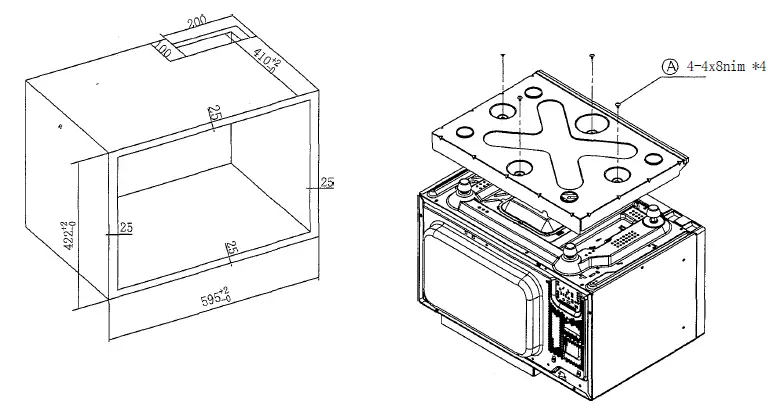
Fasten the ‘’’Down Exhaust Guide”‘ to the Microwave Oven with 4 screws.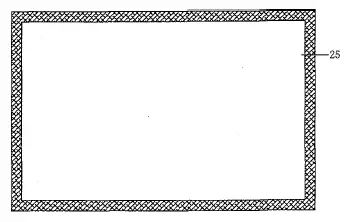
Make a cabinet to the dimension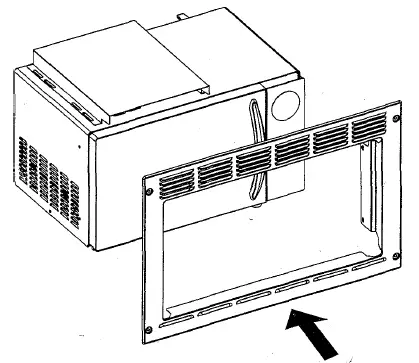
Place the shutters onto the oven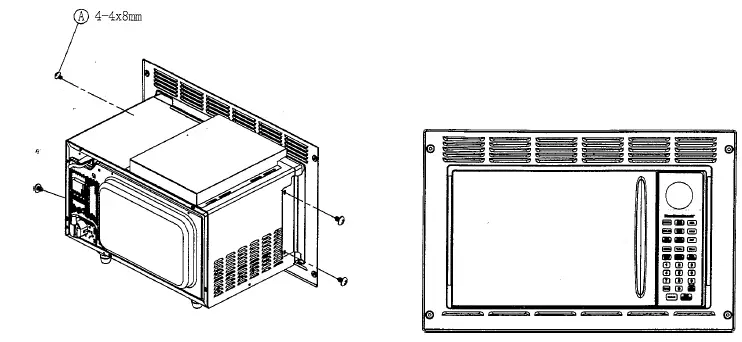
Fasten the shutters onto the oven with 4 screws
Place the oven in the cabinet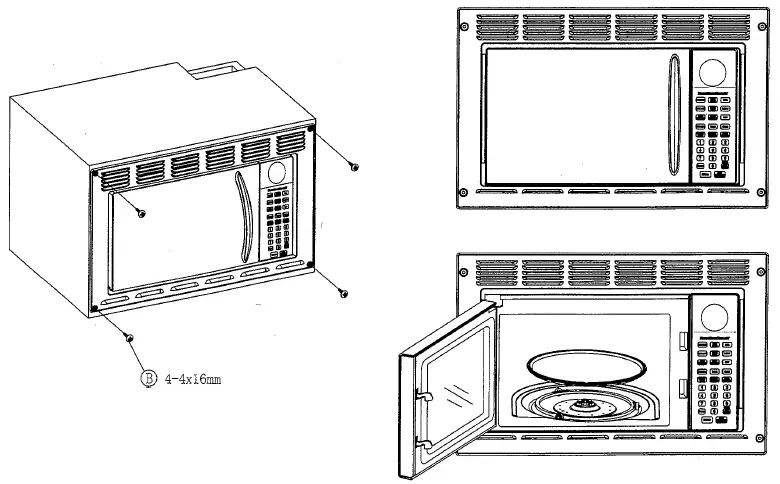
Fasten the oven into the cabinet with 4 screws
Installation Complete