BOB STORM Power Supply and Charger
BOB STORM Power Supply and Charger
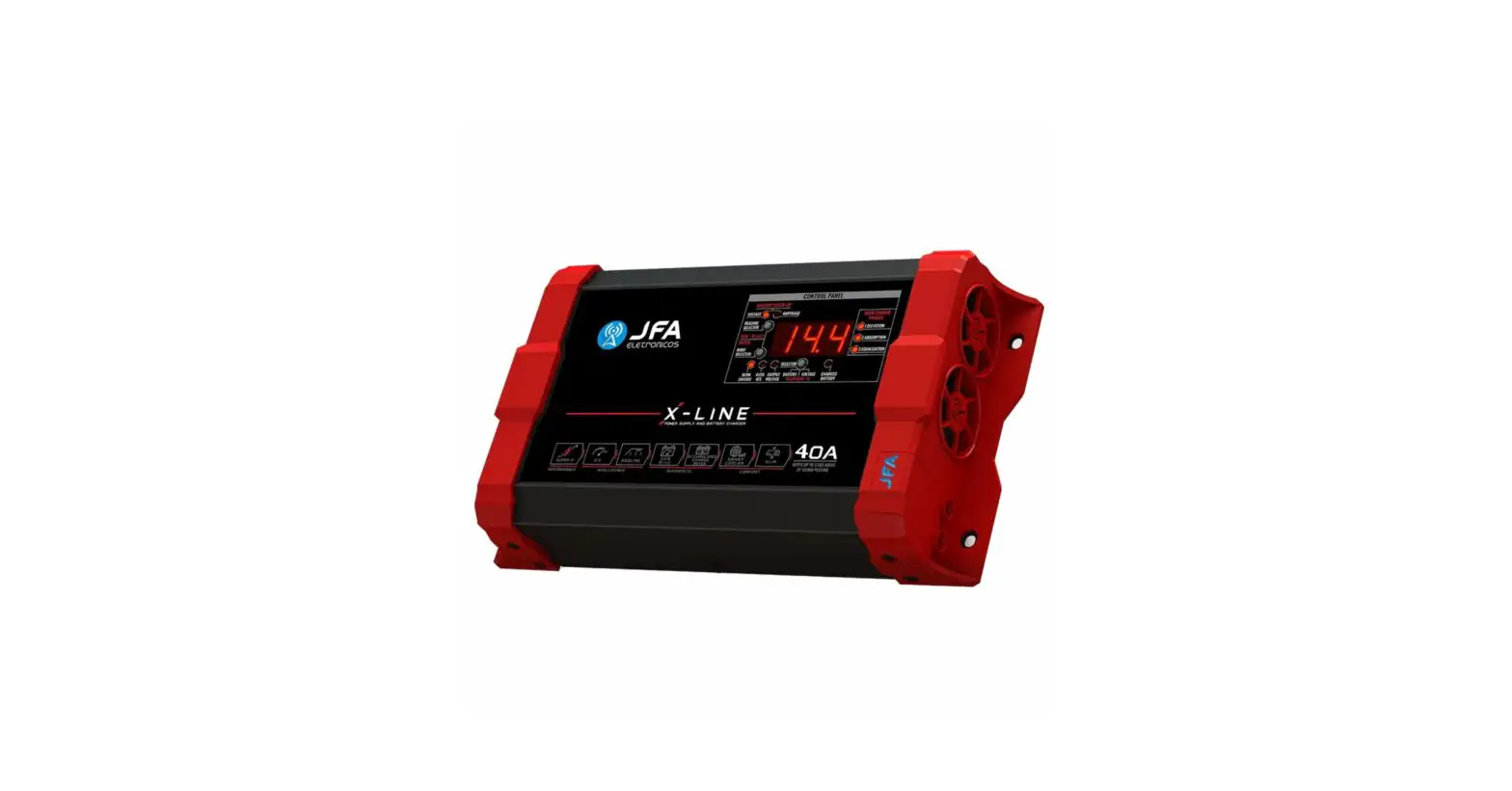
The BOB STORM Power Supply and Charger is a high-power slim
format power supply designed to power audio amplifiers without the
need for battery use. It provides more than 65% extra power over a
time interval of 3 to 4 seconds, ensuring power during audio
dynamics. The BOB STORM Fonts and Chargers can be used as a charger
battery, just by adjusting your output voltage between 13.8 and
14.4V DC.
Operation and Performance
The BOB STORM Power Supply and Charger provide extra power
greater than 65% of the source rating (120 amperes) for a time
between 3 and 4 seconds. This feature makes it possible to maintain
the amplifier’s power during higher power requests, present when
there are peaks in the volume of the sound, especially when they
are low frequencies (bass). Whenever the current drops from 120
amperes, the 3-second time is reset, and the source returns to
provide extra current at the output.
The BOB STORM function LED on the panel indicates that the
function is enabled and that the source is enabled to provide extra
power. The BOB STORM Power Supply and Charger allow the user to
choose the output voltage between 12V and 15V. This feature is
ideal for systems without batteries, allowing to power the
amplifier or other devices with a fixed voltage of up to 15V, and
obtaining maximum power of the amplifiers.
The BOB STORM Sources and Chargers have an output voltage
adjustment knob and voltage level indicator LEDs (12V/13V/14V and
15V) to assist the user during adjustment.
Versatility
The BOB STORM Power Supply and Charger have a bold and compact
design, taking up as little space as possible in the sound design,
without compromising power, which makes them ideal for most
projects. They feature a smart ventilation system. When the source
is turned on, the fan rotation is reduced by actively adjusting to
the need of the source, which reduces the noise level, maintaining
the necessary cooling and raising, to the maximum, the lifetime of
the fans.
Control Panel
The control panel features LEDs indicating output voltage
reading, a knob of output voltage adjustment (12V to 15V), an LED
indicating that the source is on, and an LED indicating that the
dynamic output power control (BOB STORM function) is on.
Charging Batteries
The BOB STORM Power Supply and Charger allow the output voltage
to be adjusted and can thus be used as a battery charger. With the
aid of a multimeter, simply adjust the output voltage by 14.4V for
a full load (it is not recommended to keep 14.4V more than 12
hours). For battery charge maintenance (fluctuation), simply adjust
the output voltage to 13.8V.
Usage Instructions
- Connect the BOB STORM Power Supply and Charger to the audio
amplifier or device that needs power. - Adjust the output voltage using the knob on the control panel
between 12V and 15V. - When using as a battery charger, use a multimeter to adjust the
output voltage to 14.4V for a full load or 13.8V for battery charge
maintenance. - Ensure that the BOB STORM function LED is lit on the control
panel to enable extra power. - Monitor the output voltage using the voltage level indicator
LEDs on the control panel. - For optimal performance, ensure that the BOB STORM Power Supply
and Charger are adequately ventilated and not overloaded.
Instruction Manual
power supply and charger
BOB STORM POWER SUPPLY AND CHARGER – INSTRUCTION MANUAL
PRESENTATION
BOB STORM Power Supply and Charger are high-power power supplies in slim format, designed to power audio amplifiers without the need for battery use. They provide more than 65% extra power over a time interval (3 to 4 seconds), ensuring power during audio dynamics.
BOB STORM Fonts and Chargers can be used as a charger battery; just by adjusting your output voltage between 13.8 and 14.4V DC.
OPERATION
PERFORMANCE
Performance with BOB STORM dynamic power: Provides extra power greater than 65% of the source rating (120 amperes) for a time between 3 and 4 seconds. This feature makes it possible to maintain the amplifier’s power during higher power requests, present when there are peaks in the volume of the sound, especially when they are low frequencies (bass). Whenever the current drops from 120 amperes, the 3-second time is reset and the source returns to provide extra current at the output.
When the BOB STORM function LED is accessible on the panel, this indicates that the function is enabled and that the source is enabled to provide extra power.
VERSATILITY Output voltage adjustment: BOB STORM Power Supply and Charger allow
the user to choose the output voltage between 12V and 15V.
1
BOB STORM POWER SUPPLY AND CHARGER – INSTRUCTION MANUAL
This feature is ideal for systems without batteries, allowing to power the amplifier or other devices with a fixed voltage of up to 15V, and obtaining maximum power of the amplifiers.
BOB STORM function indicator on: Whenever the LED is lit, the source is enabled to o er more than 200 amperes on its output.
Output voltage indicator: The BOB STORM Sources and Chargers have an output voltage adjustment knob and voltage level indicator LEDs (12V/13V/14V and 15V) to assist the user during adjustment.
COMFORT
Slim shape: With the highest power density, BOB STORM Power Supply and Charger have a bold and compact design, taking up as little automotive sound design space as possible, making them ideal for most projects.
BOB STORM Power Supply and Charger have a bold and compact design, taking up as little space as possible in the sound design, without compromising power, which make them ideal for most projects.
Smart Cooler: BOB STORM Power Supply and Charger feature a smart ventilation system. when the source is turned on, the fan rotation is reduced by actively adjusting to the need of the source, which reduces the noise level, maintaining the necessary cooling and raising, to the maximum, the lifetime of the fans.
power supply and charger
2
BOB STORM POWER SUPPLY AND CHARGER – INSTRUCTION MANUAL
MAIN FEATURES 1
25
7
6
3
4
1. Control panel: Displays the output voltage information, BOB STORM function activated and on source status, and allows the user to adjust the output voltage. 2. Ventilation: Forced ventilation supply inlet (do not block); 3. Connector protection cover: Protects the output connections from the source; 4. DC output connector: Connect to battery terminals to bus or equipment to be powered, always checking the correct polarity of connection; 5. Fixing: Direct screw fastening system on the metal chassis of the source, ensuring greater strength and robustness; 6. AC connection: Supply connection with the power grid. Use the compatible connection socket and do not use adapters and/or line filters; 7. Ventilation outlet: Forced supply ventilation outlet. Do not obstruct.
3
BOB STORM POWER SUPPLY AND CHARGER – INSTRUCTION MANUAL
CONTROL PANEL
10
11
8
9
8. LEDs indicating output voltage reading; 9. Knob of output voltage adjustment (12V to 15V); 10. LED indicating that the source is on; 11. LED indicating that the dynamic output power control (BOB STORM function) is on.
USE THE BOB POWER SUPPLY FOR CHARGING BATTERIES
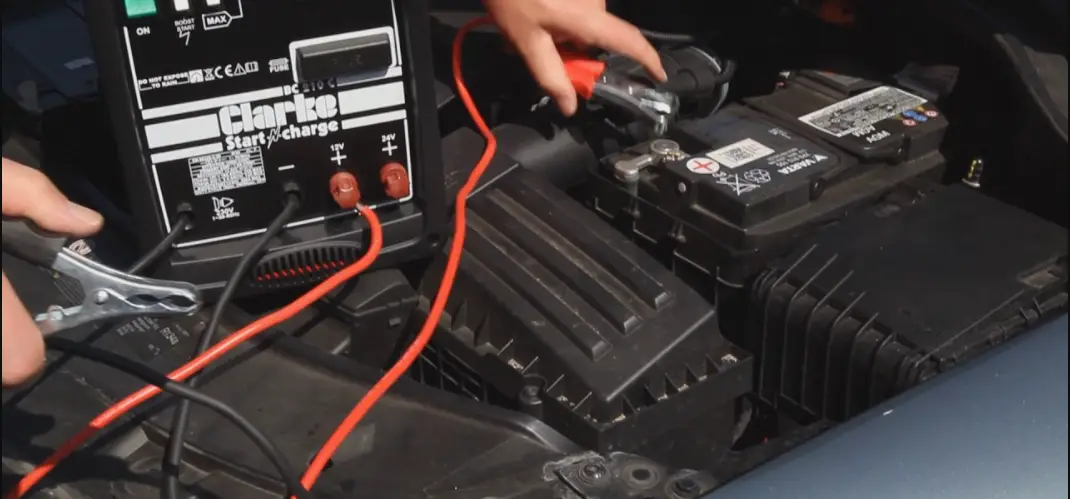
BOB STORM Power Supply and Charger allow the output voltage to be adjusted and can thus be used as a battery charger. With the aid of a multimeter, simply adjust the output voltage by 14.4V for a full load (it is not recommended to keep 14.4V more than 12 hours). For battery charge maintenance (fluctuation), simply adjust the output voltage to 13.8V.
WARNING: BOB STORM Power Supply and Charger are designed to prioritize battery-without operation. When using the battery charging source, the output voltage control is manual. Applying high voltages and currents for long periods of time can damage batteries.
4
BOB STORM POWER SUPPLY AND CHARGER – INSTRUCTION MANUAL
FIXING AND CONNECTION
BOB STORM Power Supply and Charger have a robust fastening system, allowing them to be securely secured by the metal chassis (figure 1), which prevents the plastic from being damaged, giving greater safety in the installation.
To remove the connector attachment cover, pull the cover with your fingers, (figure 2) by exposing the screws to the connecting cables (figure 3).
1
2
3
When connecting the BOB STORM Power Supply and Charger to the amplifiers, observe the correct polarity of the connection and use the appropriate cable gauge according to the minimum gauge of the connecting cables.
AMPLIFIER
MINIMUM GAUGE OF CABLES – POWER
Model Power Supply and Charger
BOB STORM 200A DYNAMIC
AC input cable (up to 10 meters)
6mm2
DC output cable (up to 1 meter)
50mm2
5
BOB STORM POWER SUPPLY AND CHARGER – INSTRUCTION MANUAL
TECHNICAL CHARACTERISTICS
Entrance
90 to 140Vac / 170 to 240Vac (Bi-volt automatic)
Nominal / dynamic consumption 1800W/ 3000W
Rated power 120 Amperes
BOB-STORM function
Dynamic power 200 Amperes / 2 sec
Peak power 300 Amperes
Output voltage adjustable
12 to 15V
Smart cooler
Dynamic control by PWM
Protections
Over load / Short at output / Temperature
Dimensions W x H x H (mm)
279 x 163 x 86
Weight Kg
2,000
jfaeletronicos.com @jfaeletronicos jfaeletronicos
6