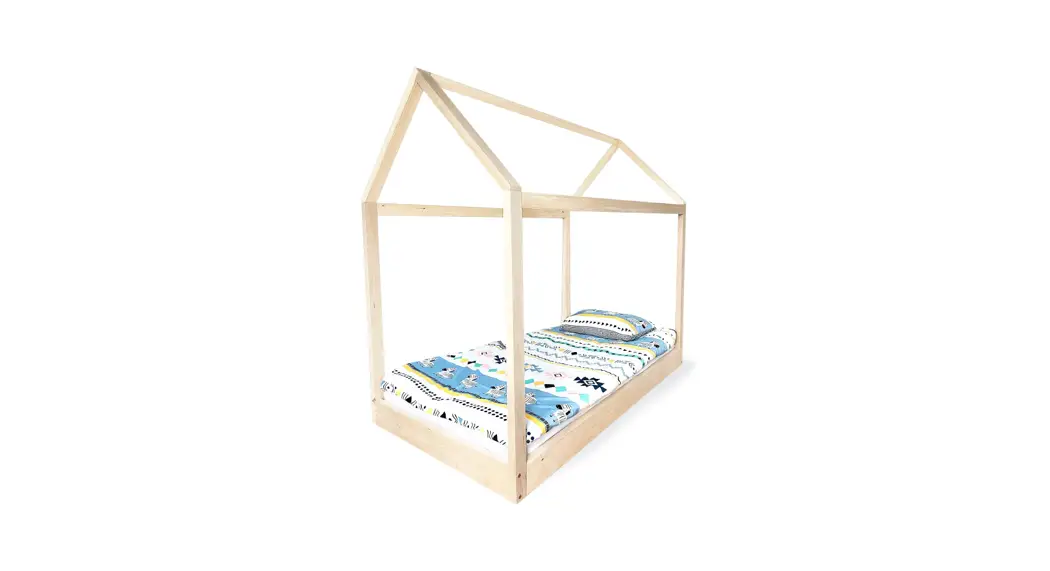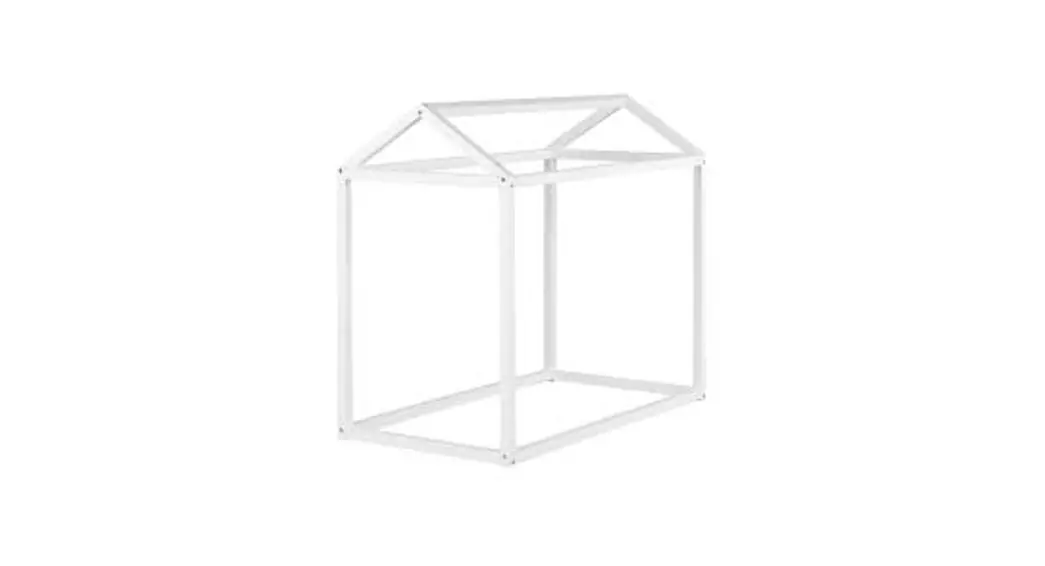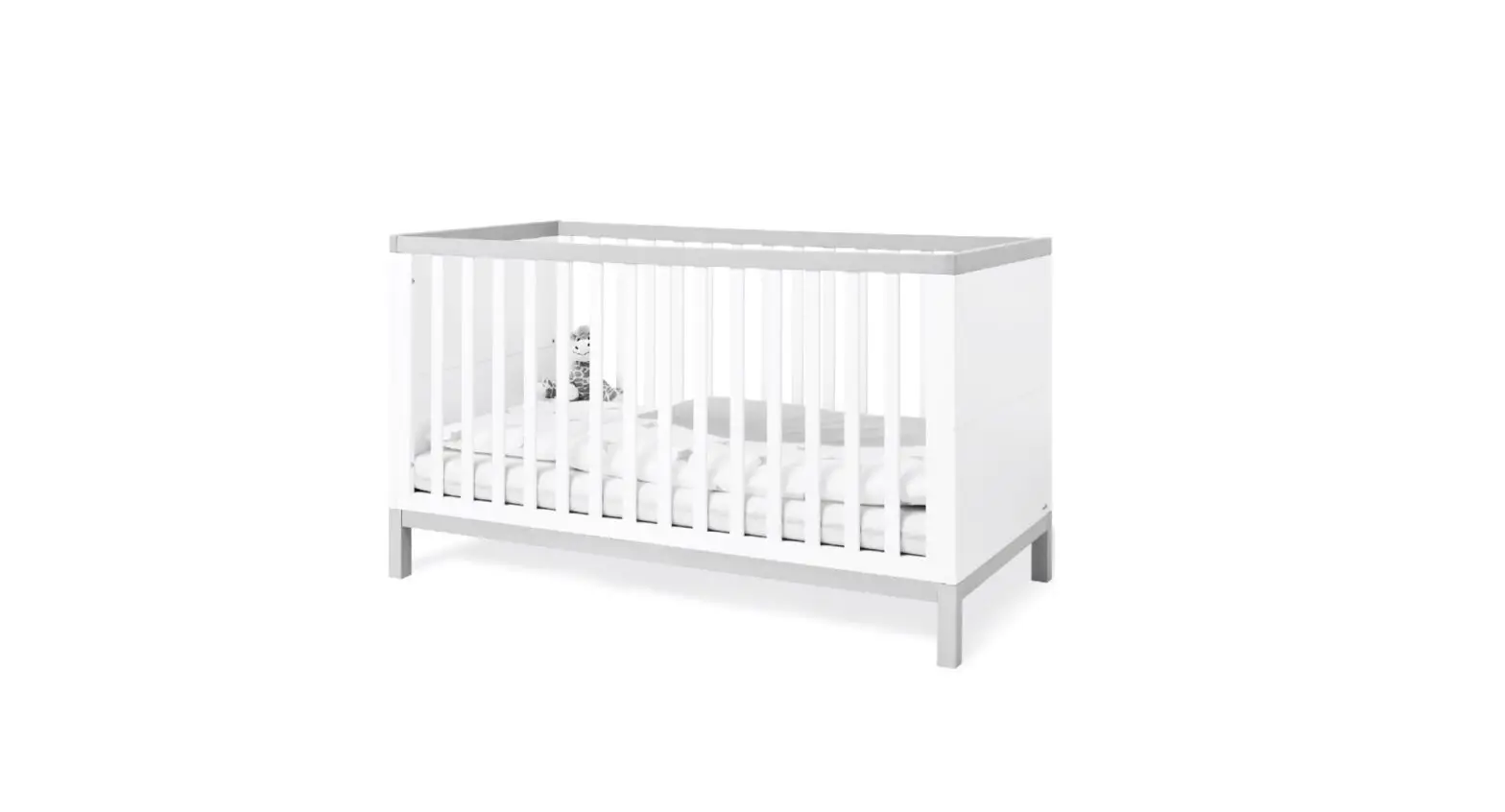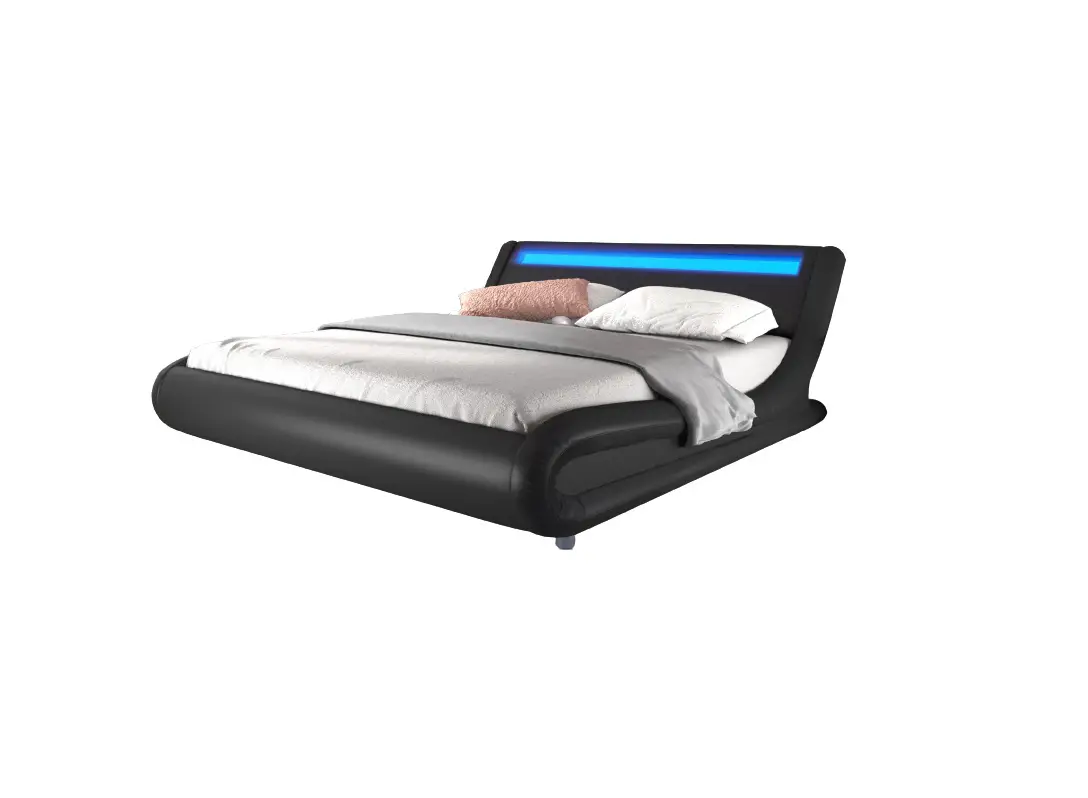
wayfair Wade Logan Bloomington Bed
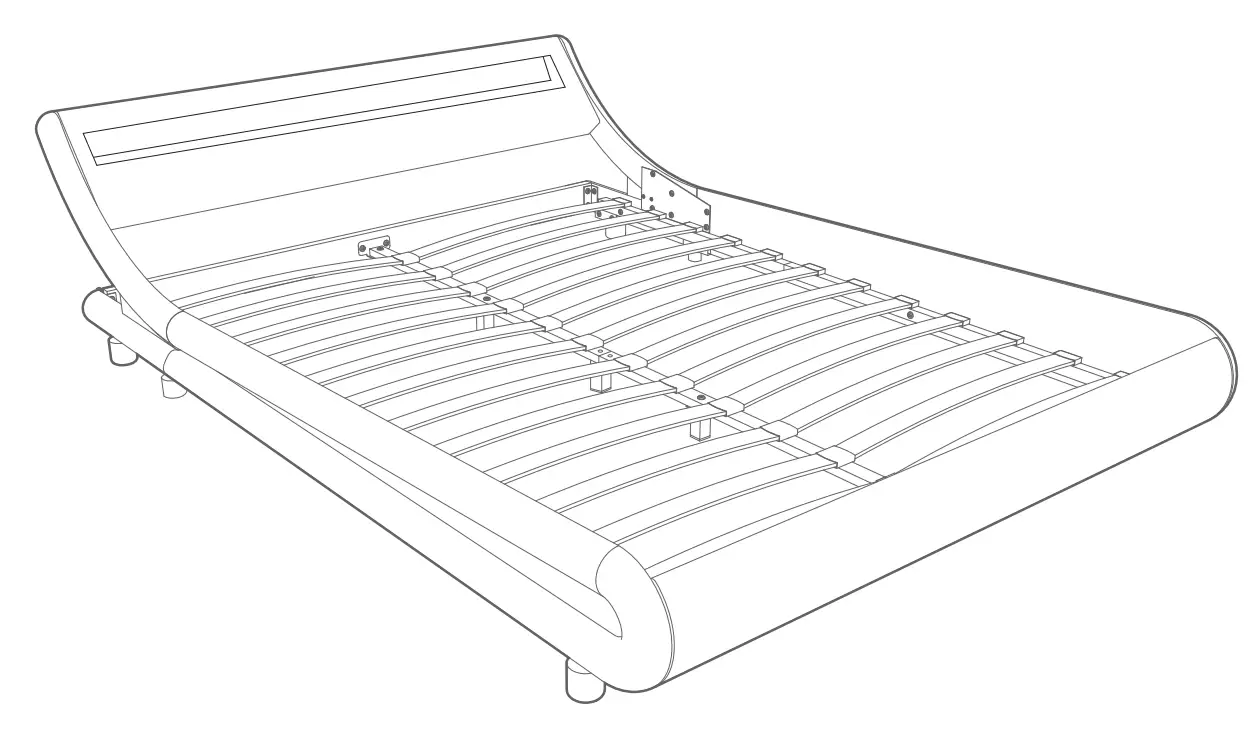
DEAR CUSTOMER,
Thank you for choosing our product. Please read this manual carefully before assembling or using the product, to avoid damage caused by improper use. If the product is passed on to third parties, this manual has to be passed on along with the product. For any question don’t hesitate to contact us.
PARTS LIST
Assembly
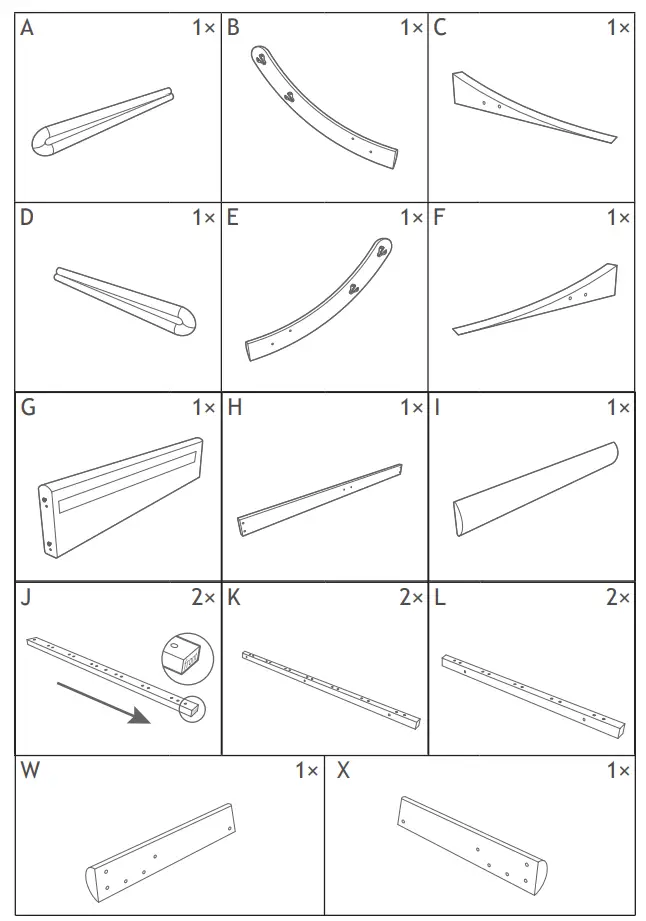
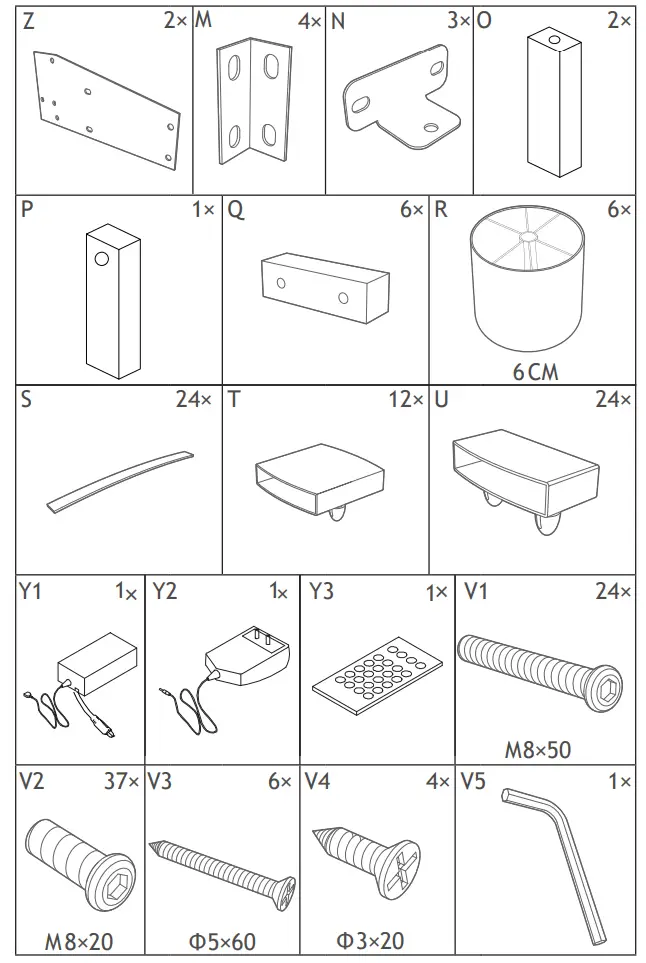
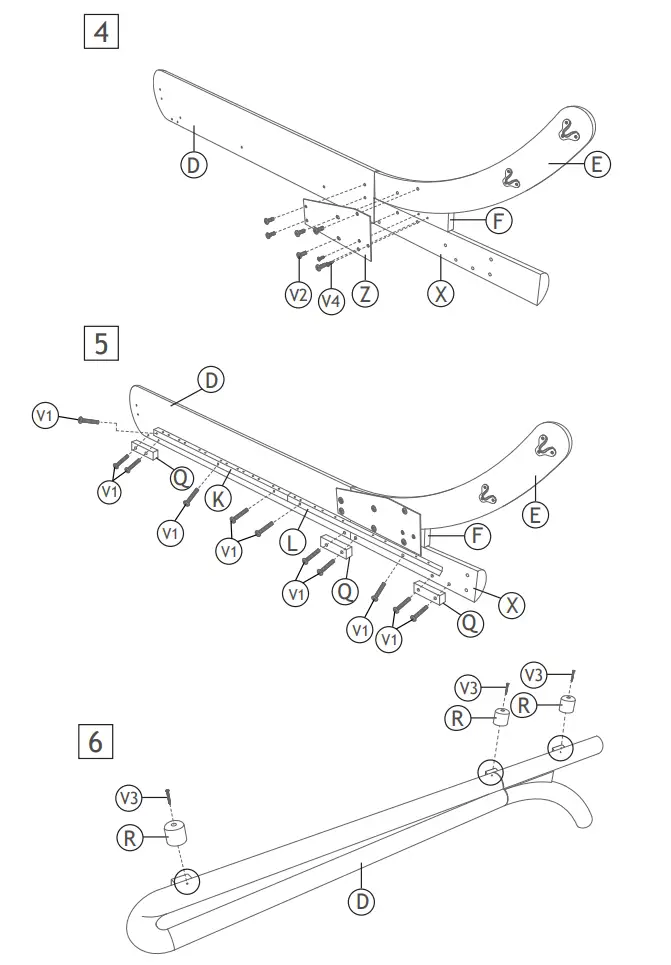
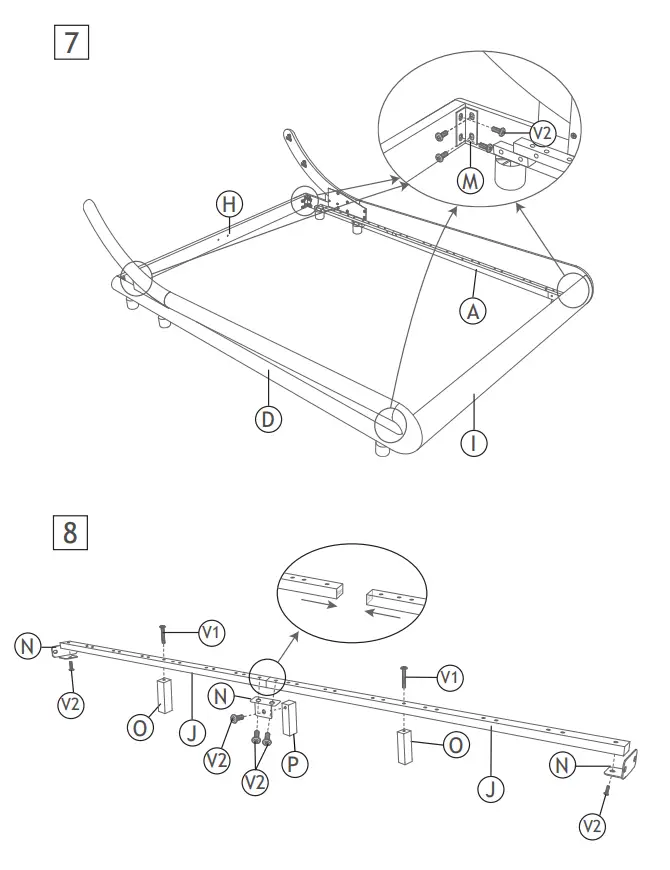
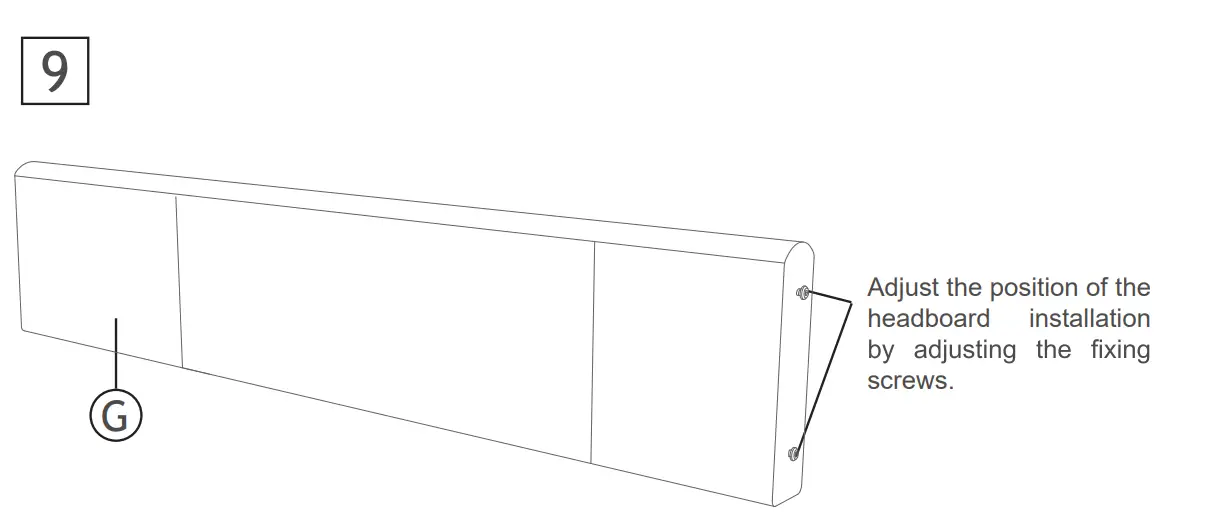
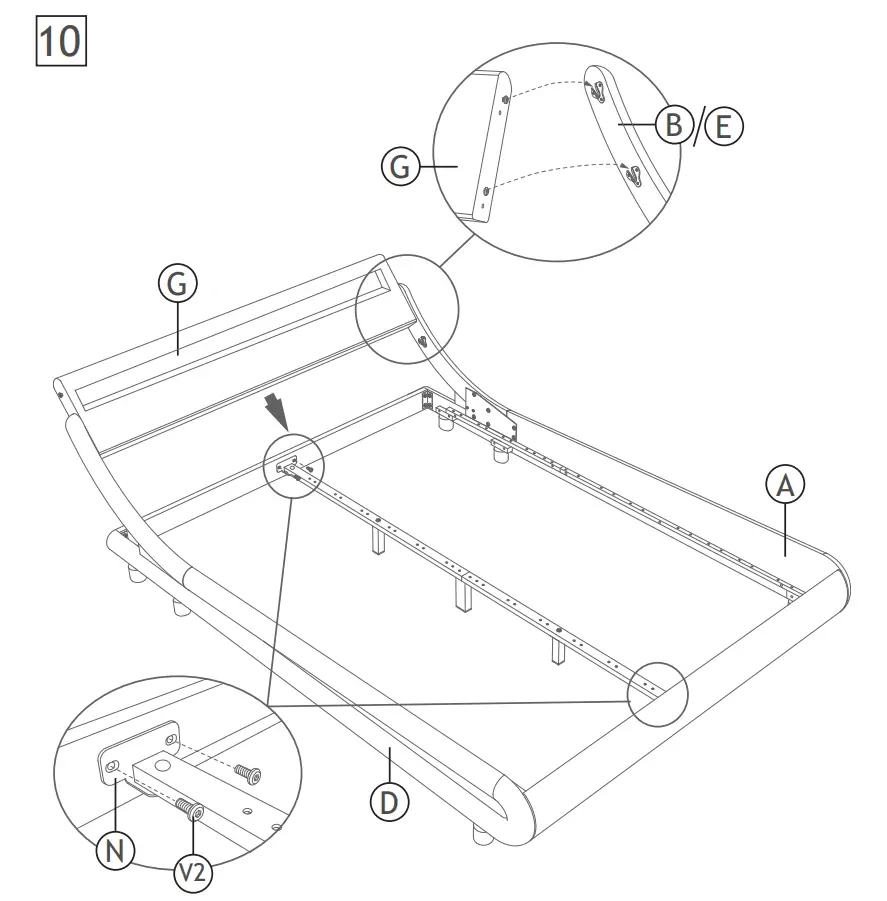
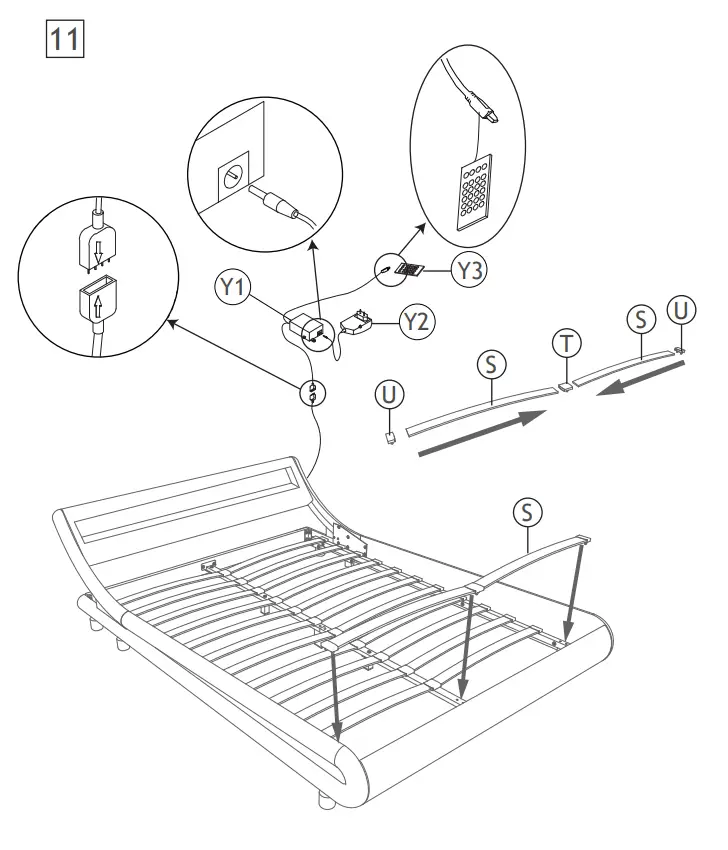
Before your installation, please make sure that you have all the parts listed on the manual. If you find something missing, stop installing and contact your supplier immediately
Attention: Please screw into the edge of the bed, not the wooden strips.
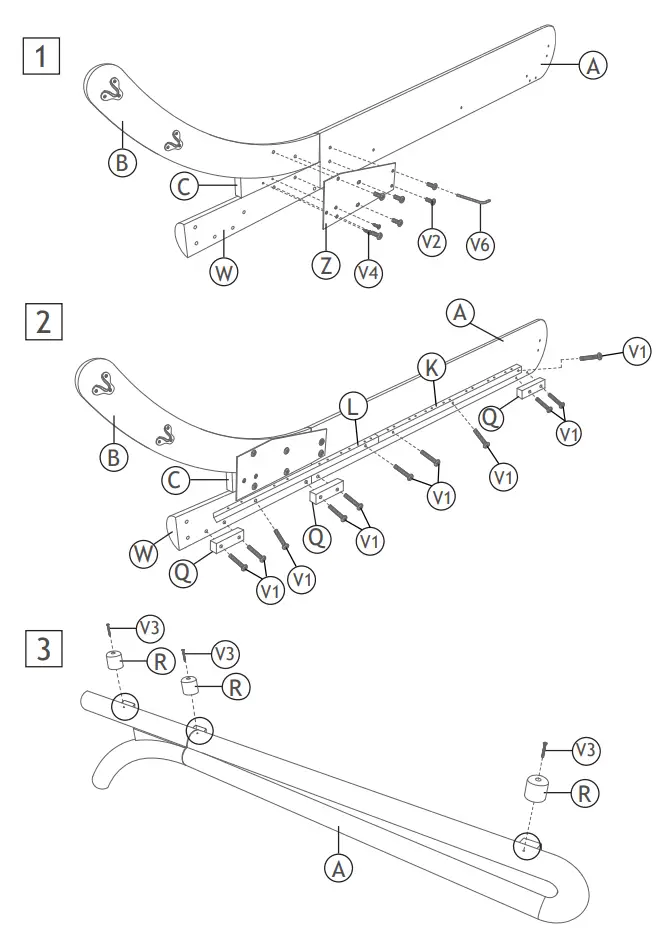
Attention: Please screw into the edge of the bed, not the wooden strips.
Note: The sensor needs to be exposed to facilitate the operation of the controller
OPERATION
24 Button panel and connection instructions TY-IR-DS24-001
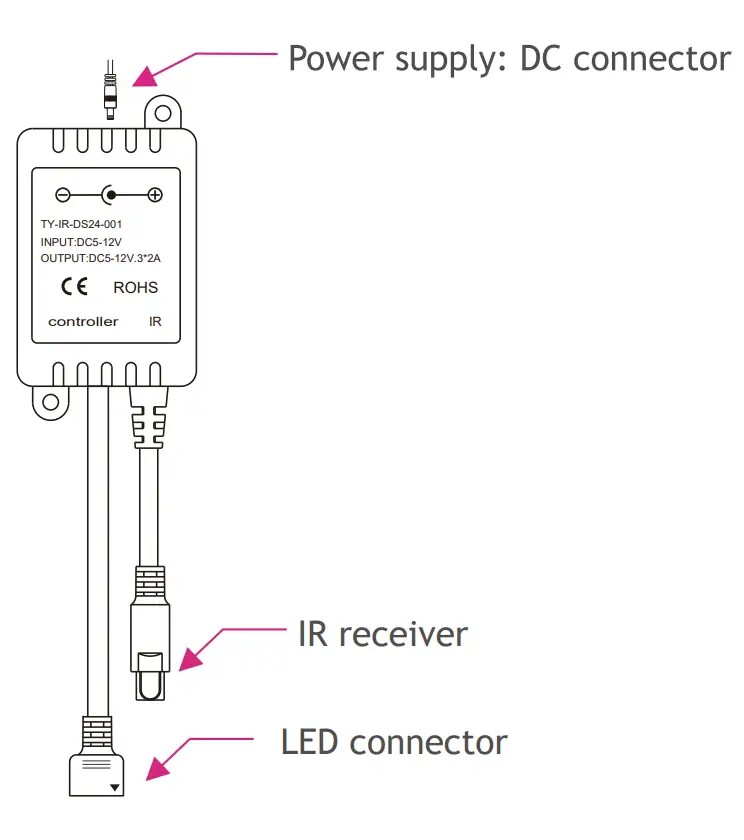
Before you using the remote controller, please remove the transparent plastic, which is designed to disconnect the battery.
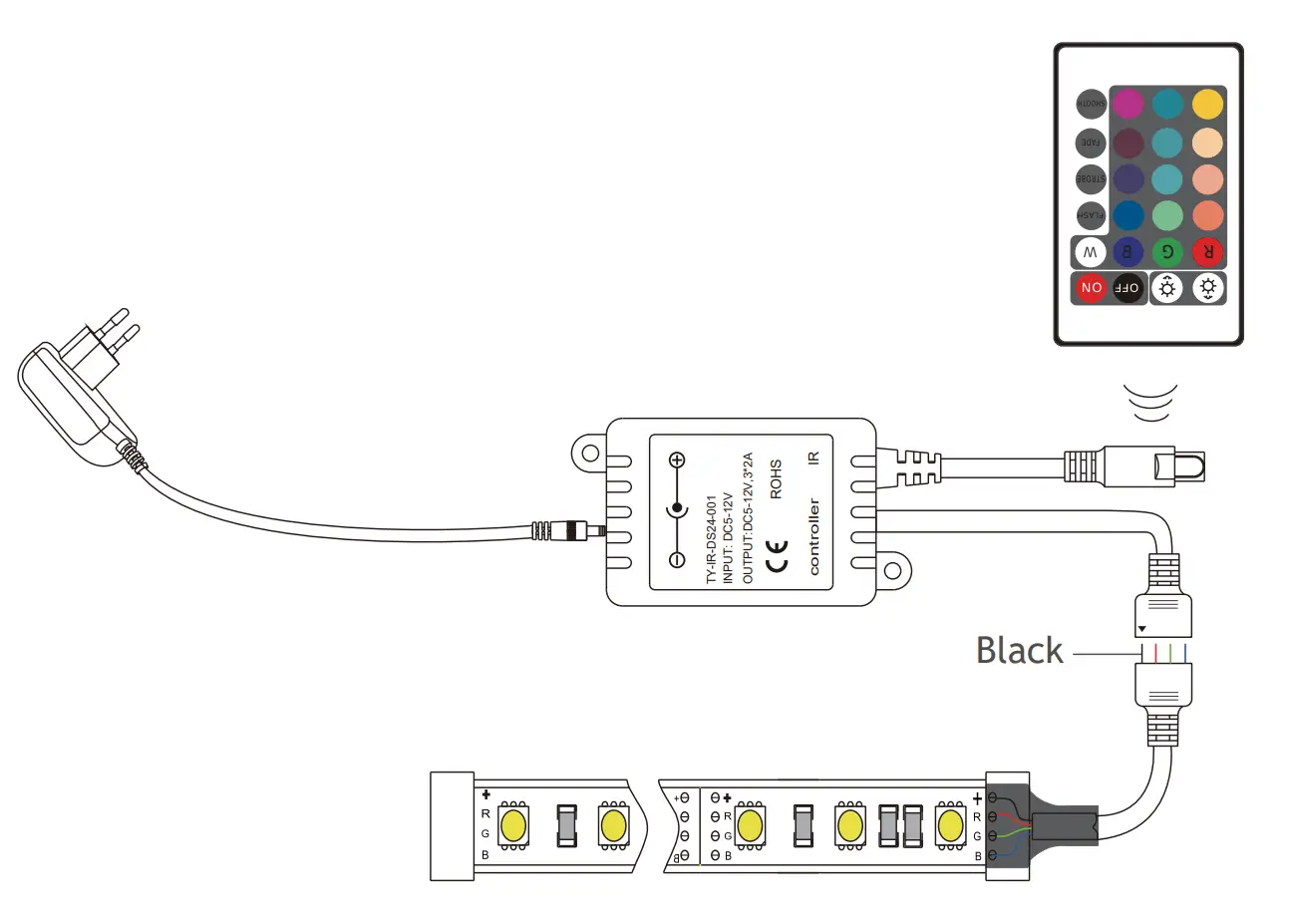
Wiring diagram
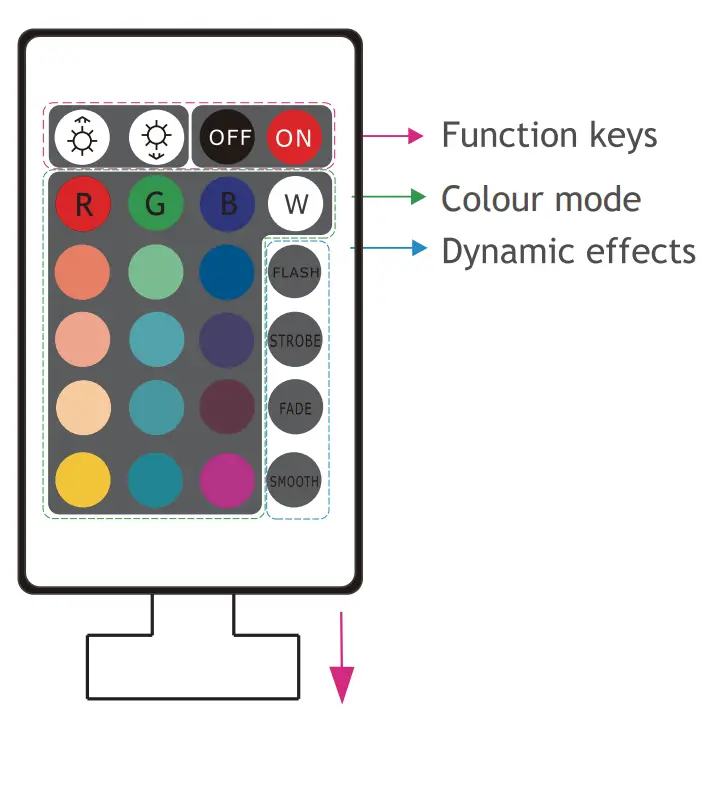
The LED controller is operated via the IR remote control. There are 24 buttons on the remote control and the function of each button is as follows:
|
|
|
|
|
|
|
|
|
|
|
|
|
|
|
|
|
|
|
|
|
|
|
|
|
 Off
Off On
On Static red
 Static green
 Static blue
 Static White
 Static orange
 Static light green
 Static sea blue
 Blink for 2 seconds then gradual change colors for 5 seconds.
 Static light orange
 Static green blue
 Static violet
 Keep blinking and changing colors.
 Static light yellow
 Static turquoise
 Static dark red
 Gradual change colors
 Static yellow
 Static cyan
 Static magenta
 Blink for 1 second then gradual change colors for 5 seconds.
The buttons  and
and  on the remote control have two functions. In static mode they are the brightness adjustment buttons. In dynamic mode they are the speed adjustment buttons.
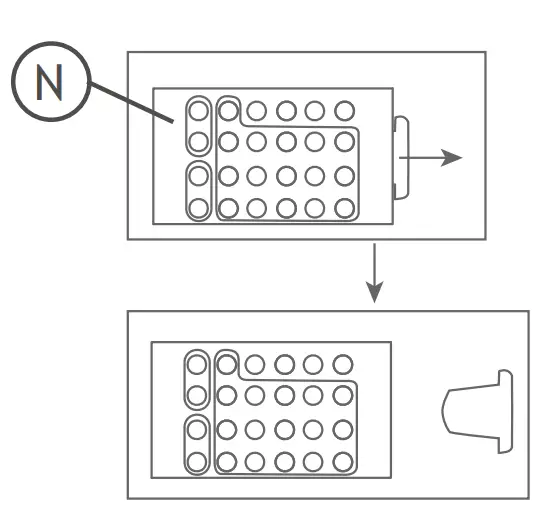
An isolating foil has been placed between the electric circuit and the battery during the production of the remote, to prevent the battery from running out due to buttons being pressed during construction or transport. Please remove the foil before use.