 Light Australia LR80R Flashlight – 18000
User Manual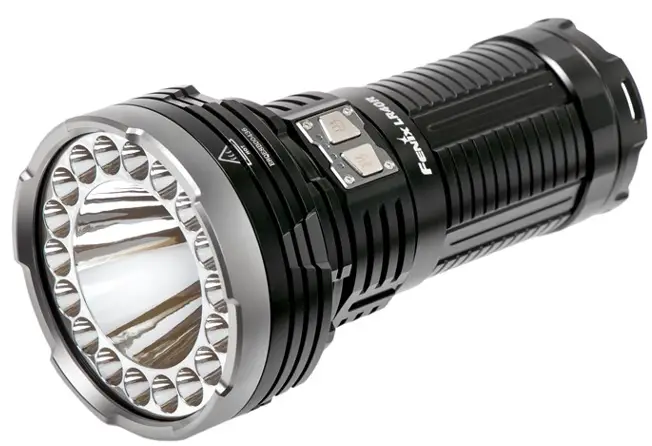
LR80R Flashlight – 18000
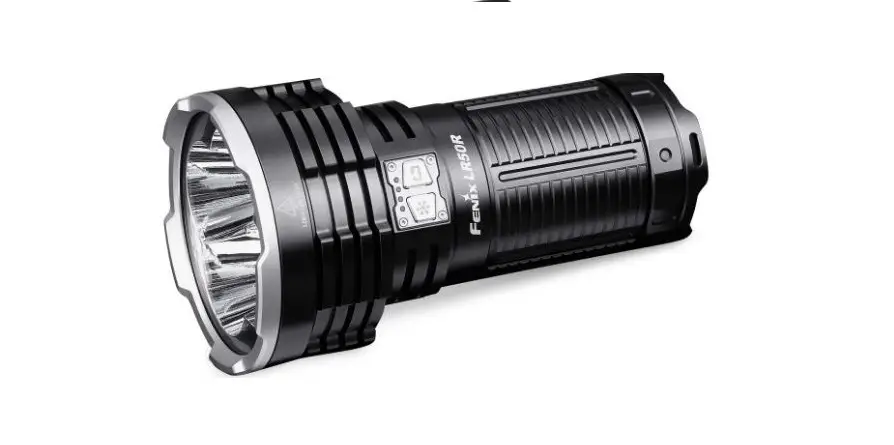
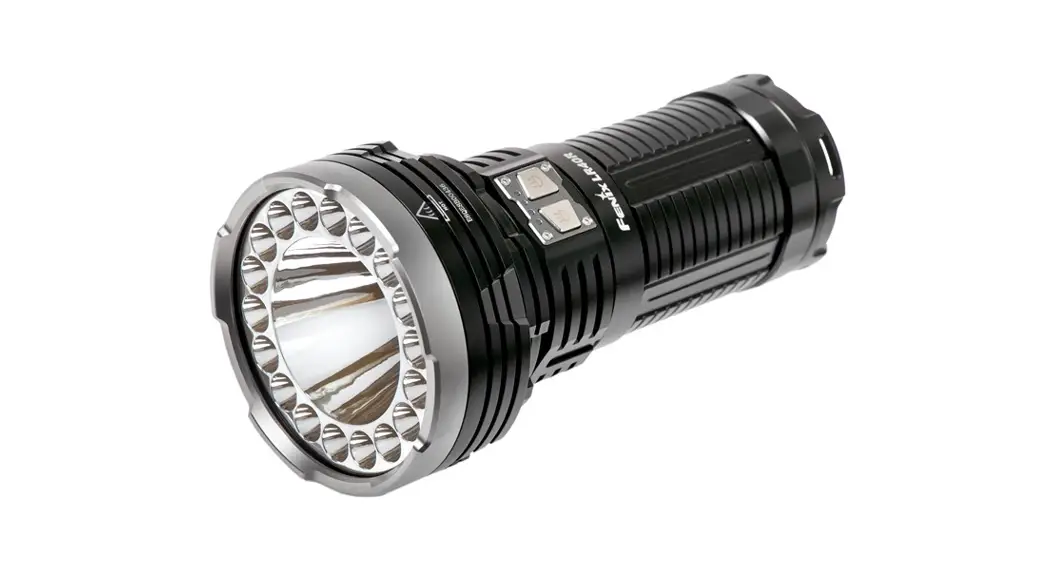
LR8OR
SUPER BRIGHT HANDHELD SEARCHLIGHT
 | 18000 LUMENS MAXIMUM OUTPUT |
 | 1130 METERS MAXIMUM BEAM DISTANCE |
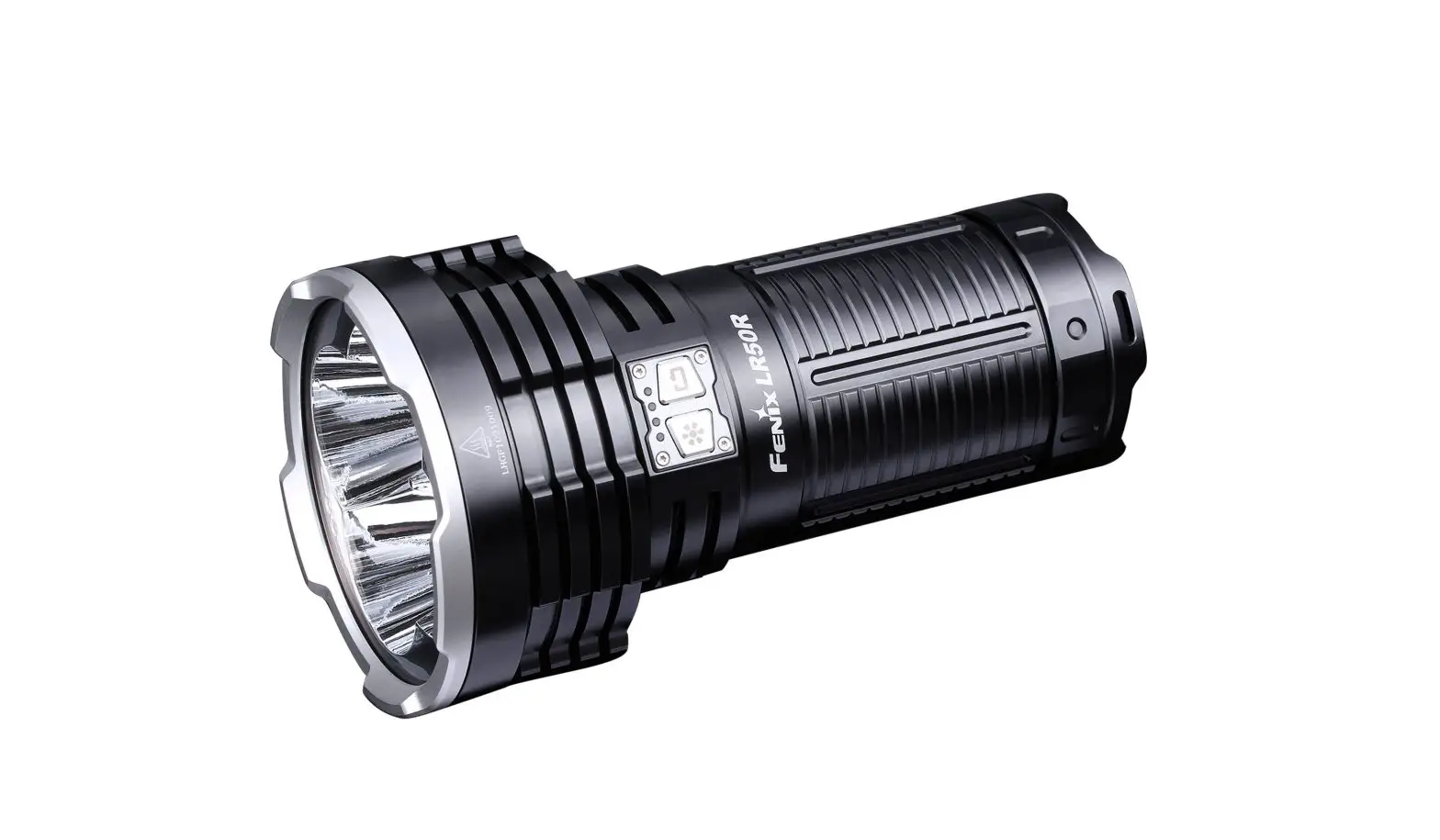
FENIXLR8OR FLASHLIGHT
- 18000 lumens maximum output: 1130 meters maximum beam distance.
- 6 Luminus 55170 LEDs with a lifespan of 50.000 hours.
- Built-in a 7.2V/12000mAh Li-ion battery pack.
- Dual switch respectively controls dual mode.
- The detachable handheld handle meets various lighting demands.
- USB TypeC 45W fast charging: 4 hours for full charging.
- Intelligent brightness downshifting sensor to avoid high temperature at close-‘tinge lighting.
- Made of durable A6061-T6 aluminum.
- Premium type HAITI hard-anodized anti-abrasive finish.
- Sze: 10.20″ x 4.25″ x 2.13″ 1259 x 108 x 54 mm.
- Weight: 57.71 oz / 1636 g (including battery).
OPERATING INSTRUCTION
Switches
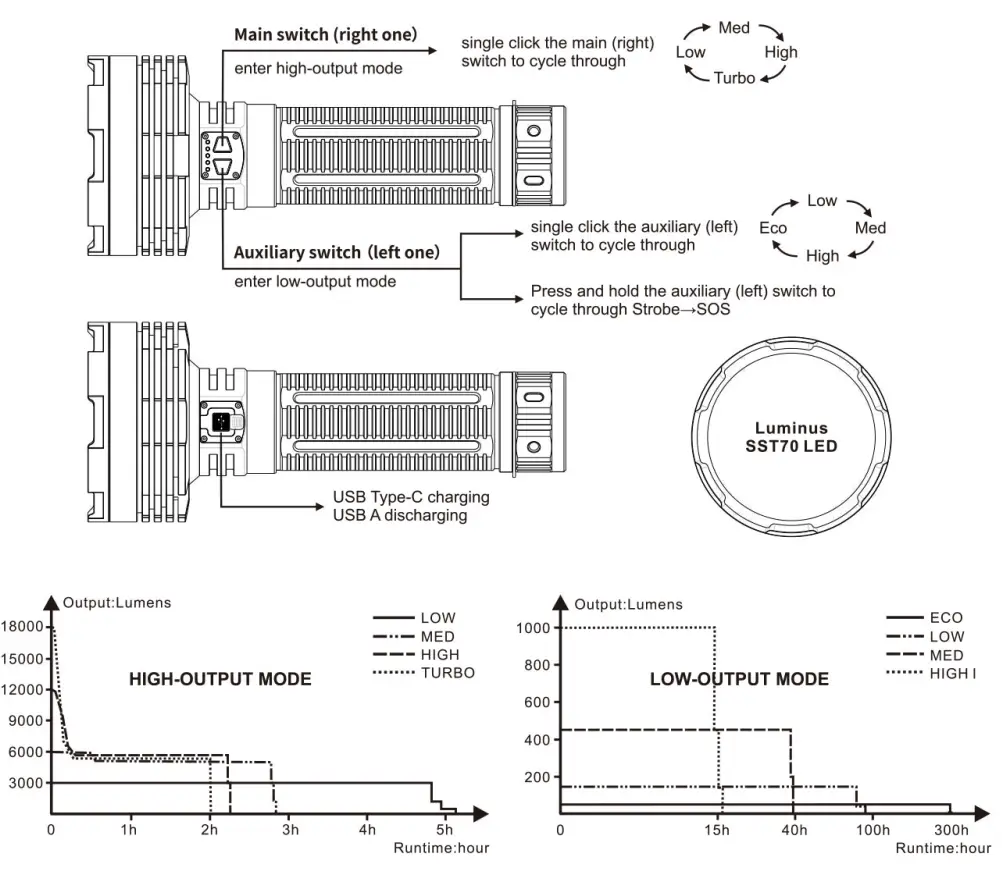
The right switch is the main (right) switch for on/off. output selection and instant turbo on high-output mode. The left switch is the auxiliary (left) switch for on/off, output selection, strobe, and SOS in low-output mode.
On/off
Press and hold either of the switches for 0.5 seconds to turn it on/off the light.
Mode Switching
In high-output mode. single click the auxiliary (left) switch to enter the previously used output on low-output mode; press and hold the auxiliary (left) switch for 1.2 seconds to enter the strobe.
In low-output mode. single click the main (right) switch to enter the previously used output on high-output mode: press and hold the main (right) switch for 1.2 seconds to enter turbo.
Output Selection
In high-output mode, single click the main (right) switch to cycle through Low—Med—High—Turbo. In low-output mode, single click the auxiliary (left) switch to cycle through Eco —.Low M ed —High. Press and hold the auxiliary (left) switch to cycle through Strobe—.
SOS. Instant Turbo / Strobe / SOS
With the light switched off and unlocked. Press and hold the main (right) switch for 1.2 seconds to enter instant turbo, and single click the main (right) switch once again to enter previously used output on high-output mode. With the light switched off and unlocked, press and hold the auxiliary (left) switch for 1.2 seconds to enter the strobe, and single click the auxiliary (left) switch once again to cycle through Strobe-.
SOS. Lockout Function Lock:
With the light switched off and unlocked, simultaneously press the two switches for 3 seconds, the light will blink 2 times on Eco to indicate locked status.
Unlock: With the light locked, simultaneously press the two switches for 3 seconds, and the light will be activated on Eco.
• In locked status, clicking or pressing the switches will activate 2 one-second blinks to indicate locked status.
TECHNICAL PARAMETERS
| ANSI/PLATO FL1 | High-Output Mode | Low Output Mode | ||||||||
| Turbo | High | Med | Low | High | Med | Low | Eco | Strobe | SOS | |
 OUTPUT OUTPUT | 18000 lumens | 12000 lumens | 6000 lumens | 3000 !unions | 1000 lumens | 450 lumens | 150 lumens | 50 lumens | 6000 lumens | 150 lumens |
 RUNTIME RUNTIME | 2 hours’ | 2 hours 15 minutes | 2 hours 50 minutes | 5,turs 10 minutes | 15 hours 40 minutes | 39 hours | 92 hours | 300 hours | / | / |
| DISTANCE | 1130 meters | 920 meters | 650 meters | 465 meters | 265 meters | 175 meters | 105 meters | 50 meters | / | / |
 INTENSITY INTENSITY | 318000 candela | 211700 candela | 105000 candela | 54000 car vela | 17750 candela | 7550 candela | 2700 candela | 590 candela | / | / |
 IMPACT RESISTANCE IMPACT RESISTANCE | 1 meter | |||||||||
 SUBMERSIBLE SUBMERSIBLE | IP68 | |||||||||
A Note: According to the ANSUPLATO FL1 standard, the above specifications are from the rechargeable battery pack, under the temperature of 2133″C and humidity of 50% – 80%. ‘The Turbo output is measured in a total of runtime including output at reduced levels due to environment.
results produced by Fenix through its laboratory testing using the 7.2V/12000mAh We performance of this product may vary according to different working environments. o temperature or protection mechanism in the design under a good heat dissipation
Intelligent Memory Circuit The light MCIII0fIZCS is the last selected output excluding strobe and SOS. When turned on again the previously used output will be recalled. The fight does not memorize strobe and SOS. Press and hold the auxiliary (left) switch to enter the strobe.
CHARGING
- First, switch off the light and plug the USB A socket of the charging cable into an electrical outlet, then connect the USB Type-C socket of the charging cable to the light.
- When charging, the charging indicators will flash from left to right to display the charging status. The five indicators will be constant-on after charging is complete.
- Be sure to close the anti-dust cover once charging is completed.
POWER BANK FUNCTION
- Switch off the light and plug the USB A socket of the charging cable into the light, then connect the USB Type-C socket of the charging cable to the digital device with a USB Type-C port.
- Single click either of the switches to begin discharging, the indicators will recede from right to left to display the status.
- Be sure to close the anti-dust cover once charging is completed.
Note:
- Only Eco mode is available when charging, while all modes are available when discharging.
- The minimal charging time is approximately 4 hours from depletion to full stay charging, with the included 45W adapter.
- Recharge a stored light every four months to maintain the optimum performance of the battery.
BATTERY LEVEL INDICATION
With the light switched off, a single dick either switches to check the battery status, which will last for 3 seconds.
Five blue lights on: 100% – 80%
Four blue lights on: 80% – 60%
Three blue lights on: 60% – 40%
Two blue light on: 40% – 20%
One blue light on: 20% – 0
INTELLIGENT BRIGHTNESS DOWNSHIFTING SENSOR
The flashlight has a built-in intelligent sensing circuit. When the light head is close to an illuminated object (about 60mm) for more than 1.5 seconds, the flashlight will automatically downshift the brightness level to Eta to avoid danger caused by high temperature. When the light head Is away from the Illuminated object for more than 0.8 seconds. the flashlight automatically recalls the previously used output level. Objects of different materials and colors reflect differently from light. there may be slight deviations in the sensing distance.
INTELLIGENT OVERHEAT PROTECTION
The light will accumulate a lot of heat when used in the high-output mode for extended periods. When the light reaches a temperature of 60°C or above, the light will automatically step down a few lumens to reduce the temperature. When the temperature drops below 60°C, it will then allow the user to reselection the mode.
LOW-VOLTAGE WARNING
- Working at high output mode, when the voltage level drops below the preset level, the flashlight is programmed to downshift to a lower brightness level until the Low output of high-output mode is reached. When this happens in Low output mode, the flashlight will automatically downshift to High output of low-output mode.
- Working at low-output mode, when the voltage level drops below the preset level, the flashlight is programmed to downshift to a lower brightness level until Eco output Is reached. When this happens in Eco output mode, the leftmost battery level indicator constantly blinks blue to remind you to timely recharge the battery.
USAGE AND MAINTENANCE
- Disassembling the sealed head can cause damage to the light and will void the warranty.
- Lock the light to prevent accidental activation during storage or transportation. Recharge a stored battery every four months to maintain optimal battery performance.
- Long-term use can result in 0-ring wear. To maintain a proper water seal, replace the ring with an approved spate. (?).
- Periodic cleaning of the battery contacts improves the light’s performance as dirty contacts may cause the light to flicker, shine intermittently, or even fad to illuminate for the following reasons:
A: Poor battery level.
Solution: Recharge the battery.
B: The threads, PCB board contact, or other contacts are dirty.
Solution: Clean the contact points with a cotton swab soaked in rubbing alcohol. If the above methods don’t work, please contact your authorized distributor.
INCLUDED
Fenix LR8OR flashlight, Charging adapter, USB Type-C charging cable, Shoulder strap. Hanging nng screw, Spare 0-ring, User manual. Warranty card
WARNING
- The flashlight is a high-intensity lighting device capable of causing eye damage to the user or others. Avoid shining the light directly into anyone’s eyes.
- This flashlight will accumulate a lot of heat when used for extended periods, resulting in a high temperature of the flashlight shell. Pay attention to safe use to avoid scalding.
- Do not shine an object at close range, to avoid burning the object or causing danger due to high temperature.
- The LED of this flashlight is not replaceable; so the entire light should be replaced when the LED reaches the end of its life.
- If any of the information provided in this manual is changed. the new version of the manual shall prevail; if your included user manual is an old one. it acquiesces that we won’t send a new manual.
LIGHTING FOR EXTREMES
 |  |
| https://www.facebook.com/fenixproducts/ | http://weixin.qq.com/r/83U_JiHEP3xArWVF9yDh |
“Follow” us for more information about Fenix.
FENIXLIGHT LIMITED
Tel: +86-755-29631163/83/93
Fax: +86-755-29631181
E-mail: [email protected]
Web: www.fenixlight.com
Address: 2F/3F, West of Building A, Xinghong Technology
Park, 111 Shuiku Road, Fenghuanggang Community
Xixiang Street, Baoan District, Shenzhen City, Guangdong Province, China

61.149.221.016-A2-20210513