
iOptron Planetary Camera Manual
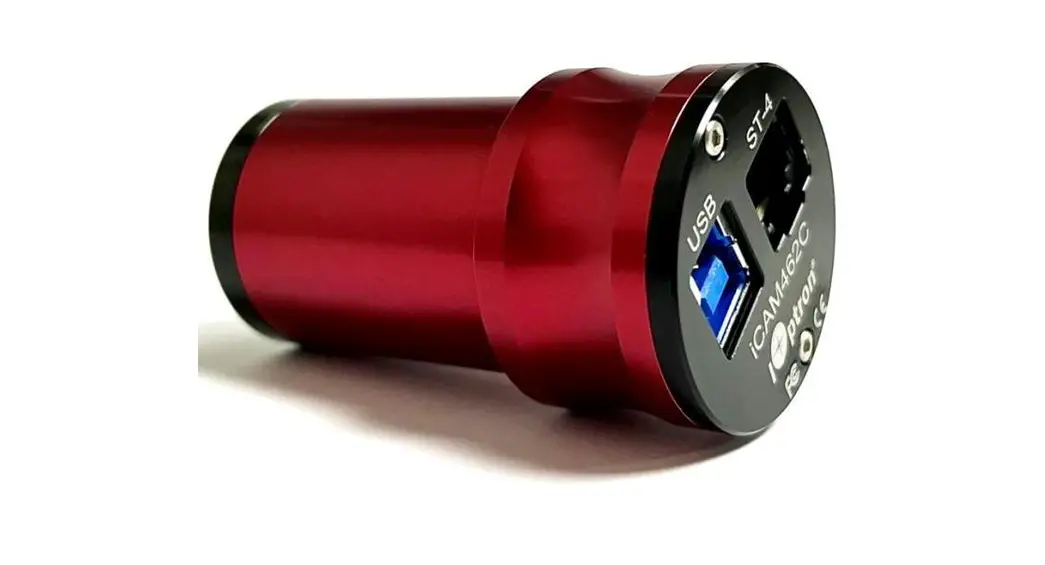
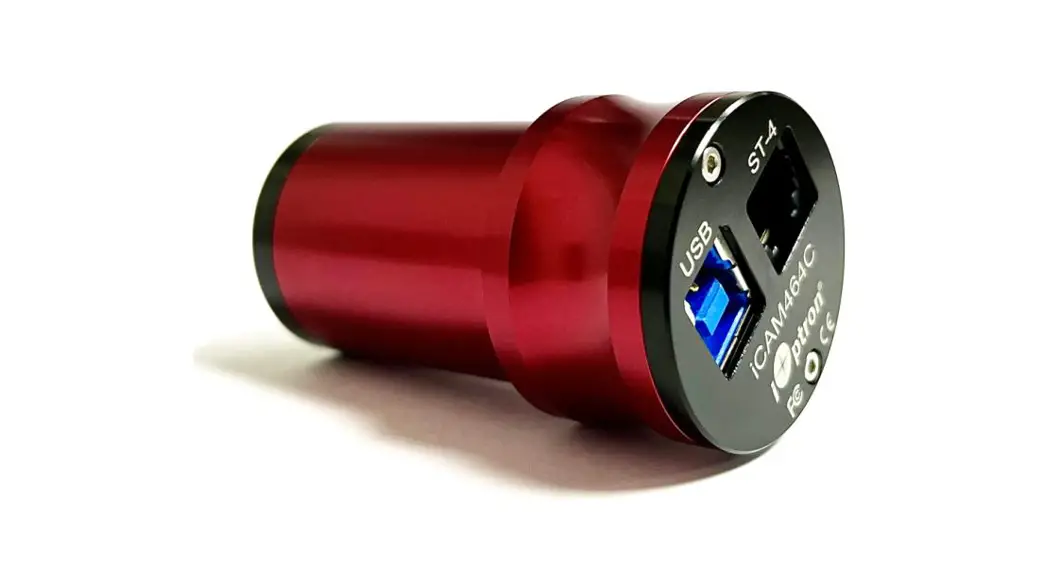
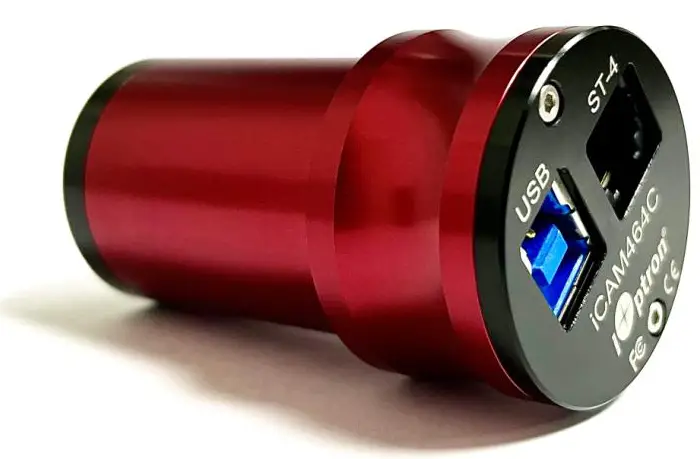
iCAM464C
Product #3373
Ver. 1.00 2021.12
iOptron reserves the right to revise this instruction without notice. Actual color/contents/design/function of a product may differ from those described in this instruction manual.
iOptron Corporation | 6E Gill Street, Woburn, MA 01801
Product Description
iCAM464C camera uses a Sony IMX464 color sensor. The imaging area is 1/1.8”, with a 2.9um pixel size, 4.2MP resolution (2712*1538), and diagonal of 9mm.
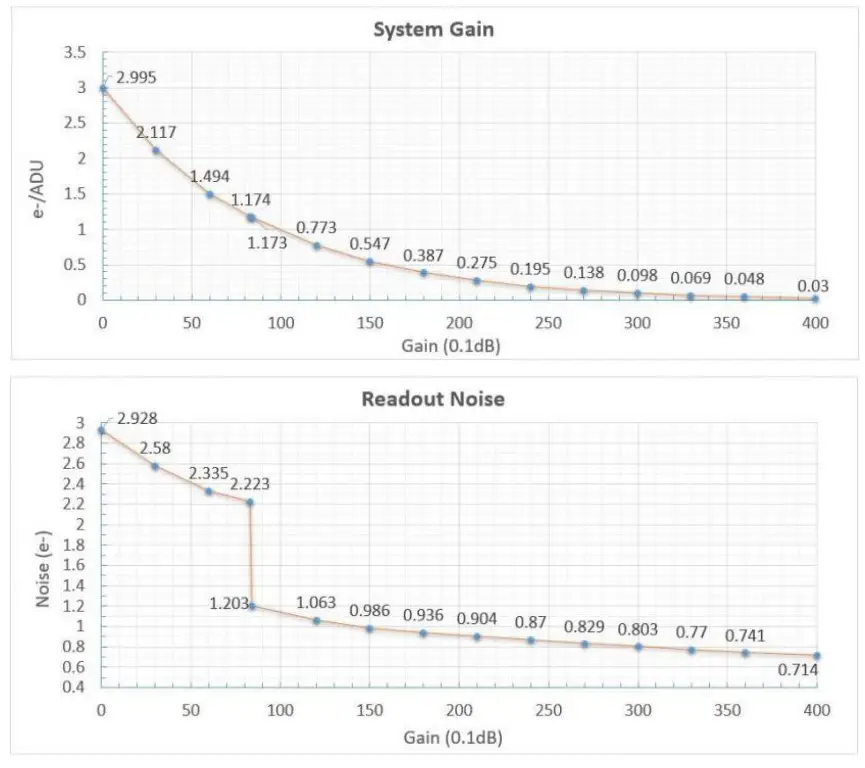
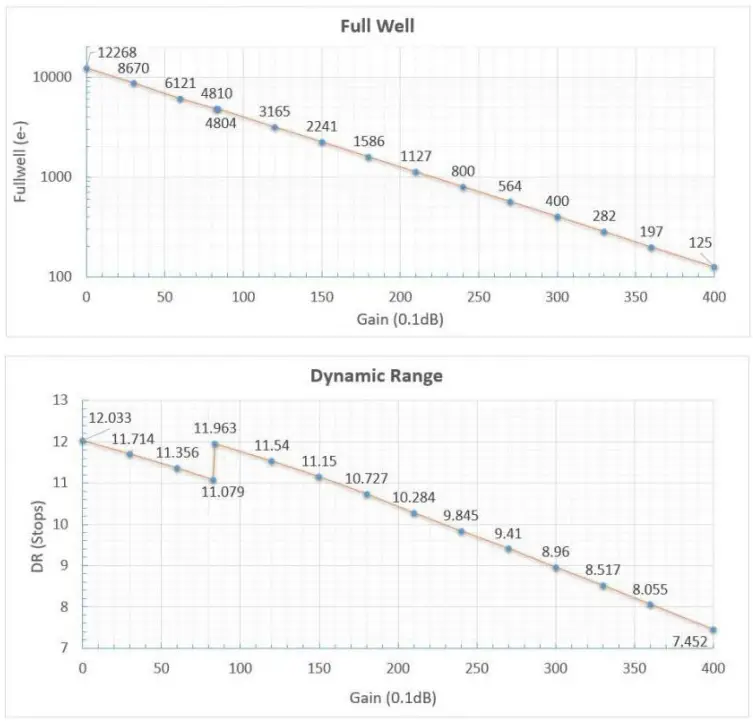
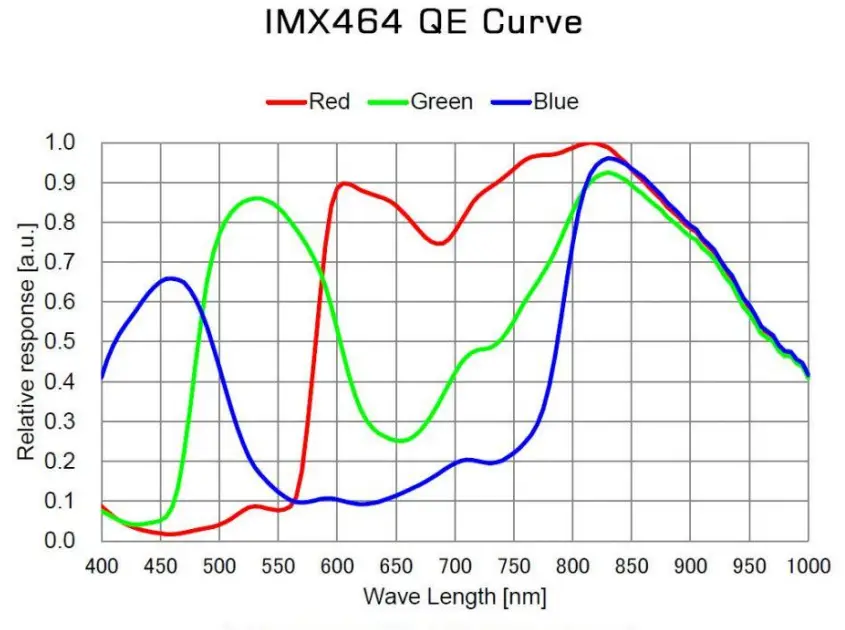
iCAM464C camera has a very high sensitivity. It is an idea camera for planetary imaging. The camera has a very low readout noise. The testing results indicated that the readout noise is as low as 0.75e at a gain of 350 and around 0.71e at a gain of 400. The camera has a unique DPS (Dead Pixel Suppression) technology to eliminate any abnormal/dead pixel by analyzing camera dark frames. The camera has a unique HCG mode, which will automatically turn on when the camera gain setting is ≥ 80. The HCG mode can greatly reduce the readout noise and retain the same high dynamic range as it at low gain. Due to its unique QE response, the sensitivity reaches a peak at 800-850nm. An IR850 or CH4 filter can be used with the camera for infrared imaging.
When the camera is connected to the USB3.0 interface and a full-resolution preview is used, it can reach 93 fps in RAW8 mode (10bit ADC). During image recording, the actual recording speed is affected by the hard drive writing speed. It is recommended to use a high-quality solid-state drive to record data to realize the full benefit of the USB3.0 data speed. The ST-4 guiding port allows one to connect the camera to a mount GUIDE port for ST-4 autoguiding.
Package Contents
- iCAM464C Camera
- USB 3.0 cable
- ST-4 guiding cable
Online Contents
- This Manual
- Camera driver
- ASCOM driver
System Requirement
- Windows 7/8/10 is supported
- Linux and Mac OS will be supported soon.
Driver Installation
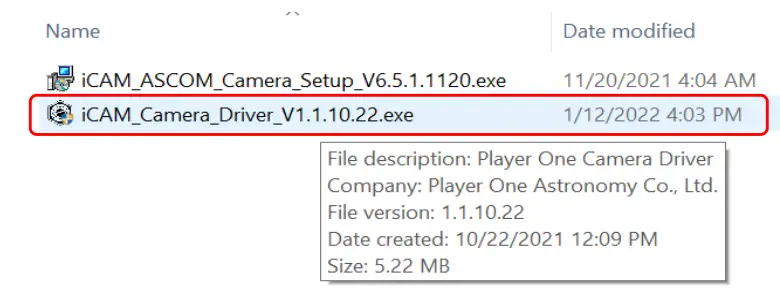
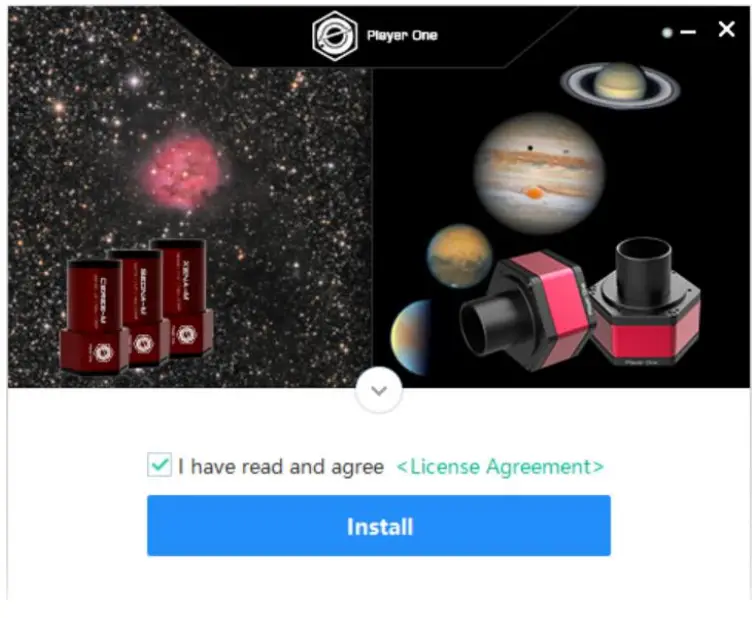
- Download iCAM/PlayerOne camera driver. Save in a folder or desktop.
- DO NOT connect the camera to the computer yet. Double click on the downloaded driver to enter installation page.

- Check License Agreement and click Install.

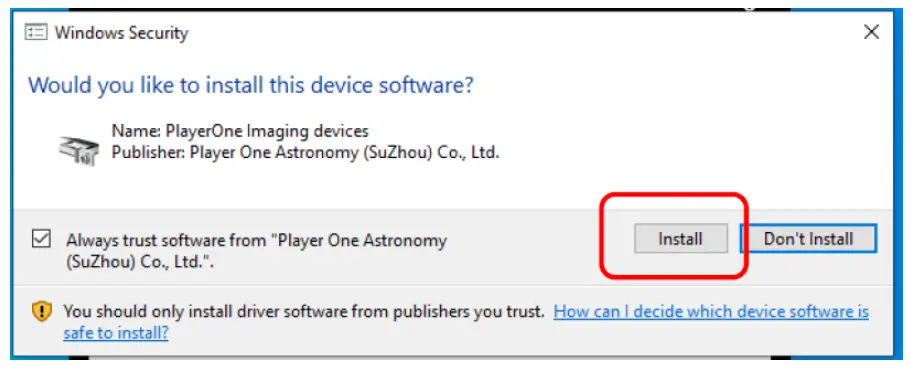
- Check Always Trust Software from PlayerOne and click Install.

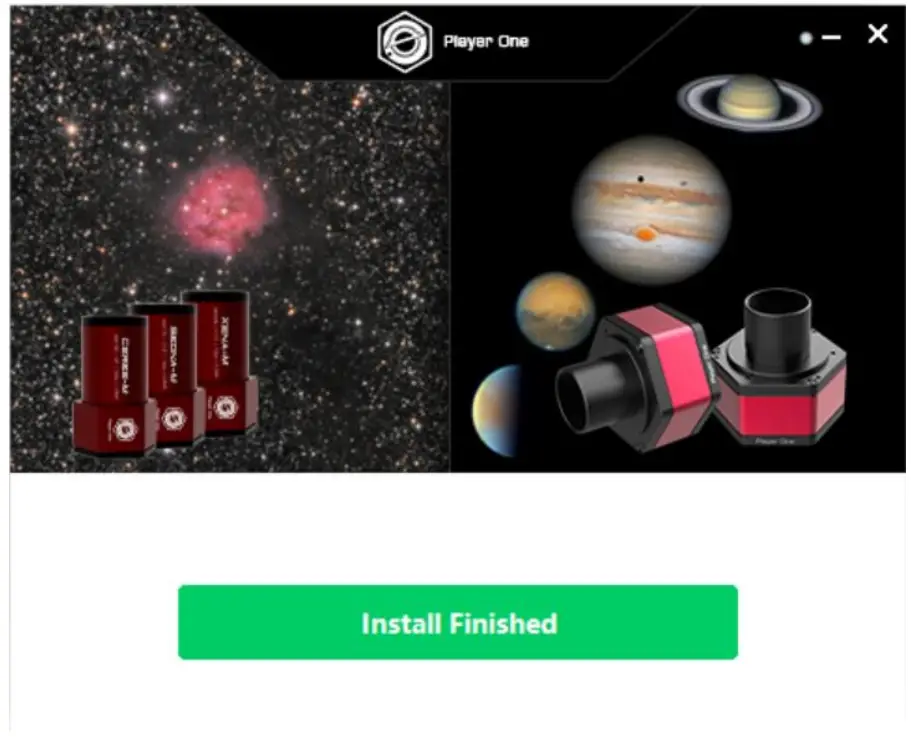
- Click Install Finished when it is down.

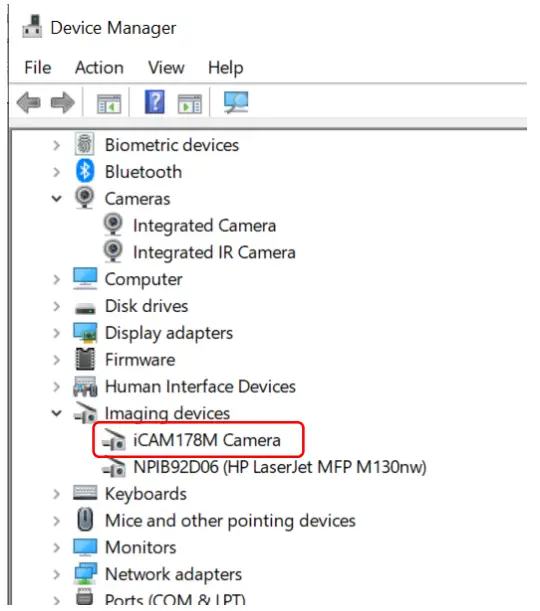
- Now connect the camera to a computer using included USB 3.0 cable. Check iCAM status in Device Manager under Imaging devices.

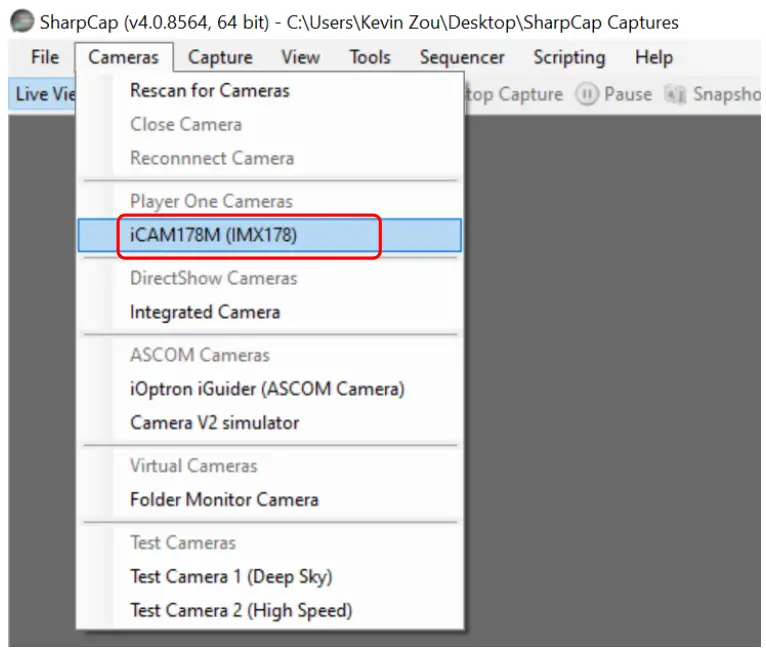
- Open your Image Capture Software, such as SharpCap. Click on Cameras pull-down manual to select the camera, such as iCAM464C.

- Remove camera cover and adjust exposure, you should see the change of brightness. This indicates the camera is working properly.
Camera Characterization
Specifications:
| Image Sensor | Sony IMX464 CMOS (color) |
| Sensor Size | 1/1.8” (7.9X4.5mm) |
| Max. Resolution | 2712 X 1538 (4.2MP) |
| Pixel Size | 2.9µm |
| Frame Rate | 93 fps (10 bit) |
| Shutter | Rolling shutter |
| Exposure Range | 32µs ~2000s |
| Readout Noise | 2.9e~0.7e |
| QE Peak | ~80% |
| Full Well | 12K e |
| ADC | 12 bit |
| HCG Mode | Supported |
| Optical Window | AR coated glass |
| Data Port | USB3.0/USB2.0 |
| Guide Port | ST-4 compatible |
| Telescope Adapter | 1.25” |
| Warranty | One year limited |
Typical Performances:
 Dimensions:
 Dimensions: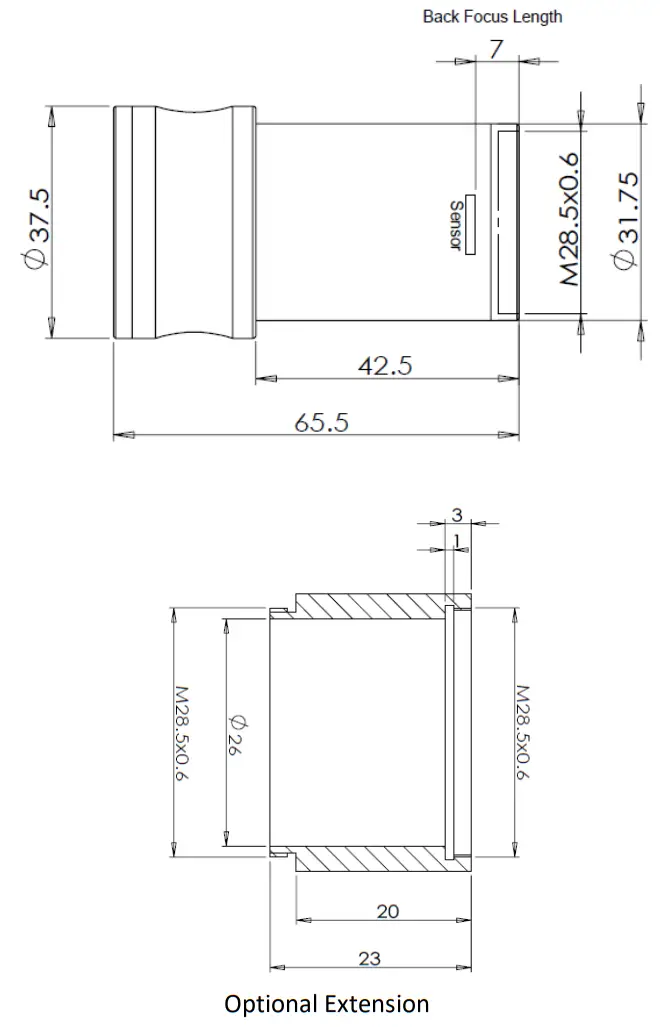
Ver. 1.00 2021.12
iOptron reserves the right to revise this instruction without notice. Actual color/contents/design/function of a product may differ from those described in this instruction manual.
iOptron Corporation | 6E Gill Street, Woburn, MA 01801