BTSP-860-T Soundbyte T Portable FM Radio
Product Information: Avantree Soundbyte T
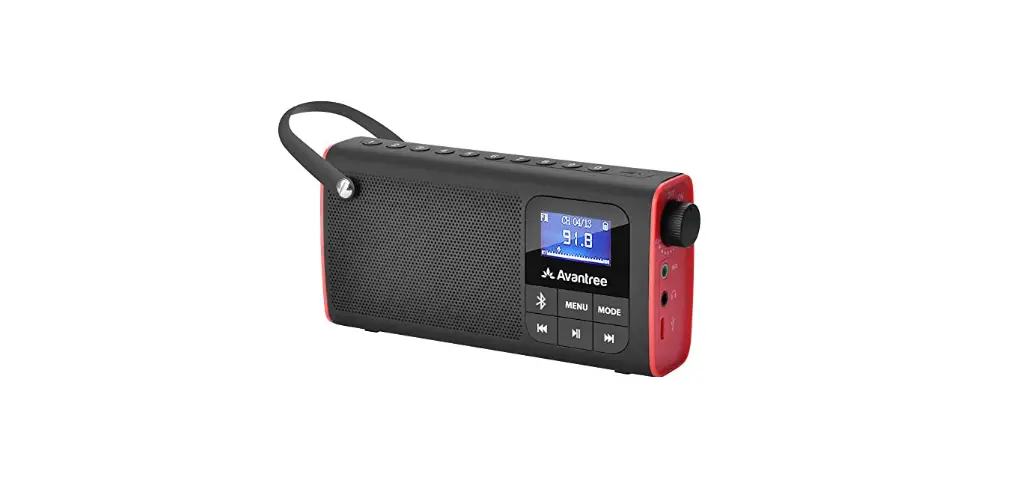
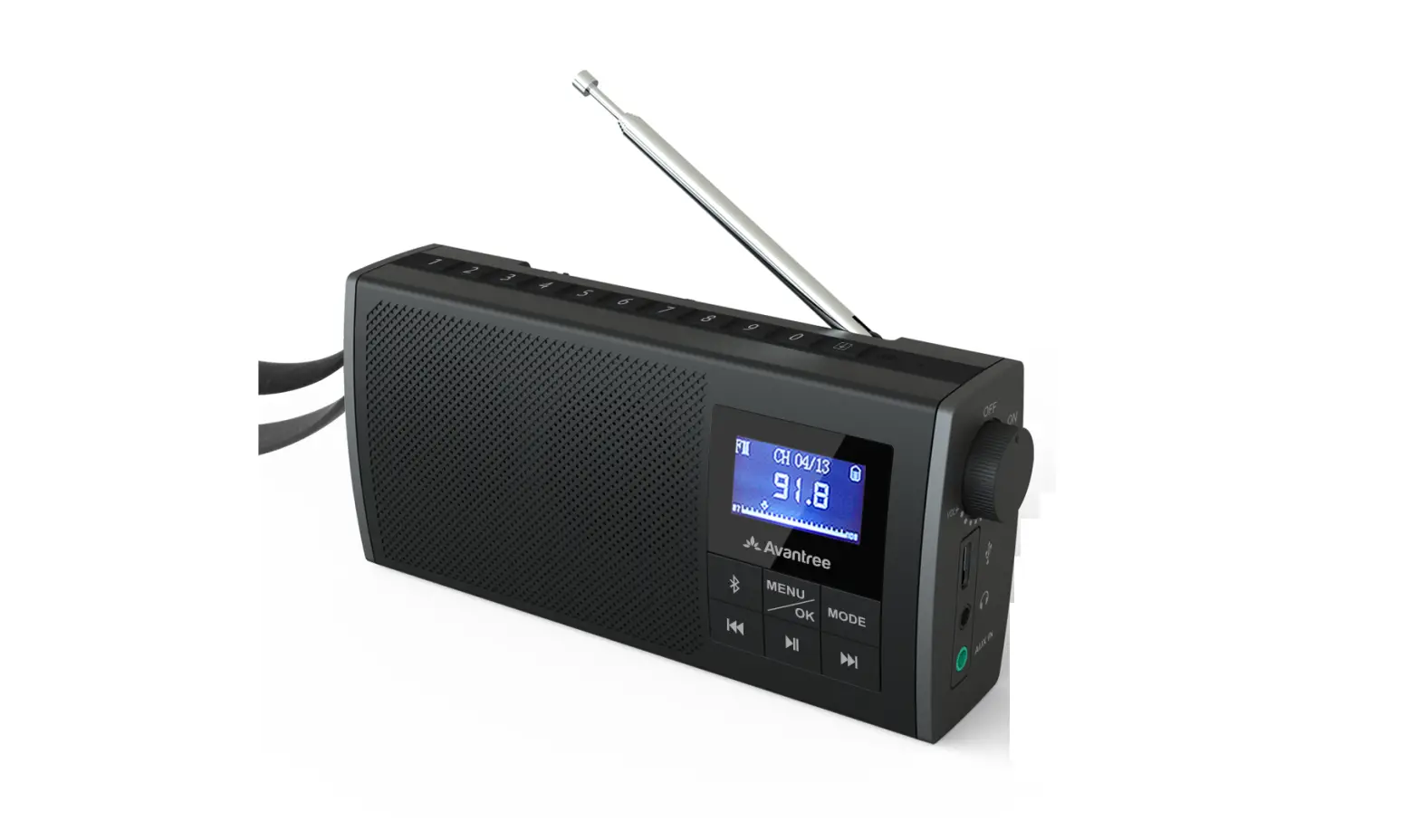
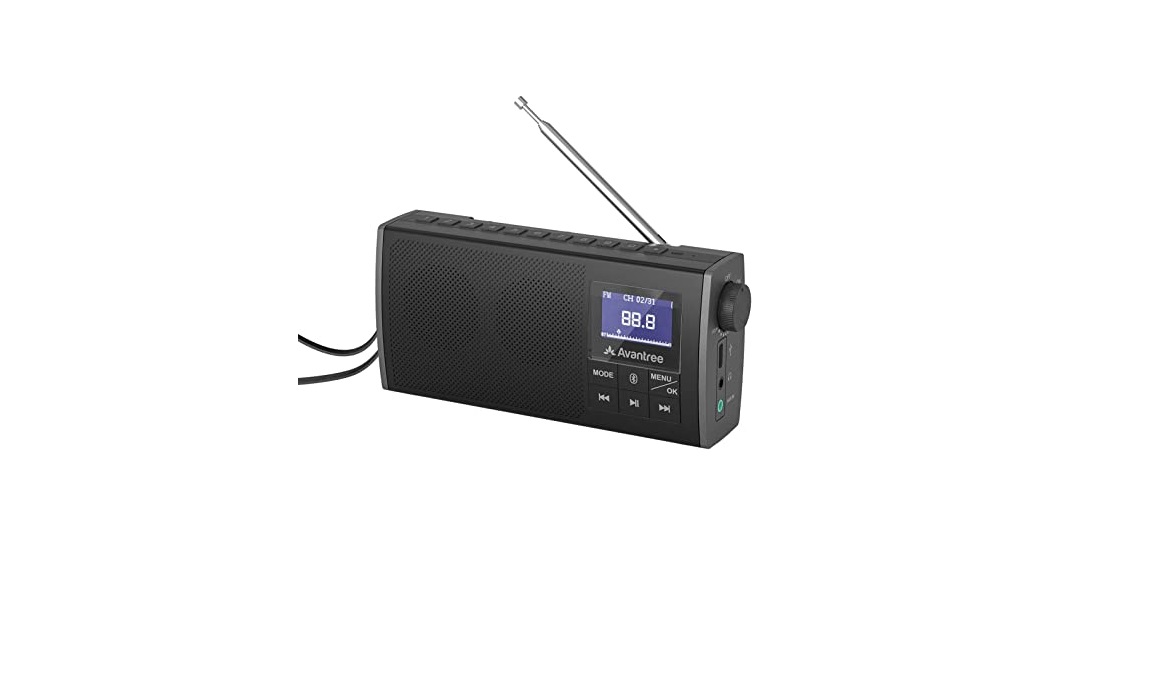
The Avantree Soundbyte T is a multi-functional device that can
be used as an FM radio, Bluetooth speaker, and microSD card player.
It comes with a Type C charging cable and a 3.5mm AUX audio cable.
The device has a battery compartment, a microSD card slot, a screen
display, an ON/OFF button, a volume adjustment button, a charging
port, a headphones jack, and an Aux 3.5mm input jack. It also has
six front panel buttons, including a SCAN button, a Manual Tuning
button, an EQ mode button, a Sleep Timer button, a FM/SPK button,
and an OK button. The device has the option to save up to 20 FM
channels across four pages and has three sound modes to choose
from: clear voice, bass-enhanced, and balanced.
Product Usage Instructions: Avantree Soundbyte T
Using as an FM Radio
Step 1: For first time use, the radio will automatically
enter FM mode. If not, press the FM/SPK SD Card button. Press the
SCAN button to auto-scan for FM channels (if not done
automatically). Please wait until auto-scan is complete.
Step 2: Press the SEEK button once to select your desired
channel.
Step 3: To save a channel, press the PAGE button once,
then press & hold one of the five numbered buttons (1-5) to
save the channel to that slot. The screen will display “Saved to
P#-#” to indicate that the channel has been properly saved. There
are 4 total pages and 5 channels can be saved to each page (for a
total of 20 channels). Press the PAGE button once to swap between
pages.
Note: To swap to a saved FM channel, press the numbered
button corresponding to the saved channel.
Using with Your Bluetooth Headphones
Step 1: Turn on your Bluetooth headphones and ensure they
are in pairing mode.
Step 2: Press and hold the FM/SPK SD Card button until
the device enters Bluetooth pairing mode. The screen will display
“PAIR” and a flashing Bluetooth icon.
Step 3: Once the device detects your headphones, select
“Avantree Soundbyte T” from the list of available devices on your
phone or other Bluetooth-enabled device. The device will beep and
display “CONNECTED” once pairing is complete.
Using as a Bluetooth Speaker
Step 1: Press the FM/SPK SD Card button until the device
enters Bluetooth mode. The screen will display “SPK” and a
Bluetooth icon.
Step 2: Turn on your phone or other Bluetooth-enabled
device and ensure it is in pairing mode.
Step 3: Once the device detects your phone or other
Bluetooth-enabled device, select “Avantree Soundbyte T” from the
list of available devices. The device will beep and display
“CONNECTED” once pairing is complete.
Note: To play or pause audio, press the SEEK button. To
mute or unmute audio, press the OK button.
Using as a MicroSD Card Player
Step 1: Insert a microSD card into the microSD card slot
on the device.
Step 2: Press the FM/SPK SD Card button until the device
enters microSD card mode. The screen will display “SD” and a
microSD card icon.
Step 3: Use the SEEK button to navigate between tracks
and the EQ button to switch between clear voice, bass-enhanced, and
balanced sound modes.
Note: To play or pause audio, press the SEEK button. To
mute or unmute audio, press the OK button.
Avantree Soundbyte T
USER MANUAL
Model No.: BTSP-860-T
User Manual
SOUNDBYTE T
EN User Manual
2
DE Kurzanleitung
17
FR Guide de démarrage rapide
33
IT Guida di avvio rapido
48
ES Guía de inicio rápido
63
1
EN
User Manual
SOUNDBYTE T
Video Guide
Prefer to watch a video tutorial? Scan the QR code below or visit avantree.com/soundbyte-t/video for a step-by-step guide.
VIDEO GUIDE
Book an Appointment
You can also book a 1-on-1 setup appointment with one of our support agents at avantree.com/book-a-call
2
EN
User Manual
SOUNDBYTE T
Table of Contents
Box Contents
5
Product Introduction
5
Product Overview
5
Button Functions
6
Using as an FM Radio
7
Using with Your Bluetooth Headphones
9
Using as a Bluetooth Speaker
11
Using as a MicroSD Card Player
12
Charging
13
Configuring the System Settings
13
Specifications
14
FAQ
15
Contact Us
16
3
EN
User Manual
Box Contents
DE
1 234 5 SCAN EQ
FR
IT
Soundbyte T ES
SOUNDBYTE T
Type C Charging Cable
3.5mm AUX Audio Cable
To view and purchase Soundbyte T accessories, please visit avantree.com/soundbyte-t/accessories
4
EN
User Manual
Product Introduction
Product Overview
SOUNDBYTE T
1 Channel save button
3 Manual tuning button
2 Auto scan button
4 EQ mode button
5 Sleep timer
PAGE
1
2
3
4
5 SCAN
EQ
Save Channel
Manual Tuning
Timer
1 234 5 SCAN EQ
Battery compartment
Micro SD card slot
MicroSD card slot
Screen display
ON / OFF / Volume adjustment Charging port
Headphones jack Aux 3.5mm input jack
6 Front panel buttons
5
EN
User Manual
SOUNDBYTE T
Button Functions
No. Button Functions
PAGE Press once to switch between pages 1 / 2 /3 / 4
1
Press and hold to save an FM channel
1 2 3 4 5
Press once to swap to saved FM channel
2
SCAN
Press once to automatically search for all available channels
3
Press once to adjust channel up / down
by 0.1 MHz
Press once to switch between clear voice /
4
EQ
bass-enhanced / balanced sound modes
5
Press once to enter sleep timer settings
FM / SPK Press once to switch between FM / Bluetooth SD Card speaker / micro SD card player mode
Press & hold to pair with your headphones
Press once to enter system settings
OK Press once to confirm your selection while in the menu
6
Press once for previous/next channel / track
SEEK ( FM / Bluetooth / microSD card player modes )
SEEK
Press & hold to seek for the next clear FM
channel
Press once to play / pause (Bluetooth speaker & microSD card player modes) or to mute / unmute ( FM / wired speaker modes )
6
EN
User Manual
SOUNDBYTE T
Using as an FM Radio
STEP 1
For first time use, the radio will automatically enter FM mode
(if
not,
press
FM / SPK SD Card
)
and
auto-scan
for
FM
channels
by
default (if not, press the SCAN button). Please wait until
auto-scan is complete.
STEP 2 Press the SEEK SEEK button once to select your channel.
FM
MODE PAIR EQ
SEEK SEEK
STEP 3 To save a channel, press the PAGE button once, then press & hold the 1 2 3 4 5 buttons. The screen will display “Saved to P#-#” to indicate that the channel has been properly saved.
1 PAPAGGEE
2 23
4
5 SCAN
EQ
Save Channel
Manual Tuning
Timer
FM
Saved to P1-2
NOTE1: In “P1-2″, 1 indicates the page number, and 2 indicates the number button. NOTE2: There are 4 total pages and 5 channels can be saved to each page (for a total of 20 channels). Press the PAGE button once to swap between pages.”
7
EN
User Manual
SOUNDBYTE T
STEP 4 To jump to a saved channel, press the corresponding number button once.
NOTE: If you saved the channel to pages 2 / 3 / 4, you’ll need to press the PAGE button until you reach the proper page before pressing the corresponding number button.
8
EN
User Manual
SOUNDBYTE T
Using with Your Bluetooth Headphones
The Soundbyte T can wirelessly transmit FM / micro SD / AUX audio signals to your Bluetooth headphones.
STEP 1 Ensure the speaker is in FM, micro SD, or AUX playing mode. It will NOT work in Bluetooth speaker mode.
STEP 2 Press & hold the button for 2 seconds. The screen will display as follows.
connecting MODE PAIR EQ
Connecting
2S
Step 3 Put your headphones into PAIRING mode.
Step 4 Keep your headphones & the Soundbyte T close to each other. Once they successfully connect, the screen will display as follows.
Connected
9
EN
User Manual
SOUNDBYTE T
NOTE1: Most cases where your device & the radio fail to connect happen because the device is not properly placed into PAIRING mode. Double check that your device is successfully in PAIRING MODE (typically indicated by an LED indicator’s alternate red & blue flashes). For more details, please refer to your device’s online user manual.
NOTE2: Bluetooth devices normally automatically reconnect to their last paired / connected device. You may need to turn the Bluetooth OFF on any previously used devices in order to avoid interference.
For Subsequent Use
Turn on both the radio and your headphones and press the button once. They should automatically reconnect. If not, repeat the steps above to re-pair them.
10
EN
User Manual
SOUNDBYTE T
Using as a Bluetooth Speaker
STEP 1
Turn
on
the
Soundbyte
T
and
press
the
FM SD
/ SPK Card
button
once
to
enter Bluetooth speaker mode.
STEP 2 Activate Bluetooth on your device (i.e. your phone, tablet, laptop, etc.) and select “Avantree Soundbyte T.”
STEP 3 Keep the two devices close to each other. Once they successfully connect, the screen will display as follows.
Bluetooth spk
Connected
For Subsequent Use
Every time you turn it on, the speaker should automatically reconnect to the last connected device. If not, select “Avantree Soundbyte T” on your device.
11
EN
User Manual
SOUNDBYTE T
Using as a MicroSD Card Player
When you insert a microSD card ( not included ), the radio will
automatically switch to microSD mode if the radio is on. If the
radio is off when you insert the card, you’ll need to press
the
FM SD
/ SPK Card
button
to
switch
to
microSD
mode.
The Soundbyte T supports MP3 / WMA / WAV / APE / FLAC file formats.
Repeat / Shuffle Settings
Press the OK button once to enter the system settings. Press SEEK to select “REPEAT / SHUFFLE”, then press SEEK SEEK to select the desired option and press OK once to confirm.
Repeat/Shuffle Back Repeat All Repeat One Repeat Folder Shuffle
NOTE: The Soundbyte T cannot read microSD cards larger than 32GB.
12
EN
User Manual
SOUNDBYTE T
Charging
A icon will flash on the Soundbyte T’s screen to indicate low battery. You can charge the radio using any USB adapter with a 5V/0.5-1A output (i.e. your phone charger or similar) via the included USB C charging cable.
The icon on the LCD screen will flash while charging and stop once charging is complete. It takes about 3 hours to fully charge the radio.
Configuring the System Settings
Turn on the device and press the OK button once to enter the system settings.
System Settings … Backlight Contrast Factory Reset …
Press SEEK SEEK to select your desired option, then press OK to confirm your selection.
13
EN
User Manual
Specifications
SOUNDBYTE T
FM frequency range 87MHz – 108MHz
Frequency range 160Hz – 20KHz
Power
6W(dual 3W speakers)
Battery
18650 lithium rechargeable 2200mAh battery
Playtime FCharging voltage Operating range Supported profiles Product size Product weight
Up to 11hrs 5V /1A Up to 30ft / 10m HFP v1.5, A2DP v1.0, AVRCP v1.4 14.3 cm x 7 cm x 3 cm 270g
14
EN
User Manual
SOUNDBYTE T
FAQ
Below are some of the most common questions people have during setup.
Can I replace the battery?
Yes. You can purchase a replacement battery at avantree.com/soundbyte-t/accessories or use any 3.7V 18650 lithium-ion battery.
Why is my FM reception so bad?
Why is my microSD card not working?
Why are my headphones failing to connect?
……
For answers to questions like these and for a full FAQ list, you can visit avantree.com/support/soundbyte-t, or you can contact us directly for additional assistance.
15
EN
User Manual
Contact Us
SOUNDBYTE T
Support Tickets avantree.com/submit-a-ticket
Support Email [email protected]
USA / CA +1800 232 2078 (9am-6pm PST, Mon-Fri )
UK
+44 20 8068 2023 (9am-6pm, GMT, Mon-Sat)
DE
F
FR
+49 32221097297 (11am-9pm, CET, Mon-Sat ) + 33 176340312 (11am-9pm, CET, Mon-Sat )
IT
+39 06 9480 3330 (9am-6pm, CET, Mon-Sat )
ES
+ 34 931786261 (9am-6pm, CET, Mon-Sat )
AU
+ 61 2 8310 9897 (11am-7pm, AEST, Mon-Fri)
FAQ
avantree.com/support/soundbyte-t
Video Guide
avantree.com/soundbyte-t/video
Product Registration avantree.com/product-registration
16
Benutzerhandbuch
SOUNDBYTE T
Video Anleitung
Möchten Sie lieber ein Video-Tutorial ansehen? Scannen Sie den QR-Code unten oder besuchen Sie avantree.com/soundbyte-t/video für eine schrittweise Anleitung.
DE
Buchen Sie einen Termin
Sie können auch einen 1-zu-1-Einrichtungstermin mit einem unserer Support-Agenten auf avantree.com/book-a-call vereinbaren.
17
DE
Benutzerhandbuch
SOUNDBYTE T
Inhaltsverzeichnis
Inhalt der Box
19
Produkteinführung
20
Produktübersicht
20
Tastenfunktionen
21
Verwendung als FM-Radio
23
Verwendung mit Ihren Bluetooth-Kopfhörern 25
Verwendung als Bluetooth-Lautsprecher
27
Verwendung als MicroSD-Karten-Player
28
Aufladen
29
Konfigurieren der Systemeinstellungen
29
Technische Daten
30
Häufig gestellte fragen (FAQ)
31
Kontaktiere uns
32
18
DE
Benutzerhandbuch
Inhalt der Box
DE
1 234 5 SCAN EQ
FR
IT
Soundbyte T ES
SOUNDBYTE T
USB-C-Ladekabel
AUX 3,5 mm Audiokabel
Um Soundbyte T Zubehör anzuzeigen und zu kaufen, besuchen Sie bitte avantree.com/soundbyte-t/accessories
19
DE
Benutzerhandbuch
Produkteinführung
Produktübersicht
SOUNDBYTE T
3 Manuelle Einstellungstaste
1 Kanal speichern 2 Automatischer
Taste
Suchlauf-Taste
4 EQ-Modus -Taste
5 SchlafTimer
PAGE
1
2
3
4
5 SCAN
EQ
Save Channel
Manual Tuning
Timer
1 234 5 SCAN EQ
Batteriefach
Micro SD card slot
Micro-SDKartensteckplatz
Bildschirmanzeige
Ein-/Ausschalter, Lautstärke +/Ladeanschluss
Kopfhörerbuchse Aux 3,5mm Eingangsbuchse 6 Tasten auf der Vorderseite
20
DE
Benutzerhandbuch
SOUNDBYTE T
Tastenfunktionen
Nr Taste Funktionen Drücken Sie einmal, um zwischen den Seiten
PAGE 1 / 2 / 3 / 4 zu wechseln
1
Halten Sie die Taste gedrückt, um einen
1 2 3 4 5 FM-Kanal zu speichern.
Drücken Sie einmal, um zum gespeicherten
FM-Kanal zu wechseln.
2
SCAN
Drücken Sie einmal, um automatisch alle verfügbaren Kanäle zu suchen.
Drücken Sie einmal, um den Kanal um 0,1 MHz
3
nach oben / unten zu justieren.
Drücken Sie einmal, um zwischen den Klangmodi
4
EQ
“Klarer Klang”, “Bassverstärkung” und
“Ausgewogener Klang” zu wechseln.
5
Drücken Sie einmal, um die Einstellungen für den Schlaf-Timer zu öffnen.
FM / SPK Drücken Sie einmal, um zwischen den Modi SD Card FM / Bluetooth-Lautsprecher / MicroSD-Karten-
6
Player zu wechseln.
Halten Sie die Taste gedrückt, um eine Verbindung mit Ihren Kopfhörern herzustellen.
21
DE
Benutzerhandbuch
SOUNDBYTE T
Tastenfunktionen
Nr Taste Funktionen
Drücken Sie einmal, um die Systemeinstellungen zu öffnen. OK Drücken Sie einmal, um Ihre Auswahl im Menü zu bestätigen.
Drücken Sie einmal für den vorherigen/nächsten Kanal/Titel (FM/Bluetooth/MicroSD-KartenSEEK Player-Modus). 6 SEEK Halten Sie die Taste gedrückt, um den nächsten klaren FM-Kanal zu suchen.
Drücken Sie einmal, um zu spielen/pausieren (Bluetooth-Lautsprecher & MicroSD-KartenPlayer-Modus) oder stummzuschalten/zu aktivieren (FM/kabelgebundener Lautsprecher-Modus).
22
DE
User Manual
SOUNDBYTE T
Verwendung als FM-Radio
Schritt 1
Bei der ersten Verwendung wird das Radio automatisch in den
FM-Modus
wechseln
(
falls
nicht,
drücken
Sie
FM / SPK SD Card
).
Standardmäßig wird automatisch nach FM-Kanälen gesucht
( falls nicht, drücken Sie die SCAN-Taste ). Bitte warten Sie, bis
die automatische Suche abgeschlossen ist.
Schritt 2 Drücken Sie die Taste SEEK SEEK einmal, um Ihren Kanal auszuwählen.
FM
MODE PAIR EQ
SEEK SEEK
Schritt 3 Um einen Kanal zu speichern, drücken Sie einmal die PAGE-Taste und halten Sie dann die Tasten 1 2 3 4 5 gedrückt. Der Bildschirm zeigt “Gespeichert auf P#-#” an, um anzuzeigen, dass der Kanal ordnungsgemäß gespeichert wurde.
1 PAPAGGEE
2 23
4
5 SCAN
EQ
Save Channel
Manual Tuning
Timer
FM
Saved to P1-2
HINWEIS 1: In “P1-2” gibt die 1 die Seitenzahl an und die 2 gibt die Nummertaste an. HINWEIS 2: Es gibt insgesamt 4 Seiten und es können jeweils 5 Kanäle auf jeder Seite gespeichert werden (insgesamt 20 Kanäle). Drücken Sie die PAGE-Taste einmal, um zwischen den Seiten zu wechseln.
23
DE
Benutzerhandbuch
SOUNDBYTE T
Schritt 4 Um zu einem gespeicherten Kanal zu gelangen, drücken Sie einmal die entsprechende Nummerntaste.
HINWEIS: Wenn Sie den Kanal auf Seiten 2 / 3 / 4 gespeichert haben, müssen Sie die PAGE-Taste drücken, bis Sie die entsprechende Seite erreichen, bevor Sie die entsprechende Nummertaste drücken.
24
DE
Benutzerhandbuch
SOUNDBYTE T
Verwendung mit Ihren BluetoothKopfhörern
Der Soundbyte T kann drahtlos FM / Micro-SD / AUXAudiosignale an Ihre Bluetooth-Kopfhörer übertragen.
Schritt 1 Stellen Sie sicher, dass der Lautsprecher im FM-, Micro-SDoder AUX-Wiedergabemodus ist. Es funktioniert NICHT im Bluetooth-Lautsprechermodus
Schritt 2 Drücken und halten Sie die Taste für 2 Sekunden. Der Bildschirm wird wie folgt angezeigt.
Connected
Connecting
MODE PAIR EQ
2S
Schritt 3 Setzen Sie Ihre Kopfhörer in den PAIRING- Kopplungs Modus.
Schritt 4 Halten Sie Ihre Kopfhörer und den Soundbyte T in der Nähe zueinander. Sobald sie erfolgreich verbunden sind, wird der Bildschirm wie folgt angezeigt.
Connected
25
DE
Benutzerhandbuch
SOUNDBYTE T
HINWEIS 1: Die meisten Fälle, in denen Ihr Gerät und der Transmitter keine Verbindung herstellen können, liegen daran, dass das Gerät nicht ordnungsgemäß in den PAIRING-MODUS gebracht wurde. Stellen Sie sicher, dass sich Ihr Gerät erfolgreich im PAIRING-MODUS befindet (in der Regel durch abwechselndes rotes und blaues Blinken einer LED angezeigt). Weitere Details finden Sie in der Online-Benutzeranleitung Ihres Geräts.
HINWEIS 2: Bluetooth-Geräte verbinden sich normalerweise automatisch mit dem zuletzt gekoppelten / verbundenen Gerät. Stellen Sie sicher, dass vorher verwendete Geräte Bluetooth AUS sind, um Interferenzen zu vermeiden.
Für die weitere Verwendung
Schalten Sie sowohl das Radio als auch Ihre Kopfhörer ein und drücken Sie einmal die Taste. Sie sollten automatisch wieder verbunden sein. Wenn nicht, wiederholen Sie die oben genannten Schritte, um sie erneut zu koppeln.
26
DE
Benutzerhandbuch
SOUNDBYTE T
Verwendung als Bluetooth-Lautsprecher
Schritt 1
Schalten Sie den Soundbyte T ein und drücken Sie einmal auf
die
Taste
FM SD
/CSaPrdK,
um
in
den
Bluetooth-Lautsprechermodus
zu
wechseln.
Schritt 2 Aktivieren Sie Bluetooth auf Ihrem Gerät (z. B. Ihrem Telefon, Tablet, Laptop usw.) und wählen Sie “Avantree Soundbyte T”.
Schritt 3 Halten Sie die beiden Geräte in der Nähe zueinander. Sobald sie erfolgreich verbunden sind, wird das Display wie folgt angezeigt.
Bluetooth spk
Connected
Für die weitere Verwendung
Jedes Mal, wenn Sie den Lautsprecher einschalten, sollte er automatisch eine Verbindung zum zuletzt verbundenen Gerät herstellen. Wenn dies nicht der Fall ist, wählen Sie “Avantree Soundbyte T” auf Ihrem Gerät aus.
27
DE
Benutzerhandbuch
SOUNDBYTE T
Verwendung als MicroSD-Karten-Player
Wenn Sie eine MicroSD-Karte (nicht im Lieferumfang enthalten)
einlegen, wechselt das Radio automatisch in den MicroSD-Mo-
dus (falls das Radio eingeschaltet ist). Wenn das Radio ausges-
chaltet
ist,
müssen
Sie
die
Taste
FM SD
/ SPK Card
drücken,
um
in
den
MicroSD-Modus zu wechseln.
Der Soundbyte T unterstützt die Dateiformate MP3/WMA/WAV/APE/FLAC.
Wiederholen / Zufallswiedergabe Einstellung
Drücken Sie die Taste OK einmal, um die Systemeinstellungen zu öffnen.
Klicken Sie SEEK um “WIEDERHOLUNG / ZUSAMMENSCHIEBEN” auszuwählen, und drücken Sie dann SEEK SEEK , um die gewünschten Optionen auszuwählen. Bestätigen Sie Ihre Auswahl mit einem erneuten Druck auf OK
Repeat/Shuffle Back Repeat All Repeat One Repeat Folder Shuffle
Hinweis: Der Soundbyte T kann keine microSD-Karten lesen, die größer als 32GB sind.
28
DE
Benutzerhandbuch
SOUNDBYTE T
Aufladen
Ein Symbol auf dem Bildschirm des Soundbyte T wird blinken, um einen niedrigen Akkustand anzuzeigen. Sie können das Radio mit einem USB-Adapter und einer Ausgabe von 5V/0,5-1A (z. B. Ihr Handy-Ladegerät oder ähnliches) über das mitgelieferte USB-C-Ladekabel aufladen.
Das Symbol auf dem LCD-Bildschirm blinkt während des Ladevorgangs und hört auf zu blinken, sobald das Laden abgeschlossen ist. Es dauert etwa 3 Stunden, um das Radio vollständig aufzuladen.
Konfigurieren der Systemeinstellungen
Schalten Sie das Gerät ein und drücken Sie einmal die Taste OK , um in die Systemeinstellungen zu gelangen.
System Settings … Backlight Contrast Factort Reset …
Drücken Sie SEEK SEEK zur Auswahl Ihrer gewünschten Option, dann drücken Sie zur Bestätigung Ihrer Auswahl.
OK
29
DE
Benutzerhandbuch
Technische Daten
SOUNDBYTE T
UKW-Frequenzbereich Frequenzbereich Leistungsausgabe
Batterie
Laufzeit FLadespannung Betriebsbereich Unterstützte Profile Abmessungen des Produkts Gewicht des Produkts
87MHz – 108MHz 160Hz – 20KHz 6W(3WX2) 18650 Lithium wiederaufladbarer 2200mAh Akku Bis zu 11 Stunden 5V /1A Bis zu 10m / 30ft HFP v1.5, A2DP v1.0, AVRCP v1.4 14.3 cm x 7 cm x 3 cm 270g
30
DE
Benutzerhandbuch
SOUNDBYTE T
HÄUFIG GESTELLTE FRAGEN (FAQ)
Nachfolgend finden Sie einige der am häufigsten gestellten Fragen während der Einrichtung haben.
Kann ich die Batterie austauschen?
Ja. Sie können eine Ersatzbatterie auf avantree.com/soundbyte-t/accessories kaufen oder jede 3,7V 18650 Lithium-Ionen-Batterie verwenden.
Ist der FM-Empfang schlecht? Funktioniert die Micro SD-Karte nicht? Die Verbindung zu Ihrem Kopfhörer funktioniert nicht? ……
Antworten auf Fragen wie diese und eine vollständige FAQ-Liste finden Sie unter avantree.com/support/soundbyte-t oder kontaktieren Sie uns direkt für weitere Unterstützung.
31
DE
Benutzerhandbuch
Kontaktiere uns
SOUNDBYTE T
Kontaktieren Sie uns avantree.com/submit-a-ticket
Support-Tickets [email protected]
USA / CA +1800 232 2078 (9am-6pm PST, Mon-Fri )
UK
+44 20 8068 2023 (9am-6pm, GMT, Mon-Sat)
DE
F
FR
+49 32221097297 (11am-9pm, CET, Mon-Sat ) + 33 176340312 (11am-9pm, CET, Mon-Sat )
IT
+39 06 9480 3330 (9am-6pm, CET, Mon-Sat )
ES
+ 34 931786261 (9am-6pm, CET, Mon-Sat )
AU
+ 61 2 8310 9897 (11am-7pm, AEST, Mon-Fri)
Häufig gestellte avantree.com/support/soundbyte-t Fragen (FAQ) Video-Anleitung avantree.com/soundbyte-t/video
Produktregistrierung avantree.com/product-registration
32
Manuel de l’Utilisateur
SOUNDBYTE T
Guide Video
Vous préférez un didacticiel vidéo ? Scannez le code QR ci-dessous ou visitez avantree.com/soundbyte-t/video pour un guide étape par étape.
FR
Prenez rendez-vous
Vous pouvez également réserver un rendez-vous d’installation individuel avec l’un de nos agents d’assistance via avantree.com/book-a-call
33
FR
Manuel de l’Utilisateur
Sommaire
Contenu de la boite Introduction
Vue d’ensemble produit Fonctions des bouton Mode radio FM Utiliser vos écouteurs Bluetooth Mode enceinte Bluetooth Mode lecteur de carte MicroSD Recharge Configuration et réglages Spécifications FAQ Nous contacter
SOUNDBYTE T
35 36 36 37 38 40 42 43 44 44 45 46 47
34
FR
Manuel de l’Utilisateur
Contenu de la boite
SOUNDBYTE T
DE
1 234 5
TUNE
FR
PAIR EQ
IT
Soundbyte T ES
Câbke de charge USB-C
Câble audio AUX 3.5 mm
Pour des accessoires supplémentaires, consultez notre site avantree.com/soundbyte-t/accessories
35
FR
Manuel de l’Utilisateur
Introduction
Vue d’ensemble produit
SOUNDBYTE T
3 Bouton scan manuel
1 Bouton mémorisation 2 Bouton
du canal
auto scan
4 Bouton Egaliseur EQ
5 Minuterie de veille
PAGE
1
2
3
4
5 SCAN
EQ
Save Channel
Manual Tuning
Timer
1 234 5 SCAN EQ
Compartiment à piles
Micro SD card slot
Fente pour carte micro SD
Ecran
Marche/Arrêt, Volume +/-
Port de charge
Prise casque Entrée AUX 3.5 mm 6 Boutons en façade
36
FR
Manuel de l’Utilisateur
SOUNDBYTE T
Fonctions des bouton
Nb. Bouton Fonctions PAGE Appuyez 1x pour basculer entre les pages 1 / 2 /3 / 4
1 1 2 3 4 5 Maintenez enfoncé pour enregistrer une station FM Appuyez 1x pour passer à la station FM enregistrée
Appuyez 1x pour rechercher automatiquement 2 SCAN toutes les stations disponibles
3
Appuyez 1x pour régler le canal vers le
haut/bas de 0,1 MHz
4
EQ
Appuyez 1x pour basculer entre les modes son clair/ basses améliorées /son équilibré
5
Appuyez 1x pour accéder aux paramètres de la
minuterie de mise en veille
FM / SPK Appuyez 1x pour basculer entre les modes FM / SD Card Enceinte Bluetooth / lecteur de carte micro SD
Appuyez et maintenez enfoncé pour associer vos écouteurs Bluetooth
Appuyez 1x pour accéder aux paramètres système
OK Appuyez 1x pour confirmer votre sélection dans le menu
6
Appuyez 1x pour accéder à la station/piste SEEK précédente/suivante (modes FM/Enceinte/microSD)
SEEK Appuyez et maintenez enfoncé pour rechercher
la prochaine station FM libre
Appuyez 1x pour lire/mettre en pause (modes Enceinte Bluetooth et lecteur de carte microSD) ou pour activer/désactiver le son en modes Enceinte FM/filaire.
37
FR
Manuel de l’Utilisateur
SOUNDBYTE T
Mode radio FM
Etape 1
Lors de la première utilisation, la radio passe automatiquement
en
mode
FM
(sinon,
appuyez
sur
FM SD
/ SPK Card
)
et
recherche
automatique des stations FM par défaut (sinon, appuyez sur le
bouton SCAN). Veuillez patienter jusqu’à la fin de l’analyse
automatique.
Etape 2 Appuyez une fois le bouton SEEK SEEK pour sélectionner la station.
FM
MODE PAIR EQ
SEEK SEEK
Etape 3 Pour enregistrer une station, appuyez une fois sur le bouton PAGE, puis maintenez enfoncés les boutons 1 2 3 4 5. L’écran affichera “Saved to P#-#” pour indiquer que la chaîne a été correctement enregistrée.
1 PAPAGGEE
2 23
4
5 SCAN
EQ
Save Channel
Manual Tuning
Timer
FM
Saved to P1-2
NOTE1: Dans “P1-2″, 1 indique le numéro de page et 2 indique la touche numérique. NOTE2: Il y a 4 pages au total et 5 canaux peuvent être enregistrés sur chaque page (pour un total de 20 canaux). Appuyez une fois sur le bouton PAGE pour passer d’une page à l’autre.”
38
Manuel de l’Utilisateur
SOUNDBYTE T
Etape 4 Pour accéder à une station enregistrée, appuyez une fois sur la touche numérique correspondante.
NOTE: Si vous avez enregistré la station aux pages 2 / 3 / 4, vous devrez appuyer sur le bouton PAGE jusqu’à ce que vous atteigniez la bonne page avant d’appuyer sur le bouton numérique correspondant.
FR
39
FR
Manuel de l’Utilisateur
SOUNDBYTE T
Utiliser vos écouteurs Bluetooth
Le Soundbyte T peut transmettre sans fil des signaux audio FM / micro SD / AUX à vos écouteurs Bluetooth.
Etape 1 Assurez-vous que le Soundbyte T est en mode de lecture FM, micro SD ou AUX. Cela ne fonctionnera PAS en mode enceinte Bluetooth.
Etape 2 Appuyez et maintenez le bouton s’affichera comme ci-dessous :
pour 2 secondes. L’écran
Connected
Connecting
MODE PAIR EQ
2S
Etape 3 Mettez votre casque en mode APPAIRAGE.
Etape 4 Gardez vos écouteurs et le Soundbyte T proches l’un de l’autre. Une fois qu’ils se sont connectés avec succès, l’écran s’affichera comme ci-dessous :
Connected
40
FR
Manuel de l’Utilisateur
SOUNDBYTE T
NOTE 1: Majoritairement, vos appareils n’arrivent pas à se connecter car ils ne sont pas correctement mis en APPAIRAGE. Vérifiez qu’ils le sont (généralement, leurs LED clignotent en rouge et bleu alterné). Pour plus de détails, consultez leur manuel d’utilisation.
NOTE 2: Un appareil Bluetooth se reconnecte normalement automatiquement à son DERNIER appareil couplé/connecté. Assurez-vous que les appareils précédemment utilisés sont désactivés pour éviter toute interférence.
Usage ultérieur / quotidien
Allumez la radio et vos écouteurs, puis appuyez sur la touche 1 fois. Ils devraient se reconnecter automatiquement. Si
ce n’est pas le cas, répétez les étapes ci-dessus pour les réassocier.
41
FR
Manuel de l’Utilisateur
SOUNDBYTE T
Mode enceinte Bluetooth
Etape 1
Allumez
le
Soundbyte
T
et
appuyez
sur
la
touche
FM SD
/ SPK Card
1
fois
pour passer en mode enceinte Bluetooth.
Etape 2 Activez le Bluetooth sur votre appareil (ex. votre téléphone, tablette, ordinateur portable, etc.) et sélectionnez “Avantree Soundbyte T.”
Etape 3 Gardez les deux appareils proches. Une fois connectés avec succès, l’écran s’affichera comme suit.
Bluetooth spk
Connected
Usage ultérieur / quotidien
Chaque fois que vous l’allumez, l’enceinte doit se reconnecter automatiquement au dernier appareil connecté. Sinon, sélectionnez “Avantree Soundbyte T” sur votre appareil à reconnecter.
42
FR
Manuel de l’Utilisateur
SOUNDBYTE T
Mode lecteur de carte MicroSD
Lorsque vous insérez une carte microSD (non incluse), la radio
(si allumée) passe automatiquement en mode microSD. Si la
radio est éteinte lorsque vous insérez la carte, vous devrez
appuyer
sur
le
bouton
FM SD
/ SPK Card
pour
basculer
en
mode
microSD.
Note : La radio Soundbyte T supporte les formats de fichiers audio MP3 / WMA / WAV / APE et FLAC.
Réglages Répétition / Aléatoire
Appuyer une fois sur le bouton OK pour entrer dans les réglages système. Appuyer surSEEK pour sélectionner “REPEAT / SHUFFLE”, puis appuyerSEEK SEEK pour sélectionner les options désirées. Appuyer le bouton OK pour confirmer.
Repeat/Shuffle Back Repeat All Repeat One Repeat Folder Shuffle
Note: Le Soundbyte T est incompatible avec les cartes microSD de taille supérieure à 32GB.
43
FR
Manuel de l’Utilisateur
SOUNDBYTE T
Recharge
Une icône clignotera sur l’écran du Soundbyte T pour indiquer une batterie faible. Chargez la radio à l’aide de n’importe quel adaptateur USB délivrant 5 V/0,5-1 A (ex. un chargeur de téléphone ou similaire) et via le câble de charge USB C inclus.
Sur l’écran LCD, l’icône clignote pendant la charge et s’arrête une fois la charge terminée. Il faut environ 3 heures pour recharger complètement la radio.
Configuration et réglages
Allumez la radio et appuyer sur le bouton OK une fois pour entrer dans les réglages système :
System Settings … Backlight Contrast Factort Reset …
Appuyer SEEK SEEK pour sélectionner l’option désirée, puis appuyer pour confirmer votre sélection.
OK
44
FR
Manuel de l’Utilisateur
Spécifications
SOUNDBYTE T
Fréquences FM
87MHz – 108MHz
Plage de fréquences 160Hz – 20KHz
Puissance
6W(3WX2)
Batterie
18650 lithium rechargeable 2200mAh battery
Autonomie FTension de charge
Up to 11hrs 5V /1A
Portée
Jusqu’à 10m
Profils supportés HFP v1.5, A2DP v1.0, AVRCP v1.4
Dimensions produit 14.3 cm x 7 cm x 3 cm
Poids produit
270g
45
FR
Manuel de l’Utilisateur
SOUNDBYTE T
FAQ
Vous trouverez ci-dessous certaines des questions les plus fréquemment posées par les utilisateurs lors de la configuration.
Puis-je remplacer la batterie?
Oui, soit par une batterie compatible 3.7V 18650 lithium-ion ou en suivant ce lien via notre site : avantree.com/soundbyte-t/accessories
Une réception FM de mauvaise qualité ?
La carte Micro SD ne fonctionne pas ?
Vos écouteurs ne se connectent pas à votre radio ? ……
Pour obtenir des réponses à des questions comme celles-ci et pour une liste complète de FAQ, vous pouvez visiter avantree.com/support/soundbyte-t, ou vous pouvez nous contacter directement pour une assistance supplémentaire.
46
FR
Manuel de l’Utilisateur
SOUNDBYTE T
Comment nous contacter
Support en ligne avantree.com/submit-a-ticket
Support via email [email protected]
USA / CA +1800 232 2078 (9am-6pm PST, Mon-Fri )
UK
+44 20 8068 2023 (9am-6pm, GMT, Mon-Sat)
F
DE
FR
+49 32221097297 (11am-9pm, CET, Mon-Sat ) + 33 176340312 (11am-9pm, CET, Mon-Sat )
IT
+39 06 9480 3330 (9am-6pm, CET, Mon-Sat )
ES
+ 34 931786261 (9am-6pm, CET, Mon-Sat )
AU
+ 61 2 8310 9897 (11am-7pm, AEST, Mon-Fri)
FAQ avantree.com/support/soundbyte-t
Vidéos avantree.com/soundbyte-t/video
Enregistrement
produit
avantree.com/product-registration
47
Manuale d’uso
SOUNDBYTE T
Guida Video
Preferisci guardare un tutorial? Scansiona il codice QR o visita avantree.com/soundbyte-t/video per la guida passo passo.
IT
Prenota un appuntamento
Puoi anche prenotare un appuntamento con uno dei nostri agenti del supporto tecnico a questo link: avantree.com/book-a-call
48
IT
Manuale d’uso
Contenuti
Contenuti della Confezione Introduzione al Prodotto
Panoramica Prodotto Funzione Tasti Utilizzo come Radio FM Utilizzo con le Cuffie Bluetooth Utilizzo come Cassa Bluetooth Utilizzo con Scheda MicroSD Ricarica Configurazione di Sistema Specifiche FAQ Contatti
SOUNDBYTE T
50 51 51 52 53 55 57 58 59 59 60 61 62
49
IT
Manuale d’uso
Contenuto della Confezione
SOUNDBYTE T
DE
1 234 5
TUNE
FR
PAIR EQ
IT
Soundbyte T ES
Cavo di Ricarica USB-C
Cavo Audio AUX 3.5mm
Per vedere e acquistare gli accessori, visita: avantree.com/soundbyte-t/accessories
50
IT
Manuale d’uso
Introduzione al Prodotto
Panoramica del Prodotto
SOUNDBYTE T
1 Tasto Salvataggio Canale
3 Tasto Selezione Manuale
2 Tasto Scansione Automatica
4 Tasto EQ 5 Timer
PAGE
1
2
3
4
5 SCAN
EQ
Save Channel
Manual Tuning
Timer
1 234 5 SCAN EQ
Compartimento della batteria
Micro SD card slot
Slot per scheda micro SD
Schermo
ON/OFF, Volume +/Porta di Ricarica Ingresso Cuffie Ingresso Aux 3.5mm 6 Tasti Frontali
51
IT
Manuale d’uso
SOUNDBYTE T
Funzione Tasti
No. Button Functions PAGE Premi una volta per navigare tra le pagine 1 / 2 /3 / 4
1
Premi e mantieni premuto per salvare un canale FM
1 2 3 4 5 Premi una volta per muoverti tra i canali FM salvati
2
SCAN
Premi una volta per cercare i canali disponibili automaticamente
3
Premere una volta per spostarsi su / giù di 0.1 MHz
Premi una volta per cambiare tra le modalità voce
4
EQ
chiara / bassi aumentati / suono bilanciato
5
Premi una volta per entrare nelle impostazioni
del timer
FM / SPK SD Card
Premi una volta per cambiare tra le modalità FM / speaker Bluetooth / riproduzione da micro SD
Premi e mantieni premuto per associare con le tue cuffie bluetooth
Premi una volta per selezionare le impostazioni di sistema
OK Premi una volta per confermare la selezione nel menù
6
Premi una volta per la traccia successiva /il
prossimo canale / laprossima canzone (modalità SEEK FM / Bluetooth / riproduzione da microSD) SEEK
Premi e tieni premuto per cercare il prossimo
canale FM
Premi una volta per riprodurre / mettere in pausa (modalità speaker Bluetooth e riproduzione da scheda microSD) o per silenziare nelle modalità FM / e speaker cablato.
52
Manuale d’uso
SOUNDBYTE T
Utilizzo come Radio FM
Passo 1
Al primo utilizzo, la radio entra automaticamente nella
modalità
FM
(in
caso
contrario
premere
FM SD
/ SPK Card
)
ed
esegue
una scansione automatica dei canali FM (in caso contrario
premere il tasto SCAN). Attendere che la scansione
automatica sia terminata.
Passo 2 Premere il tasto SEEK SEEK una volta per selezionare il canale.
FM
IT
MODE PAIR EQ
SEEK SEEK
Passo 3 Per salvare un canale, premere il tasto PAGE una volta, poi premere e mantenere premuti i tasti 1 2 3 4 5. Lo schermo mostra il messaggio “Saved to P#-#” per indicare che il canale è stato salvato correttamente.
1 PAPAGGEE
2 23
4
5 SCAN
EQ
Save Channel
Manual Tuning
Timer
FM
Saved to P1-2
NOTA1: In “P1-2”, 1 indica il numero della pagina e 2 indica il numero del tasto. NOTA2: Ci sono sono 4 pagine per 5 canali, per un totale di 20 canali memorizzabili. Premi il tasto PAGE per navigare tra le pagine.
53
Manuale d’uso
SOUNDBYTE T
Passo 4 Per selezionare un canale memorizzato, premere il tasto corrispondente una volta.
NOTA: se hai salvato un canale nelle pagine 2 / 3 / 4, devi premere il tasto PAGE fino a raggiungere la pagina corretta prima di selezionare il numero del canale.
IT
54
IT
Manuale d’uso
SOUNDBYTE T
Utilizzo con le Cuffie Bluetooth
Il Soundbyte T può trasmettere i segnali audio FM / micro SD / AUX alle cuffie Bluetooth.
Passo 1 Assicurarsi che la cassa bluetooth sia in modalità FM, micro SD, o modalità AUX. Non funziona in modalità Bluetooth.
Passo 2 Premere e tenere premuto il tasto per 2 secondi. Lo schermo mostrerà l’immagine sottostante.
Connected MODE PAIR EQ
Connecting
2S
Passo 3 Mettere le cuffie in modalità PAIRING.
Passo 4 Tenere le cuffie e il Soundbyte T vicini. Quando il pairing è completo lo schermo mostrerà l’immagine sottostante.
Connected
55
IT
Manuale d’uso
SOUNDBYTE T
NOTA 1: Nella maggior parte dei casi quando le cuffie e la radio non si collegano la causa dipende da una modalità pairing scorretta, Controlla che le cuffie siano correttamente in modalità pairing e controlla il manuale delle tue cuffie in caso di dubbi.
NOTA 2: I dispositivi Bluetooth normalmente si riconnettono automaticamente all’ultimo dispositivo a cui sono stati connessi. Dovresti assicurarti che gli altri dispositivi siano spenti per evitare interferenze.
Per gli utilizzi successivi
Accendi la radio e le cuffie, premi il tasto una volta. Dovrebbero riconnettersi automaticamente. In caso contrario ripetere il processo di pairing dall’inizio.
56
IT
Manuale d’uso
SOUNDBYTE T
Utilizzo come Speaker Bluetooth
Passo 1
Accendere
il
Soundbyte
T
e
premere
il
tasto
FM SD
/ SPK Card
una
volta
per la modalità Speaker Bluetooth.
Passo 2 Attivare il Bluetooth sul tuo dispositivo (telefono, tablet, laptop, etc.) e selezionare “Avantree Soundbyte T.”
Passo 3 Tenere i dispositivi vicini. Se il pairing è eseguito correttamente lo schermo mostrerà l’immagine sottostante.
Bluetooth spk
Connected
For Subsequent Use
Ogni volta che la accendi, la radio si connetterà automaticamente all’ultimo dispositivo a cui è stata connessa. In caso contrario seleziona “Avantree Soundbyte T” sul tuo dispositivo.
57
IT
Manuale d’uso
SOUNDBYTE T
Usare come Lettore Schede MicroSD
Quando viene inserita una scheda microSD (non inclusa), la
radio entra automaticamente in modalità lettore microSD (se
la radio è accesa). Se la radio è spenta quando inserisci la
scheda,
è
necessario
premere
il
tasto
FM SD
/ SPK Card
per
entrare
nella
modalità microSD.
Il Soundbyte T upporta file nei formati MP3 / WMA / WAV / APE / FLAC.
Impostazione Repeat / Shuffle
Premere il tasto OK una volta per entrare nelle impostazioni. Premere SEEK per selezionare “REPEAT / SHUFFLE”, premere per SEEK SEEK selezionare l’opzione desiderata e premere
OK per confermare.
Repeat/Shuffle Back Repeat All Repeat One Repeat Folder Shuffle
Nota: Il Soundbyte T non può leggere schede microSD con capienza superiore a 32GB.
58
IT
Manuale d’uso
SOUNDBYTE T
Ricarica
Una icona lampeggia sullo schermo del Soundbyte T per indicare che la batteria è scarica. Puoi ricaricare la radio usando un adattatore USB con output di 5V/0.5-1A (come il caricatore del telefono) usando il cavo USB-C incluso.
L’icone sullo schermo LCD lampeggia mentre la radio è in carica e si ferma quando la ricarica è completa. Ci vogliono circa 3 ore per ricaricare la radio completamente.
Configurare le Impostazioni di Sistema
Accendere la radio e premere il tasto OK una volta per entrare nelle impostazioni di sistema.
System Settings … Backlight Contrast Factort Reset …
Premere SEEK SEEK per selezionare l’impostazione desiderata e premere OK per confermare la selezione.
59
IT
Manuale d’uso
Specifiche
SOUNDBYTE T
Frequenze FM Range Frequenze Potenza
87MHz – 108MHz87MHz – 108MHz 160Hz – 20KHz 6W(3WX2)
Batteria
Batteria 18650 litio ricaricabile 2200mAh
Tempo di Riproduzione Fino a 11 ore FVoltaggio di Ricarica 5V /1A
Raggio di Connessione Fino a 30ft / 10m
Profili Supportati
HFP v1.5, A2DP v1.0, AVRCP v1.4
Dimensioni
14.3 cm x 7 cm x 3 cm
Peso
270g
60
IT
Manuale d’uso
SOUNDBYTE T
FAQ
Qua sotto una selezione delle domande più frequenti dei nostri utenti.
Posso cambiare la batteria? Si. Puoi comprare una nuova batteria su: avantree.com/soundbyte-t/accessories o usare una qualsiasi batteria 3.7V 18650 lithium-ion.
Ricezione FM insufficiente?
La Scheda Micro SD non funziona?
La riconnessione al telefono fallisce? ……
Puoi trovare tutte le FAQ su avantree.com/support/soundbyte-t, o contattare [email protected] per ricevere assistenza.
61
IT
Manuale d’uso
SOUNDBYTE T
Contattaci
Supporto ticket avantree.com/submit-a-ticket
Email di supporto [email protected]
USA / CA +1800 232 2078 (9am-6pm PST, Mon-Fri )
UK
+44 20 8068 2023 (9am-6pm, GMT, Mon-Sat)
DE
+49 32221097297 (11am-9pm, CET, Mon-Sat )
FR
F
IT
+ 33 176340312 (11am-9pm, CET, Mon-Sat ) +39 06 9480 3330 (9am-6pm, CET, Mon-Sat )
ES
+ 34 931786261 (9am-6pm, CET, Mon-Sat )
AU
+ 61 2 8310 9897 (11am-7pm, AEST, Mon-Fri)
Domande frequenti (FAQ) avantree.com/support/soundbyte-t Video avantree.com/soundbyte-t/video Registrazione del prodotto avantree.com/product-registration
62
Manual de usuario
SOUNDBYTE T
Videoguía
Prefieres ver un tutorial? Escanee el código QR o visite avantree.com/soundbyte-t/video para obtener una guía paso a paso.
ES
Reservar una cita
También puede reservar una cita con uno de nuestros agentes de soporte técnico en este enlace: avantree.com/book-a-call
63
ES
Manual de usuario
Contenidos
Contenidos del Paquete Introducción del Producto
Descripción del Producto Función Teclas Utilizar como Radio FM Usar con Auriculares Bluetooth Usar como Altavoz Bluetooth Usar con Tarjeta MicroSD Recargar Configuración del Sistema Especificaciones FAQ Contactos
SOUNDBYTE T
65 66 66 67 68 70 72 73 74 74 75 76 77
64
ES
Manual de usuario
Contenidos del Paquete
SOUNDBYTE T
DE
1 234 5
TUNE
FR
PAIR EQ
IT
Soundbyte T ES
Cable de Carga USB-C
Cable de Audio AUX de 3,5 mm
Para ver y comprar accesorios, visite: avantree.com/soundbyte-t/accessories
65
ES
Manual de usuario
Introducción del Producto
Descripción del Producto
SOUNDBYTE T
1 Botón salvar canal
3 Tecla de selección manual
2 Botón de escaneo automático
4 tecla de Ecualizador
5 Timer
PAGE
1
2
3
4
5 SCAN
EQ
Save Channel
Manual Tuning
Timer
1 234 5 SCAN EQ
Compartimiento de la batería
Micro SD card slot
Ranura para tarjeta microSD
Pantalla
ENCENDIDO /APAGADO, Volumen +/-
Puerto de carga
Entrada de auriculares Entrada Aux 3.5mm
6 Teclas delanteras
66
Manual de usuario
SOUNDBYTE T
ES
Función Teclas
No. Button PAGE
1
1 2 3 4 5
2 SCAN
Funciones Presione una vez para navegar entre las páginas 1 / 2 /3 / 4
Mantenga presionado para guardar un canal FM
Presione una vez para recorrer los canales FM guardados
Presione una vez para buscar los canales disponibles automáticamente
3
Pulse una vez para subir/bajar 0,1 MHz
Presione una vez para cambiar entre los modos de
4
EQ
voz clara/graves mejorados/sonido balanceado
Presione una vez para ingresar a la configuración
5
del temporizador
FM / SPK Presione una vez para cambiar entre los modos SD Card de reproducción FM / altavoz Bluetooth / micro SD
Mantenga presionado para emparejar con sus auriculares bluetooth
Presione una vez para seleccionar la configuración del sistema
OK Presione una vez para confirmar su selección en el menú
6
Presione una vez para la siguiente pista/siguiente
canal/siguiente canción (modo FM/Bluetooth/ SEEK reproducción microSD) SEEK
Mantenga presionado para buscar el siguiente
canal de FM
Presione una vez para reproducir / pausar (modo de altavoz Bluetooth y reproducción de tarjeta microSD) o para silenciar en FM / y modos de altavoz con cable.
67
Manual de usuario
SOUNDBYTE T
Utilizar como Radio FM
Paso 1
Cuando se usa por primera vez, la radio ingresa
automáticamente
al
modo
FM
(de
lo
contrario
presione
FM SD
/ SPK Card
)
y realiza
un escaneo automático de los canales de FM (si no, presione la
tecla SCAN). Espere a que finalice el escaneo automático.
Paso 2 Presiona el botón SEEK SEEK una vez para seleccionar el canal.
FM
ES
MODE PAIR EQ
SEEK SEEK
Paso 3 Para salvar un canal, presione la tecla PAGE una vez, luego presione y mantenga presionadas las teclas 1 2 3 4 5. La pantalla muestra el mensaje “Saved to P#-#” para indicar que el canal se ha salvado correctamente.
1 PAPAGGEE
2 23
4
5 SCAN
EQ
Save Channel
Manual Tuning
Timer
FM
Saved to P1-2
NOTA 1: En “P1-2”, 1 indica el número de página y 2 indica el número de clave. NOTA 2: Hay 4 páginas para 5 canales, para un total de 20 canales almacenables. Presione la tecla PAGE para navegar entre las páginas.
68
Manual de usuario
SOUNDBYTE T
Paso 4 Para seleccionar un canal salvado, presione la tecla correspondiente una vez.
NOTA: Si ha guardado un canal en las páginas 2 / 3 / 4, debe presionar el botón PAGE hasta llegar a la página correcta antes de seleccionar el número de canal.
ES
69
ES
Manual de usuario
SOUNDBYTE T
Usar con Auriculares Bluetooth
Soundbyte T puede transmitir señales de audio FM / micro SD / AUX a auriculares Bluetooth.
Paso 1 Asegúrese de que el altavoz bluetooth esté en modo FM, micro SD o AUX. No funciona en modo Bluetooth.
Paso 2 Mantenga presionada la tecla hasta 2 segundos. La pantalla mostrará la imagen de abajo.
Connected MODE PAIR EQ
Connecting
2S
Paso 3 Ponga los auriculares en modo PAIRING.
Paso 4 Mantenga los auriculares y el Soundbyte T juntos. Cuando se complete el emparejamiento, la pantalla mostrará la siguiente imagen.
Connected
70
ES
Manual de usuario
SOUNDBYTE T
NOTA 1: En la mayoría de los casos cuando los auriculares y la radio no se conectan la causa es un modo de emparejamiento incorrecto, comprueba que los auriculares están correctamente en modo de emparejamiento y consulta el manual de tus auriculares en caso de duda.
NOTA 2: los dispositivos Bluetooth normalmente se vuelven a conectar automáticamente al último dispositivo al que se conectaron. Debe asegurarse de que otros dispositivos estén apagados para evitar interferencias.
Para usos posteriores
Enciende la radio y los auriculares, presiona la tecla una vez. Deberían volver a conectarse automáticamente. De lo contrario, repita el proceso de emparejamiento desde el
71
ES
Manual de usuario
SOUNDBYTE T
Usar como Altavoz Bluetooth
Paso 1
Enciende
el
Soundbyte
T
y
presiona
la
tecla
FM / SPK SD Card
una
vez
para
el modo de altavoz Bluetooth.
Paso 2 Active Bluetooth en su dispositivo (teléfono, tableta, computadora portátil, etc.) y seleccione “Avantree Soundbyte T”.
Paso 3 Mantenga los dispositivos juntos. Si el emparejamiento es exitoso, la pantalla mostrará la siguiente imagen.
Bluetooth spk
Connected
Para usos posteriores
Cada vez que lo encienda, la radio se conectará automáticamente al último dispositivo al que se conectó. De lo contrario, seleccione “Avantree Soundbyte T” en su dispositivo.
72
ES
Manual de usuario
SOUNDBYTE T
Uso como Lector de Tarjetas MicroSD
Cuando se inserta una tarjeta microSD (no incluida), la radio
ingresa automáticamente al modo de lector de microSD (si la
radio está encendida). Si la radio está apagada cuando inserta
la
tarjeta,
debe
presionar
la
tecla
FM SD
/ SPK Card
para
ingresar
al
modo
microSD.
El Soundbyte T admite archivos en formatos MP3/WMA/WAV/APE/FLAC.
Configuración de Repetición/ Reproducción Aleatoria
Presiona el botón OK una vez para entrar en la configuración. Presiona SEEK para seleccionar “REPEAT / SHUFFLE”, presiona SEEK SEEK para seleccionar la opción deseada y presione para confirmar.
OK
Repeat/Shuffle Back Repeat All Repeat One Repeat Folder Shuffle
Nota: Soundbyte T no puede leer tarjetas microSD de más de 32 GB.
73
ES
Manual de usuario
SOUNDBYTE T
Recargar
Un icono parpadea en la pantalla de Soundbyte T para indicar que la batería está baja. Puede recargar la radio con un adaptador USB con salida de 5 V/0,5-1 A (como un cargador de teléfono) con el cable USB-C incluido.
El ícono en la pantalla LCD parpadea mientras la radio se está cargando y se detiene cuando se completa la carga. La radio tarda aproximadamente 3 horas en cargarse por completo.
Configurar los Ajustes del Sistema
Enciende la radio y presiona la tecla OK una vez para ingresar a la configuración del sistema.
System Settings … Backlight Contrast Factort Reset …
Presionar SEEK SEEK para seleccionar el ajuste deseado y presione para confirmar su selección.
OK
74
ES
Manual de usuario
Especificaciones
SOUNDBYTE T
Frecuencias FM
87MHz – 108MHz
Rango de frecuencia 160Hz – 20KHz
Potencia
6W(3WX2)
Bateria
Batería de litio recargable 18650 de 2200 mAh
Tiempo de uso FVoltaje de carga
Hasta a 11 horas 5V /1A
Radio de Conexión Hasta a 30ft / 10m
Perfiles compatibles HFP v1.5, A2DP v1.0, AVRCP v1.4
Dimensiones
14.3 cm x 7 cm x 3 cm
Peso
270g
75
ES
Manual de usuario
SOUNDBYTE T
FAQ
A continuación se muestra una selección de las preguntas más frecuentes de nuestros usuarios.
Puedo cambiar la batería? Sí. Puedes comprar una batería nueva en: avantree.com/soundbyte-t/accessories o utilice cualquier batería de iones de litio 18650 de 3,7 V.
Mala recepción de FM?
La Tarjeta Micro SD no funciona?
La reconexión al teléfono falla? ……
Para obtener respuestas a preguntas como estas y una lista completa de las preguntas más frecuentes, puede visitar avantree.com/support/soundbyte-t o puede comunicarse con nosotros directamente para obtener más ayuda.
76
ES
Manual de usuario
SOUNDBYTE T
Contattaci
Soporte por ticket avantree.com/submit-a-ticket
Suporte por correo electrónico [email protected]
USA / CA +1800 232 2078 (9am-6pm PST, Mon-Fri )
UK
+44 20 8068 2023 (9am-6pm, GMT, Mon-Sat)
DE
+49 32221097297 (11am-9pm, CET, Mon-Sat )
F
FR
+ 33 176340312 (11am-9pm, CET, Mon-Sat )
IT
+39 06 9480 3330 (9am-6pm, CET, Mon-Sat )
ES
+ 34 931786261 (9am-6pm, CET, Mon-Sat )
AU
+ 61 2 8310 9897 (11am-7pm, AEST, Mon-Fri)
Preguntas frecuences avantree.com/support/soundbyte-t Vídeos avantree.com/soundbyte-t/video Registro del producto avantree.com/product-registration
77
Manufacturer: Avantronics Limited Address: Luohu District, Shenzhen 518000 China US Importer: Avantree Corporation San Jose, California 95119 USA UK Importer: Avantree Limited Watford, WD180 0HQ UK
EC REP
Servicer in Europe: Gizmex GmbH, Sternstr. 67, 40479 Dusseldorf, Germany Tel: 01 408 334 8648 [email protected]
Model No:BTSP-860-T Dispose of the packaging and this product in accordance with the latest provisions.
Z-PKQG-BTSP-860-T
References
 Avantree - Book a Call
-
Avantree - Product Registration
-
Soundbyte T | Portable FM Radio with Bluetooth
-
Soundbyte T Product Support
-
Soundbyte T Product Support
-
Avantree - Book a Call
-
Avantree - Product Registration
-
Soundbyte T Product Support
-
Soundbyte T Product Support
-
Soundbyte T | Portable FM Radio with Bluetooth
 Avantree - Book a Call