000399732025 Helmet Brimmer
Helmet BrimmerTM Installation Instructions
Product Information
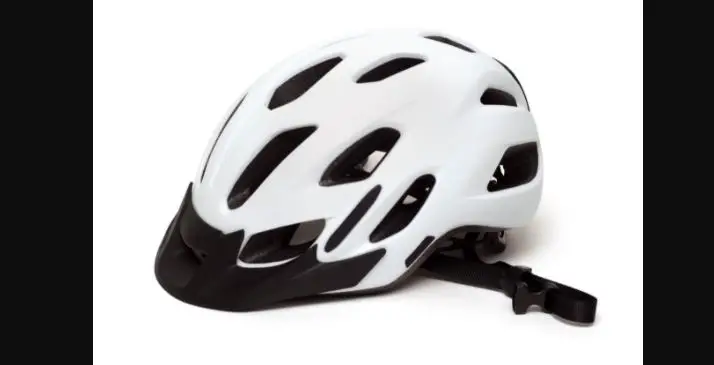
The Helmet BrimmerTM is an accessory designed to be installed on
specific Troxel helmet models. It enhances the helmet’s sun
protection by providing a visor extension. Please note that the
Helmet BrimmerTM cannot be used with the following helmets:
Terrain, Sport, Legacy, non-low profile Spirit, and all helmet
versions prior to 2014. It is also not suggested for use with the
ES model helmets.
Product Usage Instructions
- Select the appropriate size of the Helmet BrimmerTM based on
your Troxel helmet model and size. - Refer to the Helmet BrimmerTM Sizing Chart to determine if you
need size A or B. - Insert the helmet visor into the front pocket of the Helmet
BrimmerTM. - Push down the front of the Helmet BrimmerTM from the top side
until it touches the helmet visor. - Push down the rear of the Helmet BrimmerTM until it reaches a
distance of 1/4 – 1/2 from the center rear edge of the helmet. - Insert each plastic clip between the outer shell and liner of
the helmet. - Recheck the helmet fit with the installed Helmet BrimmerTM.
Ensure that the helmet is level on your head and check the fit and
straps to make sure the buckle is locked securely.
For more information, please visit TROXELHELMETS.COM.
INSERT-98
Helmet BrimmerTM Installation Instructions
STEP 1 Select Helmet BrimmerTM Size
Helmet BrimmerTM Sizing Chart
HELMET SIZE
XS S M L XL
SPIRIT TX FTX
A A A B N/A
DAKOTA REBEL INTREPID
N/A A A A B
FALLON TAYLOR LIBERTY
A A A A B
AVALON CHEYENNE SIERRA
N/A N/A N/A
A
A
A
A
B
A
A
B
A
N/A B
B
1. Locate the Troxel helmet model and size of the helmet you have on the chart above.
2. Refer to the size chart to determine if you need size A or B.
*Helmet BrimmerTM cannot be used with the following helmets: Terrain, Sport, Legacy, non-low profile Spirit and all helmet versions prior to 2014. **Not suggested for use with the ES model helmets.
STEP 2 Insert helmet visor into front. pocket of the Helmet BrimmerTM.
Visor Pocket
STEP 3
Push down the front of the Helmet BrimmerTM from the top side until the Helmet BrimmerTM touches the helmet visor.
STEP 4
Push down the rear of the Helmet BrimmerTM until you get to 1/4″ – 1/2″ distance from the center rear edge of the helmet.
1/4″ – 1/2″
STEP 5 Insert each plastic clip between the outer shell and liner of the helmet.
Clip Liner Outer Shell
STEP 6 Recheck helmet fit with the installed Helmet BrimmerTM. With the helmet level on your head, check the fit and straps to make sure the buckle is locked securely.
TROXELHELMETS.COM
INSERT-98
 Equestrian Riding Helmets - Troxel Helmets