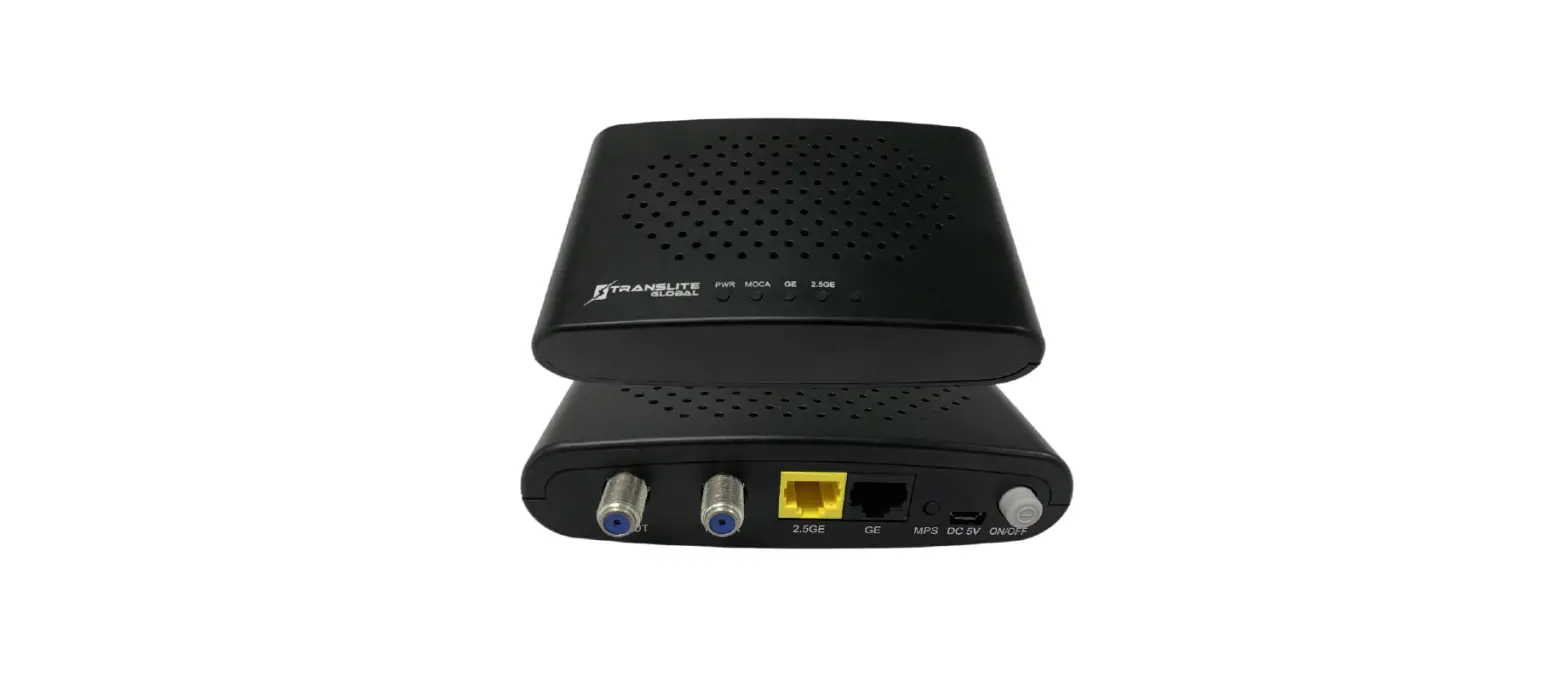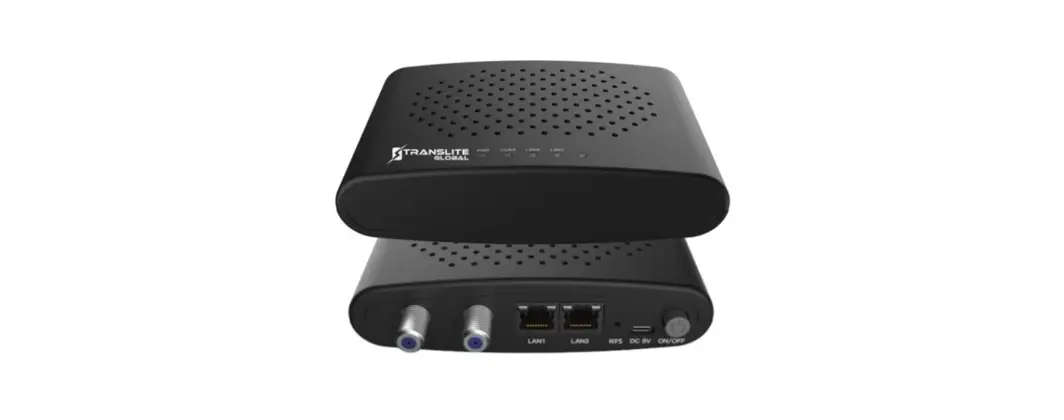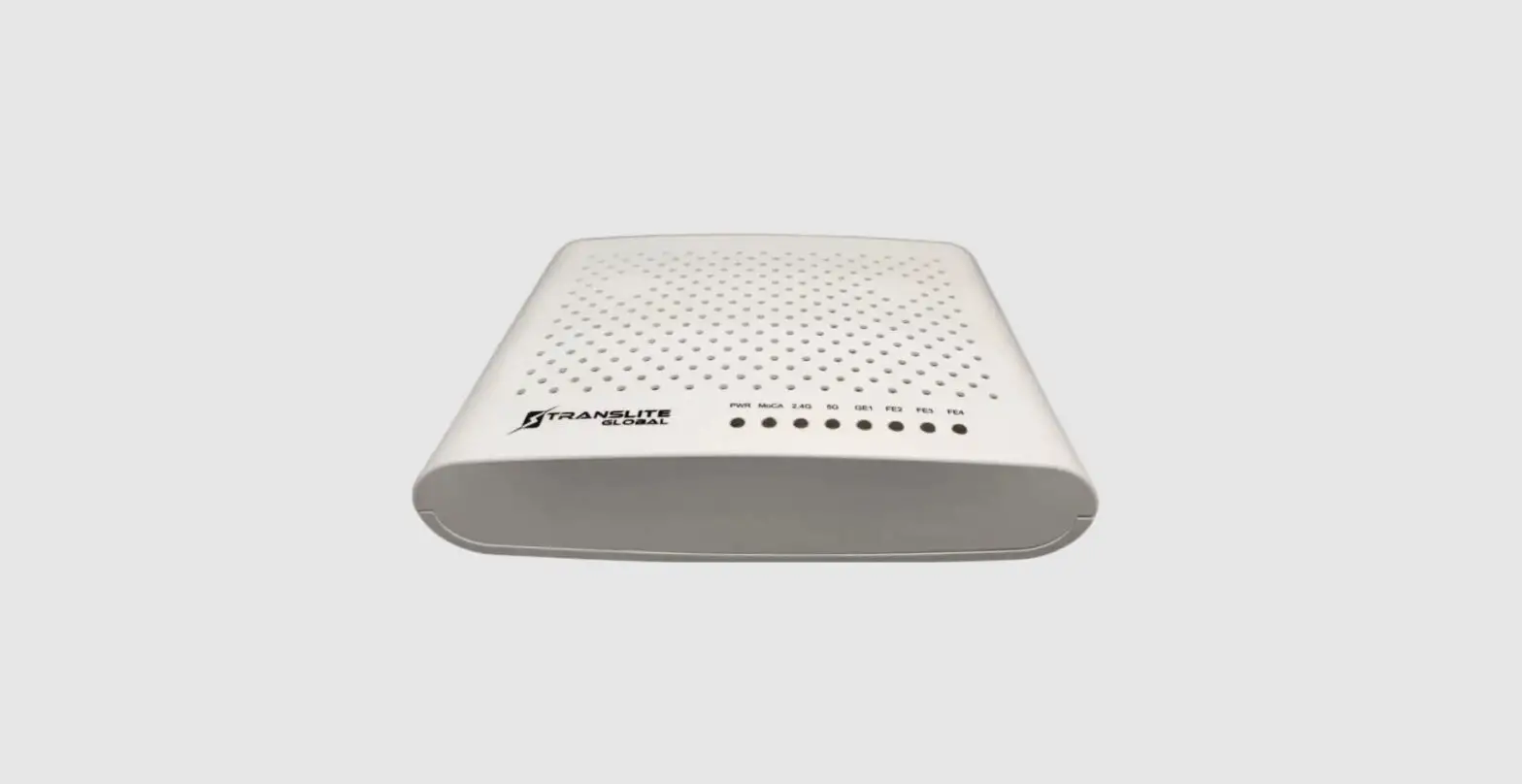

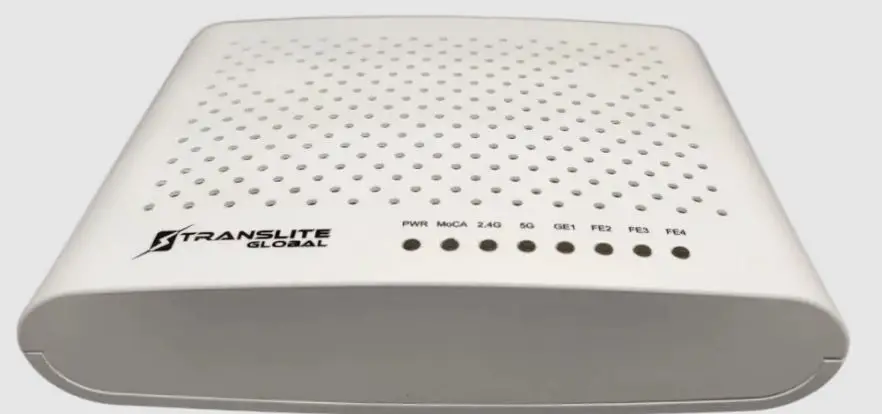
transliteglobal TL-9802 COAXIAL ETHERNET BRIDGE
DISCLAIMER
No part of this document may be reproduced in any form without the written permission of the copyright owner. The contents of this document are subject to revision without notice due to continued progress in methodology, design, and manufacturing. TRANSLITE GLOBAL LLC shall have no liability for any error or damage of any kind resulting from the use of this document.
COPY WARNING
This document includes some confidential information. Its usage is limited to the owners of the product that it is relevant to. It cannot be copied, modified, or translated in another language without prior written authorization from TRANSLITE GLOBAL LLC.
PRODUCT OVERVIEW
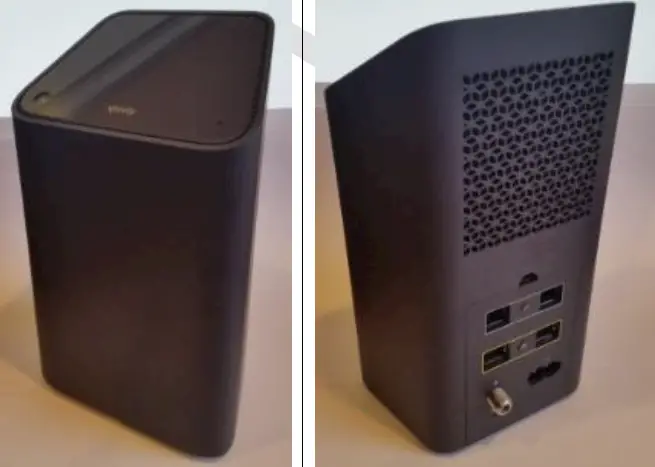
TL-9802 is a coaxial ethernet bridge that uses the G.hn technology and allows you to get data rates up to 2Gbps* over coaxial cable lines and IPTV transmission. It provides an affordable solution by making use of the existing coaxial cables that are already installed throughout many homes and businesses, to create a high-performance network connection that is both secure and reliable. It enables you to connect various multimedia devices like smart TV, consoles, computers, printers, etc., simultaneously to the network without interference for a seamless high-speed connection for streaming in HD, online gaming, downloading large files and much more. The data is kept highly secure and reliable with the 128-bit Advanced Encryption Standard (AES) encryption. A maximum of 16 devices can be connected in a network group.
KEY FEATURES
- Delivers high-speed Internet access through your existing coaxial wires.
- G.hn-compliant, ITU-T G.9960-compliant
- Up to 2Gbps (PHY rate) ultra-high-speed coaxial network
- Features 2 * GbE port
- Optional (for operators):
- TR-069/TR-181 remote management – QoS support
- G.hn, ITU-T G.9960/9961/9962/9963/9964 compliant
- G.hn frequency band: 2-200MHz*
- PHY rate: up to 2Gbps
- Support for home networking connectivity
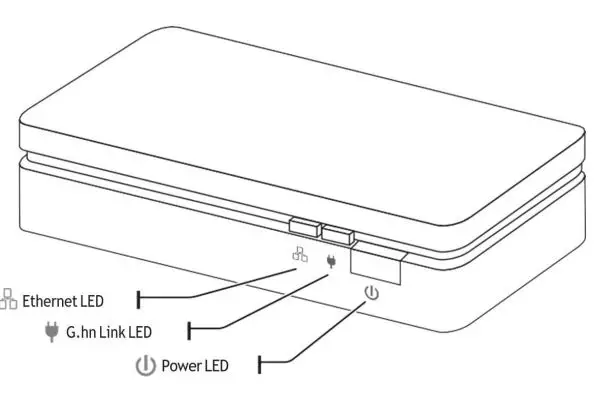
- G.hn LED*1, Ethernet LED*1, PWR LED*1
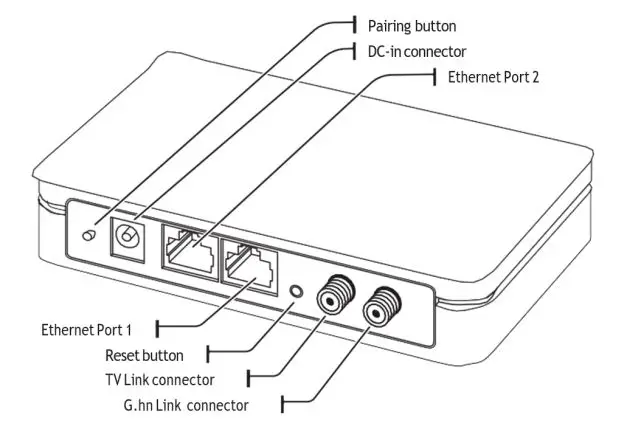
- RJ-45 GbE Port (Yellow) * 2
- Coaxial 75ohm F-type connector * 2
- One F-type connector for TV pass-through
- Diplexers (LP&HP) can be customized.
- (For satellite /TV signals frequency, it can be tuned up to 3GHz upon request.)
SPECIFICATIONS
| General Information | |
| Model No. | TL-9802 G.hn over coax Ethernet Bridge |
| Main Function | G.hn Coaxial Bridge GbE LAN port * 2 F-type connector* 2 LP + HP diplexer Built-in |
| Product Size | 130 x 80 x 25 mm |
| Features | |
| Main chipset | 88LX5153 |
| Installation | Desk-top |
| Adaptor Plug type | AC/DC Adaptor DC Jack in |
| LAN Standards | IEEE 802.3i (10 BASE-T), IEEE 802.3u (100 BASE-TX), IEEE 802.3ab (1000 BASE-T) |
| LAN port | 2 X GbE (Pantone Color: 114c or 109c) |
| Coaxial Connector | F-type |
| Input voltage | DC 12 V / 1A |
| Frequency Band | G.hn Coaxial 200MHz Hi-Pass Filter: 258 ~ 2000MHz |
|
PLC protocol | G.hn ITU-T G.9960 G.hn ITU-T G.9961 G.hn ITU-T G.9962 G.hn ITU-T G.9963 G.hn ITU-T G.9964 ITU-T G.9972 |
| MAC Access Methods | CSMA/CA, TDMA and CSMA |
| Group/Pairing | Press and hold pairing button for 3 seconds to enter into pairing mode Un-pair: press and hold pairing button for 5 seconds to un-pair |
| RESET | Press and hold for 10 seconds |
| LED | Power, G.hn, Ethernet |
| HGF | Compliant |
| MTBF | System: 300,000hrs (follow “Telcordia SR-322 Issue 3”) |
| Lifetime | Over 10,000 hours |
| HW SGMII interface | Auto |
| Access Methods | CSMA/CA, TDMA medium access protocols |
| Modulation | 1024/512/256/128/64/32/16/ 8-QAM, QPSK, BPSK |
| Max. devices in a networking Group | 16 for HN |
| Encryption | AES 128-bit encryption |
| IGMP Snooping | Supports IPv4 IGMP snooping and Ipv6 MLD. |
| TR-069 | N/ A |
| Mechanical | |
| Color | White |
| Adaptor | AC/DC Adaptor DC Jack in (DC12V/1A) 2.5mm |
| Pair button | X1 |
| RESET button | X1 |
| Giga RJ45 port | 2-port |
| RJ 45 port | X2 |
| LED | (Power, G.hn, Ethernet) |
| LED symbol | Power, G.hn, Ethernet |
| Housing print | 1. G.hn-Link 2. TV |
| 3. Reset 4. GETH-2 5. GETH-1 6. Power 7. Pair | |
| Regulation | |
| FCC, ICES report | Compliant |
| CE-EMC, CE-LVD report | Compliant |
| ROHS | Compliant |
| WEEE | Compliant |
| HGF | Compliant |
| Temperature | Operating: -10 ~ 40°C Storage: -20 ~ 70°C |
| Relative Humidity | Operating: 10~85% Non-Condensing Storage: 5~90% Non-Condensing |
HARDWARE INSTALLATION
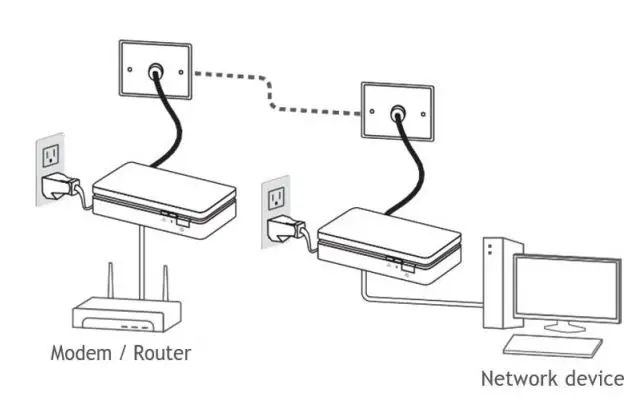
Step 1: Plug a Coaxial Bridge into an AC outlet using the AC adapter provided. Use a coaxial cable to connect its F-connector to a wall’s coaxial connector. Then use an Ethernet cable to connect the Bridge to a router or modem.
Step 2: Plug another Coaxial Bridge into another AC outlet using the AC adapter provided. Use a coaxial cable to connect its F-connector to the wall’s coaxial connector. Then use an Ethernet cable to connect it to any network device such as a streaming box, smart TV, or gaming console.
PAIRING TWO BRIDGES
Users can easily create a G.hn network—simply press the Pairing buttons on the Bridges in the proper order to “pair” them together. To set up the network, follow the steps below
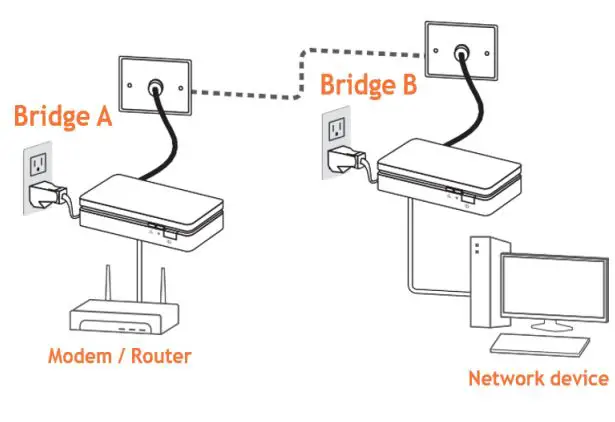
Step 1: Verify the Power LED initial state on both Bridges is solid green. The G.hn Link LED is off when a TL-9802 Coaxial Bridge does not have a secured link to a G.hn network.
Step 2: Press and hold the Pairing button on Bridge A for 3 seconds (refer to the image above) until its G.hn Link LED starts blinking amber.
Step 3: Press and hold the Pairing button on Bridge B for 3 seconds until its G.hn Link LED starts blinking amber.
Step 4: When a Bridge has paired to a network, its G.hn Link LED will be solid amber.
Note: The G.hn LED of Bridge A will continue to blink for approx. 120 seconds. During that time, you may add more bridges to the network by repeating Steps 1–4 above.
UNPAIRING/REMOVING A DEVICE FROM THE G.hn NETWORK
Step 1: Press and hold the Reset button (inside the pinhole) of the unit for 5 seconds until all its LEDs turn off for 0.5 seconds and then turn back on.
Step 2: The G.hn Link LED will then blink once in amber, then turn off.
APPENDIX
LED BEHAVIOUR
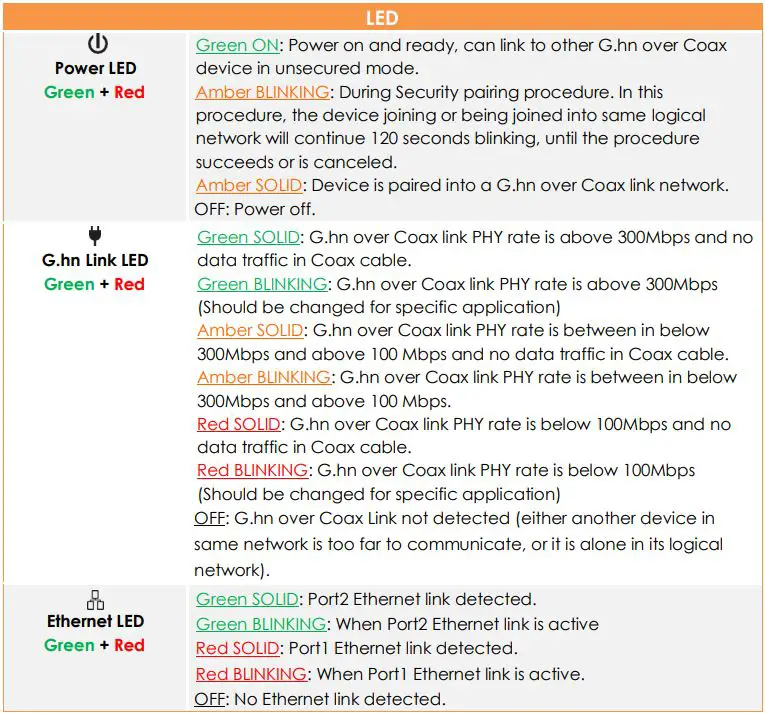
PUSH-BUTTON BEHAVIOUR
| Buttons | |
| Security | The pairing of two units to establish a network Step 1: Initial state Power LED is solid green. Step 2: Press and hold the Pair Button (3 secs) of unit A until the Power LED starts blinking in Amber. Step 3: Press and hold the Pair Button (3 secs) of unit B until the Power LED starts blinking in Amber. Step 4: The Power LED of the two units should be solid Amber. Note: The Power LED of unit A shall continue to blink for ~120 seconds. During that time, it is possible to add more new devices to the network by repeating steps 3 and step 4. |
| Reset (inside the needle pinhole) | Removing a device from a secured network (Un-Pairing) Step 1: Press and hold the Reset Button (pinhole) of the unit for 10 seconds until all LEDs blink once. (Turn off for 1 second and then turn it on) Step 2: The Power LED of the unit should be solid green and the G.hn link LEDs should be off. (May take 2 seconds after the above blink) |
For Support
- North America: [email protected]
- Asia: [email protected]
- Rest Of The World: [email protected]