 SafetyNet APP
User Manual
WARNING: Do not self-diagnose or self-medicate on the basis of the measurements. Always consult your doctor.
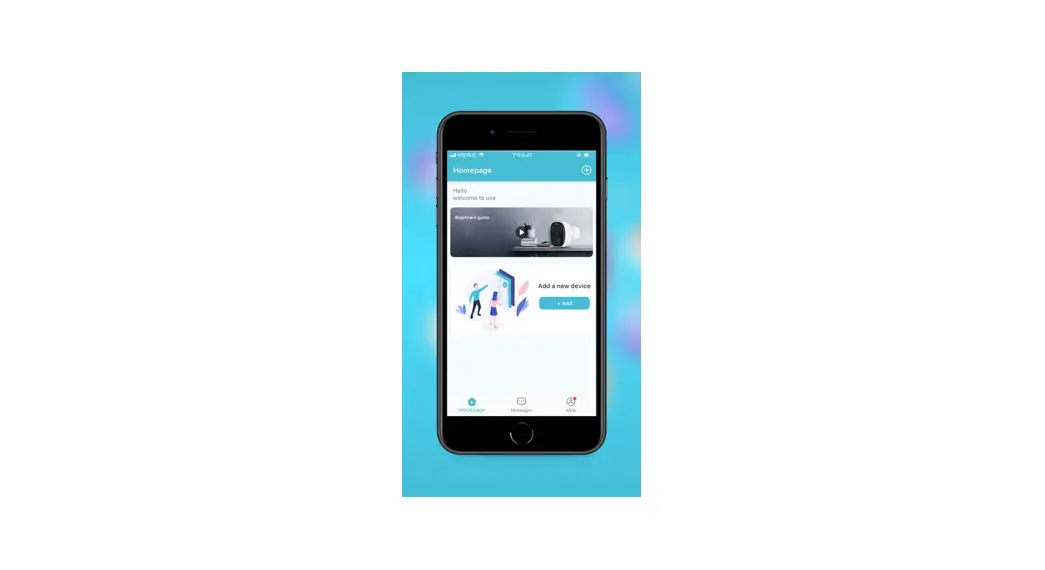
- Download and install the Masimo SafetyNet App from:
Google Play The App Store
- Launch the app and follow the step-by-step instructions to create an account, engage in a shared CareProgram™, and begin collecting and sharing data.
For further assistance or questions visit: www.masimo.com/masimo-safetynet
Log In, Sign Up, Location, Notifications
Sign Up
- Sign up for an account using an email address or phone number.
- If you received a CareProgram from a health provider, you must sign in with the email or phone number used to send your invitation.
Ensure Location and Notifications are allowed for proper app function.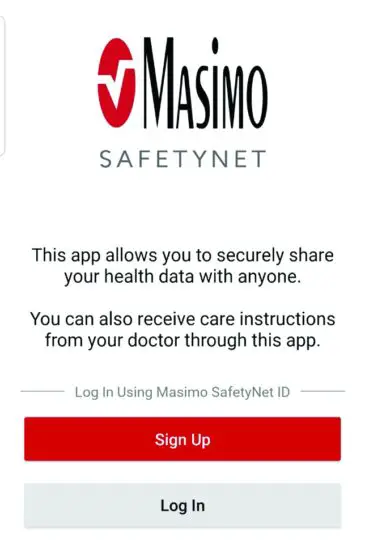
Health Permissions (iOS Only)
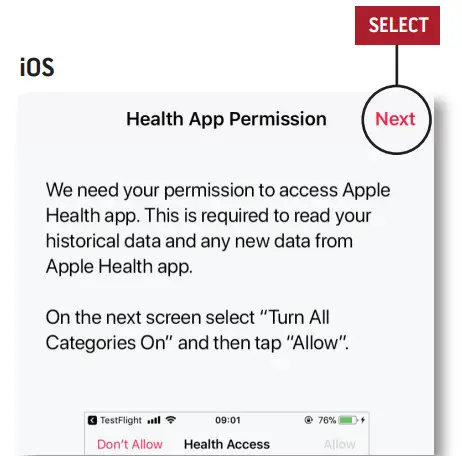
Follow the on-screen instructions:
To allow Masimo SafetyNet to access and gather health data from the device.
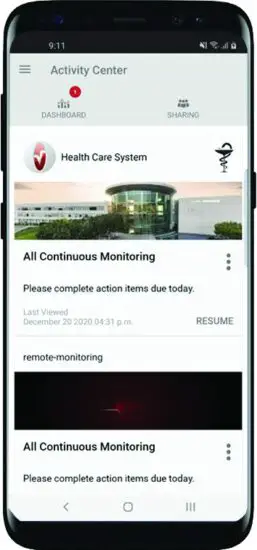
Activity Center
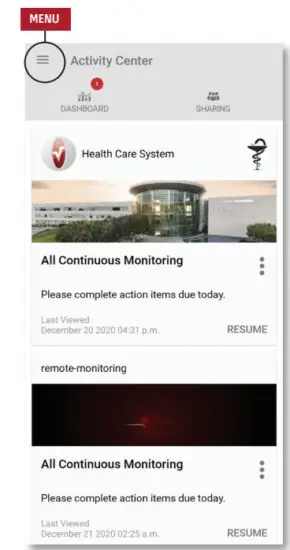
Menu
- View the App Menu.
Dashboard
- View the Dashboard screen, which shows the user’s health data.
- View health data shared by other users.
Sharing
- Displays the healthcare providers, caregivers, and family members with whom the user is currently sharing data.
- Share data with another healthcare provider, caregiver, or family member.
care program
- Allows users to view or delete a care program.
- The Menu can also be viewed by swiping across the screen from left to right.
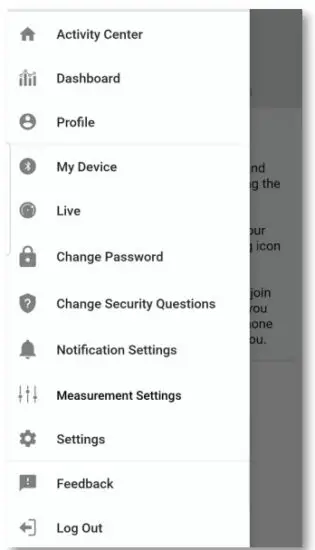
| > Activity Center • Activity Center screen. > Dashboard • Dashboard screen. > Profile • User profile information. • Modify the profile information. > My Device • Add a device for monitoring. > Live • View data from the connected device. > Change Password/Change Security Questions • Change the password and/or security questions. | > Notification Settings • Change the app notification and reminder settings. > Measurement Settings • Change the units of measurement. > Settings • Display user ID. • Enable or disable Touch ID or Face ID to log into the app. • App information. > Feedback • Send an email to Masimo SafetyNet support. > Log Out • Log out of the App. |
CareProgram
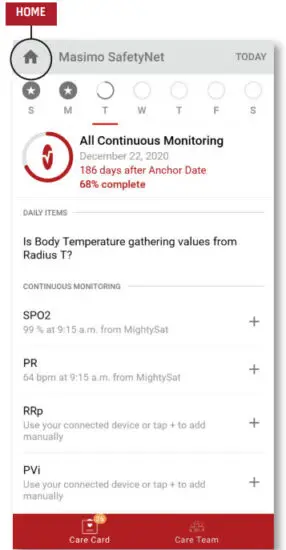
Care Card
- View Care Card data.
Home
- Return to the Activity Center.
Learn
- Located at the bottom of the care program, view additional information provided by a caregiver.
Care Team
- View the list of shared healthcare providers, caregivers, and family members.
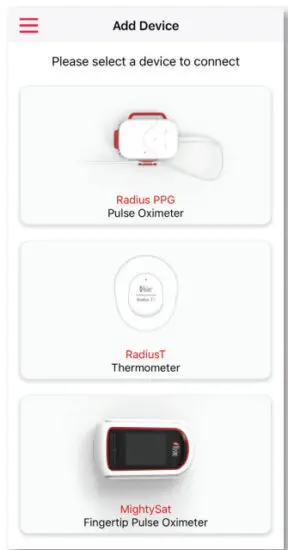
Add Device
Pair a Device
- Select a sensor or device to pair and follow the on-screen instructions.
- Refer to the sensor or device user’s manual for additional information.
If a sensor becomes disconnected, a notification displays. Follow the troubleshooting steps.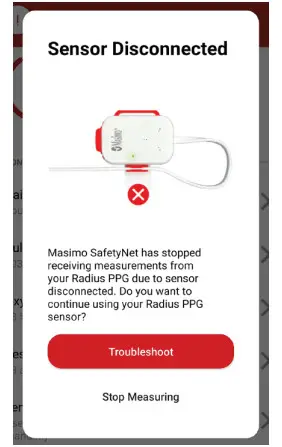
Dashboard
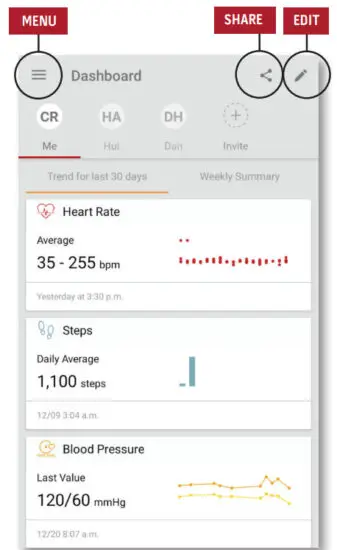
Invite
- Invite others to share information through the app.
Share
- Displays healthcare providers, caregivers, and family members with whom the user is currently sharing data.
Edit
- Rearrange data on the Dashboard.
View data for the last 30 days or a weekly summary.
Select a parameter card to view trends, date ranges, and additional data.
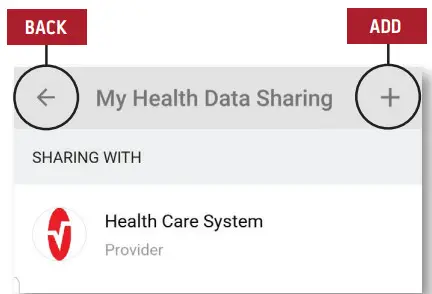
Displays the list of shared healthcare providers, caregivers, and family members.
Add
- Add contact to share with.
Swipe a shared individual to remove or edit privileges.
Live View
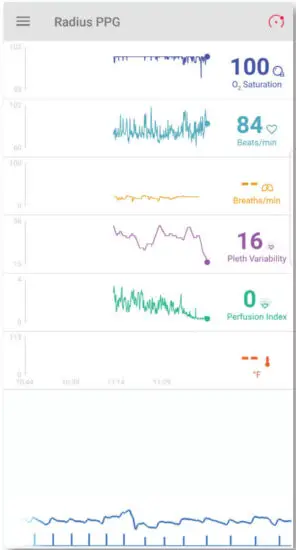
Live Data
- Displays the live trend view from the connected device.
History
- Display an hour’s worth of historical data.
Shared users have access to view live data.
300212/LAB-10206D-1221
Masimo Corporation
52 Discovery
Irvine, CA 92618
USA
www.masimo.com
 Masimo - Home