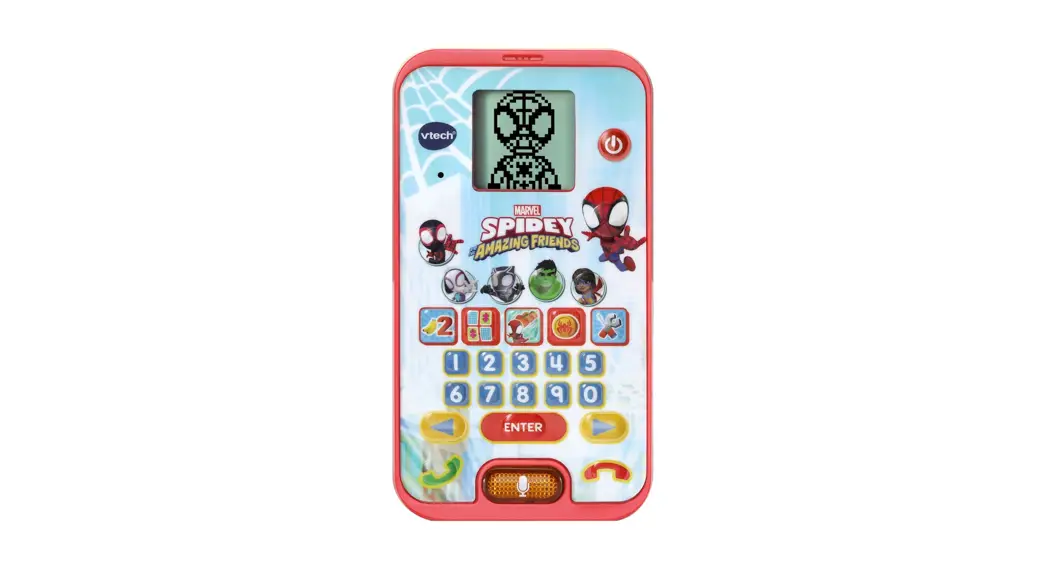

 224696 Spidey Learning Phone
Instruction Manual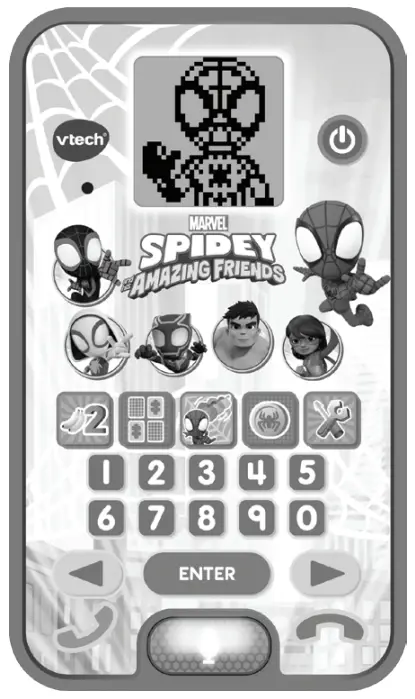
Instruction Manual
Spidey Learning Phone
224696 Spidey Learning Phone
VTech understands that a child’s needs and abilities change as they grow and with that in mind we develop our toys to teach and entertain at just the right level…
| VTech Baby Toys that will stimulate their interest in different textures, sounds and colors | Pre- School Interactive toys to develop their imagination and encourage language development | Electronic learning computers Cool, aspirational and inspiring computers for curriculum-related learning |
| _responding to colors, sounds, and textures …understanding cause and effect ….learning to touch, reach, grasp, sit up, crawl and toddle | I want… to get ready for school by starting to learn the alphabet and counting …my learning to be as fun, easy and exciting as can be …to show my creativity with drawing and music so my whole brain develops | I need… challenging activities that can keep pace with my growing mind …intelligent technology that adapts to my level of learning …National Curriculum based content to support what I’m learning at school |
 | ||
To learn more about this and other VTech® products, visit www.vtech.co.uk
INTRODUCTION
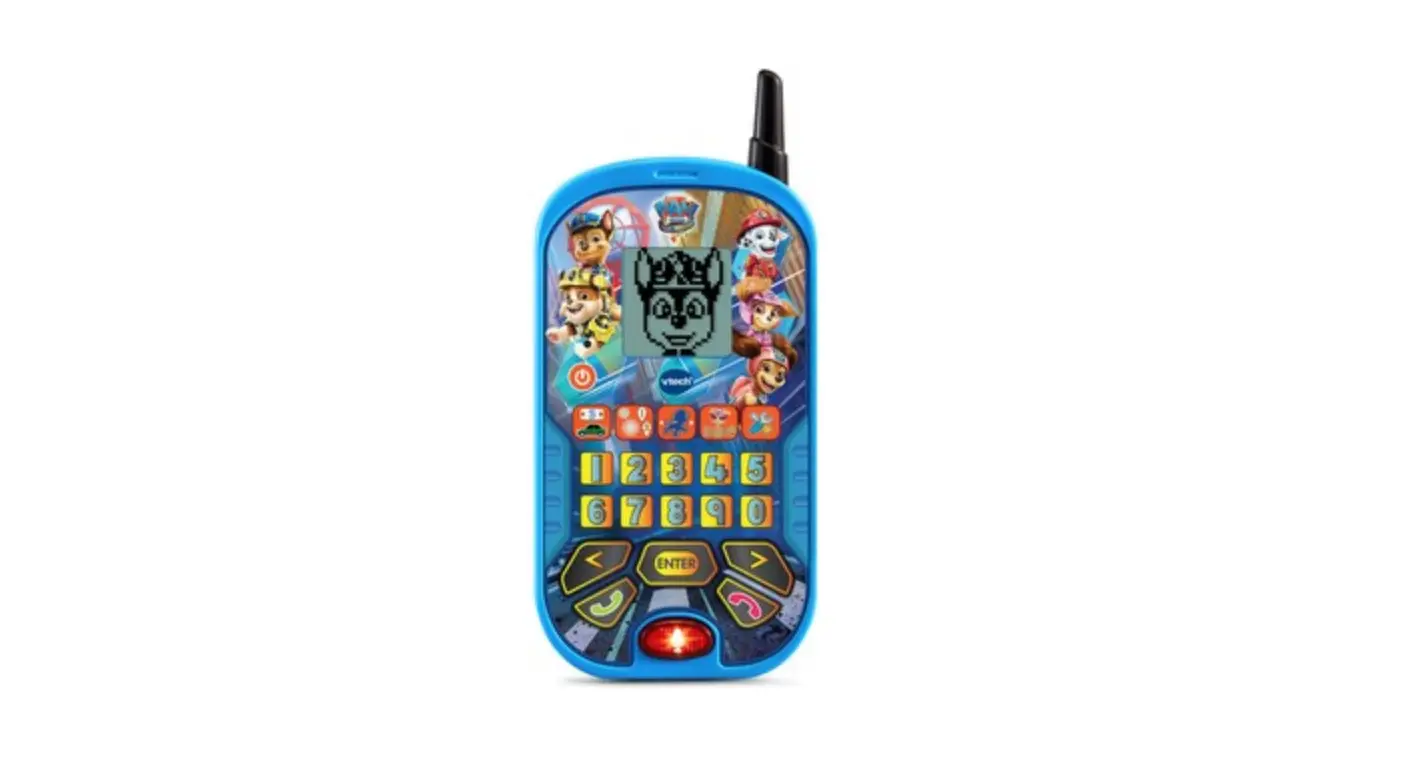
Thank you for purchasing the Spidey Learning Phone. The Spidey Learning Phone includes 6 exciting activities and features that help to test your skill with counting, memory, matching, and more! You can also receive fun virtual voice messages from Spidey, and use voice-activated play to make role-play phone calls!
INCLUDED IN THIS PACKAGE
- One Spidey Learning Phone
- One Instruction Manual
WARNING: All packing materials such as tape, plastic sheets, packaging locks, removable tags, cable ties, cords and packaging screws are not part of this toy and should be discarded for your child’s safety.
NOTE: Please save this Instruction Manual as it contains important information.
Removing the packaging locks: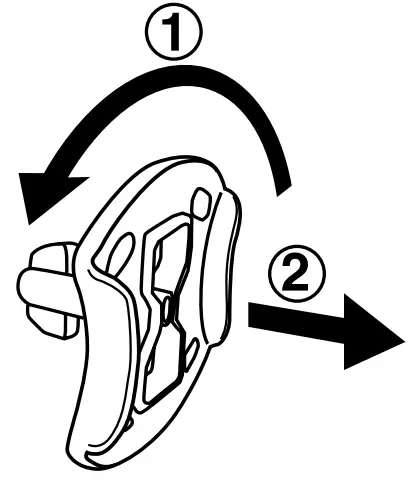
- Rotate the packaging locks 90 degrees anti-clockwise
- Pull out the packaging locks.
GETTING STARTED
BATTERY REMOVAL AND INSTALLATION
- Make sure the unit is OFF.
- Locate the battery cover on the back of the unit. Use a screwdriver to loosen the screw.
- If used batteries are present, remove these batteries from the unit by pulling them up on one end of each battery.

- Install 2 new `AA’ (AM-4/LR03) batteries following the diagram inside the battery box. (For best performance, alkaline batteries or fully charged Ni-MH rechargeable batteries are recommended).
- Replace the battery cover and tighten the screw to secure it.
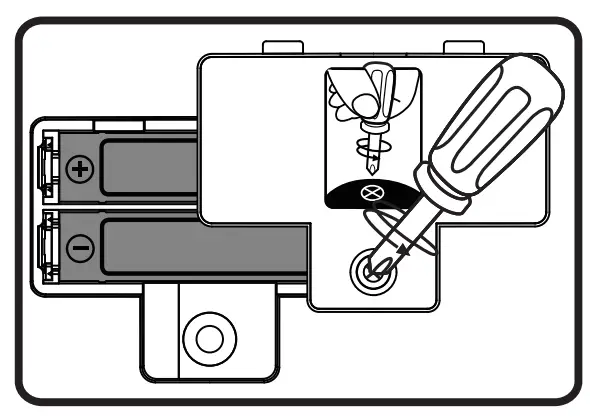
WARNING: Adult assembly is required for battery installation. Keep batteries out of reach of children.
IMPORTANT: BATTERY INFORMATION
- Insert batteries with the correct polarity (+ and -).
- Do not mix old and new batteries.
- Do not mix alkaline, standard (carbon-zinc), or rechargeable batteries.
- Only batteries of the same or equivalent type as recommended are to be used.
- Do not short-circuit the supply terminals.
- Remove batteries during long periods of non-use.
- Remove exhausted batteries from the toy.
- Dispose of batteries safely. Do not dispose of batteries in a fire.
RECHARGEABLE BATTERIES:
- Remove rechargeable batteries from the toy before charging
- Rechargeable batteries are only to be charged under adult supervision.
- Do not charge non-rechargeable batteries.
Disposal of batteries and product The crossed-out wheelie bin symbols on products and batteries, or on their respective packaging, indicates they must not be disposed of in domestic waste as they contain substances that can be damaging to the environment and human health.
The chemical symbols Hg, Cd, or Pb, where marked, indicate that the battery contains more than the specified value of mercury (Hg), cadmium (Cd) or lead (Pb) set out in the Batteries and Accumulators Regulation. The solid bar indicates that the product was placed on the market after 13th August 2005. Help protect the environment by disposing of your product or batteries responsibly.
VTech® cares for the planet.
Care for the environment and give your toy a second life by disposing of it at a small electrical collection point so all its materials can be recycled.
In the UK: Visit www.recyclenow.com to see a list of collection points near you.
In Australia & New Zealand: Check with your local council for kerbside collections.
PRODUCT FEATURES
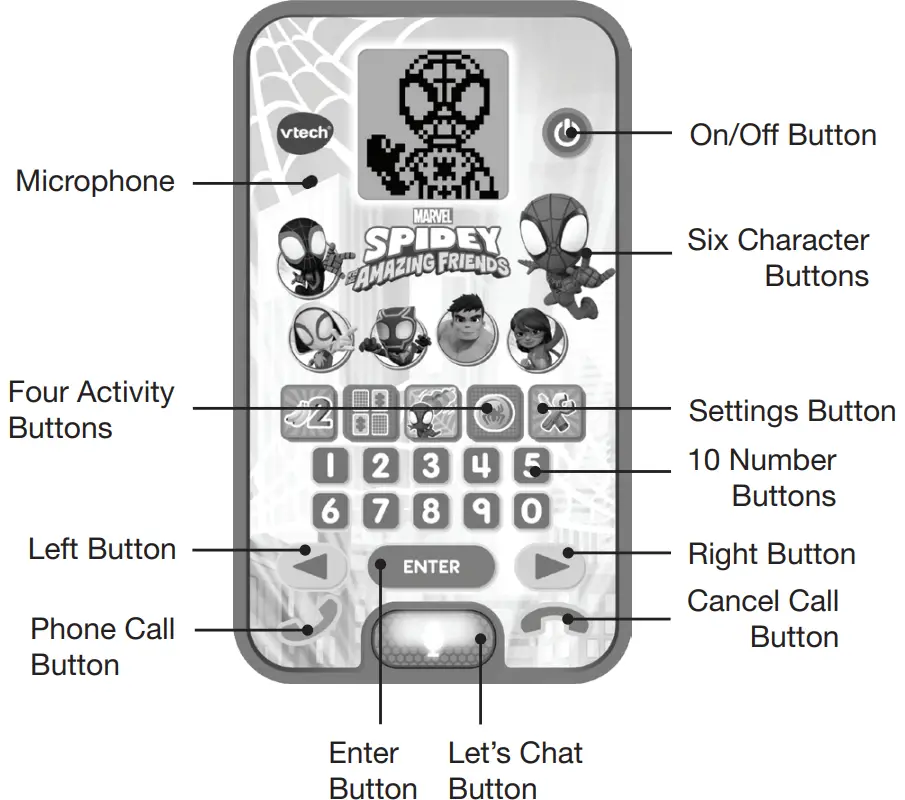
- On/Off Button

To turn the unit on, press the On/Off Button. Press the On/Off Button again to turn the unit off. - Character Buttons
 Press one of the six Character Buttons (Spin, Ghost-Spider, Black Panther, Hulk, Ms. Marvel or Spidey) to hear about the Spidey team and view their fun animations.
 - Activity Buttons
 Press the Activity Buttons directly to play one of the four activities.
 - Settings Button
 Press the Settings Button to turn background music on/off, adjust screen contrast, or select a ringtone.
 - Number Buttons
 Press the Number Buttons to learn numbers or to answer number-related questions.
 - Let’s Chat Button

Press the Let’s Chat Button to enter the Let’s Chat activity. This activity uses the voice activation feature. The LED will light up when the button is activated. - Enter Button

Press the Enter Button to confirm your choice. - Left/Right Buttons

Press the Left/Right Buttons to make a selection in activities or menus. - Phone Call Button

Press the Phone Call Button to make role-play calls to the Spidey Team. You will hear the phone ringing and will then be able to leave a virtual voice message. - Cancel Call Button

Press the Cancel Call Button at any time to exit the current activity. - Microphone
The Microphone is used for the voice activation feature. The suggested distance to keep between the Microphone and your mouth is about 10-12cm. - Automatic Shut Off
To preserve battery life, the Spidey Learning Phone will automatically turn off after several minutes of inactivity. The unit can be turned on again by pressing the On/Off Button. The unit will also automatically turn off when the batteries are very low. A warning will be displayed on the screen as a reminder to change the batteries.

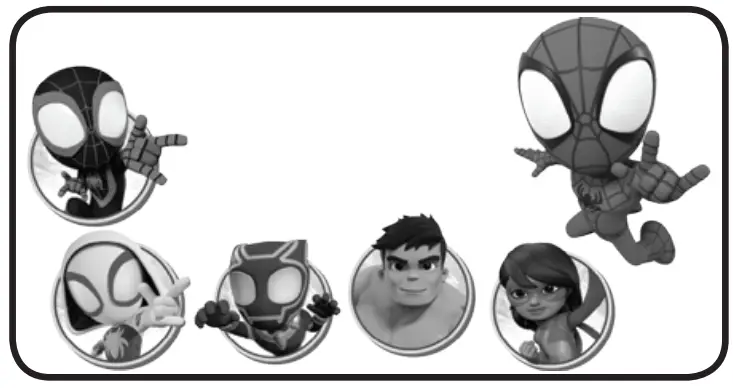 Press one of the six Character Buttons (Spin, Ghost-Spider, Black Panther, Hulk, Ms. Marvel or Spidey) to hear about the Spidey team and view their fun animations.
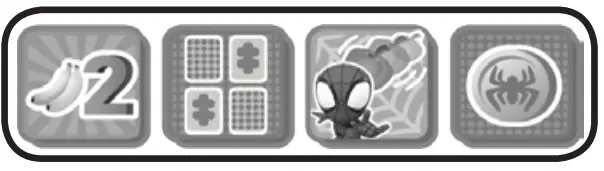 Press the Activity Buttons directly to play one of the four activities.
 Press the Settings Button to turn background music on/off, adjust screen contrast, or select a ringtone.
 Press the Number Buttons to learn numbers or to answer number-related questions.




NOTE: If the unit powers down while playing, we suggest changing the batteries.
ACTIVITIES
- Voice Message
Press any of the six Character Buttons (Spin, Ghost-Spider, Black Panther, Hulk, Ms. Marvel or Spidey) on the phone to play an animation of that character with a brief introduction or to play some fun phrases related to the characters. - Count Bananas
 Spidey and Ms. Marvel try to toss some bananas to lure and catch the monkeys. Count how many bananas there are. Press a Number Button to answer, or press the Left or Right Button to choose, then press the Enter Button to confirm.
 - Matching Pairs
 Spin sneaks into Doc Ock’s secret hideout to stop her evil plan. Help Miles match the simple patterns or numbers to deactivate the security lasers and defeat Doc Ock. Press the Left or Right Button to choose, then Press the Enter Button to confirm.
 - Avoid the Pumpkins
 Help Spidey avoid the pumpkins as he pursues Green Goblin. Press the Left or Right Button to avoid the pumpkins. Then blow into the Microphone to make bubbles Spidey can use to flip Green Goblin’s glider!
 - Matching Coins
 Help Ghost-Spider find the matching coins to track down Rhino. Press the Left or Right Button to choose, then press the Enter Button to confirm.
 - Settings
 Press the Settings Button to turn background music on/off, adjust screen contrast, or choose one of the five ringtones.
 - Let’s Chat
 Let’s call Spidey! Press the Let’s Chat Button to auto-dial the Spidey Webquarters’ virtual phone number. After the ringtone, the narrator will ask some fun questions. Speak into the Microphone to answer.
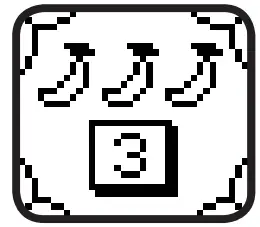 Spidey and Ms. Marvel try to toss some bananas to lure and catch the monkeys. Count how many bananas there are. Press a Number Button to answer, or press the Left or Right Button to choose, then press the Enter Button to confirm.
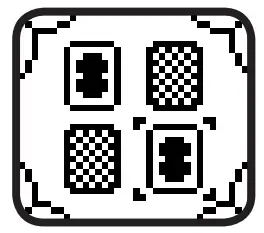 Spin sneaks into Doc Ock’s secret hideout to stop her evil plan. Help Miles match the simple patterns or numbers to deactivate the security lasers and defeat Doc Ock. Press the Left or Right Button to choose, then Press the Enter Button to confirm.
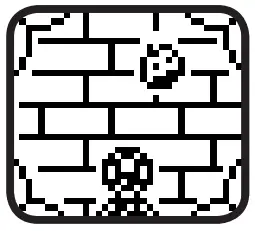 Help Spidey avoid the pumpkins as he pursues Green Goblin. Press the Left or Right Button to avoid the pumpkins. Then blow into the Microphone to make bubbles Spidey can use to flip Green Goblin’s glider!
 Help Ghost-Spider find the matching coins to track down Rhino. Press the Left or Right Button to choose, then press the Enter Button to confirm.
 Press the Settings Button to turn background music on/off, adjust screen contrast, or choose one of the five ringtones.
 Let’s call Spidey! Press the Let’s Chat Button to auto-dial the Spidey Webquarters’ virtual phone number. After the ringtone, the narrator will ask some fun questions. Speak into the Microphone to answer.
CARE & MAINTENANCE
- Keep the unit clean by wiping it with a slightly damp cloth.
- Keep the unit out of direct sunlight and away from any direct heat sources.
- Remove the batteries when the unit is not in use for an extended period of time.
- Do not drop the unit on a hard surface and do not expose the unit to excess moisture.
TROUBLESHOOTING
If for some reason the program/activity stops working, then please follow these steps:
- Turn the unit OFF.
- Interrupt the power supply by removing the batteries.
- Let the unit stand for a few minutes, then replace the batteries.
- Turn the unit back ON. The unit will now be ready to play with again.
- If the unit still does not work, install a brand-new set of batteries.
CONSUMER SERVICES
Creating and developing VTech® products is accompanied by a responsibility that we at VTech® take very seriously. We make every effort to ensure the accuracy of the information, which forms the value of our products. However, errors sometimes can occur. It is important for you to know that we stand behind our products and encourage you to call our Consumer Services Department with any problems and/or suggestions that you might have. A service representative will be happy to help you.
UK Customers:
Phone: 0330 678 0149 (from UK) or +44 330 678 0149 (outside UK)
Website: www.vtech.co.uk/support
Australian Customers:
Phone: 1800 862 155
Website: support.vtech.com.au
NZ Customers:
Phone: 0800 400 785
Website: support.vtech.com.au
PRODUCT WARRANTY/ CONSUMER GUARANTEES
UK Customers:
Read our complete warranty policy online at vtech.co.uk/warranty.
Australian Customers:
VTECH ELECTRONICS (AUSTRALIA) PTY LIMITED CONSUMER GUARANTEES
Under the Australian Consumer Law, a number of consumer guarantees apply to goods and services supplied by VTech
Electronics (Australia) Pty Limited. Please refer to vtech.com.au/consumerguarantees for further information.
Visit our website for more information about our products, downloads, resources and more.
www.vtech.co.uk
www.vtech.com.au
TM & © 2022 VTech Holdings Limited.
All rights reserved. IM-5544000-000 Version:0
References
 Support : VTech Electronics
 Electronic Learning Toys | Best Learning Toys | VTech UK
-
VTech Toys Australia - Electronic Learning Toys - Best Learning Toys - VTech Australia and New Zealand
-
Recycle Now
-
Electronic Learning Toys | Best Learning Toys | VTech UK
-
Electronic Learning Toys | Best Learning Toys | VTech UK
-
VTech Toys Australia - Electronic Learning Toys - Best Learning Toys - VTech Australia and New Zealand
 Support : VTech Electronics
 Electronic Learning Toys | Best Learning Toys | VTech UK
 VTech Toys Australia - Electronic Learning Toys - Best Learning Toys - VTech Australia and New Zealand
 Recycle Now
 Electronic Learning Toys | Best Learning Toys | VTech UK
 VTech Toys Australia - Electronic Learning Toys - Best Learning Toys - VTech Australia and New Zealand