C8 Smart Terminal
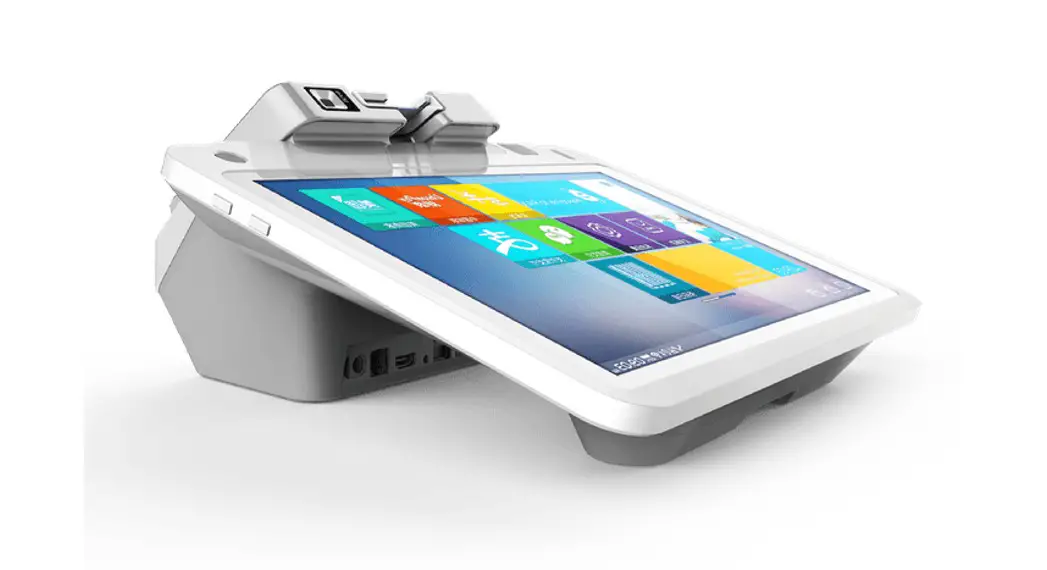
Product Information: C8 Smart Cash Register
The C8 Smart Cash Register is an advanced point-of-sale device
that can process transactions and provide business insights. The
device comes with a 15.6-inch main display, a 10.1-inch customer
display, and a variety of peripheral ports for connecting
accessories. It runs on a dual-core 1.8GHz + quad-core 1.4GHz
processor and supports Android 11 or above operating system. The
device has 2GB DDR memory and 16GB eMMC storage, with an external
TF card slot for expanding storage capacity. It also has a
single-lens camera (with optional dual-lens or 3D depth sensing
camera), WiFi/Bluetooth connectivity, and support for smart card
and contactless card readers (optional). The device comes with a
power adapter and user guide.
TF Card Installation
- Take out the back cover of the device to access the card
sockets. - Insert the TF card into the card slot according to the
direction indicated. - Close the back cover.
Wire Trimming
- Pull the back cover up from the bottom groove.
- Thread the wire through the threading hole from below to the
corresponding interface under the main screen. - Align the top three clasps of the cover with the column clasps,
and then press down the cover.
Power On
- Connect the power supply to the device.
- Press the power button to turn on the terminal.
Note: Before using the device, ensure that all the accessories
are included in the package. If you have any problems, please
contact the services provider or distributors. Any changes or
modifications not expressly approved by the party responsible for
compliance could void the user’s authority to operate the
equipment.
This device complies with part 15 of the FCC Rules. Operation is
subject to the following two conditions: (1) This device may not
cause harmful interference, and (2) this device must accept any
interference received, including interference that may cause
undesired operation. To reduce the risk of interference, try the
following:
- Reorient or relocate the receiving antenna.
- Increase the separation between the equipment and
receiver. - Connect the equipment into an outlet on a circuit different
from that to which the receiver is connected. - Consult the dealer or an experienced radio/TV technician for
help.
This equipment complies with FCC radiation exposure limits set
forth for an uncontrolled environment. This equipment should be
installed and operated with minimum distance 20cm between the
radiator and your body. This transmitter must not be co-located or
operating in conjunction with any other antenna or transmitter.
TF Card Installation
1. Take out the back cover, and the card sockets will be shown. 2. Insert the TF card into the card slot according to the direction shown, and finally close the cover.
Specification
Processor OS
Dual-Core 1.8GHz + Quad-Core 1.4GHz or above Android 11 or above
Memory
2GB DDR, 16GB eMMC, Ext. TF card slot
Display
Main Display: 15.6-inch, 1920*1080 Customer Display: 10.1-inch, 1280*800 or above
Single-lens Camera Camera (Optional) Dual-lens Camera
3D Depth Sensing Camera
Communications WiFi/Bluetooth
Smart Card Reader (Optional)
Support
Contactless Card Reader(Optional)
Peripheral Ports
Audio Power Supply Others
Environmental
MDM (Optional)
ISO14443 Type A/B, Mifare
4 USB, 1 Micro USB, 1 RJ11, 1 RJ12, 1 RJ45, 1 Audio Jack Digital Audio Speaker 12V/3A 1 Power Key
Operating temperature: -5 ~ 45 Storage temperature: -25 ~ 60 Mobile Device Management
Accessories
Main Device Power Adapter User Guide
1 Set 1 Piece 1 Volume
Before using the device, ensure that all the accessories above are included in the package.
If you have any problems, please contact the services provider of the distributors.
C8
Smart Cash Register
Brief Introduction
Main Display Power Button
TF Card Micro USB Peripheral Ports
I/O interface
Customer Display
Wire Trimming
1. Pull the back cover up from the bottom groove.
3. Align the top three clasps of the cover with the column clasps, and then press down the cover.
Power On
1. Connect the power supply and press the power button to burn on the terminal.
2. Thread the wire through the threading hole from below to the corresponding interface under the main screen.
DC Port
RJ12
Audio Jack
RJ45 USB Port
RJ11
Any Changes or modifications not expressly approved by the party responsible for compliance could void the user’s authority to operate the equipment.
This device complies with part 15 of the FCC Rules. Operation is subject to the following two conditions: (1) This device may not cause harmful interference, and (2) this device must accept any interference received, including interference that may cause undesired operation.
Note: This equipment has been tested and found to comply with the limits for a Class B digital device, pursuant to part 15 of the FCC Rules. These limits are designed to provide reasonable protection against harmful interference in a residential installation. This equipment generates, uses and can radiate radio frequency energy and, if not installed and used in accordance with the instructions, may cause harmful interference to radio communications. However, there is no guarantee that interference will not occur in a particular installation. If this equipment does cause harmful interference to radio or television reception, which can be determined by turning the equipment off and on, the user is encouraged to try to correct the interference by one or more of the following measures:
–Reorient or relocate the receiving antenna. –Increase the separation between the equipment and receiver. –Connect the equipment into an outlet on a circuit different from that to which the receiver is connected. –Consult the dealer or an experienced radio/TV technician for help.
This equipment complies with FCC radiation exposure limits set forth for an uncontrolled environment. This equipment should be installed and operated with minimum distance 20cm between the radiator& your body.
This transmitter must not be co-located or operating in conjunction with any other antenna or transmitter.