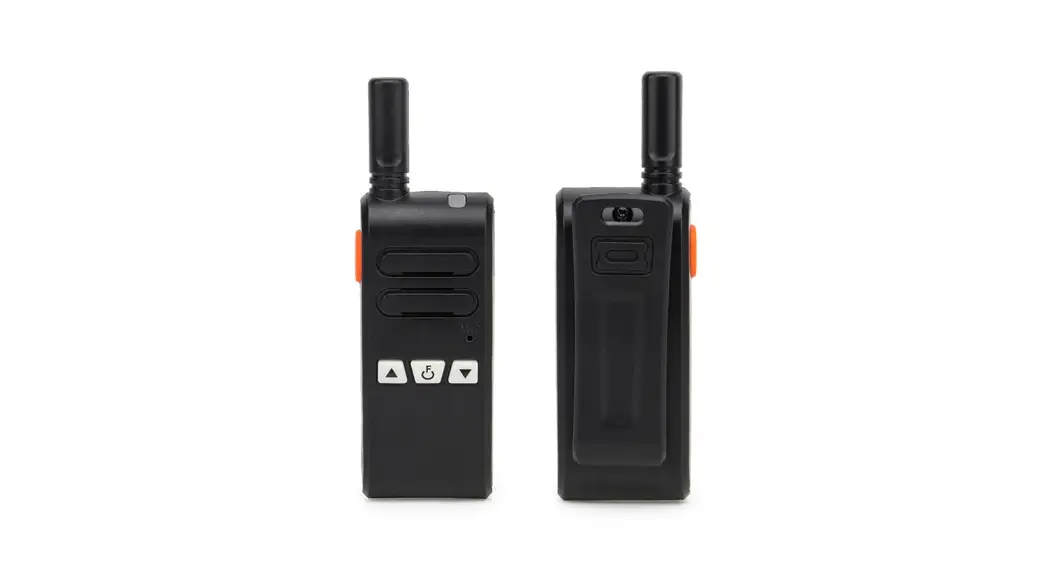
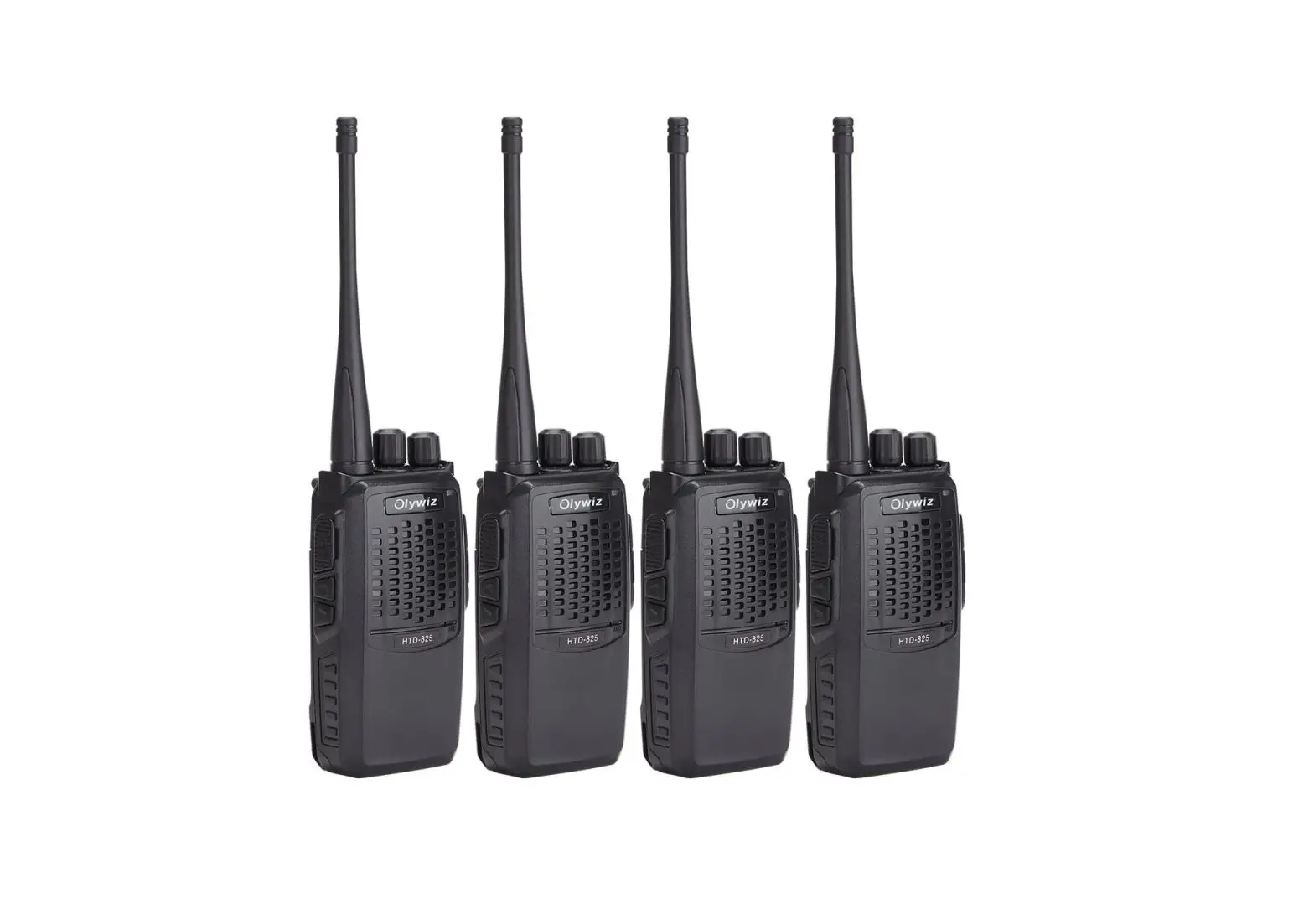
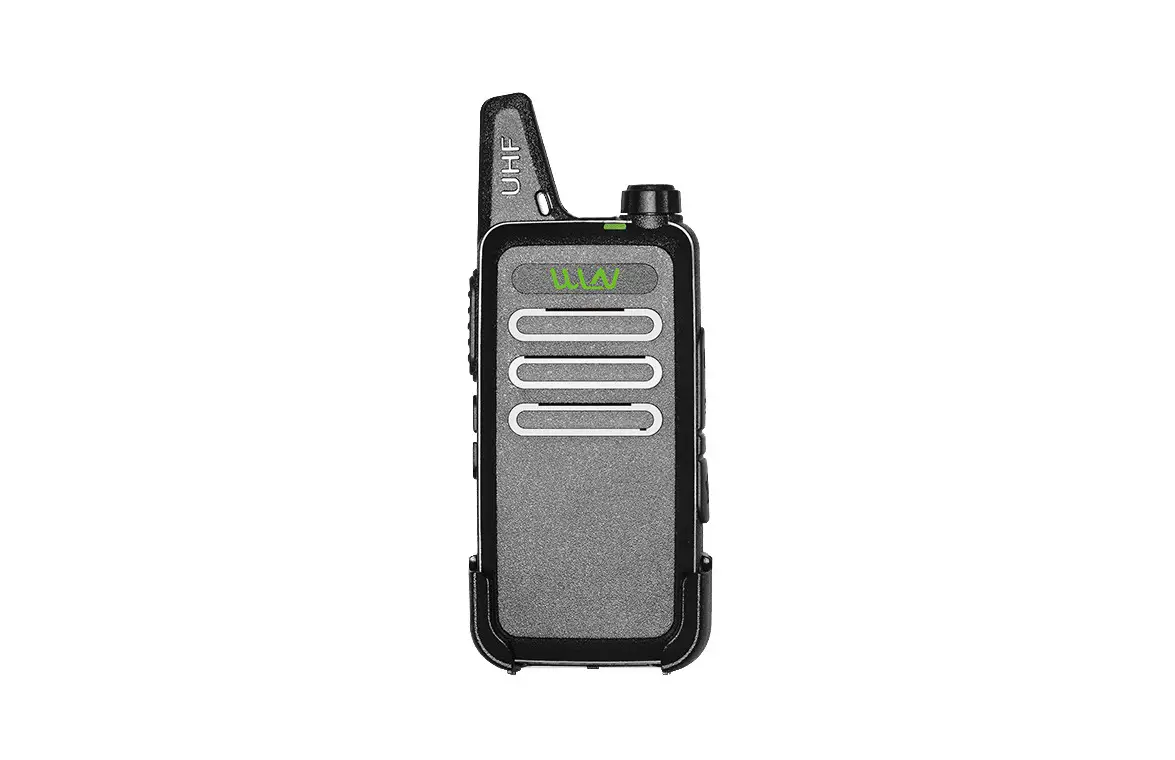
Thanks for buying the our transceiver. This transceiver offers latest design, enhanced features, solid performances, and easy accessibility. We believe you will be pleased with the high quality and reliable features for all your communication needs.
READ THIS IMPORTANT INFORMATION ON THE SAFE AND EFFICIENT OPERATION BEFORE USING PORTABLE TRANSCEIVER.
This transceiver is with excellent design and advanced technology.
Please follow the below suggestions and warnings to assist you to carry out the responsibilities on warranty terms, and learning the safety before using the transceiver.
- Please keep the transceiver and accessories out of the reach of children.
- Do not disassemble the transceiver to avoid the possibility of damage by a non-professional.
- Please only use supplied batterypack and charger to avoid the possibility of damaging the transceiver.
- Please only use supplied antenna to avoid the possibility of damaging the transceiver.
- Neither exposes the transceiver directly to the sunlight nor in the overheated places for a long time.
- Keep the transceiver away from dusty or humid places.
- Clean the transceiver with a mild brush /cloth or detergents instead of the aggressive chemical material.
- Do not transmit before well installing the antenna.
- If any abnormal odor or smoke is detected from the transceiver, please power it off immediately, then remove the batterypack from the transceiver. and contact your dealer.
Installing Before Use
- Install/remove battery pack
The battery pack is not fully charged before leaving the factory. Please charge it before use.
NOTE
>> Do not short circuit the terminals or put the battery pack into fire.
>> Do not try to remove the case from the batterypack
- Please aim the batterypack at the back of the transceiver, and then push up and press down the batterypack to lock the release latch. (PIC1)
- If you want to remove the batterypack, push down the release latch, and the batterypack will be released from the transceiver. (PIC2)


Description of Features
- Selling channel freely: UHF receiving or UHF transmitting.
- DTMF Encoding
- VOX Function
- 50 groups CTCSS,105 groups DCS
- Non-Standard CTCSS(60.0-259.9Hz)
- Bandwidth
- Channel number, channel name selection
- Offset Frequency Setting
- Multi-functional Scan modes
- 400 memory channels
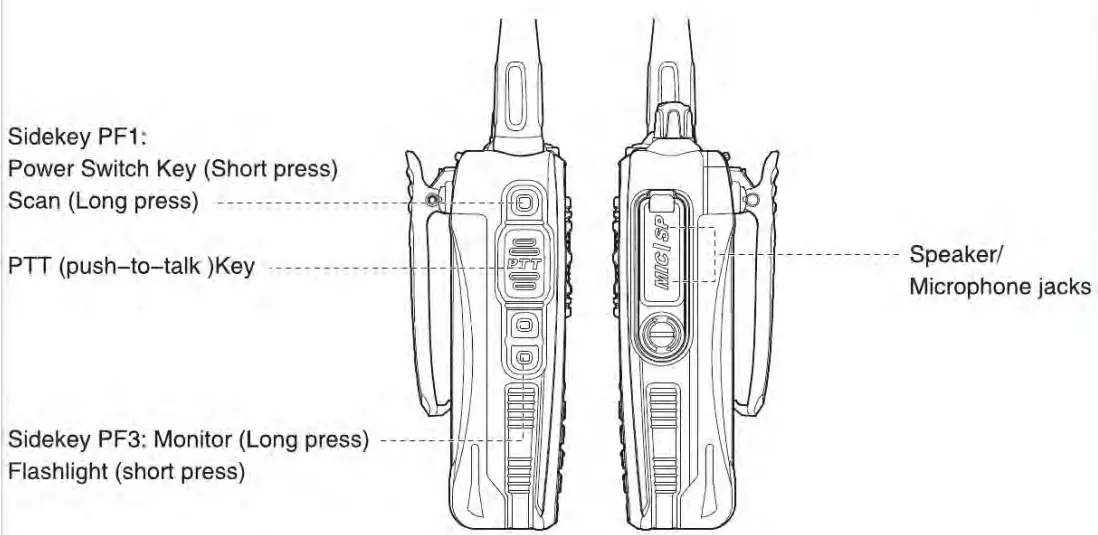
- Flashlight function
- Voice Guide: Chinese/English
- Reverse Frequency
- Busy Channel Lockout
- Multi-Display on power on
Getting Started
LCD Display There are various indicators displayed on the screen when powering on. please refer to the below table to learn what the indicators stand for accordingly.

- Quick Search
Short press▲ or ▼key to search the desired function/parameter during your setting, while long press to quick search. - Working Mode Switch
Fullkey Model: In standby, press to switch between Channel/Frequency working mode.
4 Keys Model: In standby, press to switch between Channel/Frequency working mode.
 - Keyboard lock
Fullkey Model: In standby, Keep pressing , longer than 2 seconds to manually lock all keyboards, in unlock status, Keep pressing litooti to unlock keyboard.
4 Keys Model: In standby, Keep pressing longer than 2 seconds to manually lock all keyboards, in unlock status, keep pressing to unlock keyboard.
  Short press the
  key to activate/inactivate frequency function, while keep pressing for 2 seconds to activate the scan function
NOTE
» In channel mode. Menu 01,05,09,10,11,12,16,21,23,24,28 can’t be operated. It should operate in frequency mode or program by software.
 to switch between Channel/Frequency working mode.
 to switch between Channel/Frequency working mode.
 , longer than 2 seconds to manually lock all keyboards, in
  longer than 2 seconds to manually lock all keyboards, in unlock status, keep pressing
  Short press the
  key to activate/inactivate frequency function, while keep pressing for 2 seconds to activate the scan function
Description of Functions
Menu 0: Squelch Level–SQL
Function: Setting Squelch Level
Options: 0-9
Default: 5
Menu 1: Step Frequency —STEP
Function: setting VFO to adjust the step value
Options: 2.5K/5K/6.25K/10K/12.5K/25K/50K
Default: 2.5KHz
Menu 2: Transmitting Power Selection—TXP
Function: Select the transmit output power Options: HIGH/LOW Default: HIGH
NOTE
>> Press side key 1 to quick switch power >> In channel mode, the power can be only switched temporarily, and it doesn’t save.
Menu 3: Power Save mode
Function: turn on/turn off the power saver function, the higher the rating, the longer the power saving time Options: OFF/1-4 Default: 3
Menu 4: VOX—VOX
Function: Select VOX level
Options: OFF/1-9
Default: OFF
Menu 5: Bandwidth Selection
Does not support the bandwidth selection function, only 25 kHz channel BW is allowed for 462/467 MHz GMRS main channels & 462 MHz GMRS interstitial channels, and 12.5 kHz channel BW is allowed for 467 MHz GMRS interstitial channels.
Menu 6: Setting Backlight—ABR
Function: Turn off the backlight or select backlight time
Options: OFF/1-10
Default: 5
Menu 7: Setting Beep—BEEP
Function: Beep is prompt for any operation, improper operation, or faults on this radio
Options: ON/OFF
Default: ON
Menu 8: Time-out Timer–TOT
Function: Select the transmitting time, select off for unlimited transmitting time
Options: OFF/15-600
Default: 60
Menu 9: Receiving DCS—R-DCS
Function: select receive DCS
Options: OFF/105 groups DCS
Default: OFF
Menu 10: Receiving CTCS—R-CTCS
Function: select receive CTCSS
Options: OFF/50 groups CTCSS/nonstandard 60.0-299.9Hz
Default: OFF
Menu 11: Transmitting DCS—T-DCS
Function: select transmit DCS
Options: OFF/105 groups DCS
Default: OFF
Menu 12: Transmitting CTCSS—T-CTCS
Function: select transmitting CTCCS
Options: OFF/50 groups CTCCS/nonstandard 60.0-299.9Hz
Default: OFF
Menu 13: Prompt tone—Voice
Function: Menu operate tone
Options: OFF/CHI/ENG
Default: CHI
Menu 14: Refer native ID—ANI-ID
Function: display native ID
Default: 80808
Menu 15: DTMF sidetone settings —DTMFST
Function: DIMF sidetone means whether radio turn on the speaker and hear DIMF tone from the speaker
Options: DT-ST: keypad sidetone will be activated when transmitting
ANI-ST: caller ID sidetone will be activated when transmitting
DT+ANI: caller ID sidetone and keypad sidetone will be activated when transmitting
OFF: Deactivate all
Default: DT+ANI
NOTE
>> When AM is sent, there are less than 6 digits, you must manually add # to complete, the identity code sent can be compatible with our normal device
>> If the DTMF code is less than 6 digits, the machine will automatically fill in #.
Menu 16: Selective Signaling Coding Group—S-CODE
Function: select signaling coding group
Options: ID+1/1D+2/1D+3/ 10+15
Default: ID+1
NOTE
>> the signaling coding group can be programmed in advance by computer.
Menu 17: Scan Mode—SC-REV
Function: selective scan mode
Options: TO/CO/SE
Default: TO
TO: after finding a carrier wave signal, scanning will continue if no operations are carried out within 5 seconds.
CO: scanning will stop when a carrier wave signal has been found, and scanning will continue if the carrier wave signal is lost for 3 seconds.
SE: scanning will stop when a carrier wave signal if found.
Menu 18: Setting ID Transmission—PTT-ID
Function: selective ID Transmission mode
Options: OFF/BOT/EOT/BOTH
Default: OFF
Menu 19: ID Delay Transmission—PTT-LT
Function: selective ID Delay Transmission
Options: 0-50
Default: 5
Menu20: Channel Mode Display—MDF
Function: select the channel mode display
Options: CH/NAME
Default: CH
Menu 21: Busy channel Lockout—BCL
Function: this function means to prevent the transceiver from interfering other communicating channels, if the selected channel is occupied, when pressing PTT the transceiver will alarm and cannot transmit.
Options: ON/OFF
Default: OFF
Menu 22: AUTO keypad Lock—AUTO LOCK
Function: Turn on automatic lock function, It will be locked automatically if the timing for 15 seconds.
Options: ON/OFF
Default: OFF
NOTE
» Manually Lock: In standby, keep pressing *key longer than 2 seconds to lock the transceiver, and keep pressing #key longer than 2 seconds to unlock.
Menu 23: Frequency Shift Direction—SFT-D
Function: Selling frequency shift direction
Options: OFF/+/-
Default: OFF
Menu 24: Offset Frequency—OFF-SET
Function: setting offset frequency
Options: 00.000-99.9975MHZ
Default: 0.00MHZ
Menu 25: Channel Memory –MEM-CH
Function: Store the desired frequencies into the specified channel.
Options: 400 channels
Default: CH-001
Menu 26: Channel Delete–DEL-CH
Function: delete useless channels
Options: 400 channels
Default: CH-001
Menu 27: Setting Alarm Mode–AL-MOD
Function: setting alarm mode
Options: TONE: send out the alarm/CODE: send out ID/SITE: spot alarm sound
Default: Tone
Menu 28: Setting Frequency Band–BAND
Menu 29: Squelch Tail Elimination —STE
Function: select squelch tail elimination switch
Options: ON/OFF
Default: ON
Menu 30: Power-on Message—PONMSG
Function: Select power-on Message
Options: FULLNOL/MSG
Default: FULL
Menu 31: Transmission Prompt Setting–ROGER
Function: Select transmitting Prompt mode
Options: OFF/ON
Default: OFF
Menu 32: Reset Setting—RESET
Function: Select the reset option
Options: VFO/ALL
Default: ALL
VFO: resets all functional settings to factory default values
ALL: resets all of the transceiver’s functional settings and channel parameters to factory values
Menu 33: ANI ID Transmitting Switch —ANI-TX
Function: Select transmitting ANI ID
Options: OFF/ON
Default: ON
Detailed Instruction For Parts Of Functions
- Channel Memory
When the transceiver is in channel (MR) mode, the parameters will be copied into the channel.
When the transceiver is in frequency (VFO) mode, you can program all the parameters (Frequency, offset, offset direction, etc.) into the channel to memorize. - DTMF encoding
 are respectively corresponding to A, B, C, D at DTMF encoding setting. Please follow the below steps to activate DTMF manually: Hold on pressing the PTT key to transmit. , go At the same time, press the keys on the keyboard to send out the DTMF tone. NOTE: This transceiver will monitor the transmission of the corresponding DTMF tone.
Please follow these steps to perform automatic dialing: (.1 Set automatic dialing through menu 18 or programming software, menu 16, or programming software to select signaling coding group. 12′ Press the PTT key to transmit, it will send out the previously edited DTMF signaling encoding group.
 are respectively corresponding to A, B, C, D at DTMF encoding setting. Please follow the below steps to activate DTMF manually: Hold on pressing the PTT key to transmit. , go At the same time, press the keys on the keyboard to send out the DTMF tone. NOTE: This transceiver will monitor the transmission of the corresponding DTMF tone.
Technical Parameter
Appendix1 ( 1 )
| CTCSS | |||||||||
| 1 | 67.0 | 11 | 94.8 | 21 | 131.8 | 31 | 171.3 | 41 | 203.5 |
| 2 | 69.3 | 12 | 97.4 | 22 | 136.5 | 32 | 173.8 | 42 | 206.5 |
| 3 | 71.9 | 13 | 100.0 | 23 | 141.3 | 33 | 177.3 | 43 | 210.7 |
| 4 | 74.4 | 14 | 103.5 | 24 | 146.2 | 34 | 179.9 | 44 | 218.1 |
| 5 | 77.0 | 15 | 107.2 | 25 | 151.4 | 35 | 183.5 | 45 | 225.7 |
| 6 | 79.7 | 16 | 110.9 | 26 | 156.7 | 36 | 186.2 | 46 | 229.1 |
| 7 | 82.5 | 17 | 114.8 | 27 | 159.8 | 37 | 189.9 | 47 | 233.6 |
| 8 | 85.4 | 18 | 118.8 | 28 | 162.2 | 38 | 192.8 | 48 | 241.8 |
| 9 | 88.5 | 19 | 123.0 | 29 | 165.5 | 39 | 196.6 | 49 | 250.3 |
| 10 | 91.5 | 20 | 127.3 | 30 | 167.9 | 40 | 199.5 | 50 | 254.1 |
Appendix 2 ( 2 )
| D. C. S | |||||||||||||
| 1 | D023N | 16 | D074N | 31 | D165N | 46 | D261N | 61 | D356N | 76 | D462N | 91 | D627N |
| 2 | D025N | 17 | D114N | 32 | D172N | 47 | D263N | 62 | D364N | 77 | D464N | 92 | D631N |
| 3 | D026N | 18 | D115N | 33 | D174N | 48 | D265N | 63 | D365N | 78 | D465N | 93 | D632N |
| 4 | D031N | 19 | D116N | 34 | D205N | 49 | D266N | 64 | D371N | 79 | D466N | 94 | D645N |
| 5 | D032N | 20 | D122N | 35 | D212N | 50 | D271N | 65 | D411N | 80 | D503N | 95 | D654N |
| 6 | D036N | 21 | D125N | 36 | D223N | 51 | D274N | 66 | D412N | 81 | D506N | 96 | D662N |
| 7 | D043N | 22 | D131N | 37 | D225N | 52 | D306N | 67 | D413N | 82 | D516N | 97 | D664N |
| 8 | D047N | 23 | D132N | 38 | D226N | 53 | D311N | 68 | D423N | 83 | D523N | 98 | D703N |
| 9 | D051N | 24 | D134N | 39 | D243N | 54 | D315N | 69 | D431N | 84 | D526N | 99 | D712N |
| 10 | D053N | 25 | D143N | 40 | D244N | 55 | D325N | 70 | D432N | 85 | D532N | 100 | D723N |
| 11 | D054N | 26 | D145N | 41 | D245N | 56 | D331N | 71 | D445N | 86 | D546N | 101 | D731N |
| 12 | D065N | 27 | D152N | 42 | D246N | 57 | D332N | 72 | D446N | 87 | D565N | 102 | D732N |
| 13 | D071N | 28 | D155N | 43 | D251N | 58 | D343N | 73 | D452N | 88 | D606N | 103 | D734N |
| 14 | D072N | 29 | D156N | 44 | D252N | 59 | D346N | 74 | D454N | 89 | D612N | 104 | D743N |
| 15 | D073N | 30 | D162N | 45 | D255N | 60 | D351N | 75 | D455N | 90 | D624N | 105 | D754N
|
Trouble Shooting
Before confirmed the transceiver with real problems, kindly check the possible problems according to the following chart, if the problems come out all the time, please RESET the transceiver, it will solve some incorrect operations sometimes.
| Fault | Solution |
| The transceiver can not be powered on | 1. The battery may be exhausted, please change the new battery or re-charge it. 2. The battery was not installed correctly, please re-install. |
| The battery life is too short to use | 1. The battery life is over, please change a new battery 2. The battery is not fully charged. |
| The receiving light keeps flashing, but there is on sound coming out | 1. Make sure that the volume is the highest. 2. Make sure that the CTCSS/DCS setting are the same as the transmitting transceiver. 3. Make sure that the mute mode is correct. |
| It seems that the keyboard does `not work | 1. Make sure that the keypad is locked or not. 2. Make sure that the keys are not stuck. |
| Fault | Solution |
| In standby, the transceiver will transmit automatically even the PTT key is not pressed. | Make sure VOX function is ON or not, and its level is set too low or not. |
| Some functions can not be stored normally. | Please confirm if the transceiver is working in channel mode since some functions are only set in channel mode via programming software. |
| There are other disturbing signals or notices (from other groups) in the channel. | Please change the CTCSS/DCS frequencies set in your group. |
Announcement
We endeavor to achieve the accuracy and completeness of this manual but is not liable for any possible omission and printing errors. All the above specifications are subject to change by us without prior notice. The Scanning receiver frequency is 400-480MHz. The GMRS frequencies list as below:
462 MHz main channels
| Channel | Frequency (MHz) | Channel | Frequency (MHz) |
| 1 | 462.5500 | 2 | 4623750 |
| 3 | 462.6000 | 4 | 462.6250 |
| 5 | 462.6500 | 6 | 462.6750 |
| 7 | 462.7000 | 8 | 462.7250 |
462 MHz interstitial channels
| Channel | Frequency (MHz) | Channel | Frequency (MHz) |
| 1 | 462.5625 | 2 | 462.5875 |
| 3 | 4616125 | 4 | 462.6375 |
| 5 | 462.6625 | 6 | 462.6875 |
| 4623125 | 8 | / |
467 MHz main channels
| Clinunel | Frequency (MHz) | Channel | Frequency (MHz) |
| 1 | 467.5500 | 2 | 467.5750 |
| 3 | 467.6000 | 4 | 467.6250 |
| 5 | 467.6500 | 6 | 467.6750 |
| 7 | 467.7000 | 8 | 467.7250 |
467 MHz interstitial channels
| Channel | Frequency (MHz) | Channel | Frequency (MHz) |
| 1 | 467.5675 | 2 | 467.5875 |
| 3 | 467.6125 | 4 | 467.6375 |
| 5 | 467.6625 | 6 | 467.6875 |
| 7 | 467.7125 | 8 | / |
Version: UV86-202007-V1
FCC Warning:
Any Changes or modifications not expressly approved by the party responsible for compliance could void the user’s authority to operate the equipment SAR tests are conducted using standard operating positions accepted by the FCC with the device transmitting at its highest certified power level in all tested frequency bands, although the SAR is determined at the highest certified power level, the actual SAR level of the device while operating can be well below the maximum value. Before a new model is available for sale to the public, it must be tested and certified to the FCC that it does not exceed the exposure limit established by the FCC. Tests or each product are performed in positions and locations as required by the FCC. For body-worn operation, this device has been tested and meets the FCC RF exposure guidelines when used with an accessory designated for this product or when used with an accessory that Contains no metaL To maintain compliance with the FCC’s RF exposure guidelines, hold the transmitter at least 2.5cm from your face and speak in a normal voice, with the antenna pointed up and away from the face. This equipment complies with FCC radiation exposure limits set forth for an uncontrolled environment In order to comply with the FCC RF exposure requirements, the antenna installation must comply with the following:
Users must be fully aware of the hazards of the exposure and the ability to exercise control over their RF exposure to qualify for the higher exposure limits.
Your wireless hand-held portable transceiver contains a low-power transmitter. This product sends out radio frequency (RF) signals when the Push-to-Talk (FM’) button is pressed. The device is authorized to operate at a duty factor not to exceed 50%.
This device complies with part 15 of the FCC Rules. Operation is subject to the following two conditions: (1)This device may not cause harmful interference, and (2)This device must accept any interference received, including interference that may cause undesired operation.
FCC Licensing Information
The product is FCC Part 95E type accepted for use on the GMRS. The product operates on General Mobile Radio Service (GMRS) frequencies according to the Federal Communications Commission (FCC) Rules in the United States. As such, a GMRS license is required to transmit on these frequencies. To obtain an FCC license for the GMRS, please go to the FCC’s website at https://www.fcc.gov/wirelessisuppor/fcc-form-605 and request FCC Form 605.