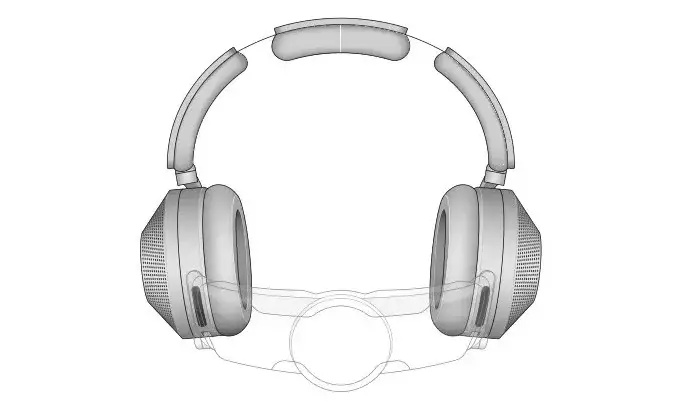
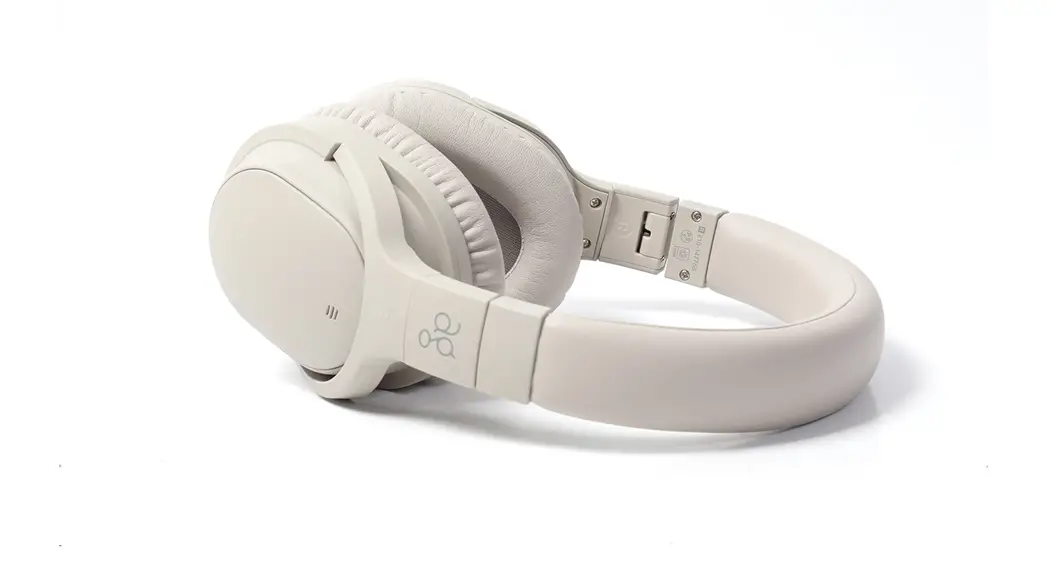
dyson zone JN.00000 Headphones with Air Purification
User Manual
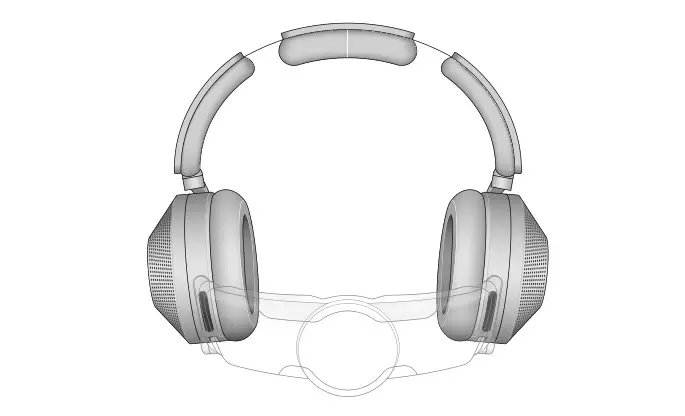
In the box
Some accessories may not be included. You can buy additional accessories at www.dyson.com.sg
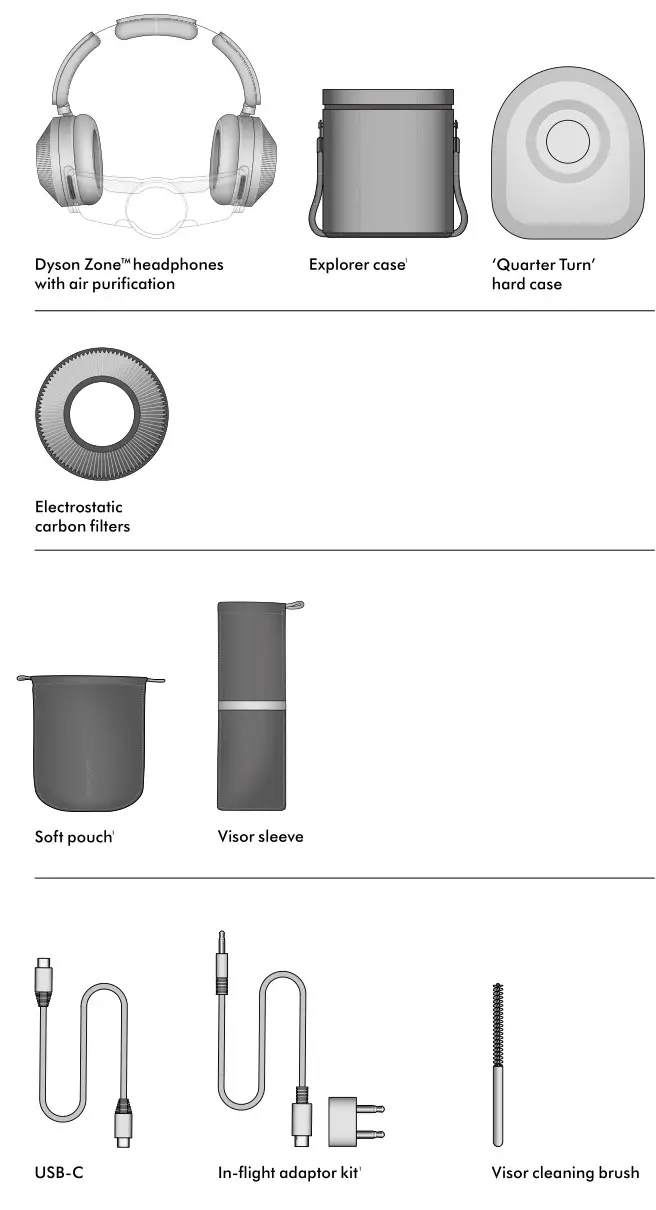
Dyson ZoneTMAbsolute Plus only.
Download the MyDyson™ app
An essential part of your experience, the MyDysonTMapp lets you control your Dyson ZoneTM headphones with air purification wherever you are. If you haven’t already, download the app now for extra features and the latest updates.
Download the MyDyson™ app from the App Store or Google Play. Open the app and follow the on-screen instructions to create a new account.



Apple and the Apple logo are trademarks of Apple Inc., registered in the U.S. and other countries. App Store is a service mark of Apple Inc., registered in the U.S. and other countries. Google Play and the Google Play logo are trademarks of Google Inc.
Getting started
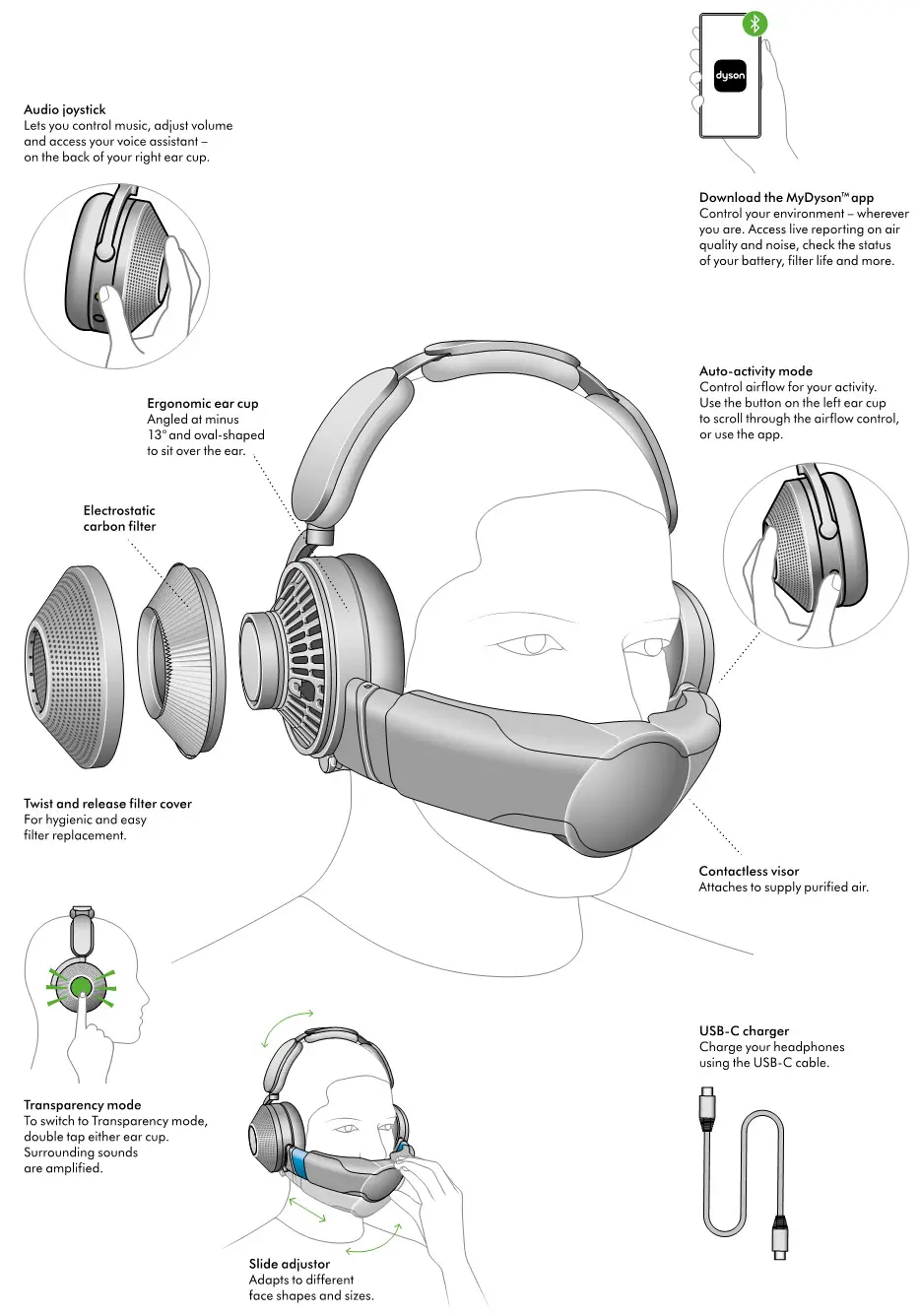
Assembling your headphones
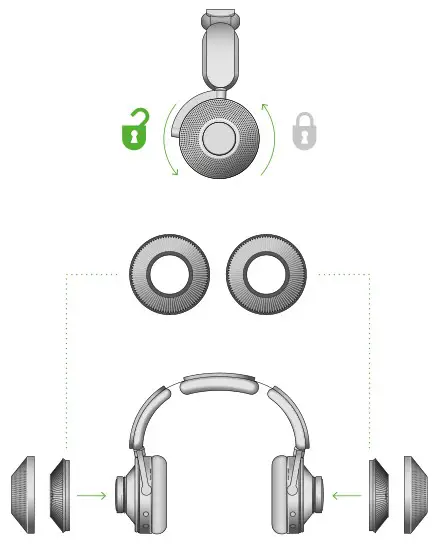
Insert your filters
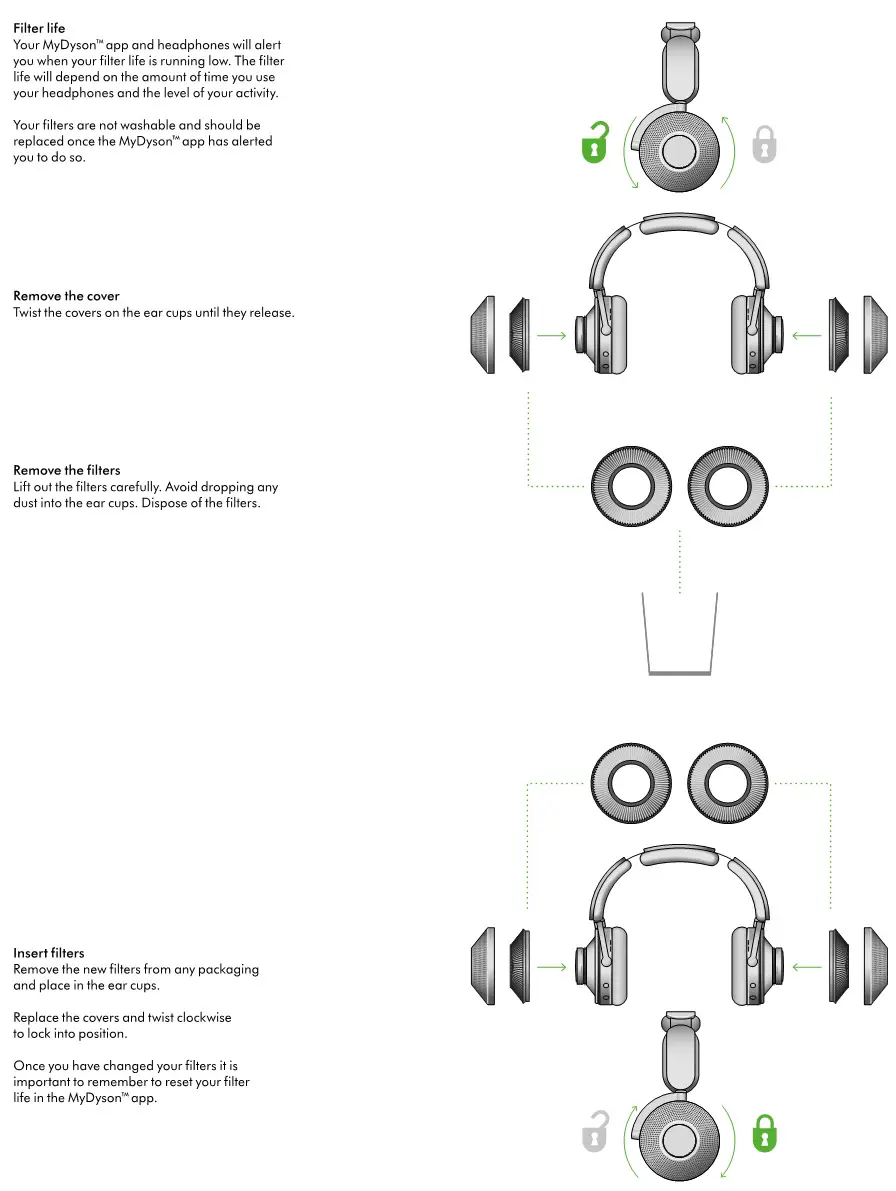
Twist off both ear cup covers, anti-clockwise.
Hold the filters on the plastic edges and secure them into the ear cups.
Replace the covers and twist them clockwise to secure into position.
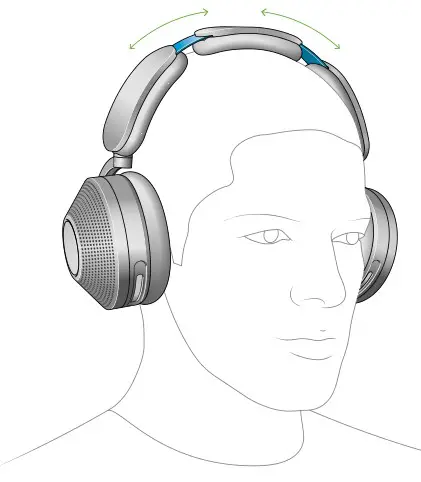
Adjust your headphones
Put your headphones on.
Adjust the headband, sliding both sides until you have a comfortable fit.
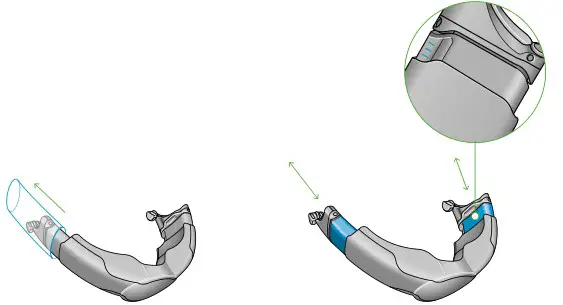
Attach visor
Remove any packaging from the visor and fully extend the visor arms.
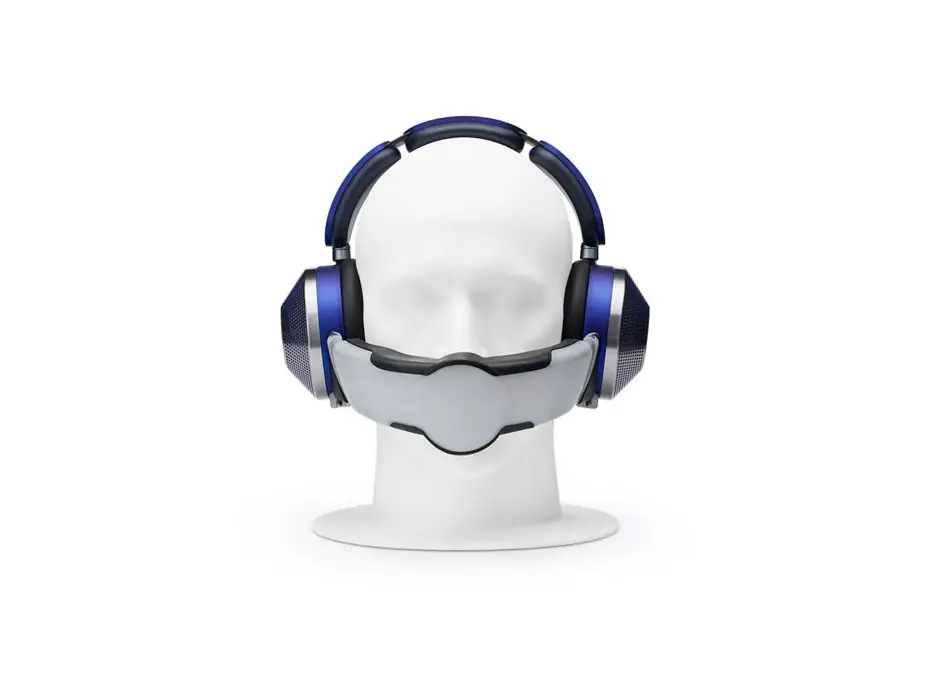
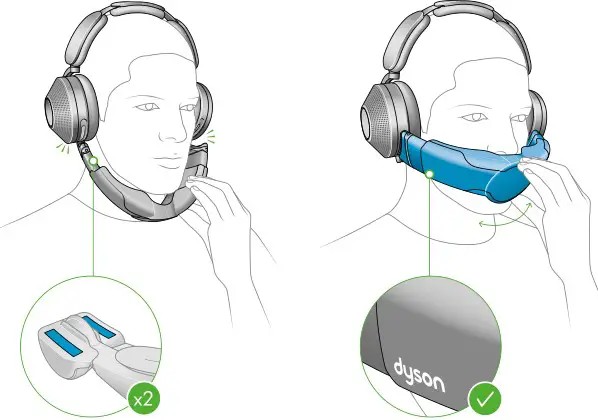
With the visor positioned below your mouth, attach it to each ear cup with the magnetic connectors.
Push the visor up to cover your nose and mouth.
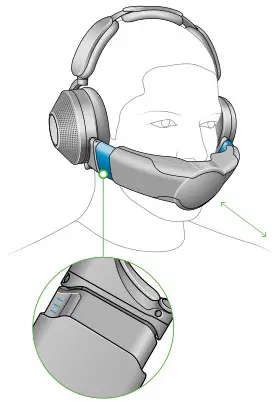
Adjust visor
Adjust the visor until it’s in a comfortable position, close to but not touching your face. The airflow will start automatically.
Pairing your headphones
Connecting to the MyDyson™ app Download the MyDyson™ app from the App Store or Google Play. Open the app and follow the on-screen instructions to create a new account.
If you already have an account, select `Add machine’ and follow the instructions.
Apple and the Apple logo are trademarks of Apple Inc., registered in the U.S. and other countries. App Store is a service mark of Apple Inc., registered in the U.S. and other countries. Google Play and the Google Play logo are trademarks of Google Inc.
Turn on your headphones
Press and hold the Airflow button on your left ear cup to turn on the power. The LED light will turn white.
You can turn them off by holding down the airflow button for 5 seconds when you are not using them. Holding it down for a further 5-10 seconds will reset your headphones.
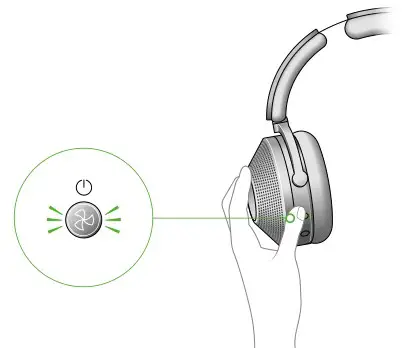
Pair your headphones
Press and hold the airflow button until the LED light starts to pulse blue.
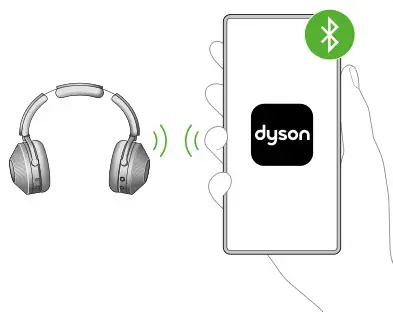
Your MyDyson™ app will alert you when pairing is complete.
Connect audio using Bluetooth®
Open Bluetooth® in your mobile device’s settings menu. Check that Bluetooth® is turned on and select your Dyson ZoneTM headphones.
When your device has connected to your headphones, return to the MyDyson™ app.
Charging your headphones
Your headphones will need to have more than 20% charge to run purification. You can check charge level by pressing the airflow button.
Battery life
The battery life of your headphones with air purification will improve with use. Allow at least 5 hours of initial use to achieve the best runtime performance.
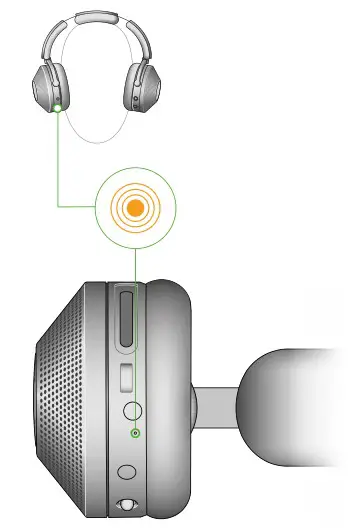
Action and LED behaviour
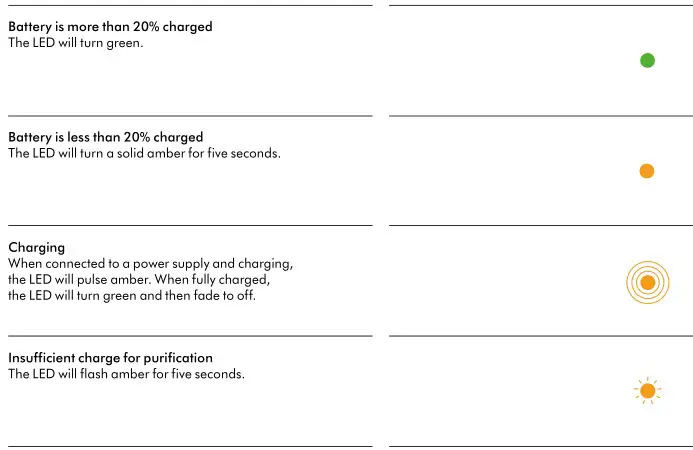
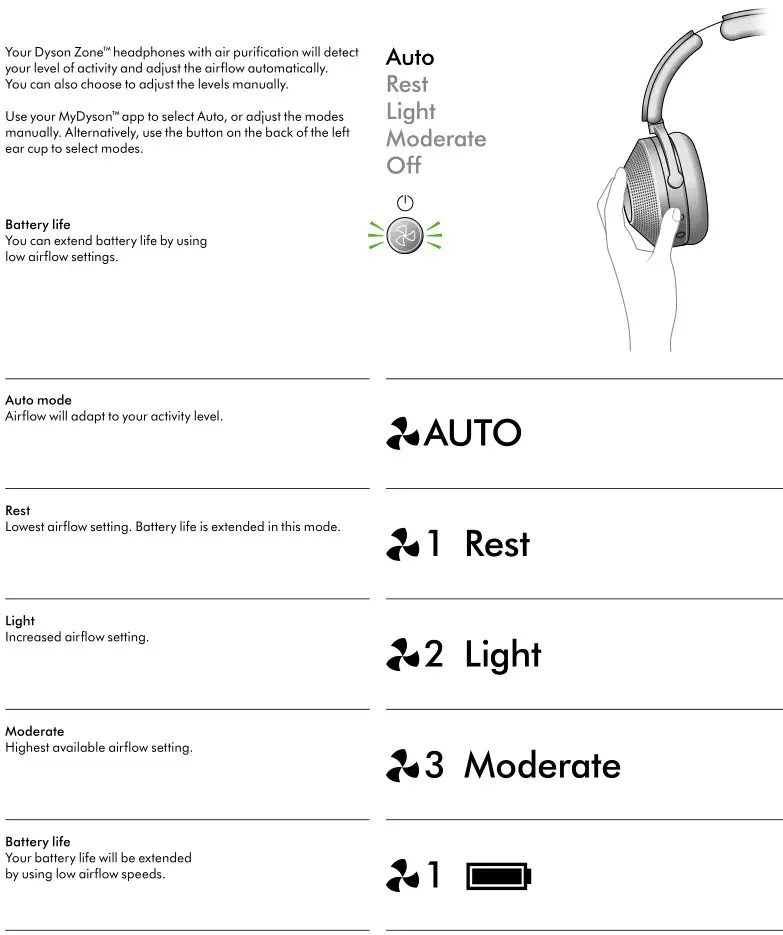
Airflow control
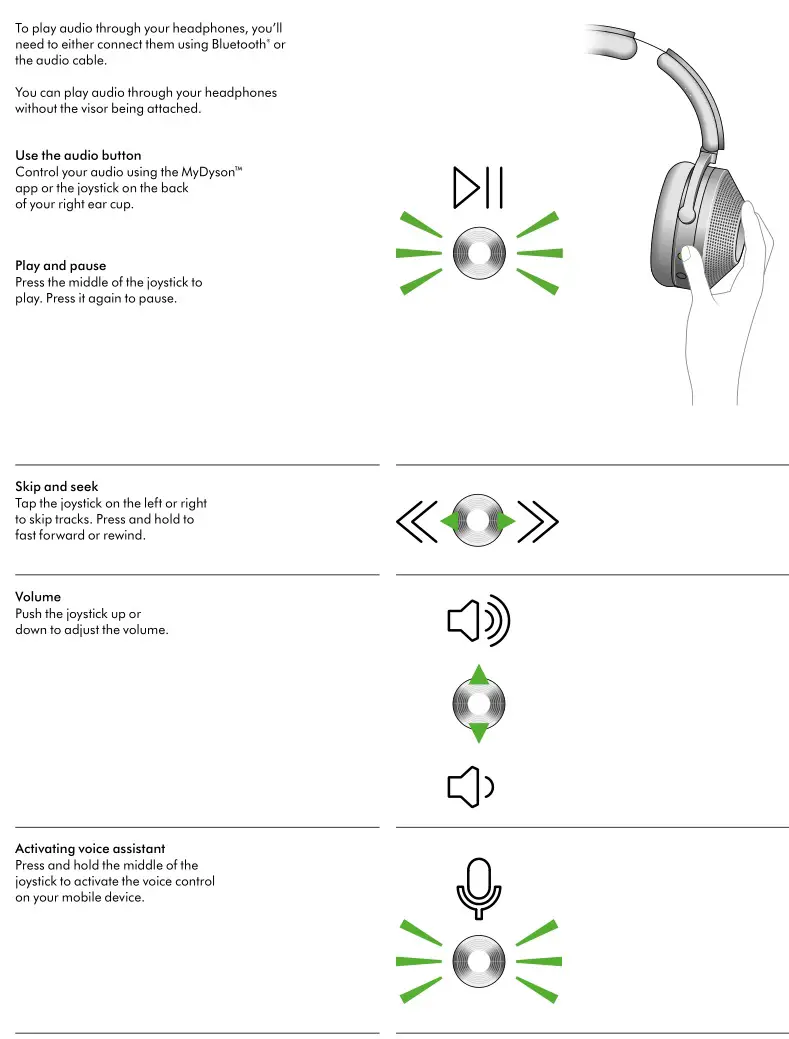
Using audio
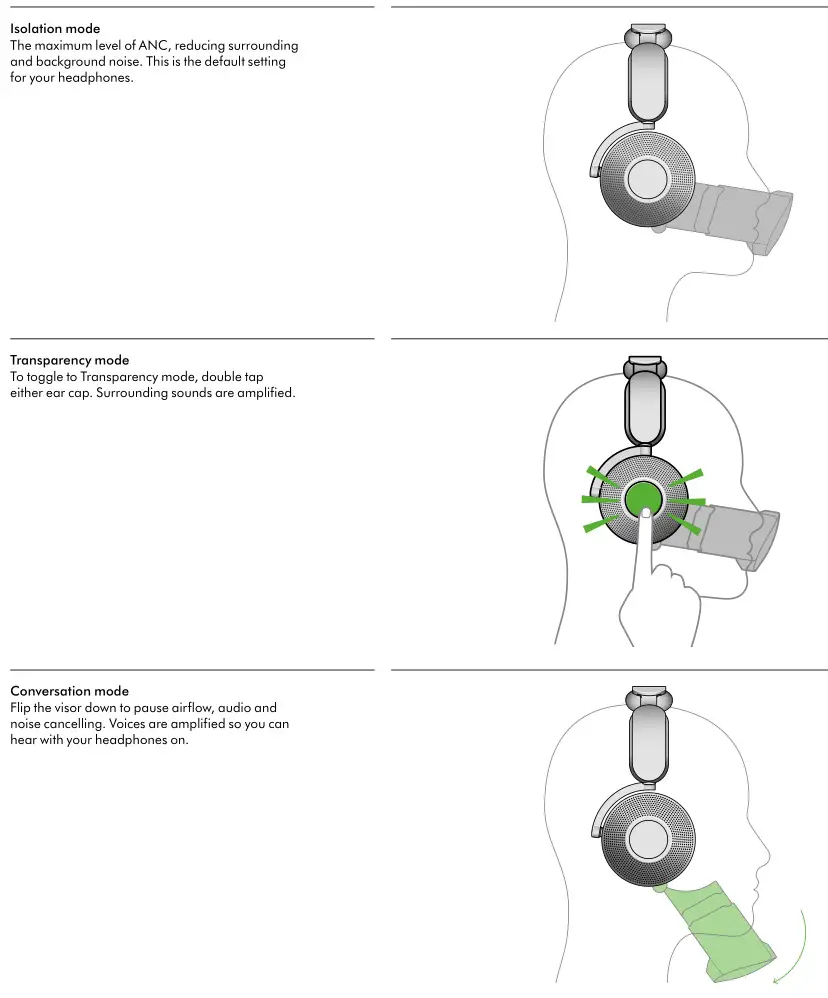
Active noise cancelling
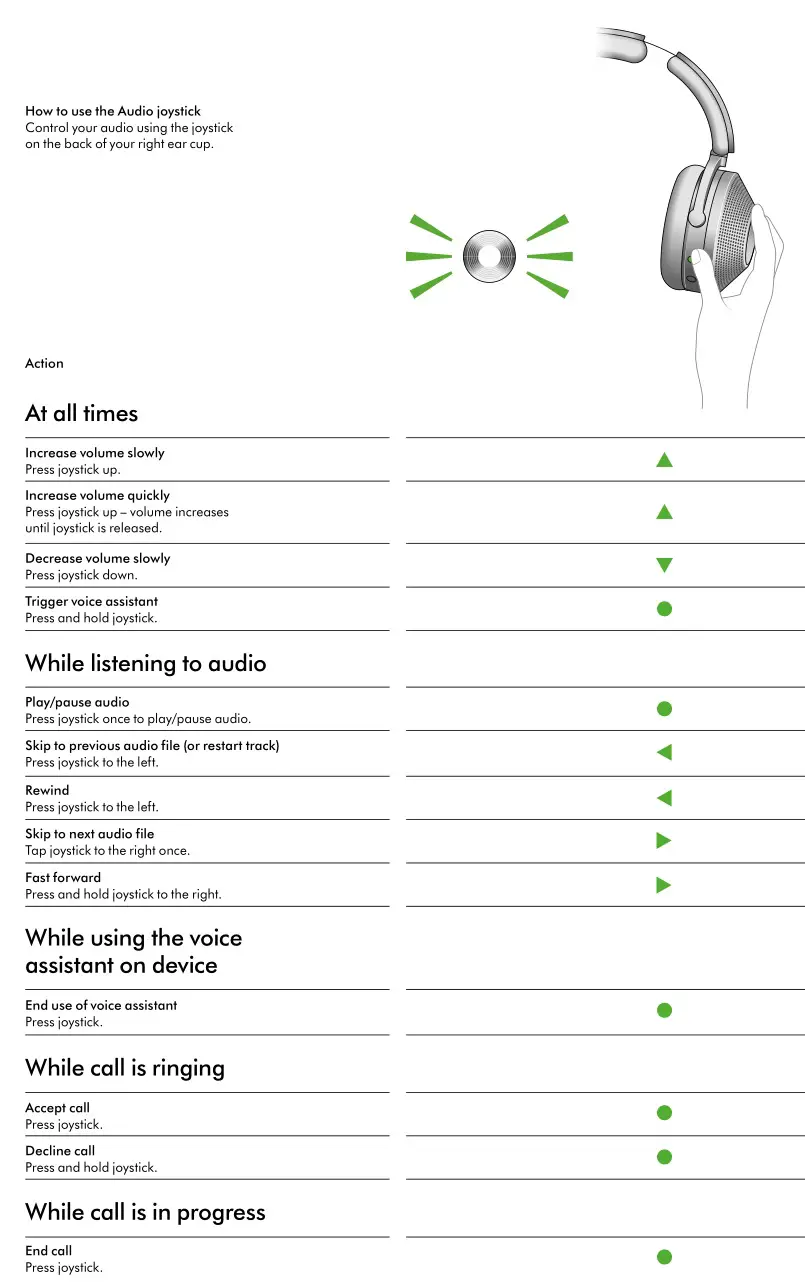
Audio joystick
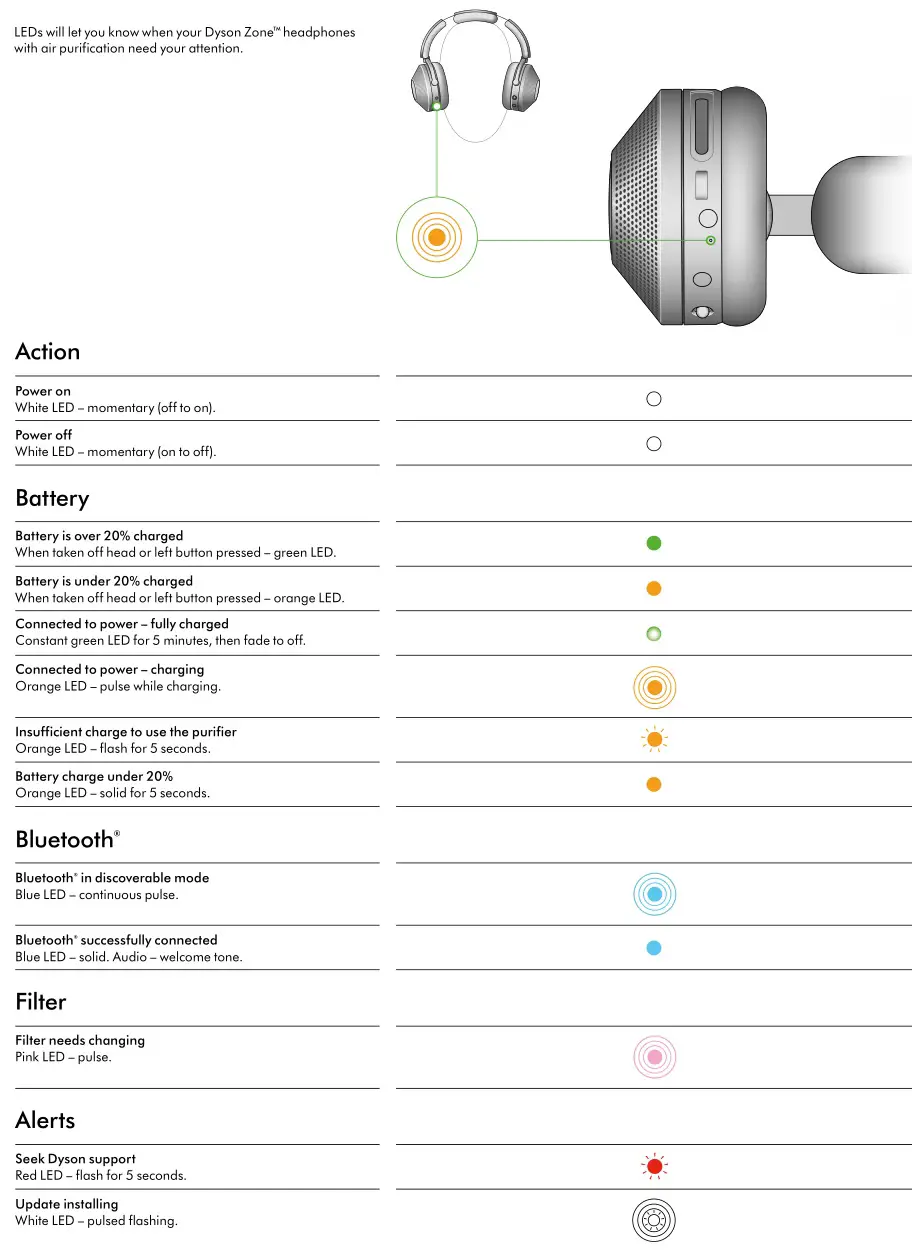
LEDs
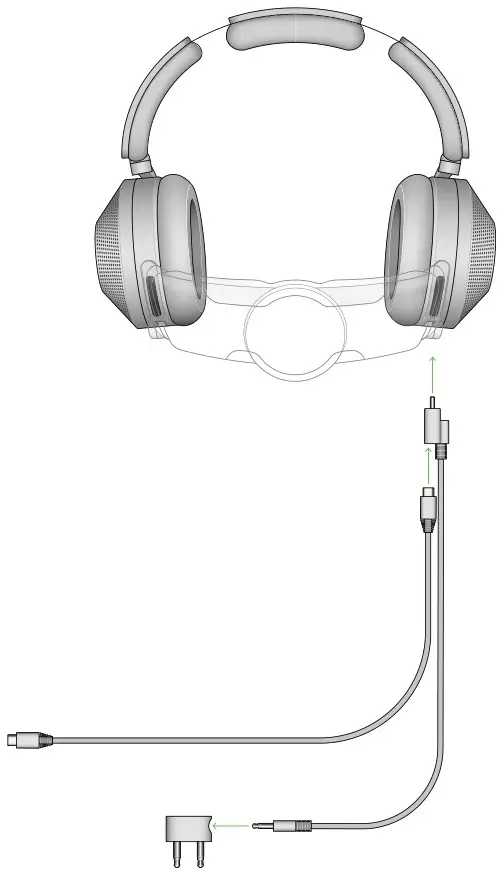
In-flight adaptor
Connect the In-flight cable to the 2-pin adaptor, then plug into the plane’s entertainment system via the audio port.
The In-flight adaptor will only charge your Dyson ZoneTM headphones with air purification when the USB-C cable is also used.
Please note that the audio controls on your Dyson ZoneTM headphones with air purification will not function when the In-flight adaptor is in use.
 Warning
The In-flight 2-pin adaptor is for connection to an audio outlet only. Plugging in to a mains socket outlet may result in a fire or pose a risk of an electric shock.
Changing your filters
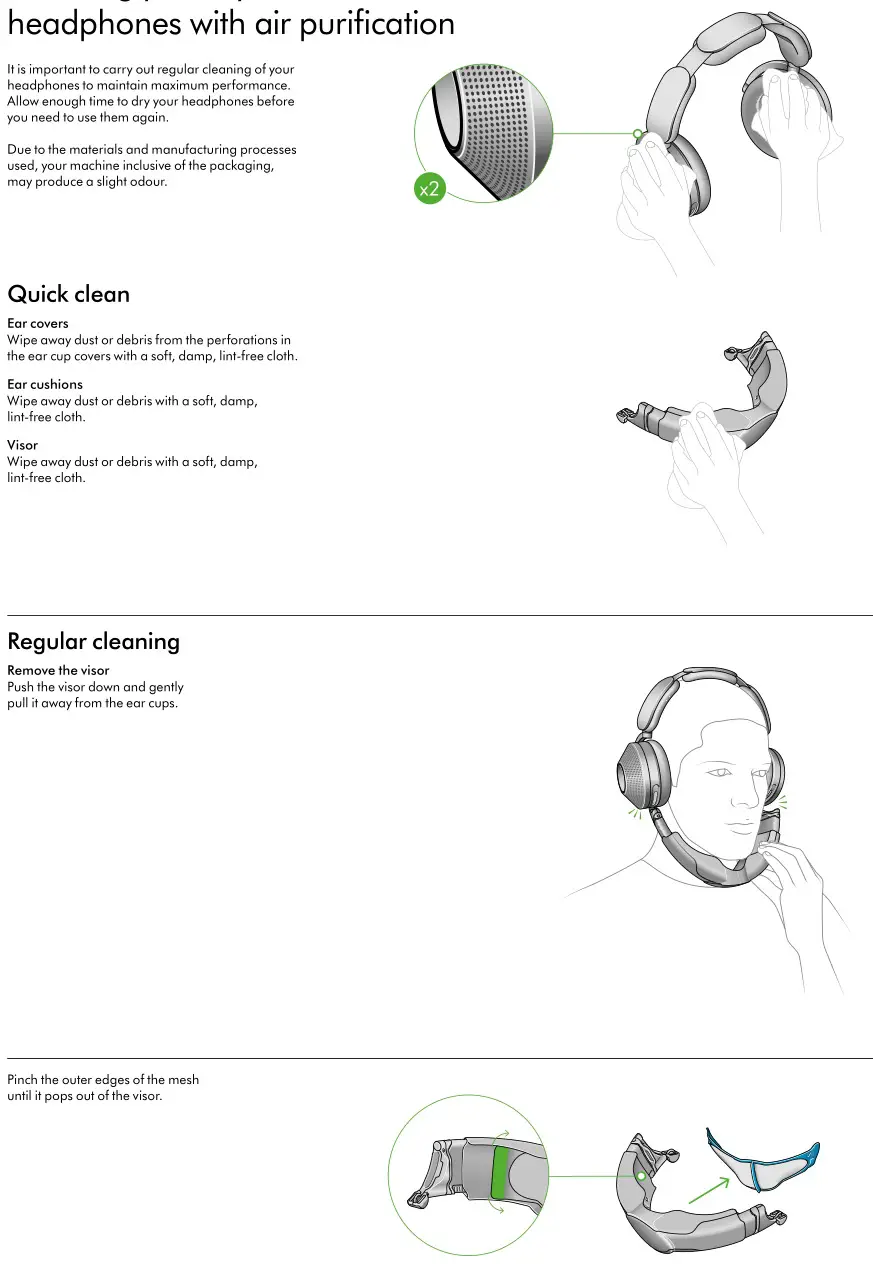
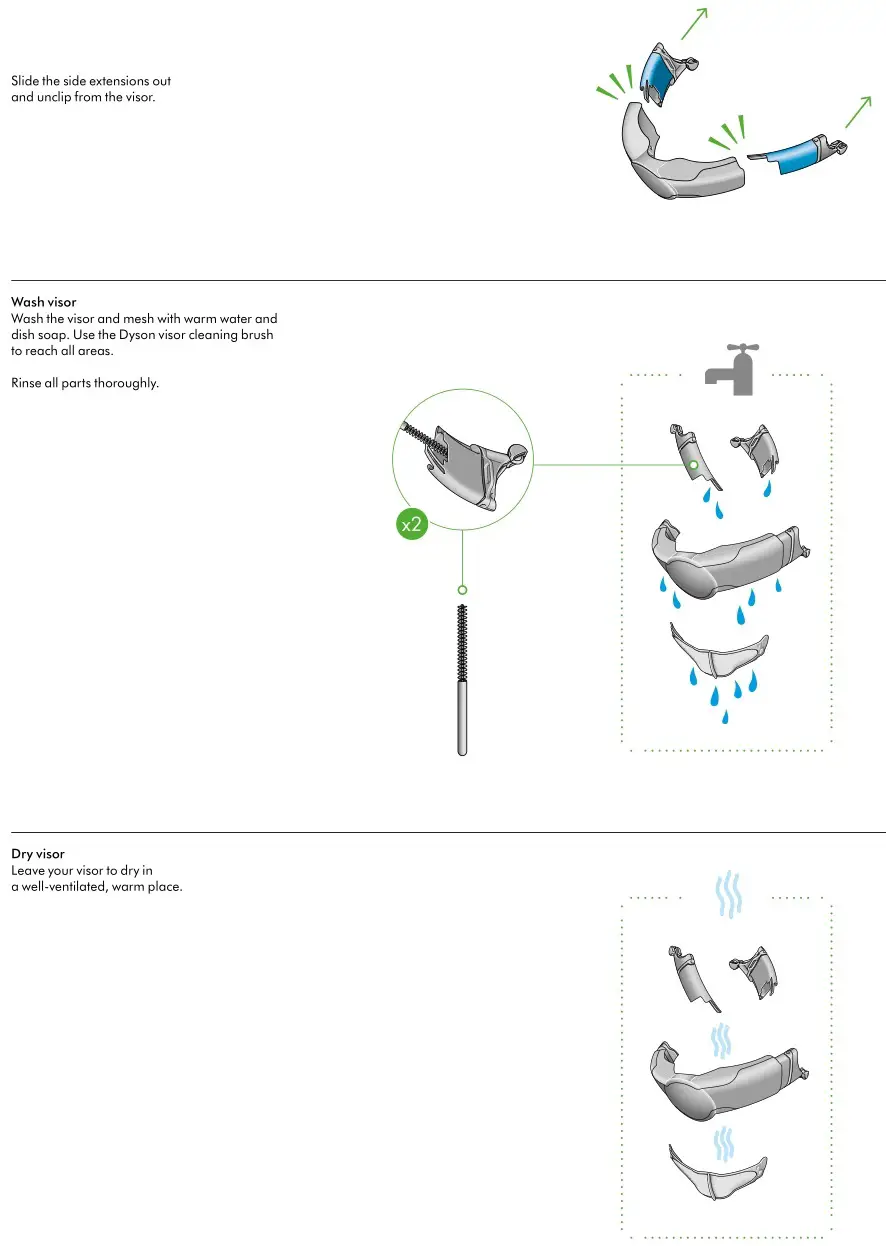
Cleaning your Dyson ZoneTM headphones with air purification
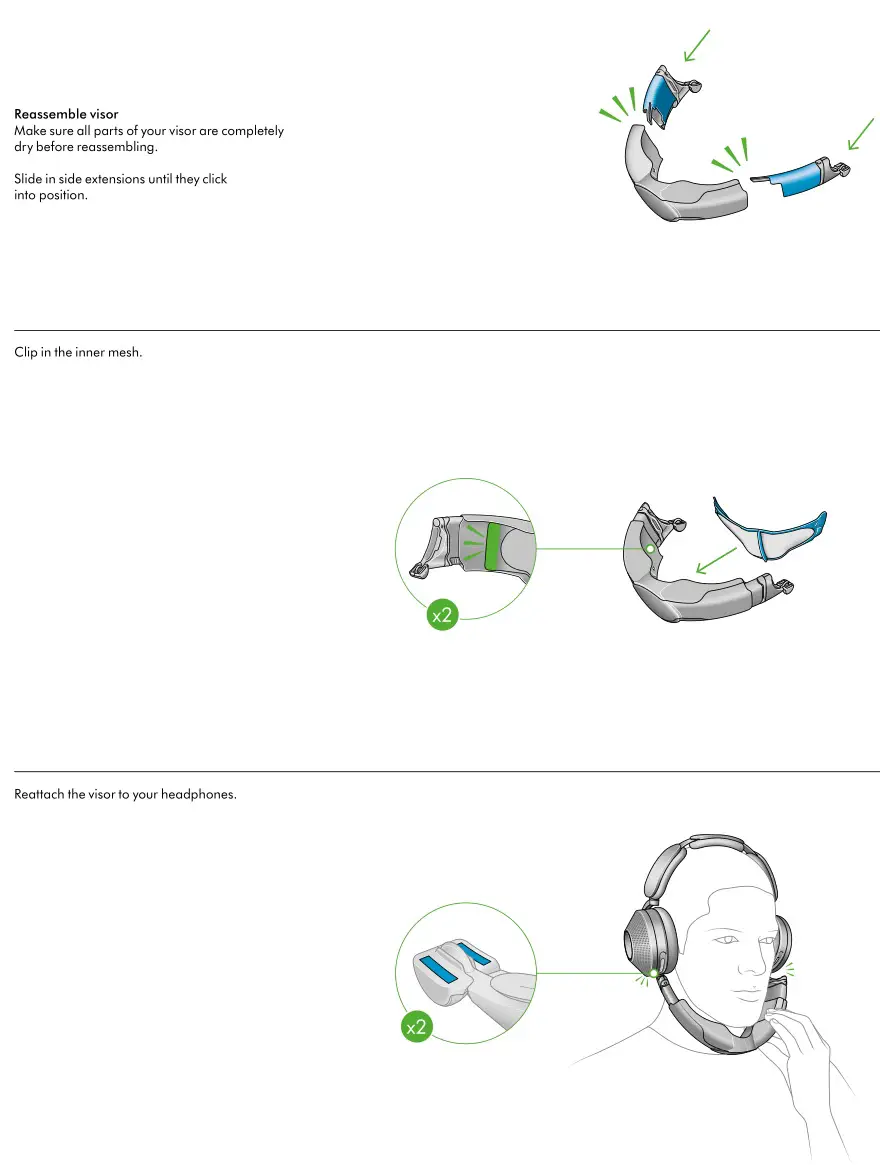
Reassembling your headphones
 Dyson Singapore | Official Site | Shop