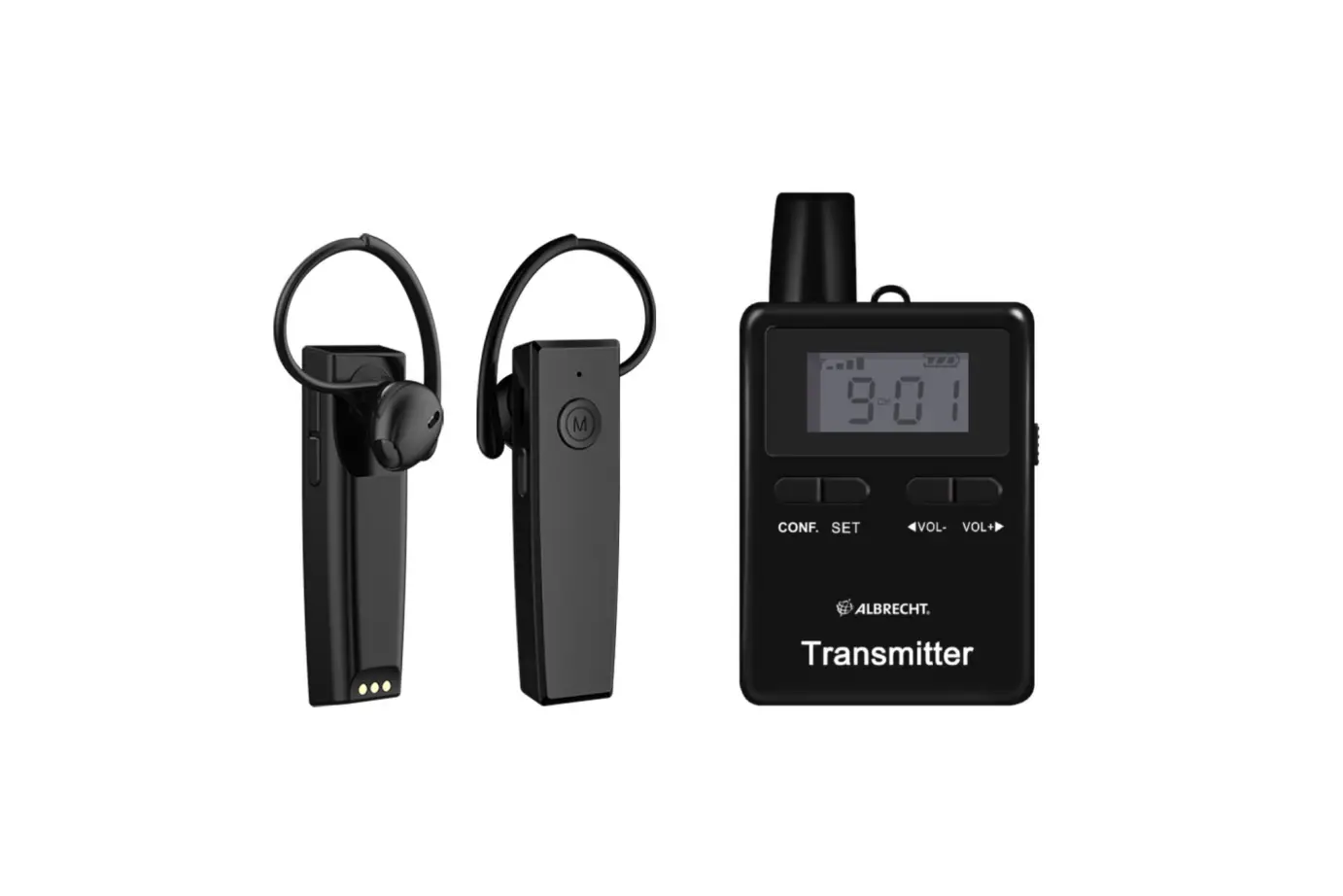
ALBRECHT ATR430 Tectalk Horse Training Radio Set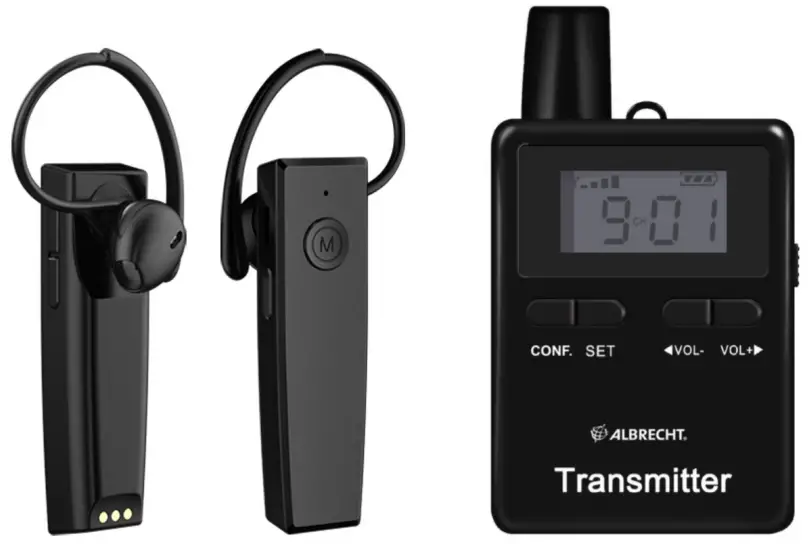
Delivery content
The following accessories are included in the scope of delivery of the Albrecht Horse Riding set:
For the student:
- ATR 430 wireless receiver
- 4 silicon earhooks in different sizes
- Neckholder
- Hygenic silicone earcover
- Water protection bag for the receiver
- Micro-USB charging cable
For the trainer:
- ATT 400 transmitter
- Clip microphone
- Lanyard
- Belt clip
- Twin USB charger to charge the transmitter and receiver simultaneously
- Charging cable for transmitter
- Softshell transportation bag
Overview
Please familiarise yourself with all the functions of your radio.
Buttons and functions – ATT 400 transmitter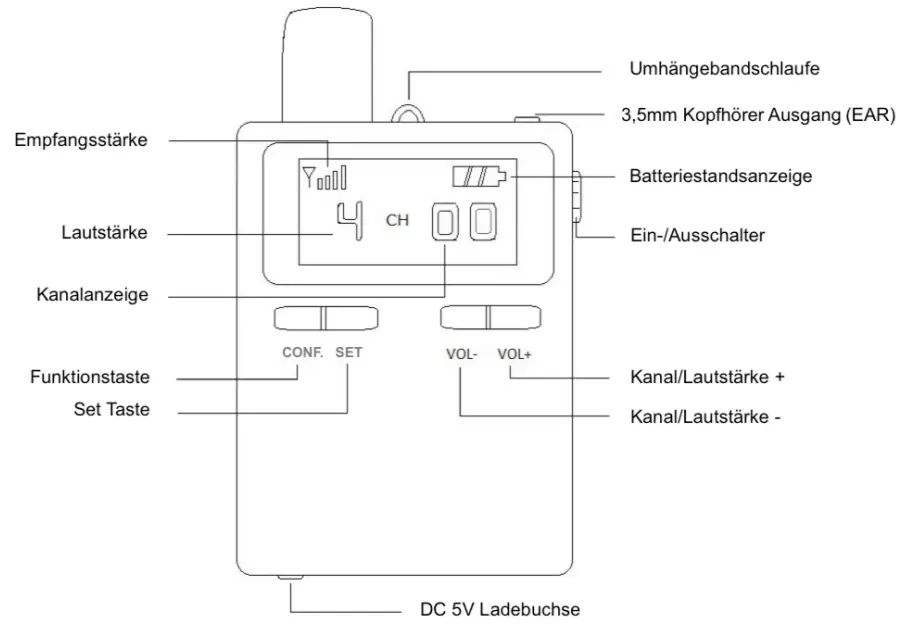
Buttons and functions – ATT 430 receiver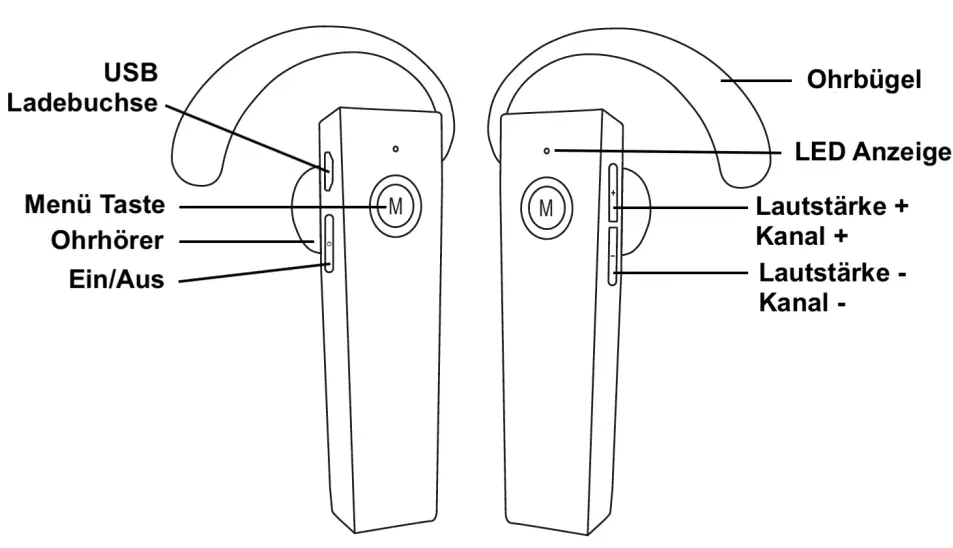
Operation
Charging
All units should be charged completely before using them the first time. The units should be turned off before charging and it will take about 3-4 hours to fully charge them. The red LED will be flashing during charging and will stop once finished charging.
Turn the unit on/off
To turn on the unit, push the “ON/OFF” button on the right side of the unit down. The status of the signal strength, battery level, volume and channel will be displayed on the screen.
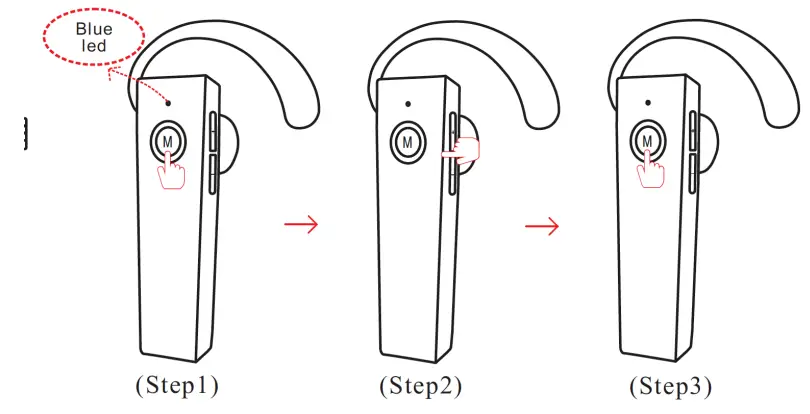
The receiver is switched on via the  button on the underside. Press and hold the button for approx. 3 seconds until the LED lights up blue.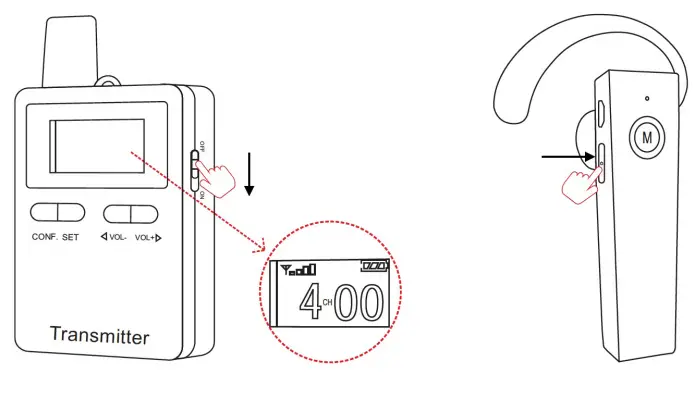
Connection the microphone to the transmitter
Insert the plug of the microphone on the top of the unit into the „MIC“ socket. The microphone can be attached with the clip, e.g. to a shirt collar. It should be placed as close to the mouth as possible to ensure the best audio quality. Connection the microphone to the transmitter Insert the plug of the microphone on the top of the unit into the „MIC“ socket. The microphone can be attached with the clip, e.g. to a shirt collar. It should be placed as close to the mouth as possible to ensure the best audio quality.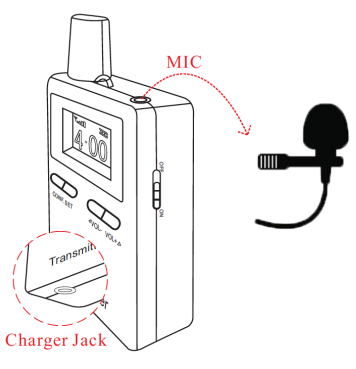
Adjusting the volume at the receiver
Press “Vol-” button to decrease the volume.
Press “Vol+” button to increase the volume.
The volume setting on the transmitter has no function.
Create Tourist Groups / Manage the Receivers
(only for Tourist Guide Transmitter ATT400 available)
Before you start using the receivers and transmitter, you will have to create a group of units.
Therefore turn on all units you want to be in one group. Select a channel which is currently not used (for example if you have several tourist groups in a Museum) on the ATT400 transceiver.
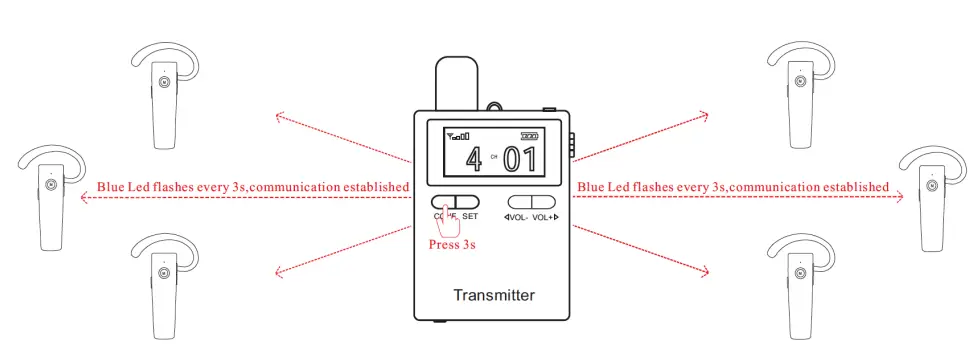
Make sure that all receivers of your group are within the range of 150m. Then press and hold the function button “CONF.” for 5 seconds on the transceiver. The channel of all receiver units will automatically change to the same channel as selected on the transceiver.
All receivers are now assigned to your group.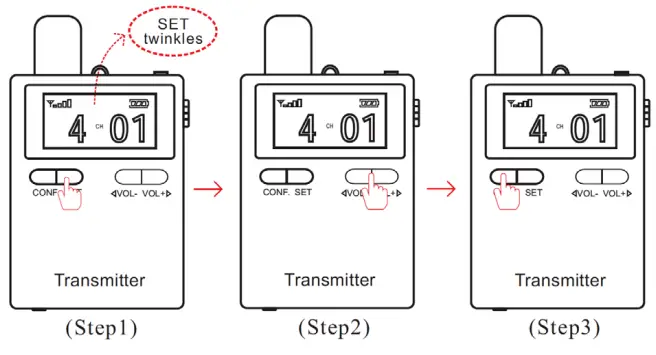
If one or several students accidentally change the channel and cannot hear the trainer anymore, just press the “CONF.” button again for 5 seconds and all receiver units are synchronised to your channel again.
Notice:
- All receivers which are once assigned to a group, can only be managed by its original transmitter. Management function of other transmitters will not affect these units.
- DO NOT use the same channel for different groups at the same place and the same time..

Change channel manually
Normally your trainer will manage all channels and you do not have to change it manually. Should it be necessary anyway, follow these steps:
- Press and hold the menu button „M“ for 1 second
- Select one of the 50 channels by pressing the „+/-“ buttons on the top side
- Press the function button menu button „M“ again to confirm the selected channel.

Technical specification
| ATR 430 Receiver | |
| Frequency Range | 2.4GHz: 2400 – 2480 MHz |
| Operating Range | up to 200m |
| Channels | 50 |
| Earphone Sensitivity | 75db |
| Earphone Impedance | 32 Ohm |
| Earphone Power | 0.5W |
| Battery Type | Built-In Lithium Battery |
| Battery Working Time | 8-10 hours after full charging |
| Battery Feature | 3.7V / 300mAh / Working current: 40 – 50mA |
| Sensitivity | -102dbm |
| Frequency Response | 50 Hz – 12 KHz |
| Dimensions | 70x20x25mm |
| Weight | 18g |
| ATT 400 Transmitter | |
| Frequency Range | 2.4GHz: 2400 – 2480 MHz |
| Operating Range | up to 200m |
| Channels | 50 |
| Mic Sensivity | -38db |
| Mic Impedance | 32 Ohm |
| Mic Frequency Response | 75 Hz – 8 Khz |
| Battery Type | Built-In Lithium Battery |
| Battery Working Time | 8-10 hours after full charging |
| Battery Feature | 3.7V / 1500mAh / Working current: 170-200mA |
| RF Output Power | 10mW |
| Frequency Response | 50 Hz – 12 KHz |
| Dimensions | 86x50x19mm |
| Weight | 68g |
Warranty and Recycling Information
We are legally obliged to include disposal and warranty information as well as EU declaration of conformity with the use instructions in different countries for every unit. Please find this information on the following pages.
2-Year Warranty from Date of Purchase
The manufacturer/retailer guarantees this product for two years from date of purchase. This warranty includes all malfunctions caused by defective components or incorrect functions within the warranty period excluding wear and tear, such as exhausted batteries, scratches on the display, defective casing, broken antenna and defects due to external effects such as corrosion, over voltage through improper external power supply or the use of unsuitable accessories. Defects due to unintended use are also excluded from the warranty.
Please contact your local dealer for warranty claims. The dealer will repair or exchange the product or forward it to an authorized service center. You can also contact our service partner directly. Please include your proof of purchase with the product and describe the malfunction as clearly as possible.
WEEE and Recycling
 The European laws do not allow any more the disposal of old or defective electric or electronic devices with the household waste. Return your product to a municipal collection point for recycling to dispose of it. This system is financed by the industry and ensures environmentally responsible disposal and the recycling of valuable raw materials.
Service Address And Technical Hotline (for units sold in Germany)
Alan Electronics GmbH
Service
Daimlerstraße 1g
63303 Dreieich
Germany
Contact our service hotline by phone +49 (0) 6103 9481 66 (regular costs for German fixed network) or e-mail at [email protected]
Declaration of Conformity
 Hereby, Alan Electronics GmbH declares that the radio equipment type ATR 430 / ATT 400 is in compliance with Directive 2014/53/EU. The full text of the EU declaration of conformity is available at the following internet address: http://service.alan-electronics.de/CE-Papiere/
Printing errors reserved.
Information in this user manual are subject to change without prior notice.
© 2022 Alan Electronics GmbH – Daimlerstraße 1g – 63303 Dreieich – Germany

 Startseite | Alan Electronics
 Index of /CE-Papiere