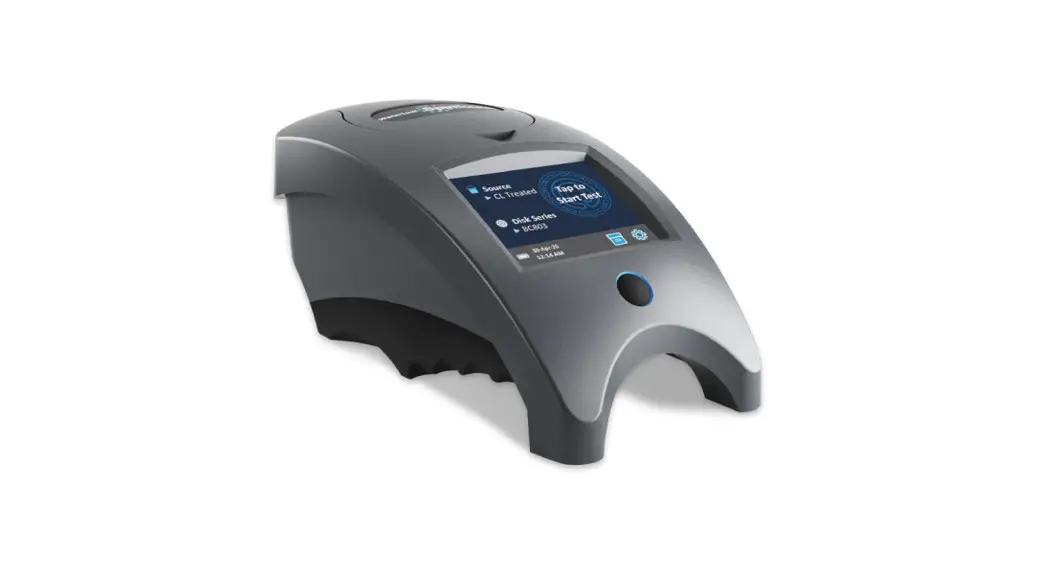
Mobile
QUICK START GUIDE
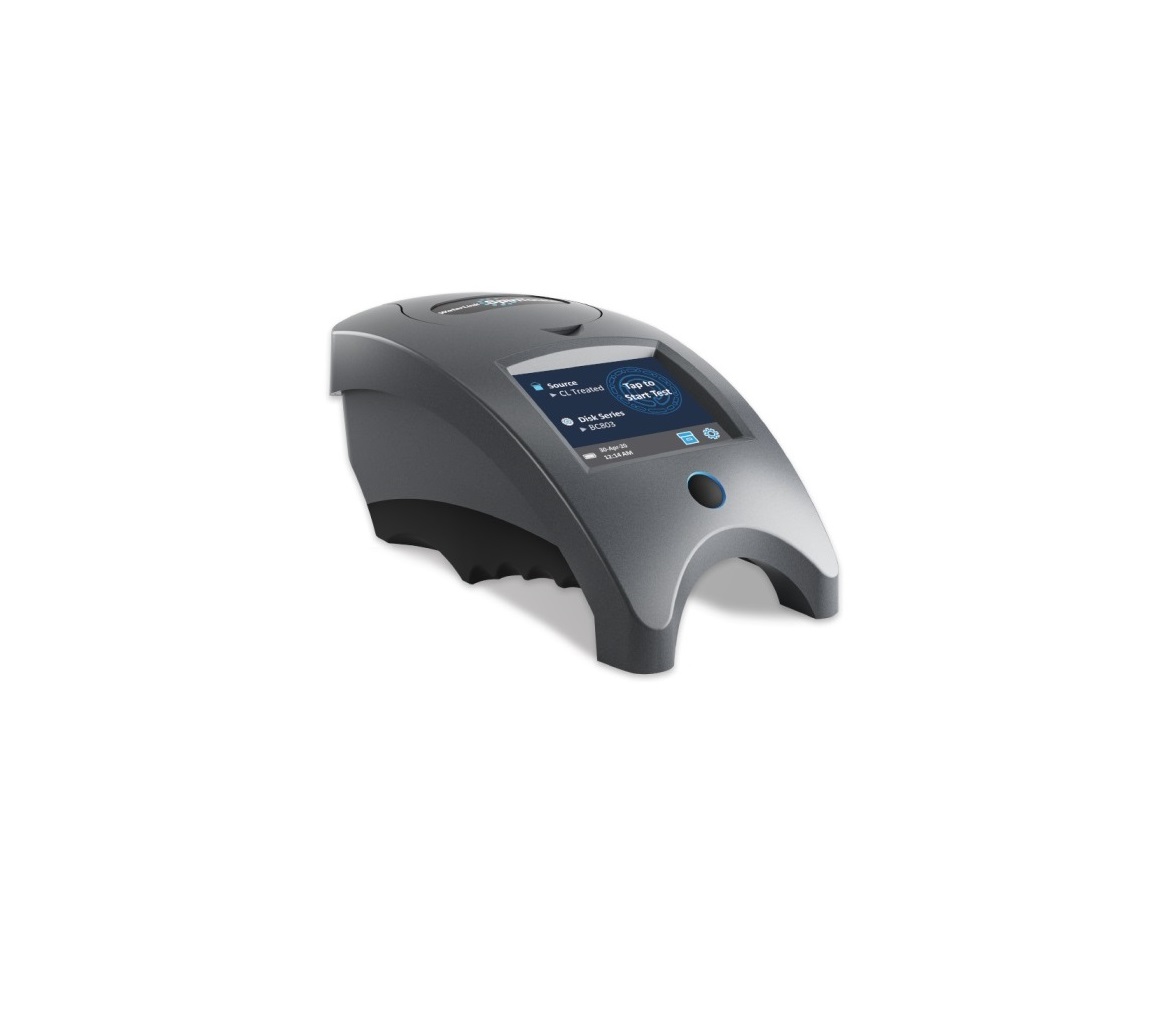
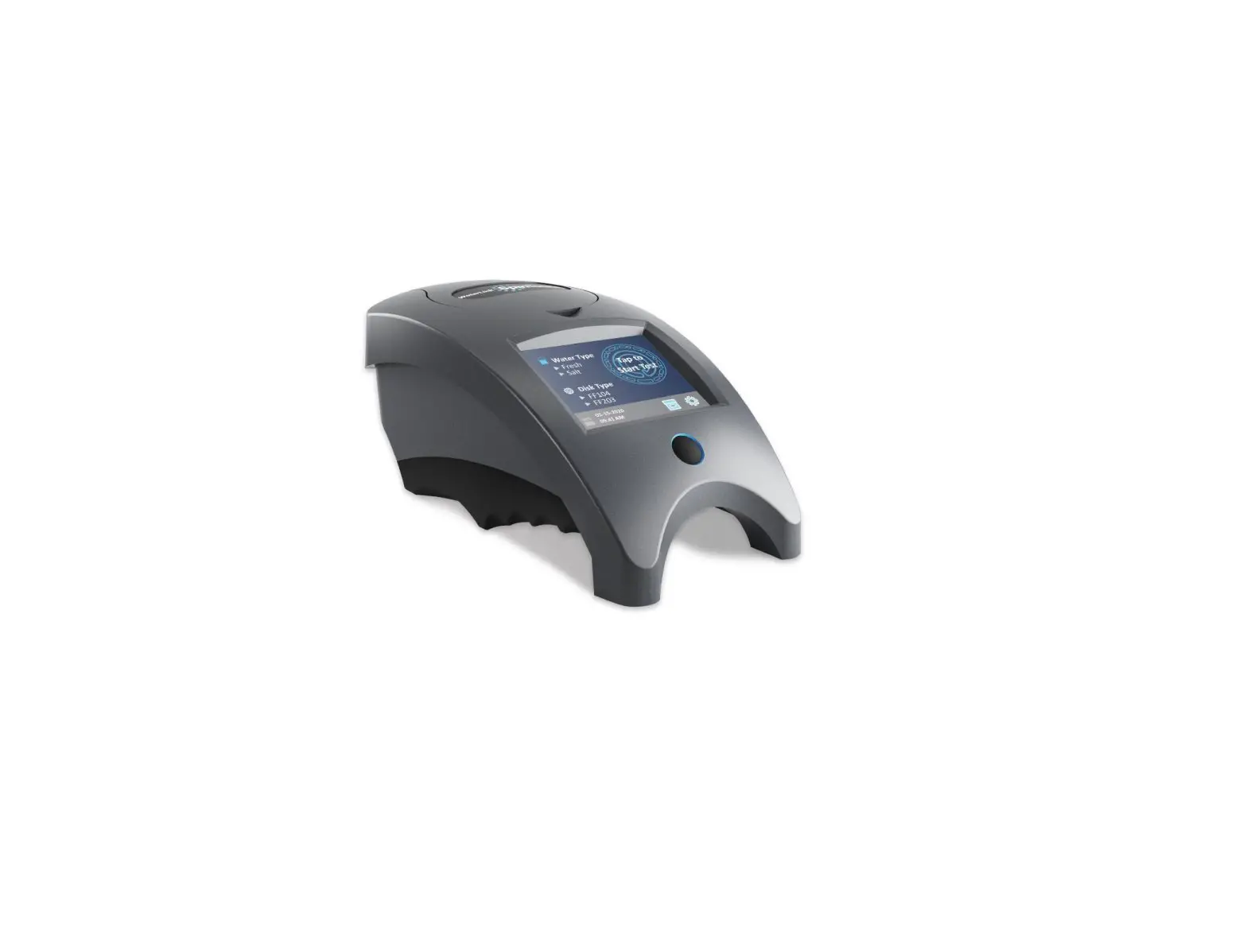
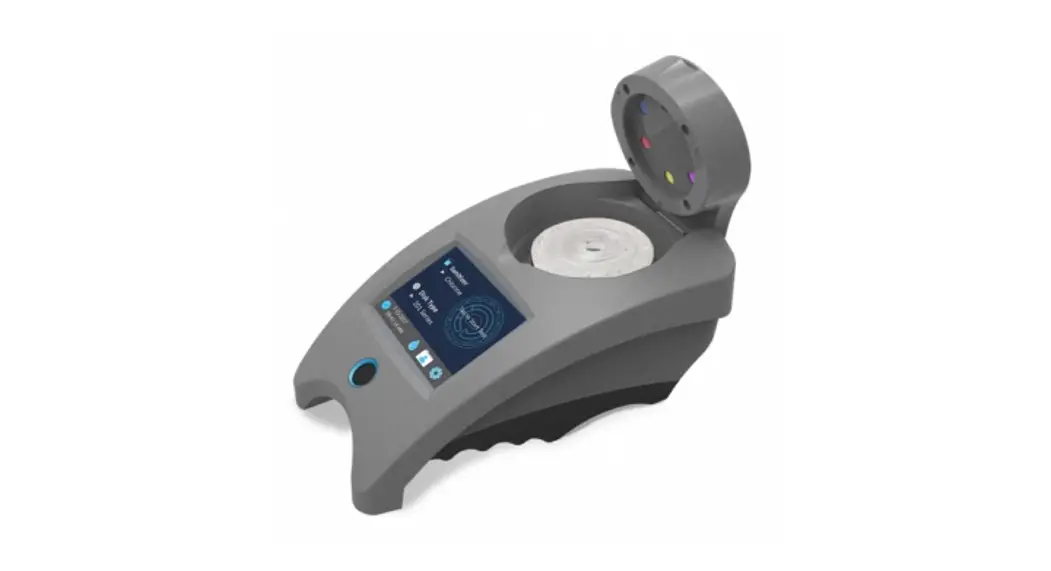
See the Mobile WaterLink Spin Touch manual for additional information.
¬ Fully charge the battery using the Spin Touch USB cable and adapter plug in AC outlet.
¬ Ensure your Spin Touch has the latest firmware. A USB connection to a Windows® PC is required:
- Download and install the WaterLink Connect 2 application for Windows at http://softwarecenter.lamotte.com/.
- Plug meter into the computer with the provided USB cable and launch WaterLink Connect 2 application from the Start Menu.
- A prompt will appear if firmware updates are available. Select Update. Testing and data transfer will not be possible until the firmware has been updated.
TESTING
- Press
 and hold until the meter turns on.
 - Tap.
 Select a sanitizer type. Tap
 to confirm.
 - Tap.
 Select a disk series (found on disk packaging). Tap to confirm.
 - Remove disk from packaging.
- Use a syringe (1189) to fill the disk with a pool or spa water sample.
- Insert disk. Cover disk with Universal Disk Cover (1719). Close lid.
- Tap
 to start test. Tap
  to cancel the test.
 - Results will be displayed.
- Select an option.
– Tap to add a tag.
– Tap the highlighted to save the test results to the test log if AutoSave is not enabled.
– Tap the highlighted to send the results to the enabled Mobile Bluetooth Printer.|
– Tap the highlighted to send the results to a Bluetooth-enabled device.
– Tapto return to the Test Screen. - Press and hold for 2 seconds to turn the meter off.
 and hold until the meter turns on.
 Select a sanitizer type. Tap
 to confirm.
 Select a disk series (found on disk packaging). Tap to
  to start test. Tap
  to cancel the test.
 to add a tag.
 to save the test results to the test log if AutoSave is not enabled.
NOTE: For water samples over 100 °F (38 °C) subtract 0.3 from pH result or, for the most accurate result, wait until the water sample is below 90 °F (32 °C) to test.
DOS & DON’TS
- Hold syringe vertically when filling disks.
- Do not fill the disk while in the meter. Fill disk on a clean, dry surface.
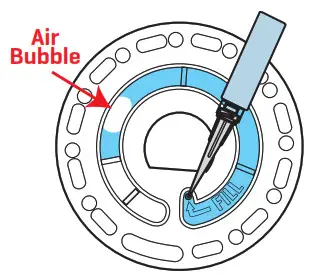
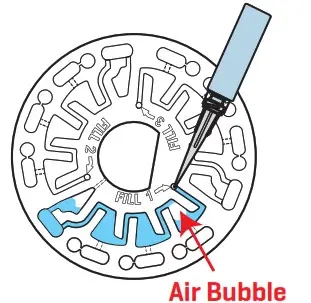
- The disk should not contain any large air bubbles. Air bubbles will result in erroneous results.
- Only the Universal Disk Cover (Code 1719) can be used with the WaterLink Spin Touch.
- The empty syringe of the previous sample before filling with the next sample.
- Remove filled disk from meter after testing.
- Store disks at 70-80 °F/21-27 °C.
WARNING: Only use the USB cable and wall adapter that is supplied with the kit. Make no substitutions.
BLUETOOTH CONNECTION
The WaterLink Spin Touch is capable of connecting to a Bluetooth-enabled device. Transferring results over Bluetooth to a mobile device requires that a mobile app is installed on the device and an active account for the associated software program. Mobile apps for LaMotte software products are available from iTunes (for iOS devices) and Google Play (for Android devices). Learn more about LaMotte software products at http://softwarecenter.lamotte.com.
When the connection is available the button will light on the touch screen. When the is dim, the meter and device are not connected. Tap the button to transfer results to the mobile app. Whenever the
 button appears on the touch screen the Spin Touch is capable of connecting to the BLE Mobile Printer (Code 5-0067). The button will be highlighted when connected and dim when not connected. The Spin Touch cannot connect to both the mobile device and the printer at one time. For more information see the manual.
Compatible with iPhone 6 Plus, iPhone 6, iPhone 5s, iPhone 5c, iPhone 5, iPad Air 2, iPad Air, iPad mini 3, iPad mini 2, iPad mini, and iPad (4th generation). Compatible with Android devices.
FILLING: SINGLE-USE DISKS
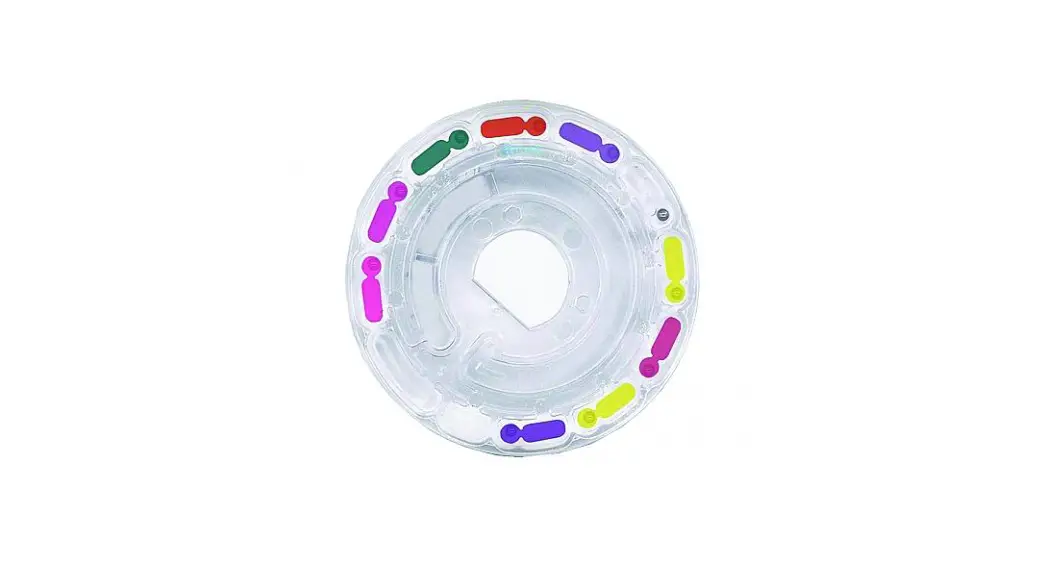
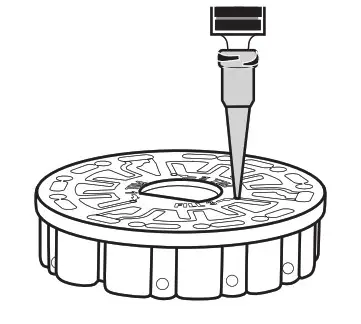
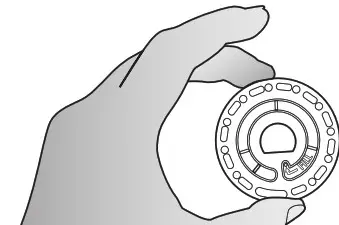
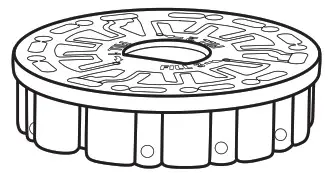
When the syringe is placed in the water sample, and the plunger is pulled all the way up, the syringe will hold more than enough water samples to adequately fill the disk. Hold the syringe vertically and insert the tip into the fill hole in the disk. Press the plunger slowly and smoothly to fill the disk.
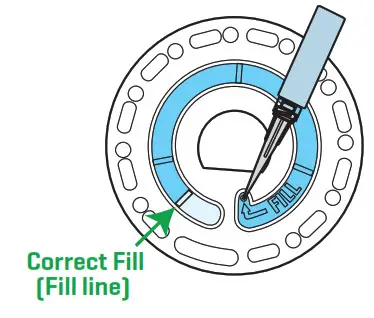
- Fill the disk using slow, even pressure. The sample water will fill the spaces between the baffles in counterclockwise order. Each space will fill from the bottom to the top. Sample water should be added until the sample water in the fourth chamber fills to the top of the chamber slightly past the embossed fill line. It is OK to fill slightly past the fill line.

- Do not overfill the disk. If the disk is overfilled, sample water will flow out of the overflow hole in the center of the disk. The disk is not leaking. Dry the disk and run the test.

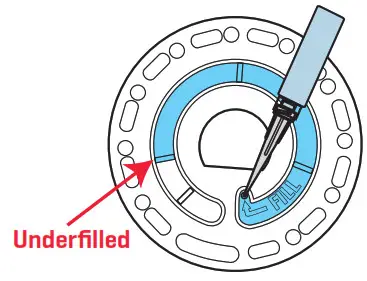
- Do not underfill the disk. If the disk is underfilled, the reagent chambers will not fill entirely and results will be inaccurate.

- Do not introduce air bubbles into the disk. The reagent chambers will not fill entirely and results will be inaccurate. As soon as a bubble starts to form, pull back on the plunger to draw the bubble out of the disk. Begin the filling process again.

- Wet disks should be dried thoroughly with a lint-free wipe. The disk should be handled by the edges.

- Disks should be filled and used within 10 minutes. They cannot be filled ahead of time.
FILLING: MULTIPLE-USE DISK
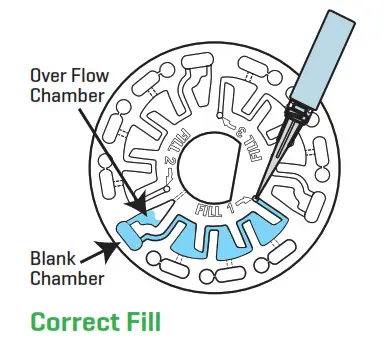
When the syringe is placed in the water sample, and the plunger is pulled all the way up, the syringe will hold more than enough water samples to adequately fill the disk. Hold the syringe vertically and insert the tip into the fill hole in the disk. Press the plunger slowly and smoothly to fill the disk. Sections do not have to be filled in order. The meter will detect which section was most recently filled.
- Fill any unused section of the disk using slow, even pressure. Add the sample water until the Blank Chamber is full and the Over Flow Chamber is partially filled.
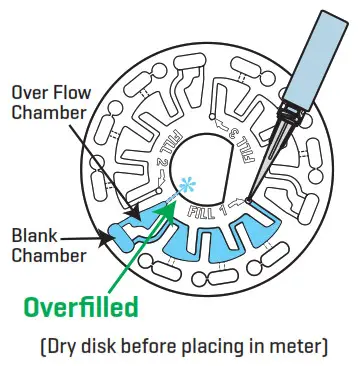
- Do not overfill the disk. If the disk is overfilled, sample water will flow out of the vent hole in the center of the disk. If this happens sample water may flow into a reagent chamber prematurely and results will not be accurate. Begin a new test in the next chamber.

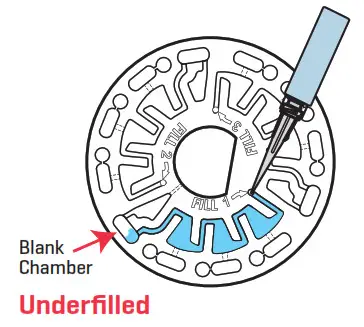
- Do not underfill the disk. If the disk is underfilled, the blank chamber will not be full. The reagent chambers will not fill entirely and results will be inaccurate.

- Do not introduce air bubbles into the disk. The reagent chambers will not fill entirely and results will be inaccurate. As soon as a bubble starts to form, pull back on the plunger to draw the bubble out of the disk. Begin the filling process again.

- Wet disks should be dried thoroughly with a lint-free wipe. Handle the disk by the edges. Between tests store the disk on a flat surface. Do not agitate a partially filled disk to avoid leaking and contamination. Partially used disks should be discarded at the end of the day.

- Disks should be filled and used within 10 minutes. They cannot be filled ahead of time.

For filling and troubleshooting tips go to: www.lamotte.com/spin
Australia and New Zealand Support 1300-723-488
[email protected]

LaMotte Pacific
2/6 Bonz Place, Seven Hills, NSW 2147 · PO Box 345, Seven Hills, NSW 1730
Disk US Patent No. 8,734,734 | FCl US Patent No. 8,987,000 FCl EU Patent No. EP2784503 A1 | TCl US Patent No. 8,993,337
Certified to NSF/ANSI/CAN 50
LaMotte, WaterLink, Spin Touch are ® registered trademarks of LaMotte Company /© 2021 LaMotte Company.
All Rights Reserved. 3581-QG-AU 12.14.21
 Washington Ave • Chestertown • MD • 21620 • the USA
800-344-3100 • 410-778-3100 • [email protected]