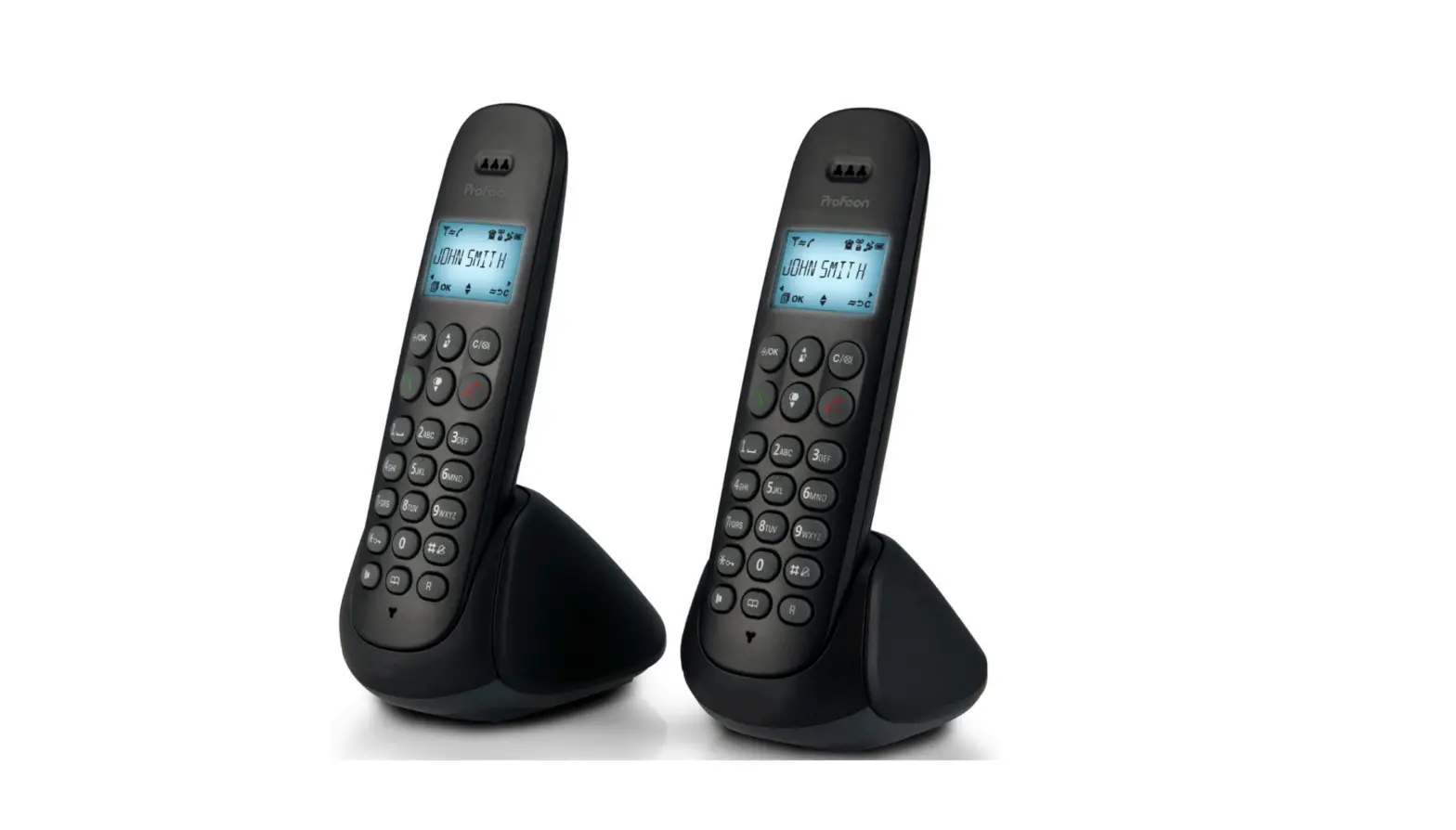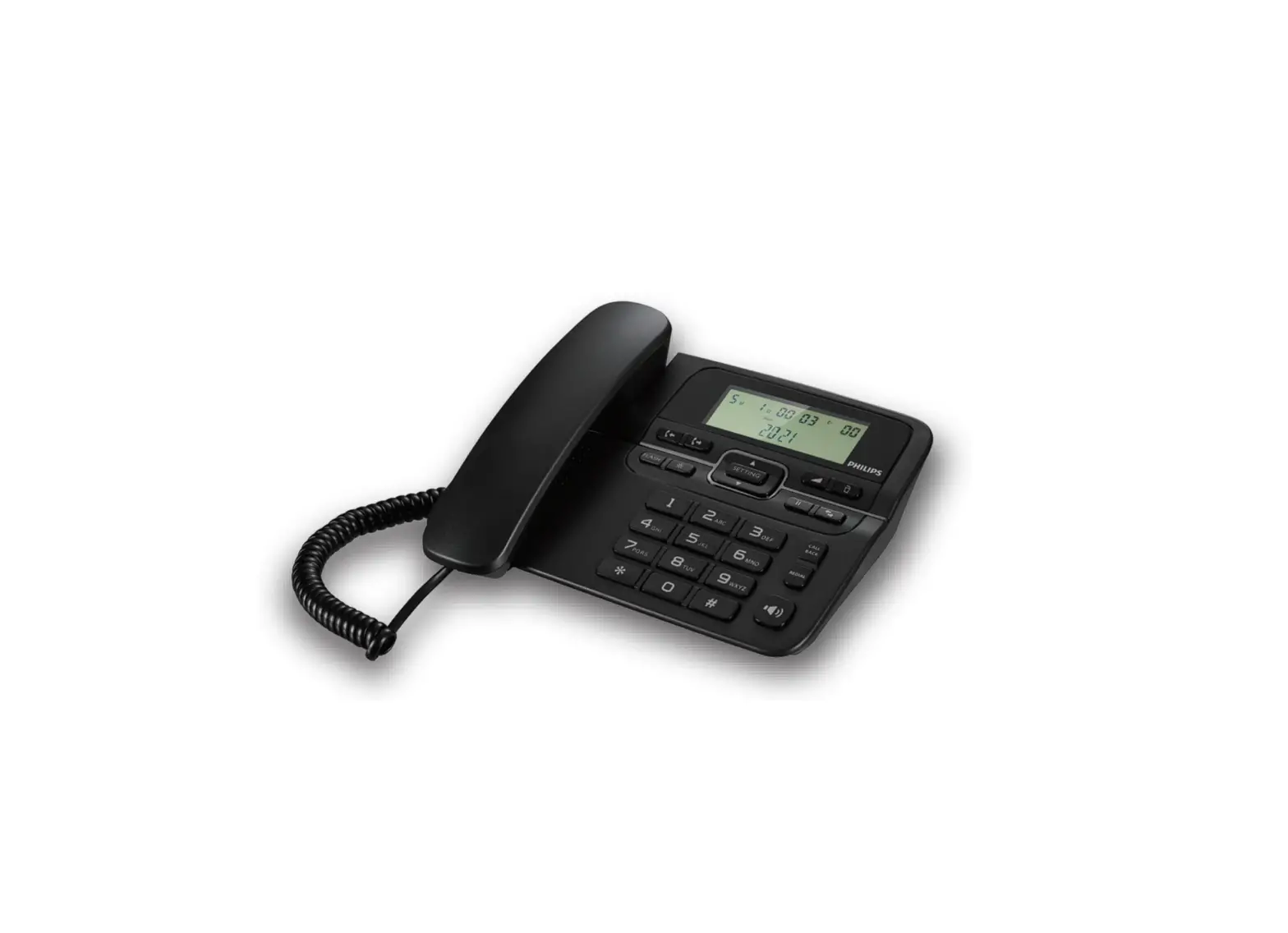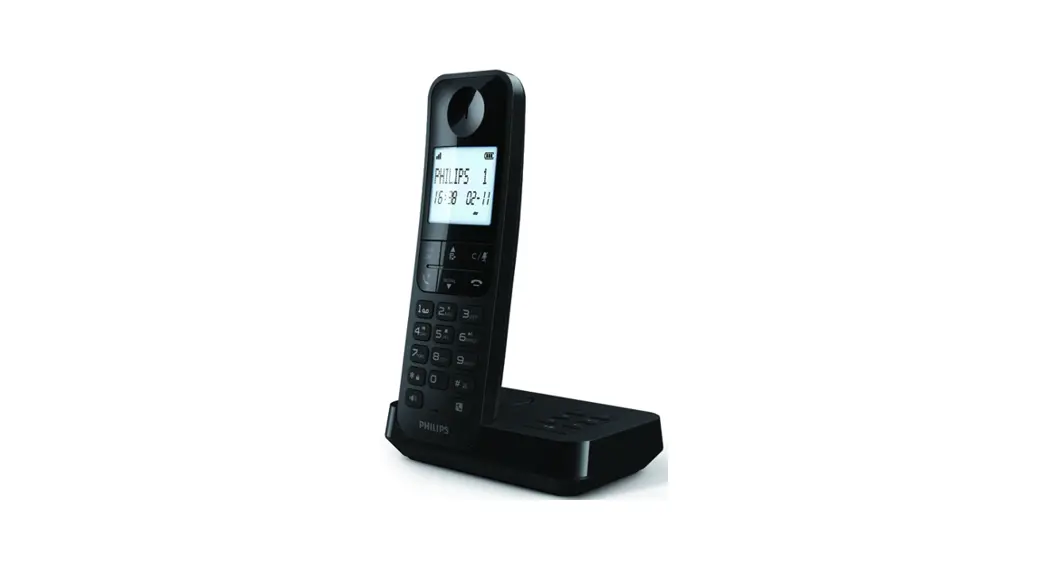

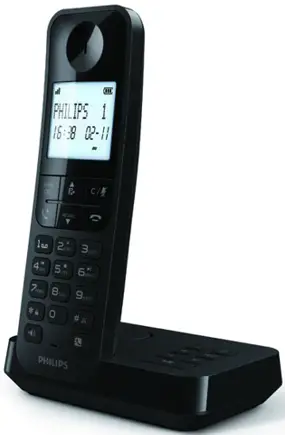
D270-275 Dect Phone
User Manual
D270-275 Dect Phone


Overview
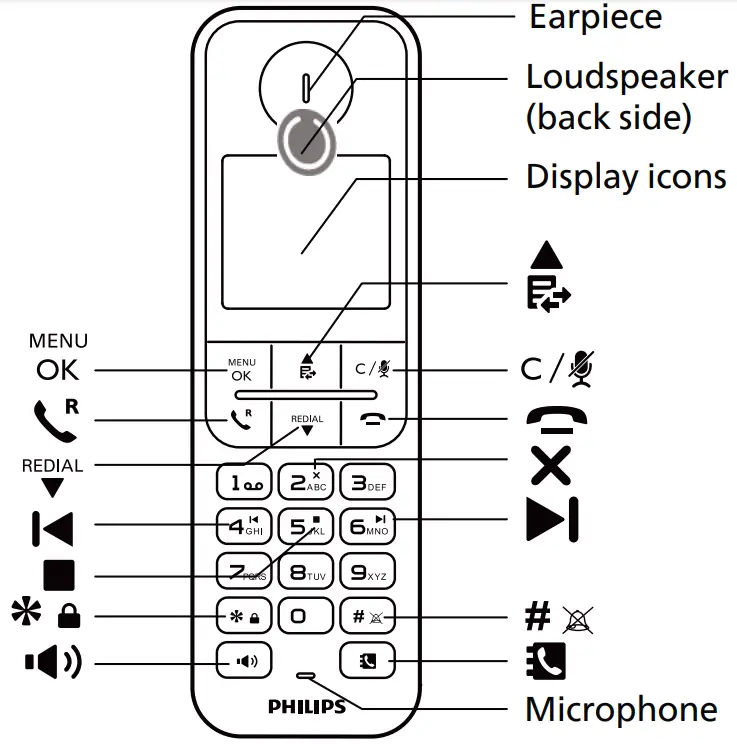
In call / Standby
 | Enter the option menu. |
 | Call log |
 | Mute/unmute the microphone. |
 | Recall (network dependent). |
 | Access the redial list. |
 | End calls. |
 | UP |
| Down |
 | Lock/unlock the keypad (press and hold). |
 | Turn the speaker on/off. |
 | Mute/unmute the ringing. |
 | Phonebook |
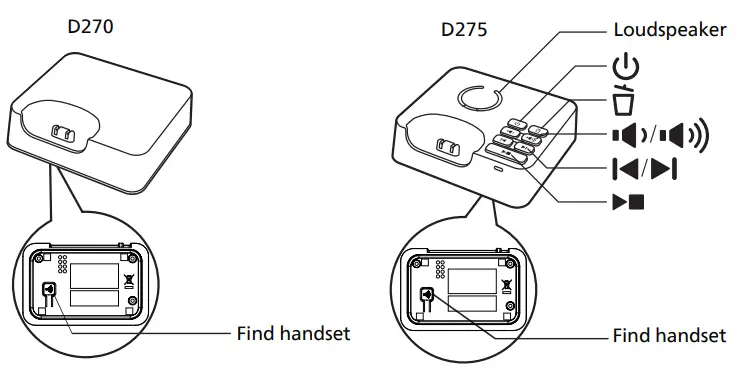
D275 only:Play/Stop Delete Repeat Skip 



Display Icons
 | • It displays the connection between the handset and the base. The more bars are shown, the better the signal strength is. |
 | • It displays when the line is in use. It flashes when there is an incoming call. |
 | • D275 only: It is displayed when answering machine [TAM] is on. It flashes when there is a new message. |
 | • Voice messages indicator: it flashes when there is a new message. * This is network dependent. |
 | • Press C/ for an intercom call within 2 or up to 4 handsets. for an intercom call within 2 or up to 4 handsets. |
 | • Press to go back to the previous menu or cancel the current operation. |
 | • The speaker is on. |
 | • The alarm is on. |
 | • The keypad is locked. |
 | • The ringer is off. |
 | • The call blocker is on. |
Connect
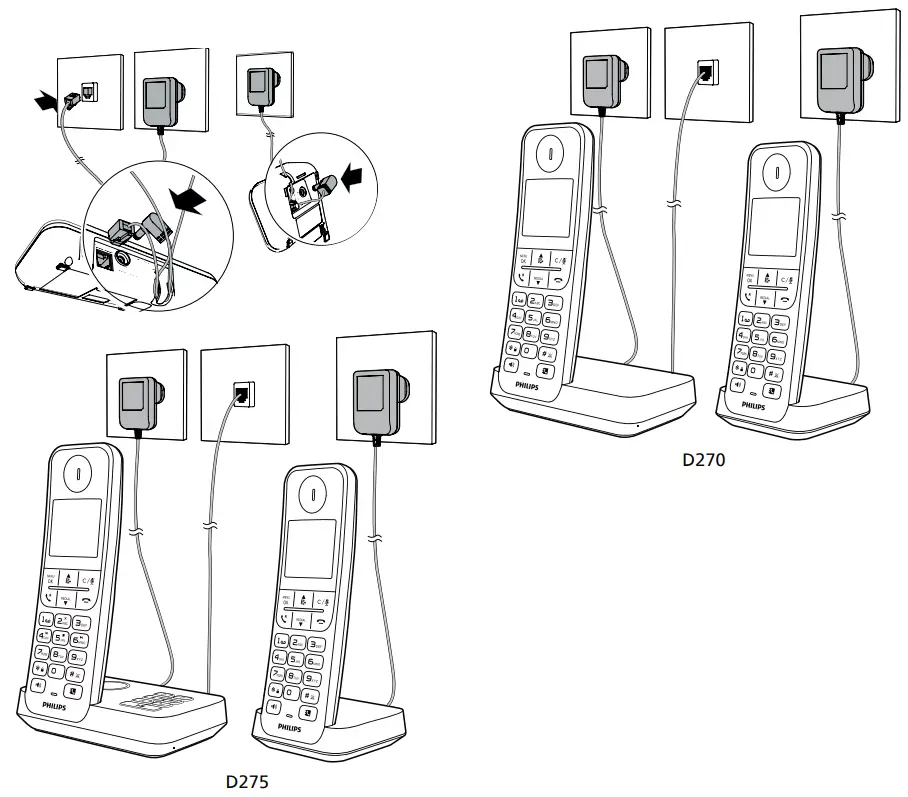
Get started
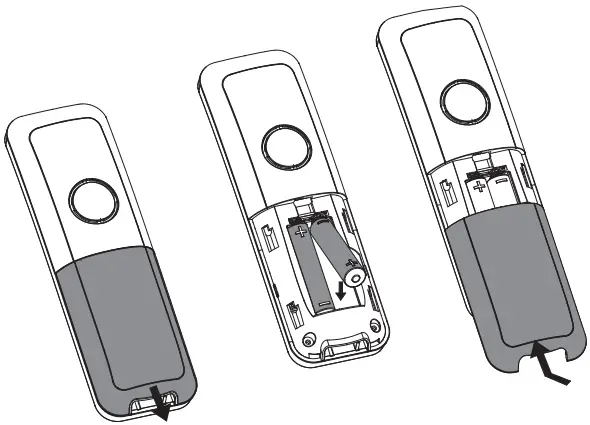
Insert batteries
Configure your phone
- Set the language if prompted.
- Set the date and time:
Press > [HS SETTINGS] > > [ DATE & TIME]then follow on-screen instructions.
Charge your phone
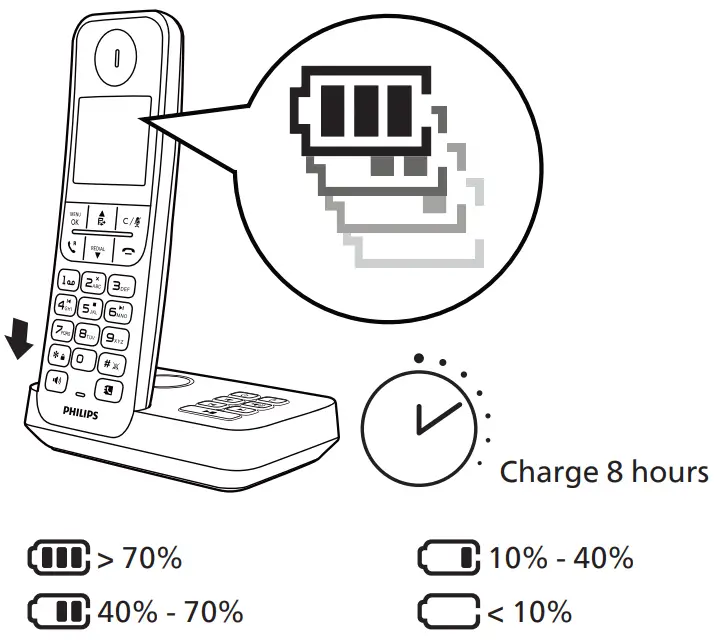
Flashing: low battery
Scrolling: charging in progress Note
Note
- You can install a DSL (digital subscriber line) filter to prevent noise and caller ID problems caused by the DSL interference.
- You can find the Declaration of Conformity on www.philips.com/support
Enjoy
Phonebook
Add record
- Press
 > > [ADD].
 - Follow on-screen instructions.
Call from the phonebook
- Press .
- Select a record and press
 .
.
 .
.Call log
Call from the call log
- Press.
- Select a record and press.
View record
Press  > > [DETAILS] . .
Save record
- Press > > [ADD TO PB] .
- Follow on-screen instructions.
Delete record
- Press > > [DELETE] .
- Follow on-screen instructions.
Redial list
Call from the redial list
- Press
 .
. - Select a record and press.
Save record
- Press > > [ADD TO PB].
- Follow on-screen instructions.
Delete record
- Press > > [DELETE].
- Follow on-screen instructions.
Telephone answering machine (for D275 only)
Record a memo
Press > [ANS MACHINE], select [MEMO] then follow on-screen instructions.
Listen to the incoming messages
Press > [ANS MACHINE], select [MSG PLAYBACK] then follow on-screen instructions.
Register additional handsets
You can register additional handsets to the base station.
- Press .
- Select [REGISTRATION], enter PIN 0000.
- Press and hold
 on the base bottom for 5 seconds.
 on the base bottom for 5 seconds.
Restore default settings
You can reset your phone settings to the original factory settings.
- Press .
- Select [DEFAULT], enter PIN 0000 to confirm.
- Follow on-screen instructions.
 Important safety instructions
- The electrical network is classified as hazardous. The only way to power down the charger is to unplug the power supply from the electrical outlet. Ensure that the electrical outlet is always easily accessible.
- Refer to safety information before using the product.
- Hereby, TP Vision Europe B.V. declares that the product is in compliance with the essential requirements and other relevant provisions of RED Directive 2014/53/EU and UK Radio Equipment Regulations SI 2017 No 1206. You can find the Declaration of Conformity on www.philips.com/support.
- Use only the power supply listed in the user instructions.
- Use only the batteries listed in the user instructions.
- Do not allow the product to come into contact with liquids.
- Risk of explosion if battery is replaced by an incorrect type.
- Dispose of used batteries according to the instructions.
- When the handset rings or when the handsfree is activated, keep the handset away from your ear to avoid hearing damage.
- SAR value <0.1 W/kg
Care of the environment
Disposal of your old product and battery Your product is designed and manufactured with high quality materials and components, which can be recycled and reused.
 This symbol means the product must not be discarded as household waste and should be delivered to an appropriate collection facility recycling.
 This symbol means that the product contains batteries covered by European Directive 2013/56/EU which cannot be disposed of with normal household waste.
Information on the safety of users and non-users:
Compliance with specific usage restrictions on certain places (hospitals, planes, petrol stations, schools…). Precautions to be taken by electronic implants wearers (cardiac stimulators, insulin pumps, neurostimulators…), concerning in particular the distance between the radio equipment and the implant (15 centimeters in the case of the strongest sources of exposure such as mobile phones).
Information on the behaviors to follow to reduce exposure to radiation emitted by equipment:
Use your device in good reception conditions to reduce the amount of radiation received. Make reasoned use of radio equipment, such as mobile phones by children and teens, for example by avoiding night-time communications and limiting the frequency and duration of calls. Keep radio equipment away from the womb of pregnant women. Keep radio equipment away from teenagers’ lower abdomens.
 Technical data
 Technical data
Battery
2xAAA NiMH 1.2V Rechargeable, 500 mAh
Use only the supplied batteries.
Adapter
Base and charger:
Jiangxi Jian Aohai Technology Co., Ltd.:
| Input | Output | |
| A318-060045W-EU1 or A318-060045W-UK1 | 100-240V AC 50/60Hz 0.15A | 6VDC 0.45A 2.7W |
Phonebook with 50 entries
Call log with 20 entries
Talk time: 14 hours
Standby time: 180 hours
DECT technology
Frequency Bands: 1881.792-1897.344MHz
Max power: 21.9 dBm
Modulation Mode: GFSK
Antenna Type: Integrated antenna
Antenna Gain: 0dBi
Operating temperature range: 0° C to 40° C
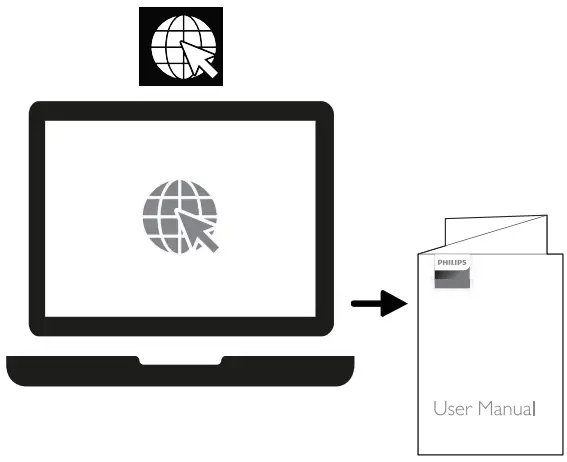
To access the user instructions online, use the reference model number written on the product label at the bottom of the base station.
 Frequently asked questions
 Frequently asked questions
– Make sure the telephone base is installed properly, and battery is installed and charged correctly.
– For optimum daily performance, return the handset to the telephone base after use.
– Disconnect the telephone line cord from your telephone and connect it to another telephone.
– If there is no dial tone on that other telephone either, then the telephone line cord may be defective.
-Try installing a new telephone line cord.
– If changing the telephone line cord does not help, the wall jack (or the wiring to this wall jack) may be defective.
– Contact your telephone service provider.
– You may be using a new cable or VoIP service, the existing telephone jacks in your home may no longer work.
– Contact your service provider for solutions.
– Make sure there is a dial tone before dialing.
– It is normal if the handset takes a second or two to synchronize with the telephone base before producing a dial tone.
– Wait an extra second before dialing.
– Eliminate any background noise. Mute the handset before dialing, or dial from another room in your home with less background noise.
– To reset press > [HS SETTING], select [LANGUAGE] then follow on-screen instructions.
– Make sure the batteries are charged.
– Make sure there are power and phone connections.
– Make sure the handset ringtone is turned on.
– The service is not activated. Check with your service provider.
– The caller’s information is withheld or unavailable.
– If the handset displays [REGISTER], register the handset (see the section on “Register additional handsets” in 4 Enjoy).
– If the handset does not display [REGISTER], move it closer to the telephone base because the handset is out of range.
– Your base memory is full because each telephone base accommodates up to 4 cordless handsets.
– Deregister the unused handsets, and then try again.

2022 © MMD Hong Kong Holding Limited. All rights reserved. Specifications are subject to change without notice.
Philips and the Philips Shield Emblem are registered trademarks of Koninklijke Philips N.V. and are used under license. This product has been manufactured by and is sold under the responsibility of MMD Hong Kong Holding Limited or one of its affiliates, and MMD Hong Kong Holding Limited is the warrantor in relation to this product.
D270/D275_QSG_V1.0
 Philips - United States | Philips