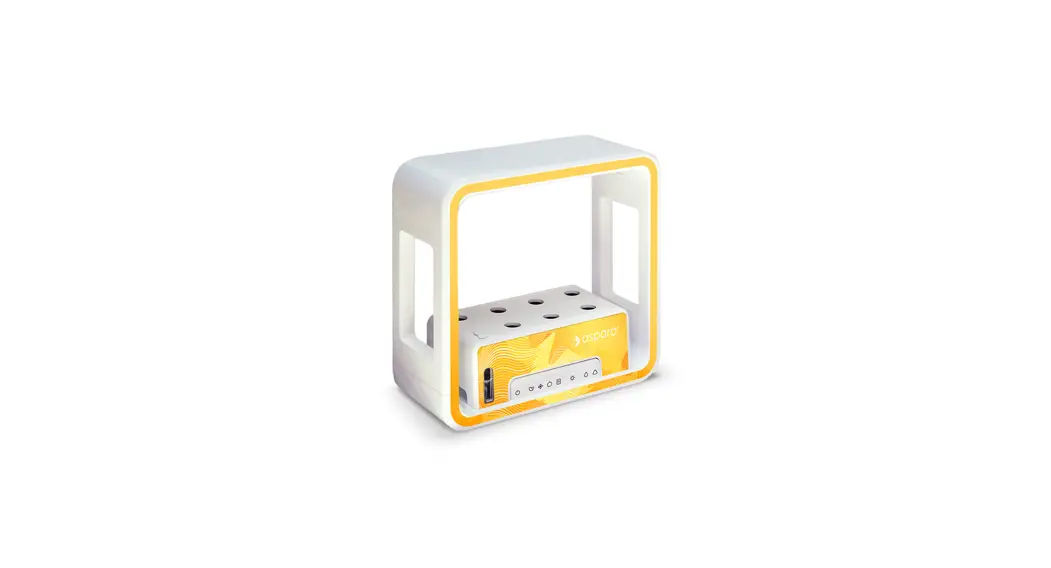
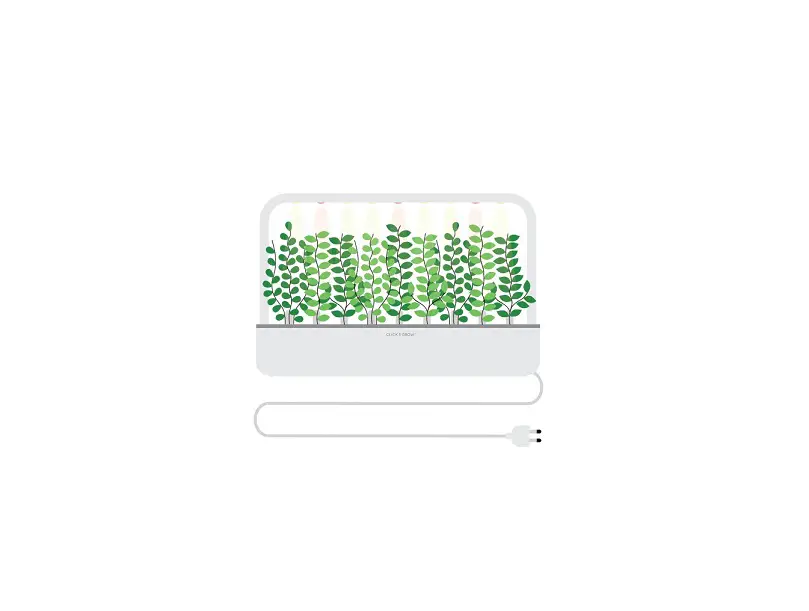
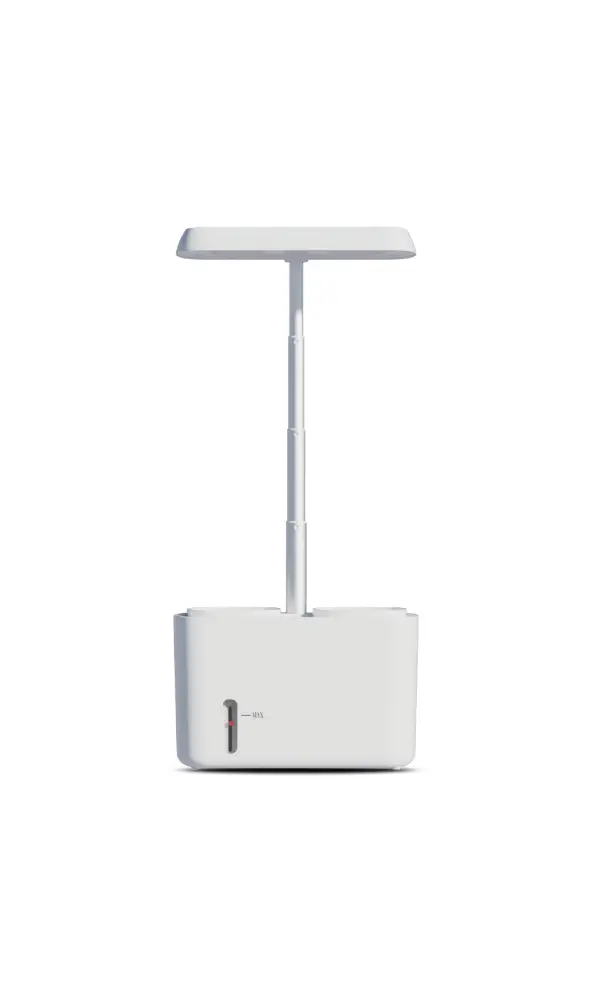
GS1004, GS1005 Stylist Lite Smart Grower
Product Information:
The product is called the Stylist Lite and it is version 1.0. It
is manufactured in China and is printed with the following
trademarks or service marks: 11182021A and GS1004, GS1005. The
official website for the product is www.grow-green.com.
The product consists of several components:
- Cabinet:
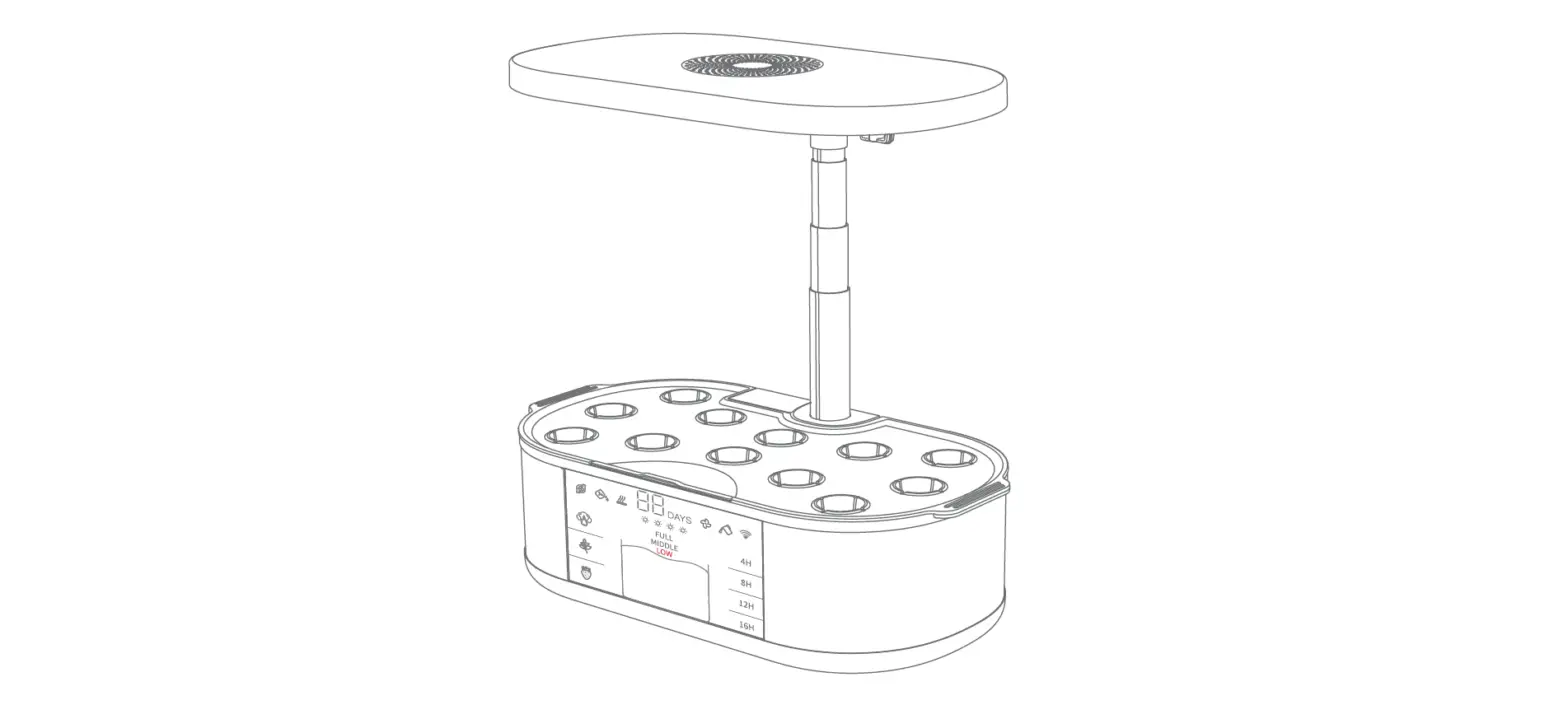
- Top Cabinet: Contains LED Grow Lights and Light Socket (1a,
1b) - Bottom Cabinet: Contains Control Panel, Display Screen, Light
Cord, Power Socket (Input), and Reset Button (2a, 2b, 2c, 2d,
2e)
- Top Cabinet: Contains LED Grow Lights and Light Socket (1a,
- Side Panels
- Grow Tank:
- Grow Cover (4a)
- Tank Base (4b)
- Water Viewing Window (4c)
- Pump (4d)
- Planting Sensor (Stylist only):
- Button (5a)
- Light Sensing Window (5b)
- Battery Compartment (5c)
- Notification Light (5d)
- Power Cable:
- Power Adaptor (6a)
- Power Cord (The power cord may vary depending on the region of
purchase) (6b)
- Accessories:
- Grow Hole Covers (11 for Stylist, 8 for Stylist Lite) (7a)
- Germination Domes (11 for Stylist, 8 for Stylist Lite)
(7b)
Product Usage Instructions:
- To enjoy member privileges, refer to the User Manual.
- WARNING: To reduce the risk of fire or electric shock, do not
remove any of the appliance’s covers or panels. There are no
user-serviceable parts inside. Repairs should be carried out by
authorized service providers only. - Ensure that all cables are routed so that they are not
subjected to strain and are protected from physical damage. - Make sure that all cables are visible over their entire length
and used within their rated ampacity as determined for the
product. - Product Assembly of Stylist Lite:
- Insert the Grow Cover (4a) into the Tank Base (4b).
- Insert the Pump (4d) into the Grow Tank.
- Connect the Light Cord to the Light Socket (1b).
- How to Start Planting:
- Press the Menu button (1) to access the menu.
- Use the Display (1A) and Next/Enter buttons (1B, 1C) to
navigate through the menu. - In the menu, select the desired planting program (2 Planting
programs). - Press the Light button (2) to change light modes or set the
present time as the sunrise time. - Press the Water button (3) to refill the water when
prompted. - Press the Plant food button (4) to refill the plant food when
prompted.
- Bluetooth Setup:
- Press and hold the Bluetooth setup button to trigger Bluetooth
connection.
- Press and hold the Bluetooth setup button to trigger Bluetooth
Join aspara® Club
To enjoy member privileges
User Manual
Version 1.0
© 2022 Growgreen Limited Hong Kong Science Park, Shatin, N.T., Hong Kong.
Printed in China
Other trademarks or service marks referred to herein are the trademarks or service marks of their respective owners.
11182021A
GS1004
GS1005
www.grow-green.com
WARNING: TO REDUCE THE RISK OF FIRE OR ELECTRIC SHOCK, DO NOT REMOVE ANY OF THE APPLIANCE’S COVERS OR PANELS: THERE ARE NO USER-SERVICEABLE PARTS INSIDE. REPAIRS SHOULD BE CARRIED OUT BY AUTHORIZED SERVICE PROVIDERS ONLY.
1. IMPORTANT SAFEGUARDS Read all instructions and keep this manual: · To avoid electrical shock, fire or injury, do not place
the cabinet of the appliance, aspara® Wireless Planting Sensor (stylist only), the power cord, the power adaptor or the plug in water or any other liquid. · Do not place the appliance in a location where it may be played with or misused, such as near unsupervised young children or people with reduced physical, sensory or mental capabilities. · Do not use unauthorized attachments with the appliance: they may cause fire, electric shock or physical injury. · Do not use the appliance outdoor or for commercial use. It is designed for indoor household use only. · Do not place the appliance near a heat source or a naked flame. · Do not place the appliance on an uneven surface or near the edge of a surface where it may be knocked off. · Do not place anything heavy on the top of the appliance. · Do not place anything heavy on the grow tank. · Do not move the appliance when in operation. To move it, always unplug it and empty all water within it first. When carrying the appliance, dismantle the appliance or support it from the bottom. Never carry it by the side panels or the top of the appliance. · Do not use the appliance if it has been dropped or damaged in any case. Always return the appliance to the nearest authorized service facility for examination and/or repair if it has malfunctioned. · Do not look directly at the LED grow lights when they are on.
· The LED grow lights of this appliance are not replaceable; when the lights reach the end of life, the appliance should be replaced.
· The appliance is suitable for use in damp locations. · The appliance must only be connected to electricity after
assembly. · Do not use the appliance if it has a damaged power cord
or plug. · Never let the power cord dangle. · During the installation, the power cord should be:
routed so that they are not subjected to strain and are protected from physical damage.
visible over their entire length. used within their rated ampacity as determined for the
maximum temperature of the installed environment (60°C). · During the installation, the power cord should not be: concealed or extended through a wall, floor, ceiling, or other parts of the building structure. located above a suspended ceiling or dropped ceiling. permanently affixed to the building structure.
STYLIST
1 6
1a
5d 5a 5c
5b
4d 4c
2b
2a
STYLIST
1
6a
6b
1b
7
4a 4b
2c 2d 2e
3
7a
7b
3
CABINET 1. Top Cabinet 1a. LED Grow Lights 1b. Light Socket
2. Bottom Cabinet 2a. Control Panel 2b. Display Screen 2c. Light Cord 2d. Power Socket (Input) 2e. Reset Button
3. SIDE PANELS
4. GROW TANK
4
4a. Grow Cover
4b. Tank Base
4c. Water Viewing Window
4d. Pump
5. aspara® WIRELESS
PLANTING SENSOR
(Stylist only)
5a. Button 5b. Light Sensing Window 5c. Battery Compartment 5d. Notification Light
6. POWER CABLE
2
6a. Power Adaptor
6b. Power Cord (The power
cord is different depending
on the region of purchase)
7. ACCESSORIES
7a. Grow Hole Covers x11 7b. Germination Domes x11
2. PARTS STYLIST LITE
1a
5 1 1b
6 3
6a
6b
4d
4c
2a BUTTON GUIDE STYLIST LITE
2c 2d
4a 4b
2b 2
CABINET 1. Top Cabinet 1a. LED Grow Lights 1b. Light Socket
2. Bottom Cabinet
2a. Control Panel
2b. Light Cord
4
2c. Power Socket (Input) 2d. Reset Button
3. SIDE PANELS
4. GROW TANK 4a. Grow Cover 4b. Tank Base 4c. Water Viewing Window 4d. Pump
5. POWER CABLE
6. ACCESSORIES 6a. Grow Hole Covers x 8 6b. Germination Domes x 8
2
1
2A 2B 2C 2D
Standby Leafy Herbs Fruits App
3 Light
4
5
Water Plant food
2 Planting programmes
Bluetooth setup
1 Standby
Switch off the device.
2 Planting programmes
2A
Leaf
i.e., Lettuce
2B
Herbs
i.e., Basil, parsley
2C
Fruits
i.e., Tomato, chilli pepper
2D
App
Using the planting programme from the App; Press and hold to trigger Bluetooth connection.
3 Light
Press to change light modes: auto, white or off; Press and hold to set the present time as the sunrise time. The Lights will stay on everyday for 9 to 16 hours depend on the planting programme.
4 Water
A reminder to refill the water. Press to reset the reminder after refilled.
5 Plant food
A reminder to refill the plant food. Press to reset the reminder after refilled.
4
3. HOW TO START PLANTING 3.1 PRODUCT ASSEMBLY OF STYLIST LITE
4. Insert
6. Insert
5. Connect the Light Cord to Light Socket
1 Menu
1A 1B 1C
2 Light
3 Water
4 Plant food
1A Display
1B 1C Next Enter
2 Light
3
4
Water Plant food
1 Menu
Bluetooth setup
Display Next Enter/ Bluetooth setup Press to confirm the selection on the display; Press and hold to trigger Bluetooth connection.
Press to change light modes: auto, white or off; Press and hold to set the present time as the sunrise time. The Lights will stay on everyday for 9 to 16 hours depend on the planting programme.
A reminder to refill the water. Press to reset the reminder after refilled.
A reminder to refill the plant food. Press to reset the reminder after refilled. 5
3.1.1 PRODUCT ASSEMBLY OF STYLIST
8. Insert the Grow cover
3. Insert
7. Insert the pump
2. Insert
1. Put Light Cord through the right panel to the mark
9. Put on
10. Plug in
Pump nozzle assembly
6
3.2 PLANTING SETUP & START PLANTING
11. Connect to power
4. Insert
6. Insert
5. Connect the Light Cord to Light Socket
12. Insert the Wireless Planting Sensor
1. Fill water to the grow tank
2. Add plant food
3. Insert seed capsules
3. Insert
8. Insert the Grow cover
7. Insert the pump
9. Put on
2. Insert
1. Put Light Cord through the right panel to the mark
10. Plug in
11. Connect to power
4. Add domes to cover the seed capsules
Pump nozzle assembly
7
5. Add grow hole covers to cover the empty grow holes
6. On Stylist Lite, press to start planting On Stylist, select start planting on the display. It will then guide you through the rest of the process
8
3.3 ONLINE MODE
Download aspara® Mobile Apps
from App Store (for iOS) or Google play (for Android)
STYLIST LITE
aspara®
Pairing Stylist Lite with your mobile
STYLIST
Remove the grow tank and find the Bluetooth ID on the bottom cabinet
Press and hold this setup button on Stylist Lite. The status light should flash, which means that it is ready to connect.
Pairing Stylist with your mobile
Remove the grow tank and find the Bluetooth ID on the bottom cabinet
Press and hold this setup button on Stylist. The status light should flash, which means that it is ready to connect.
If the Bluetooth ID does not show up, check: 1. if Bluetooth is enabled on your mobile; 2. if your smart grower is turned on.
9
3.4 aspara® WIRELESS PLANTING SENSOR SETUP (FOR STYLIST ONLY) 1. Unscrew battery compartment cover to open the battery compartment. 2. Insert 2 x AAA batteries according to the polarity markings indicated in the battery compartment. 3. Replace the battery compartment cover and ensure it is clipped in firmly. 4. When the product is not in use, remove the batteries and store in a dry place, out of the reach of children. You must go online and use the aspara app for the wireless planting sensor to work. 1. Insert into the grow tank 2. Launch the app 3. Press the button on the Sensor to pair
10
5. CLEANING The appliance should be cleaned between each growing session or if it has not been used for a while. Make sure the appliance is not in any planting programs.
Parts that should be thrown away Plants
Parts AVOID touching water, can only be cleaned by wiping with a damp cloth
4. BEGINNER PLANTING GUIDE Visit www.grow-green.com to see planting tips that beginners need to know.
You can also browse our website to see all tips throughout your planting.
Beginner’s Guide
Planting Tips
11
6. WARRANTIES 6.1 aspara® Stylist and aspara® Stylist Lite
Limited One-Year Warranty Register your smart grower online (www.grow-green.com) within a month from the day of purchase to enjoy 1-year complimentary warranty. Personal information including your name, email, product name, mac & S/N numbers and region of purchase will be needed. You will become our member automatically upon registration to enjoy exclusive offers. This warranty is available to consumers who purchased aspara® Stylist or aspara® Stylist Lite (from now on called the `appliance’) at retail for personal, family or household use. Except as otherwise required under the applicable law, this warranty is not available to retailers or other commercial purchasers or owners. For commercial purchase, please inquire our selected distributors for warranty details.
using the appliance not in the region of your purchase, attempted use of your appliance with a converter, as well as use with accessories, replacement parts, repair service or alternations other than those authorized by Growgreen Limited. This warranty does not cover any damage caused by accident, misuse, shipment or uses not adhering to this user guide. This warranty excludes all incidental or consequential damages.
6.2 aspara® Seed Kit Please refer to aspara® seed kit instructions for seed kit warranty.
We warrant that your appliance will be free of defects in materials and workmanship under normal home use for a period of 1 year from the date of original purchase. Please keep your original proof of purchase in order to obtain the warranty benefits.
If you have an enquiry regarding your appliance, read this manual or our website (www.grow-green.com). You can also seek consumer support by email or direct call to your local authorized aspara® service center. Please refer to www.grow-green.com for the most updated contact at your authorized aspara® service center. You can also email us at [email protected]. If our consumer service suggests that your appliance may be malfunctioning and your appliance is within the warranty period, please send or bring it, together with your proof of purchase, to an authorized aspara® service center. To find your nearest center, visit www.grow-green.com (or the website specific to your country/region).
Your appliance has been manufactured for use specifically within the region of your purchase and with authorized accessories and replacement parts only. This warranty expressly excludes any defects or damages caused by
13
7.2 CANADA, INDUSTRY CANADA (IC) NOTICES 7.3 DIRECTIVE 2012/19/EU
This device contains licence-exempt transmitter(s)/ receiver(s) that comply with Innovation, Science and Economic Development Canada’s licence-exempt RSS(s). Operation is subject to the following two conditions: (1) This device may not cause interference. (2) This device must accept any interference, including interference that may cause undesired operation of the device. Caution: To maintain the compliance with the RF exposure guideline, place the unit at least 20 cm from nearby persons.
European Union European Union: CE directive
Under the environment with Surge and Injected Current, the sample was in abnormal / stopped operation. It could be reset by re-plug the power. WEEE:
L’émetteur/récepteur exempt de licence contenu dans le présent appareil est conforme aux CNR d’Innovation, Sciences et Développement économique Canada applicables aux appareils radio exempts de licence. L’exploitation est autorisée aux deux conditions suivantes : (1) L’appareil ne doit pas produire de brouillage; (2) L’appareil doit accepter tout brouillage radioélectrique subi, même si le brouillage est susceptible d’en compromettre le fonctionnement. Mise en garde : Pour assurer la conformité aux lignes directrices concernant l’exposition aux RF, placer l’appareil à au moins 20 cm des personnes.
STATEMENT: Hereby, Growgreen Limited, declares that aspara® Stylist (from now on called the `appliance’) is in compliance with the essential requirements and other relevant provisions of Directive 2012/19/EU. The symbol on the appliance or its packaging signifies that this appliance has to be disposed separately from ordinary household wastes at its end of life. Please kindly be aware that this is your responsibility to dispose electronic equipment at recycling centers so as to help conserve natural resources. Each country in the European Union should have its collection centers for electrical and electronic equipment recycling. For information about your recycling drop off point, please contact your local related electrical and electronic equipment waste management authority or the retailer where you bought the appliance
· Do not dispose of the appliance with household waste. · Disposal of the packaging and the appliance should be
done in accordance with local regulations.
Seed capsules – Biodegradable
Parts come in contact with plants that can be washed with water
Grow hole covers
Cabinet
Power cable
aspara® Wireless Planting Sensor (Stylist only) the top part
Grow tank
Germination domes
aspara® Wireless Planting Sensor (Stylist only) the sensing part at the bottom
· Make sure the cabinet is disconnected from the electricity supply when cleaning.
· Do not clean the power plug nor allow water to enter the cabinet.
· NEVER immerse the cabinet in water (or any other liquids) or wash it using free-running water.
· DO NOT use water hotter than 40ºC/ 105ºF. · DO NOT use bleach or harsh cleaners. · DO NOT wash in the dishwasher.
12
7. REGULATORY NOTICES 7.1 FCC COMPLIANCE STATEMENT North America United States: Federal Communications Commission [FCC] FCC COMPLIANCE STATEMENT: This device complies with part 15 of the FCC Rules. Operation is subject to the following two conditions: (1) This device may not cause harmful interference, and (2) this device must accept any interference received, including interference that may cause undesired operation. INFORMATION TO USER: This appliance has been tested and found to comply with the limits for a Class B digital device, pursuant to Part 15 of FCC Rules. These limits are designed to provide reasonable protection against harmful interference in a residential installation. This appliance generates, uses, and can radiate radio frequency energy. If not installed and used in accordance with the instructions, it may cause harmful interference to radio communications. However, there is no guarantee that interference will not occur in a particular installation. If this appliance does cause harmful interference to radio or television reception, which can be determined by turning the appliance off and on, the user is encouraged to try and correct the interference by one or more of the following measures:
WARNING: The changes or modifications not expressly approved by the party responsible for compliance could void the user’s authority to operate the appliance. FCC RF Radiation Exposure Statement Caution: To maintain compliance with the FCC’s RF exposure guidelines, place the unit at least 20cm from nearby persons.
· Reorient or relocate the receiving antenna. This can be done by moving the appliance to a different location.
· Increase the distance between the appliance and the receiver.
· Connect the appliance to outlet on a circuit different from that to which the receiver is connected.
· Consult the dealer or an experienced radio/TV technician for help. 14
15
16
Visit
www.grow-green.com
Get
aspara® Seed Kit
f rom www.grow-green.com/shop or aspara® app shop
Download
aspara®
aspara® Mobile Apps
from App Store (for iOS) or Google play (for Android)
17
18
 growgreen – Fresh veg and smart systems