 PCB Single Paddle
User Manual

PCB Single Paddle
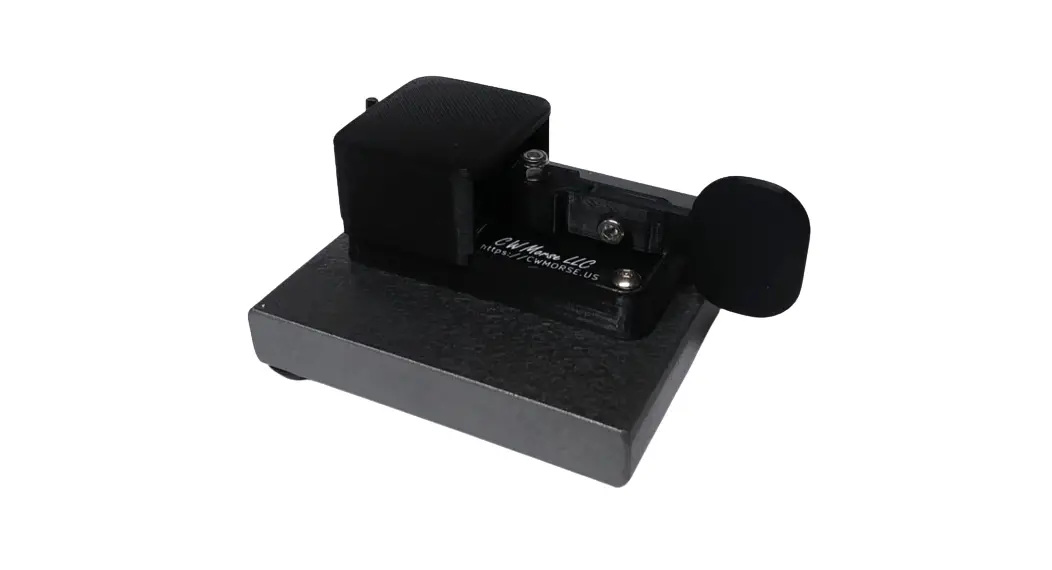
CWMorse PCB Single Paddle
PCB Cootie/Sideswiper/Iambic Single Paddle Key uses tactile micro-switches
That create a click when activated.
KEY JACK
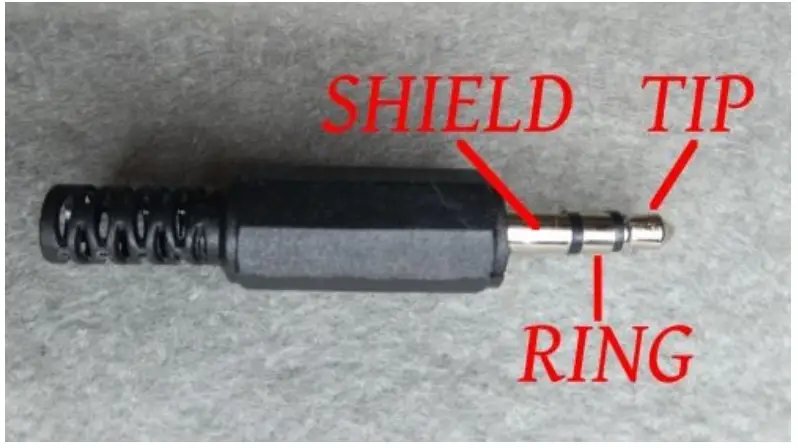
- TIP See Jumpers Below
- RING See Jumpers Below
- SHIELD This is the common connection for the contacts.
Cover Removal
To Change jumper settings remove the cover by carefully removing the nut on the jack then lift the cover.
KEY INPUT JUMPERS
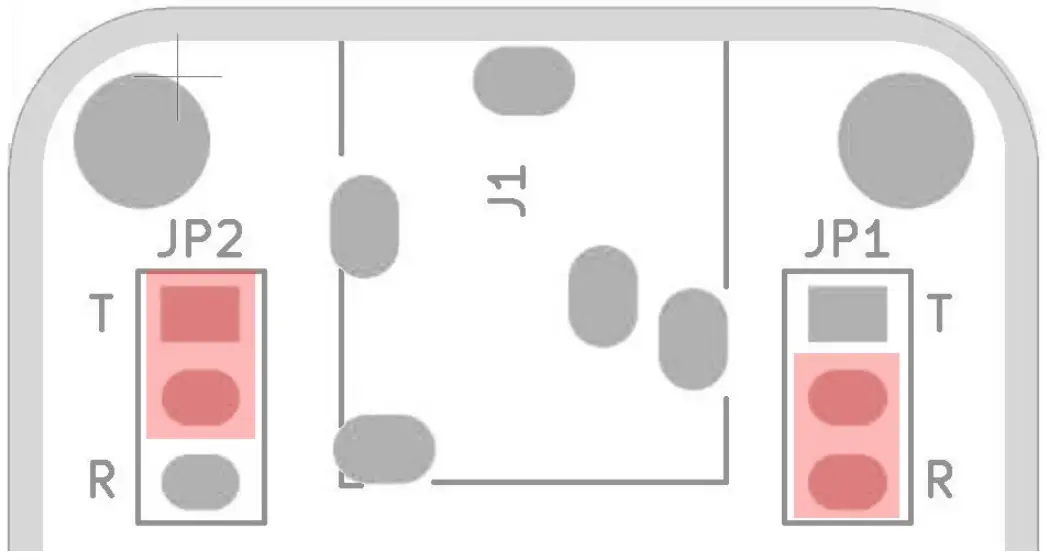
- JP1 selects the key jack setting for the right contact.
- JP2 selects the key jack setting for the left contact.
- Placing the jumper on T and the center pin will select the key jack TIP for that contact.
- Placing the jumper on R and the center pin will select the key jack RING for that contact.
In the picture above the left contact is set for the TIP and the right contact is set for the RING.
To use the cootie as a straight key place both jumpers on the TIP and center.
©2022 CWMorse.us
 Morse Code Keys Made In The USA – cwmorse.us
 i0.wp.com/kc9on.com/wp-content/uploads/2021/12/Jack3W.jpg?ssl=1