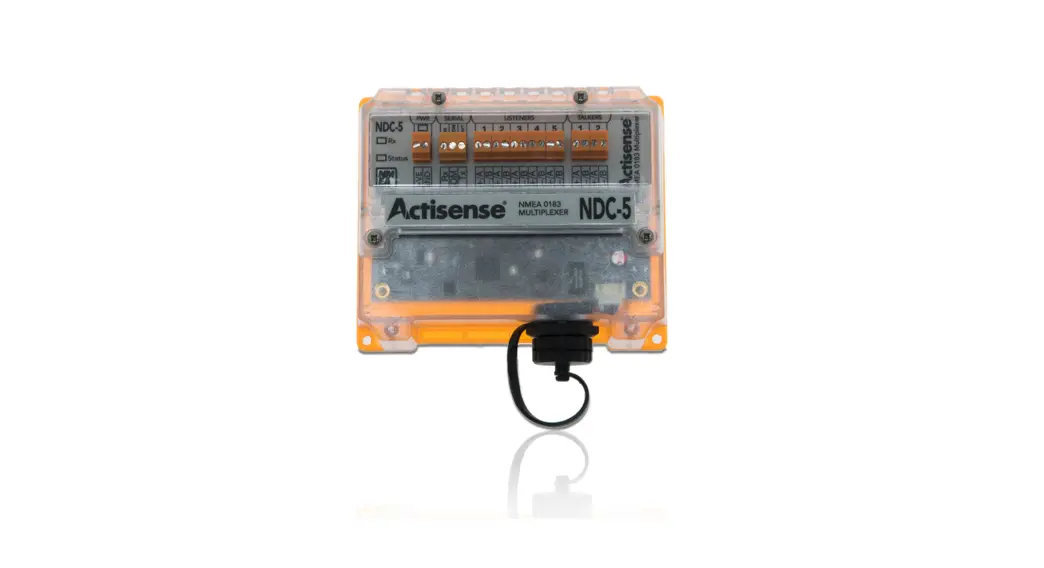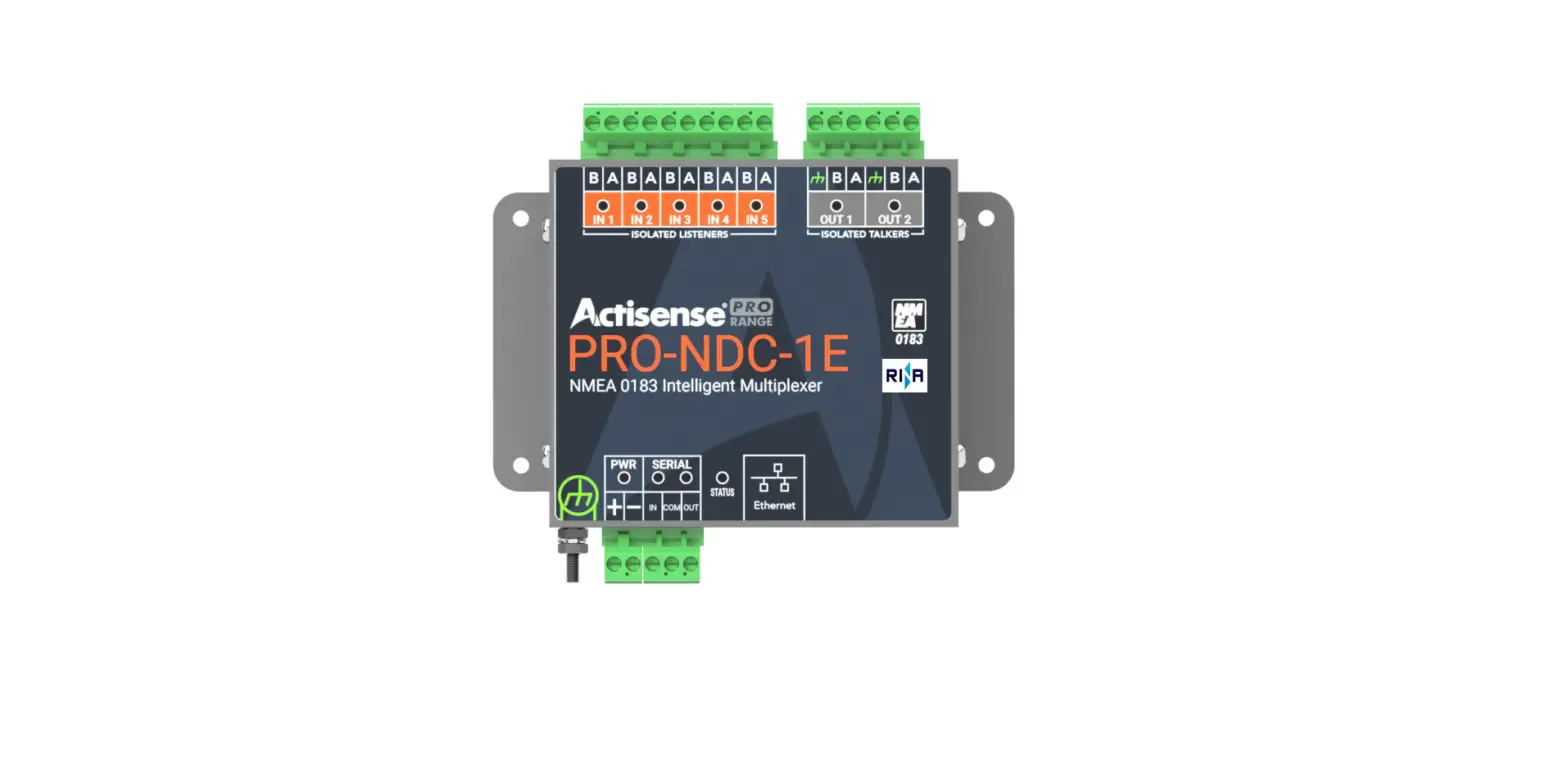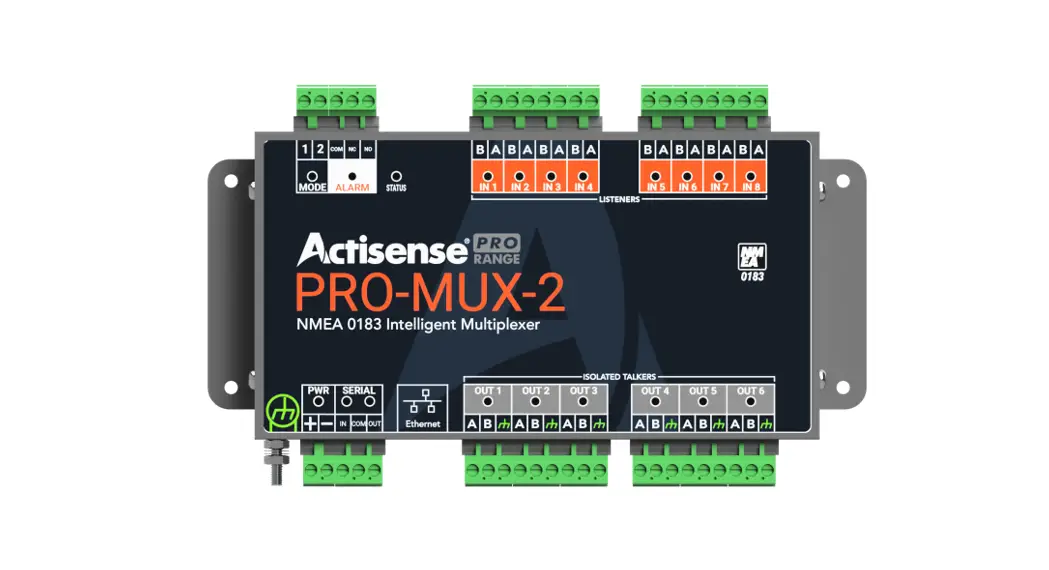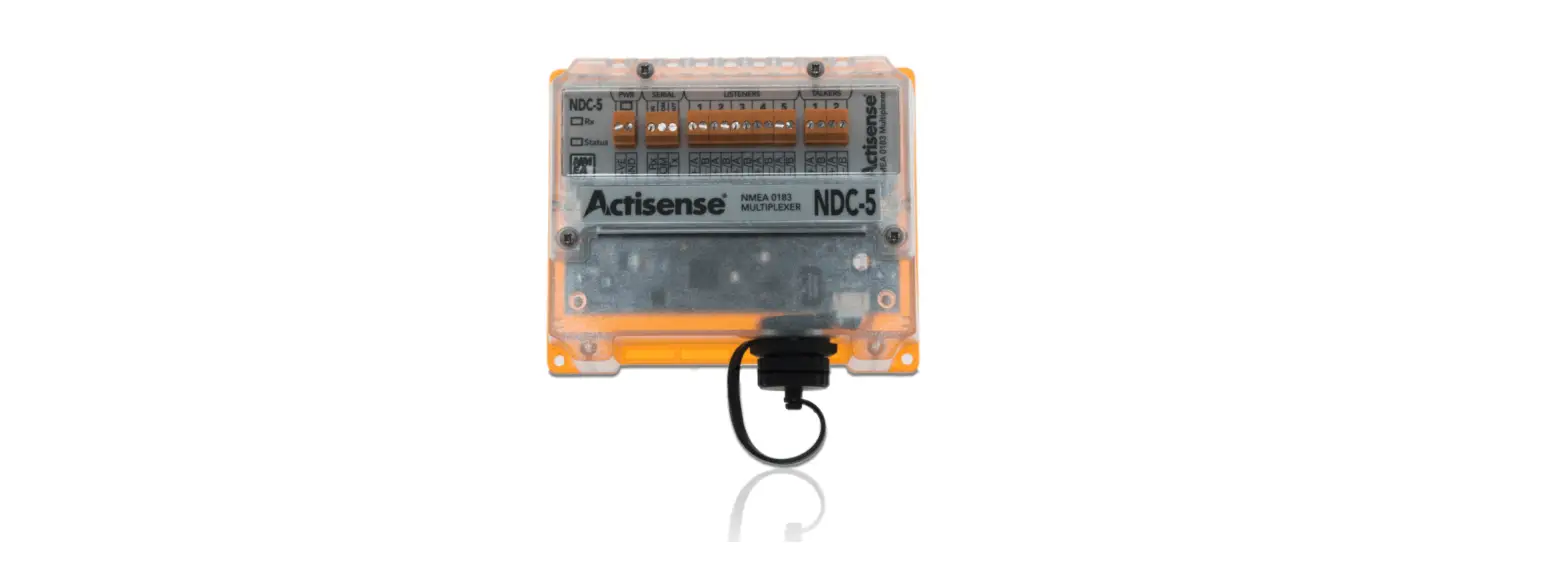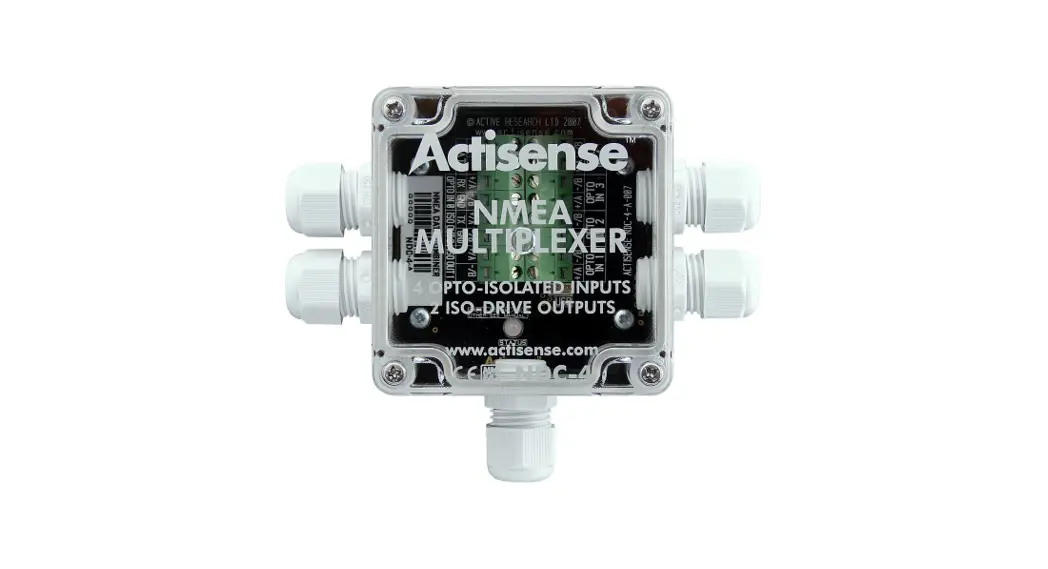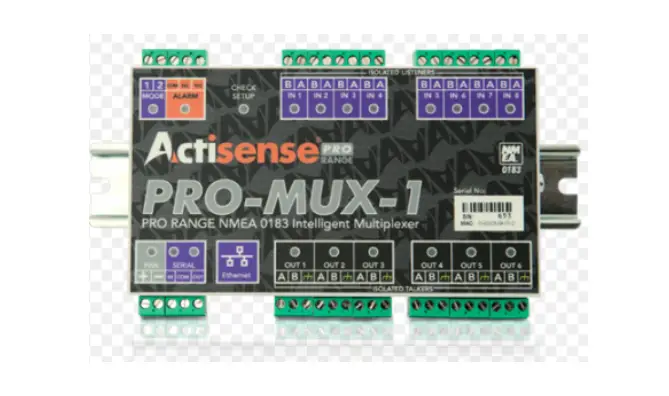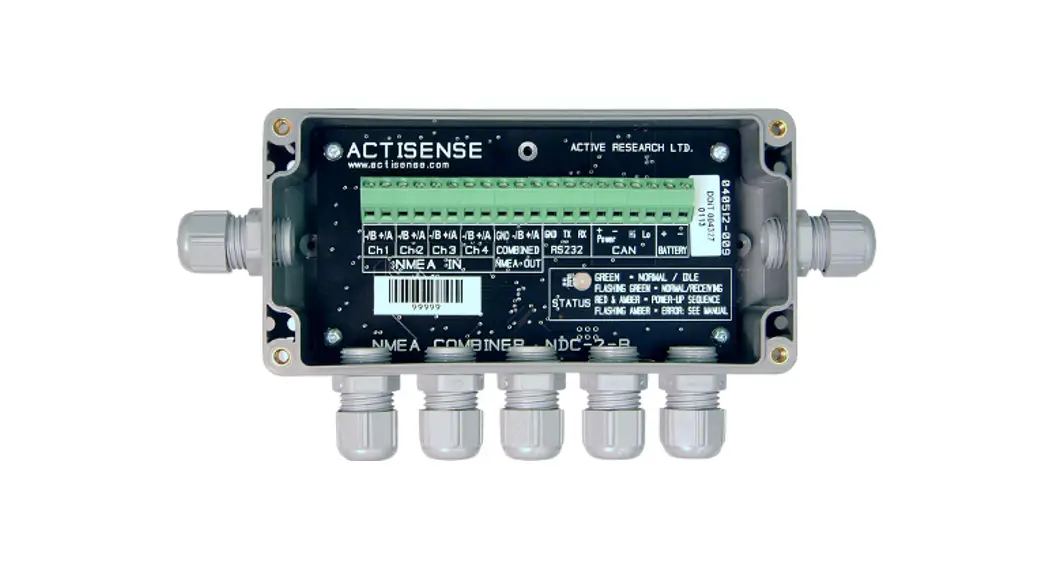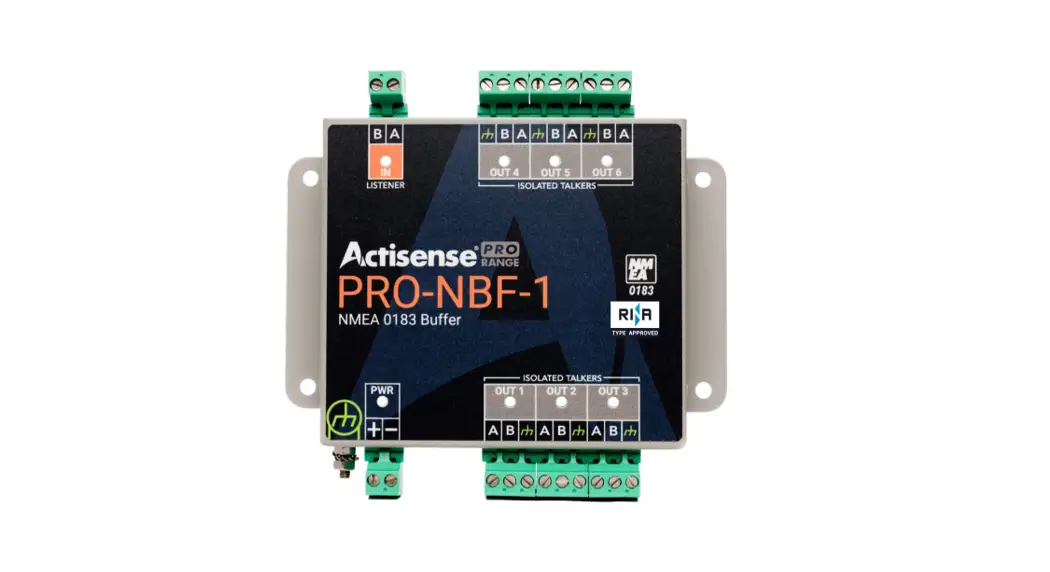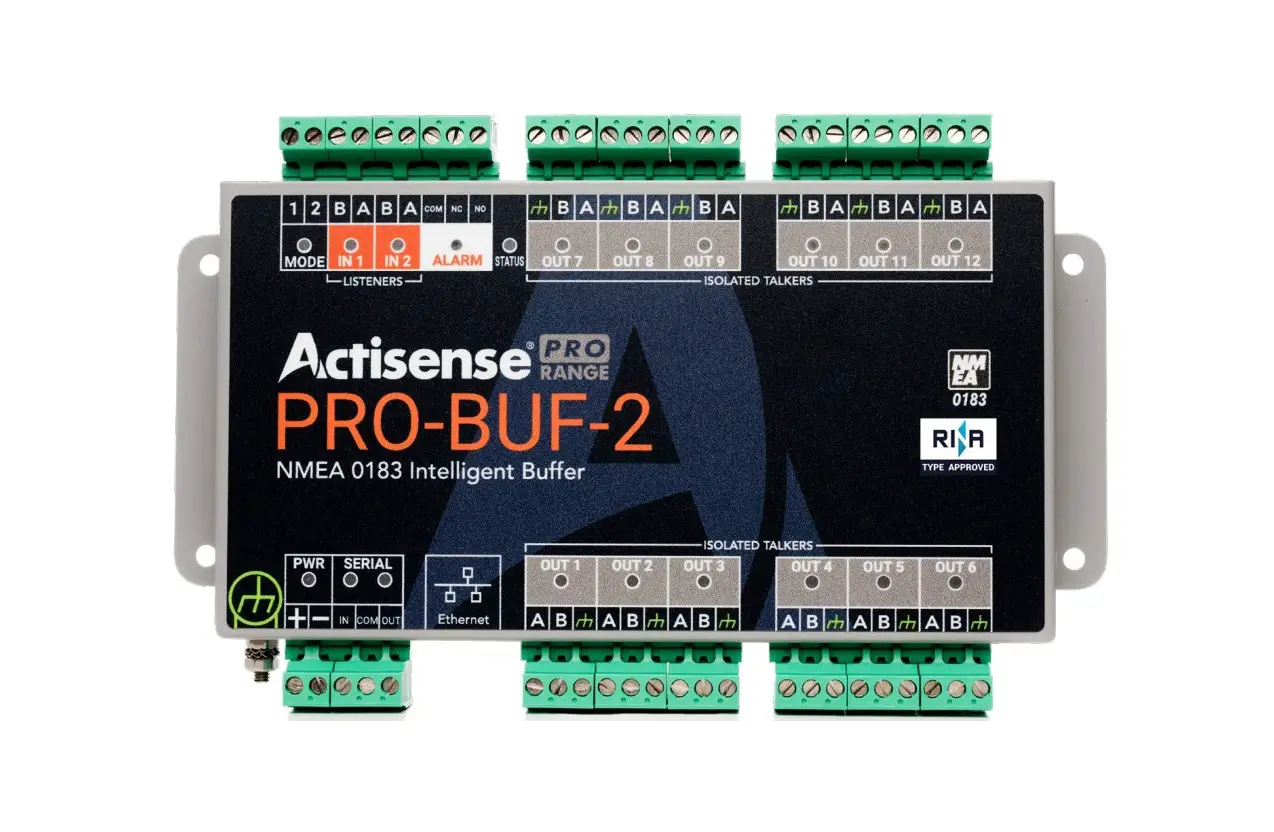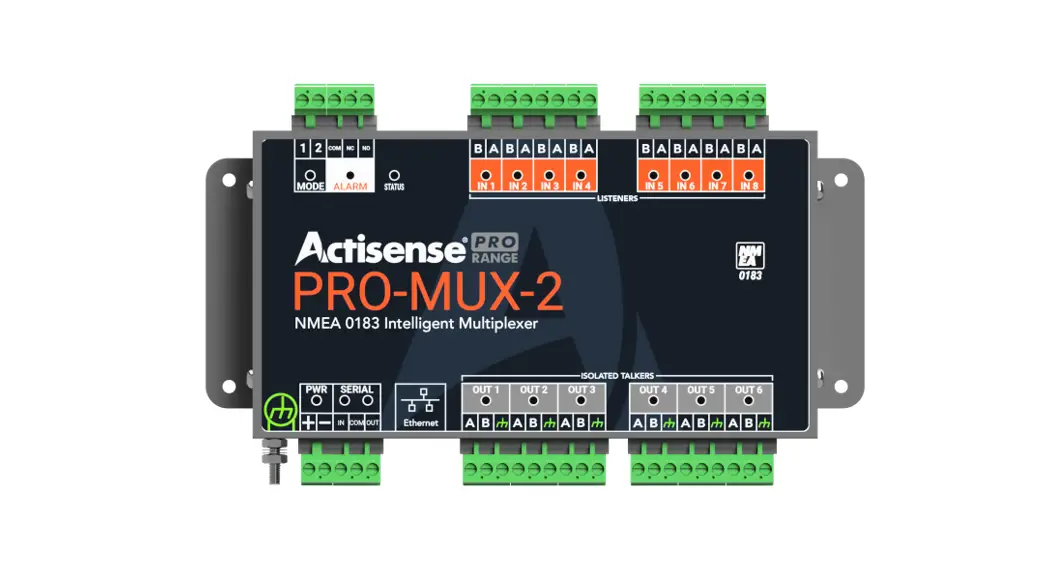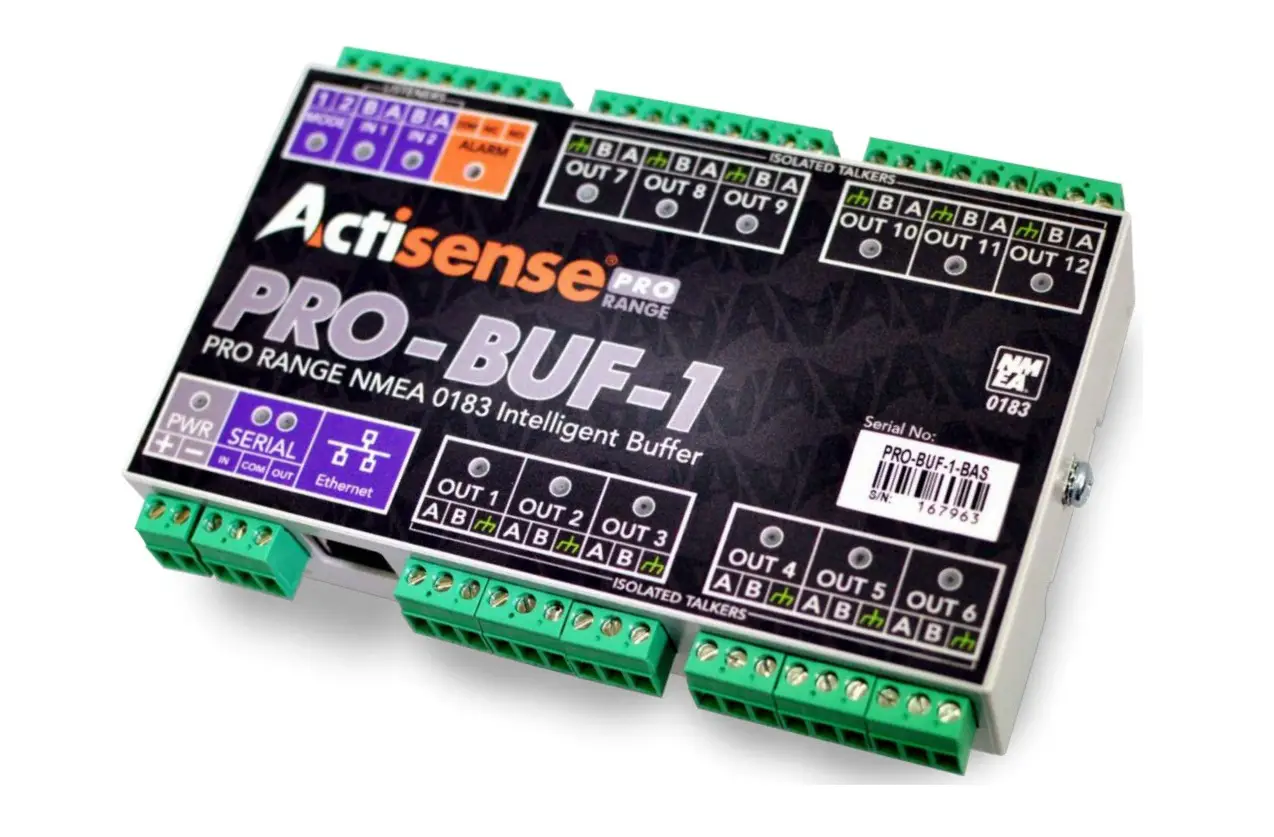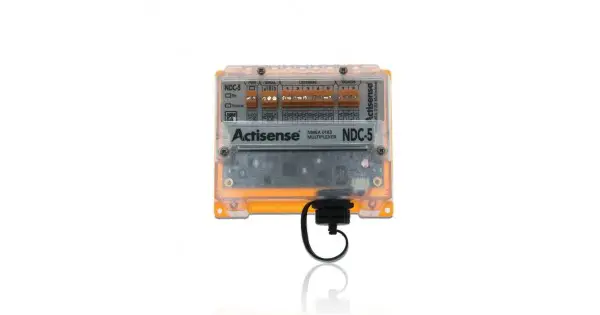

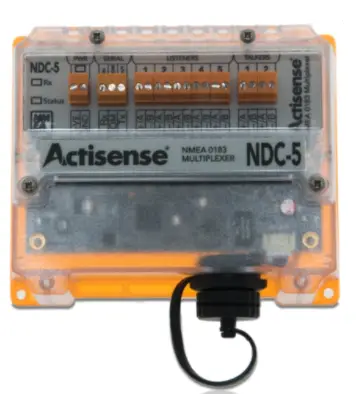
Actisense NDC-5 NMEA 0183 Multiplexer
Important Notices
The device to which this manual relates complies with the Electromagnetic Compatibility requirements according to EN60945. The unit should always be used in conjunction with appropriately approved, shielded cable and connectors as per NMEA 0400 to ensure compliance. A declaration of conformity is available for download at www.actisense.com.
If the device to which this manual relates is to be installed within five metres of a compass, please refer to the ‘Compass Safe Distance’ section in the ‘Technical Specifications’ table. Trademarks and Registered Trademarks Actisense® and the Actisense logo are registered trademarks of Active Research Limited (Ltd). All other trademarks are the property of their respective owners. The NMEA® name and NMEA logo are copyright held by the NMEA. All uses in this manual are by permission and no claim on the right to the NMEA name or logo are made in this manual.
Fair Use Statement
The contents of this manual may not be transferred or copied without the express written permission of Active Research Ltd. Copyright © 2017 Active Research Ltd. All rights reserved.
Technical Accuracy
To the best of our knowledge the information contained in this document was correct at the time it was produced. Active Research Ltd cannot accept liability for any inaccuracies or omissions.
The products described in this manual and the specifications thereof may be changed without prior notice. Active Research Ltd cannot accept any liability for differences between the product and this document. To check for updated information and specifications please check actisense.com. Active Research Ltd will not be liable for infringement of copyright, industrial property rights, or other rights of a third party caused by the use of information or drawings described in this manual.
Product Registration
Please register your product via the online form at actisense.com/product-registration/. Your product package includes a unit serial number. The serial number is six digits long and can be found below the barcode on the label. Your registration will assist Actisense Support to link your product to your details, simplifying any future assistance you may require.
Product Guarantee
This product comes with a three year ‘return to base’ guarantee. If you suspect that the unit is faulty please refer to the Troubleshooting Section of the User Manual before contacting support. It is a requirement of the guarantee that all installations of electronic equipment follow the NMEA 0400 specification. Any connection to a battery or power supply must meet the mandatory essential safety requirements that may be imposed by local regulatory agencies. Actisense products are intended for use in a marine environment, primarily for below deck use. If a product is to be used in a more severe environment, such use may be considered misuse under the Active Research Ltd guarantee.
Product Disposal
Please consider the environment when disposing of this product. In accordance with the EU Waste Electrical and Electronic Equipment (WEEE) Directive, small electronic devices should be taken to the nearest recycling facility where they will be accepted for recycling free of charge.
Installation Warnings
All warnings and notices must be followed to ensure the correct operation of the NDC-5. Incorrect installation may invalidate the guarantee. It is highly recommended that all of the installation instructions are read before commencing the installation. There are important warnings and notes throughout the manual that should be considered before the installation is attempted.
Warning 1: Accuracy
The Actisense NDC-5 is designed to accurately transfer data from input to output. When the NDC-5 is in a Basic Mode no data integrity checking is performed, therefore any incomplete, inaccurate or corrupt data received on a NDC-5 input will be duplicated to the NDC-5 outputs. In contrast, NDC-5 Smart Modes do use the sentence checksum (if available) to remove incomplete and corrupted data, however, the accuracy of the data fields in a valid sentence still remains the responsibility of the NMEA Talker that generated the data.
Warning 2: Installation and Operation
This product must be installed and operated in accordance with the instructions provided. Failure to do so could result in personal injury, damage to your boat and/or poor product performance.
Warning 3: Installation Code of Practice
When wiring the power supply to the NDC-5 ensure the isolation switch is off. Wiring the NDC-5 while the connection is live may damage the NDC-5 and is in breach of the guarantee. Any connection to a battery or power supply must meet the mandatory essential safety requirements that may be imposed by local regulatory agencies. All wiring should be in accordance with the requirements of the NMEA 0400 installation specification.
Warning 4: Mounting Requirements
Select a flat location to mount the NDC-5. Mounting on a contoured surface may cause damage to the case. Do not mount the NDC-5 while the device is powered, or the cable harness is connected. Note that the connectors are pluggable for easy disconnection when mounting or removing the NDC-5.
Software Updates
The NDC-5 units have built-in firmware which is held in flash memory, allowing quick and easy upgrades using the latest Actisense Toolkit. It is highly recommended that the firmware is kept up to date in the NDC-5. The firmware version installed in the NDC-5 can be viewed on the web based Configuration Tool ‘Home’ page, in the ‘Main Application’ section. Details of the latest NDC-5 firmware version released can be viewed on the Actisense website.
NDC-5 Intro & Features
The NDC-5 is more than just an NMEA 0183 Combiner/Multiplexer; it provides an installer with a highly flexible platform that can be used to solve many NMEA 0183 interconnectivity headaches.
The five NMEA 0183 inputs can be routed to any of the two NMEA 0183 outputs, as well as the serial and Ethernet ports* providing a highly customisable network. The bi-directional serial port and Ethernet port also allow for simple configuration and diagnostics using Actisense software. The configuration tool is accessible via any popular web browser (using the Ethernet port) so there are no
PC operating system compatibility issues to contend with. Using the web based configuration tool will allow the user to finely tune the exact data available on each output. The default setup is for all data to go to all outputs.
Industry leading isolation is provided on all inputs and outputs as standard, so that connected devices safely avoid hazardous ground loops, the number one cause of product failure in NMEA 0183 networks. This makes the NDC-5 robust enough to handle any NMEA 0183 installation. Pluggable connectors allow new devices to be easily installed without the need to remove the NDC-5 from its mounted location. A professional DIN rail mounting mechanism keeps the NDC-5 secure in high vibration environments. Helpful LEDs indicate power, data in, and status conditions to aid diagnostics.
- Ethernet port – for configuration, diagnostics and sharing NMEA 0183 data (future update)
- 5 OPTO-Isolated NMEA 0183 inputs
- 2 ISO-Drive NMEA 0183 outputs
- Advanced Data Filtering/Routing
- Configurable Input and output baud rates
- Autoswitch mode* available to offer system redundancy
- Serial port – for configuration, diagnostics or as an additional NMEA 0183 input/output.
- Free firmware updates make the device future-proof
- Power LED to indicate operational state
- Rx LED to indicate data on inputs
- Status LED (bi-colour) to indicate output Data Overload or a range of other states
- DIN rail or Panel mountable
- Pluggable screw terminal connectors for quick and easy installation.
*Available with future firmware update.
Before getting started
The wire colours used in this manual are in accordance with the NMEA 0183 specification (v.4.10, June 2014) and are for illustration purposes only. Please ensure you check the wiring colours in the installation instructions for the devices you wish to interface to the NDC-5.
Terminals
NDC-5 connectors are pluggable, meaning they can be easily removed for quick and simple wire installation without the need to unmount the NDC-5 from its installed location.
Powering the NDC-5
The NDC-5 can operate between 9 and 35 VDC and will typically use 110mA at 12 VDC. The power supply should be connected to the NDC-5 in accordance with the diagram below.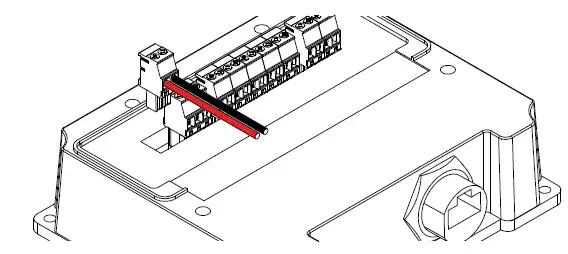
NMEA 0183 Talker and Listener Designations
The NMEA have updated the NMEA 0183 specification to ensure a consistent naming convention is used for labelling ports. The designation follows the same rules as used for Rx and Tx labelling but uses Talker and Listener instead. The input / receiving (Rx) port will be labelled as a ‘Listener’ port. The output / transmitting (Tx) port will be labelled as a ‘Talker’ port. When a port is labelled ‘Listener’ it is an input and when it is labelled ‘Talker’ it is an output.
Connecting to NMEA Devices
The ‘A/+’ and ‘B/-’ of the NMEA 0183 device should be matched to the ‘A’ and ‘B’ on the NDC-5. If the NMEA 0183 device has a ground (GND) wire (and no ‘B/-’ wire), simply connect this to ‘B’ on the NDC-5.
OPTO Inputs
Connect the NMEA 0183 Talker to the NDC-5 Listener terminals as shown in the diagram.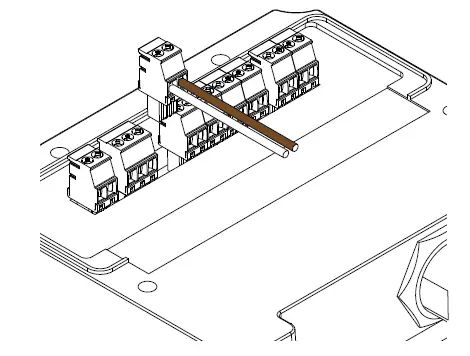
ISO-Drive Outputs
Connect the NMEA 0183 Listener to the NDC-5 Talker terminals as shown in the diagram.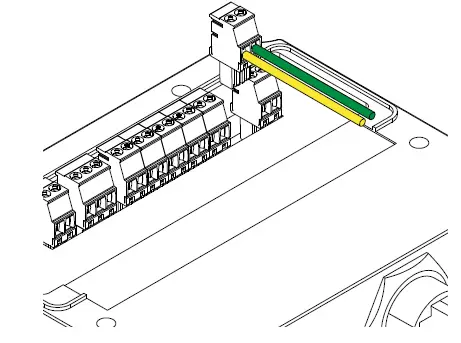
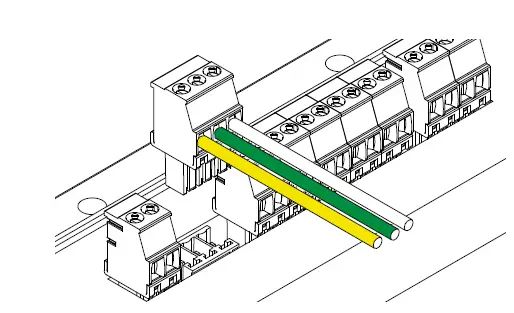
Serial
The connections for a standard RS232 cable are:
| NDC-5 Label | Serial IN | Serial COM | Serial OUT |
| Connects to DB9 Serial Port | Pin 3 / TXD | Pin 5 / GND | Pin 2 / RXD |
Ethernet
Either a standard Ethernet patch or crossover cable with an RJ45 plug can be used for a direct connection to a PC/laptop, or the NDC-5 can be connected to an Ethernet network switch. Insert the RJ45 plug in to the NDC-5 ‘Ethernet’ terminal until a click is heard. To remove the RJ45 plug, push down on the locking clip and pull the cable away from the ‘Ethernet’ terminal.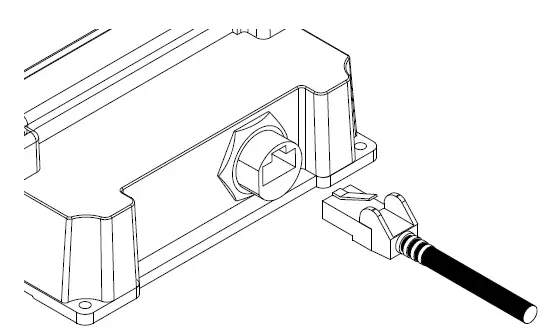
Mounting the NDC-5
DIN Rail Mounting
Install the DIN rail in the desired location. Fully retract the black securing latch in to the down position. Attach the NDC-5 to the DIN rail as shown in the diagrams below. Ensure the NDC-5 sits flush against the DIN rail, then push the securing latch back in to position to hold the NDC-5 in place.
Bulkhead Mounting
Actisense recommends the NDC-5 is installed using the DIN rail supplied for the most secure installation. However, the NDC-5 can be secured to a bulkhead using the two screw catches on the reverse of the NDC- 5 shown in the diagram below. Two screws must be used 89.4mm apart and horizontally aligned.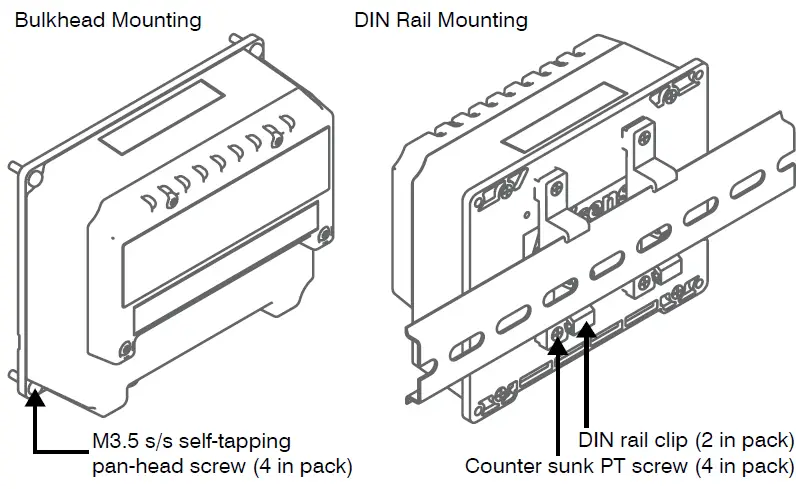
Web Browser Configuration Tool
The Configuration Tool for the NDC-5 is built-in and can be accessed via the Ethernet connection. As the Configuration Tool is web based it is compatible with all popular web browsers and Operating Systems. An internet connection is not required to access the Configuration Tool. The default page displayed is the NDC-5 Configuration Tool ‘Home’ page. We strongly suggest bookmarking the ‘Home’ page in your web browser to allow quick and easy future access. To access any of the NDC-5 setup pages, the user is required to log-in. This prevents unauthorised user access from modifying the NDC-5 configuration. The factory default log-in is “admin” for username and “admin” for password. All modifications to the NDC-5 settings, including any user defined ‘User Modes’ are automatically saved inside the NDC-5.
Standard Ethernet networks
If the NDC-5 is connected to an Ethernet network containing both DHCP and DNS servers, launch any popular web browser and enter ‘http://ndc-xxxxxx’ into the address bar (replacing ‘xxxxxx’ with the actual product’s serial number). It is important to include the ‘http://’ section of this address. If it is missing, the browser will conduct a web search.
Direct connections or basic Ethernet networks
If the NDC-5 is connected directly to a PC (or the Ethernet network does not have a DHCP server), the NDC-5 will communicate using auto-IP by default. The auto-IP process can take up to 60 seconds to complete. The PC’s “Local Area Connection” must also be setup to use auto-IP in order to communicate on this network most PCs are set to do this by default. If needed, instructions for how to do this using Windows 7 are detailed below (other Windows Operating Systems will be similar). Administrator privileges are required to carry out these instructions in full:
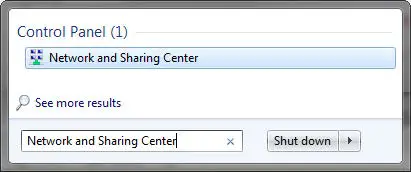
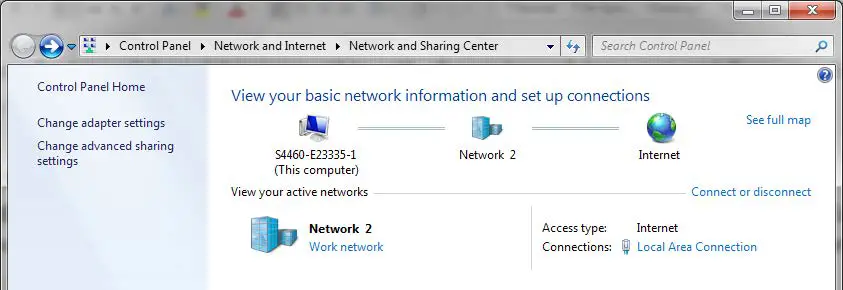
- Launch the ‘Start’ menu and type ‘Network and Sharing Center’ in the search bar. Select ‘Network and Sharing Center’.

- In the ‘Network and Sharing Center’ window, select ‘Change adapter settings’.

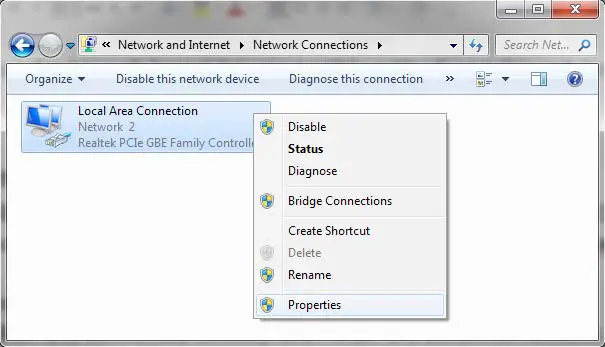
- Right click on ‘Local Area Connection’ and select ‘Properties’.

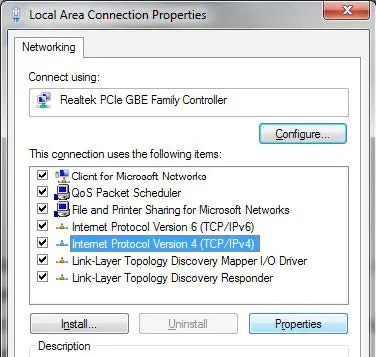
- Select ‘Internet Protocol Version 4 (TCP/ IPv4)’ but DO NOT untick the box. Then Select ‘Properties’.

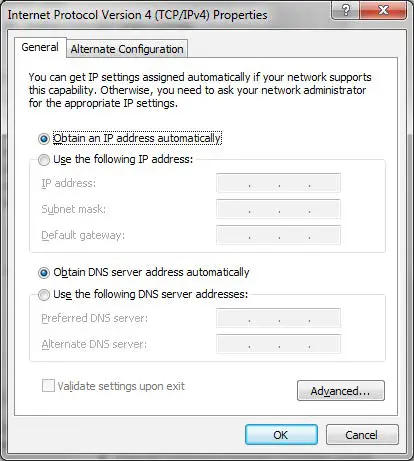
- Under the ‘General’ tab heading, ensure ‘Obtain an IP address automatically’ and ‘Obtain DNS server address automatically’ are selected.

- Under the ‘Alternate Configuration’ tab heading, ensure ‘Automatic private IP address’ is selected.
- Accept these changes by selecting ‘OK’.
- Close the ‘Local Area Connection Properties’ window.
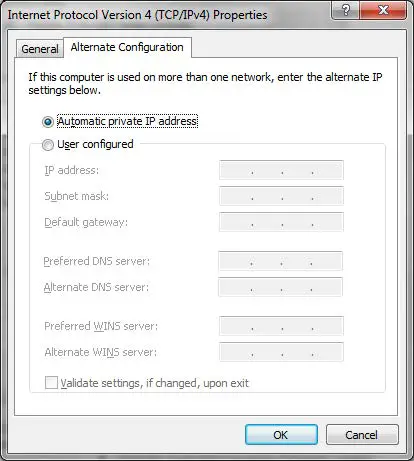
Now that the PC and NDC-5 are using the same IP address range, launch any popular web browser and enter ‘http://ndc-xxxxxx’ in to the address bar (replacing ‘xxxxxx’ with the product’s serial number).
Troubleshooting Guide
First level NDC-5 diagnostics / fault finding can be performed by observing the LED behavior. The normal behavior of the NDC-5 LEDs is described in the table below. If the LEDs are not behaving as expected, this will indicate a fault in either the device connected to the NDC-5, the wiring/connections, or the NDC-5 itself.
Some common check to perform on all terminals of the NDC-5 if the correct LED behaviour is not displayed:
- Connectors are fully inserted
- All pins of the connector are in the correct location (not half in the neighboring connection)
- Wires are terminated firmly and correctly (check polarity)
LED Colour State Description User action Power Blue Pulsing Indicates presence of power None required Status LED
Red
Flashing/ solid
Buffer Full – Overload condition, sentences are being dropped.
Connect device to PC browser and review configuration as a connected device may not receive all sentences
Yellow
Flashing/ solid
Warning, buffer is filling. Duplicate deletion is managing to maintain output capacity by deleting older copies of sentences
Review configuration to understand the required rates of sentences which is acceptable to any connected device
Green Flashing/ solid No error No action required –
Off
No data passing through outputs. Either no input data, or if RX LED is active it means all data is blocked. Check if connected Talker is sending data. If it is,
review configuration.
RX
Green Flashing Data available on any one of the NDC-5 inputs No action required –
Off
No data available on this input or autobaud detection in progress (up to 20 seconds)
Check if connected Talker is sending data. If it is,
review configuration.
Ethernet
Green Flashing Data activity on the Ethernet port No action required – Off No data available Check data Ethernet network Power and status (Combined)
Power = blue Status = red Power = on, Status = on
Critical HW Error Both Power & Status LEDs are solid
Return to manufacturer if this persists after a power reset
Technical Support and the Returns Procedure
All installation instructions and any warnings contained in this manual must be followed before contacting Actisense technical support. If the troubleshooting guide did not help resolve the problem and an error persists, please contact Actisense Technical Support to help trace the issue before considering the return of the product. If the Actisense support engineer concludes that the NDC-5 unit should be returned to Actisense, a ‘Return Merchandise Authorisation’ (RMA) number will be issued by the support engineer. The RMA number must be clearly visible on both the external packaging and any documentation returned with the product. Any returns sent without an RMA Number will incur a delay in being processed and a possible charge. Any cables originally supplied with the product are to be included in the returned box.
| Power Supply | |
| Input supply voltage | 9 to 35 V DC |
| Input supply current | 110mA max @ 12V DC (all outputs @ full drive into 100 ohm loads) |
| Input protection | Continuous reverse polarity, transient overvoltage and ESD protection |
| Power indicator | LED, Blue – indicates unit is functioning correctly |
| NMEA 0183 Port – Listener & Talker | |
| Number of Listener / input ports | 5 isolated NMEA 0183 Listeners |
| Number of Talker / output ports | 2 isolated NMEA 0183 Talkers |
| Compatibility | Fully NMEA 0183, RS422 & RS232 compatible. RS485 Listener compatible |
| Electrical isolation | 2500 V input to ground, 1500 V output to ground using ISO-Drive™ |
|
Speed / baud rate | In1 to In4: up to 38400 bps In5: 4800 bps Out1: up to 115200 bps Out2: up to 38400 bps |
| Talker output voltage drive | >= 2.1V (differential) into 100 ohm |
| Talker output current drive | 20 mA maximum per output |
| Talker output protection | Short circuit and ESD |
| Listener input voltage tolerance | -15 V to +15 V continuous, -35 V to +35 V short term (< 1 second) |
| Listener input protection | Current limited, overdrive protection to 40 VDC and ESD protection |
| Listener (Rx) data indicator | LED, Green (Flashes to indicate valid input) |
| Status indicator | LED, Green / Yellow / Red to indicate status (see user manual) |
| Serial Port | |
| Number of input ports | 1 isolated input |
| Number of output ports | 1 isolated output |
| Compatibility | RS422 & RS232 compatible. RS485 Listener compatible |
| Electrical isolation | 2500 V input to ground 1500 V output to ground using ISO-Drive™ |
| Speed / baud rate | 115200 bps |
| Output voltage drive | >= 2.1V (differential) into 100 ohm |
| Output current drive | 20 mA max. |
| Output protection | Short circuit and ESD |
| Input voltage tolerance | -15 V to +15 V continuous, -35 V to +35 V short term (< 1 second) |
| Input protection | Current limited, overdrive protection to 40 VDC and ESD protection |
| Ethernet Port | |
| Host interface | 10/100BaseT, automatic polarity detection |
| Supported protocols | TCP/IP for configuration and firmware updating |
| TCP/IP and UDP for NMEA 0183 comms | |
| Connector | RJ45 |
| Electrical isolation | 2kV |
| Indicators | Green – Link, Yellow – 100 Mbps |
| Mode Inputs | |
| Input voltage range | 0 to 35V DC |
| Protection | Transient overvoltage and ESD protection |
| Alarm Output | |
| Contacts | Normally open and normally closed |
| Electrical isolation | 1000V between power supply and contacts |
| Alarm indicator | LED, red indicates a valid alarm condition |
| Mechanical | |
| Housing Material | Polycarbonate |
| Protective Lid Material | Polycarbonate |
| Sealing Materials | Expanded silicone foam gasket, closed cell polyurethane splash guard and ePTFE waterproof vent |
| Dimensions | 127mm (L) x 106mm (W) x 48mm (H) |
| Weight | 230g including screw terminals and RJ45 cap |
| Mounting | 4 x 3.5mm lugs to allow panel mount with self tapping screws (included), optional DIN rail mount available on request. |
| Compass safe distance | TBD |
| Wiring terminals | Pluggable 2/3 way screw terminal, 3.5mm pitch, 14 to 30 AWG |
| Approvals and Certifications | |
| EMC | IEC 60945 (sections 9 & 10) |
| CE | 2014/30/EU |
| Environmental protection | IP65 |
| Operating temperature | -15°C to +55°C |
| Storage temperature | -40°C to +85°C |
| Relative Humidity (RH) | 0 – 93% RH |
| Guarantee | 3 years |
Product Dimensions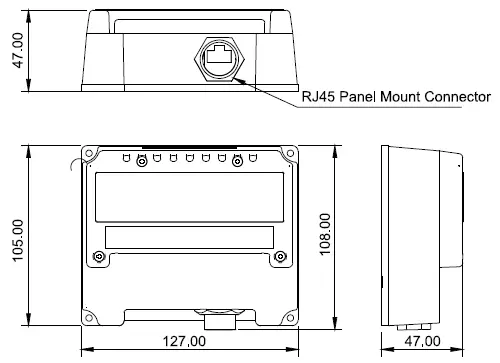 21 Harwell Road Poole
Dorset
UK, BH17 0GE
Tel: +44 (0)1202 746682
Email: [email protected]
Web: actisense.com
 Actisense | Marine Network Technology & Vessel Monitoring
 Actisense | Marine Network Technology & Vessel Monitoring