 415-00C Information and Entertainment System
General Information – Vehicles With
SYNC 3
Removal and Installation
Front Controls Interface Module (FCIM)
Special Tool(s)
General Equipment
Interior Trim Remover
Removal
NOTE: Removal steps in this procedure may contain installation details.
- NOTE: If installing a new module, it is necessary to upload the module configuration information to the scan tool prior to removing the module. This information must be downloaded into the new module after installation.
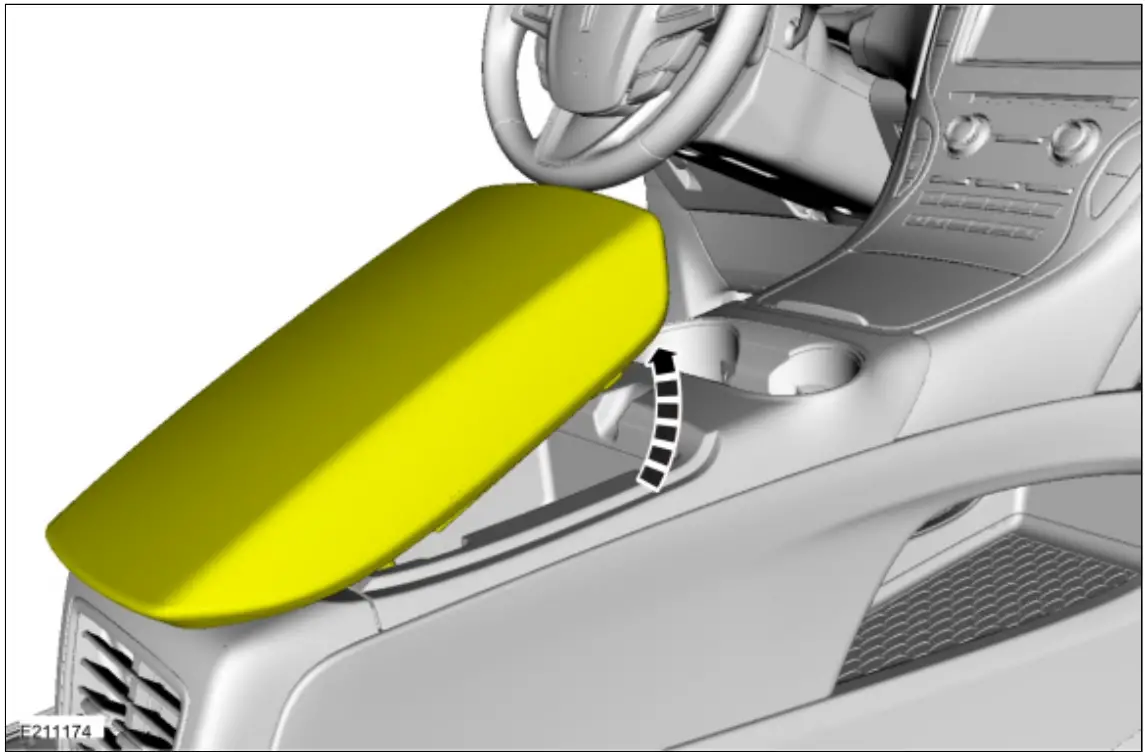
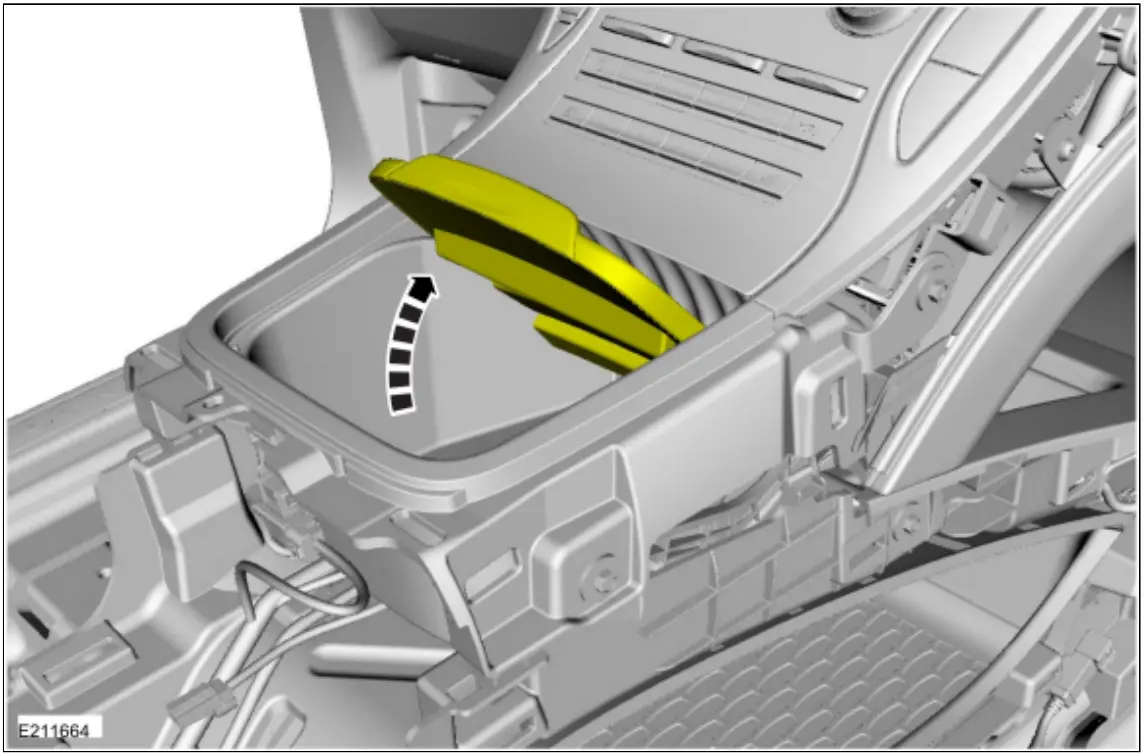
Using a diagnostic scan tool, begin the PMI process for the FCIM following the on-screen instructions. - Open the floor console arm rest.

- Release the clips and remove the floor console trim panel.
 Disconnect the electrical connector.
Use the General Equipment: Interior Trim Remover
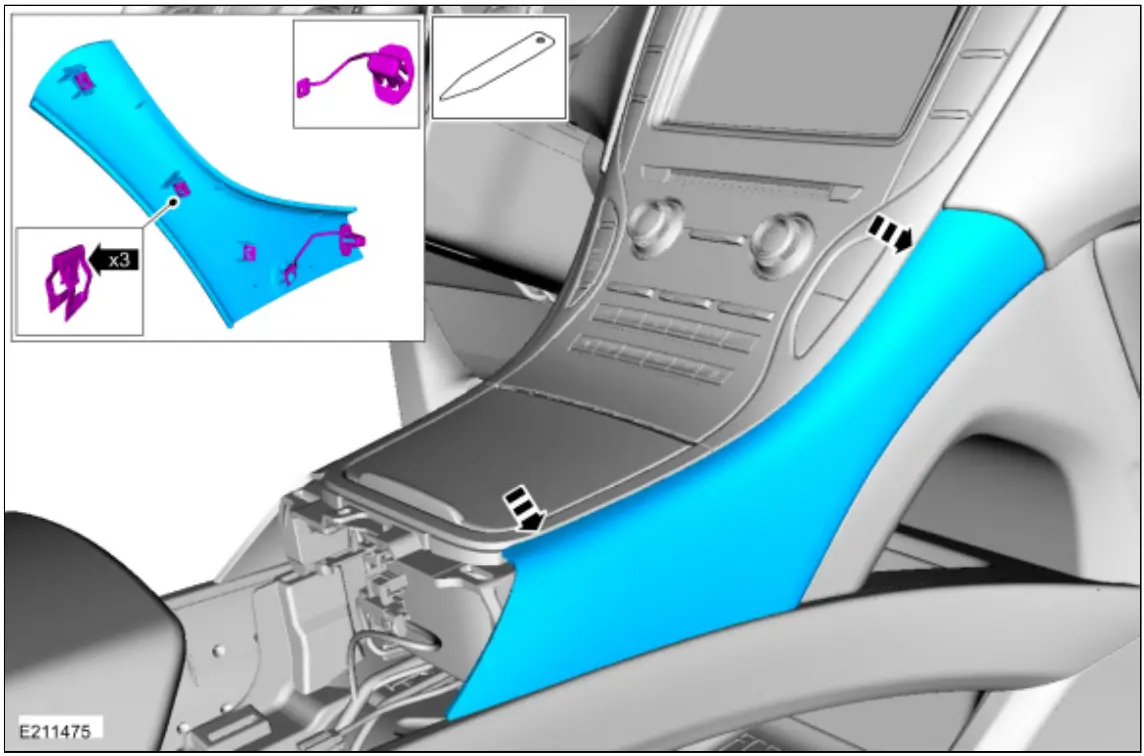
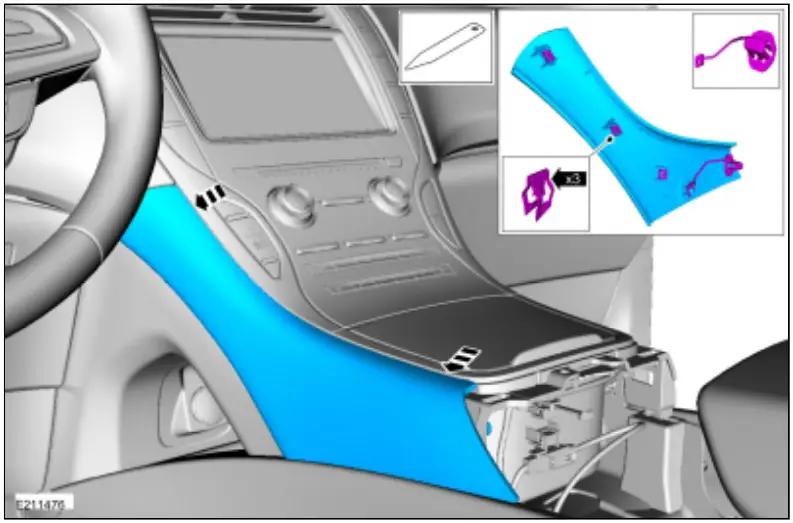
- Release the clips and remove the RH floor console upper trim panel.
Use the General Equipment: Interior Trim Remover
- Release the clips and remove the LH floor console upper trim panel.
Use the General Equipment: Interior Trim Remover
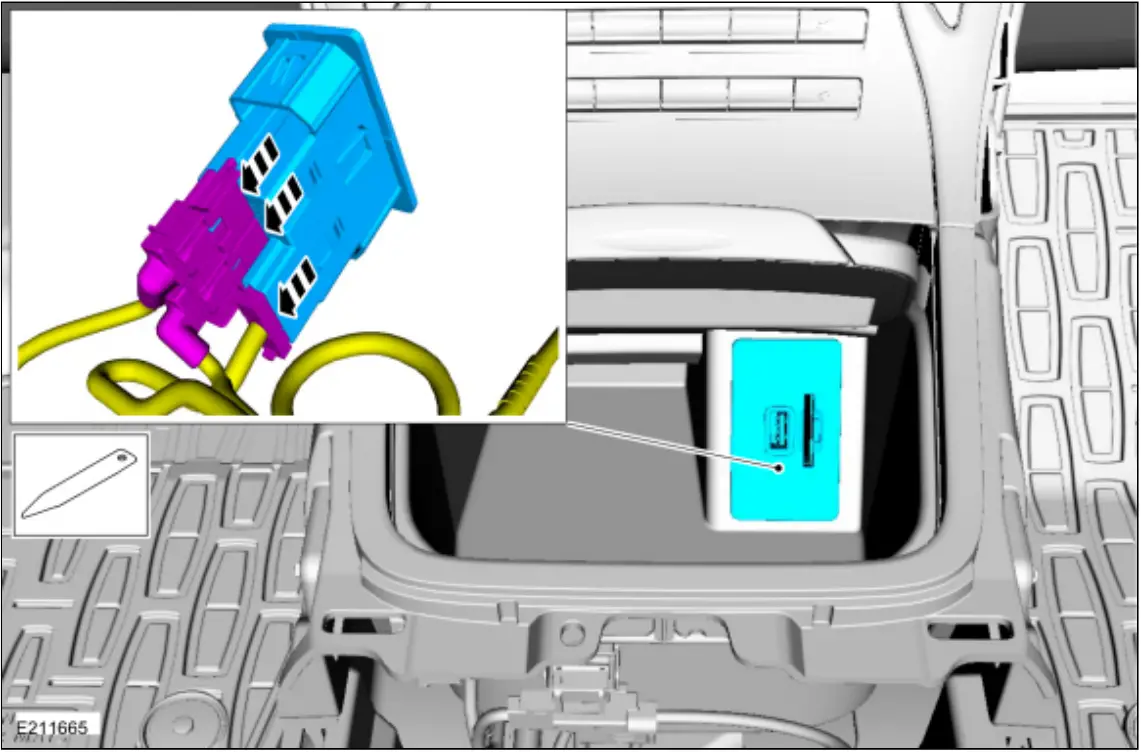
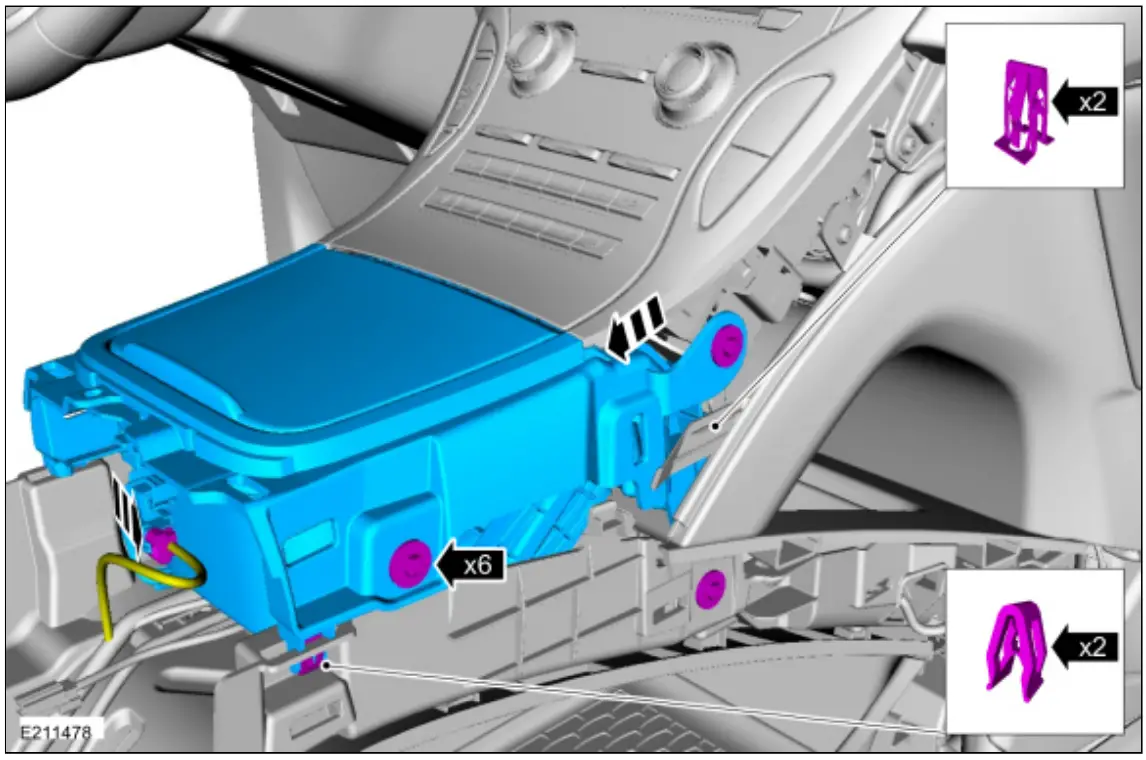
- Open the media bin.
- Remove the media hub. Disconnect the electrical connectors.
Use the General Equipment: Interior Trim Remover
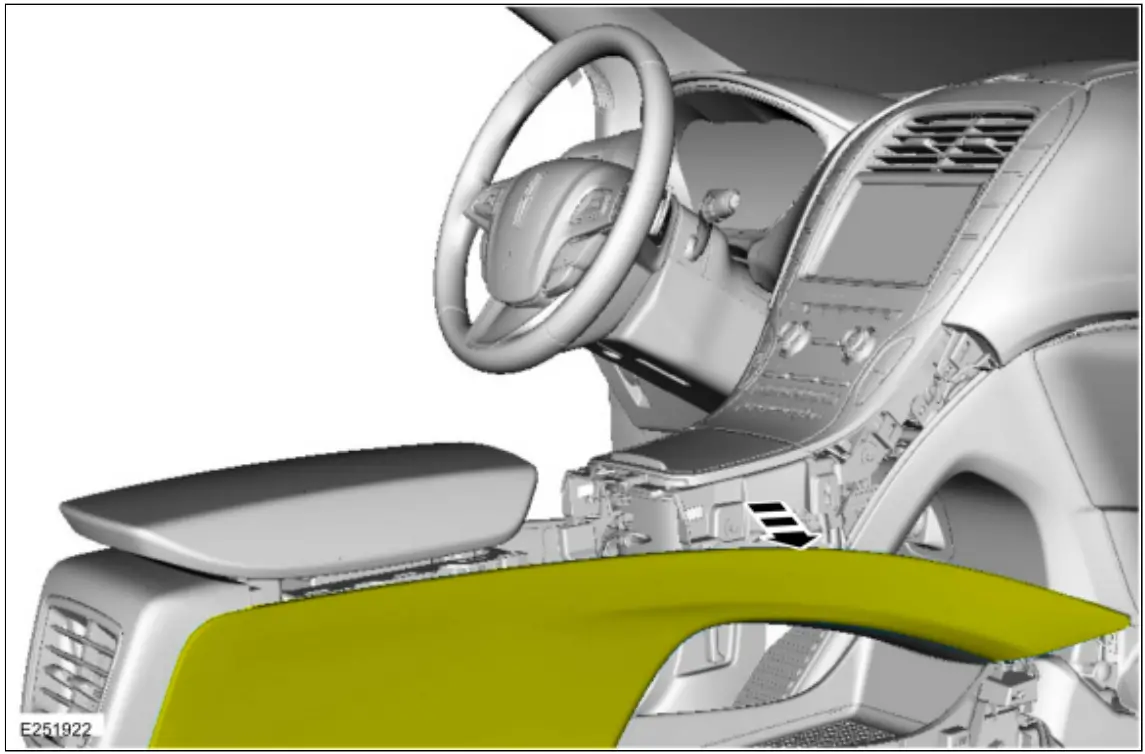
- NOTE: On both sides.
Position the floor console’s upper side trim panel aside. - Remove the bolts, release the clips and remove the media bin assembly. Disconnect the electrical connectors.
Torque: 22 lb.in (2.5 Nm)
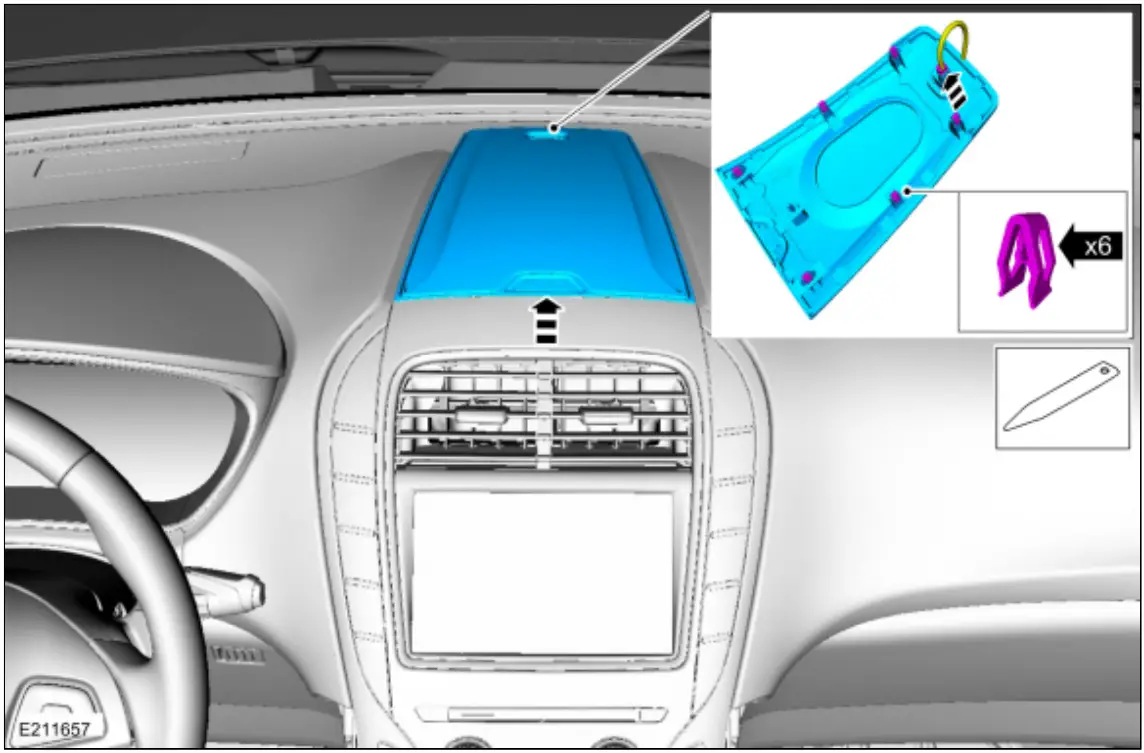
- Release the clips and remove the instrument panel speaker grille. Disconnect the electrical connector.
Use the General Equipment: Interior Trim Remover
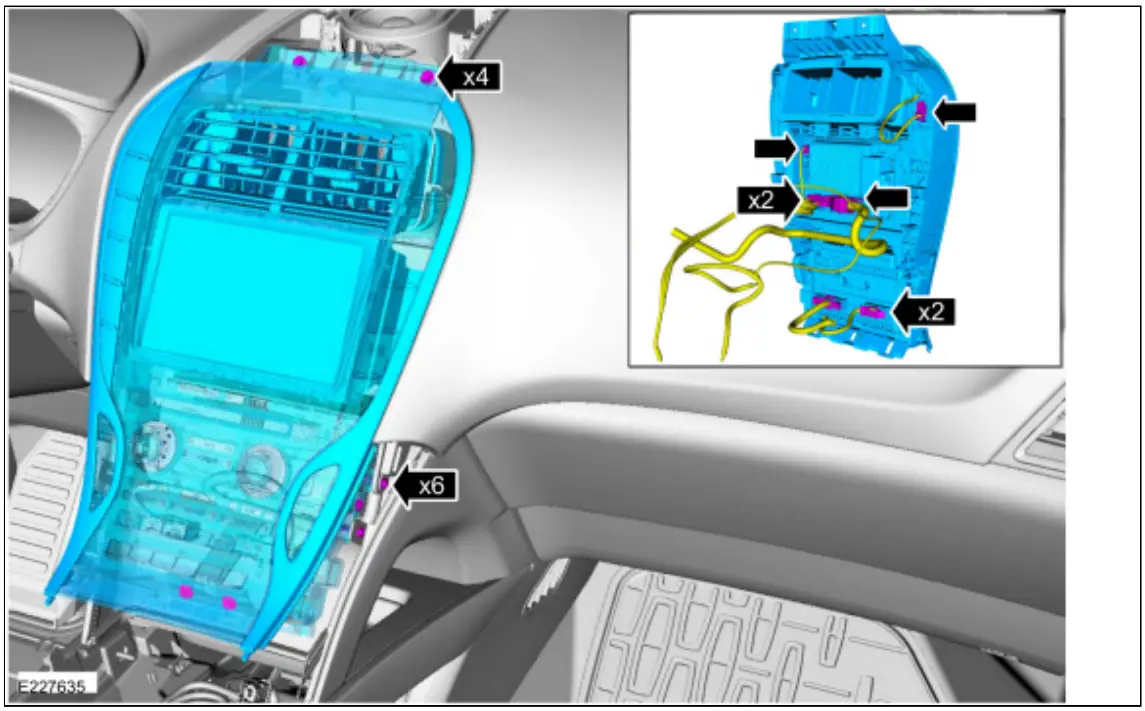
- 1. Remove the bolts.
Torque: 22 lb.in (2.5 Nm)
2. Remove the screws.
Torque: 11 lb.in (1.2 Nm)
3. Disconnect the electrical connectors and remove the FCIM.
 Disconnect the electrical connector.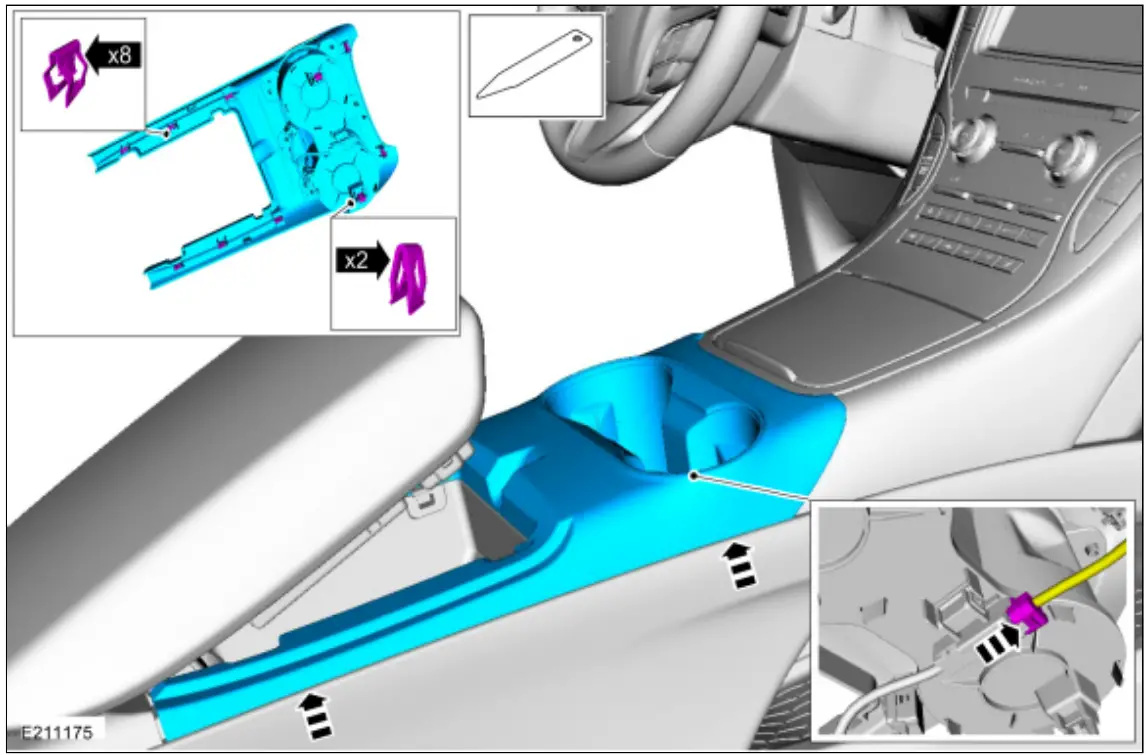
Installation
- To install, reverse the removal procedure.
- NOTE: This step is only necessary if replacing the component.
Using a diagnostic scan tool, complete the PMI process for the FCIM following the on-screen instructions.
© Copyright 2022, Ford Motor Company.
https://www.fordtechservice.
dealerconnection.com
2016 MKX
Procedure revision date:
12/19/2017
 Working...