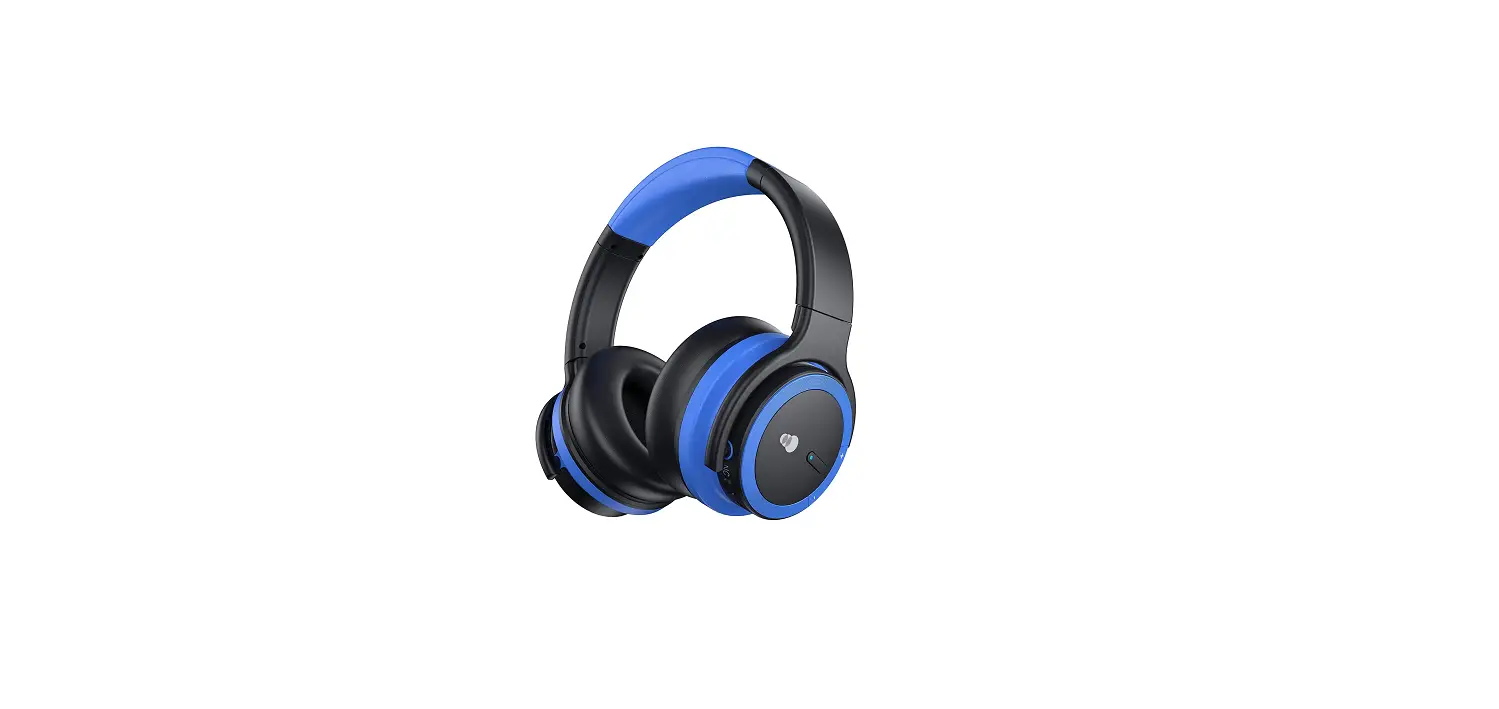
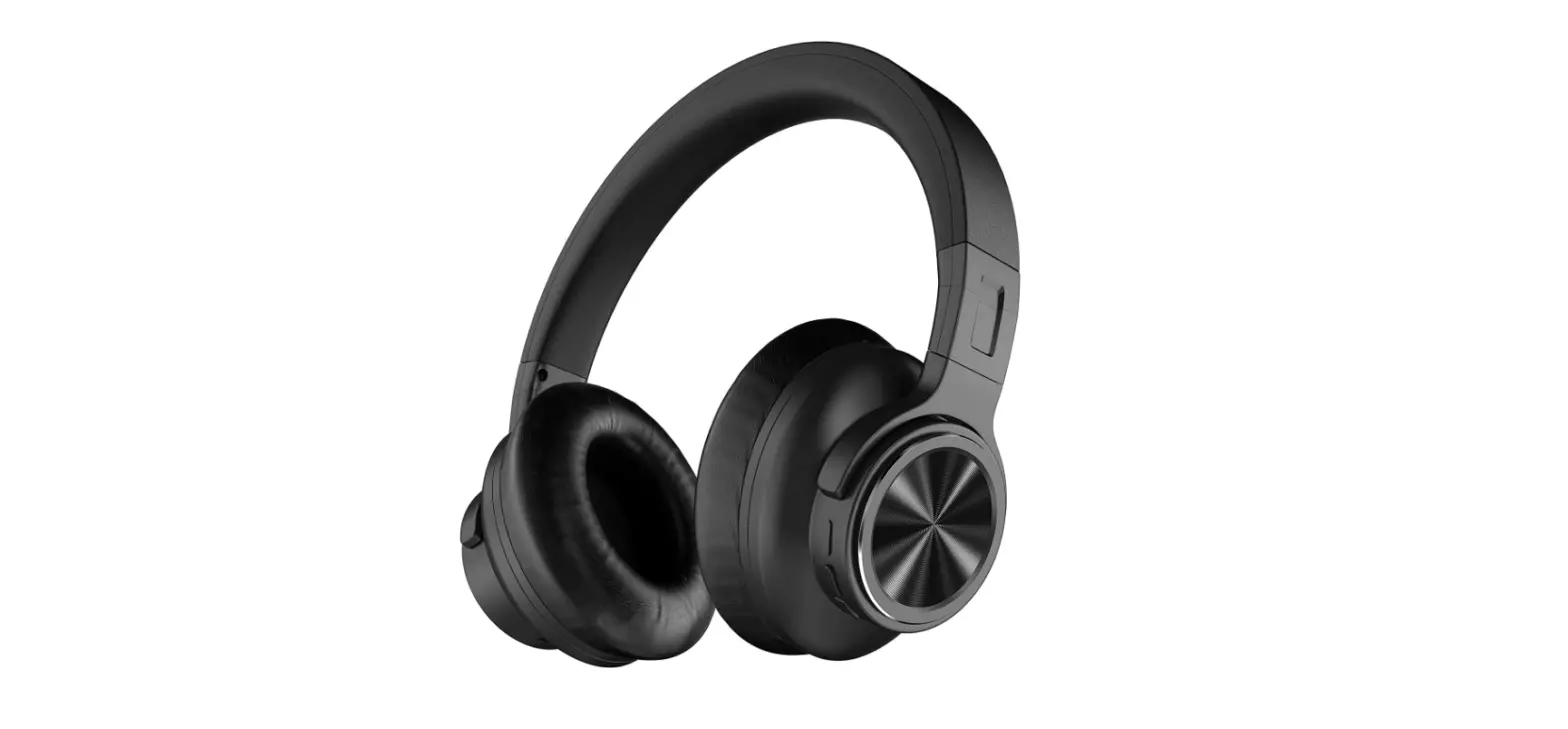
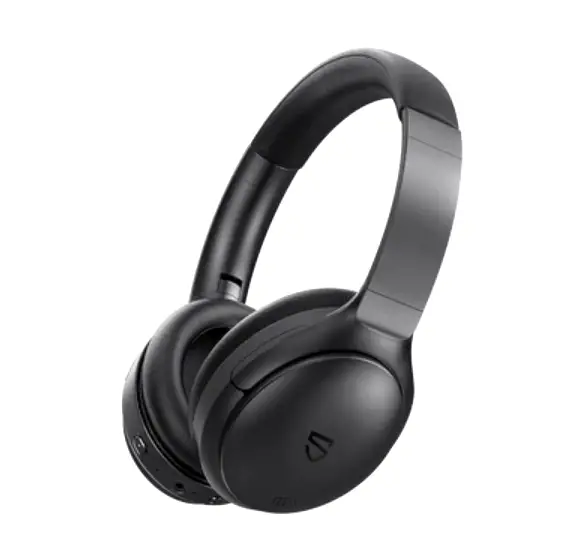
SOUNDPEATS A6 Hybrid ANC Headphones
User Manual
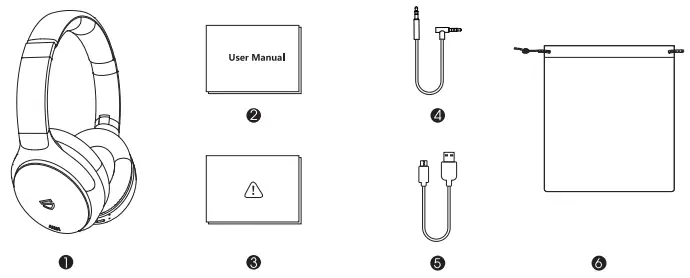
PACKING LIST
PRODUCT OVERVIEW
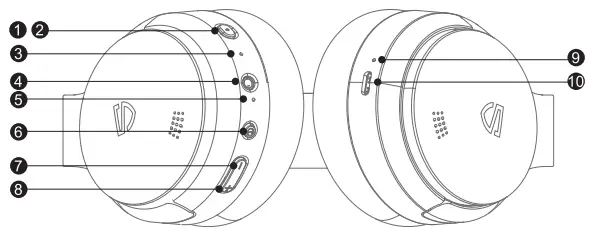
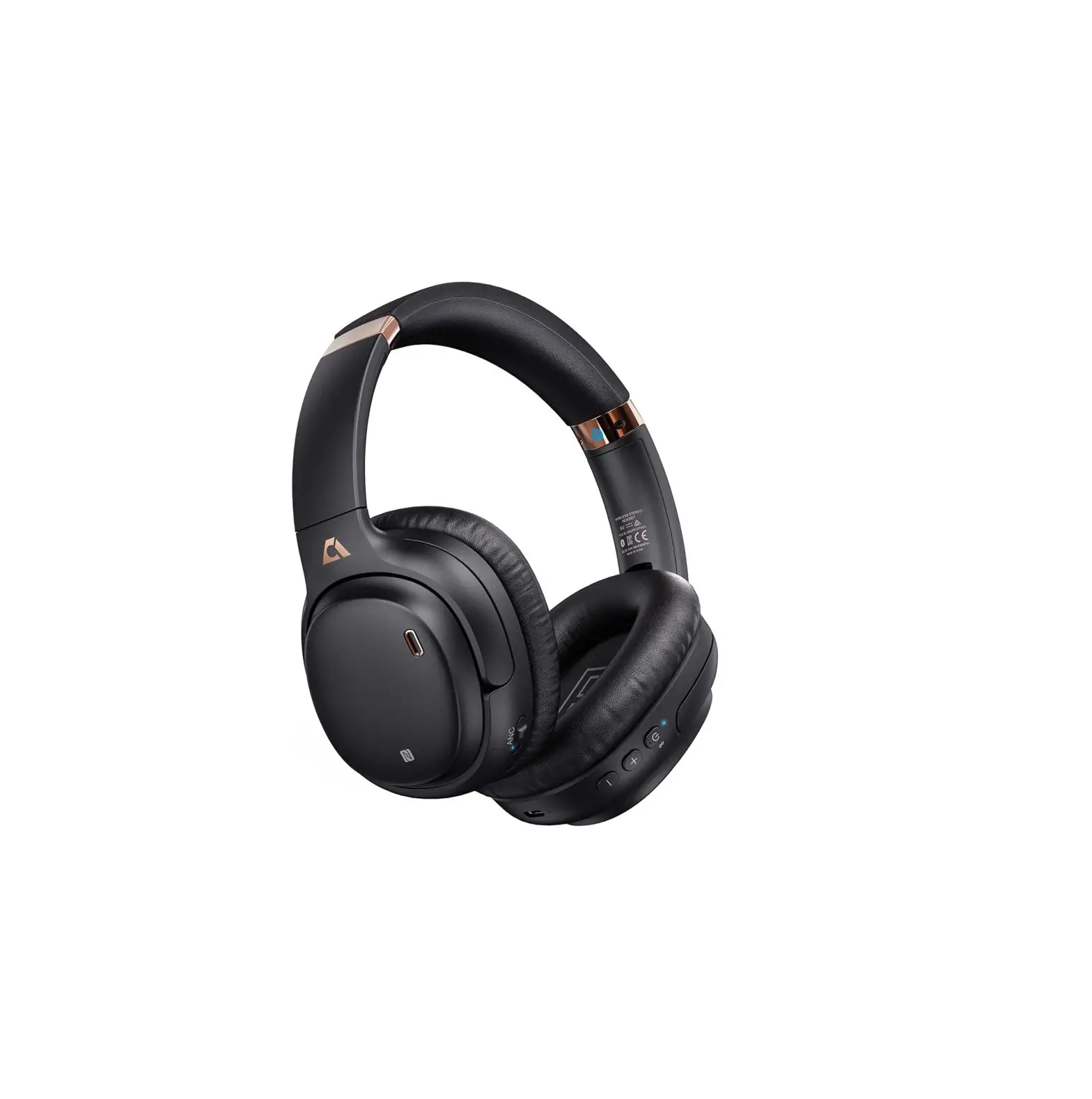
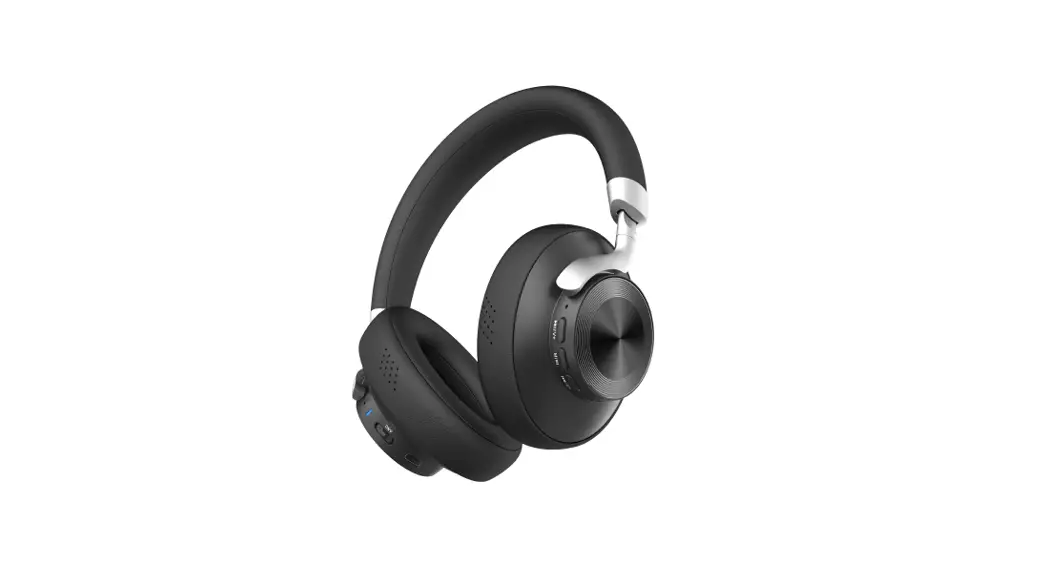
| 1. ANC Switch 2. ANC Switch Indicator Light 3. MIC 4 AUX Interface 5. LED Indicator Light | 6. Power Switch 7. Volume Down 8. Volume Up 9, Charge Indicator Light 10. USB-C Charge Interface |
POWER ON/OFF, ANC SWITCH
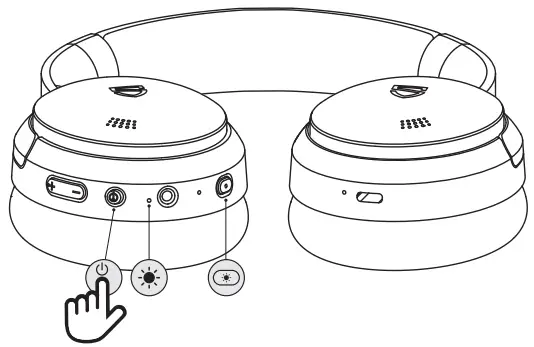
Power On: Long press the power button 3s, the blue LED light will be steady on 2s and then go off after flash slowly once. Power Off: Long press the power button for about 4s, the red LED light will up 2s and then go out.
ANC On: Short press the ANC button once, and the ANC blue indicator lights up. ANC Off: Short press the ANC button once, and the ANC blue indicator lights go off.
Note: In order to avoid the failure of the power switch to the greatest extent, it is recommended to wait for 2-3 seconds to restart again after turn off the headphone.
BLUETOOTH PAIRING
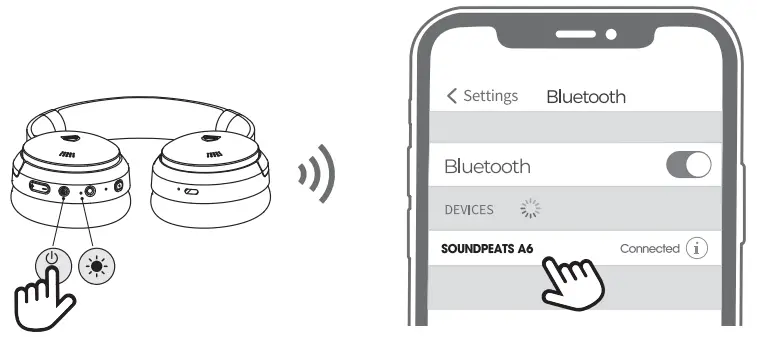
- Long press the power button 3s in the power-off state to hear power on. After 5s, hear paring enter the pairing mode, and the indicator light flashes alternately in red and blue.
- After the first connection, the headset will automatically connect back to the last connected device when it is turned on;
- If you want to change the device or enter forced pairing, long-press the power button 5s in the power-off state; Reset: Under the power-on and non-talking state, long-press the power button and the sound plus button 5s at the same time, until the purple light comes on 2s and then goes out completely, hearing two “beep”, clear the pairing records and then enter the pairing state.
CONTROL
| Mode | Function | Operation Methods |
| Bluetooth Mode | Play/Pause | Short press the power button once |
| Previous Track | Long press”—” button once | |
| Next Track | Long press the “+” button once | |
| Volume Up | Short press the “+” button once | |
| Volume Down | Short press”—” button once | |
| Activate Voice Assistant | Long press the power button for 2s and then release | |
| Calling Mode | Answer/Hang up a cal | Short press the power button once |
| Reject a Call | Long press the power button 2s | |
| Redial Last Number | Double-click the power button to redial the last call | |
| Voice Transfer | In the call state, long-press the power key 2s, and then the call sound is switched between the headset and the mobile phone |
AUX-IN
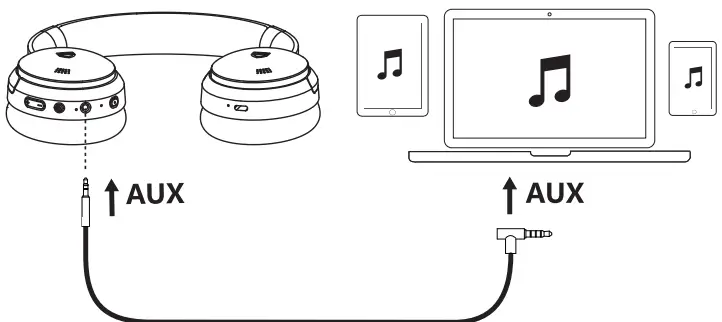
- Inserting the audio cable will automatically switch to AUX mode. Long press the power key 3s and then short press the ANC key to enabling the ANC to function in AUX mode.
- In AUX mode, the functions of increasing/decreasing volume, pausing play, previous /next track on headphones will be invalid, which needs to be operated through the mobile terminal and corresponding APP.
CHARGE
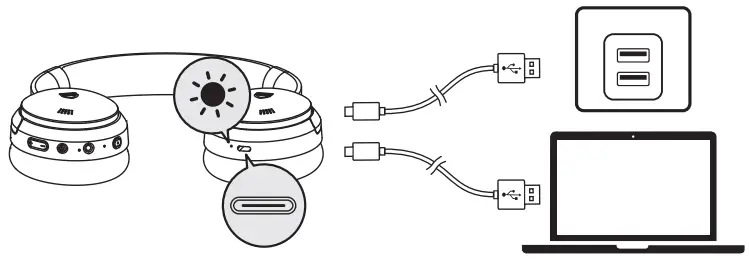
The red light is always on when charging, and off when fully charged.
WARRANTY REGULATIONS
We begin to guarantee the headset for a period of 12 months when the original purchaser purchases the product, and the warranty is limited to manufacturing defects. [email protected]
 www.soundpeatsaudio.com
Please scan the QR code to view the detailed version of the manual in PDF format

https://soundpeatsaudio.com/downloads/
FCC STATEMENT
This equipment has been tested and found to comply with the limits for a Class B digital device, pursuant to Part 15 of the FCC Rules.
These limits are designed to provide reasonable protection against harmful interference in a residential installation. This equipment generates uses and can radiate radio frequency energy and, if not installed and used in accordance with the instructions, may cause harmful interference to radio communications.
However, there is no guarantee that interference will not occur in a particular installation. If this equipment does cause harmful interference to radio or television reception, which can be determined by turning the equipment off and on, the user is encouraged to try to correct the interference by one or more of the following measures:
- Reorient or relocate the receiving antenna.
- Increase the separation between the equipment and receiver.
- Connect the equipment into an outlet on a circuit different from that to which the receiver is connected.
- Consult the dealer or an experienced radio/TV technician for help.
This device complies with part 15 of the FCC Rules. Operation is subject to the following two conditions:
(1) This device may not cause harmful interference, and
(2) this device must accept any interference received, including interference that may cause undesired operation.
Changes or modifications not expressly approved by the party responsible for compliance could void the user’s authority to operate the equipment
FAQ for A6
Charge
The Bluetooth headset emits a “Battery Low” prompt sound, and the red light flashes slowly, flashing once every 3 seconds. Then please use the Type-C charging cable to charge the headset directly for about 2 hours. When the red light is off, it means that the battery is fully charged.
Note: Compared to other electronics , the headset are low power products. Hence for charging safety, please make sure the charging current is no greater than 5V 1A. Please do not use fast charger .You can charge the headset anytime you’d like, which does not affect the battery of the headset.
Please try to use another known working Type C charging cable to charge the headset for more than 2 hours through your computer.
Play
The Bluetooth version of A6 is V5.0 which supports devices whose Bluetooth version is above V4.0
The headset has ANC active noise reduction and a total of 5 MICs. Two MICs on the left and right are used for ANC active noise reduction, and the remaining 1 MIC is used for calls (right).
Pairing status with mobile phone: red and blue flashing alternately
The headset is connected to the mobile phone. Standby state: the blue light flashes once every 5 seconds (same as the play and pause states)
1. The way to reset this model is to long press “power on” and “volume +” button for 5s when the headset is in power on(not during in a call) until the LED indicator will flash in purple light for 2s, you will hear “beep” twice, and then it automatically enter the pairing status;
2. When the headset enters the pairing status, accompanied by a “PAIRING ” voice prompt, the LED indicator will flash a red and blue interactively , then reconnect it to your phone.
A6 does not support to connect to several devices at the same time.
1. Please check if they need to be charged.
2. Long press the power button 3s, the blue LED light will be steady on 2s and then go off after flash slowly once.
3. Try to reset the earbuds.
1. Please change other songs or videos to have a try.
2. Change other devices to see if the problem still happens.
3. Please volume up by the headset and the device.
4. Please try to reset the headset.
1. Please choose to pick up phone calls via the headset.
2. Please do not mute the phone calls.
3. Please kindly adjust the volume through the headset and devices to see if it works better.
4. If you are using the headset with an Android phone, please check the settings to see if you have allowed both phone audio and media audio to be transmitted through the headset.
5. Please change other devices to see if it gets better.
1. Please check if the headset can connect to other devices.
2. Try to reset the earbuds.
3. Check whether the DUT mode is entered. Enter DUT mode: in the unconnected state and search pairing state, press and hold the power button + volume “-” button for 5 seconds at the same time, and the purple light will be on for 1 second and off for 1 second after entering; exit of DUT mode: plug in 5V power supply, the headset can exit DUT mode.
Operation
1) Please check if you need to charge the headset.
2) Please check if it happens when you use wifi or 4G/5G.
4) Please check if there is any obstacle or interference around you while using the headset;
Like Wireless remote control equipment , radar and so on, the Microwave oven will also affect the Bluetooth signal. Please also make sure the distance between earbuds and device is in 10m when there is no obstacles or interference .
5) Please clear the pairing record and restart your phone to have a try.
6) Please try to reset the headset .
It’s about Iphone’s system bug about Apple music please. You could try to update your IOS System to IOS14.7 which will solve the issue.
1. When the Bluetooth is turned on and not connected , once the AUX signal is inserted, the AUX signal is played, and the noise reduction key can be pressed to switch on/off the noise reduction.
2. When the Bluetooth is turned on and connected , once the AUX signal is inserted, the Bluetooth is automatically disconnected and the AUX signal is played; And you can press the noise reduction key to switch on/off noise reduction.
3. After the AUX is unplugged , when the headset has a pairing record, it will enter the backconnecting state, and the 7-second timeout will enter the pairing state; when there is no pairing record, it will directly enter the pairing state.
4. When the headset is charging, AUX does not work.
Notes: In AUX mode, the functions of increasing /decreasing volume, pausing play, previous /next track on headphones will be invalid, which needs to be operated through the mobile terminal and corresponding APP.
Volume – : Click the volume- button once
Volume + : Click the volume+ button once
When powered on and connected , press and hold the power button for 2 seconds and then release it. There will be a beep to wake up the Siri function. The blue indicator light flashes once every 5 seconds
Short press the ANC button once, and the ANC bue indicator turns on/off.
Double-click the power button to redial the last call.
In the call state, long press the power key 2s and then the call sound is switched between the headset and the mobile phone.