HILO HIL Smart Mirror
Quick Guide
Package
Standard Smart Mirror package contains the following items as below. Please contact your local retailer if anything is missing. Some of the items in this manual may differ because of customization or model.
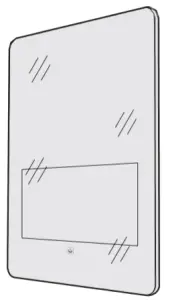 Mirror*1 Mirror*1 | 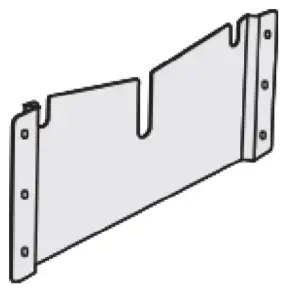 WallBracket*1 WallBracket*1 |
 UserManual*1 UserManual*1 |  Crewhead *6 Dilating screw *6 Crewhead *6 Dilating screw *6 |
Introduction
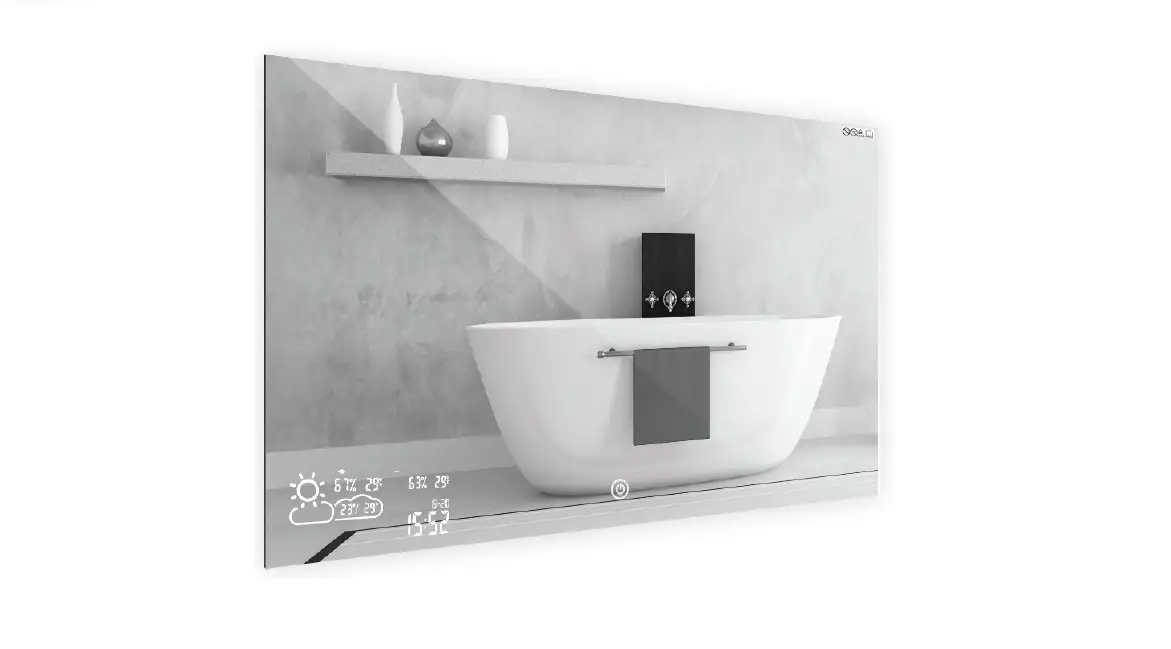
Smart Mirror is a mirror that comes with a touch screen, display and integrated speakers, microphone and motion sensors. Mirror is an interactive terminal and a comprehensive hub for all smart devices. Smart Mirror helps to connect to health devices or simply be used as entertainment device.
Front View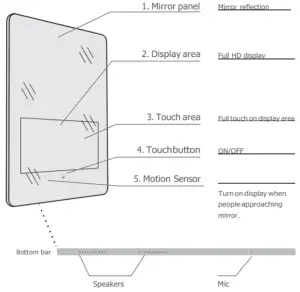
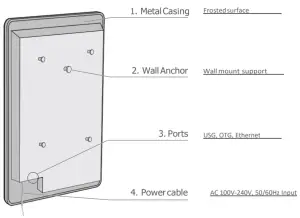
Back View
Quick Guide
Startup & Shutdown
① Start up: Press RED touch button below the display area for 2 seconds, Smart Mirror will boot up until home page appears. Touch button turns white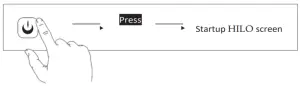
② Shut down: Press WHITE touch button below the display area for 10 seconds, Smart Mirror will shut down. Touch button turns red.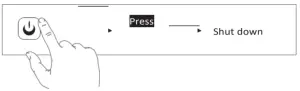
Motion Sensor
When Smart mirror is on standby, it’ll turn on the screen when the motion sensor detects a person is approaching. Smart mirror will turn OFF the display after 15 seconds if not in use. Screen timer can be set by users through the build-in HILO APP (Available on the home screen)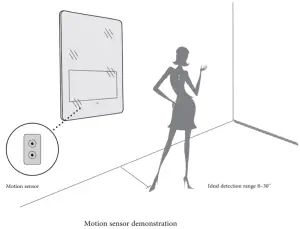
Wifi network setting
Home page>setting>> Wi-Fi > Select your personnal Wifi > Once connected, you will be able to browse internet and download Apps.
Bluetooth
HILO bluetooth is ON by default. Once external devices (Smart Scale, Sleep monitor, Blood pressure monitor, Blood sugar monitor and etc..) are ON, they will be available for pairing from the blutooth menu in settings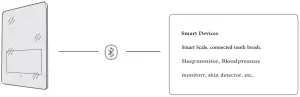
Connect toexternal smartdevices
Different smart devices work with mirror through different protocols, Smart mirror supports Wifi, and bluetooth. Refer to smart device user manual for demonstration.
Installation
Installation
Flush Mount
Open a recess as shown in the wall where you want to install the mirror N.B: Must be installed by a professionnal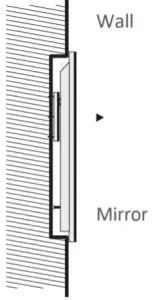
 Hang Mirror directly to the wall.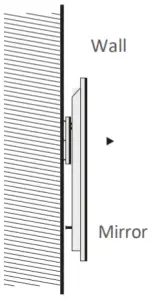
Installation Demonstration
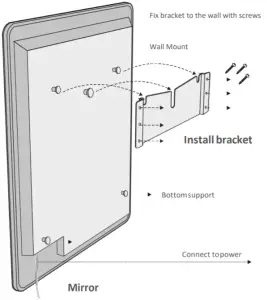
 Notes: Be careful during installation to avoid scratching the mirror surface.
Dimension
Size/mm
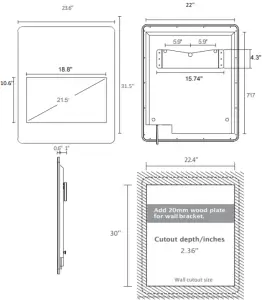
No further notice on small changes on the same model. 10
Specification
Consumption
| Power/Consumption | |
| Power input | AC 100-240V 2AMax 50/60Hz |
| Consumption | ≤45W |
| Standby Consumption | ≤1W |
| Display size | 21.5″ |
| Display type | IPS |
| Display ratio | 16:9 |
| Resolution | 1920 x R.G.B x 1080 |
| Brightness | 1000 cd/m2(Original LED screen) |
| Contrast Ratio | 4000:1 |
| Viewing angle | 178° (H) X 178° (V) |
| Display color | 16.7M |
| Reponse time | 5ms |
| Working life | ≥25000 Hour |
| General Dimension | |
| General Size | 800X600mm |
| Thickness | 40mm |
| Mirror panel | Coated Silver Mirror |
| Material | Stainless steel bracket, metal casing, plastic parts and etc. |
| IP level | IP65 |
Connection
Connect topower
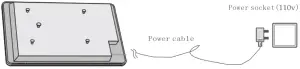
- Connect Mirror to power as shownabove.
- Once successfully connected, touch button below display area isRED.
Connect to USB device
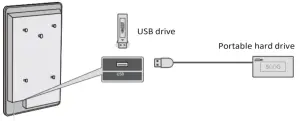
Insert USB drive or portable hard drive to Mirror through USB port.
Note: Please do NOT insert USB devices to OTG port.
Others
Notes
- Use only original power cable that comes with the Smart Mirror.
- Keep power cable in good shape and condition.
- In any case of malfunction, unplug Smart Mirror immediately.
- Unplug the Smart Mirror if you won’t be using it for a long time.
In any case of malfunction, before sending Smart Mirror for maintenance, please read the following instructions and solution.
Troubleshooting
Troubleshooting is only for users who are facing major operating issues on Smart mirror. If users should have problems with specific functional page, please go to your retailer to get user manuals on specific functions.
Couldn’t start up Smart Mirror
- Check if power jack is loose.
No image/sound or bad display
- Make sure settings are properly adjusted
- Call yoursupplier.
|