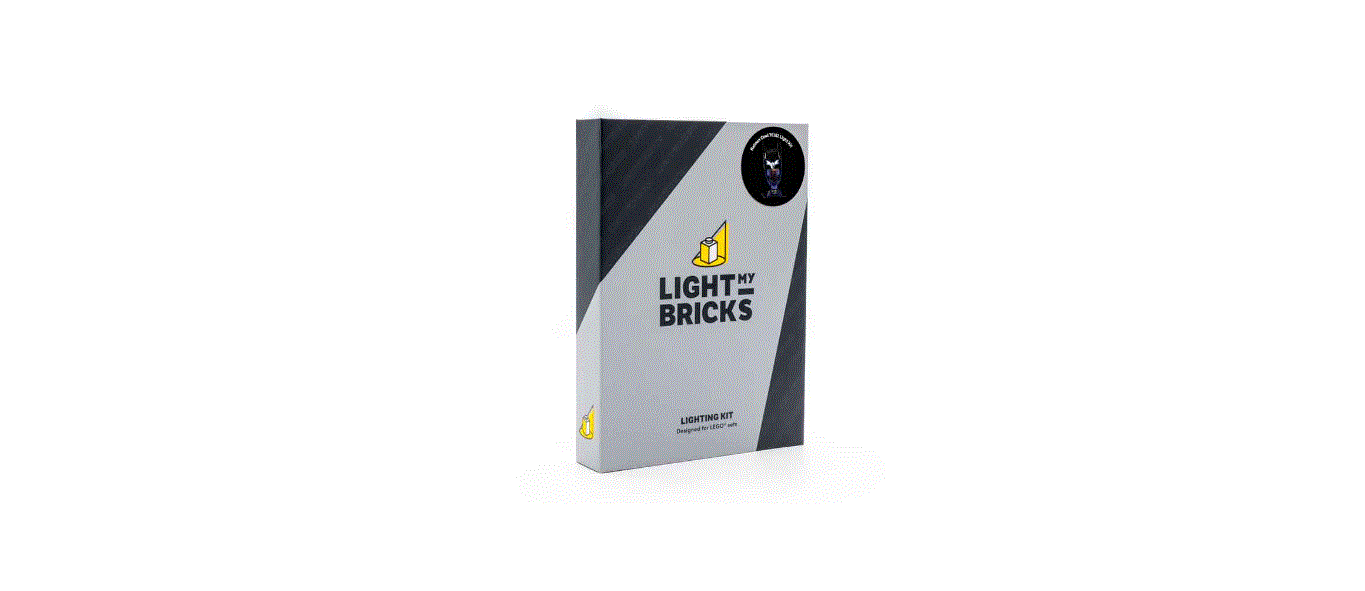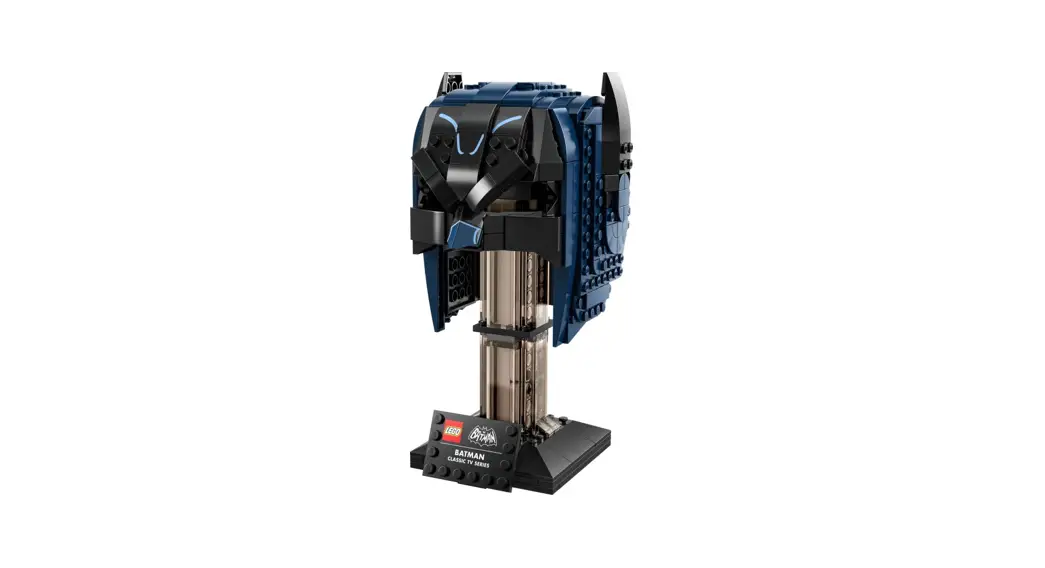
 76238 LIGHT KIT
Installation Guide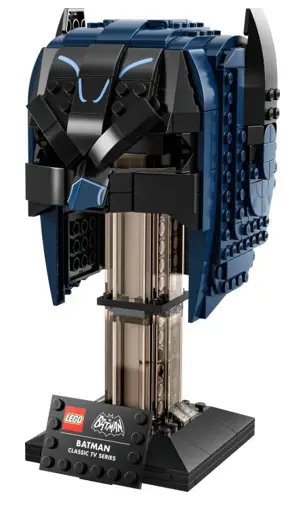
LEGO® CLASSIC TV SERIES BATMAN COWL #76238 LIGHT KIT INSTALLATION GUIDE
 Light My Bricks
 Light My Bricks
LEGO® CLASSIC TV SERIES BATMAN COWL #76238 LIGHT KIT INSTALLATION GUIDE
Hi There!
We’re here to help you get started on the LEGO® Classic TV Series Batman Cowl (76238) Light Kit. This PDF details the instructions for the LED light kit only. If you run into any issues, please refer to the troubleshooting section towards the end of this guide. Have fun and enjoy!
 PACKAGE CONTENTS:
 PACKAGE CONTENTS:
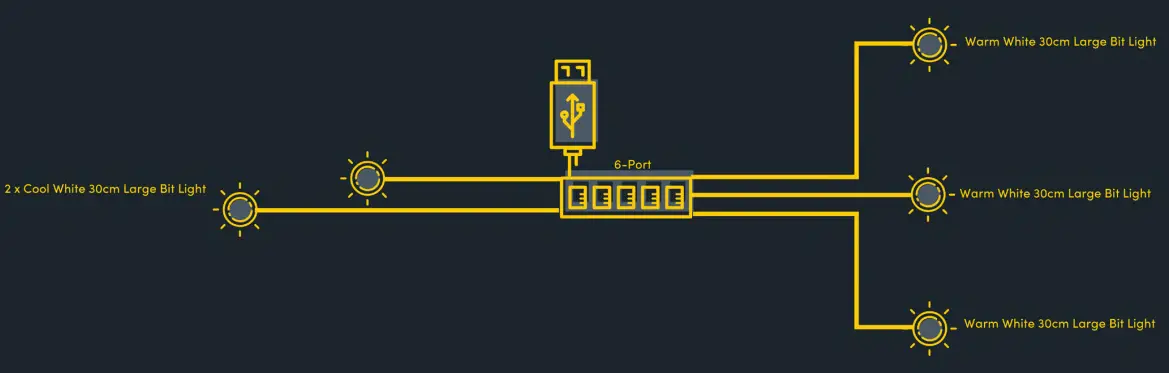
 3 x Warm White 30cm Large Bit Light 2 x Cool White 30cm Large Bit Light
 1 x 6-Port Expansion Board
 1 x USB Power Cable (Power Source not Included)
ASSORTED BRICKS:
- 2 x Plate 1×6 Black
- 2 x Round Plate 1×1 W Open Stud Black
- 4 x Mod Plate 1×1 W Handle Black
- 2 x Arm Skeleton, Bent W Clips (Horizontal Grip) – Black
Before You Begin
Laying cables in between and underneath bricks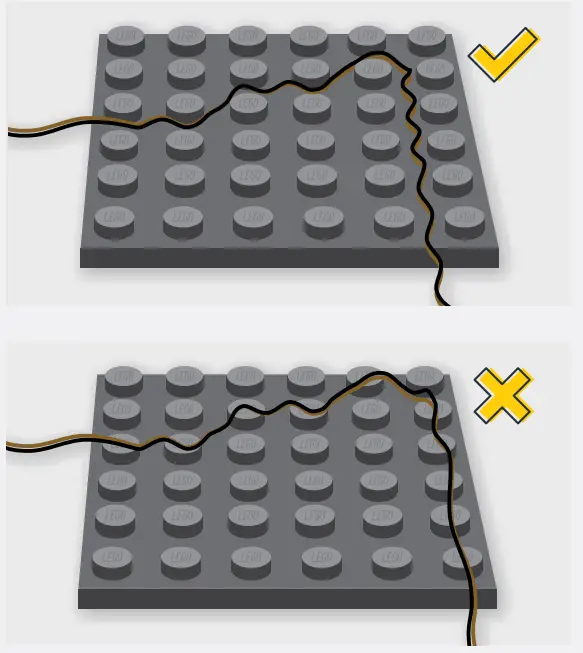 Cables can fit in between and underneath LEGO® bricks, plates, and tiles providing they are laid correctly between the LEGO® studs. Do NOT forcefully join LEGO® together around cables; instead, ensure they are laying comfortably in between each stud. CAUTION: Forcing LEGO® to connect over a cable can result in damaging the cable and light.
Connecting Cable Connectors To Expansion Boards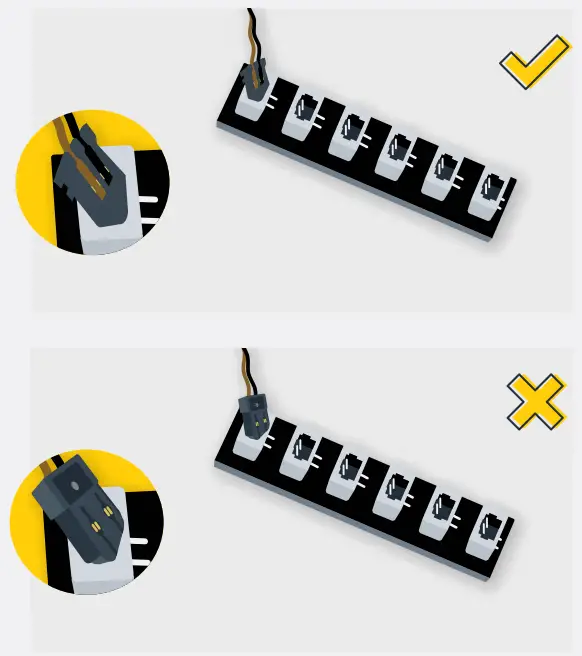 Take extra care when inserting connectors to ports of Expansion Boards.
Connectors can be inserted only one way. With the expansion board facing up, look for the soldered “=” symbol on the left side of the port. The connector side with the wires exposed should be facing toward the soldered “=” symbol as you insert it into the port. If a plug won’t fit easily into a port connector, do not force it.
Incorrectly inserting the connector can result in bent pins inside the port or possible overheating of the expansion board when connected.
Connecting Cable Connectors To Strip Lights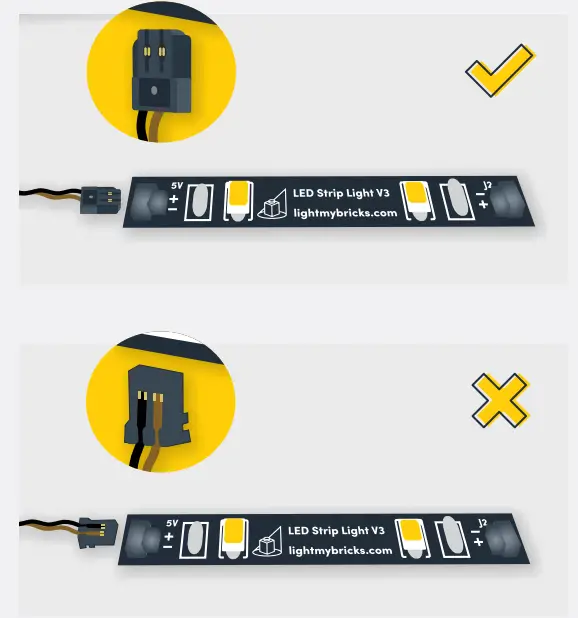 Take extra care when inserting connectors to ports on the Strip Lights. Connectors can be inserted only one way. With the Strip Light facing up, ensure the side of the connector with the wires exposed is facing down. If a plug won’t fit easily into a port connector, don’t force it. Doing so will damage the plug and the connector.
Connecting Micro Cable Connectors To Micro Expansion Board PortsTake extra care when inserting the micro connectors to micro ports of Micro Expansion Boards. Connecting Micro Bit Lights to Micro Expansion Boards is similar to connecting lights and cables to Strip Lights. With the expansion board facing up, ensure the side of the connector with the wires exposed is facing down. If a plug won’t fit easily into a port connector, do not force it. Use your fingernail to push the plastic part of the connector to the micro port.
Installing Bit Lights Under Lego® Bricks And Plates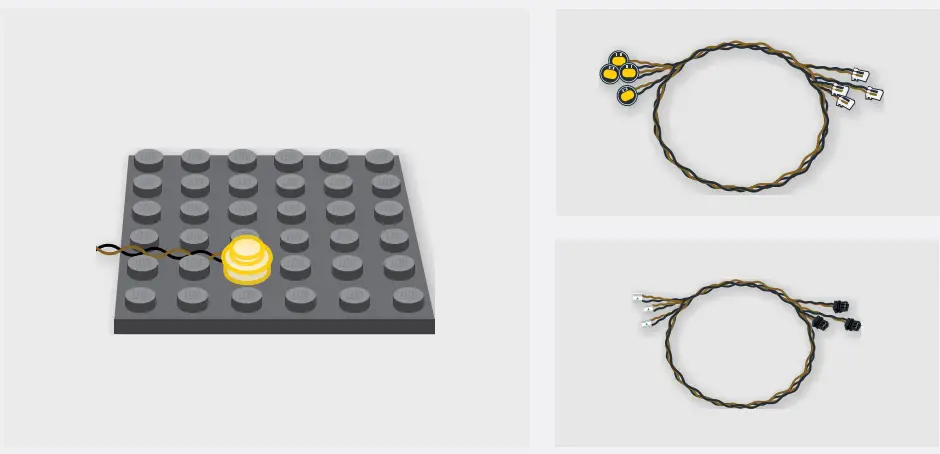 When installing Bit Lights under LEGO® pieces, ensure they are placed the correct way up (Yellow LED component exposed). You can either place them directly on top of LEGO® studs or in between.
BLUEPRINT

INSTRUCTIONS
To ensure a smooth installation of your light kit, please read and follow each step carefully. If you run into any issues, please refer to the online troubleshooting guide.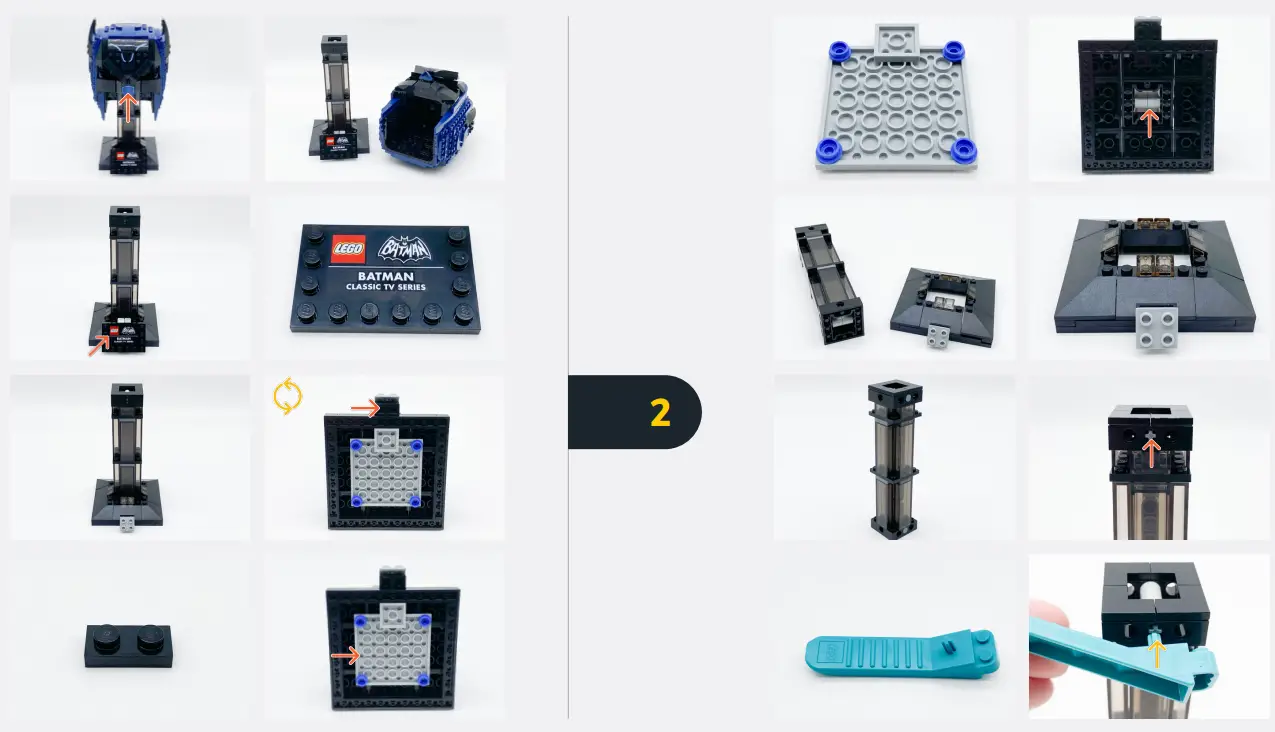
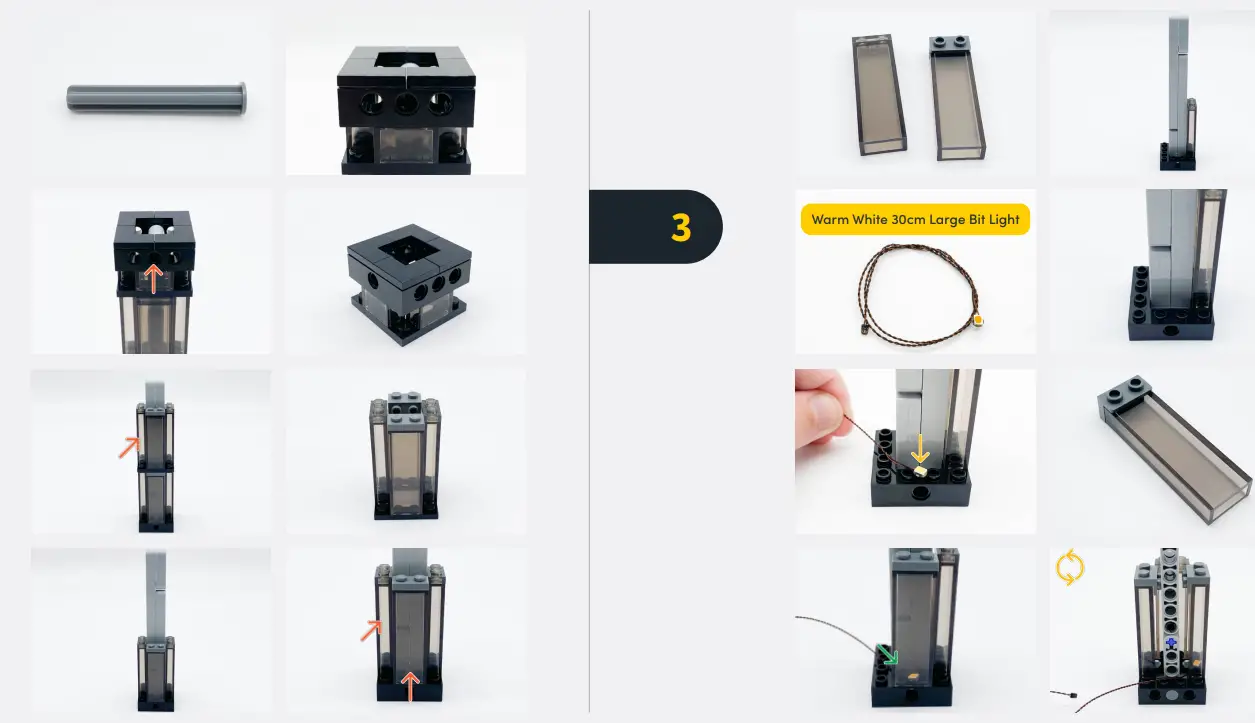
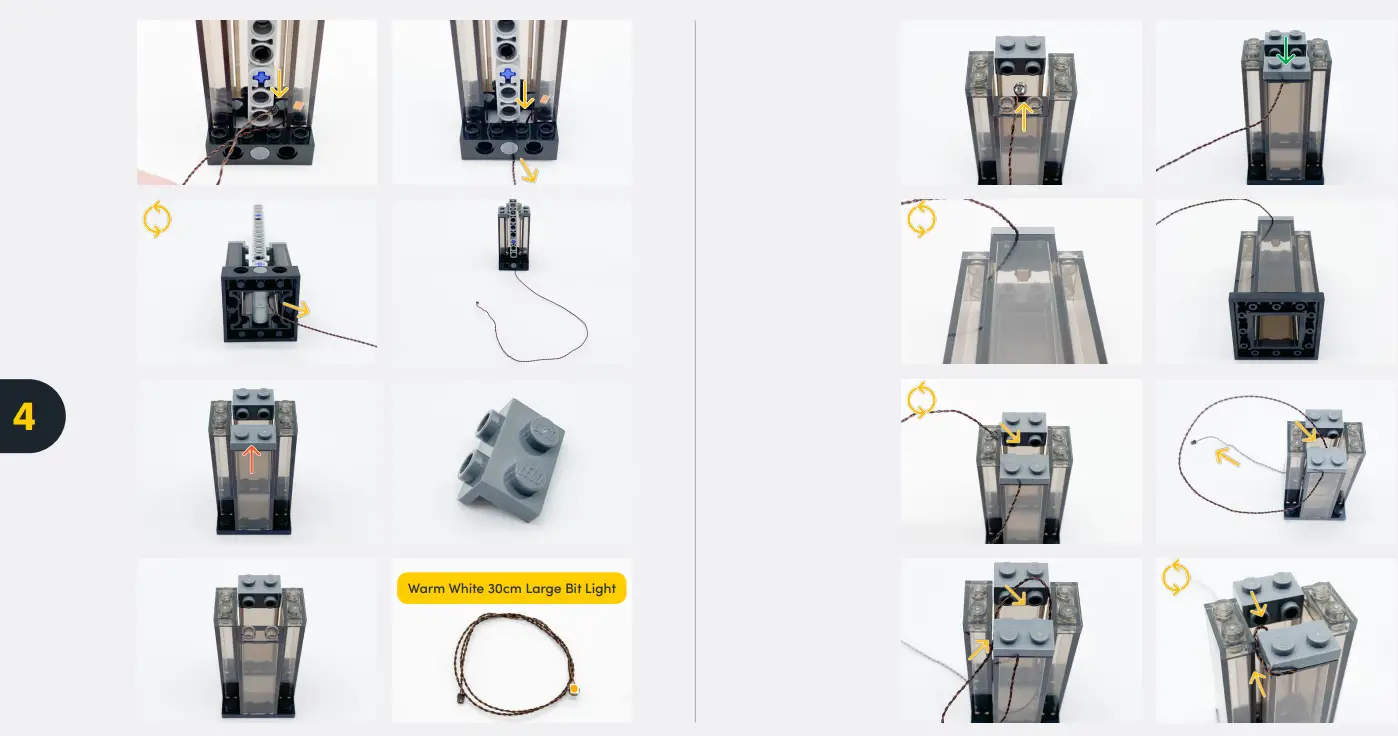
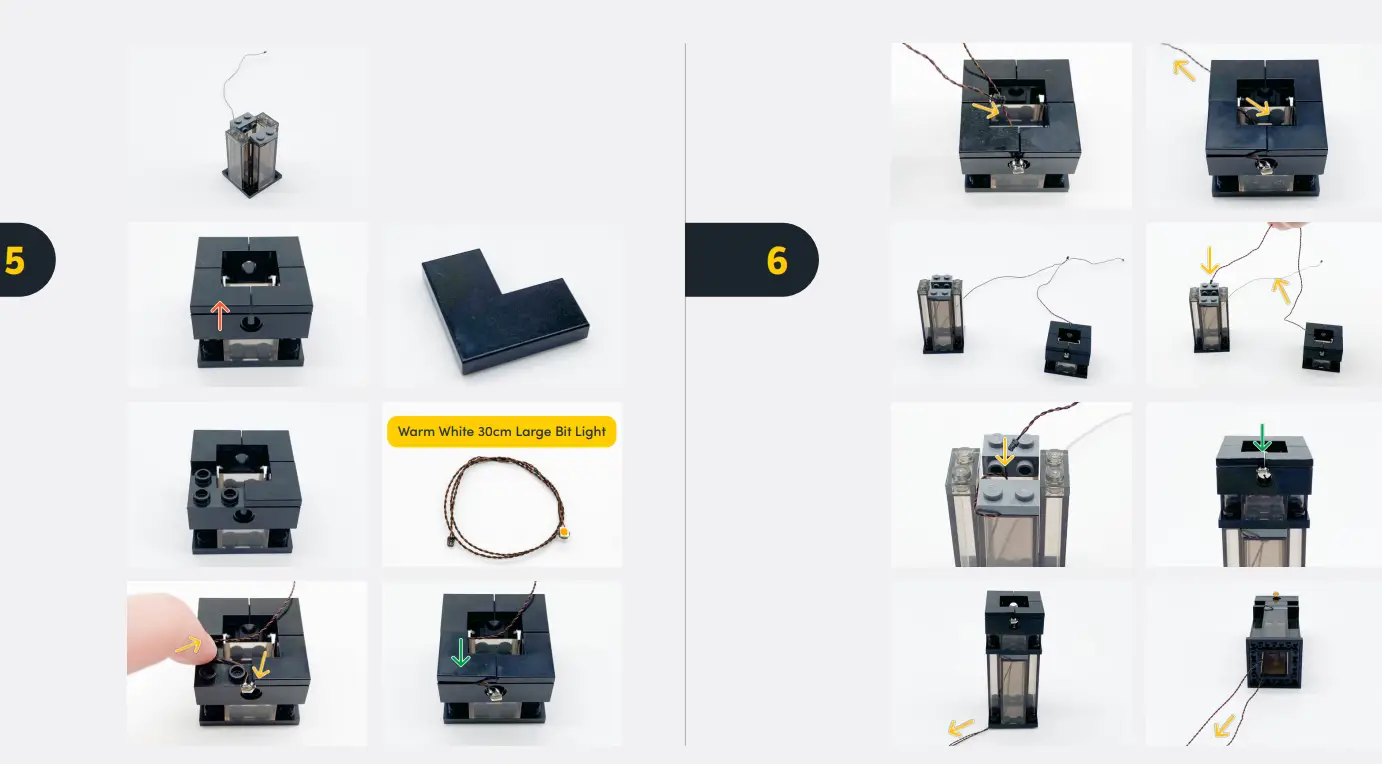
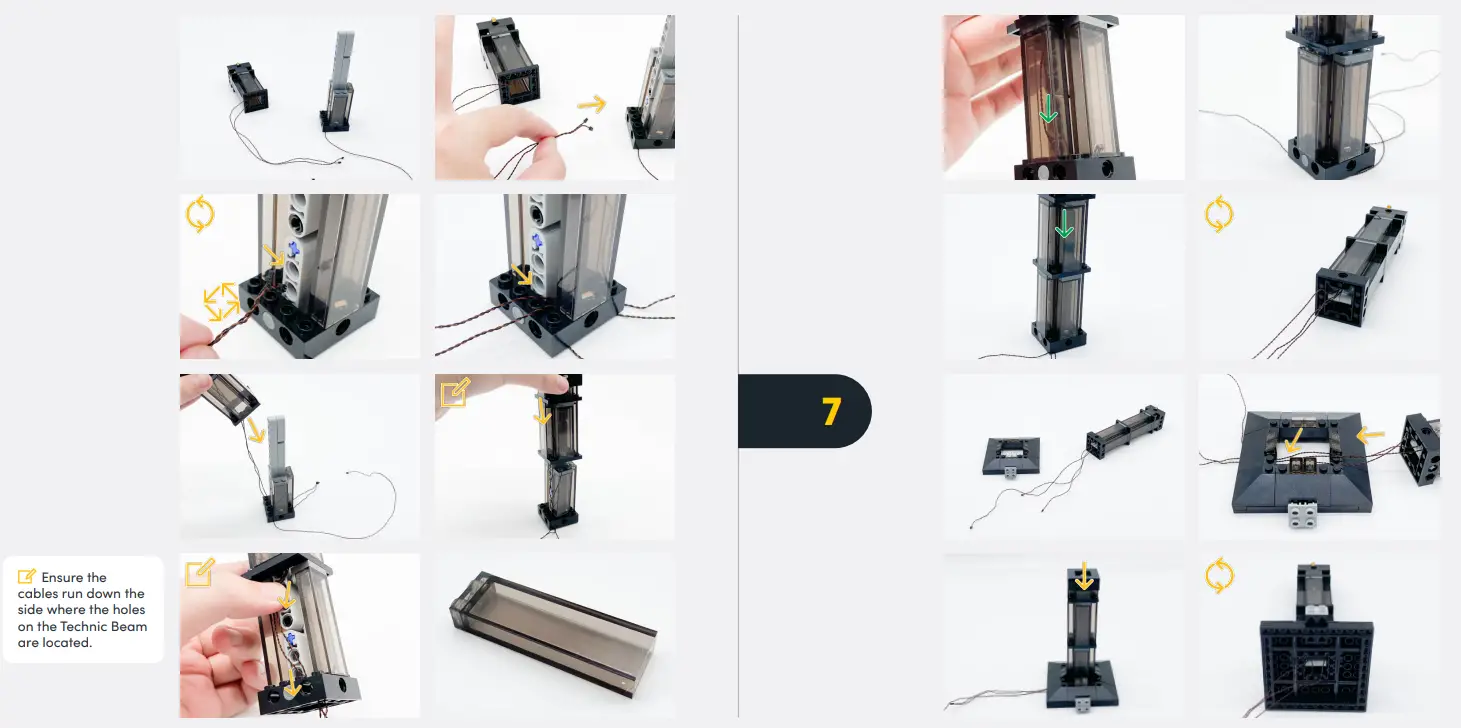
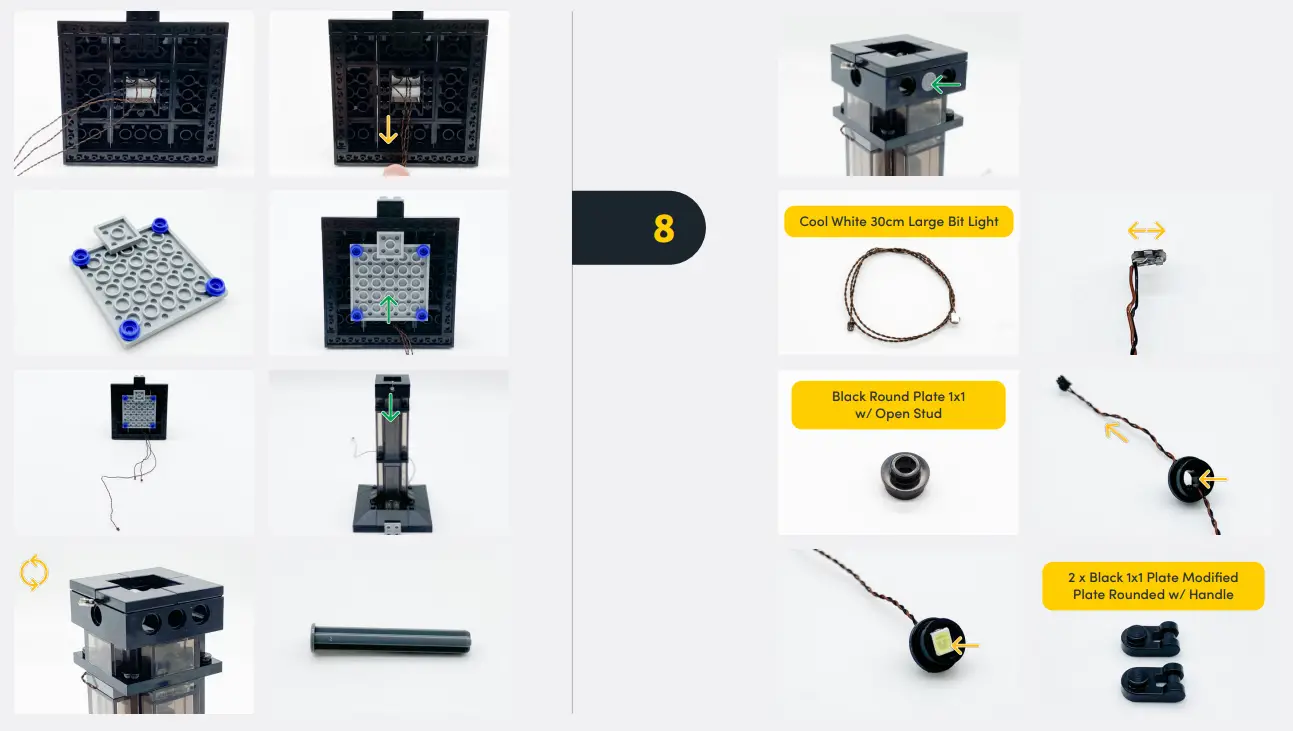
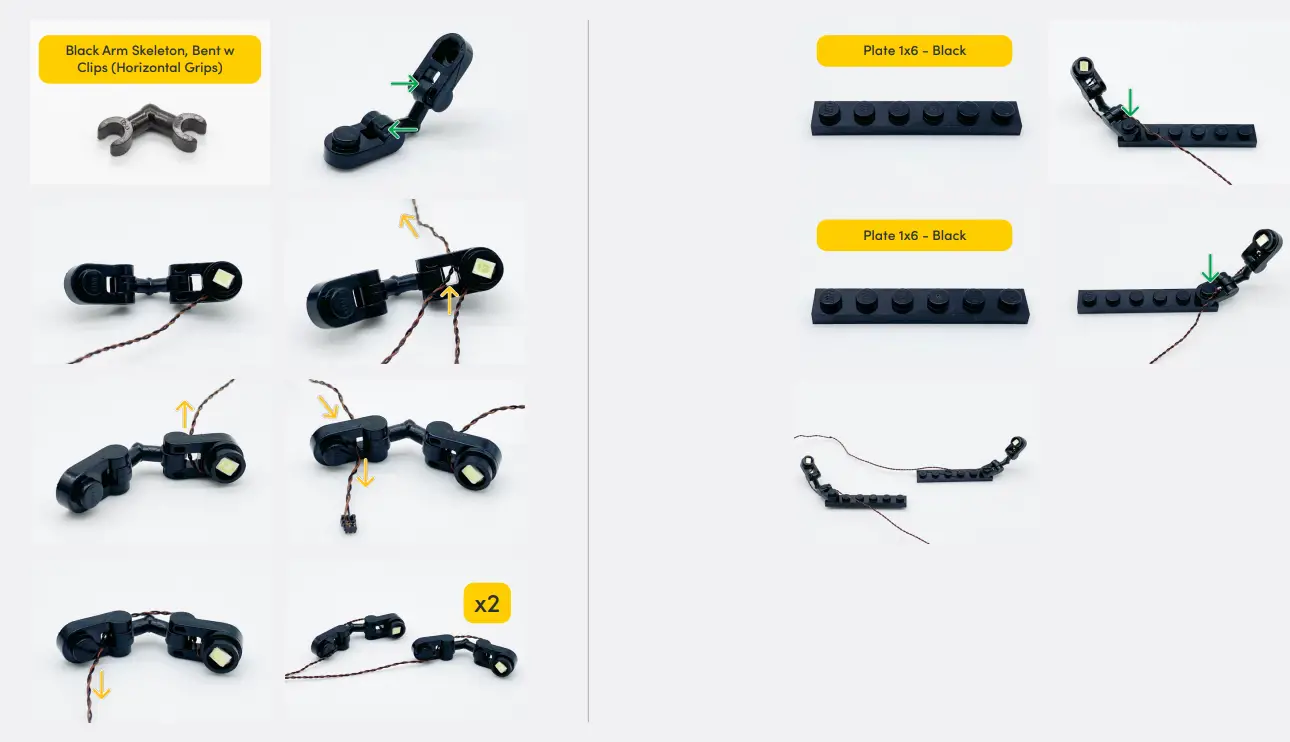
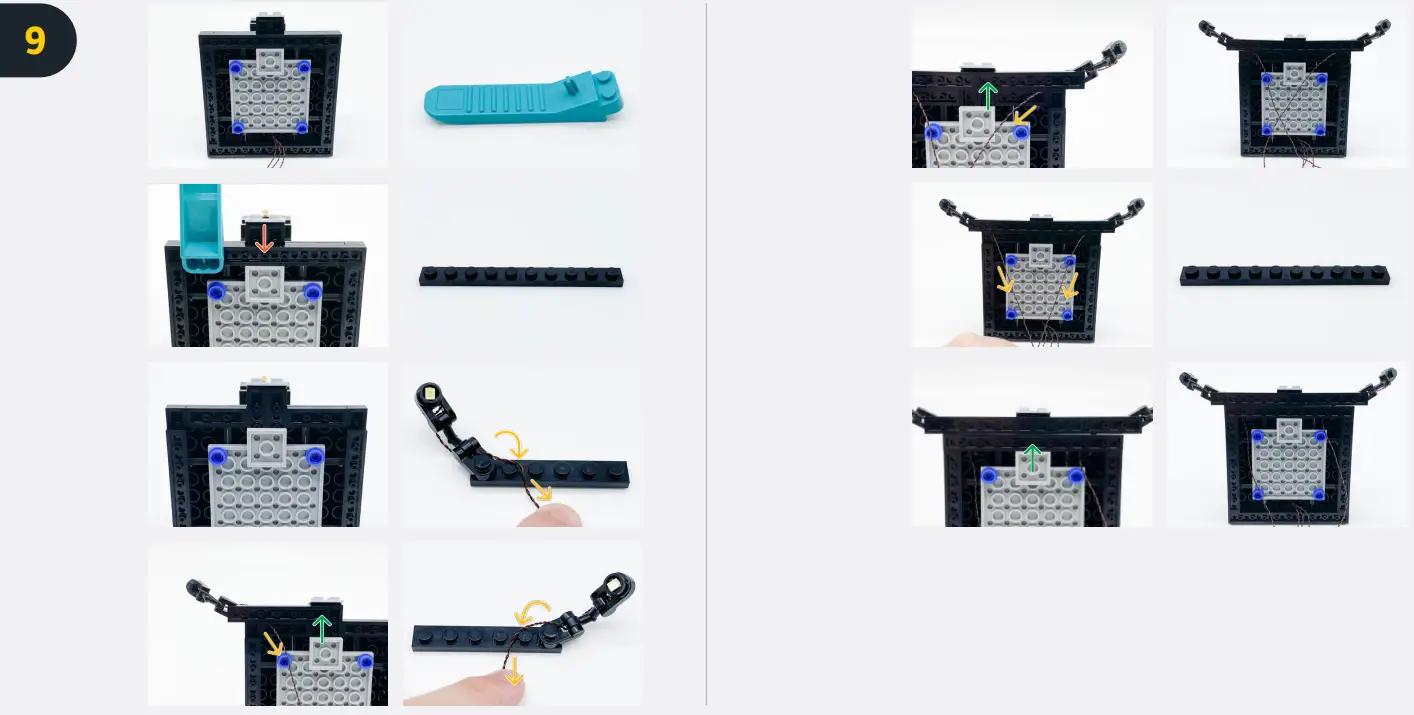
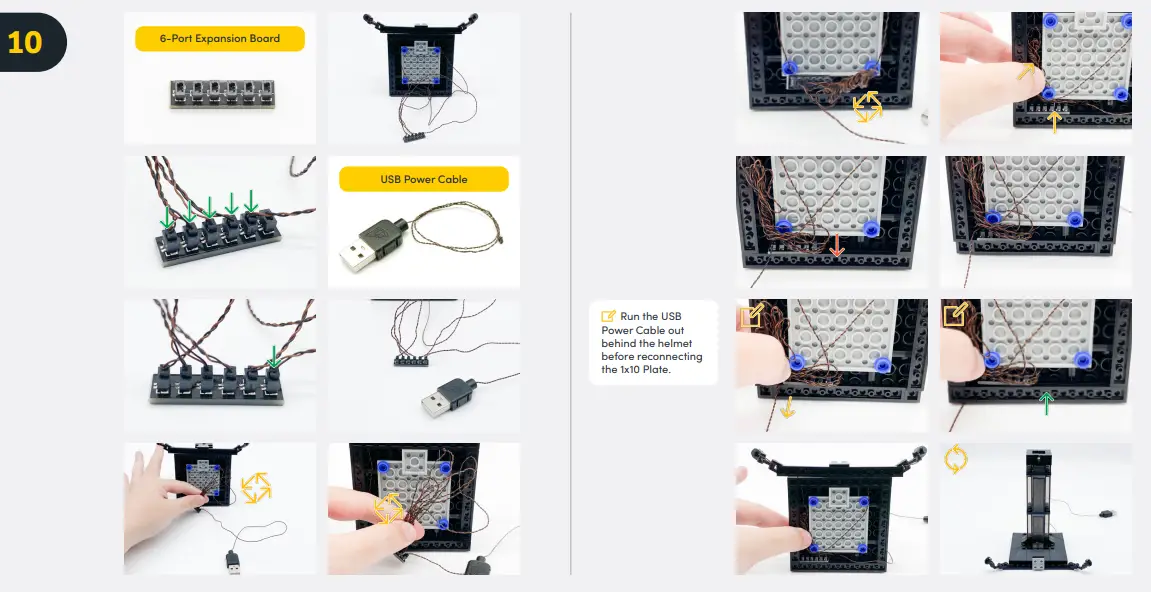
If you experience any issues with the lights not working and suspect an issue with a component, please try a different port on the expansion board to verify where the fault lies (with the light or expansion board). To correct any issues with expansion board ports, please view the section addressing expansion board issues in our troubleshooting section.
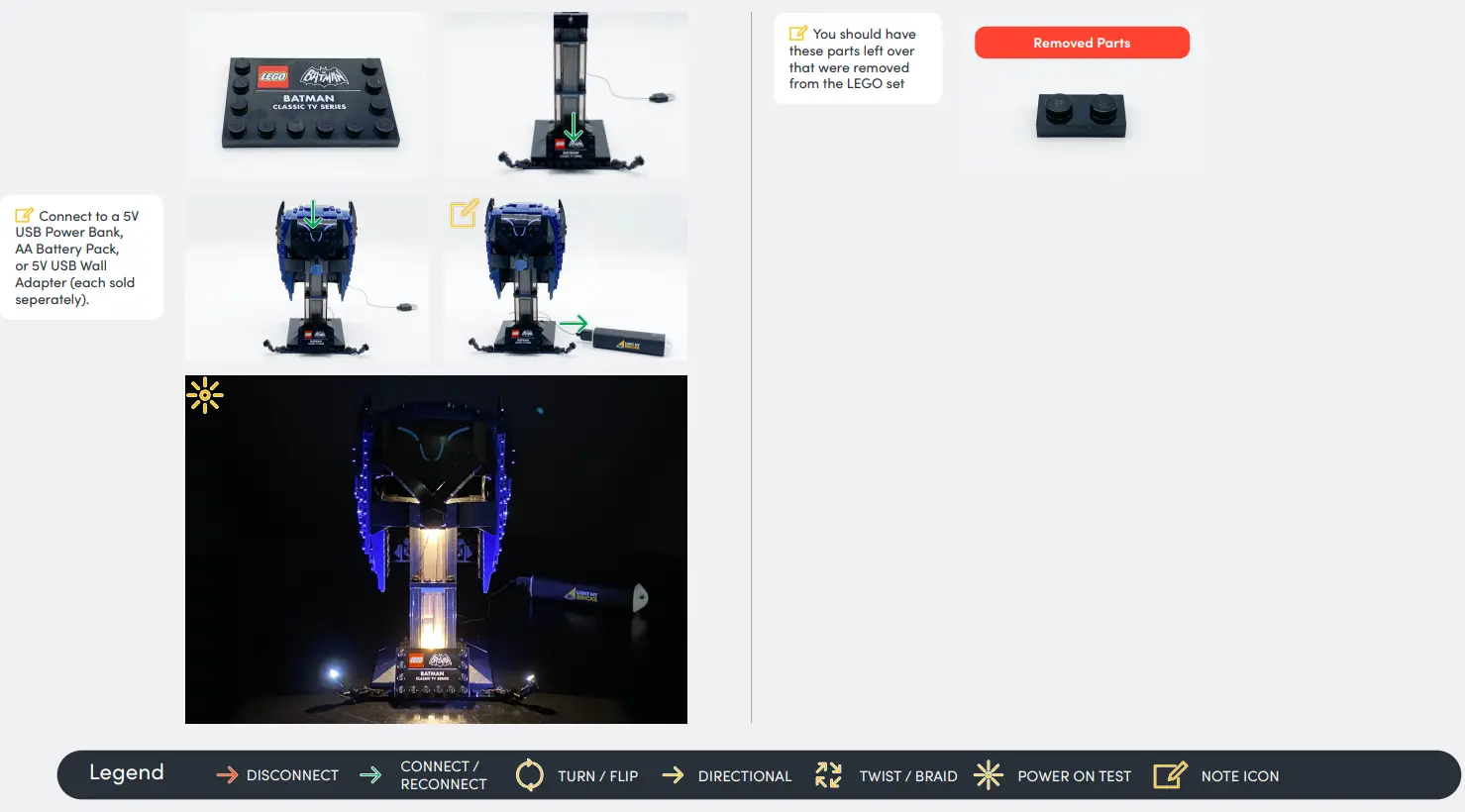
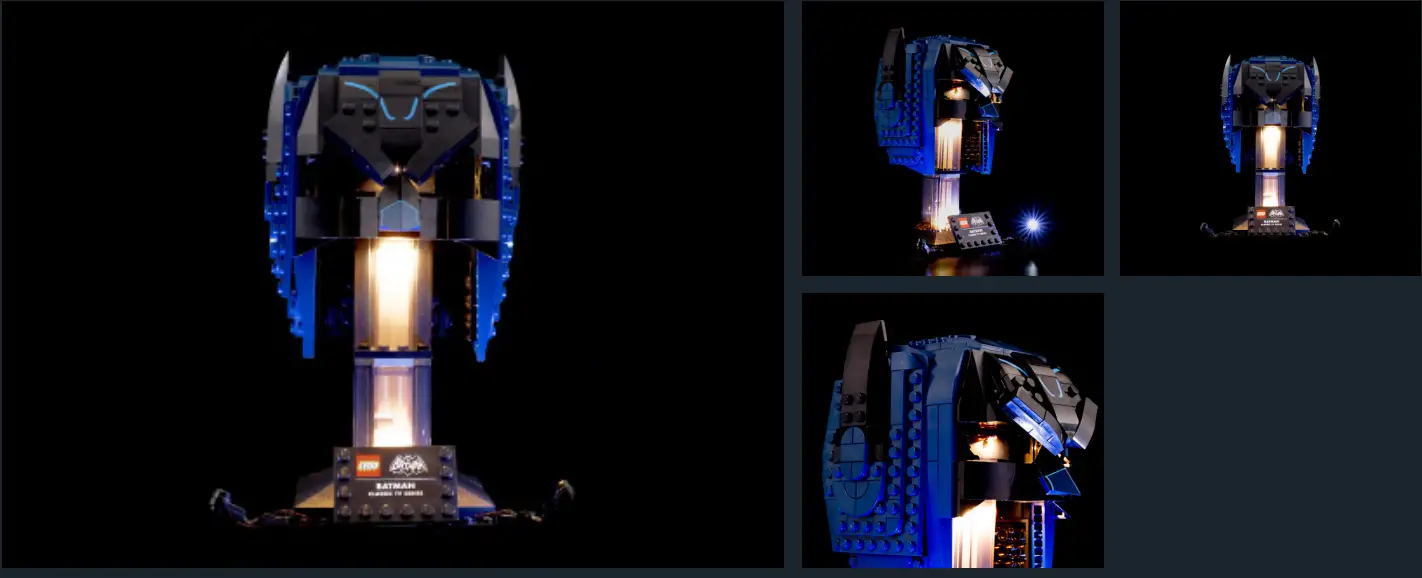
FINAL PRODUCT
This finally completes the installation of the Light My Bricks Classic TV Series Batman Cowl 76238 Light Kit.
TROUBLESHOOTING
Light My Bricks lighting kits contain individual components that are very small and can be easily damaged if not handled correctly.
To prevent unnecessary damage to components, we highly recommend that the User Guide section, “Important things to note” is read carefully. Follow the handling procedures in the User Guide to help prevent faults and damages to your Light My Bricks components.
If you are experiencing issues with your Light My Bricks set, watch our troubleshooting video or read on for a list of common causes to help you troubleshoot.
Firstly, ensure that the batteries have power using a battery charge gauge. If the batteries have no power, replace the batteries. If the batteries still have power, check to see if the batteries have been inserted correctly into the battery pack.
Check For CR2032 Batteries Using The Flat Battery Pack
Inside the battery pack is a symbol indicating which side the (round) CR2032 battery should be inserted. Check that the “+” side of the battery pack has the battery with the “+” symbol facing downwards.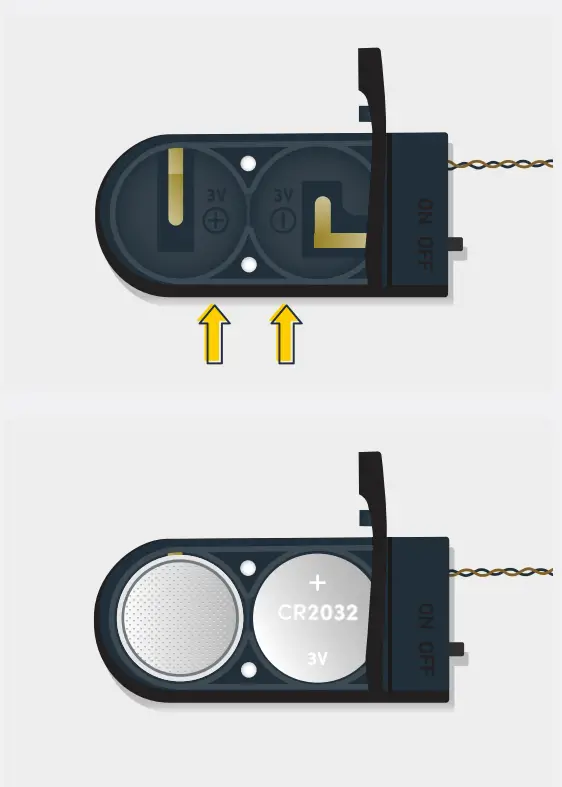 On the opposite side, the “-” side of the battery pack should have the battery flipped upside down, that is the “+” symbol facing upwards
Check For CR2032 Batteries Using The Flat Battery Pack
Inside the battery pack is a symbol indicating which side the (round) CR2032 battery should be inserted. Check that the “+” side of the battery pack has the battery with the “+” symbol facing downwards.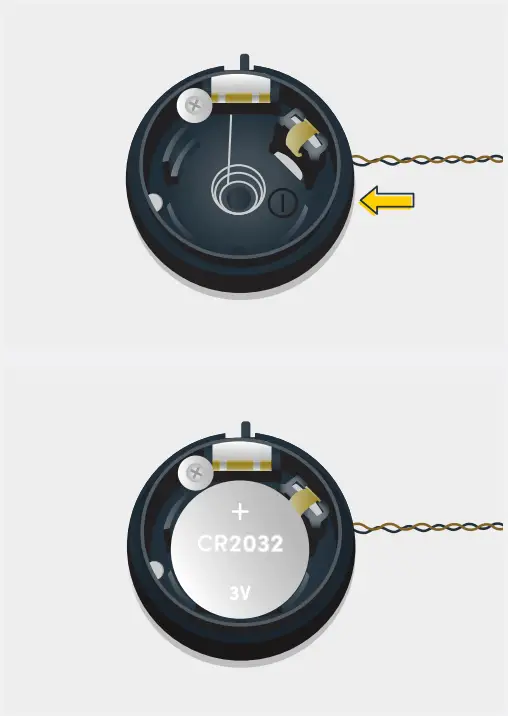 On the opposite side, the “-” side of the battery pack should have the battery flipped upside down, that is the “+” symbol facing upwards
Check For Cr2032 Batteries Using The Round Battery Pack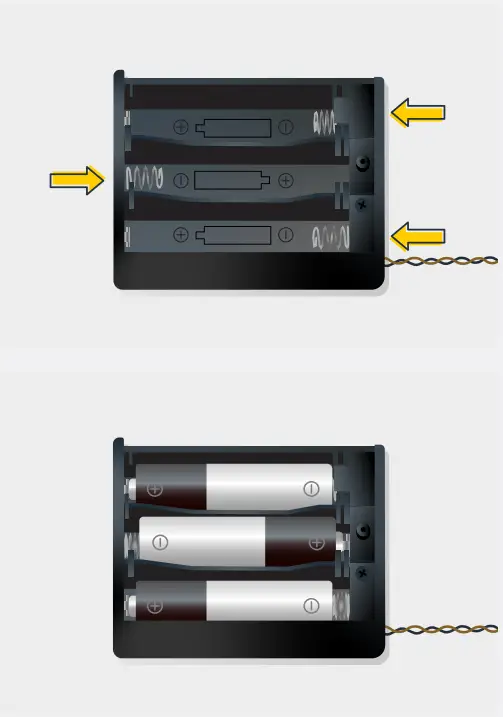 Inside the battery pack is a symbol indicating which side the (round) CR2032 battery should be inserted. In this case, for the stacked battery pack, ensure that BOTH batteries
have the “+” symbol facing upwards.
Check Your Wires
In order for Light My Bricks components to fit in between and underneath LEGO® bricks, the components need to be very small. Due to this nature, Light My Bricks components can be easily damaged when not handled correctly. Be careful when removing unpacked components out of the packaging and ensure not to forcibly pull at the wires as this can damage the soldering that attaches the wires to the LEDs.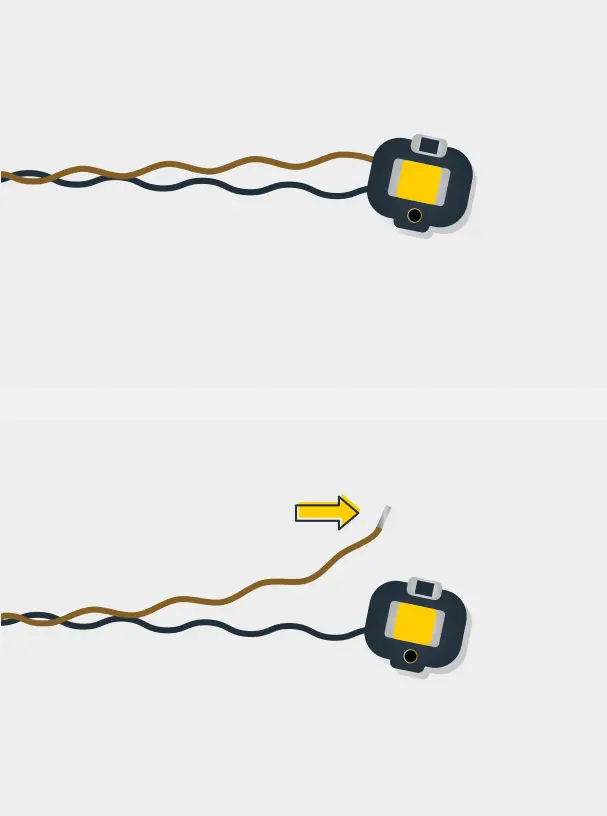 If the wiring is detached from the LED itself, the light will not operate.
When connecting flights to your LEGO set, check that there are no pinched wires underneath or in between bricks and plates. When the wires are pinched and the exposed wires are touching each other, this can cause a crosswire and the lights to not function correctly.
Check Your Expansion Board Ports/ Strip Light Ports /Effects Board Ports
It is important to note that connectors can only be inserted into the expansion board, strip light, or effects board ports in one direction. Forcibly inserting connectors in the incorrect direction will result in damaging the pins inside each of the ports on your component board.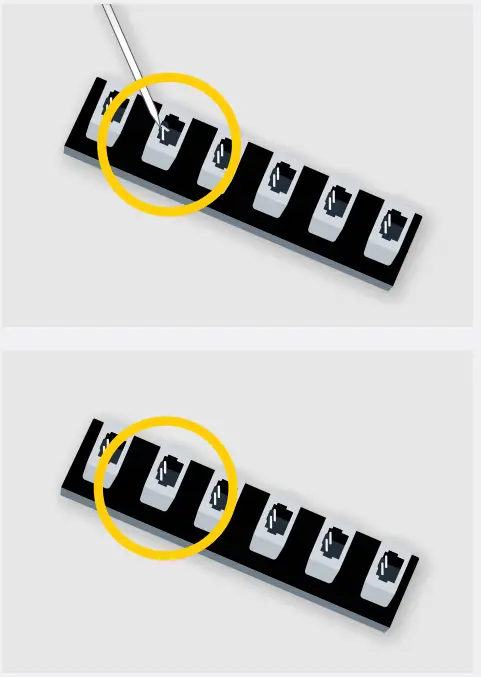 Not only will a light connected to the damaged port not work, but if the pins inside the port are bent to a point they are touching each other, this can result in all other lights
in the system stops working. This is a short circuit.
A short circuit can also result in overheating of the board, cable, or batteries. If you suspect a short circuit,
DISCONNECT POWER IMMEDIATELY
Batteries can fail, catch fire, or even explode if left connected to a short circuit for too long.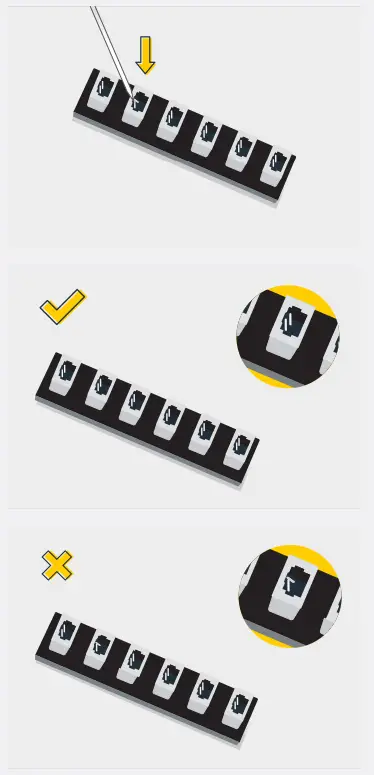 If you suspect you have a faulty component due to a bent pin, try the following steps:
If you look carefully inside each of the ports, each port contains 2 small pins that should be straight. You will be able to identify a faulty part if it has any bent pins.
 CONTACT US
 CONTACT US
If you have an inquiry regarding the online shop, our products, or a general inquiry please refer to our Frequently Asked Questions webpage. Alternatively, you can contact our Customer Services team by visiting our online support portal.
support.lightmybricks.com
We thank you for purchasing this product and hope you enjoy it!
 LEGO Lights & Lighting Kits - Free Global Shipping | Light My Bricks – Light My Bricks USA
 Light My Bricks Support Portal