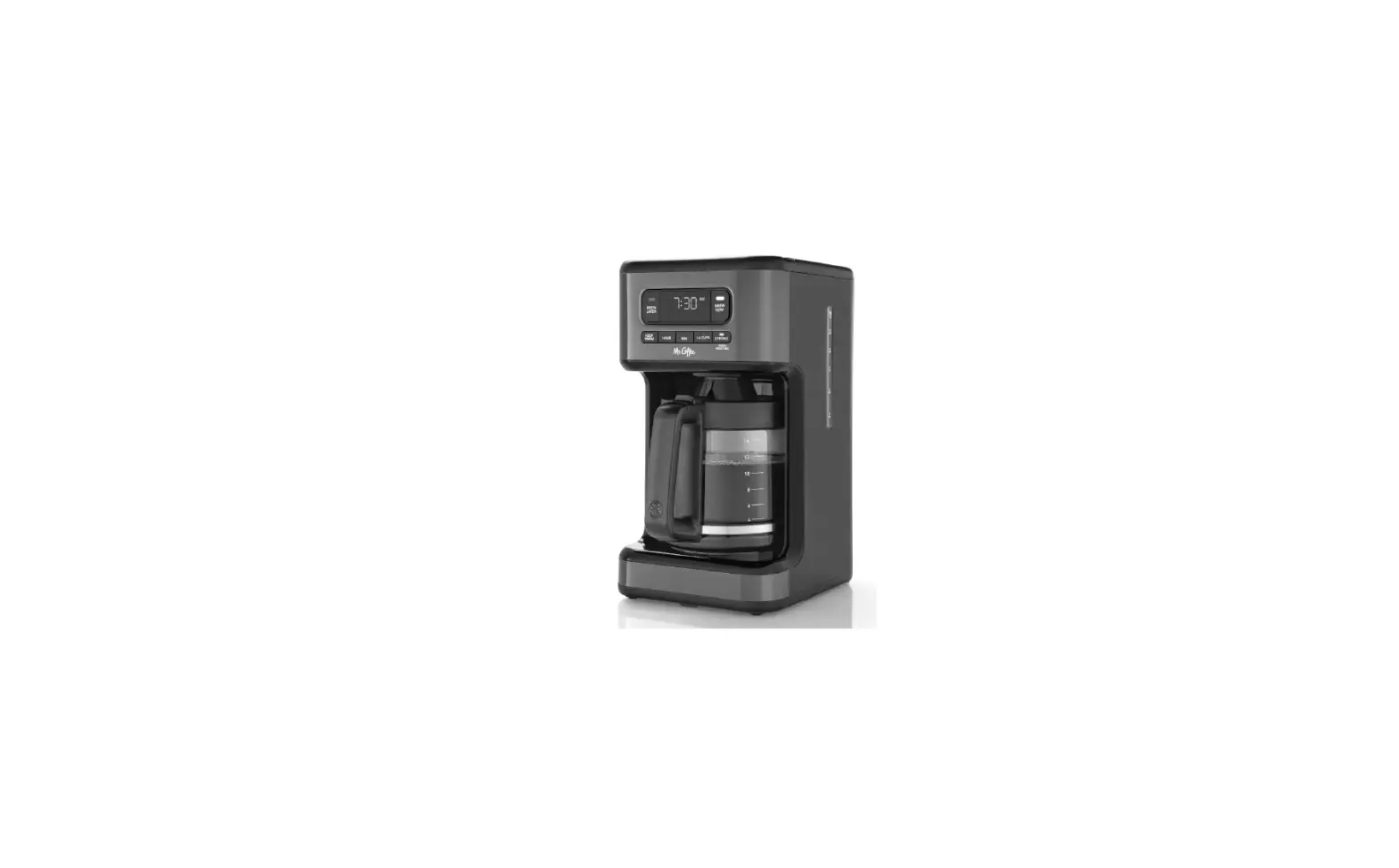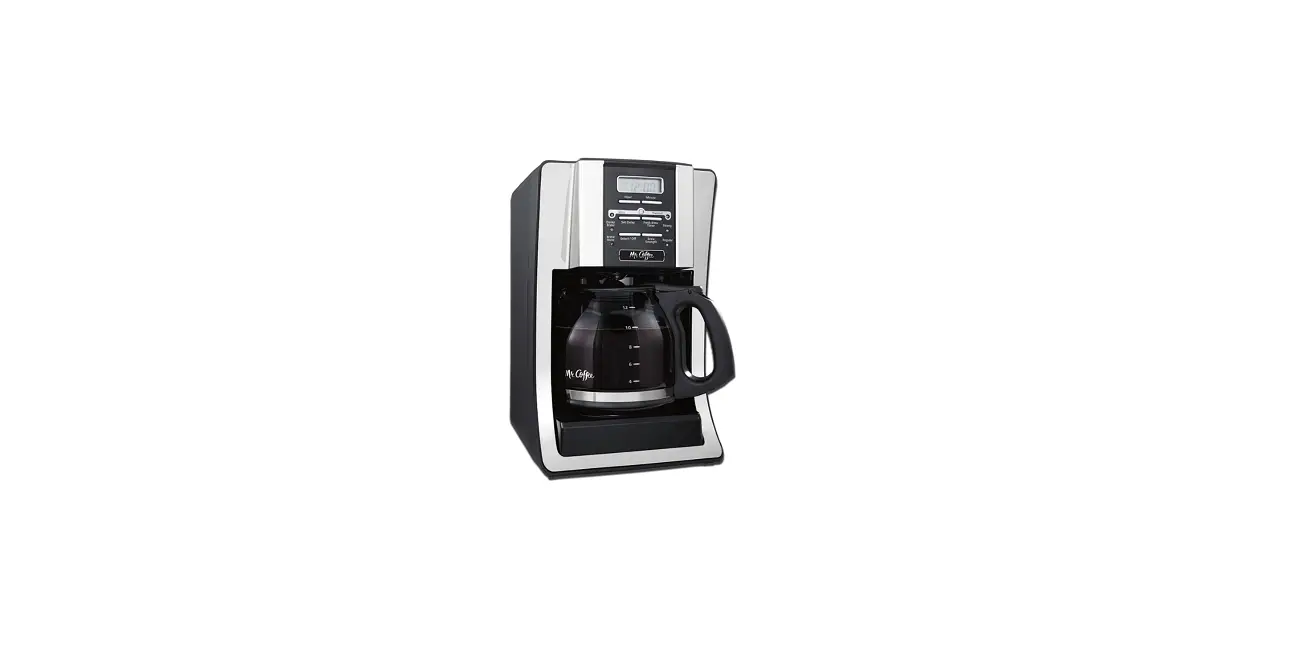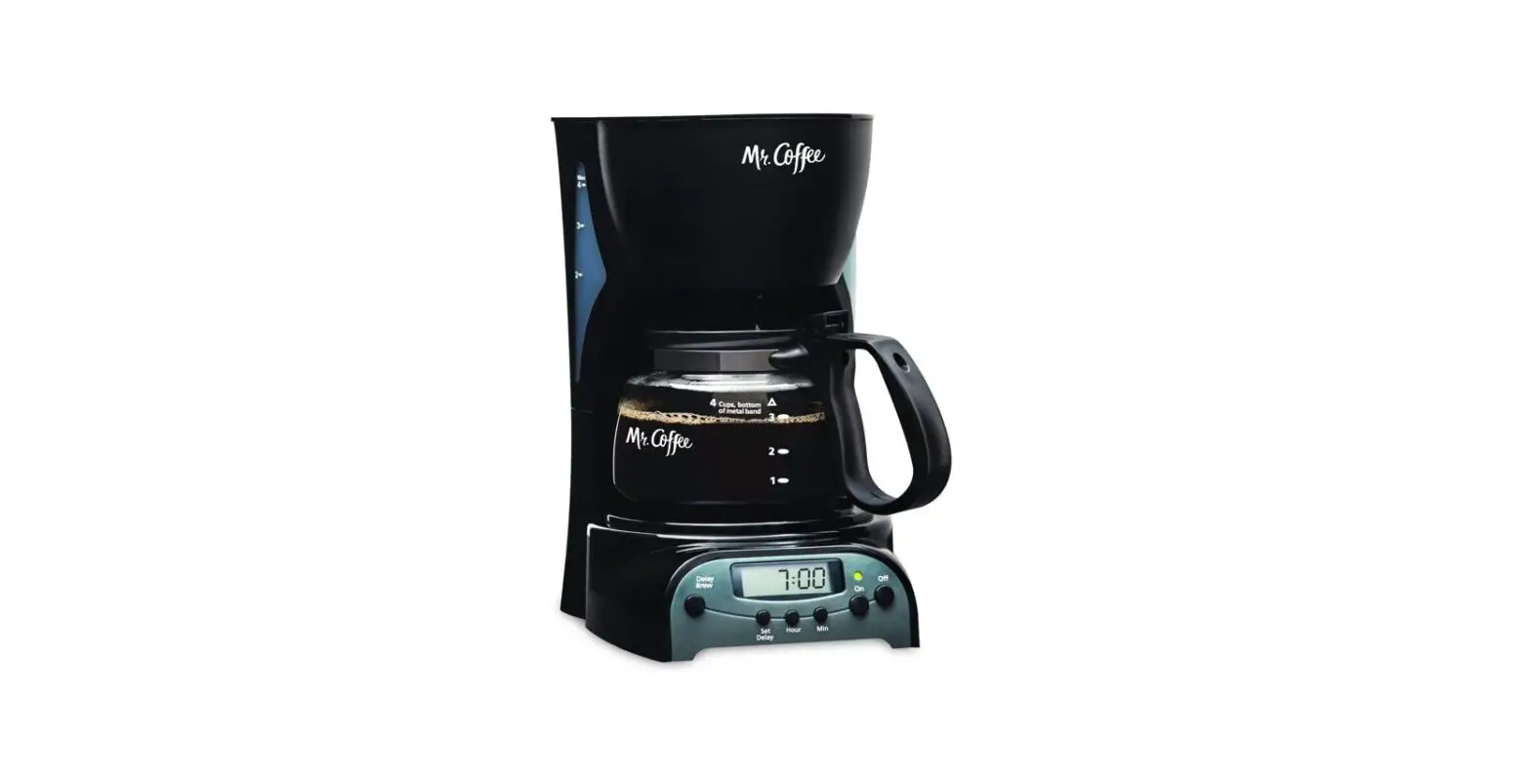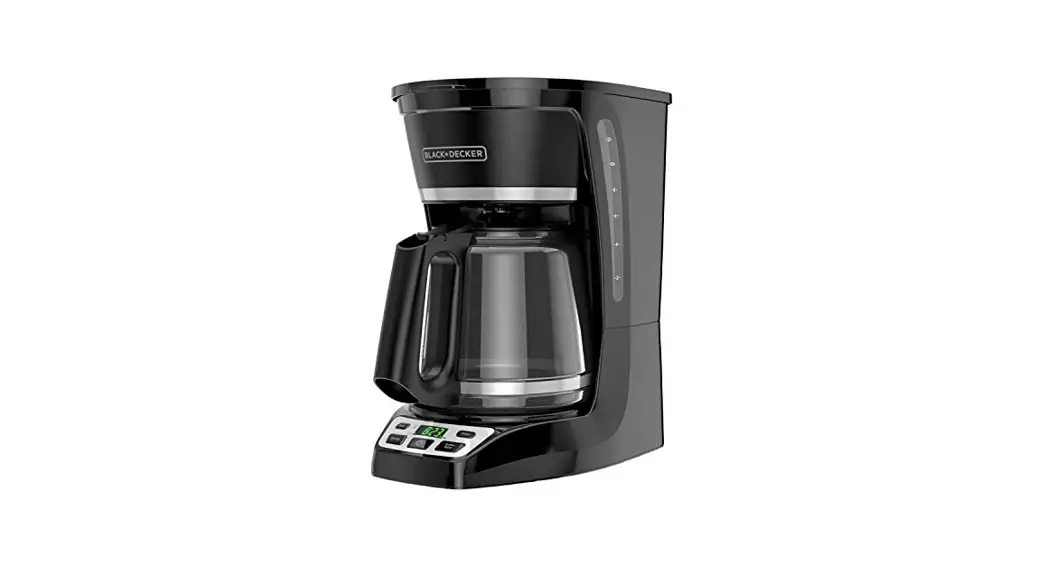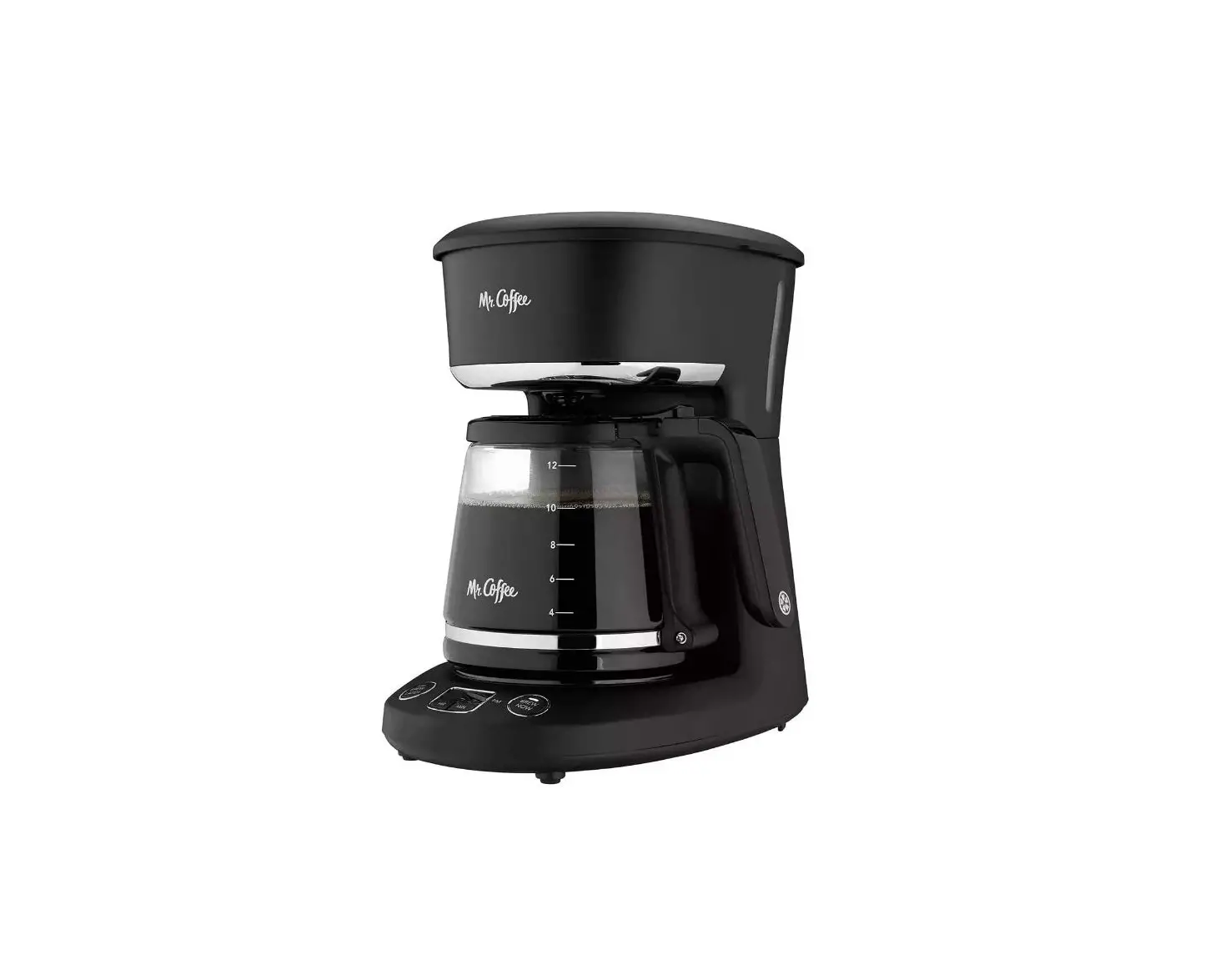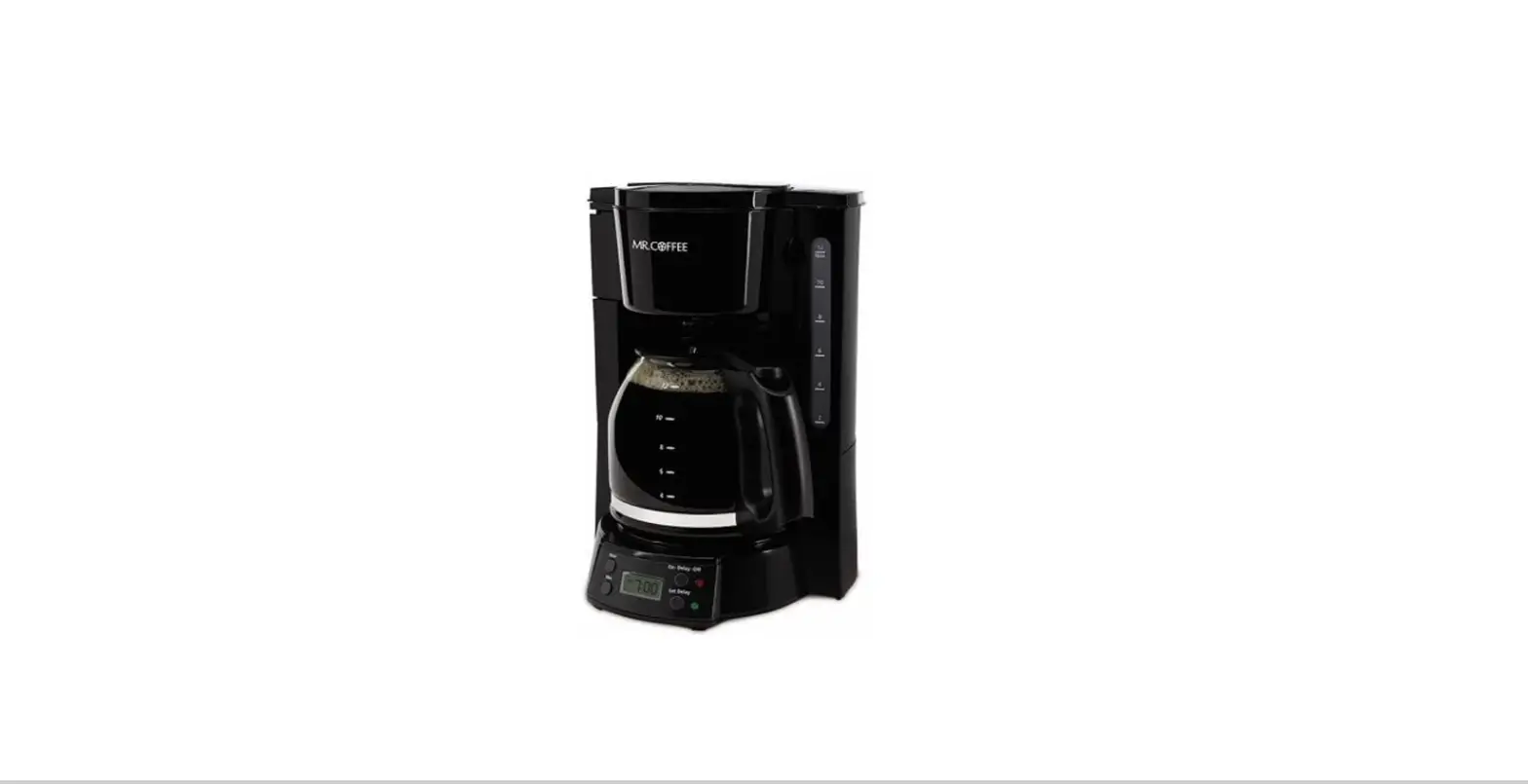

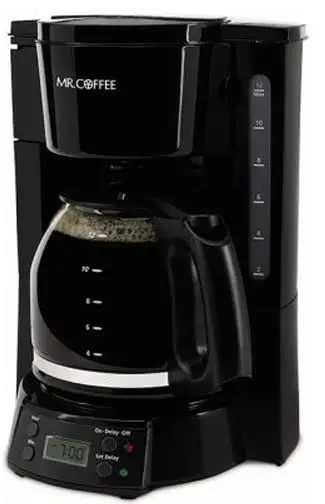
Mr. Coffee BVMC-EVX23-RB 12-Cup Programmable Coffee Maker
IMPORTANT SAFEGUARDS
To reduce the risk of fire, electric shock and/or injury to persons, basic safety precautions should always be followed when using electrical appliances, including the following:
- READ ALL INSTRUCTIONS BEFORE USING THE COFFEEMAKER.
- Do not touch the coffeemaker’s hot surfaces. Use handles or knobs.
- To protect against electric shock, do not immerse the power cord, power plug or coffeemaker in water or in any other liquid.
- Close adult supervision is necessary when this appliance is used by or near children.
- Turn the coffeemaker OFF and unplug the power cord from the power source when the coffeemaker and clock are not in use and before cleaning. Allow the coffeemaker parts to cool before putting on or taking off parts and before cleaning the appliance.
- Do not operate any appliance with a damaged power cord or power plug, or operate it after the appliance malfunctions, or has been damaged in any manner. Return this appliance only to the nearest Authorized Service Center for examination, repair or adjustment.
- The use of accessory attachments other than MR. COFFEE® brand products may cause hazards or injuries.
- Do not use the coffeemaker outdoors.
- Do not let the power cord hang over edge of table or counter, or allow it to come into contact with hot surfaces.
- Do not place this coffeemaker on or near a hot gas stove or electric burner or in a heated oven.
- To disconnect the coffeemaker, turn it OFF, then remove the power plug from the power supply.
- Place the appliance on a hard, flat, level surface to avoid interruption of airflow underneath the coffeemaker.
- Avoid contact with any moving parts.
- This coffeemaker is designed for household use only.
- Do not use appliance for other than intended use.
- Scalding may occur if the lid is removed during brewing cycles.
Decanter Use and Care
Follow the instructions below to reduce or eliminate the chance of breaking the glass decanter:
- This decanter is designed for use with your MR. COFFEE® coffeemaker and therefore must never be used on a range top or in any oven, including a microwave oven.
- Do not set a hot decanter on a wet or cold surface.
- Do not use a cracked decanter or a decanter having a loose or weakened handle.
- Do not clean the decanter with abrasive cleaners, steel wool pads or other abrasive materials.
- Discard the decanter immediately if it is ever boiled dry.
- Protect the decanter from sharp blows, scratches or rough handling.
WARNING! To reduce the risk of fire or electric shock, do not remove any service covers. There are no user-serviceable parts inside the coffeemaker. Only authorized personnel should repair the coffeemaker.
Please read ALL of the instructions in this manual carefully before you begin to use this appliance. Proper care and maintenance will ensure a long life and a trouble-free operation for this appliance. Please save these instructions and refer to them for cleaning and care tips.
SAVE THESE INSTRUCTIONS
Introduction
Welcome and congratulations on the purchase of your new MR. COFFEE® Coffeemaker. Your new coffeemaker will wake up with you in the morning and provide you breaks and treats during your hectic daily activities. How you enjoy your MR. COFFEE® Coffeemaker is up to you!
Special Cord Set Instructions
- For your convenience, the plug is stored inside the cord storage.
- A short power supply cord is provided to reduce the hazards resulting from a person or pet becoming entangled in, or tripping over, a longer cord.
- An extension cord may be purchased and used if care is exercised in its use.
- If an extension cord is used, the marked electrical rating of the extension cord must be at least 10 amps and 120 volts. The resulting extended cord must be arranged so that it will not drape over a countertop or tabletop where it can be pulled on by children or tripped over accidentally.
- This appliance has a polarized plug (one blade is wider than the other). To reduce the risk of electric shock, this plug will fit in a polarized outlet only one way. If the plug does not fit fully in the outlet, reverse the plug. If it still does not fit, contact a qualified electrician. Do not modify the plug in any way.
- You can customize the length of the power cord so that it is the exact length you desire. To increase the length of the power cord: grasp the power cord (not the power plug) and gently lift it out of the slot, then pull it away from the coffeemaker. To decrease the length of the power cord: Grasp the power cord (not the power plug), lift it out of the slot and gently feed it into the coffeemaker. Lock the cord in the slot when finished.
DIAGRAM OF PARTS
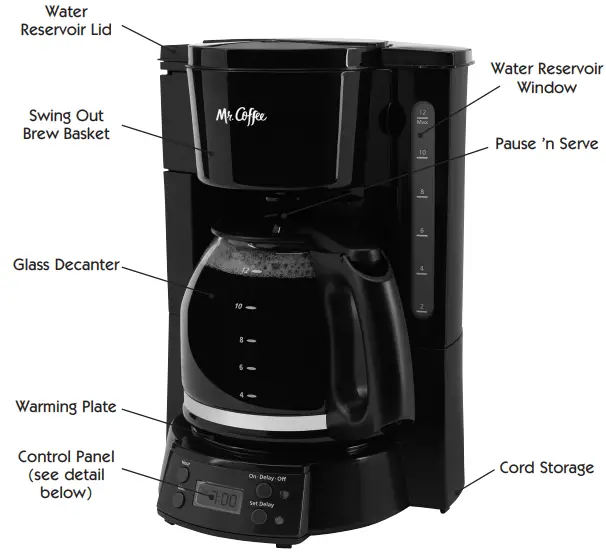
COFFEEMAKER FEATURES AND BENEFITS
Your new MR. COFFEE® coffeemaker has the following features.
- Brewing Capacity – 12 cups – Glass decanter series
- Brew Basket with Removable Filter Basket – Lifts out for fast and easy cleaning and filling.
- Pause ’n Serve – Allows you up to 30 seconds to pour a cup of coffee while the coffeemaker is still brewing. Carefully remove the decanter and the Pause ’n Serve feature will be automatically activated, temporarily stopping the flow of coffee into the decanter.
- Non-Stick Warming Plate – Allows you to keep your coffee hot after brewing. The non-stick attribute prevents the decanter from sticking to the surface of the warming plate.
- Cord Storage – Safely stores excess cord to keep your countertop neat.
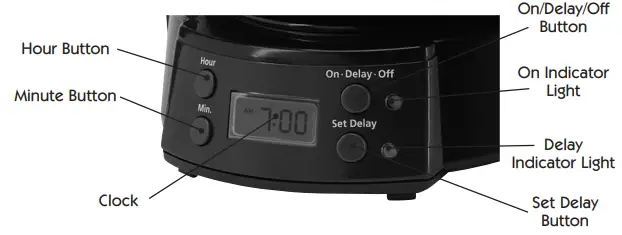
- On/Delay/Off Indicator Light – Lets you know when your coffeemaker is “on.”
- Additional Programmable Control Features:
- Clock – Serves as a handy kitchen clock and allows you to set the Delay Brew feature. And to see what time the Delay Brew is set for.
- Delay Brew – Allows you to preset the coffeemaker to automatically brew your coffee, up to 24 hours in advance.
- Two-Hour Auto Shut-Off – Keeps your coffee warm for 2 hours after you brew, then automatically turns off.
Clean Your Coffeemaker Before Using the First Time
Make sure your first cup of coffee is as good as can be by cleaning your MR. COFFEE® Coffeemaker before its first use. Just follow these simple steps:
- Wash the decanter, decanter lid and the filter basket in a mixture of mild detergent and water. Rinse each thoroughly (please refer to the parts diagram).
- Replace all the parts and close the lid. Then, run a brew cycle with water only, without adding coffee and coffee filter.
- When brewing is complete, turn your coffeemaker off, discard the water in the decanter and rinse the decanter, decanter lid, and filter basket.
Your coffeemaker is now ready to use. Enjoy it!
SETTING THE CLOCK
To Set the Clock:
- Plug the power cord into a standard electrical outlet. The clock will flash on the control panel to indicate that the time has not been set yet.
- Press the Hour Button once.
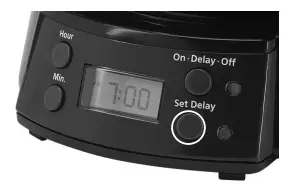
- Press Set Delay Button once (Fig.1). “Clock” will be displayed above the numbers.

- Press the Hour and Minute Buttons to the current time. Pay attention to AM or PM.
- The time is now set.
NOTE: You must set the clock if you want to use the Delay Brew feature.
USING DELAY-BREW
Selecting and Measuring Ground Coffee
- Press the Set Delay Button twice. “Timer” will be displayed above the numbers.
- Select the desired time you would like your coffee brewed.
- Turn the Delay Brew ON by pressing the On/Delay/Off button twice. The green light will illuminate indicating the coffeemaker will brew at the time set.
- Fill the coffeemaker following the steps in Brewing Coffee Now section
Automatic Shut-Off
Your Coffeemaker will keep your coffee hot for 2 hours and then automatically shut off. When your decanter is empty, turn Coffeemaker off.
BREWING COFFEE NOW
Selecting and Measuring Ground Coffee
For best results, use a level tablespoon for ground coffee measurement. Make sure you use medium grind coffee for a perfect brew.
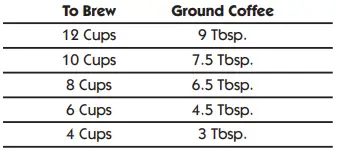
1 level tablespoon (tbsp) = 5 gr./0.17 oz. 1 cup = 5 fl. oz. of brewed coffee Use more or less coffee to suit your taste.
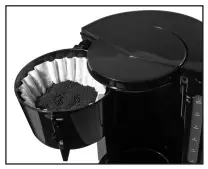
- Swing the Brew Basket out to the left.
- Place a 12 cup paper basket-style filter into the Brew Basket.
- Add the desired amount of coffee according to the measurement chart. Shake lightly to level the coffee, then close (Fig. 2).

- Fill the Decanter with tap water to desired capacity as marked on the side of the decanter. (1 cup equals 5 ounces.)
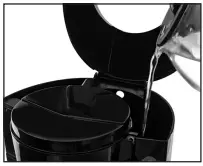
- Pour the water into the reservoir (Fig. 3). Close the reservoir lid completely and place the empty decanter onto the warming plate.

- A convenient water level window is positioned on the right side of the coffeemaker reservoir. The water level will rise within the water tube and will indicate approximately how many cups of water have been poured into the reservoir.
- Turn your coffeemaker switch ON by pushing the On/Delay/Off Button once (the red On light will illuminate). When coffee stops flowing, the brewing cycle is complete. While the coffee is brewing, the Pause ’n Serve feature allows you to sneak a cup of coffee from the decanter. Replace the decanter on the warming plate within 30 seconds to prevent overflow and possible injury.
- Allow the Brew Basket to cool for a few minutes, open the Brew Basket then carefully remove the Brew Basket at the hinge by lifting it. Discard the used coffee grounds and filter. Rinse the Brew Basket and replace.
- To make another pot of coffee, repeat steps 1 through 7.
- Be sure to turn your coffeemaker OFF when the decanter is empty and you are no longer using your coffeemaker by pressing the On/Delay/Off Button 2 times
(until the red light goes out). Unplug the power cord when not using the coffeemaker unless you care to use the clock feature.
NOTE: Make sure the decanter is fully placed on the warming plate or the water and the grounds will overflow from the filter basket. An overflow may cause personal injury or damage to property.
CAUTION! To reduce the risk of damaging the decanter and/or the risk of personal injury, do not add cold water to the decanter if the decanter is already hot. Allow the decanter to cool before using.
CLEANING AND MAINTAINING YOUR COFFEEMAKER
Daily Cleaning
Always turn off and unplug the coffeemaker and allow to cool before cleaning. Remove the filter basket, permanent filter (not included on all models), decanter and decanter lid and wash them in a solution of hot water and mild liquid soap. Never use abrasive cleansers, steel wool pads or other abrasive materials. Dishwasher top rack safe parts: glass decanter and lid, filter basket and permanent filter.
CAUTION! Never immerse the coffeemaker itself in water, in any other liquid or place in the dishwasher.
Regular Cleaning and Maintenance
Decalcifying Your MR. COFFEE® Coffeemaker
Minerals (calcium) found in water will leave deposits in your coffeemaker and will affect it. It’s recommended that you regularly remove these deposits by using white vinegar.
- Pour 4 cups or 20 fl. oz. of undiluted, white household vinegar into the water reservoir.
- Place an empty paper filter into the filter basket and close coffeemaker lid.
- Place the empty decanter back in the unit, centered on the warming plate.
- Brew three cups of cleaning solution through the coffeemaker.
- Turn the coffeemaker off and let stand for 30 minutes.
- Run the remainder of the cleaning solution through the coffeemaker.
- Discard the cleaning solution and rinse the decanter thoroughly with clean water.
- Fill the water reservoir with clean, fresh water.
- Place the empty decanter back on the coffeemaker, centered on the warming plate.
- Remove and discard the paper filter used during the cleaning cycle.
- Begin brewing and allow the full brew cycle to complete.
- Repeat Steps 8 through 11 one more time. Your coffeemaker is now clean and ready to brew the next pot of delicious, hot coffee!
Suggested Decalcifying Interval
- Type of Water Cleaning Frequency
- Soft Water Every 80 Brew Cycles
- Hard Water Every 40 Brew Cycles
Cleaning the Decanter
Hard water can leave a whitish stain on the decanter, and coffee may then turn this stain brown.
To remove decanter stains:
- Fill the decanter with a solution of equal parts water and vinegar and let the solution stand in the decanter for approximately 20 minutes.
- Discard the solution, then wash and rinse the decanter.
Do not use harsh abrasive cleaners that may scratch the decanter, scratches may cause the decanter to break.
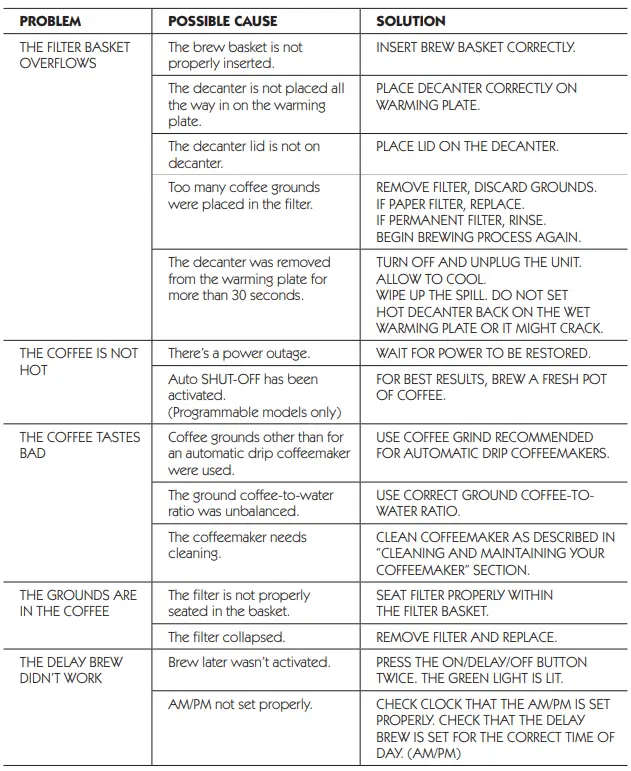
TROUBLESHOOTING YOUR COFFEEMAKER
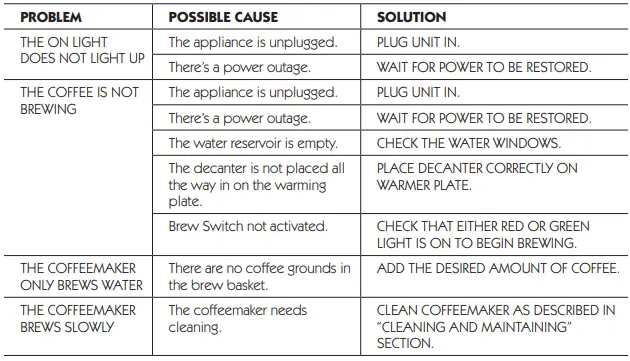
Your MR. COFFEE® Coffeemaker has been carefully designed to give you many years of trouble-free service. In the unlikely event that your new coffeemaker does not operate satisfactorily, please review the following potential problems and try the steps recommended BEFORE you call an Authorized Sunbeam Service Center.
Do you still have questions? You can call us toll-free at the MR. COFFEE® Products Consumer Service Department, 1-800-MR COFFEE (1-800-672-6333) or you can visit us at www.mrcoffee.com.
SERVICE AND MAINTENANCE
Replacement Parts
- Coffee Filters – Basket paper filters are available at most grocery stores.
- Decanters – You can usually purchase a replacement decanter from the store where you purchased your coffeemaker. If you are unable to find a replacement, please visit www.mrcoffee.com or call 1-800-MR-COFFEE (1-800-672-6333) in the U.S. or 1-800-667-8623 in Canada for information on where you can find a store that carries replacement decanters.
Repairs
If your coffeemaker requires service, do not return it to the store where you purchased it. All repairs and replacements must be made by Sunbeam or by an authorized MR. COFFEE® Products Service Center. If you live in the U.S. or Canada, please call us at the following toll-free telephone numbers to find the location of the nearest authorized service center:
U.S. 1-800-MR COFFEE (1-800-672-6333) Canada 1-800-667-8623 You may also visit our website at www.mrcoffee.com for a list of service centers.
To assist us in serving you, please have the coffeemaker model number and date of purchase available when you call. The model number is on the bottom of the coffeemaker.
We welcome your questions, comments or suggestions. In all your communications, please include your complete name, address and telephone number and a description of the problem. Visit our website at www.mrcoffee.com and discover the secret to brewing the perfect cup of coffee. You will also find a rich blend of gourmet recipes, entertaining tips and the latest information on MR. COFFEE® products.
SERVICE INSTRUCTIONS
- Do NOT attempt to repair or adjust any electrical or mechanical functions on this unit. Doing so will void the Warranty.
- If you need to exchange the unit, please return it in its original carton, with a sales receipt, to the store where you purchased it. If you are returning the unit more than 30 days after the date of purchase, please see the enclosed Warranty.
- If you have any questions or comments regarding this unit’s operation or believe any repair is necessary, please call our Consumer Service Department at 1-800-672-6333 or visit our website at www.mrcoffee.com
1-YEAR LIMITED WARRANTY
Sunbeam Products, Inc. doing business as Jarden Consumer Solutions or if in Canada, Sunbeam Corporation (Canada) Limited doing business as Jarden Consumer Solutions (collectively “JCS”) warrants that for a period of one year from the date of purchase, this product will be free from defects in material and workmanship. JCS, at its option, will repair or replace this product or any component of the product found to be defective during the warranty period. Replacement will be made with a new or remanufactured product or component. If the product is no longer available, a replacement may be made with a similar product of equal or greater value. This is your exclusive warranty. Do NOT attempt to repair or adjust any electrical or mechanical functions on this product. Doing so will void this warranty.
This warranty is valid for the original retail purchaser from the date of the initial retail purchase and is not transferable. Keep the original sales receipt. Proof of purchase is required to obtain warranty performance. JCS dealers, service centers, or retail stores selling JCS products do not have the right to alter, modify or any way change the terms and conditions of this warranty.
This warranty does not cover normal wear of parts or damage resulting from any of the following: negligent use or misuse of the product, use on improper voltage or current, use contrary to the operating instructions, disassembly, repair or alteration by anyone other than JCS or an authorized JCS service center. Further, the warranty does not cover: Acts of God, such as fire, flood, hurricanes and tornadoes.
What are the limits on JCS’s Liability?
JCS shall not be liable for any incidental or consequential damages caused by the breach of any express, implied or statutory warranty or condition.
Except to the extent prohibited by applicable law, any implied warranty or condition of merchantability or fitness for a particular purpose is limited in duration to the duration of the above warranty.
JCS disclaims all other warranties, conditions or representations, express, implied, statutory or otherwise. JCS shall not be liable for any damages of any kind resulting from the purchase, use or misuse of, or inability to use the product including incidental, special, consequential or similar damages or loss of profits, or for any breach of contract, fundamental or otherwise, or for any claim brought against purchaser by any other party.
Some provinces, states or jurisdictions do not allow the exclusion or limitation of incidental or consequential damages or limitations on how long an implied warranty lasts, so the above limitations or exclusion may not apply to you. This warranty gives you specific legal rights, and you may also have other rights that vary from province to province, state to state or jurisdiction to jurisdiction.
How to Obtain Warranty Service
In the U.S.A. If you have any question regarding this warranty or would like to obtain warranty service, please call 1-800-672-6333 and a convenient service center address will be provided to you.
In Canada If you have any question regarding this warranty or would like to obtain warranty service, please call 1-800-667-8623 and a convenient service center address will be provided to you. In the U.S.A., this warranty is offered by Sunbeam Products, Inc. doing business as Jarden Consumer Solutions located in Boca Raton, Florida 33431. In Canada, this warranty is offered by Sunbeam Corporation (Canada) Limited doing business as Jarden Consumer Solutions, located at 20 B Hereford Street, Brampton, Ontario L6Y 0M1. If you have any other problem or claim in connection with this product, please write our Consumer Service Department.
PLEASE DO NOT RETURN THIS PRODUCT TO ANY OF THESE ADDRESSES OR TO THE PLACE OF PURCHASE.
FAQs
This is normal and indicates that the carafe has been removed before all brewing is complete.
Any kind of obstruction or water clog is the main reason for this kind of issue. Checking the tube inside the coffee maker should be done first. Water or any other liquid won’t be able to travel through if there are obstacles or if the tube is clogged.
Some coffee machines do not automatically shut off after a predetermined period of time, while the majority do. You will need to manually turn off your coffee maker if it does not do so automatically.
You should always wash the carafe with soap and warm water after each brew, regardless of whether your machine utilises a glass carafe or an insulated thermal one. If you are unable to remove coffee stains, soak the carafe overnight in a solution of one part baking soda to two parts hot water.
Cleaning a coffee maker naturally with vinegar works well. The interior of the device is cleaned of calcium deposits and coffee bean oil residue using this solution, which also disinfects the hot water by introducing acidity. Set the coffee machine on the brew cycle and let it run for half a cycle.
A good coffee maker should endure for at least five years. When properly maintained, high-quality machinery can last for more than ten years. This is the typical lifespan of a good coffee maker, but there are a number of variables that affect this figure.
The amount of time it takes for your coffee to brew depends on how much water is in the reservoir, how strong you like your coffee and how many cups you have selected on the carafe handle dial.
Fill the reservoir with up to 4 cups of undiluted vinegar. pause for 30 minutes. Go through a brewing cycle with the vinegar. After two to three cycles of fresh water, repeat the process until the vinegar smell has vanished.
This indicates that there are no programmed settings for that button at this time.
The clock must be set before using the appliance for the first time and should be set for each subsequent use by pressing CLOCK/TIMER SET MODE. The clock will automatically shut off after 90 minutes if no buttons are pressed during that time period.
If you notice that your coffee is not tasting as good as usual, it may be time to descale your coffeemaker. Please follow these instructions to descale your Mr. Coffee® Coffeemaker: 1) Fill the reservoir with one gallon of fresh water (do not use hot water). 2) Add one tablet of Mr. Coffee® Coffeemaker Cleaner to the reservoir and brew a full pot of coffee (you may need to repeat step 2). 3) Rinse the coffee grounds from the filter basket and brew another full pot of coffee (you may need to repeat step 3). 4) After completing steps 1 through 3, run two pots of plain water through your coffeemaker to rinse any remaining cleaner from the system. 5) Your coffeemaker is now ready for use. Note: If you have hard water, we recommend using a water softener or distilled water when descaling your coffeemaker.
If you are experiencing problems with your coffeemaker, please call our toll-free number 1-800-999-9890 for assistance.
To clean the outside of your coffeemaker, wipe it with a damp cloth. Never use abrasive cleansers or sharp objects to clean the coffeemaker. To clean the inside of your coffeemaker, wipe it with a damp cloth and a mild detergent. Never immerse the coffeemaker in water or any other liquid.