
arvig Mozilla Firefox Software

Update Your Browser MOZILLA FIREFOX
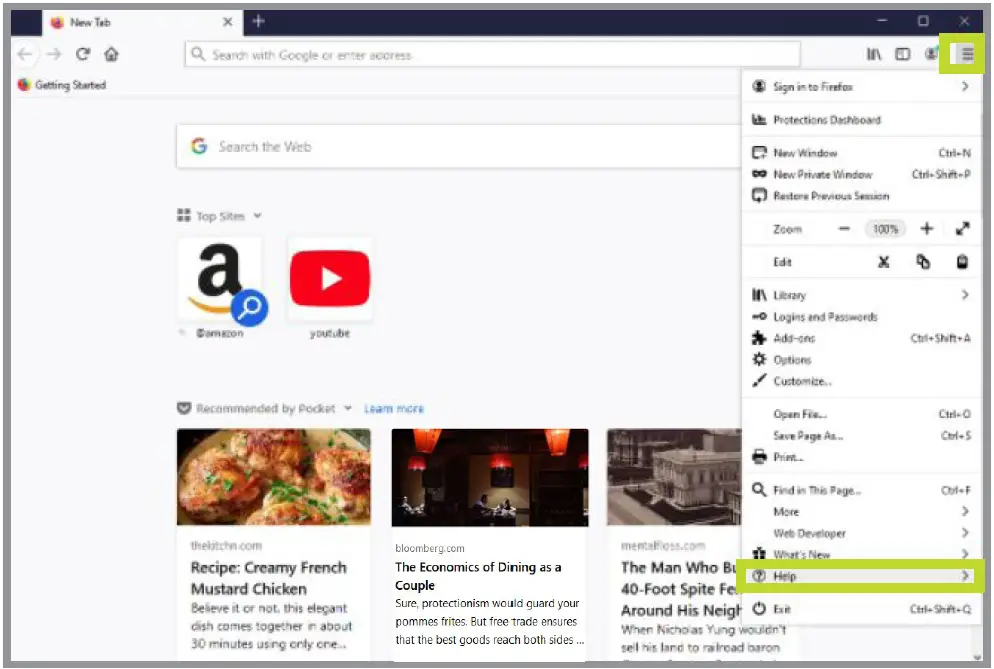
- Open the Mozilla Firefox browser.
- In the upper right corner, click Menu (three lines stacked vertically).
- Select Help.

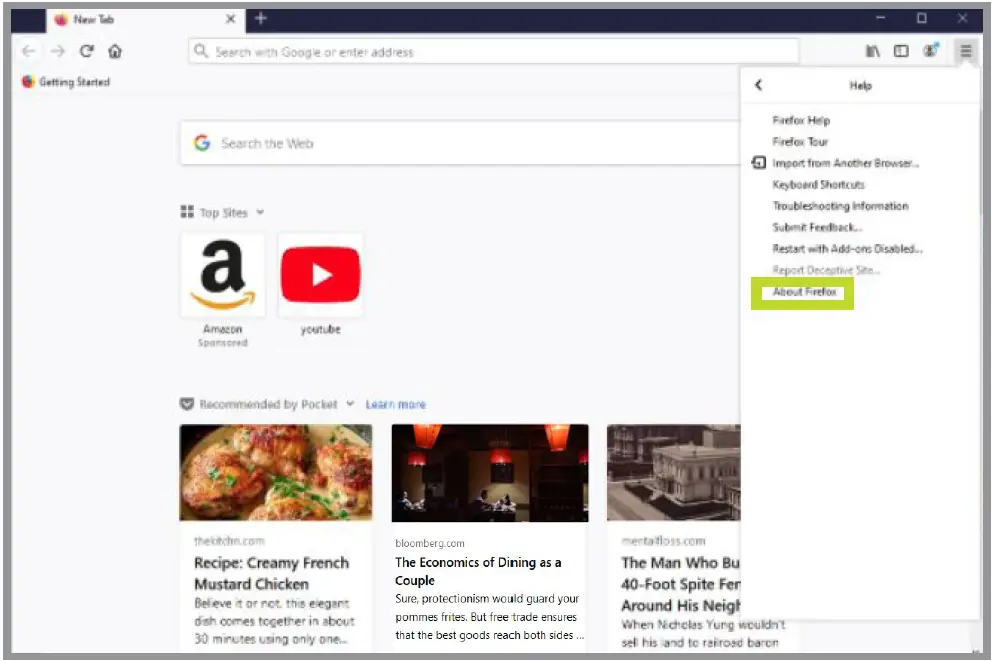
- In the sidebar menu that opens, select About Firefox. The latest version will begin downloading automatically.

888.99.ARVIG | arvig.net
Based on the Arvig service area; some restrictions apply. ©Arvig 2021.
 My Arvig