DAB75 Radio with DAB+ Tuner and Colour LCD Display
Product Information: TESLA SOUND DAB75
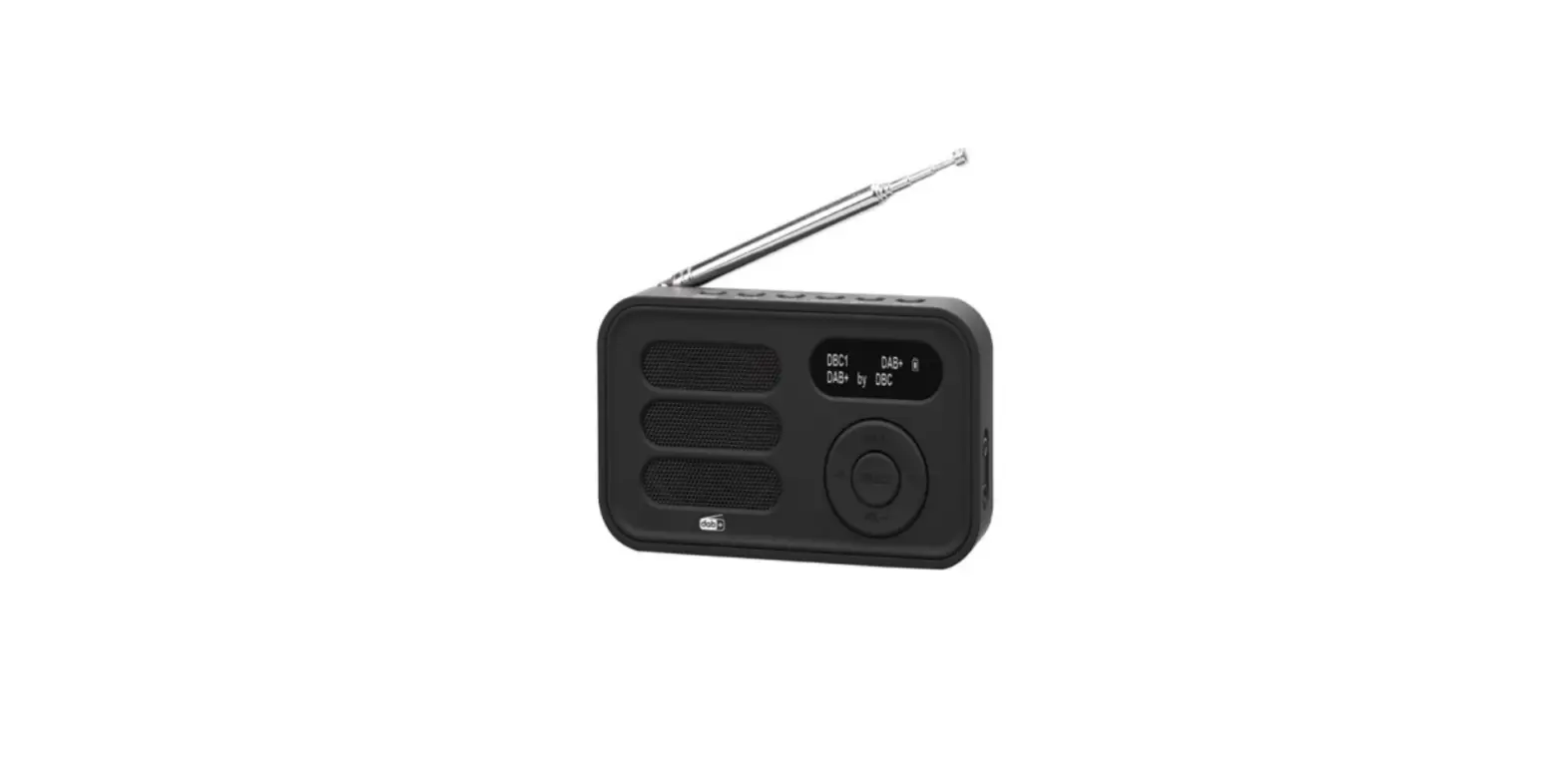
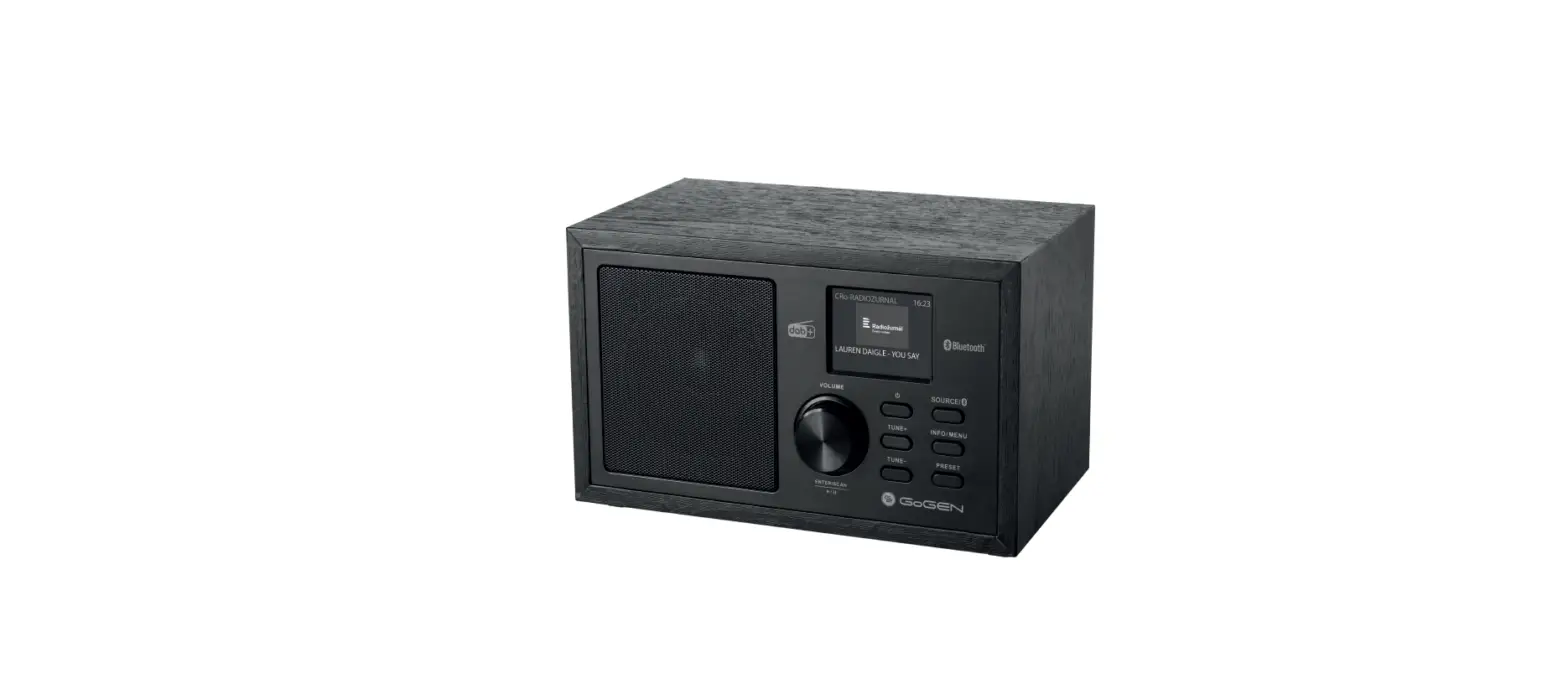
The TESLA SOUND DAB75 is a portable radio with a color LCD
display, DAB+ digital tuner, Bluetooth player, FM tuner, and TF
card slot. It also has an Aux-in option to play from external
sources. The device is battery-operated, making it easy to move
around.
Description of the Instrument and Controls
- TF Card: Short press – display station information; Long press
– enter menu - 1/2/3+: Pre-set stations – short press to select; Pre-set
stations – long press to save; Back or exit in the menu - KNOB: Turn to adjust the volume; Press to confirm the
selection - : Previous Station or song
- : Next Station or song
- : Short press – clock display; Long press in standby mode –
switch off the device - BT MODE: Press the [ ] button to enter the main menu. Press the
[ button repeatedly ] or rotate the [ KNOB] button to select
Bluetooth mode [ ].On the phone, select the DAB75 product model
from the device list and press the volume button, or wait 10
seconds to return to the playback menu. - 3.5mm headphone jack
- AUX: external audio
- LED: charging indicator
- DC5V: 5V charging connector
- Telescopic antenna
Getting Started
- Switching the Radio On/Off:
- When the radio is off, press and hold [ ] to switch it on.
- When the radio is on, press and hold [ ]. The radio switches to
standby mode, press and hold again and the radio switches off.
- Mode Switch:
- When the radio is on, press [ ] to switch the mode.
- You can choose DAB/FM/AUX/Bluetooth/TF Card mode and press the
knob to confirm the selection or to enter the mode. After 3s it
will automatically activate itself.
- Clock and Alarm Settings:
- Thanks to the DAB tuner, the clock is automatically set using
the DAB signal. - You can set the time/date manually. In any mode, press and hold
[ Menu ] to select the menu for setting the time/date, alarm.
- Thanks to the DAB tuner, the clock is automatically set using
- Backlight Settings:
- Press and hold [ Menu ] in any mode to select [ Backlight ] and
set the time limit or backlight level.
- Press and hold [ Menu ] in any mode to select [ Backlight ] and
FM Radio Usage Instructions
- Search Radio Stations FM:
- In FM mode, press [ ] to search for FM stations in 0.1 MHz
steps. - In FM mode, press and hold [ ] to start the automatic station
search or press [ KNOB ] to search for the previous or next FM
station. - In FM mode, press the [ Menu ] button to get FM station
information.
- In FM mode, press [ ] to search for FM stations in 0.1 MHz
- Saving Pre-set FM Stations:
- When the FM station you want to save is playing, press and hold
down [ 1/2 ] to store the station under the selected number as a
pre-set station. - When the FM station is playing, press and hold the [ 3+ ]
button and select one of the 40 numbers to save the pre-set
station. You can select a number by pressing the [ ] button or by
turning the [ KNOB ] knob and pressing it to confirm your
selection.
- When the FM station you want to save is playing, press and hold
- Calling Up a Pre-set Station: In FM mode, press [ 1/2 ] to
select one of the two stored pre-set stations. Press[ 3+ ] to
select one of the 40 pre-set stations. - Other FM Settings: In FM mode, press and hold [ Menu ] and
select options from the list to set other items such as time/date,
backlight, alarms, sleep mode, Equalizer, language, and more.
TESLA SOUND DAB75
Radio with DAB+ tuner and colour LCD display
Operating Instructions EN
DAB+ Radio | FM Radio | Bluetooth | TF card
INTRODUCTION
This device is a portable radio with colour LCD display, DAB+ digital tuner, Bluetooth player and FM tuner. You’ll also enjoy the ability to play from memory cards or play from an external source via Aux-in. This portable DAB radio can be easily carried to different locations thanks to its battery operation.
FUNCTIONS: · DAB/DAB+ receiver Bandlll 174-240MHz · FM receiver 87.5-108MHz with RDS · Bluetooth player 5.0 · TF card reader · AUX-in input · 3.5mm headphone output · 2.4″ colour LCD display · Presentation of images in DAB broadcasts · 40 FM pre-set stations & 40 DAB pre-set stations · Setting of two alarms · Sleep mode settings · EQ settings · Multilingual OSD · 1800mAh rechargeable built-in battery · 3-inch frequency speaker · Telescopic antenna
PACKAGING CONTENTS: · Main unit: 1pc · USB-DC charging cable: 1pc · AUX connection cable: 1pc
DESCRIPTION OF THE INSTRUMENT AND CONTROLS
TF Card
Menu: Short press – display station information Long press – enter menu
1/2/3+: Pre-set stations – short press to select Pre-set stations – long press to save Back or exit in the menu
KNOB: Turn to adjust the volume Press to confirm the selection
: Previous Station or song : Next Station or song : Short press – clock display
Long press in standby mode – switch off the device
DESCRIPTION OF THE INSTRUMENT AND CONTROLS
BT MODE: Press the [
] button to enter the main menu.
Press the [ button repeatedly
]
or rotate the [ KNOB] button to select Bluetooth
mode [
].On the phone, select the DAB75
product model from the device list and press the
volume button, or wait 10 seconds to return to the
playback menu.
:
3.5mm headphone jack
AUX:
AUX: external audio
LED: DC5V:
LED charging indicator 5V charging connector
Telescopic antenna
GETTING STARTED
1. SWITCHING THE RADIO ON/OFF
1.1 When the radio is off, press and hold [
] to switch it on.
1.2 When the radio is on, press and hold [
].
The radio switches to standby mode, press and hold again and
the radio switches off.
2. MODE SWITCH
2.1 When the radio is on, press [
] to switch the mode.
2.2 You can choose DAB/FM/AUX/Bluetooth/TF Card mode and press the knob to confirm the selection or to enter the mode. After 3s it will automatically activate itself.
3. CLOCK AND ALARM SETTINGS
3.1 Thanks to the DAB tuner, the clock is automatically set using the DAB signal.
3.2 You can set the time/date manually. In any mode, press and hold [ Menu ] to select the menu for setting the time/date, alarm.
4. BACKLIGHT SETTINGS
Press and hold [ Menu ] in any mode to select [ Backlight ] and set the time limit or backlight level.
FM RADIO
1. SEARCH RADIO STATIONS FM
1.1 In FM mode, press [ in 0.1 MHz steps.
] to search for FM stations
1.2 In FM mode, press and hold [
] to start the
automatic station search or press [ KNOB ] to search for
the previous or next FM station.
1.3 In FM mode, press the [ Menu ] button to get FM station information.
2. SAVING PRE-SET FM STATIONS
2.1 When the FM station you want to save is playing, press and hold down [ 1/2 ] to store the station under the selected number as a pre-set station.
2.2 When the FM station is playing press and hold the [ 3+ ] button and select one of the 40 numbers to save the pre-set station. You can select a number by pressing the [ ] button or by turning the [ KNOB ] knob and pressing it to confirm your selection.
3. CALLING UP A PRE-SET STATION
In FM mode, press [ 1/2 ] to select one of the two stored pre-set stations. Press[ 3+ ] to select one of the 40 pre-set stations.
4. OTHER FM SETTINGS
In FM mode, press and hold [ Menu ] and select options from the list to set other items such as: time/date, backlight, alarms, sleep mode, Equalizer, language and more….
RADIO DAB
1. SEARCH RADIO STATIONS DAB
1.1 In DAB mode, press and hold [ Menu ] from the menu to select [ Scan ] to scan all DAB stations or press and hold [ KNOB ] to search for all DAB stations.
1.2 In DAB mode, press [
] to select a station from the
list and press [ KNOB ] to confirm the selection.
1.3 In DAB mode, press [ Menu ] to get information about the DAB station.
1.4 In DAB mode, press and hold [
] to start the
automatic station search or press the button to search
for the previous or next DAB station.
2. STORAGE OF PRE-SET DAB STATIONS
2.1 When the DAB station you want to save is playing, press and hold down [ 1/2 ] to store the station under the selected number as a pre-set station.
2.2 When a DAB station is playing press and hold [ 3+ ] to
select one of the 40 numbers to save the pre-set station. You
can select a number by pressing the [
] button or by
turning the [ KNOB ] knob and pressing it to confirm your
selection.
3. TO CALL UP A PRE-SET STATION
In DAB mode, press [ 1/2 ] to select one of the two stored pre-set stations. Press [ 3+ ] to select one of the 40 pre-set stations.
4. ADDITIONAL DAB SETTINGS
In DAB mode, press and hold [ Menu ] and select from the list of options to set other items such as: time/date, backlight, alarms, sleep mode, Equalizer, language and more….
BLUETOOTH
1. SMARTPHONE CONNECTION
In Bluetooth mode, use a device called “TESLA DAB75” to pair with your smartphone.
2. BLUETOOTH PLAYBACK
In Bluetooth mode, when the Smartphone is playing music, the
screen displays the name of the connected Smartphone, then
you can skip to the previous [
] or next track, or press
[KNOB ] to pause/play.MEMORY CARD PLAYBACK
START PLAYBACK In TF mode, insert the card into the radio and the music files on the card will start playing.
TF card
Use [
] to control the advance to the previous/next track,
press [ KNOB ] to pause/play the track.
PLAYING AUX
Using a portable audio player
3.5 mm stereo jack with “L” shaped connector (commercially available)
Portable audio player
For optimum audio output, use a 3-jack stereo jack
Press [
] repeatedly to select AUX, turn on
portable audio player or smartphone and start playback.
SOUND SETTINGS
VOLUME ADJUSTMENT Turn the [ KNOB ] knob to adjust the volume down/up.
EQUALIZER SETTINGS In any mode, press and hold [ Menu ]. You will see settings list, select [ Equalizer ] to set the mode: Normal, Classic, Pop, Jazz, Rock, Flat, Movie, News. Select one of them and confirm with the [ KNOB ] knob.
PROBLEM SOLVING
PROBLEM Charging LED is not lit Charging LED flashes Automatic shutdown or automatic restart Poor DAB or FM reception
TF card not playing
SOLUTION
Check the charging cable or power adapter.
The volume is too high or the power supply of the adapter is not enough
The battery’s flat, please charge your device in time
Make sure that the DAB/FM radio signal is strong enough. Fully extend the antenna
The TF card is of poor quality, or the music file is not supported
PRODUCT MAINTENANCE
Do not expose the instrument to liquid, moisture or humid environments as it is not waterproof.
Do not attempt to clean the unit with chemical solvents as this may damage the finish.
Avoid extreme temperatures, whether hot or cold, recharge at normal temperature.
Avoid contact with sharp objects that may cause scratches or damage.
Do not attempt to insert any objects into the unit to avoid damaging the internal parts.
Do not attempt to disassemble the unit as there are no repairable parts inside.
If you do not use the device for a long time, keep it in a dry place.
Avoid temperature changes and dusty environments.
If you will not be using the device for an extended period of time (one to two months), fully recharge it before storing it to avoid a complete discharge that could lead to malfunction or not recharging.
SPECIFICATIONS
FM Frequency range ……………………. 87.5 MHz -108.0 MHz (50 kHz step) Channel space selection ……………………………………….. 50kHz/200kHz Frequency response (±3 dB) …………………………………… 30 Hz-15 kHz Signal to Noise Ratio (MONO)……………………………………………….64 dB Stereo separation (1 kHz)……………………………………………………..40 dB
DAB Frequency range ………………………………………BAND III: 174 – 240MHZ Sensitivity……………………………………………………………………… .. -99dBm
MP3 decoding ………….. Compatible with MPEG-1/2 audio layer WMA decoding ……………….. Windows Media Audio Compatible
Bluetooth version ………………………………………………………………..BT 5.0 Bluetooth device name …………………………………………… TESLA DAB75 Transmission distance ……………………………………………………… 8-10m
Operating voltage …………………………………………………………………DC5V Speaker diameter ……………………………………………………………… 3 inches Speaker power…………………………………………………………………… 8Q 5W Operating temperature range………………………………….. -10°C – +60°C Device dimensions (W x H x D)……………………………… 170*90*52mm Weight ………………………………………………………………………………. 0,35Kg
Subject to change without notice.
WARRANTY LETTER
serial number seller
date of sale
stamp and signature of the
WARRANTY CONDITIONS
1. Warranty period This product is warranted by the manufacturer for a period of 24 months from the date of purchase by the consumer. The warranty period is extended by the period during which the product was under warranty repair or could not be used during the warranty period if the nature of the defect prevented its use. The warranty only covers defects caused by a manufacturing or material defect!
2. Warranty Card Free warranty service is provided only in case of presentation of t h e product purchase receipt and a correctly filled in warranty card – it must contain the serial number, date of sale and the stamp of the shop (assembly firm). Copies and incorrectly completed warranty cards will not be taken into account!
3. Repairs under warranty and post-warranty Warranty service must be applied for with the organisation where the product was purchased or with the installation firm that carried out the installation.
4. Scope of the warranty The warranty is void if the defect is caused by mechanical damage (except for damage during transport), improper use, inattention, unavoidable event (natural disaster), if the product was connected to a different supply voltage than specified in the technical specification, and also in the case of modifications or repairs made outside the distributor’s service. The guarantee also cannot be invoked in the event that the consumer requires modification or adaptation to extend the functions of the product (or a system made up of several components) compared to standard design.
Thank you for your purchase.