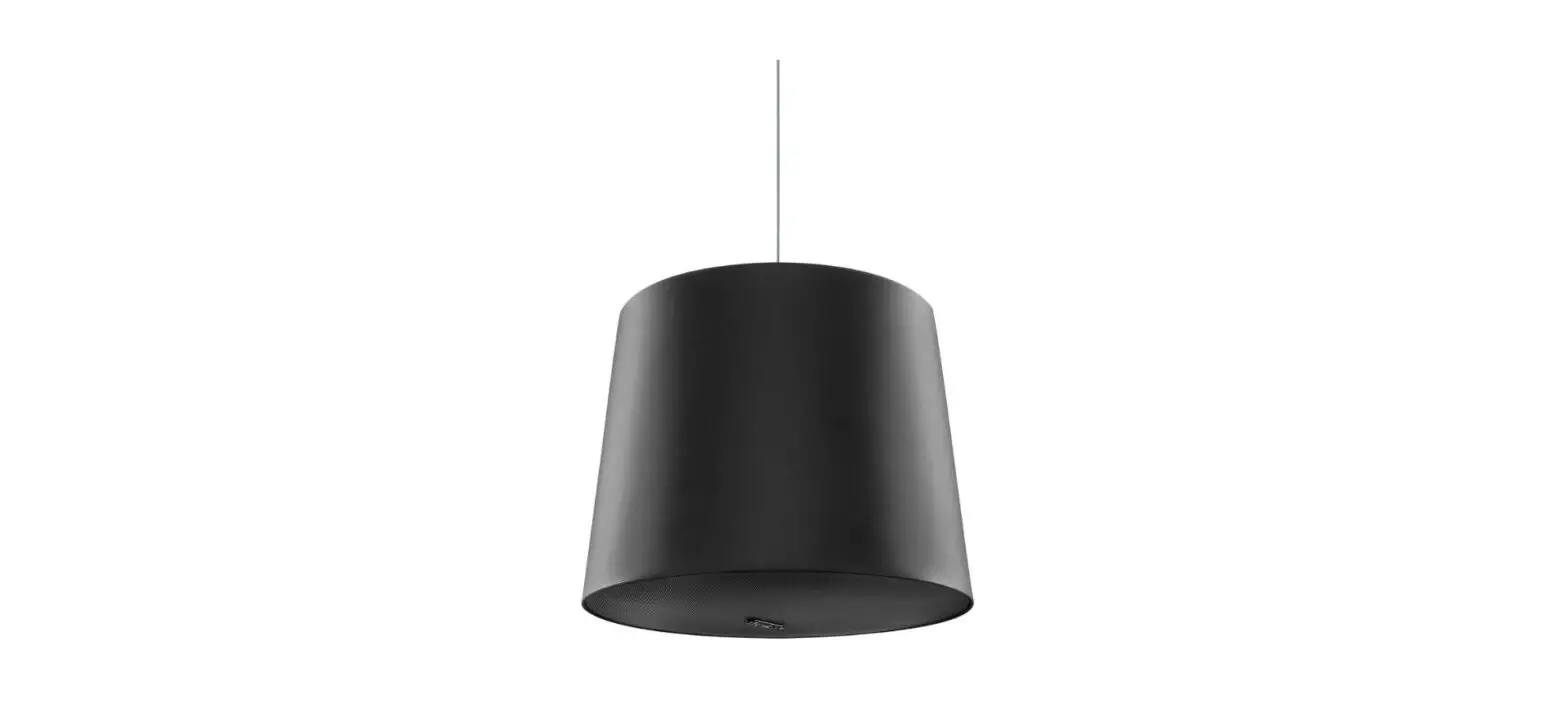
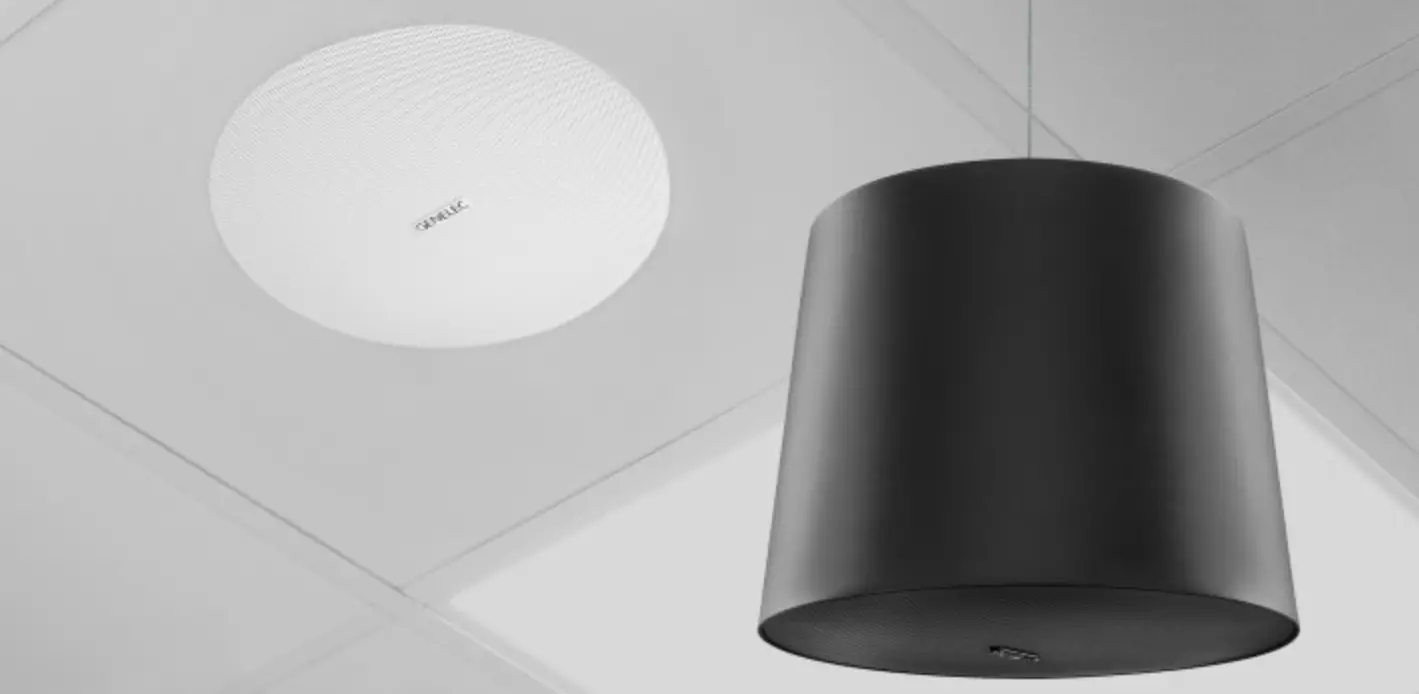
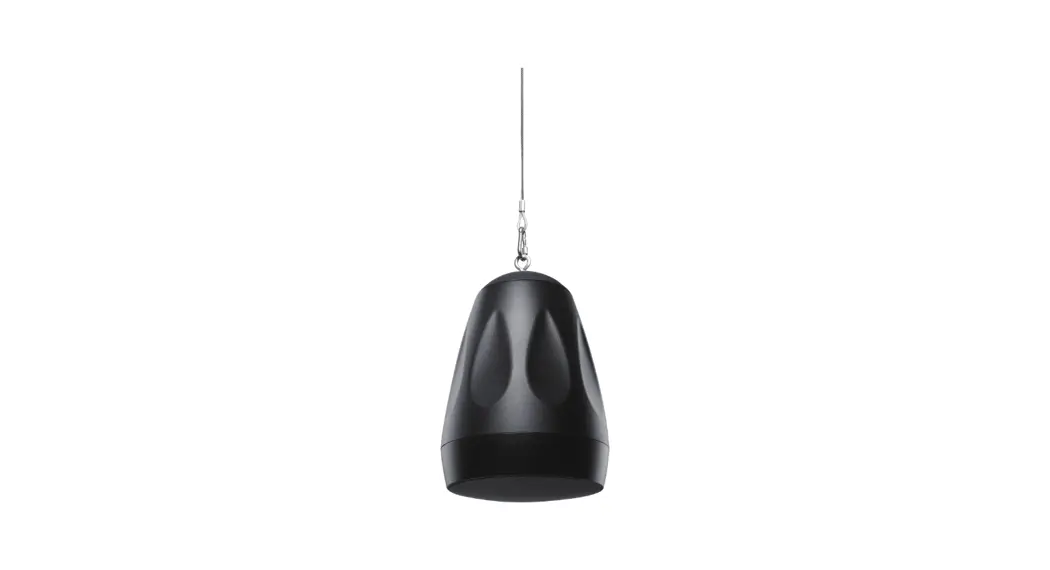
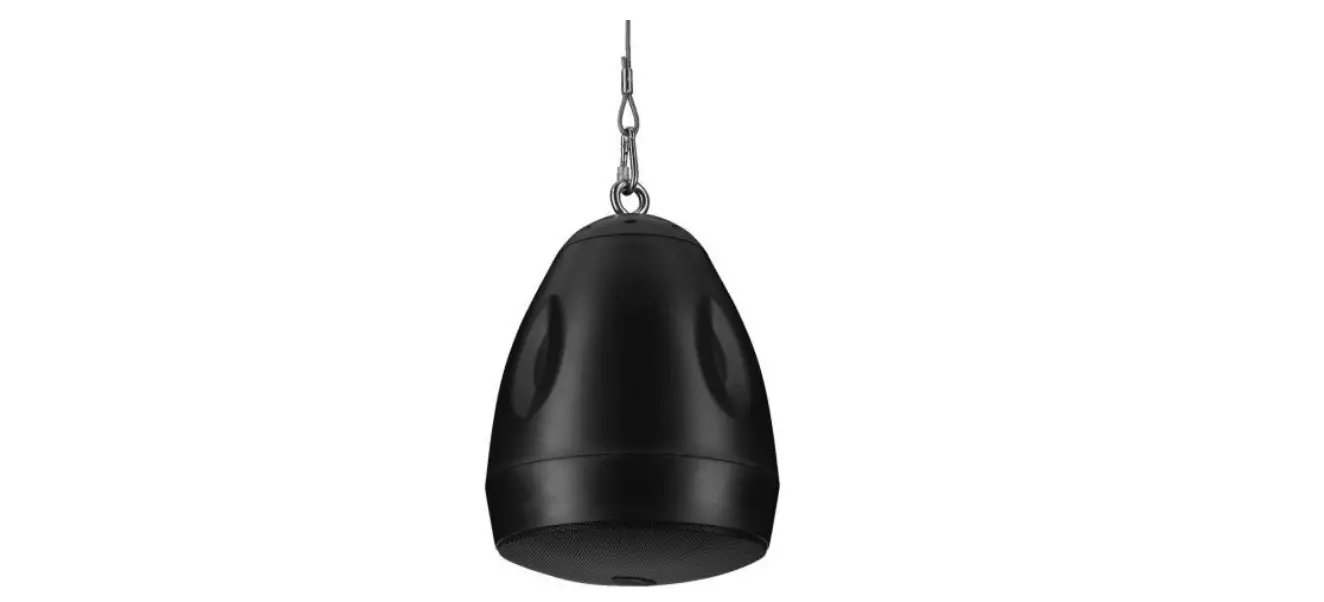
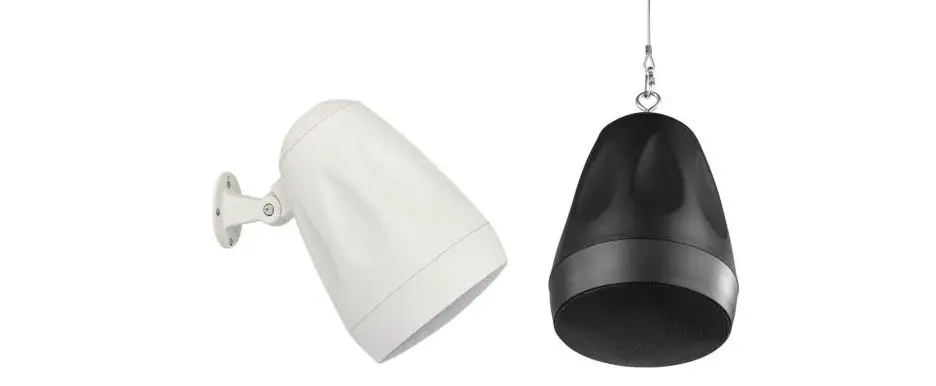
4436A Smart IP Pendant Installation Speaker
Product Information:
Product Name: Genelec 4436A Smart IP Pendant
Installation Speaker
Description: The Genelec 4436A Smart IP Pendant
Installation Speaker is a high-performance pendant loudspeaker
designed for fixed installations. It features bi-amplification and
utilizes Smart IP technology for scalable power, audio, and
loudspeaker configuration. The speaker is powered using
Power-over-Ethernet (PoE) technology and can be used individually
or in conjunction with other Genelec 44xx models. The 4436A is
designed for indoor use and offers excellent sound quality and a
long lifetime.
Main Features:
- High-performance pendant loudspeaker
- Easy installation with a single CAT cable
- Powered by Power-over-Ethernet (PoE) technology
- Supports Genelec Smart IP technology
- Scalable power, audio, and loudspeaker configuration
- Supervision and calibration features
- Designed for indoor use
- Excellent sound quality and long lifetime
Product Usage Instructions:
Unpacking:
When unpacking the Genelec 4436A set, make sure to check that
all items are included and undamaged. If there are any issues with
the product, contact your local Genelec dealer.
Installation:
If you are installing the 4436A in an existing construction,
carefully examine the ceiling to find the shortest and least
obstructed cable route. Avoid cutting or drilling into electrical
wires, ventilation, or water pipes. Installing the speaker in an
unfinished building with an open ceiling structure makes the
process easier.
Cabling:
To get started, connect an Ethernet cable from the PoE+ output
of an IP switch to the 4436A Ethernet port. Use at least CAT5 cable
or better. The loudspeaker will power up automatically. If using a
balanced audio input, connect it before powering up the speaker.
The pin sequence can be found in Figure 9. Note that even when
using the balanced line input, the loudspeaker still requires PoE
power on the Ethernet cable.
Required Components:
- Domain Manager software
Powering the Speaker:
There are two methods for powering the 4436A:
- Method 1: PoE+ enabled IP switch
Figure 3 shows an example of powering the 4436A with a PoE+
enabled IP switch. In this method, ensure that the power budget
available for all outputs connected to the IP switch can support
full PoE+ power for each 4436A speaker. - Method 2: PoE+ power injector
Figure 4 shows an example of powering the 4436A with a PoE+
power injector. This method allows the use of standard non-PoE IP
switches. Each power injector must support full PoE+ power level
into the device.
Note: The 4436A is designed for indoor use in
temperatures between 15-35 degrees Celsius and non-condensing
humidity. All essential parts of the loudspeaker can be
recycled.
4436A
Operating Manual
Genelec 4436A
Smart IP Pendant Installation Speaker
Genelec 4436 Smart IP Pendant Installation Speaker
Introduction
The bi-amplified Genelec 4436A Smart IP Pendant loudspeaker is a high performance
pendant loudspeaker for fixed installations. It requires only one CAT cable to connect,
making installation easy. The 4436A is powered using the standard Powerover-Ethernet (PoE) technology, using
PoE+ or PoE standards. The proprietary internal power supply in 4436A delivers an
impressive short-term SPL. The 4436A supports Genelec Smart
IP technology, and it may be used solely,
or together with other Genelec 44xx models. The Smart IP technology provides scalable power, audio and loudspeaker configuration, supervision and calibration
features via a standard CAT cable, offering integrators unrivalled power, flexibility, costeffectiveness and simplicity of installation.
The 4436A has been designed for
excellent sound quality and very long lifetime and manufactured using certified
sustainable methods. All essential parts of the loudspeaker can be recycled.
The 4436A loudspeaker contains
· Highly efficient dedicated Class D power amplifiers, one for each driver
· Switched-mode power supply technology offering high SPL output using standard PoE+ and PoE power supply with an IP switch or power injector
· Active crossover filter
· Electronic system protection · Audio-over-IP streaming input · Balanced analogue line input · Flexible room acoustic compensation tool
set built in
The 4436A is designed for indoor use, in temperatures 15-35 degrees Celsius and non-condencing humidity
Unpacking
A Genelec 4436A set includes the following items. Check that nothing is missing or damaged in transit. If there is a problem with the product, contact your local Genelec dealer.
· 4436A loudspeaker · Euroblock connector for analogue audio · A round grille · A 5 metre (16 ft 7/8 in) adjustable hanging
wire
Installation
If you are installing the 4436A to an existing construction, examine the ceiling thoroughly for the shortest and least obstructed cable route. Be careful to avoid cutting or drilling into electrical wires, ventilation or water pipes. All of this is of course much easier when the installation takes place in an unfinished building where the ceiling structure is still open.
Cabling
To get started, connect an Ethernet cable from the PoE+ output in an IP switch to the 4436A Ethernet port. Use at least CAT5 cable or better. The loudspeaker powers up automatically. If the balanced audio input is used, connect it before powering up the speaker. The pin sequence is shown in Figure 9. When the balanced line input is used the loudspeaker must still receive PoE power on the Ethernet cable.
To create a working system, you will need the following:
· An IP switch with a PoE+ (802.3at) output for the 4436A loudspeaker or an IP switch with no PoE support and a PoE+ power injector
· CAT 5 or higher category Ethernet cable with RJ45 connectors
· AES67 or Dante audio-over-IP stream source
· For 4436A setup and configuration, a computer running Windows 10 or Windows 11 operating system
· Genelec Smart IP Manager software · Dante Controller software or Dante
Domain Manager software
Figure 3 shows an example of powering the 4436A with a PoE+ enabled IP switch. With this method, the power budget available for all outputs connected to the IP switch must
CABLE STRAIN RELIEFS
STATUS INDICATOR LED
BALANCED ANALOGUE CONNECTOR
RESET BUTTON HOLE
ETHERNET CONNECTOR
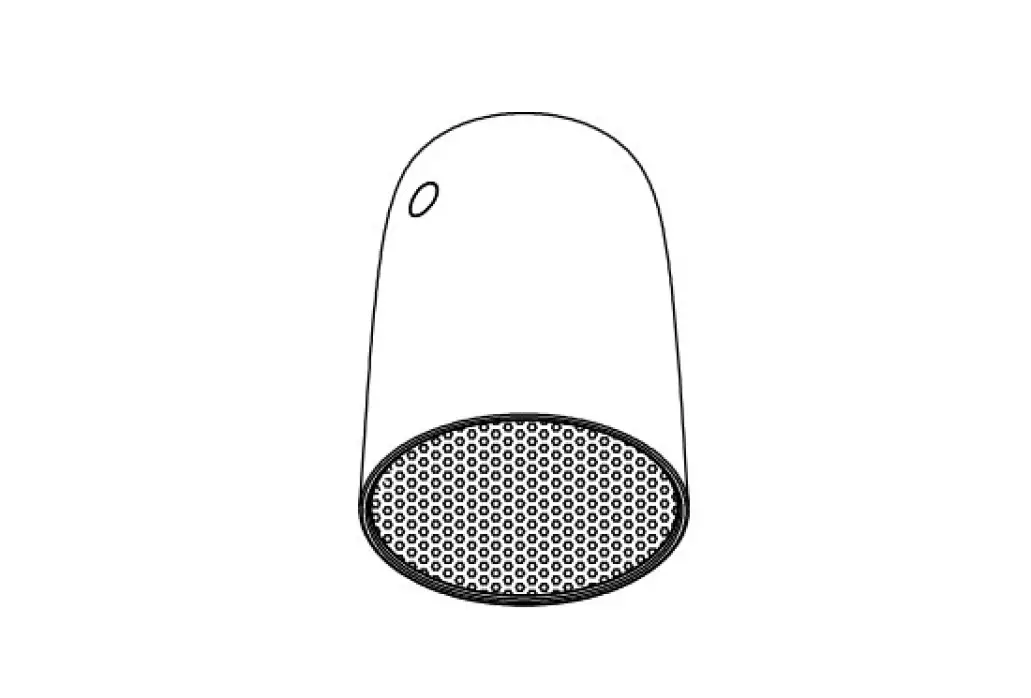
Figure 1. Front and rear views of the 4436A enclosure
GRILLE AND LOGO
LOUDSPEAKER ENCLOSURE
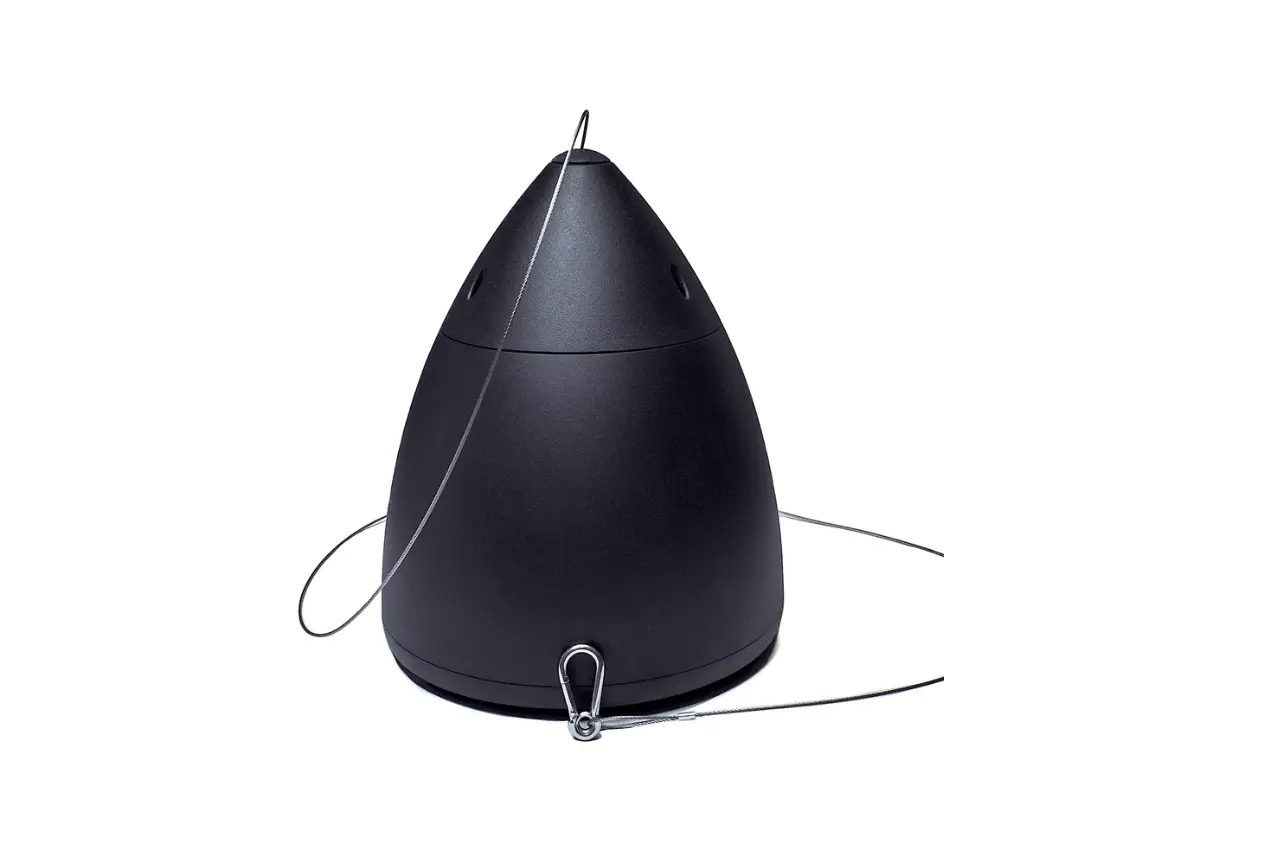
HANGING WIRE 5 M
OUTER ENCLOSURE
ADJUSTABLE
Hanging Wire Adjustable Max length 5 m
LID 2 PCS
WIRE FASTENER
Figure 2. Main components of the 4436A. The loudspeaker is installed in the outer enclosure at the factory
enable each 4436A to run at full PoE+ power. For 4 loudspeakers, the power supply must
support 4 x PoE+ power level. Figure 4 shows an example of powering
the 4436A with a PoE+ power injector. This method enables the use of standard non-
PoE IP switches. Each power injector must support full PoE+ power level into the device.
How PoE power management works
The 4436A internal power supply stores
power for peak output. This enables the output power to exceed the input power for short durations (Figure 5). Music and speck signals are dynamic. They contain high peaks above the average level. These peaks are supplied from the energy
stored in the loudspeaker power supply. The power supply has been dimensioned to work with audio and speech signals, including highly compressed wideband
audio signals. The duration of peak output is limited more by the PoE supply and therefore Genelec recommends the use of
PoE+ supply.
PoE budget calculation
The 4436A supports automatic negotiation with the IP switch or IP power injector to
set the PoE power level. However, in some cases it may be necessary to set the PoE
power level in the switch manually. There are several Power-over-Ethernet
standards. The 4436A loudspeaker supports the PoE+ standard but also works with
the lower power PoE standard. When the 4436A also works with lower PoE power, the
duration of high SPL output is shortened,
and long continuous output signals play at
smaller sound level than when the PoE+
power level is used. Genelec recommends using PoE+ power level with 4436A.
Each PoE supply device (IP switch or
power injector) has a certain maximum output power capacity. This can limit the number of PoE outputs that can be set on. For 4436A loudspeaker, calculate the output
power for each output as 15 W for PoE and 30 W for PoE+. Ensure that the total power does not exceed the switch or power injector total power.
Example: IP switch total power is 150 W. You use PoE+ and four outputs are
connected. The total output power is 4 x 30 W = 120 W. This is smaller than the capacity of the IP switch, 150 W. This scenario is acceptable.
PoE cable loss calculation
There is power loss in the Ethernet cable. The reason for the power loss is that the CAT cable conductor is thin and has considerable
resistance. The power loss increases with increasing cable length. The maximum cable length is 100 meters (333 feet). Calculate the power loss in cable at 25 mW/m or 7.4 mW/ft. The 4436A will automatically adapt to the power loss in the cable, but lower input
power will affect slightly the duration of the maximum SPL output. In order to minimize the cable loss and to maximize the duration at maximum SPL, consider using power injectors close to the loudspeakers or short
cable runs.
Selection of IP switch
Smart IP and 4436A are fully compatible with
standard Ethernet and IP switch technology. Genelec recommends using gigabit speed managed IP switches with full PoE+ on each of the outputs intended for 4436A
loudspeakers. Managed IP switches offer the ability to configure, manage and monitor the local area network, typically using a web browser user interface, and this helps in
creating a well working system. The IP switches should support Quality
of Service (QoS) and be media ready. Differentiated services (DiffServ) typically implements QoS prioritization of IP traffic. DiffServ marks IP packets according priority. In response, IP switches can prioritize media traffic to improve system performance. Differentiated services code point (DSCP) markings in the IP packet headers are
sensed by the QoS capable IP switch. Genelec does not endorse certain IP
switch brands as Smart IP works perfectly with all high-quality standard IP switches
with these capabilities. Use of 100 Mbps IP switches is discouraged.
Network structure
Genelec recommends always designing a
network structure with star topology. Only one IP device (for example, one 4436A) should be connected at one port in an IP
switch. IP device ports should not be daisy chained to several IP devices.
Unpowered ports
8 port PoE enabled IP
switch
PoE+ powered ports
4 x PoE+ power
Mains in
IP switch power supply
Figure 3. 4436A powered with PoE+ IP switch.
8 port IP switch
CAT cable max. 100 meters
Power in
PoE+ power injector
CAT cable
Unpowered ports
Figure 4. 4436A powered by an IP PoE+ power injector
Audio-over-IP requires the use of
cable-based LAN network. Low-latency uncompressed audio-over-IP streaming
does not work over WLAN.
Audio-over-IP network
Audio-over-IP streaming supports unlimited number of channels in the
playback system. These audio channels are automatically synchronized perfectly in time by the audio-over-IP streaming technology, forming a single playback
system. The 4436A accepts AES67 and Dante audio-over-IP streams. The streams are set up with Dante Controller or Dante Domain Manager software. Each 4436A supports reproduction of one or the sum
of two audio audio channels in the stream. The stream audio sample rate can range
32-96 kHz, with 16-24 bit resolution. The 4436A contains one interface for
standard Ethernet IP network connectivity. The network interface speed is 100 Mbps. The interface also allows Genelec’s Smart
IP Manager software to work on the 4436A. This software is available for AV installers
at Genelec web site and runs on Windows 10 or Windows 11 computers. The software allows AV installers to configure an almost unlimited number of rooms,
zones, loudspeakers and audio channels, and includes device discovery, a versatile room acoustic equalisation tool set, system
organisation and status monitoring. The 4436A contains an application
programming interface (API) supporting control via third-party hardware, software
or house automation. The API enables integration to all house and home automation
systems. Detailed information about the API are provided in a separate document from
Genelec. A balanced line input is available on 4436A
besides the IP interface. The balanced line analogue audio input can be configured with Genelec Smart IP Manager software.
Setting up audio streams
The 4436A can be set to receive one audio channel or a sum of two audio channels in
a stream. In addition, using the Smart IP Manager software, 4436A can be set to also
sum in the analog input signal as well. Audio stream setup is done by using Dante Controller software. Download the software from https:// www.audinate.com/products/software/dante-
Name
Standard
PoE PoE+
IEEE 802.3af-2003 IEEE 802.3at-2009
Table 1. PoE and PoE+ power levels.
Power at switch 15 W 30 W
Min. power at 4436AA 13 W 26 W
Time profile of PoE power availability
PoE+
PoE
Medium peak level
PoE+
High peak level
PoE
Time profile of audio power
usage
Figure 5. 4436A power supply enables high output level peaks exceeding the incoming PoE power level; the PoE standard limits the duration of the peaks
controller. Dante automatically divides a multichannel stream into several low channel
count flows suitable for the speaker and this process is largely automatic.
An AES67 audio stream supported by the
loudspeaker can have the maximum of 8 audio channels. The 4436A can select one audio channel or a sum of two channels in
a stream. In demanding installations, where there is a wish for stereo reproduction at one or more locations, stereo audio may be sent on the network, and individual 4436A set
accordingly for L, R or L+R operation. The AES67 compatibility mode must
turned ON to enable reception of AES67
streams. Follow these instructions:
· Double click on the loudspeaker to be configured. The Device View window opens
· Click AES67 Config -tab · In the AES67 Mode panel, go to New: and
select Enabled
· In the Reset Device panel, click Reboot to reboot loudspeaker with AES67 enabled
Analogue input
An analogue audio input is provided using
a screw-mount Euroblock connector. This enables easy connectivity and the option of connecting the balanced audio signal to
several loudspeakers in parallel (see figure 8). The input impedance of the analogue
input is 10 kOhm. The pin sequence of the connector is shown in Figure 7. The number of loudspeakers that can be connected is set by the capability of the source device
analogue output. The loudspeakers appear electrically in parallel, reducing the load
impedance presented to the source device. Typically, 10 to 20 loudspeakers can be
connected on one balanced line output. Avoid connecting 4436A to the power
amplifier outputs. If this must be done, use a balanced attenuator. Typically, an attenuation of about 20 dB is needed. Beware that some power amplifiers can provide a signal that exceeds the maximum voltage at the analogue input, and this can result in failure
of the analogue input.
Genelec Smart IP Manager software
Acoustic calibration, zone setup, input selection and loudspeaker management are done using Genelec Smart IP Manager
software. This is a software intended for AV installers. Genelec recommends using the Application Programming Interface (API) inside the loudspeaker with house
automation systems for the end-user control. Download Smart IP Manager at https://
www.genelec.com/smart-ip-manager and follow screen instructions to install. For detailed use of the Genelec Smart IP
manager software, please refer to Smart IP
Manager operating manual.
ISS Autostart
The automatic power function ISS (Intelligent Signal Sensing) powers the loudspeaker automatically down when it is not in used
and up when the use resumes. ISS can be activated and adjusted with the Smart
IP Manager software. Powering down to standby happens after a set time when
playback has ended. Playback automatically resumes with an input signal exceeding the level configured using the Smart IP Manager. There is a slight delay in the automatic
powering up. If this is undesirable, ISS can be disabled with Smart IP Manager.
The indented use of this loudspeaker requires that the IP network interface is continuously enabled also in the standby
mode. This enables the ISS to wake up with an API command or in response to IP audio
stream. The power consumption in the ISS state for 4436A is 4 W. To save more power, the PoE+ power supply in the Ethernet
switch or PoE injector can be turned off. However, loudspeaker wakeup will then take slightly longer time and the loudspeaker does not respond to any command on the IP
network while it is not powered.
Reset button
The factory setting for all acoustic settings is “OFF”, sensitivity attenuator set to 0 dB, and
delay set to 0 ms. Both the audio-over-IP stream and analogue inputs are selected to
play. Audio stream settings are reset. With the factory settings, all that is needed to play audio is to provide a signal to the analogue
input or to configure an audio-over-IP stream in the stream input. Set stream again to resume normal streaming operation.
If necessary, the 4436A can be reset to factory settings by inserting a pin through a
small hole on the front baffle, near the status indicator LED (see fig. 1). Keep the button pressed for over ten seconds. Do not use excessive force. The loudspeaker indicates that the reset process starts. Then you can release the button but do not disconnect power supplied by the Ethernet cable until the
reset process is complete. Once the reset is complete, the loudspeaker becomes available
and active on the Smart IP Manager again. This typically takes less than one minute.
Figure 6. Setting up audio streams in the Dante controller
+
NON INVERTING
INVERTING
GND GROUND
+
GND
Figure 7. Balanced analogue input Euroblock connector pin-out (left) and parallel connecting of loudspeakers on the same analogue output using the input Euroblock
connectors (right)
Painting the loudspeakers
The loudspeaker metal mesh grille can be spray painted to match the surrounding colour. Do not paint the loudspeaker front baffle and drivers, or try to paint the grille while it is attached to the loudspeaker. Paint the grille separately with a thin spray. Do not
use brushes or rollers. Be careful to avoid clogging the grille with paint.
Status indicator LED
The LED light on the front baffle has some status indication functions that are listed in Table 2.
Automatic protection circuits
The 4436 system has protection circuits against loudspeaker driver thermal overload
and amplifier overheating. The protection system resets automatically so the user only has to turn the input level down to ensure
that it does not reactivate. Driver thermal overload protection
protects the drivers from damage caused by
prolonged overdriving with excessively high or distorted signal. If this occurs, the circuit automatically reduces playback volume. To avoid this, lower the listening volume if the sound becomes harsh and distorted at high
sound pressure levels.
Maintenance
There are no user serviceable parts within
the loudspeaker. Any maintenance or repair should only be undertaken by qualified
service personnel.
Safety considerations
· Servicing and adjustment may only be performed by qualified service personnel
· The loudspeaker must not be opened. · Do not expose the loudspeaker to water
or moisture
· Do not place objects filled with liquid, such as vases, on the loudspeaker or near it
· This loudspeaker can produce sound pressure levels in excess of 85 dB, which may cause permanent hearing damage.
· Free flow of air behind the loudspeaker is necessary to maintain sufficient cooling. Do not obstruct airflow around the loudspeaker
· The loudspeaker is not disconnected from the power supply unless the CAT cable is
removed from the loudspeaker. · Ensure that the mounting in the ceiling
is able to carry the full weight of the loudspeaker in all circumstances, the installations have been designed and are implemented according to the local safety regulations and follow principles of
good workmanship. Using a safery wire is recommended · Genelec products and accessories can come with instructions on the proper
methods of installation and use. Follow these instructions
WARNING!
This equipment is capable of delivering
Sound Pressure Levels in excess of 85 dB, which may cause permanent hearing damage.
Guarantee
This product is supplied with a two year guarantee against manufacturing faults or defects that might alter the performance of the unit. Refer to supplier for full sales and guarantee terms.
254 mm (10 in) 160 mm (6 1/4 in)
Figure 8. Dimensions of the 4436A
237 mm (9 5/16 in)
Colour Green Slow blinking green Red
Fast blinking red Yellow
Dark (Off)
Indication On Sleeping Missing AES/ EBU signal Power failure No inputs selected Standby
Table 2. 4436A status indicator LED colours
294 mm (11 9/16 in)
SYSTEM SPECIFICATIONS
Lower cut-off frequency, -6dB
58 Hz
Upper cut-off frequency, -6dB
> 39 kHz
Frequency response within ± 2.5 dB
70 Hz 20 kHz
Minimum delay from analogue input to acoustic output
2.2 ms
Maximum short-term sine wave output on axis in half space, average 100 Hz 104 dB SPL to 3 kHz, at 1 m, using PoE+ power
Maximum long-term RMS acoustic output in same conditions with IEC-weighted 96 dB SPL noise, at 1 m using PoE+ power (limited by driver unit protection circuit and the PoE power supply being used)
Maximum peak acoustic output per unit in a listening room with music material, > 107 dB SPL at 1 m, using PoE+ power
Self-generated noise level in free space, at 1 m on the acoustical axis, A-weighted 10 dB
Harmonic distortion at 85 dB SPL at 1 m on axis frequency range 70 200 Hz frequency range >200 Hz
< 5% < 0.5%
Dispersion angle (degrees), horizontal
120°
Dispersion angle (degrees), vertical
100°
Bass driver
130 mm (5 in) cone
Treble driver
19 mm (3/4 in) metal dome
Weight Dimensions H x W x D
5.3 kg (11.7 lb) 294 x 237 mm (11 5/8 in x 9 3/8 in)
Maximum short-term output level is limited by the PoE technology being used and the crest factor of the audio signal. The stated values are typical for music and speech signals. Maximum long-term output level can be further limited by loudspeaker system protection. Genelec recommends using PoE+ whenever possible. Using lower-power PoE can limit short-term maximum and long-term maximum, depending on the characteristics of the signal being reproduced. User selectable filters can be set to positive gain. Positive gain must be used with care as it is possible to cause premature overload of the loudspeaker at specific frequencies.
INPUT / CROSSOVER SECTION Ethernet connection Nominal SPL with 0 dBFS digital audio input at maximum sensitivity Audio-over-IP streaming formats Analogue input, connector type Analogue input, Input impedance Analogue input level for 100 dB SPL at 1 m Analogue input, maximum input signal Crossover frequency, bass/treble Number of user-adjustable filters User selectable filters, choice of function for each user-adjustable filter
User selectable filters, parameter adjustment ranges for a notch filter Gain Q-value Center frequency
Sensitivity adjustment range Delay adjustment range
100BASE-TX 1 x RJ45 130 dB SPL
AES67, Dante 3 pin Euroblock
10 kOhm, balanced
-6 dBu
24 dBu
2.9 kHz 20
Parametric notch High frequency shelf Low frequency shelf Bass roll-off Bass tilt Treble tilt
-20…+2 dB 0.1…20 10 Hz…16 kHz -60…0 dB
0…98 ms
AMPLIFIER SECTION
Bass amplifier output power, short-term Treble amplifier output power, short-term Supply power at switch, power-over-Ethernet
PoE+ (Class 4) PoE (Class 3)
Supported PoE standards PoE+ (supports signature and LLDP) PoE (supports signature)
CAT cable specification Maximum CAT cable length Power consumption in idle
Power consumption in ISS power-down mode
50 W 50 W
30 W 15 W
IEEE 802.3at IEEE 802.3af 5, 5e, 6 100 m (333 ft) 5 W 4 W
Genelec 4436A Smart IP Pendant Installation Speaker
Genelec Document D0187R001. Copyright Genelec Oy 2.2023. All data subject to change without prior notice
International enquiries: Genelec, Olvitie 5 FIN-74100, Iisalmi, Finland Phone +358 17 83881 Fax +358 17 812 267 Email [email protected]
In the U.S. please contact: Genelec, Inc., 7 Tech Circle Natick, MA 01760, USA Phone +1 508 652 0900
Fax +1 508 652 0909 Email [email protected]
In China please contact:
Beijing Genelec Audio Co.Ltd Room 101, Building B33, Universal Business Park,
No.10 Jiuxianqiao Road, Chaoyang District, 100015 Beijing, China Phone +86 (10) 5823 2014 +86 400 700 1978
Email [email protected]
www.genelec.com
In Japan, please contact: Genelec Japan Inc. 2-22-21 Akasaka, Minato-ku 07-0052, Tokyo Phone +81-3-6441-0591 [email protected] Email [email protected]
In Sweden please contact Genelec Sverige Tureholmsvägen 12 125 35 Älvsjö Sweden Phone +46 8 449 5220 Email [email protected]
 Error | Audinate
 World Leader in Studio Monitors - Genelec.com