Now Gen 2 Instant Camera
Product Information:
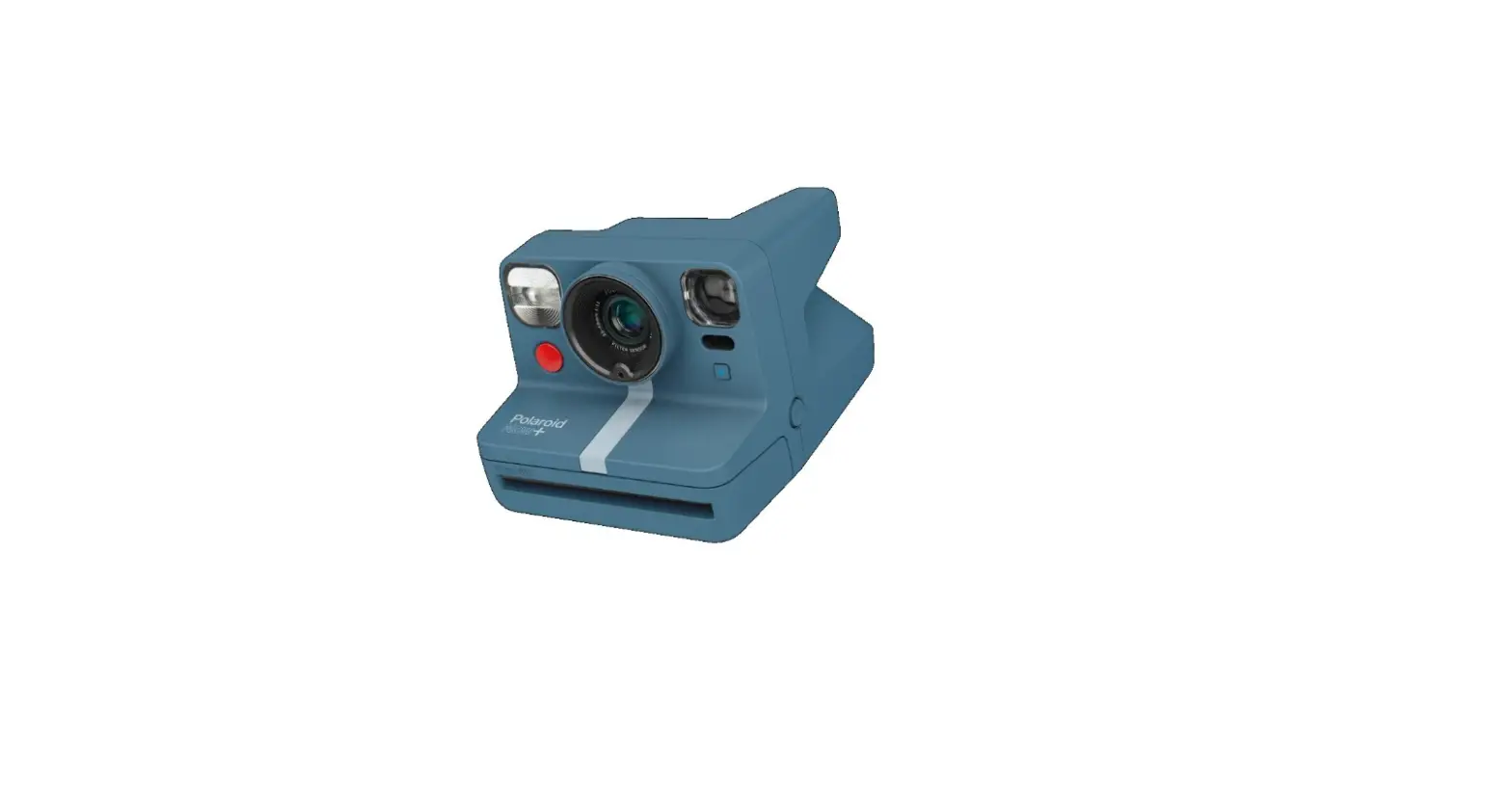
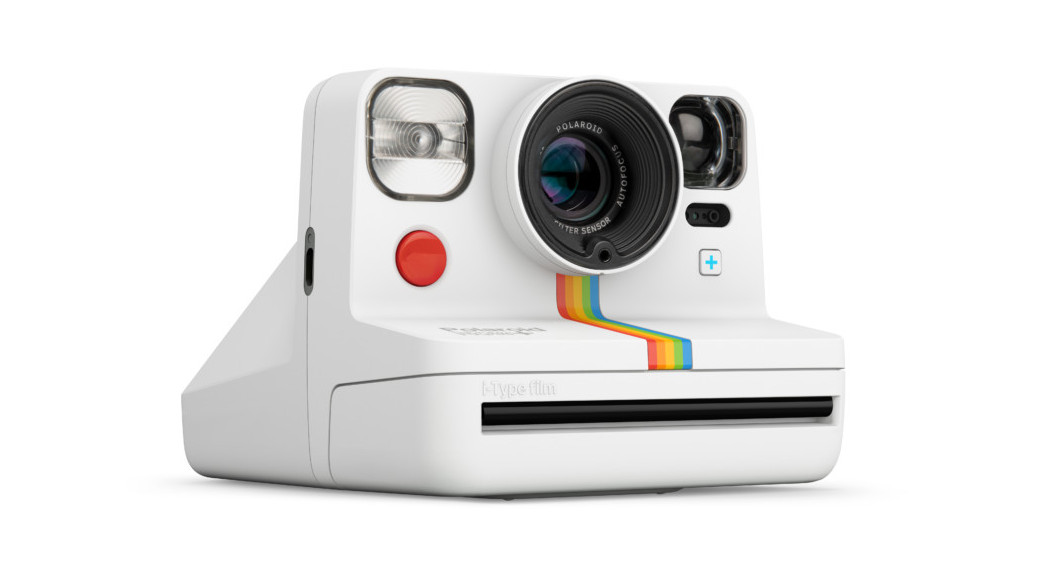
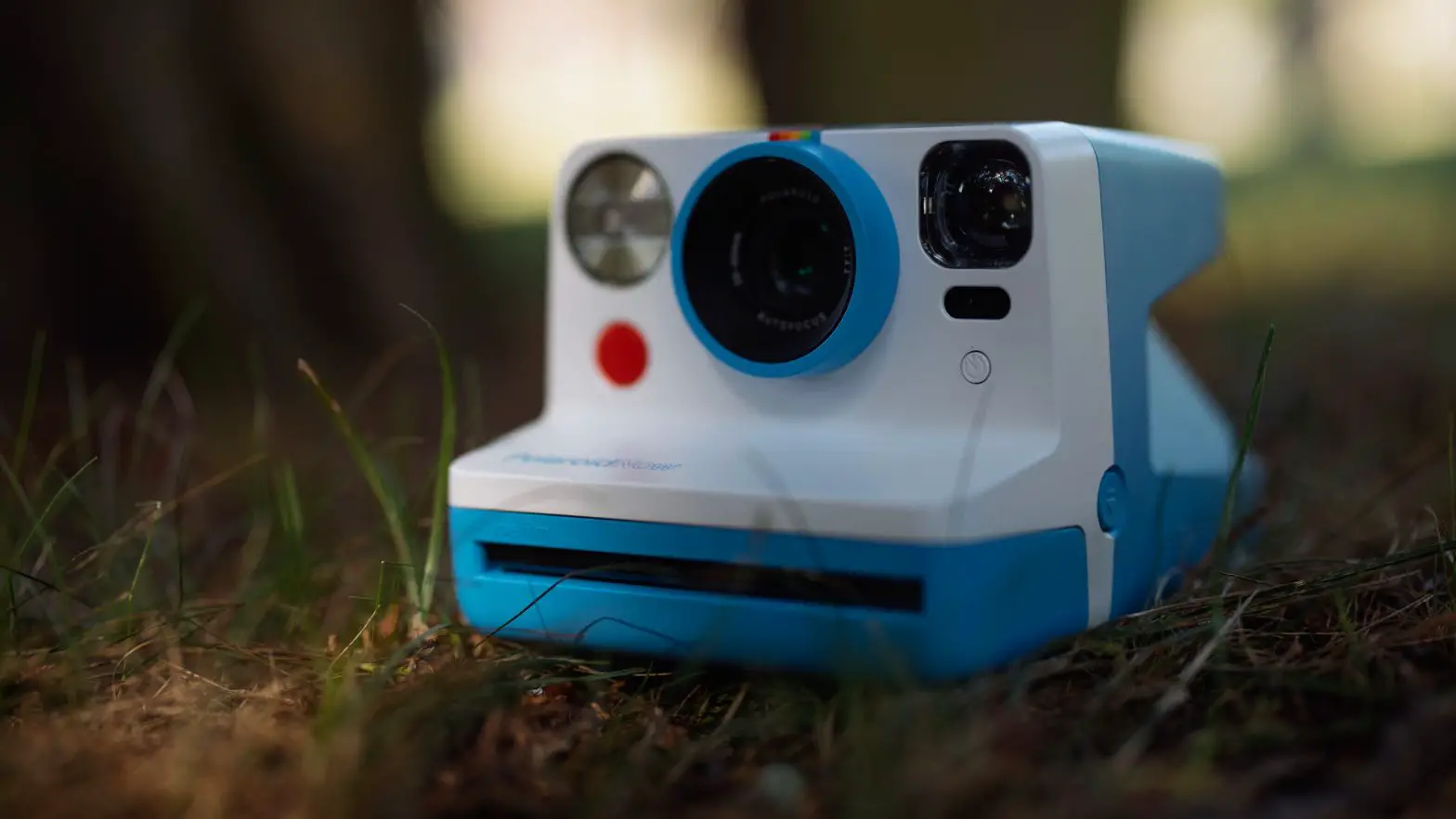
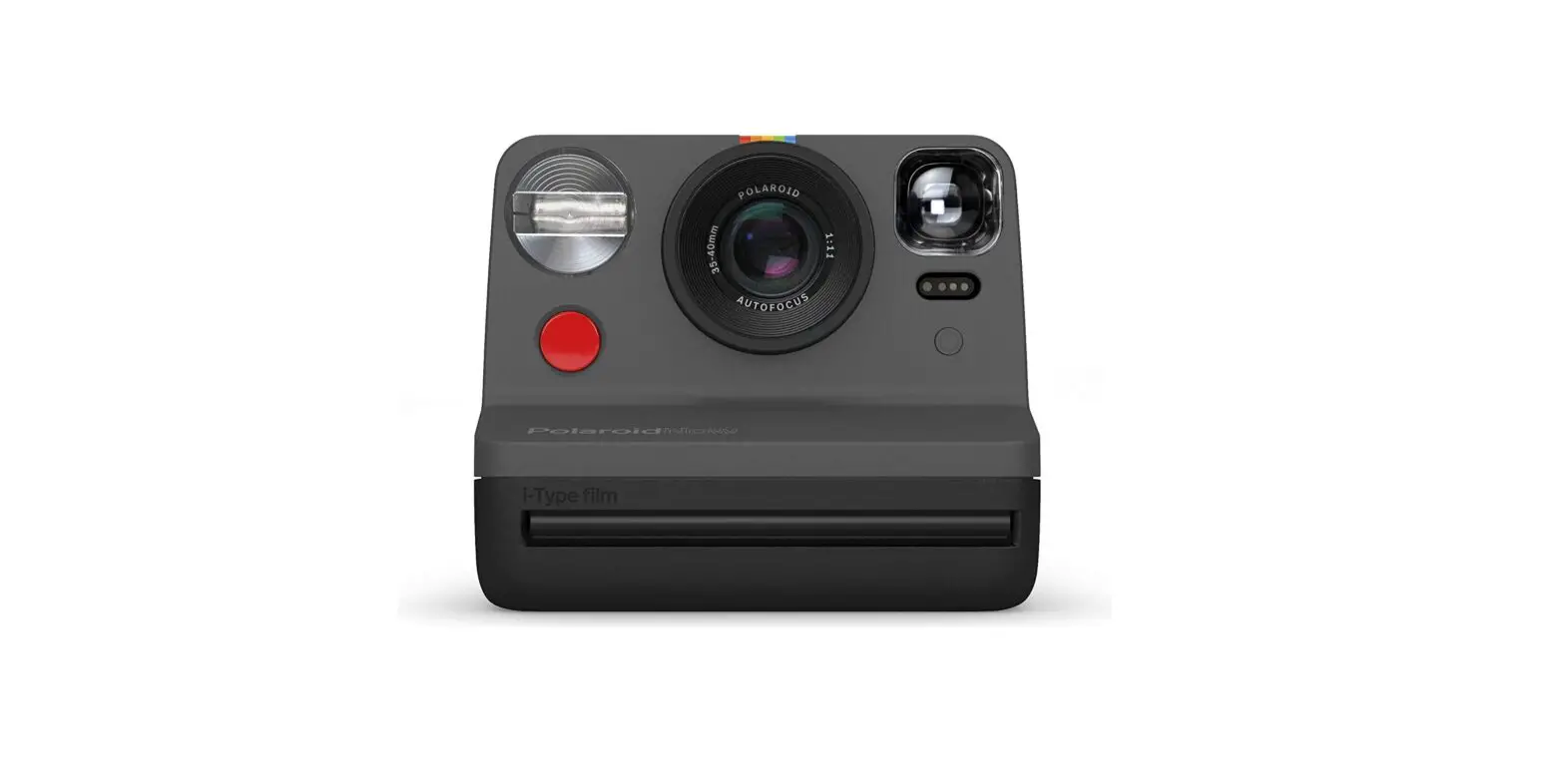
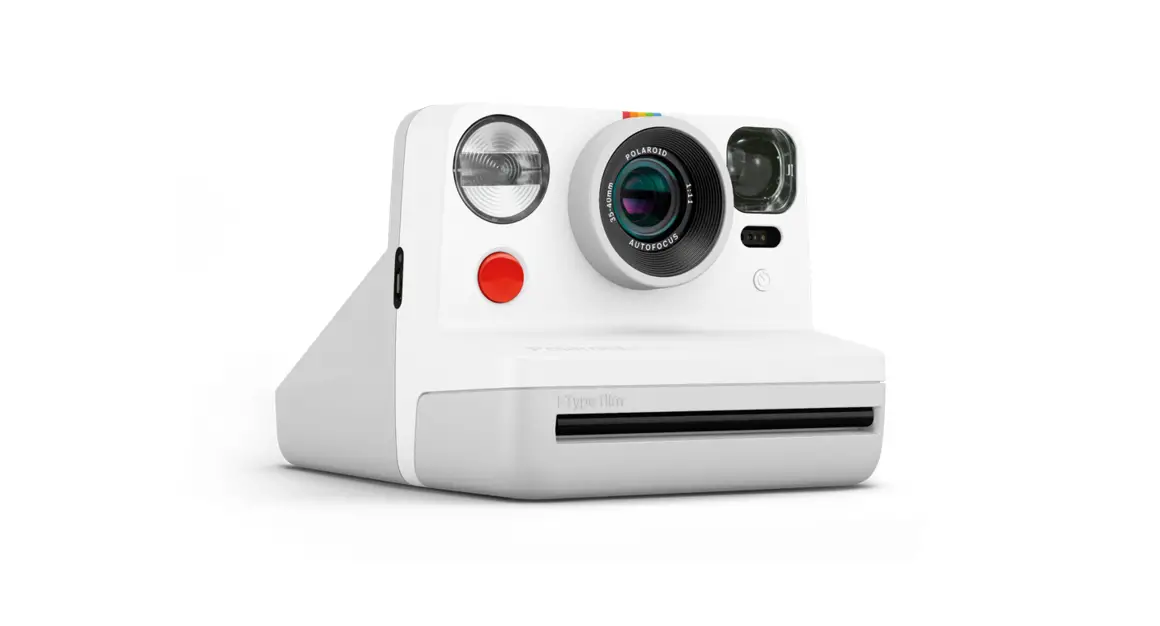
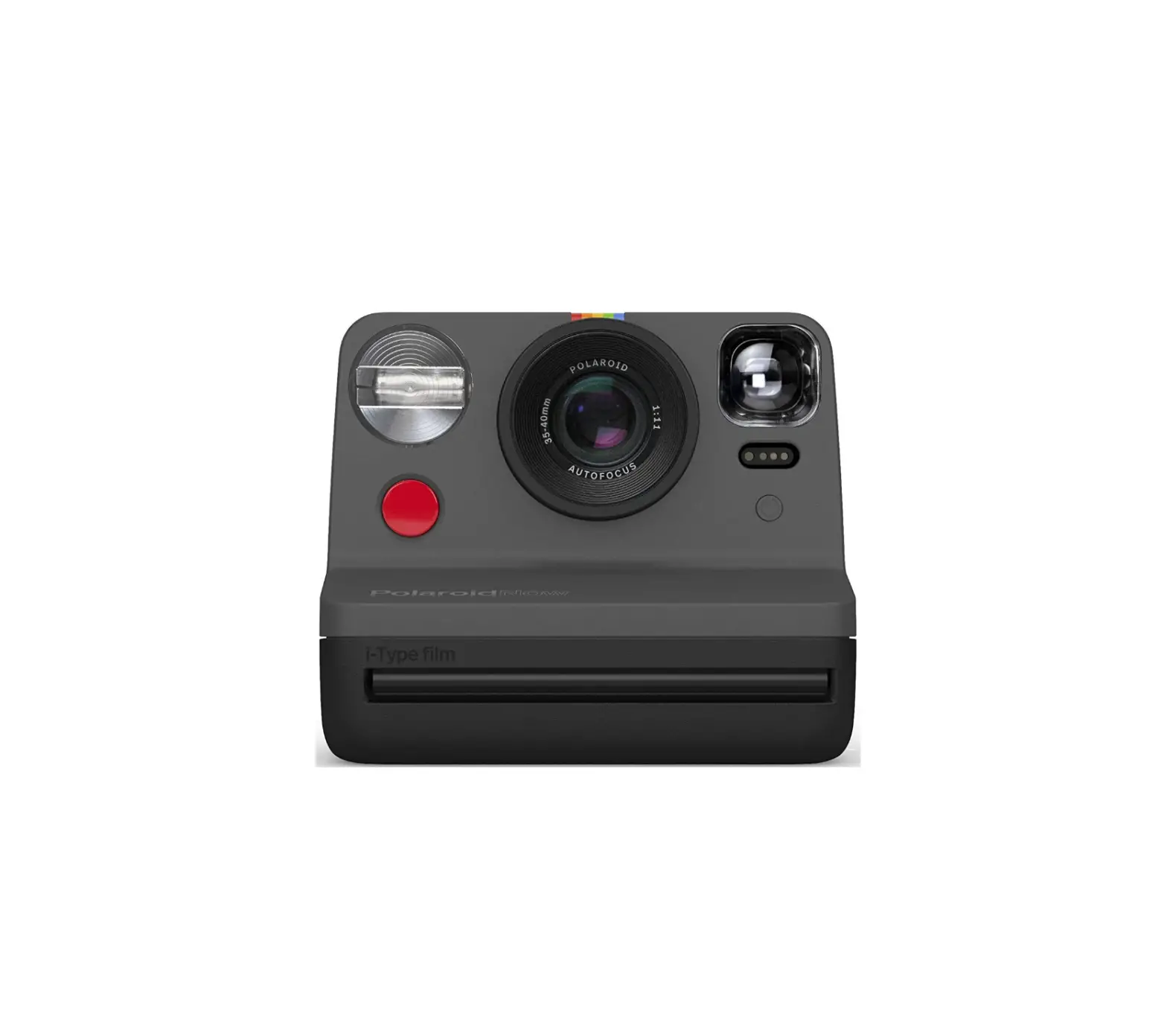
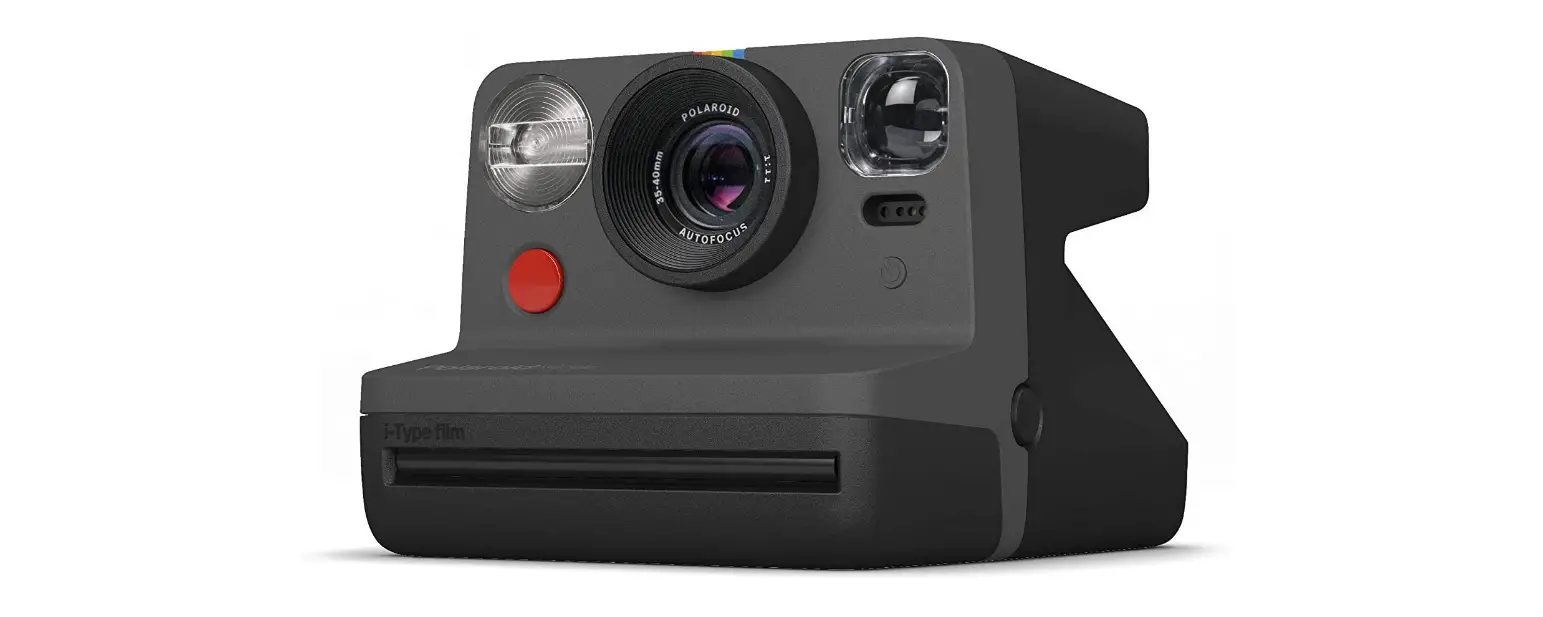
The Polaroid Now Instant Camera Generation 2 is an autofocus
camera that captures life as you live it. It is designed to provide
great quality photos wherever you go. The camera features a shutter
button, lens, flash, viewfinder, self-timer, double exposure
capability, film door button, film counter display, flash on/off
button, USB-C charging port, battery level indicator, and a wrist
strap loop.
The camera is compatible with i-Type and 600 instant film,
allowing you to choose from color, black and white, or special
edition frames for your Polaroid photographs. It has a battery that
can be charged using the included USB-C charging cable and adapter.
A fully charged camera can shoot up to 15 packs of film, depending
on usage.
Product Usage Instructions:
- Open the Polaroid Now box and ensure you have all the necessary
items including the camera, USB-C charging cable, quick start
guide, and camera wrist strap. - Charge the camera by plugging one end of the USB-C cable into
the camera and the other end into a charging adapter (5V/1A). Avoid
charging via a laptop. The battery level indicator LED will blink
while charging and turn off when fully charged. A full charge
typically takes about 2 hours using a wall socket with a USB power
adapter. - Attach the wrist strap to the camera for added convenience and
security. - Obtain i-Type or 600 instant film for your camera. Choose your
preferred film type and frame style. - Before inserting a new film pack, ensure that you have finished
using the current pack to maintain accurate film count display. If
you switch packs before finishing, one photo will be wasted due to
exposure to light. Each film pack includes a darkslide to protect
the film. - Set the flash mode. In situations where you are not shooting in
bright, direct sunlight, it is recommended to use the flash for
better photo quality. The flash will automatically trigger each
time you use the camera. - Compose your shot using the viewfinder, and press the shutter
button to capture your first Polaroid photograph.
Remember to turn off the camera after use to conserve battery
life. If you encounter any issues or require assistance, refer to
the troubleshooting section in the user manual or contact customer
support. The camera also comes with a warranty for added peace of
mind. For detailed technical specifications and safety information,
refer to the respective sections in the user manual.
Polaroid Now Instant Camera
Generation 2
User Manual
5 Getting started 5 How to take your first photo 6 Tips For Making Great Photos 6 Special features 7 Charging 7 Cleaning 8 Troubleshooting 9 Customer Support 9 Warranty 9 Technical specifications 10 Safety information
Polaroid Now Instant Camera
Generation 2
The Polaroid Now catches life as you live it. Our autofocus camera gives you great quality photos wherever the moment takes you. In this manual we will take you through everything you need to know; from how to take your first Polaroid photograph to support if you ever need it, so can get the most out of your new Polaroid camera.
C B
A
D D
E F
G
H
I
A Shutter Button B Lens C Flash D Viewfinder E Self-timer & Double Exposure F Film Door Button
Film Counter Display
Display Unlit 0 1 2 3 4 5 6 7 8 –
This means:
Camera is off No film One photo remaining Two photos remaining Three photos remaining Four photos remaining Five photos remaining Six photos remaining Seven photos remaining Eight photos remaining Darkslide is inside
J
J
K G Flash ON | OFF Button H ON | OFF Button I Film Counter LED J Wrist Strap Loop K USB-C Charging Port & Battery Level Indicator
Display
This means:
1 (flashing)
Exposure 1 of Double Exposure
2 (flashing)
Exposure 2 of Double Exposure
d o o r
Film Processing Unit door is open
L
Lens select failure
c
Object too close
b (flashing 5x) Battery Low
Eject film animation
EV Trim +½ EV
EV Trim Normal
EV Trim -½ EV
Getting Started
1. Open the Polaroid Now box and check that you have everything you need:
01 Polaroid Now Camera 02 USB-C Charging Cable 03 Quick Start Guide 04 Camera Wrist Strap
2. Charge your camera For safe transportation, the Polaroid Now won’t be fully charged when you receive it. To charge it, plug one side of the USB-C cable into the camera and the other side into the charging adapter (5V/1A). We don’t recommend charging via a laptop. The battery level indicator LED will blink while the camera is plugged in and charging. It will turn off once the camera is fully charged.
A full charge usually takes about 2 hours through a wall socket with a USB power adapter. A fully-charged Polaroid Now will have enough power to shoot 15 packs of film, depending on usage. Remember to turn off the Polaroid Now after use to save battery life.
3. Attach your wrist strap
01
4. Find your instant film The Polaroid Now uses i-Type and 600 instant film. Get that iconic Polaroid frame in color, black and white, or with our special edition frames. Find your next film here, then you’re ready to take your first Polaroid photograph.
How To Take Your First Photo
1. Turn on the Polaroid Now camera Press the ON | OFF button for ½ a second. The film counter display will show the number `0′ because there is currently no film in the camera.
2. Insert your film pack Push the film door button to open the film door, then insert the film pack into film chamber of your camera. Push the film pack all the way in with the darkslide facing up and the tab facing toward you. Close the film door. The darkslide will eject. Remove the darkslide and allow the film shield to roll back in. This shield is designed to protect images from light as they develop, so don’t remove it. If the darkslide has not ejected, remove the film pack and re-insert it to make sure it is pushed all the way into the back of the camera.
We recommend using i-Type film as the camera is optimized for use with this particular film.
5
6
To make sure the camera always displays the right film count, always finish the film pack before inserting a new one. If you decide to switch packs anyway, be aware that one photo will be wasted as it will be exposed to light. That’s why every pack has a darkslide.
3. Set the flash mode In any situation where you are not shooting in bright, direct sunlight, we recommend using the flash to achieve the best shots. That’s why the flash will trigger by default every time you use the Polaroid Now.
Shooting without the flash can give you some beautiful results as well, but remember you need another source of light to make sure your photo will turn out. To shoot without the flash, press the flash button on the back panel once.
After taking the photo the flash will be reenabled. To disable the flash until you power off the camera, double press the flash button.
4. Position yourself Make sure you are at least 55cm (1.8ft) away from your subject.
5. Aim at your subject The Polaroid Now uses a viewfinder located on the left side of the lens barrel. To aim at your subject, simply align your eye with the viewfinder barrel and use the image you see to compose your shot.
6. Press the shutter button Press the shutter button to take your photo. The photo will be ejected from the slot at the front of the camera as soon as you let go of the shutter button. You will see that the photo will be covered with a film shield to protect it from light.
7. Remove the photo Gently lift the film shield so it rolls back into the camera. Remove the photo and place it face down to continue shielding it from light as it develops. Don’t shake it! Check the back of your film packet for the correct developing times.
8. Turn the camera off Press the ON | OFF button for ½ a second to turn off the Polaroid Now.
Tips For Making Great Photos
Natural light Light is your best friend when it comes to instant photograph, so we recommend to always use the flash. However, on a sunny day outdoors, you don’t need to use your flash at all. Make sure not to shoot towards the sun, shoot with the sun behind you instead, facing your subject directly or side-on, to give you a bright and clear picture without shadow on your subject. For the best results without the flash, the most important thing to remember is to keep your camera as steady as possible. For example, by holding your camera with both hands and putting your elbows on a table.
Framing Be aware that your photo will not exactly reflect what you see through the viewfinder. For subjects closer than 1.2m (3.93ft) you should adjust your aim slightly up and to the left.
Composition It’s possible to change the photo composition after focusing on your subject. The shutter button has two positions. First half-press the shutter button, then change the composition and fully press to take the photo.
Special Features
Self-Timer Get yourself in the photograph with the selftimer. Tap the self-timer button once. The LED will light up orange, indicating that the self-timer is activated. Once you have framed your photo, press the shutter button. The orange LED will blink to indicate the self-timer countdown. You have 9 seconds before the photo is taken.
To make self-timer photos without flash, first activate the self-timer, then press the flash button.
If you change your mind, you can cancel the self-timer by pressing the self-timer
button again.
Double Exposure Express yourself in more ways than one with the Double Exposure feature, which allows you to combine two images in one photo. Press the self-timer button twice to enable double exposure mode. The display will flash `1′ until the first shot is taken, then flash `2′ until the second shot is taken.
Flash Double tap to disable flash until the camera is powered off.
Exposure compensation (Trim EV) For the more experienced photographers, the camera has an exposure compensation mode. This mode allows you to make your photo brighter or darker. This might be to intentionally under- or over-expose, or could be to compensate for scenes with atypical distribution of light and dark elements, such as a landscape with a bright sky or subject with a contrasting background.
+½ EV and -½ EV settings are available which make your photos slightly brighter or darker respectively. To access the Trim EV mode, hold the flash button down for one second. A small line will appear in the display. Tapping the flash button cycles through +½ EV Normal EV -½ EV. When you have chosen your EV setting, press the shutter button as you normally would. Remember: the flash is on during this time unless you turned it off previously. After two seconds, the screen will alternate displaying the film count and EV setting.
Charging
Above the USB-C slot sits the battery level indicator LED to let you know what your battery level indicator is. To check the camera’s battery level, turn the camera on and look at the battery level indicator LED in relation to this table.
Battery Level Indicator LED
This means:
No Light Green
Orange
Red
Camera is off Charged
(Enough for 15 packs of film) Medium battery
(Enough for 1 pack of film) Low battery
To charge the camera, insert the charging cable into the USB-C slot. Once you do that, the LED light will let you know how much charge you have remaining.
Battery Level Indicator LED
This means:
No Light Green
Camera is fully charged Charging, battery almost full
Orange
Charging, battery is half full
Red
Charging, battery is low
Cleaning
To clean the lens, use a microfiber cloth designed for that purpose. This will ensure that you do not scratch the lens or leave behind any strands that may impact the quality of your photos.
Spotted marks on your photographs? Dirty rollers could be one of the reasons.
When you take a Polaroid photograph, the film goes through two metal rollers. This is where the developer paste is spread between the negative and positive components of the photo before it exits through the film door. If these rollers are dirty or just a little uneven, the chemistry will not spread evenly across the photograph and you get small marks.
7
8
To clean the rollers, open the film door compartment of the camera (the film can remain in the camera while cleaning) and grab a soft, damp cloth. Rotate the rollers by turning the black plastic gear on the bottom left and wipe the cloth across the rollers as they move. Make sure the rollers are dry before you use your camera again.
We recommend that you check the rollers between every pack of film, and clean them every 2-3 packs even if they look perfectly clean.
Troubleshooting
1. My Polaroid Now won’t eject my photo
or darkslide. Make sure your Polaroid Now camera is charged. The camera’s battery level indicator LED will blink red if it doesn’t have enough charge to operate. If this is the case, you should recharge your camera then try again.
Still having trouble? Check how many photos you have left. Hold down the power button for two seconds and the film counter display will indicate how many shots you have left in the film pack. If the LED shows `0′ this means that there are no shots left in the film pack.
2. The flash doesn’t fire when I take a photo. The Polaroid Now automatically turns the flash on when you power on the camera. If it’s not firing, press the flash button once until you see the lightning bolt illuminate. When taking photos make sure you don’t accidentally press the flash button.
3. My photo turned out too dark. Polaroid cameras love light, so the more light you have the better.
Make sure you are not shooting towards the sun. When shooting towards sunlight, the excessive light may cause the camera to overcompensate when exposing the image, creating an image that is too dark to expose your subject properly.
If you’re taking photos inside and you
don’t want to use the flash, make sure you find another light source or use the flash. The flash is also useful at night-time, dusk, and cloudy days.
4. My photo turned out blurry or fuzzy. Make sure you are at least 55cm (1.8ft) away from your subject. When shooting, make sure you hold the camera steady, especially in low light conditions, and have a strong light source to illuminate your subject.
5. The film counter display shows the wrong number. The display resets to `8′ every time a cassette is inserted. If a part-used cassette is inserted, the camera will display `8′ and countdown as each photo is taken. When you next insert a full film pack, the counter will correctly show 8 remaining photos.
6. I took the first shot of a double exposure photo, but I changed my mind. Switch off your camera, press and hold down the shutter button. Switch on the camera again and the film count will display “-“. Continue to hold the shutter button for over 10 seconds until the film is ejected.
Can’t find what you’re looking for? Browse our frequently asked questions.
Customer Support
Technical Specifications
We’re here to help. Get in touch using the details below.
USA/Canada [email protected] +1 212 219 3254
General Dimensions 150mm (L) ×111.2mm (W) ×94mm (H)
Weight 445 grams (without film pack)
Europe/Rest of World [email protected] 00 800 577 01500
Polaroid International B.V. 1013AP Amsterdam The Netherlands
For more detailed and up-to-date information, visit polaroid.com/help.
Operating Temperature 40108°F / 442°C, 590% relative humidity
Compatible Film Polaroid i-Type and 600 film in both color and black & white, including special editions.
Battery High performance lithium-ion battery, 750mAh, 3.7V nominal voltage, 2.775Wh
Warranty
Materials
Outer shells Polycarbonate + ABS plastics
You can find the warranty for the Polaroid Now here: polaroid.com/warranty
Lens Optical grade polycarbonate lens, coated
Shutter system Custom design using precision step motor
Optical System
Lens Fixed focus lens
Focal length Standard lens: 103 mm Portrait lens: 95 mm
Field of view 41° vertical, 40° horizontal
Flash System Vacuum discharge tube strobe
9
10
Safety Information
Caution Risk of electric shock — Do not open/ Disassemble the motorized roller system · Do not disassemble the device. Incor-
rect reassembly can cause electrical shock if the device is used again. · Do not immerse the device in water or other fluids. · Do not operate the device in a high humidity environment or very dusty environments. · Do not attempt to tamper with, adjust or remove the battery and/or the electronics located below the rollers behind the device’s film door. · Do not attempt to remove the door itself as it is connected electronically to the body of the device. Doing so is unsafe, will likely damage your device, and will void your warranty. · Do not insert metal objects into the device. · Do not insert any objects into the rollers or gears. · Keep small children and infants away from device to avoid them being injured by the device’s moving parts. · Do not use or store the device near any heat source or any type of equipment that generates heat, including stereo amplifiers. · Do not use the device near flammable or explosive gases. · Do not charge the device if you notice any unusual odors, noise or smoke. · Do not attempt to disassemble the film’s battery or modify it in any way (if using 600-type film). If battery fluid gets in your eyes, immediately rinse your eyes with fresh, cold running water and seek medical attention immediately. · Do not cover the flash.
Battery and Charger · This device uses a custom lithium-ion
battery that is non-removable and mounted inside the camera body. No other type of battery can be used. Battery replacement can only be done by authorized service centers. The battery will provide many years of service if properly used. · Power consumption varies depending on the environment the device is used in and how the device has been stored. Used immediately after full charge, the battery will power the processing of up to 15 film packs. · Once the battery energy level falls below a certain level, the device will no longer process film. The LED will blink and signal when it needs to be recharged. This is to avoid a photo getting stuck as it is being processed through the roller system. · The rechargeable battery is not fully charged at the time of purchase. Charge the battery fully with the USB charging cable (provided). This usually takes 1-2 hours (can vary depending on usage).
· The supplied battery charging cable has been tested to work with the Apple iPhone power adaptors. While it can be used in other USB ports e.g. computer, USB power adaptors, TVs, cars etc., correct operation cannot be guaranteed.
· When the device is no longer in use, please recycle it properly.
Usage Environment · To protect the high-precision technology
contained in this device, never leave the camera in the following environments for extended periods of time: high temperature (+42°C/108°F), high humidity, places with extreme changes in temperature (hot and cold), direct sunlight, sandy or dusty environments such as beaches, damp places, or places with strong vibrations. · Do not drop the device or subject it to severe shocks or vibrations. · Do not push, pull or press on the lens surface.
Compliance
Important directions for using LithiumIon Batteries 1. Do not throw into fire. 2. Do not short circuit. 3. Do not disassemble. 4. Do not continue to use when damaged. 5. Dispose correctly after use. 6. Keep away from water. 7. Do not charge when the temperature is
below freezing.
EU Declaration of Conformity Hereby, Polaroid International B.V. declares that the Polaroid Now analog instant camera is in compliance with the essential requirements of the Electromagnetic Compatibility Directive (2014/30/ EU), Low Voltage Directive (2014/35/EU) and RoHs Directive (2011/65/EU) and other relevant provisions, when used for its intended purpose. FCC Compliance Statement This device complies with Part 15 of the FCC Rules. Operation is subject to the following two conditions: (1) this device may not cause harmful interference, and (2) this device must accept any interference received, including interference that may cause undesired operation. Caution The user is cautioned that changes or modifications not expressly approved by the party responsible for compliance could void the user’s authority to operate the equipment. This equipment must not be co-located or operated in conjunction with any other antenna or transmitter. Note This equipment has been tested and found to comply with the limits for a Class B digital device, pursuant to part 15 of the FCC rules. These limits are designed to provide reasonable protection against harmful interference in a residential installation. This equipment generates, uses and can radiate radio frequency energy and, if not installed and
used in accordance with the instructions, may cause harmful interference to radio communications. However, there is no guarantee that interference will not occur in a particular installation. If this equipment does cause harmful interference to radio or television reception, which can be determined by turning the equipment off and on, the user is encouraged to try to correct the interference by one or more of the following measures: · Reorient or relocate the receiving
antenna. · Increase the separation between the
equipment and receiver. · Connect the equipment into an outlet
on a circuit different from that to which the receiver is connected. · Consult the dealer or an experienced radio/TV technician for help. This equipment complies with FCC radiation exposure limits set forth for an uncontrolled environment. End user must follow the specific operating instructions for satisfying RF exposure compliance.
Industry Canada (IC) CAN ICES-003(B)/NMB-003(B) This device complies with part 15 of the FCC Rule and Industry Canada license exempt RSS standard(s). Operation is subject to the following two conditions: (1) This device may not cause harmful interference, and (2) this device must accept any interference received, including interference that may cause undesired operation.
This symbol means that according to local laws and regulations your product should be disposed of separately from household waste. When this product reaches its end of life, take it to a collection point designated by local authorities. Some collection points accept products for free. The separate collection and recycling of your product at the time of disposal will help conserve natural resources and ensure that it is recycled in a manner that protects human health and the environment.
Polaroid International B.V. 1013AP Amsterdam The Netherlands
End of life disposal warning: When the product has come to the end of life, dispose of it in accordance with local regulations. This product is subject to the EU directive 202/96/EC on Waste Electrical and Electronic Equipment (WEEE) and should not be disposed as unsorted municipal waste. Made in China for and distributed by Polaroid International B.V., 1013 AP, Amsterdam, The Netherlands. The POLAROID word and logos (including the Polaroid Classic Border Logo) and Polaroid Now are protected trademarks of Polaroid. © 2023 Polaroid. All Rights Reserved.
 polaroid.com/warranty