
available at BrightGuy.com
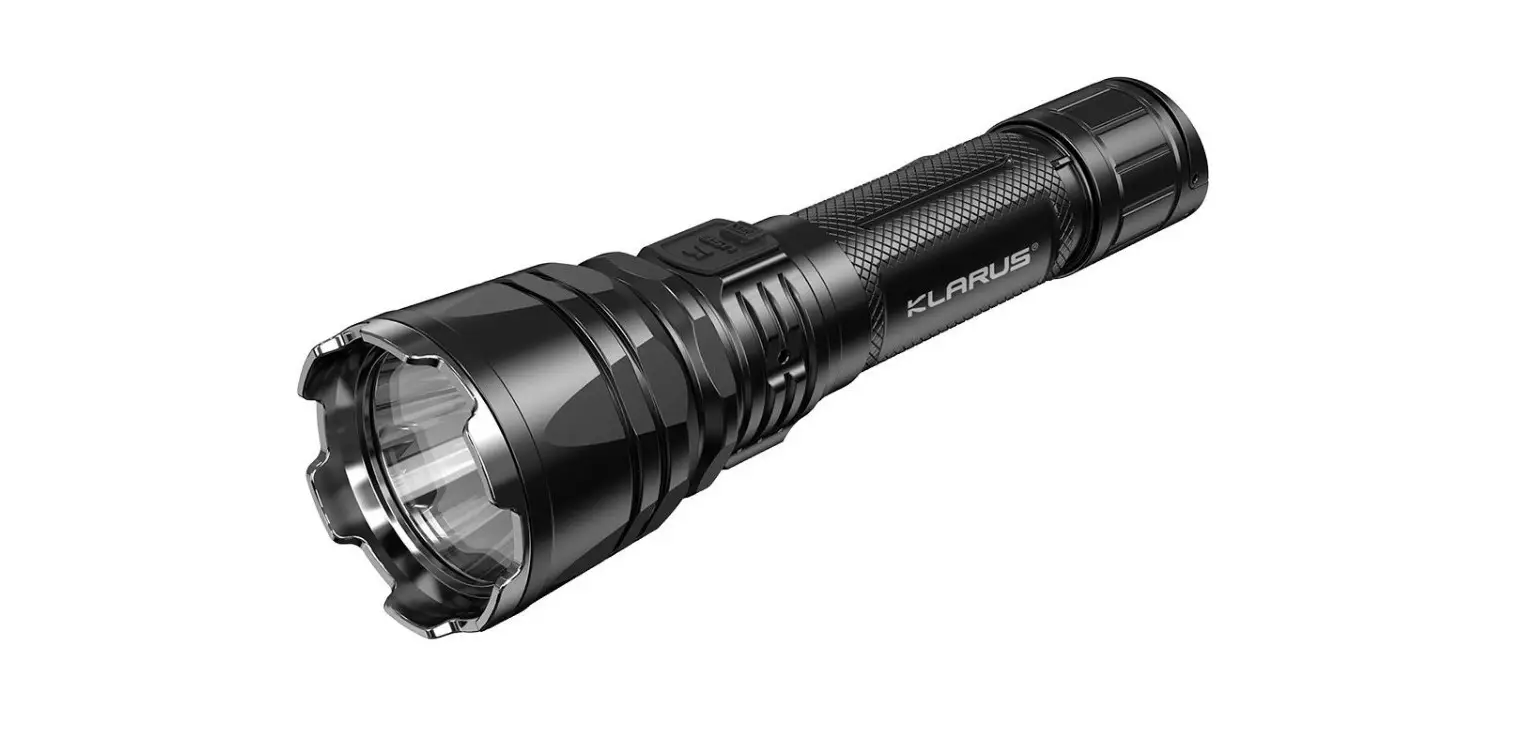
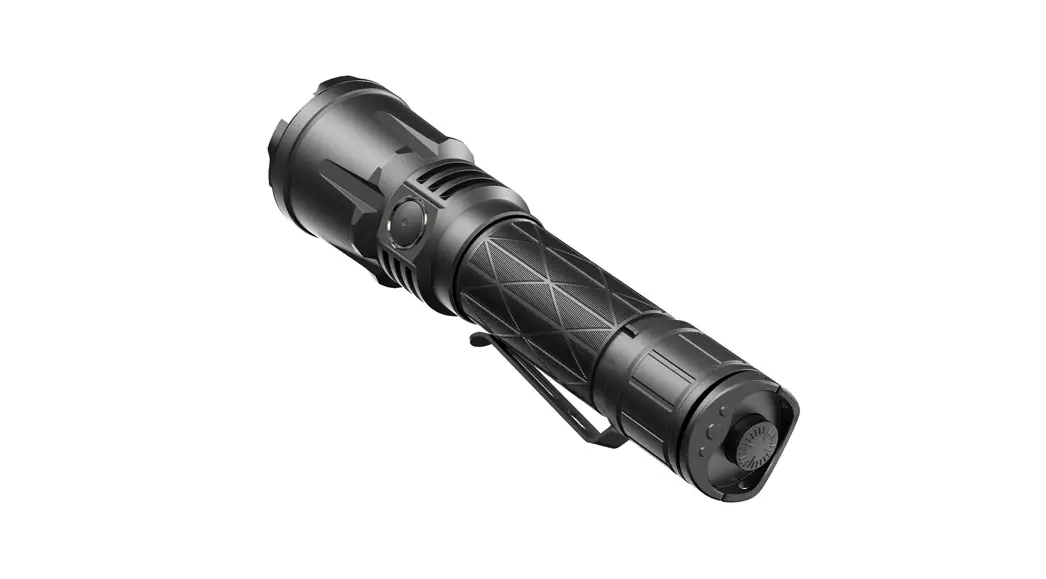
XT21X Pro
Extreme Output Flashlight User Manual
Thank you for choosing Klarus products!
Please read the user manual fully before use.
Product Specifications
- Product Model No.: XT21X Pro
- Dimension: (p41.0mm(1.61″) x 929.2mm(1.15″) x 163.1mm(6.24″)
- LED: CREE XHP-70.2 P2 1A
- Output 4400LM
- Working Voltage: 2.5V-4.2V
- Compatible Batteries: 1 x 21700 / 1 x 18650
- Waterproof: IPBX
- Weight: 171.5g (6.05oz) (w/o battery)
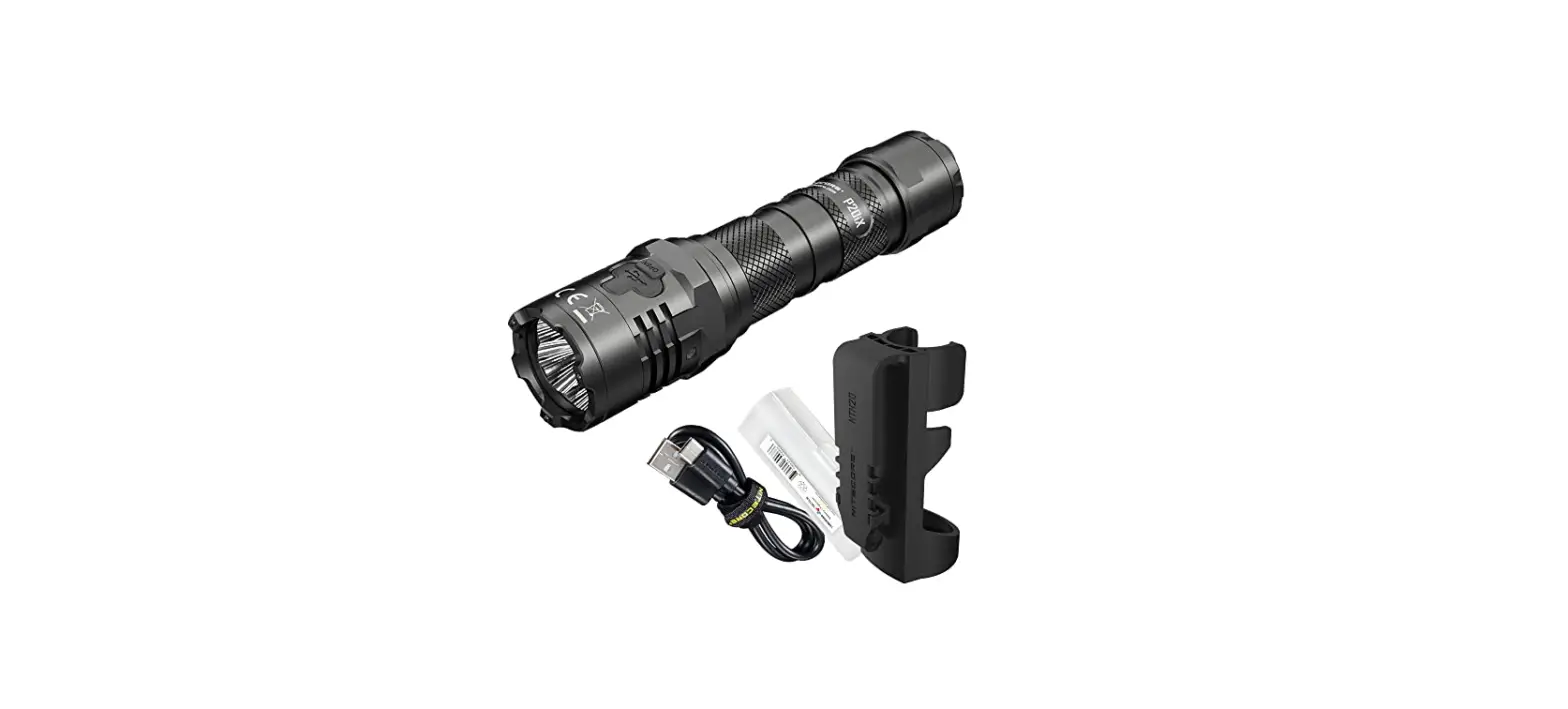
Package
| Name | Qty | Name | Qty |
| Flashlight | 1 | Clip | 1 |
| Battery | 1 | Lanyard | 1 |
| Charging Cable | 1 | Waterproof 0 Ring | 1 |
| Holster | 1 | User Manual | 1 |
| 18650 Battery Compartment | 1 | ||
ANY
| ANSI/NEMA FL1 | Turbo | High | Medium | Low | Moonlight | Strobe | SOS | |
 | ANSI lumens (LM) | 4400 | 1500 | 400 | 100 | 5 | 4400 | 100 |
 | Runtime(h) | 2.5 | 4 | 9 | 30 | 200 | 5 | 65 |
 | Beam intensity(cd) | 19506 | 7400 | 2450 | 600 | 30 | ||
 | Beam distance(m) | 336 | 190 | 100 | 50 | 15 | ||
 | Impact resistance(m) | 1 | ||||||
 | Waterproof | IPX8 (2 Meters Submersible) | ||||||
Notice:
The above data has been measured in accordance with international flashlight testing standards ANSI/NEMA FL1 using one KLARUS 21GT-50 5000mAh battery under laboratory conditions. The data may vary slightly during actual use due to battery type, individual usage habits and environmental factors.
Operation
User Setting Change
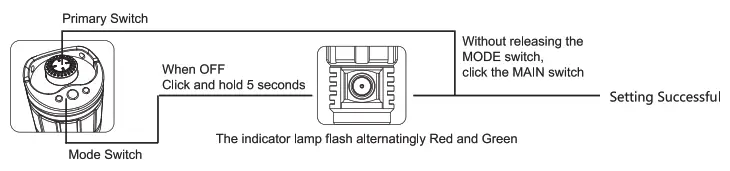
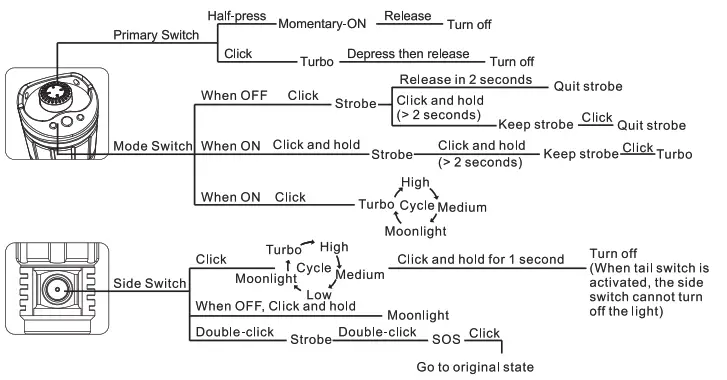
Factory Default Setting #1 (Tactical Setting)
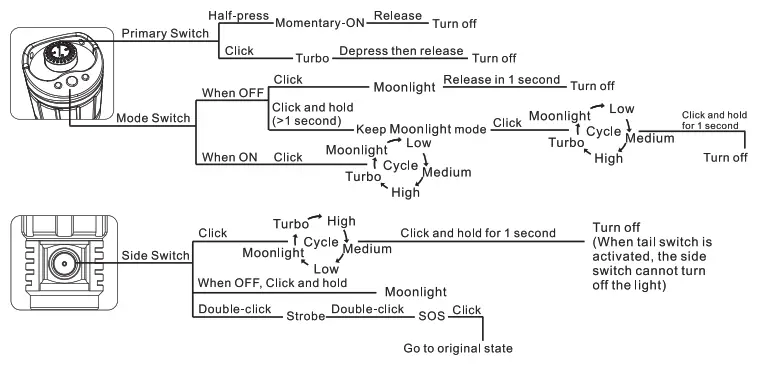
User Setting Operations
User Setting #1: Tactical Setting
User Setting #2 Outdoor Setting
Lockout Function
Side Switch Lockout Function:
- When the light is OFF and in the unlocked state, click and hold the switch for 5 seconds until the flashlight flash twice. The flashlight is now locked.
- When the light is locked, click the side switch, the indicator of the side switch will flash green to indicate the flashlight is locked.
- To unlock the flashlight, click the switch three times in quick succession and the flashlight will again flash twice to indicate that it is active.
- To lock the tail switch, loosen the tail cap for half-circle or more. Tightening the tail cap will disable the tail switch lockout status.
Mode Memory Function
The light will return to the last used constant-on mode when using the side switch to turn ON.
Intelligent Thermal Protection System (ITS)
When the flashlight is in Turbo mode, brightness will be automatically adjusted according to the temperature of the flashlight body to protect the LED and internal components and ensure safety and stability.
Battery Capacity Indicator
- After power-on, the indicator will flash for 5 seconds.
- Green, 70%-100% capacity remaining.
- Orange, 30%-70% capacity remaining.
- Red, less than 30% capacity remaining.
- Red flashing, less than 10% capacity remaining, recharge or replace the battery immediately.
Note: The indicator will only display as above when using Li-ion batteries.
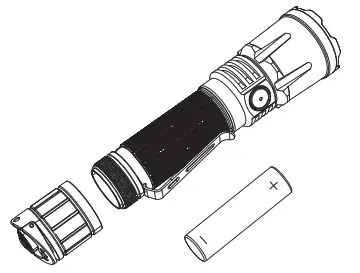
Battery Installation
Recharging Battery
Type-C charging port will recharge the battery when connected by USB-C charging cable to USB adapter, car charger, or other charging devices.
LED display
Red: Charging in progress
Green: Charging complete.
Yellow: Inspection required.
Usage and Maintenance
- The flashlight’s surface will increase in temperature during use, especially during periods of higher lumen output. The maximum safe operating surface temperature of the flashlight is 60°C/140°F.
- Please fully charge the battery before initial use. The included battery is charged to less than 50% as a safety measure and will not power the flashlight at full output.
- To maintain the waterproof rating, please lubricate the 0-ring with silicone safe lubricant and replace worn 0-rings as needed.
- Do not shine light directly at your eyes.
- For long-term storage, remove the battery and store it in a cool and dry location.
Warranty
- KLARUS guarantees the flashlight against defects in material and workmanship. Flashlight products that are found to be defective under normal use within 5 years of the purchase date will be repaired or replaced without charge.
- This warranty does not cover damage caused by accident, unreasonable use, or product alteration. Failure to follow the general maintenance directions could result in damage to your flashlight that may not be covered by the KLARUS warranty.
Limited Lifetime Warranty
- If problems develop after 5 years from the date of purchase, KLARUS will charge for parts and repairs. The total repair fee will be assessed according to the cost of the replacement materials. If damage to the light is substantial, KLARUS will contact the customer via the dealer with a quote.
- The customer may decide whether to proceed with the repairs. Freight will be paid by the dealer or customer.
Warranty Procedure
- If this flashlight does not perform as specified, the product will be repaired or replaced as described above.
- Please contact your original KLARUS dealer for replacement and repairs.
- If the warranty issue cannot be resolved by the dealer, please contact KLARUS at [email protected] for assistance. Please provide the following information to expedite the process:
1) List the serial number on the light.
2) Include a detailed description identifying the issue, accompanied by pictures or a short video demonstration if necessary.
3) Provide the name and store of the dealer you made the purchase from; and a copy of the proof of purchase.
 BrightGuy Flashlights, Headlamps, Work Lights, Police Flashlights