How to launch shortcuts with the Razer Mouse
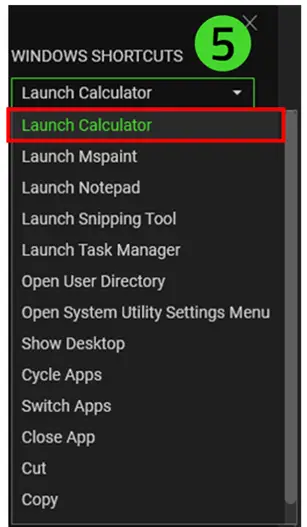
The Razer Mouse has the capability to launch Windows Operating System shortcuts when it is programmed to its buttons. Below is a list of the different shortcuts available to be programmed to the Razer Mouse.
- Launch Calculator
- Launch MSPaint
- Launch Notepad
- Launch Snipping Tool
- Launch Task Manager
- Open User Directory
- Open System Utility Settings menu
- Show Desktop
- Cycle Apps
- Switch Apps
- Close App
- Cut
- Copy
- Paste
To program Windows Shortcuts to the Razer Mouse:
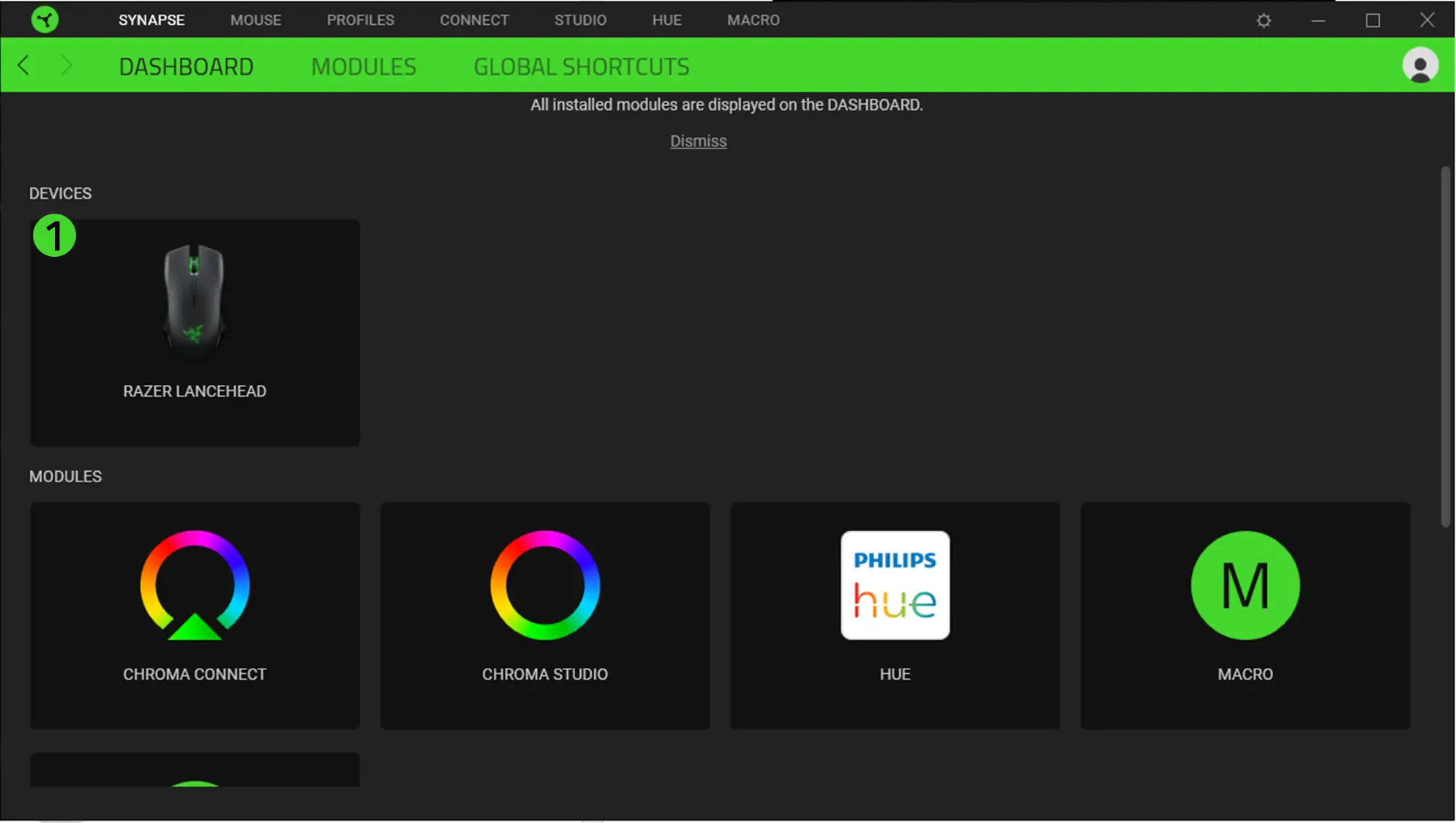
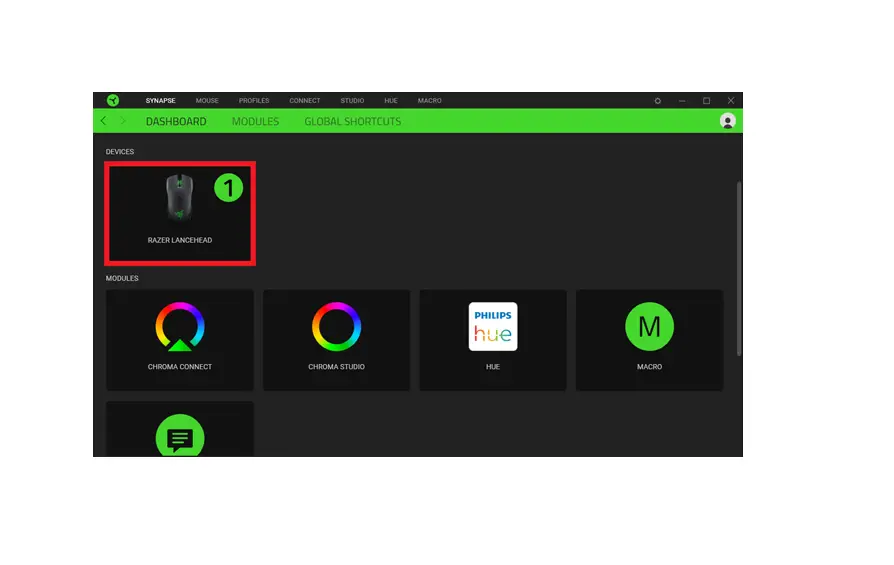
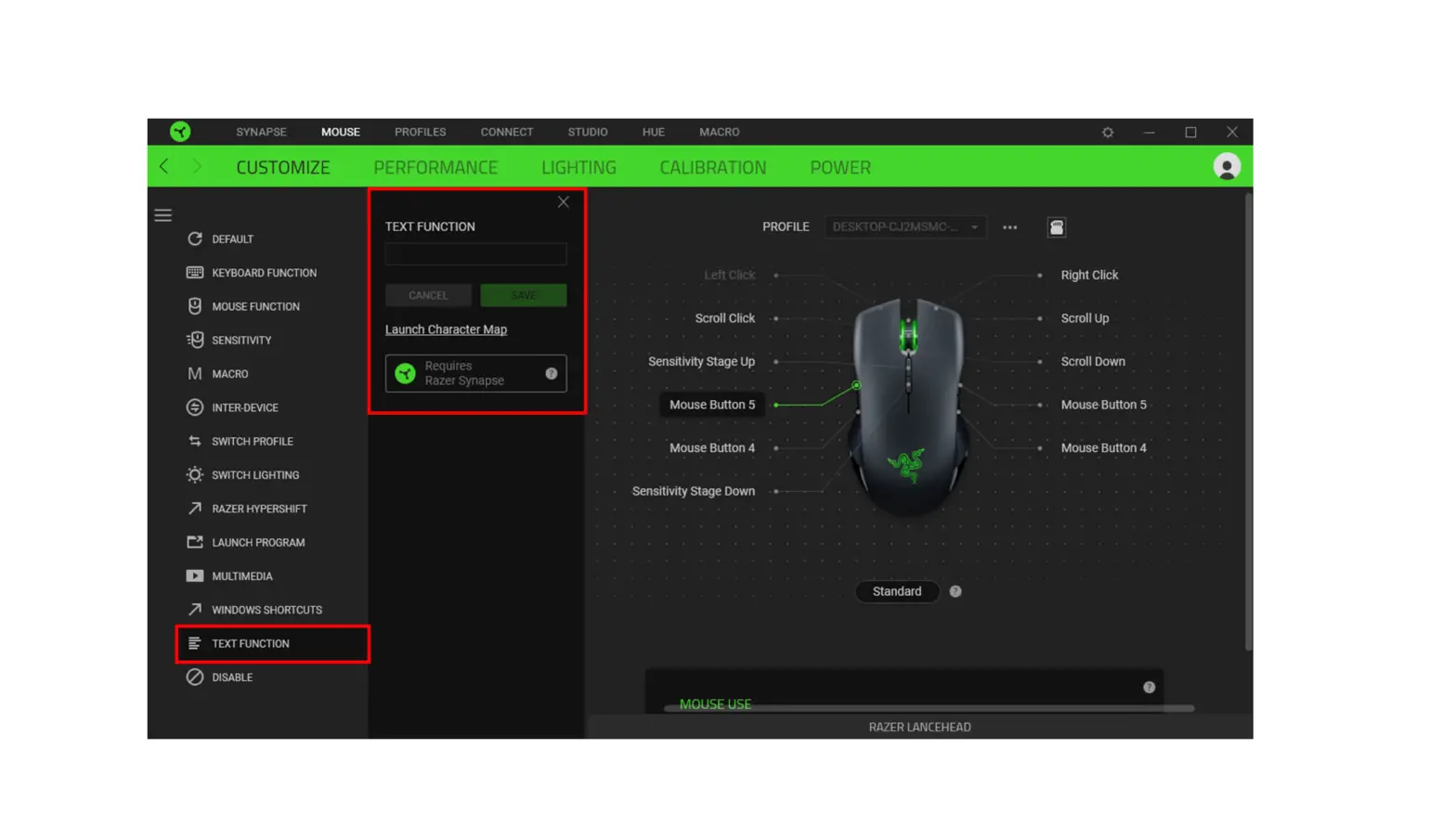
- Open Razer Synapse and click on the Razer Mouse on the Synapse homepage.

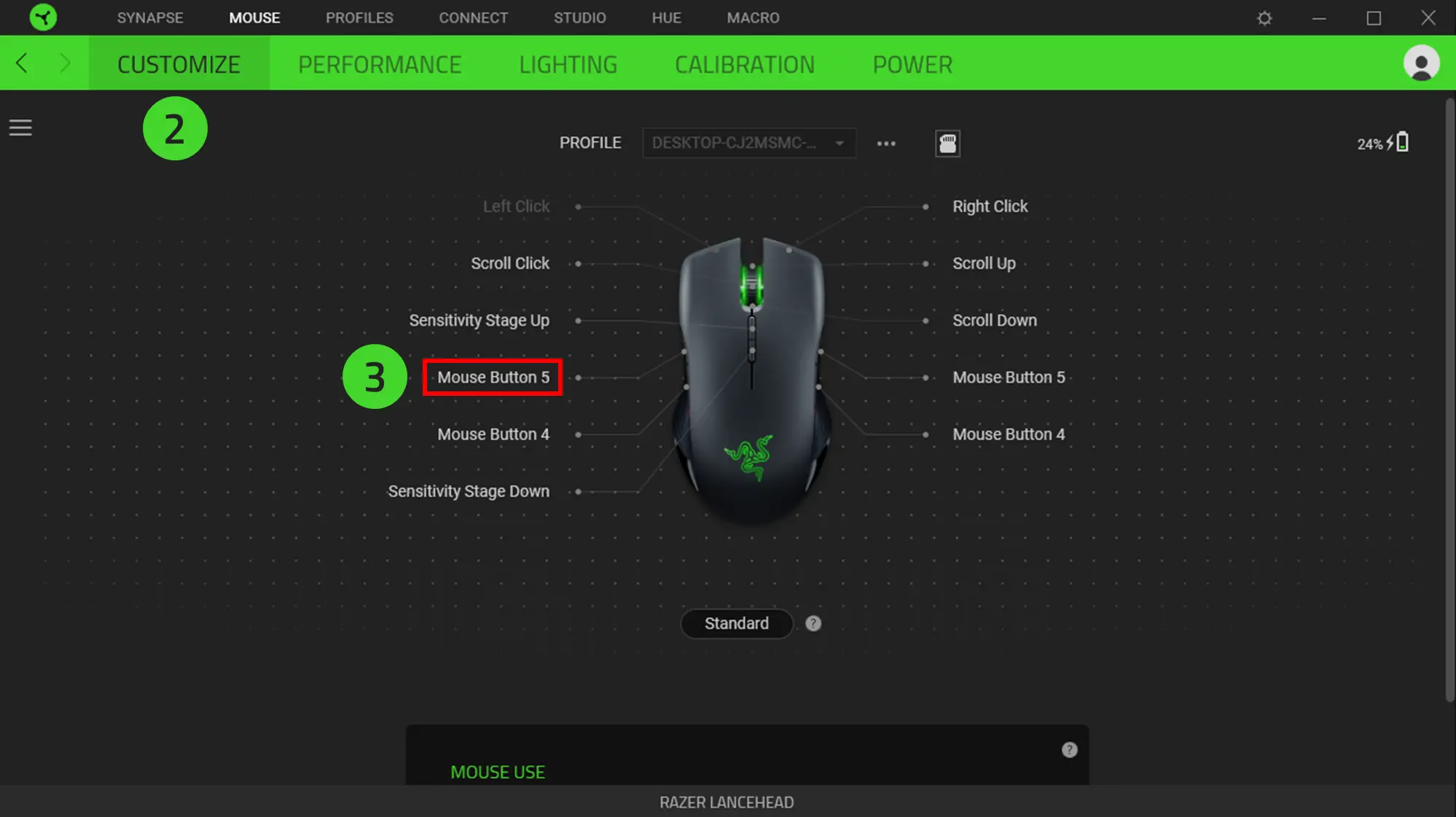
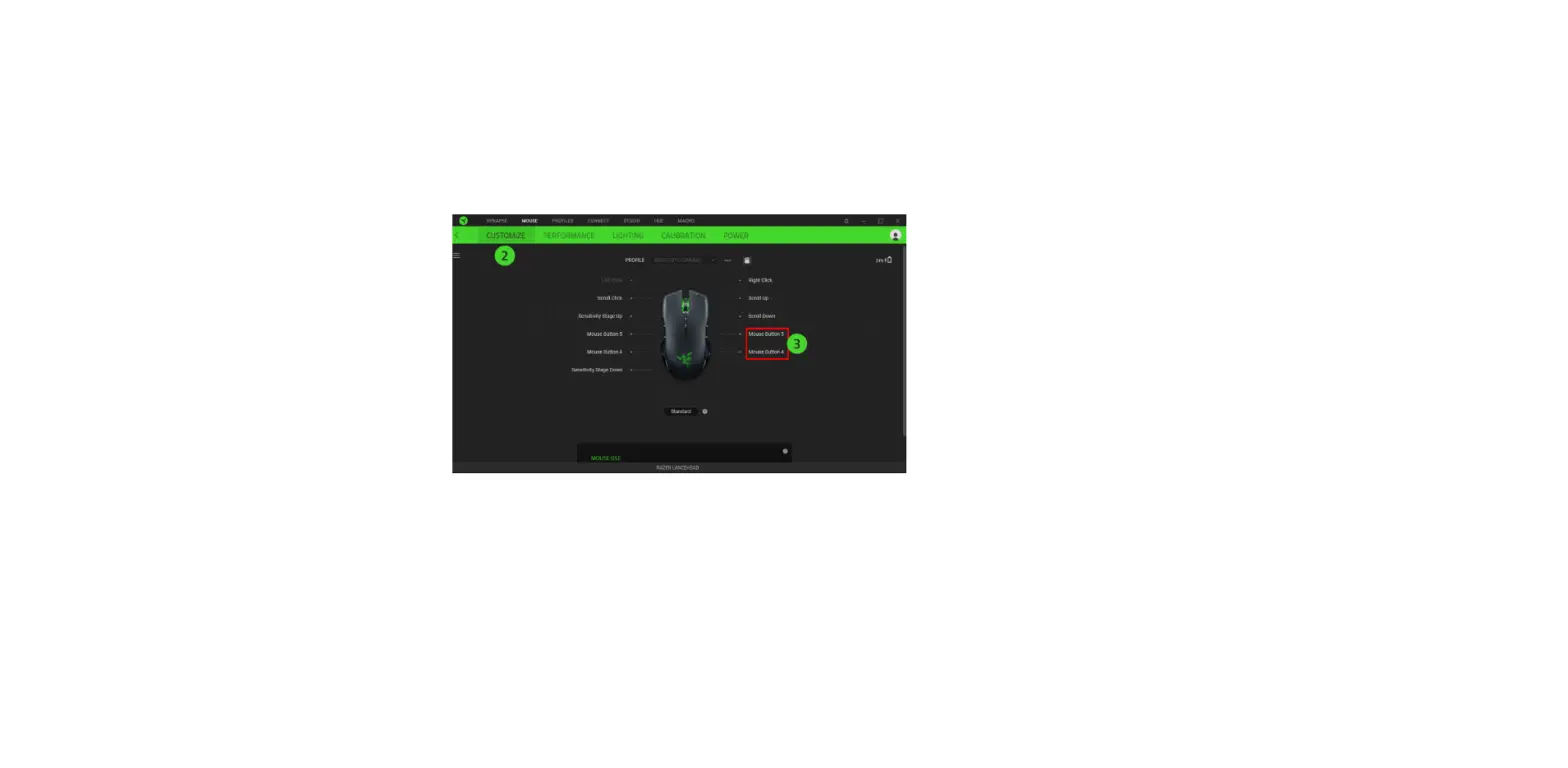
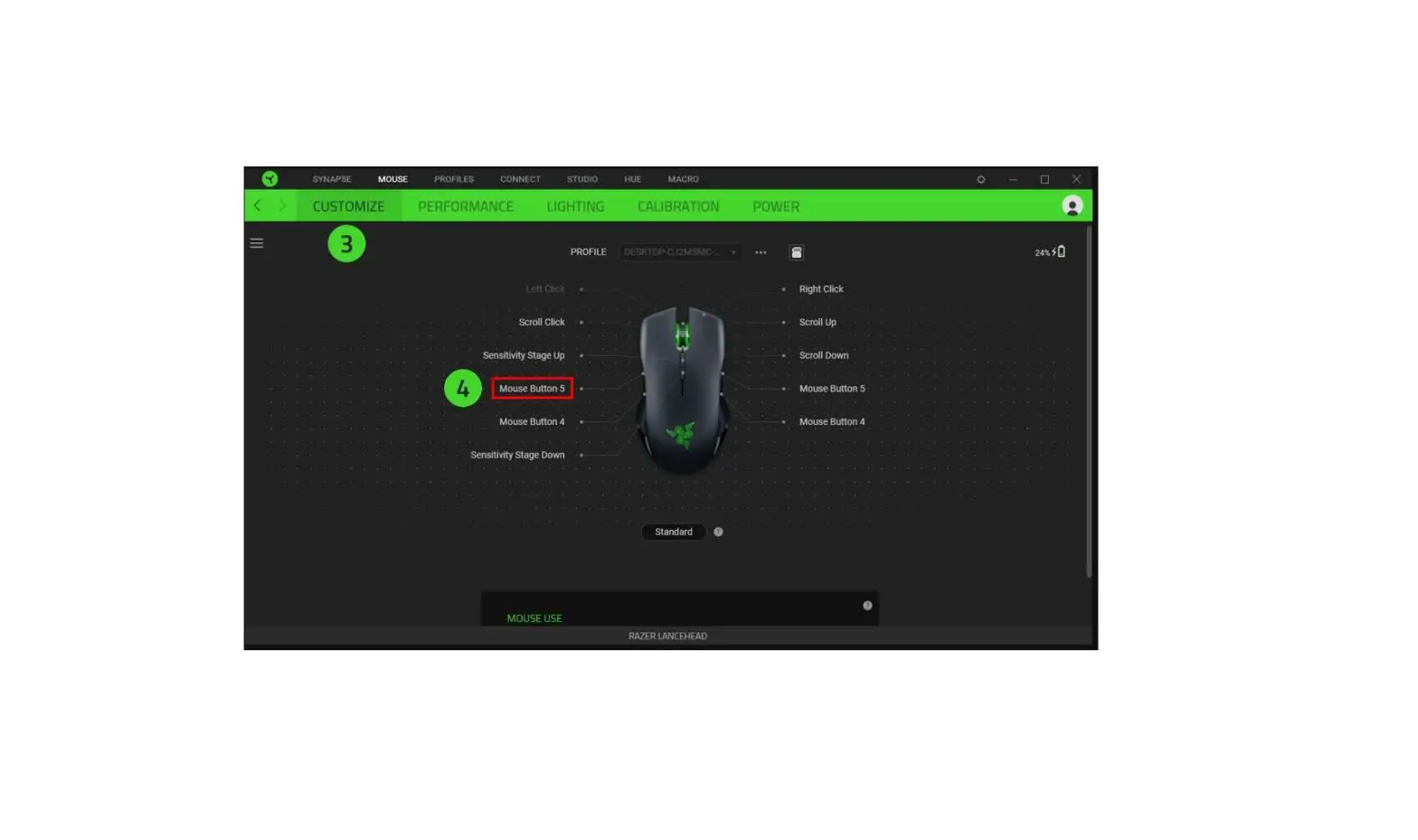
- On the mouse menu, go to the “CUSTOMIZE” tab.
- Select which button you wish to program with a Windows shortcut and click on it.

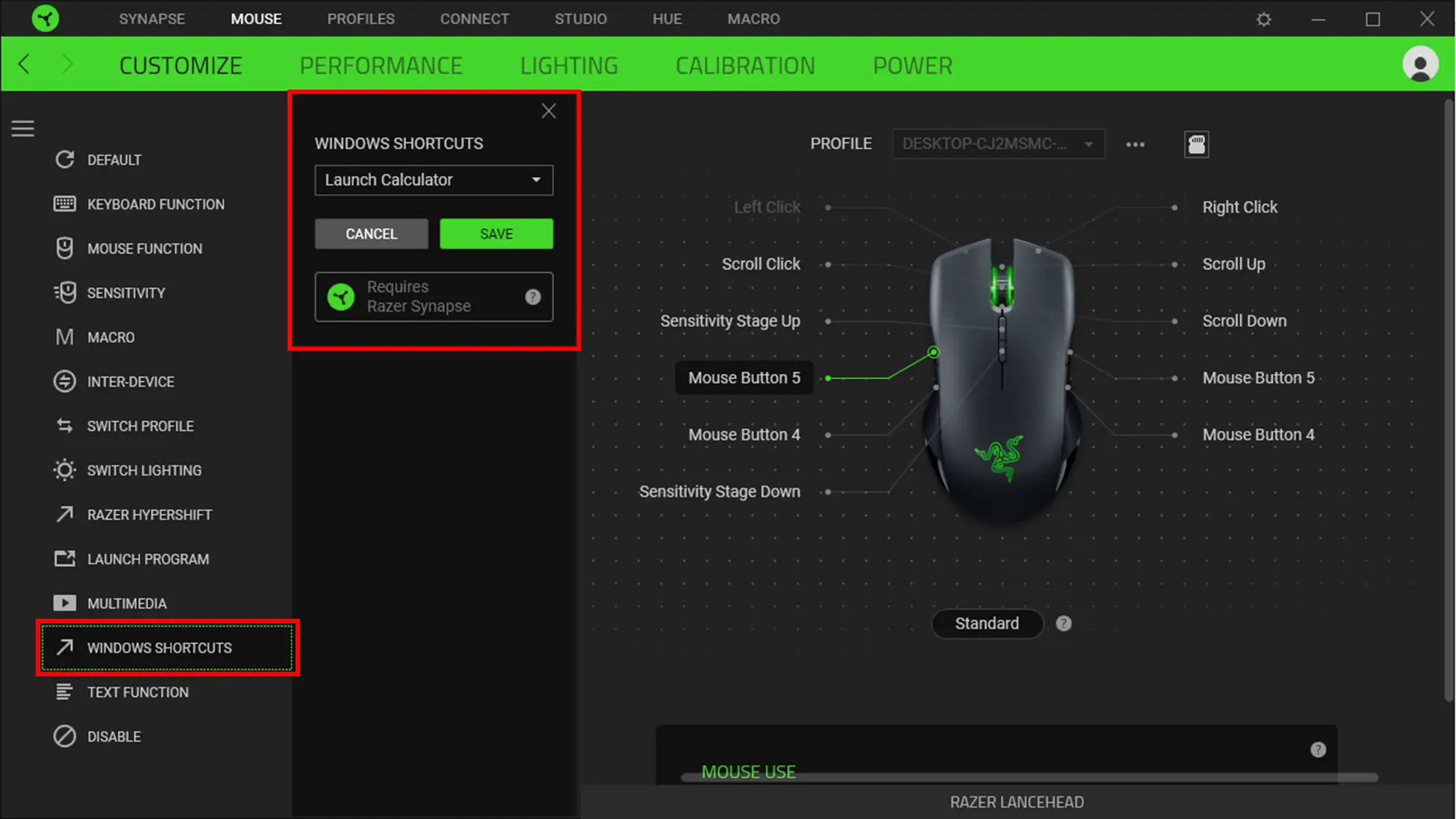
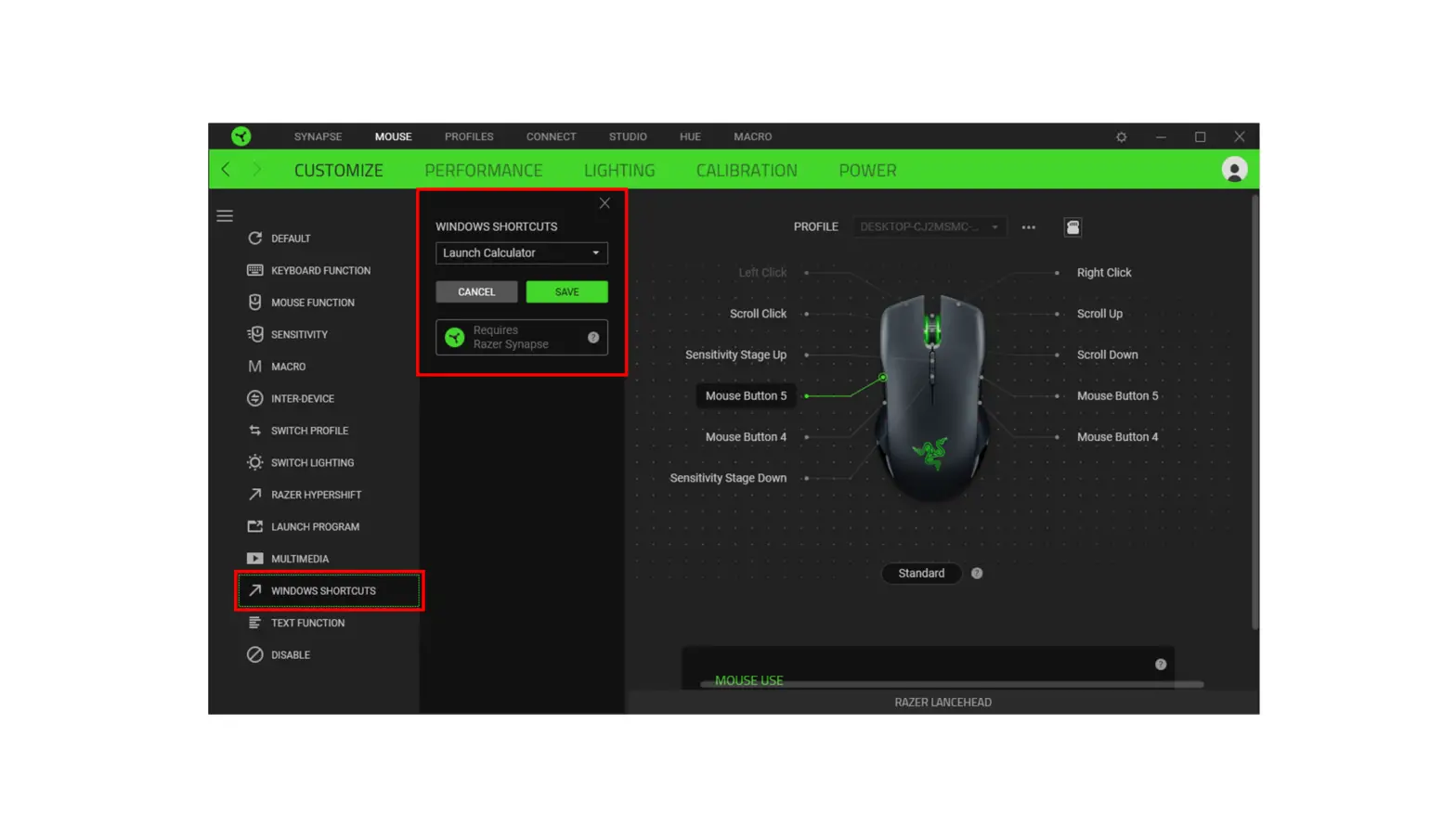
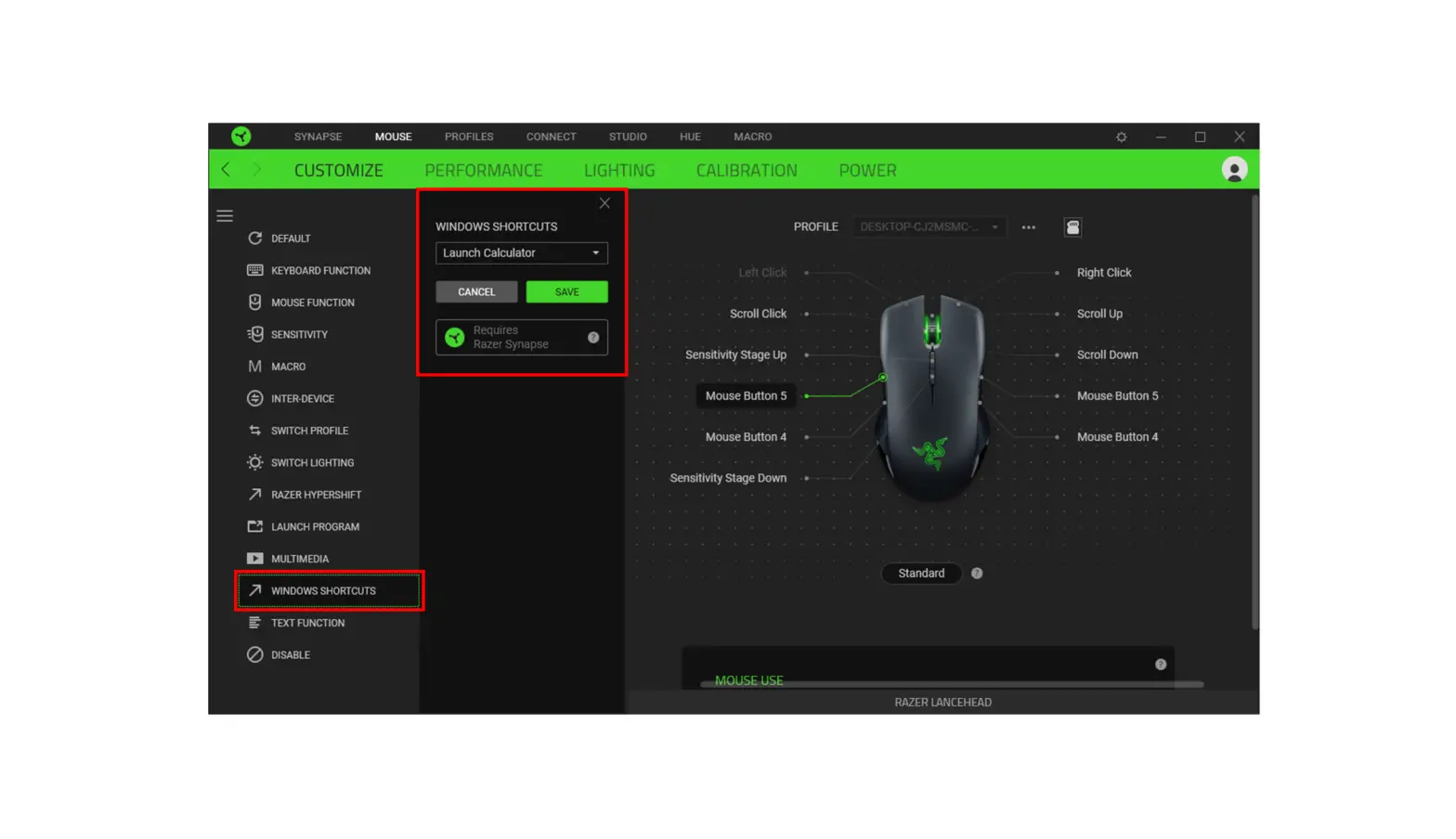
- The customization menu will appear on the left side of the window. Click on “WINDOWS SHORTCUTS”.

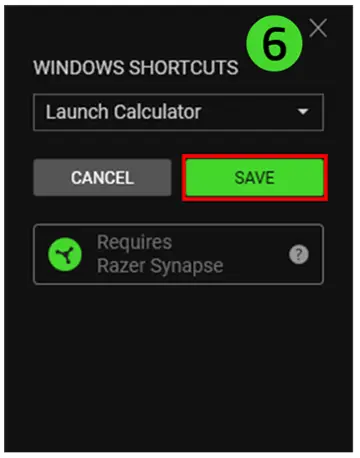
- Open the dropdown menu and select the shortcut you wish to program to your button.

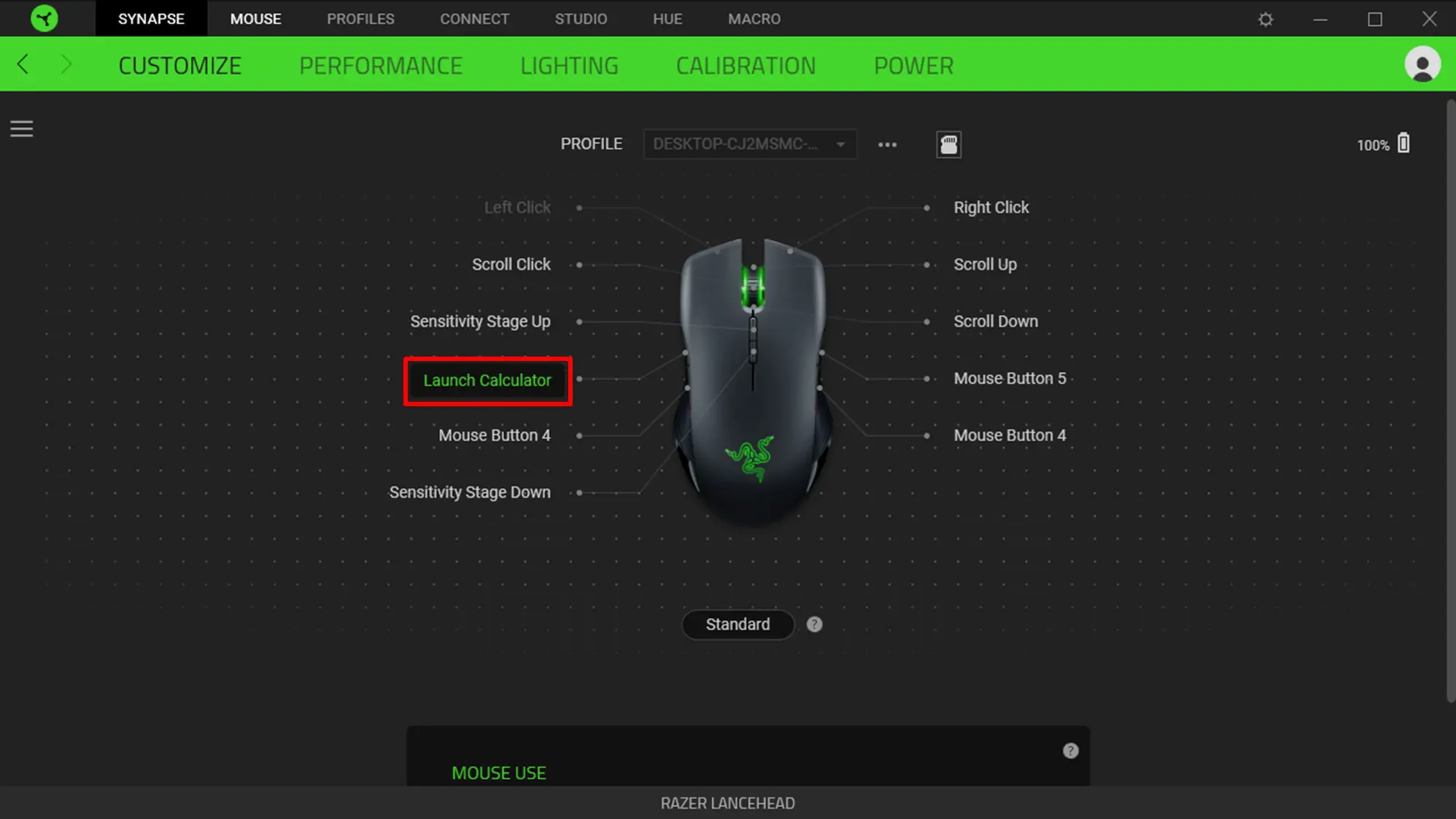
- Click “SAVE” to complete the process. The button will now be named after the shortcut on your device layout.

- The button will now be named after the shortcut on your device layout.