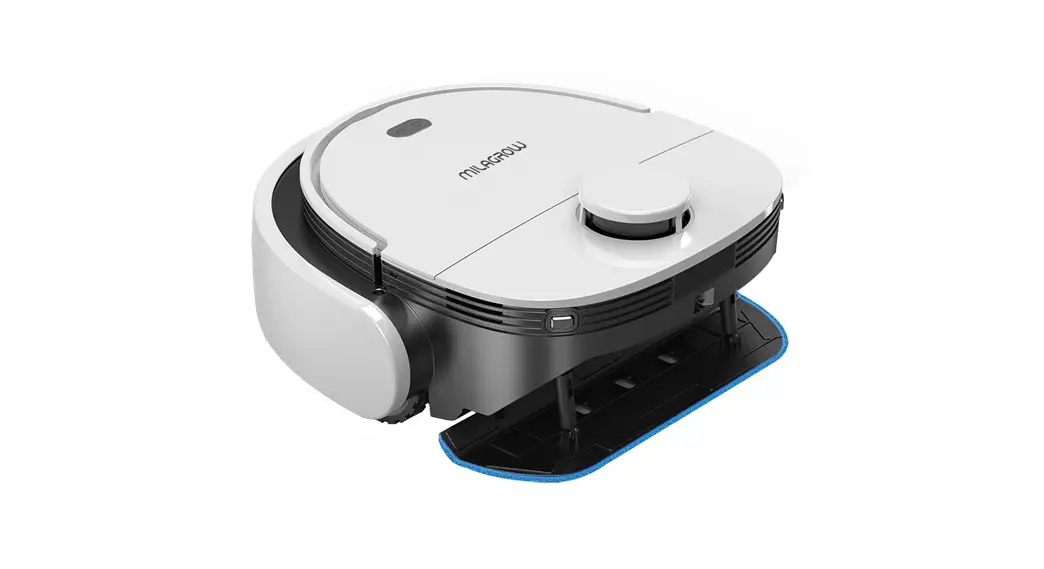

iMap Max Joy
Self Cleaning, Wet & Dry Robotic Vacuum Cleaner
User Manual
 Please read this manual carefully before using this product and keep it properly.
Safety Instruction
Usage Notice
Please follow these basic safety precautions before using the product:
- Read all the instructions in the manual carefully and follow the instructions to use the product.
- Keep the manuals in a safe place so that you can check them later.
- If you need to transfer the product to a third party, please attach the manuals along with the product.
- Any operation that does not conform to instructions of the manual may result in serious personal injury or damage to the product itself.
About Product Safety Precautions
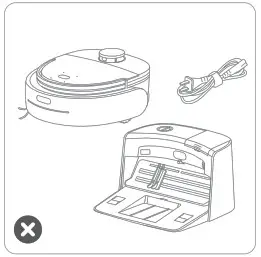 |  This product can only be used with the power cable and wash base delivered. Failure to do so may result in damage to the product, electric shock, or fire caused by high voltage. If the machine, wash base and accessories of this product are found to be damaged, please do not use this product and contact our customer service department. This product can only be used with the power cable and wash base delivered. Failure to do so may result in damage to the product, electric shock, or fire caused by high voltage. If the machine, wash base and accessories of this product are found to be damaged, please do not use this product and contact our customer service department. |
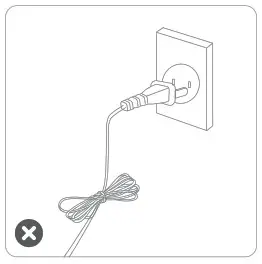 | Please unplug the power before maintenance. Do not touch the power plug or product when your hands are wet, or this may result in electric shock. If the power cable is damaged, it must be replaced to avoid danger. |
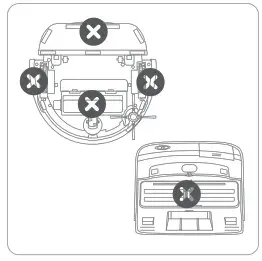 | Do not allow clothing or any part of your body (hair, fingers, etc.) to get caught in the middle brush or wheel of the machine, the mopping board leverage area, or the wash base scraper area, or this may result in personal injury. |
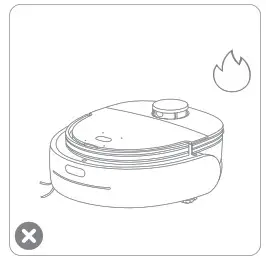 | Do not place the product near fire or near flammable, explosive, or corrosive materials. If the manuals is missing, please contact your local dealer or call the customer service hotline for an electronic version manuals. |
Precautions
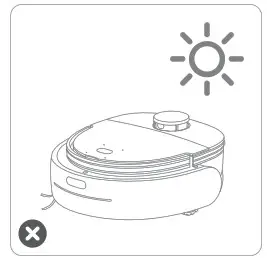 | This product can only be used indoors. | 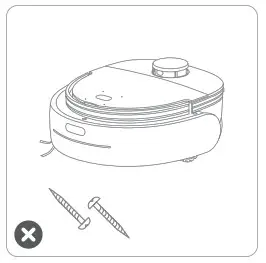 | Do not use to vacuum sharp objects, such as glass sheets, nails, etc., in case to avoid damage to the product. |
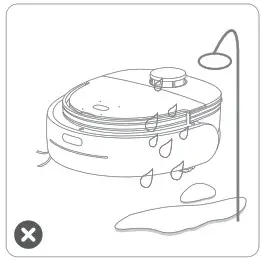 | Do not use the product in a damp or flammable, explosive, corrosive environment. | 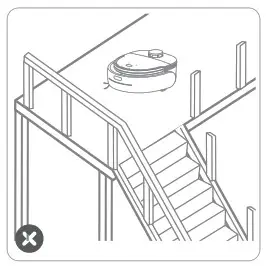 | Please avoid using the product in a suspended environment without a protective fence, in case to prevent the machine from in case accidentally falling and causing personal injury. |
 | Please unplug the power adapter when the machine is left unused for a long time. | 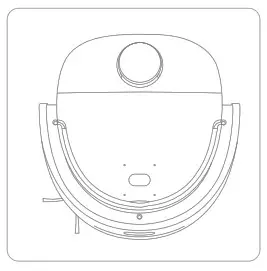 | Please turn o the power when the machine will not be used for a long time, in case to avoid damage to the battery. Please use manufacturer’s original battery. |
About Child Safety

Children under the age of 8 are not allowed to operate this product. Persons with physical, sensory, intellectual disabilities or lack of relevant experience and knowledge cannot clean or repair the product without any care or instructions or being unfamiliar with the hazard. Children are not allowed to play the packaging bags, or it may cause suocation.
About Battery

- This product is limited to the manufacturer’s battery.
- The battery must be removed when the machine is discarded.
- If you need to replace the battery, please contact our customer service department. If you replace the battery with the wrong model, it may cause a safety accident.
- If the battery leaks, be careful not to let the liquid stick to the skin or clothing. If so, please wipe it with a dry cloth immediately and send it to the recycling site or designated maintenance point.
- Please dispose of the old battery of the product properly. The battery contains hazardous substances that are harmful to the environment. Please follow local environmental regulations and place it at the designated recycling site.
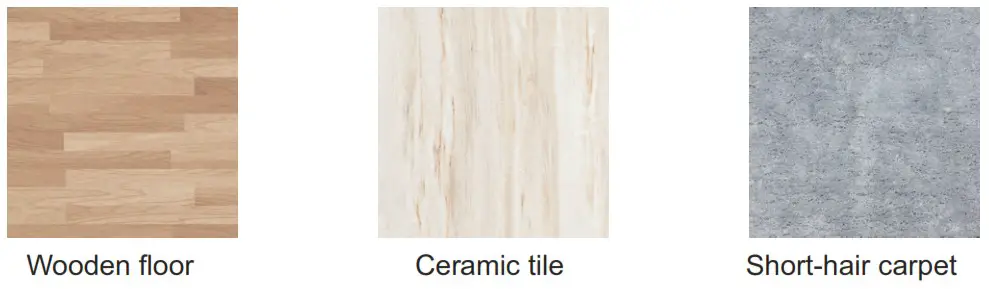
Ground Material for Product Cleaning
The product is designed for :
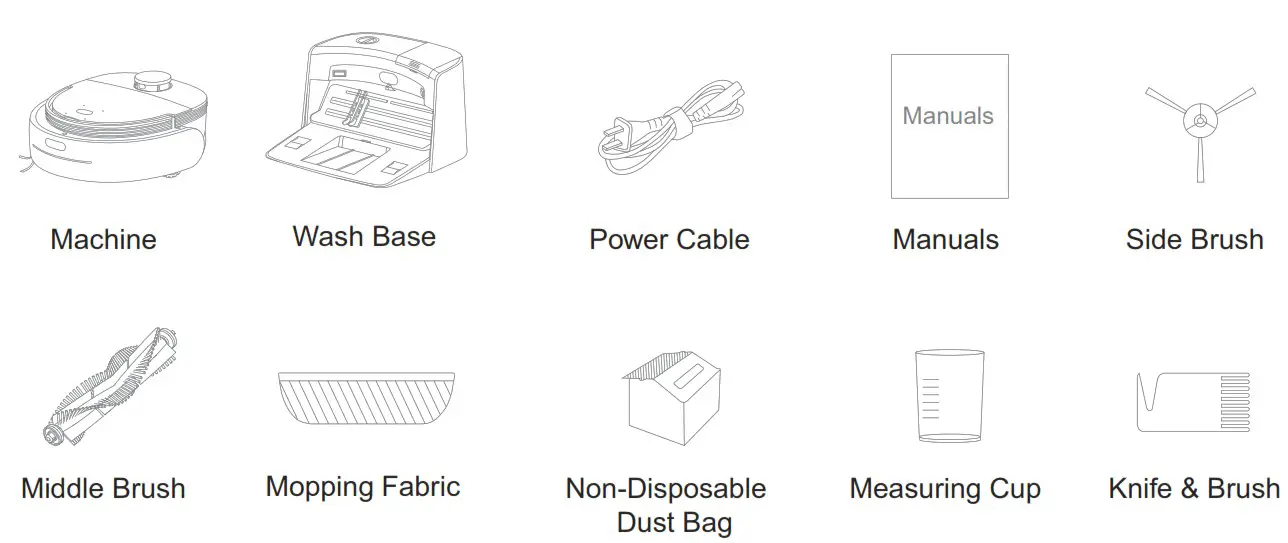
Packing Composition
Product and Accessories
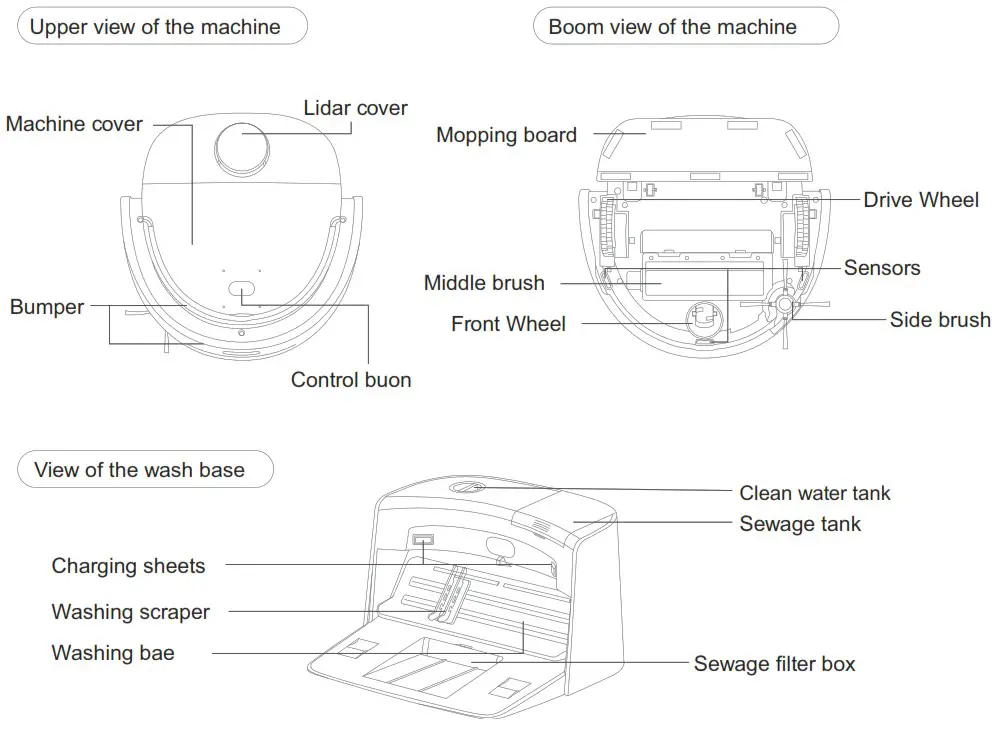
Product View
 Installation
 Installation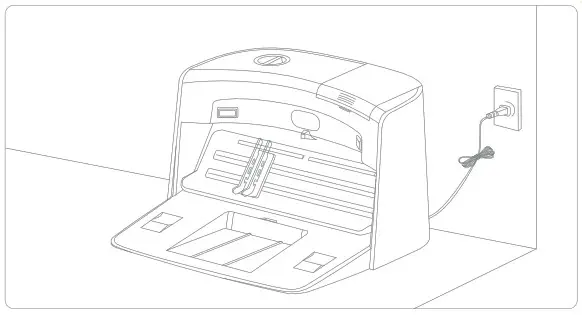
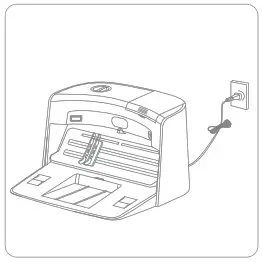
- Please place the wash base on a flat floor against the wall. Before placing the wash base, please clean dust and other debris on the ground in the placing area. Press firmly on the wash base to make it aached to the ground and connect the power cable.To connect the power cable to power port of the wash base after plugging the same in power.
Note: The wash base should not be placed on the carpet. It is recommended to place it in a fixed position. Do not manually move the wash base during the cleaning process. Otherwise, the machine will not be able to find and return to the wash base .
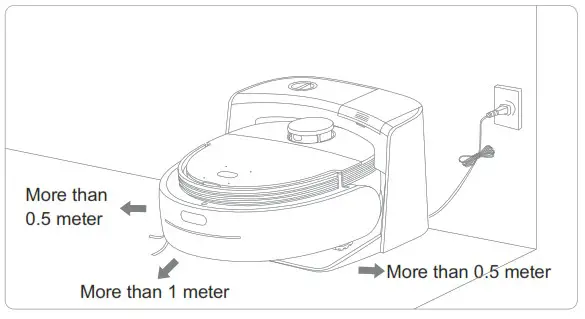
- Place the wash base on a flat floor against the wall. There should be no obstacle in the area of 1 meter in front of the base and 0.5 meter in both left and right sides, which may prevent the machine from returning to the wash base.
- Connect the power cable to the wash base. Please bundle up cable which may entangle machine during its work.
Usage Instruction
Manual Operating
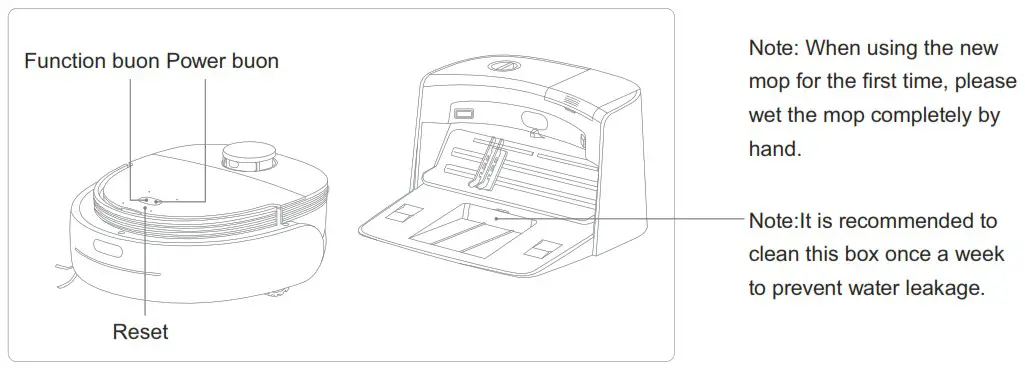
Standby
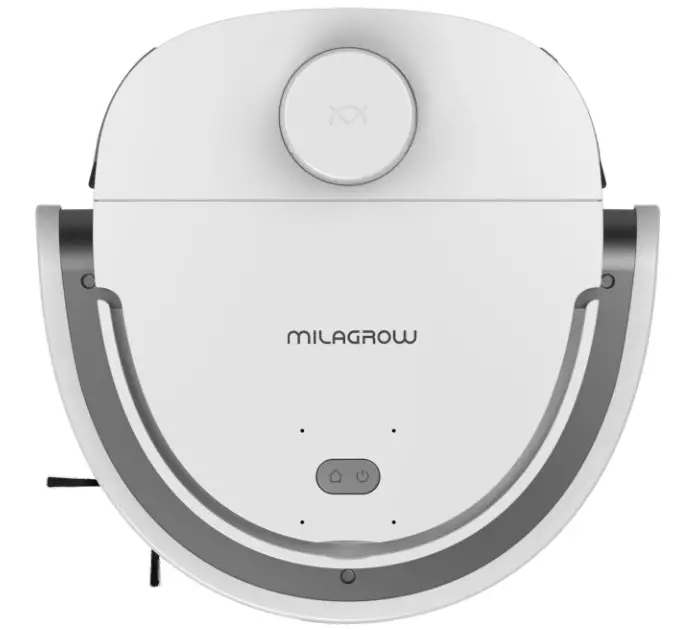
Press and hold the power button for 3 seconds until the light belt is on, the machine enters the standby status.
Automatic Charging
When the machine is in standby status, press the function button once to enter charging mode.
Shut Down
Press and hold the power button for 3 seconds to shutdown normally, or press and hold the power button for 15 seconds to forced shutdown.
Automatic Cleaning
When the machine is in standby state, press the power button once and the machine will start to clean automatically.
Cleaning on specific point
Press and hold the function button for 3 seconds to enter cleaning on specific point mode in-situ.
Forced Power Cut
Stab the reset hole for 3 seconds to cut power.
Tips: The product is self-routed during its work . If it is moved manually, the machine will reset route and re-clean the cleaned area. To ensure work Efficiency, please do not move the machine.
This product may have a short stay during work, trying to traversing uncovered area or to reset route. Please wait patiently. How often it stops or how long it stays depends on complexity of actual home environment.
Charging
Charging Manually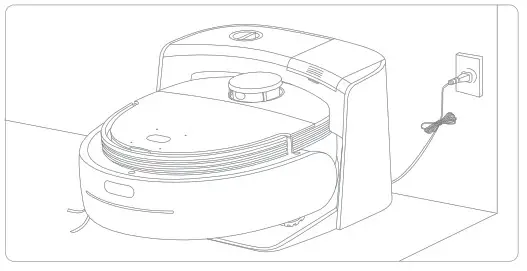
- Charging by using the wash base: Connect the power cable to the wash base firstly, and place the machine on the wash base for charging (the light is orange during charging).

- Charging by using APP Firstly connect the machine to the app, then tap “back to charge” button. The machine will automatically find the wash base for charging within valid range.
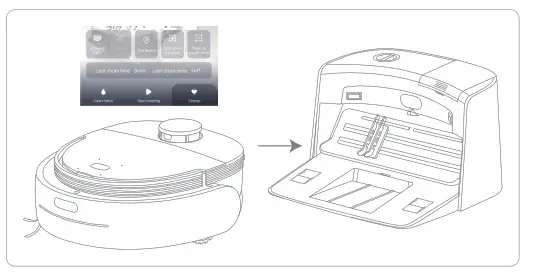
Notes:
- If the machine stops working and stay away from the wash base for more than 10 minutes, it will automatically enter sleep mode.
- When the battery is lower than 5%, the machine will automatically shut down.
Charging Automatically
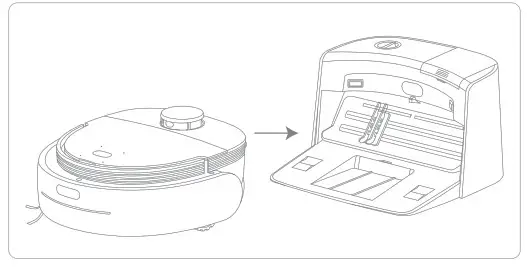
Automatic charging:
When the battery is lower than 15%, the machine will automatically return for charging during its work and continue working after the battery is charged to 80%.
APP Guidance
Overview
APP is an application developed based on Android or iOS to control added devices. This document mainly guides fresh user to operate the APP, elaborate operation steps and attentions.
APP installation
Device system requirements: Android 6.0/iOS 10+ or above. By scanning the QR code below or searching for “Venii” in Android app market or Apple Store to download and install the APP. APP file name: Venii When installation is completed in due course, you can find the corresponding indicator icon in application list.
 https://play.google.com/store/apps/details?id=com.veniibot https://play.google.com/store/apps/details?id=com.veniibot | 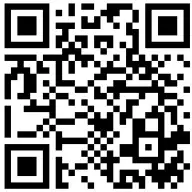 https://apps.apple.com/us/app/venii/id1473011515 https://apps.apple.com/us/app/venii/id1473011515 |
Android/iOS compatible download code.
Connecting WiFi
- To connect WiFi 2.4G ONLY in your home.
- Additional seings requirement for Xiaomi or Huawei brand cell phone after connecting WiFi successfully.
Xiaomi brand: Seings → WLAN Advanced seings → turn o WLAN assistant
Huawei brand: Seings → Wireless & networks → WLAN → seings on the upper right corner → WLAN+ → turn o WLAN+
Add Device
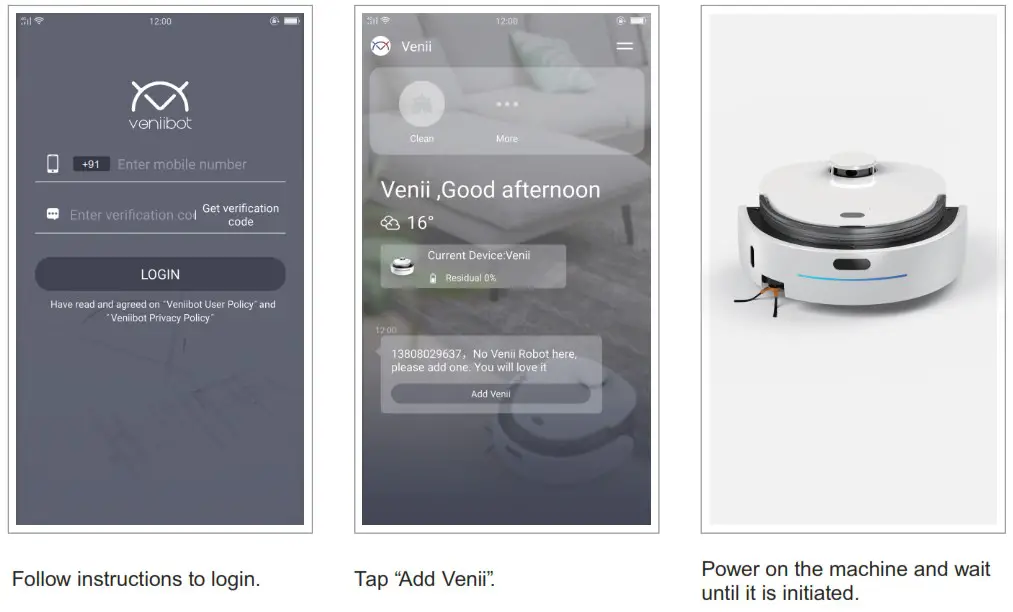
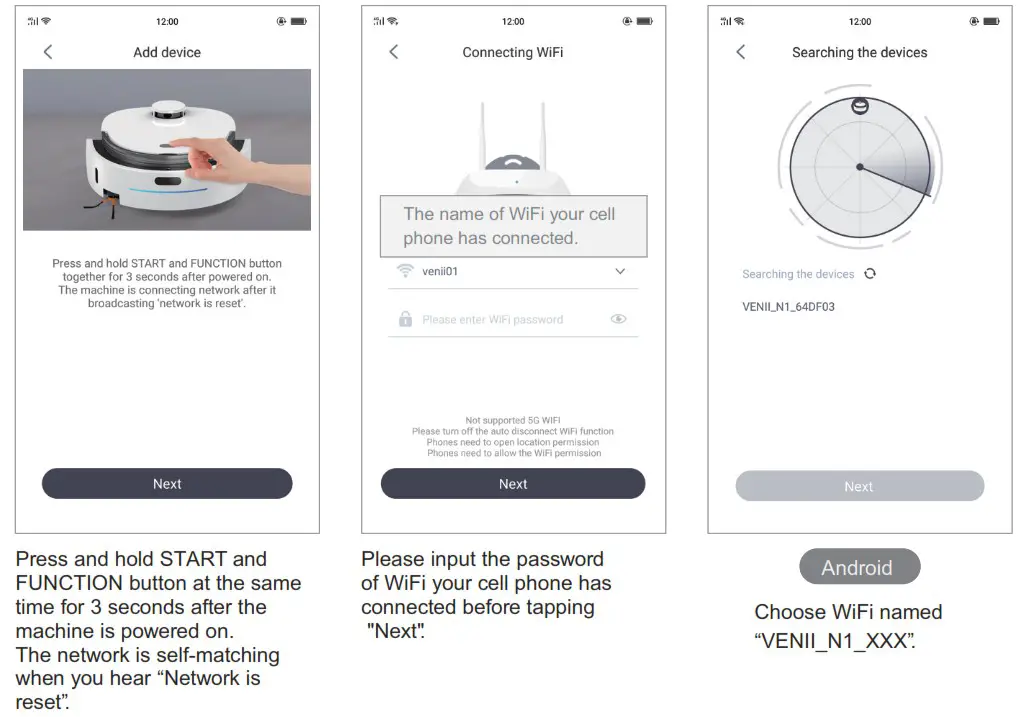
Note to Xiaomi brand cell phone user:
Limited by Xiaomi cell phone system, permission is needed in adding device. Please follow additional instructions below:
Alternative 1: Tap “Allow Once” when dialogue box pops up in the first time, and ignore subsquent popups.
Alternative 2: System seings – Permissions – APP permissions – Venii, to allow WiFi permission.
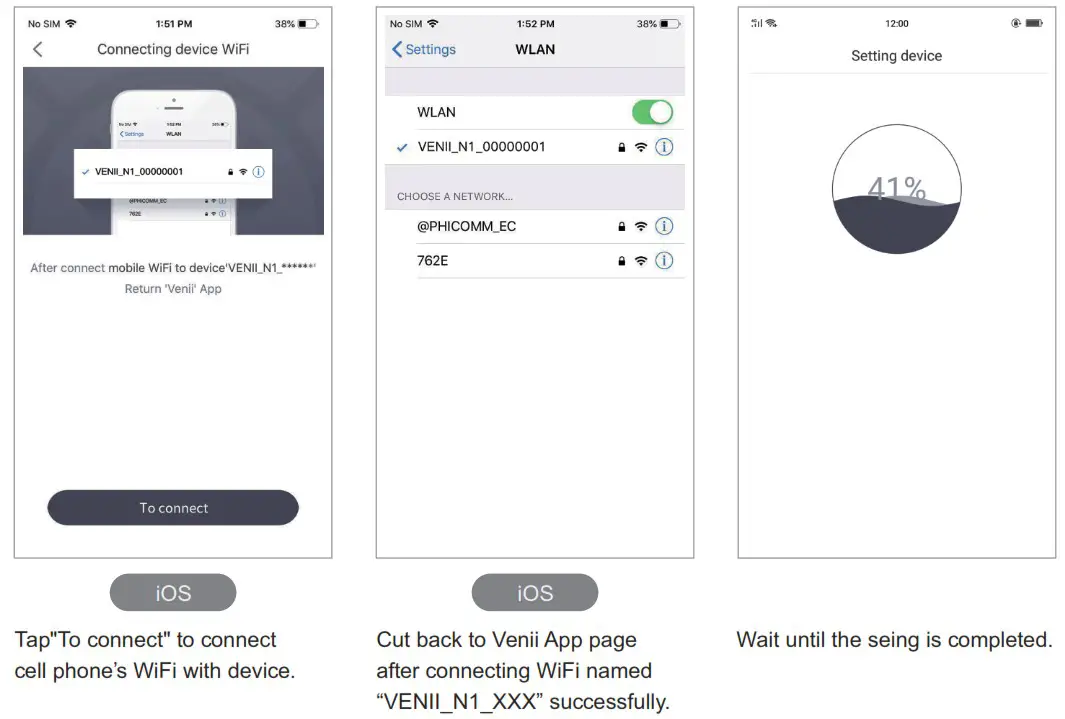
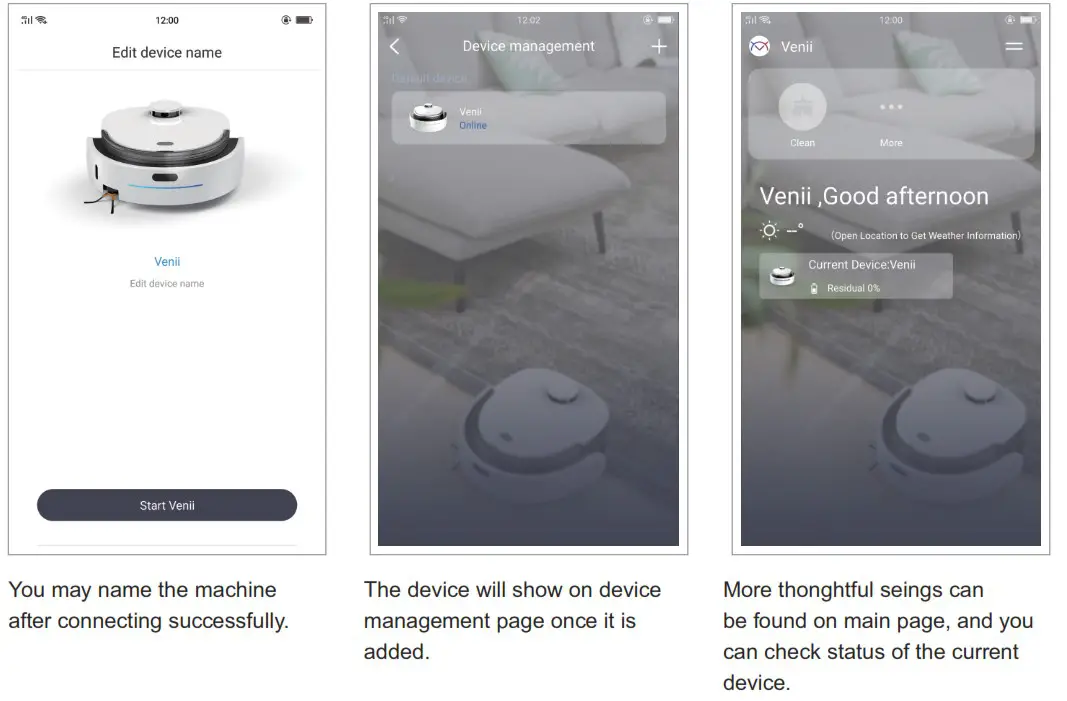 Main Function
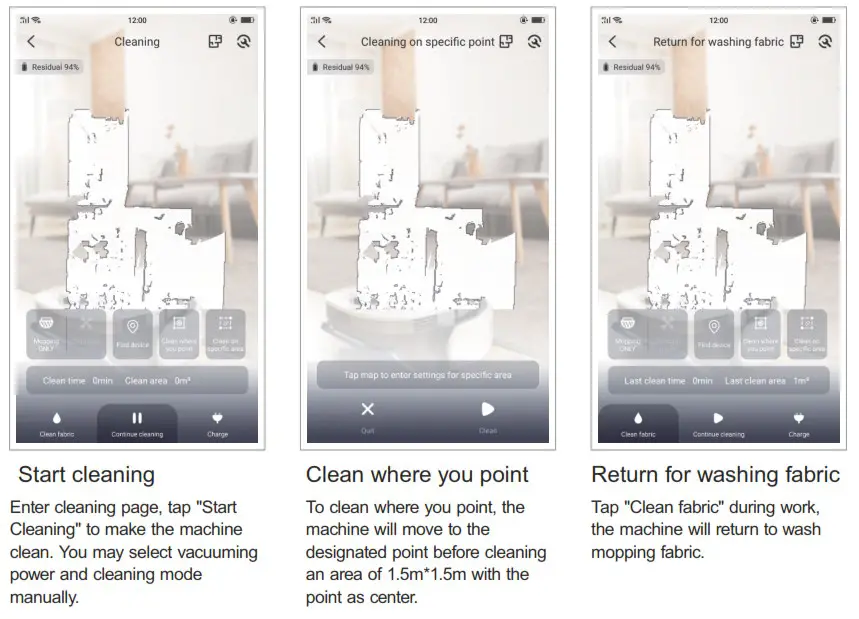
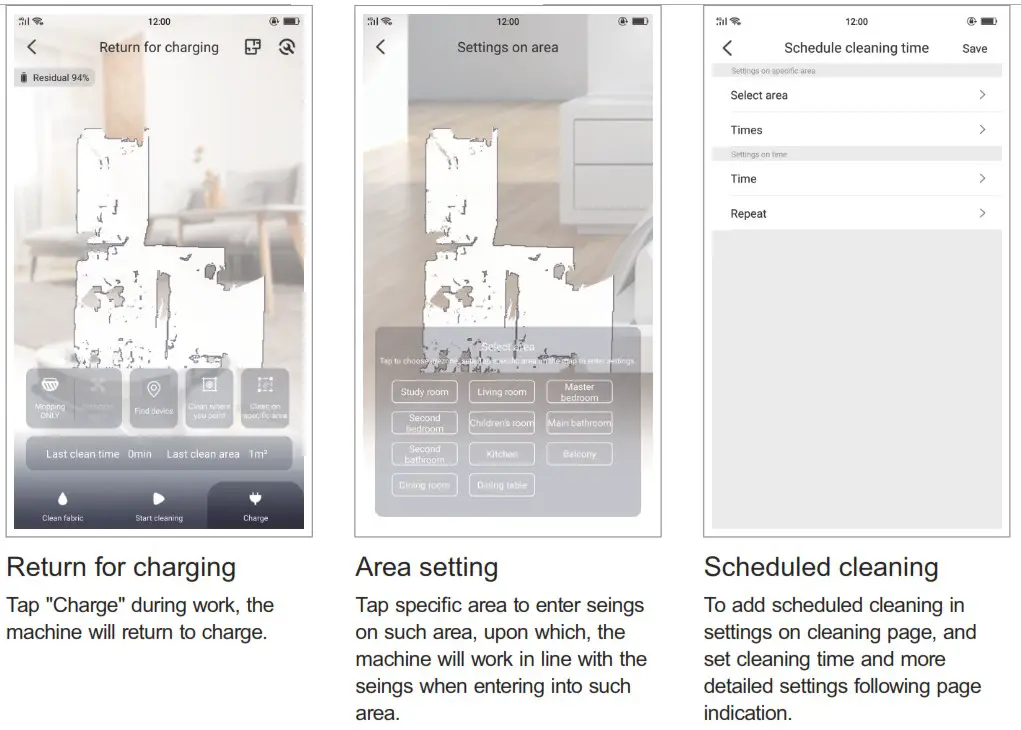
Product Maintenance
Scan QR code to enter Milagrow official website.
Check tutorial videos or download an electronic manuals.
Learn how to maintain the product.
Technical Parameter
| Parameter of the machine | Parameter of the wash base | ||
| Working voltage | 14.4V | Output voltage | 20V |
| Rated power | 55W | Output current | 1800mA |
| Battery type | Lithium battery | Input voltage | 100V-240V – 50/60HZ |
| Charging time | About 4-5 hours | Working temperature range | 0ºC-40ºC |
| Working time | 90-120 minutes | Working humidity range | 59ORH |
| Working temperature range | 0ºC-40ºC | Weight | 3.5kg |
| Working humidity range | ≤9ORH | Size | 0350mm 360mm 225mm |
| Noise | 60dB | ||
| Weight | Φ3.5kg | ||
| Size | 0350mm 350mm 150mm | ||
Content of Hazardous Substances in the Product
| Part name | Hazardous Substance | |||||
| Plumbum (Pb) | Hydrargyrum (Hg) | Cadmium (Cd) | Hexavalent chromium (CM) | Polybrominated biphenyls PBB | Polybrominated diphenyl ether PBDE | |
| Outer casing component |  | | | | | |
| Internal plastic parts | | | | | | |
| Metal parts | X | | | | | |
| Electrical components and control components | X | | X | | | |
| Rechargeable Battery | | | | | | |
This form is prepared in accordance with the provisions of SJ/11364
O: Indicates that the content of the hazardous substance in all homogeneous materials of the part is below the limit requirement specified in GB/T26572.
×: Indicates that the content of the hazardous substance in at least one of the uniform materials of the part exceeds the limit requirement specified in GB/T26572. (All parts marked “×” in the table are in compliance with the EU ROHS Directive, or the hazardous substances cannot be replaced due to global technological development limits).
 The rechargeable battery used with the product has an environmentally friendly use period of 5 years.
Warranty Card
| Username | ||
| Address | ||
| Telephone number | ||
| Postal code | ||
| Product model | ||
| Purchase date | ||
| Invoice number | ||
| Warranty date | ||
| Date | Repairman | Repair records |
Product Warranty Description:
- There isn’t man-made damage and the packaging, products and all accessories (including gifts) are complete, the user can apply for refund or replacement within 7 days from the date of purchase. We supply free maintenance within 1 year from purchase date without man-made damage.
- Users can learn about technical solutions through the product instruction or after-sales service hotline: +91-9953476189
- When the user has performance failure during normal use, our company provides free maintenance service. In addition, if the national applicable laws and regulations clearly stipulate, our company will comply with relevant laws and regulations.
*We provide filter element valve for free during the warranty period, and recommend to replace it once every 3 months. - Paid repair services will be implemented in the following cases:
- Cannot provide valid warranty certificate, such as purchase certificate or product warranty card, the model in the certificate does not match the product, or maliciously damage the warranty card content and product information.
- Damage caused by improper use, maintenance or storage by the user, or dismantle or repair by the person without authorization from our company.
- Damage caused by natural disasters or irresistible factors.
- Failure to use, maintain and adjust according to the requirements of the product manual; for example, faulty operation, entering liquid, improper insertion, scratching, transporting, bumping, use of non-standard adapters, etc.
- Other product failures and damages caused by problems other than the design, manufacture, and quality of the product itself.
- The warranty card is an important certificate for the user to enjoy the warranty service. The user should keep it in a safe place. If it is lost, please call the company’s after-sales service hotline to reapply.
- After the user enjoys the warranty service, our company will record and update the warranty card held by the user. The original is kept by the user, and our company hold the copy which is consistent with the original.
Tips: Should you have any functional or quality issues during your use of this product, or any comments or suggestions on this product, please contact customer service hotline: +91-9953476189. We are happy to service you at best.