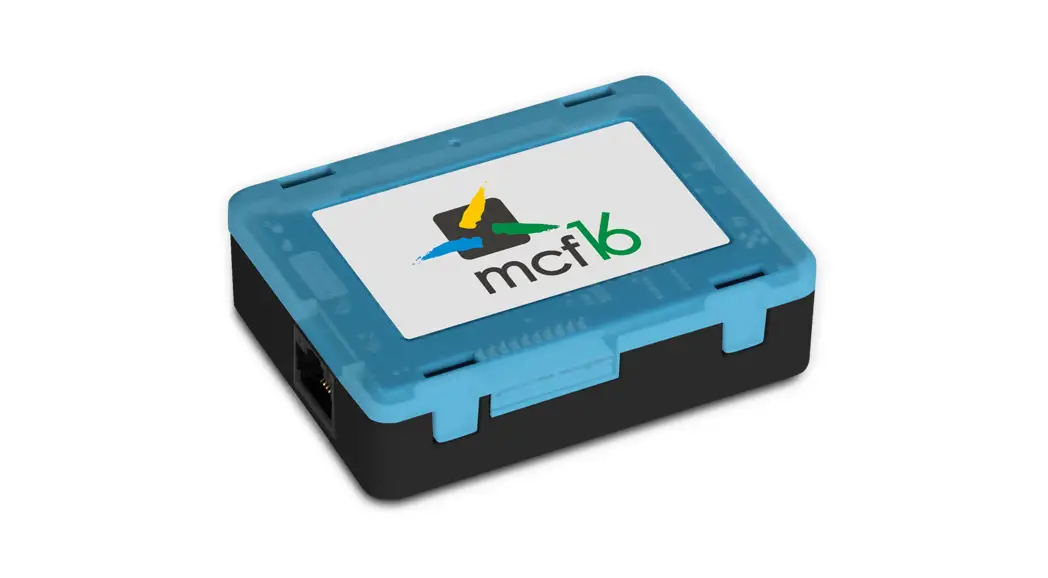
IXW-MAA Multi Purpose Adaptor
Product Information:
The IXW-MAA is a multi-purpose adaptor designed for use with the
IX Series. It features ten programmable Form C relay outputs and
four inputs. The relay outputs can be associated with specific
stations for door release or status outputs, while the inputs can
be configured to send commands to stations. The adaptor offers two
mounting options: it can be secured to a flat surface using screws
and provided mounting points, or mounted to a 170mm DIN rail using
the DIN rail mount on the back of the IXW-MAA. The product is
powered by 802.3af PoE and has a power draw of 4.48 Watts (Max). It
supports Form C 24V AC/DC @ 500mA contact rating and features
Ethernet (10BASE-T, 100BASE-TX) LAN connectivity.
Product Usage Instructions:
- Mounting: The IXW-MAA can be mounted in two ways:
- Secured to a flat surface using screws and the provided
mounting points. - Mounted to a 170mm DIN rail using the DIN rail mount on the
back of the adaptor.
- Secured to a flat surface using screws and the provided
- Wiring: Use the following wiring diagram for access control:
- Connect the input device using a 2-conductor wire.
- Connect the PoE switch using Cat 5e/6 cable.
- For dry relay output, use a 2-conductor wire.
- Follow the specifications:
- Power Source: The IXW-MAA is powered by 802.3af PoE.
- Power Draw: The maximum power draw is 4.48 Watts.
- Dry Relay Output: The contact rating is 24V AC/DC @ 500mA.
- LAN: The adaptor supports Ethernet (10BASE-T, 100BASE-TX)
connectivity. - Operating Temp: The recommended operating temperature range is
not specified. - Dimensions: The dimensions of the IXW-MAA are not
provided.
For more details about the features and information above,
please contact Technical Support at Aiphone Corporation. Visit
their website at www.aiphone.com or call (800)
692-0200.
IXW-MAA
INSTALLATION MANUAL
The IXW-MAA is a multi-purpose adaptor for the IX Series. The adaptor features ten programmable Form C relay outputs and four inputs. The relays can be associated with particular stations for door release or status outputs, and the inputs can be configured to send commands to stations.
1
2
5
5
3
6
7
4
Names and Functions
1. Contact outputs 2. Reset button 3. Contact inputs 4. LAN/PoE connection 5. Mounting point 6. DIN Rail mount (on back of adaptor) 7. Status indicators
Mounting The IXW-MAA offers two mounting options:
1. Secured to a flat surface using screws and provided mounting points.
2. Mounted to a 170mm DIN rail using the DIN rail mount on the back of the IXW-MAA.
Features
· 10 programmable relay outputs (Form C)
· 4 programmable contact inputs (Form C)
· 802.3af PoE
Package Contents · IXW-MAA multi-purpose adaptor · Installation Manual · Programming Guide
06/23
1
Wiring Diagram Access Control Access Control
2-conductor wire
2-conductor wire
2-conductor wire Input Device
Cat 5e/6
PoE Switch
Specifications
Power Source: Power Draw: Dry Relay Output: Contact Rating: LAN:
Protocols: Port Security: Operating Temp: Dimensions:
802.3af PoE 4.48 Watts (Max) Form C 24V AC/DC @ 500mA Ethernet (10BASE-T, 100BASE-TX)
IPv4, IPv6, TCP, UDP, HTTP, HTTPS, SMTP, SFTP, DHCP, NTP, DNS IEEE 802.1X 14° ~ 122°F / -10° ~ 50°C 4-1/4″ H x 8-1/4″ W x 2-3/8″ D
FCC WARNING:
This device complies with part 15 of the FCC Rules. Operation is subject to the following two conditions: (1) This device may not cause harmful interference (2) this device must accept any interference received, including interference that may cause undesired operation. NOTE: This equipment has been tested and found to comply with the limits for a Class B digital device, pursuant to part 15 of the FCC Rules. These limits are designed to provide reasonable protection against harmful interference in a residential installation. This equipment generates, uses and can radiate radio frequency energy and, if not installed and used in accordance with the instructions, may cause harmful interference to radio communications. However, there is no guarantee that interference will not occur in a particular installation. If this equipment does cause harmful interference to radio or television reception, which can be determined by turning the equipment off and on, the user is encouraged to try to correct the interference by one or more of the following measures: · Reorient or relocate the receiving antenna. · Increase the separation between the equipment and receiver. · Connect the equipment into an outlet on a circuit different from that to which the receiver is connected. · Consult the dealer or an experienced radio/TV technician for help. FCC CAUTION: Changes or modifications not expressly approved by the party responsible for compliance could void the user’s authority to operate the equipment. INDUSTRY CANADA CAN ICES-3 (B)/NMB-3(B)
For more details about the features and information above, please contact Technical Support.
Aiphone Corporation | www.aiphone.com | (800) 692-0200
06/23
2
 Home - Aiphone