
User Guide
TL-POE200
Power over Ethernet Adapter Kit
Rev:2.0.0
7106503932
COPYRIGHT & TRADEMARKS
Specifications are subject to change without notice. is a registered trademark of TP-LINK TECHNOLOGIES CO., LTD. Other brands and product names are trademarks or registered trademarks of their respective holders.
No part of the specifications may be reproduced in any form or by any means or used to make any derivative such as translation, transformation, or adaptation without permission from TP-LINK TECHNOLOGIES CO., LTD. Copyright © 2012 TP-LINK TECHNOLOGIES CO., LTD. All rights reserved.
http://www.tp-link.com
FCC STATEMENT

This equipment has been tested and found to comply with the limits for a Class B digital device, pursuant to part 15 of the FCC Rules. These limits are designed to provide reasonable protection against harmful interference in a residential installation. This equipment generates, uses and can radiate radio frequency energy and, if not installed and used in accordance with the instructions, may cause harmful interference to radio communications. However, there is no guarantee that interference will not occur in a particular installation. If this equipment does cause harmful interference to radio or television reception, which can be determined by turning the equipment off and on, the user is encouraged to try to correct the interference by one or more of the following measures:
- Reorient or relocate the receiving antenna.
- Increase the separation between the equipment and receiver.
- Connect the equipment into an outlet on a circuit different from that to which the receiver is connected.
- Consult the dealer or an experienced radio/ TV technician for help.
This device complies with part 15 of the FCC Rules. Operation is subject to the following two conditions:
- This device may not cause harmful interference.
- This device must accept any interference received, including interference that may cause undesired operation.
Any changes or modifications not expressly approved by the party responsible for compliance could void the user’s authority to operate the equipment.
 CE Mark Warning
This is a class B product. In a domestic environment, this product may cause radio interference, in which case the user may be required to take adequate measures.
 SAFETY NOTICES
- Do not use this product near water, for example, in a wet basement or near a swimming pool.
- Avoid using this product during an electrical storm. There may be a remote risk of electric shock from lightning.
Package Contents
The following items should be found in your package.
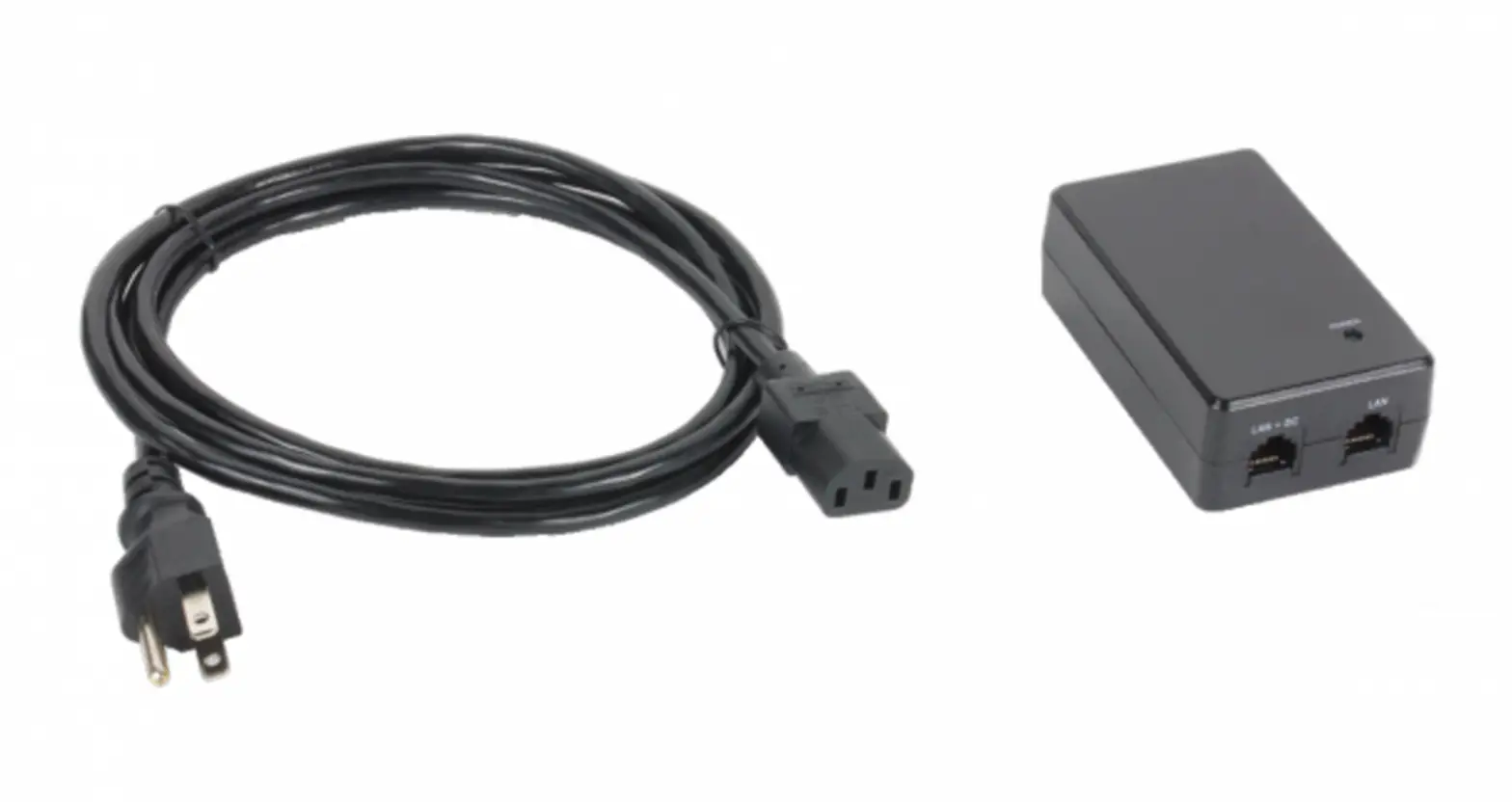
- TL-POE200 Power over Ethernet Adapter Kit
- Ethernet (CAT5 UTP) Cable
- Female-to-Female Power Connector
- 48V DC Power Adapter
- This User Guide
 Note:
Note:
Make sure that the package contains the above items. If any of the listed items are damaged or missing, please contact your distributor.
Chapter 1 Introduction
1.1 Overview of the Product
Thank you for choosing the TL-POE200 Power over Ethernet Adapter Kit comprised of the Injector and Splitter. The Injector sends power and data over the Ethernet cable to the Splitter. Then the Splitter separates the data and power back into two cables and delivers them to the remotely located access point or other network device that requires a 5/9/12-volt power input.
PoE (Power over Ethernet) technology allows the existing Ethernet infrastructure to transmit electrical power, along with data, to remote IP endpoints over the Ethernet cables, which can greatly save the cost of the external power cables. Your network can benefit from PoE technology for it will ensure the normal working status of your network while keeping the existing Ethernet infrastructure secure.
1.2 Features
- Complies with IEEE 802.3, IEEE 802.3u standards
- Transmits electrical power along with data in one single cable
- Supports optional 5V DC , 9V DC or 12V DC power supply
- Supports Plug-and-Play for the devices, without any configuration
- Elegant appearance with space-saving miniature size
Chapter 2 Identifying External Components
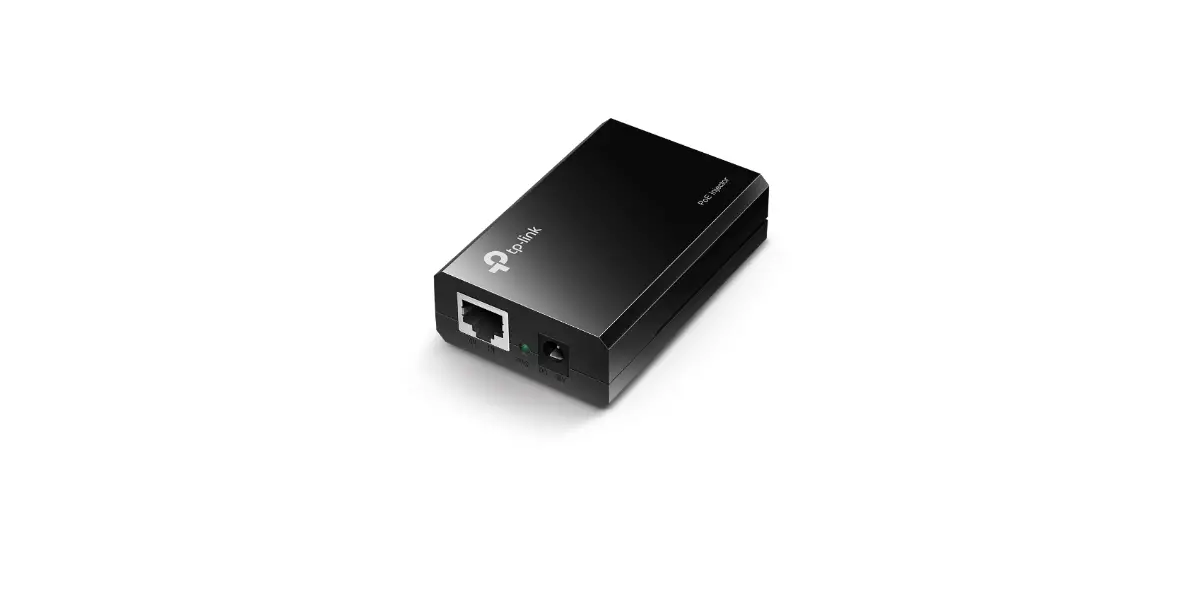
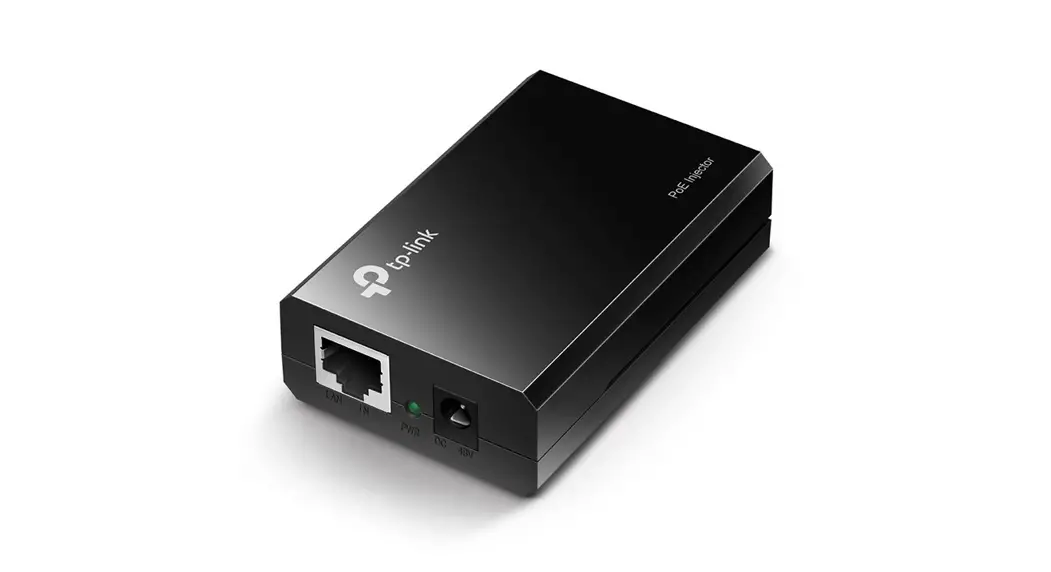
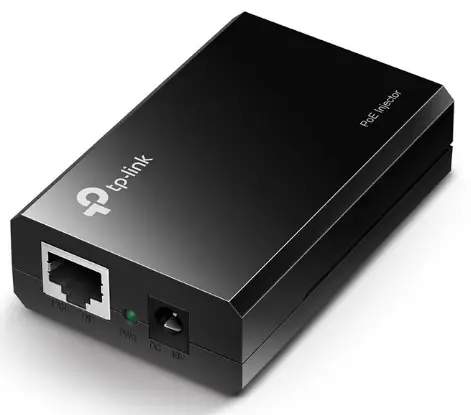
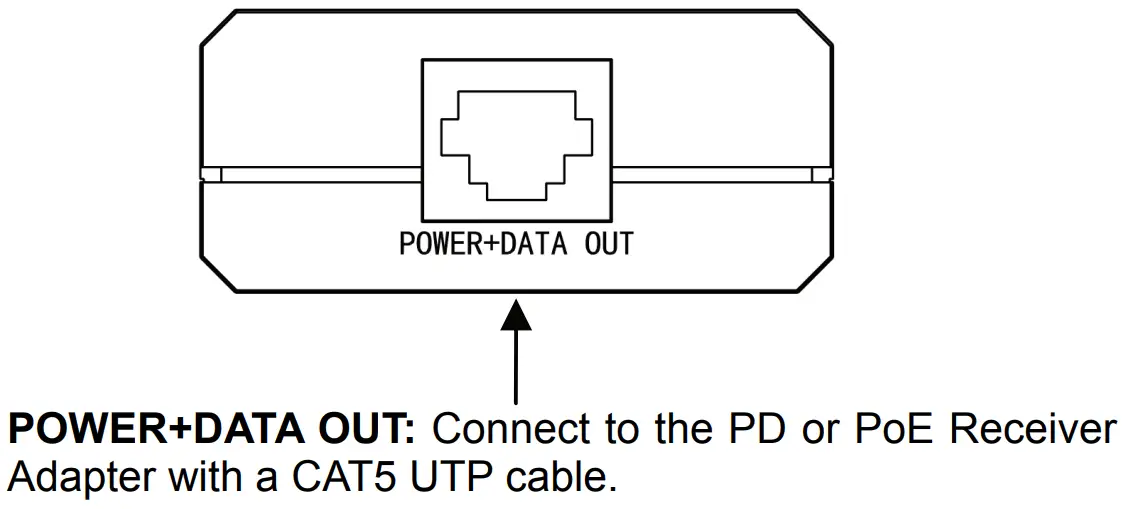
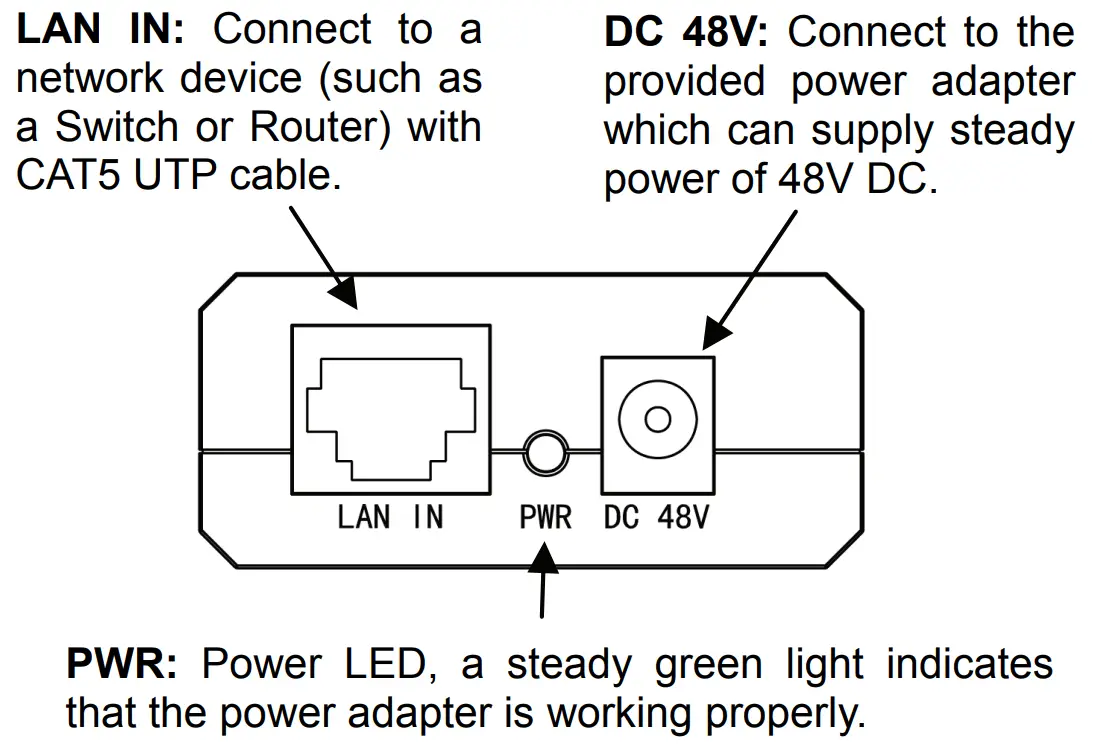
2.1 PoE Injector
2.2 PoE Splitter
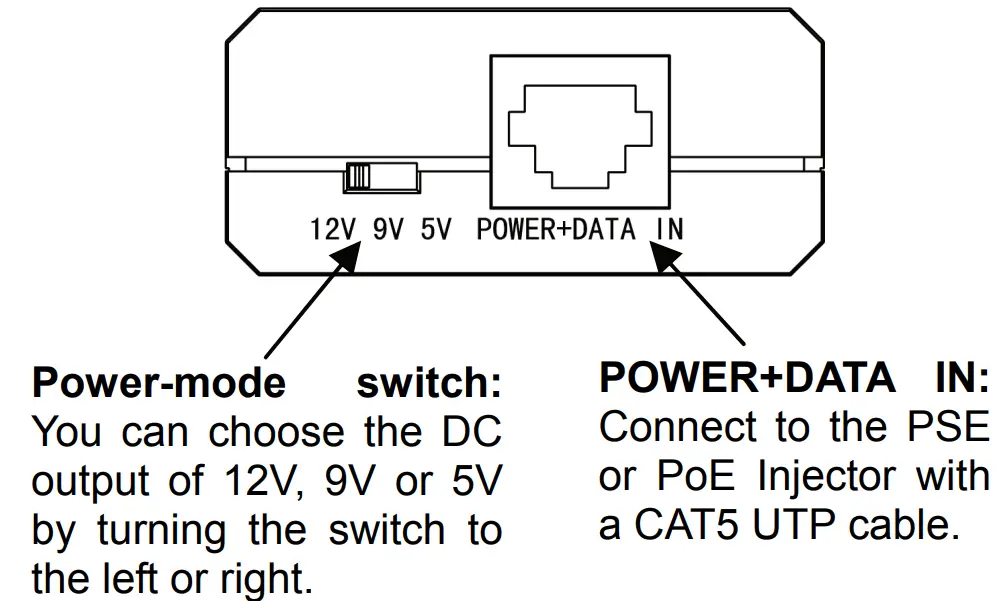
 Please make sure that the output voltage is correct, a wrong voltage may destroy the device which you want to power up.
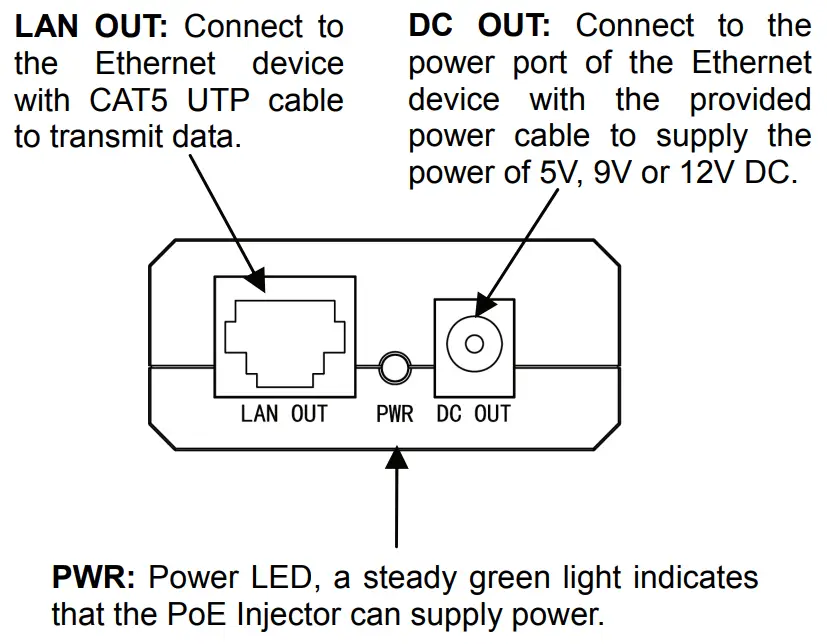
Note:
TL-POE200 Power over Ethernet Kit is not compliant with IEEE 802.3af standard. The TL-POE200A (PoE Injector) and TL-POE200B (PoE Splitter) can only be operated together. Pairing the devices with any other PoE adapter is dangerous.
Chapter 3 Connecting the Power over Ethernet Adapter Kit
This chapter gives instructions on how to connect the Power over Ethernet Adapter Kit. Once connected, the Kit will transmit data and power over the Ethernet network cable to your remotely located network device.
To connect the Power over Ethernet Adapter Kit, please take the following steps.
Step 1: Insert one end of a Cat 5 Ethernet RJ45 Cable into the LAN IN port of the PoE Injector, and connect the other end of the cable to your network Switch or PC.
Note:
Do not mistake the LAN IN port with the POWER+DATA OUT port. Plugging the Ethernet cable into the wrong Ethernet port may cause serious damage to your network devices.
Step 2: Plug one end of the Power Adapter into the DC 48V
port of the PoE Injector and the other end into your
electrical outlet. The green PWR LED on the PoE
Injector should light up.
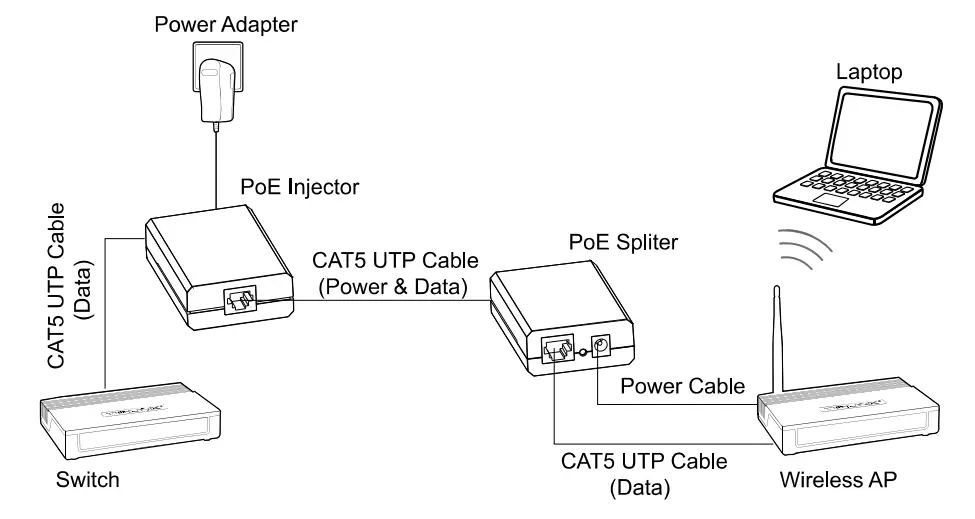
Step 3: Connect another Cat 5 Ethernet RJ45 Cable from the PoE Injector’s POWER+DATA OUT port to the POWER+DATA IN port of the Splitter.
Step 4: Insert one end of the DC Power Cable that is provided into the DC OUT port of the Splitter, and the other end into the corresponding DC port of the Network Device. The PWR LED on the Splitter should light up.
Step 5: Connect the provided Cat 5 Ethernet RJ45 Cable from the LAN OUT port of the Splitter to the RJ45 LAN port of the Network Device.
Note:
Please make sure that the output voltage is correct, as a wrong voltage may destroy the device.
At this point, your Network Device should have power and data, and function normally as shown in the figure below.
 Appendix: Specifications
 Appendix: Specifications
| Normal | ||
| Standards | IEEE 802.3, IEEE 802.3u, CSMA/CD, TCP/IP | |
| Voltage Output | DC 5V, 9V or 12V | |
| Output | Power | 12V/1 A, 9V/1 A, 5V/2A |
| Ports | TL-POE200A | 1 10/100Mbps Auto-Negotiation RJ45 LAN port 1 10/100Mbps Auto-Negotiation RJ45 PoE port 1 48VDC Power Input Port |
| TL-POE200B | 1 10/100Mbps Auto-Negotiation RJ45 LAN port 1 10/100Mbps Auto-Negotiation RJ45 PoE port 1 12/9/5V DC Power Output Port | |
| Cabling Type | RJ45 CATS UTP cable | |
| LED | PWR | |
| Safety & Emissions | FCC, CE | |
| Environmental and Physical | |
| Operating Temp | 0’C∼40°C (32°F∼104°F ) |
| Storage Temp | -40°C∼70°C (-40°F∼158°F) |
| Operating Humidity | 10%∼90% RH, Non-condensing |
| Storage Humidity | 5%∼90% RH, Non-condensing |
| Dimensions (W*D*H) | 80.8*54*24 mm |
 WiFi Networking Equipment for Home & Business | TP-Link