
How to configure push alarms on Bitvision app
This manual refers to Zintronic® ‘B’ & ‘D’ product series.
Configuration of push messages in Bitvision.
Turning on push messages.
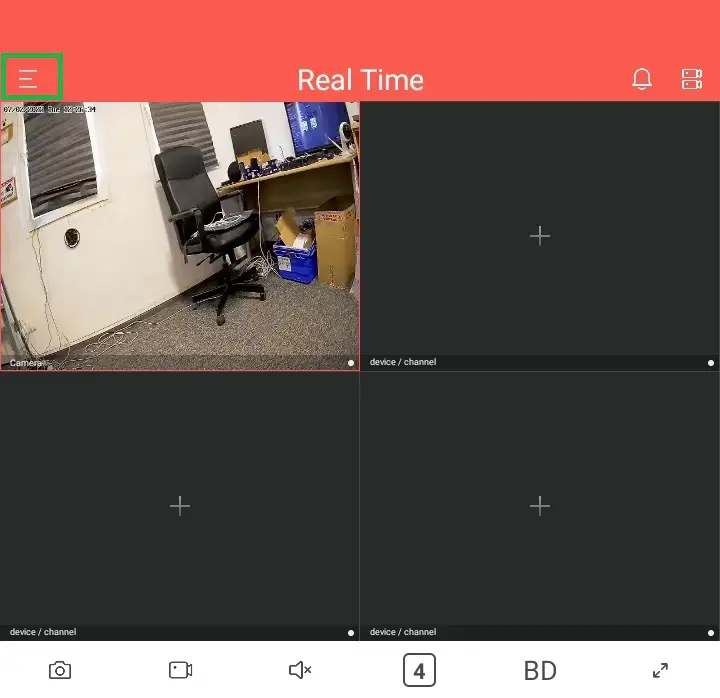
- Go to Bitvision main menu, then click three lines in the top right corner.

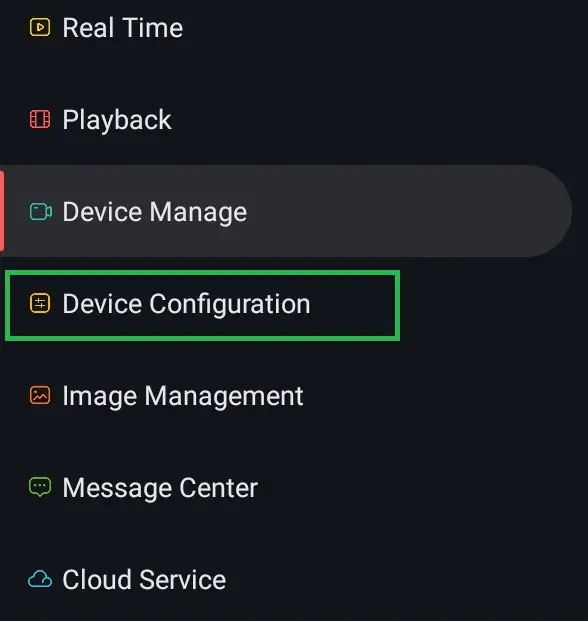
- Press ‘Device Configuration’.

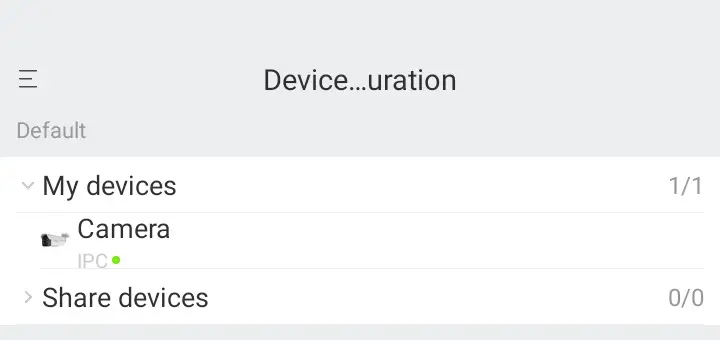
- Choose your camera.

- Check the slider next to ‘Push Image’.


Setting alarm area and alarm period.
- Go to ‘Normal Alarm’.

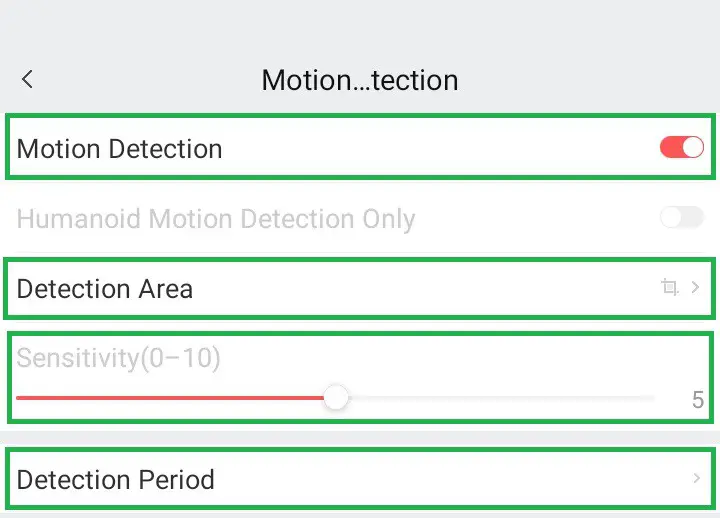
- Check the slider next to ‘Motion detection’.
- Set the parameters according to your own liking (‘Sensitivity’ and ‘Detection Period’).

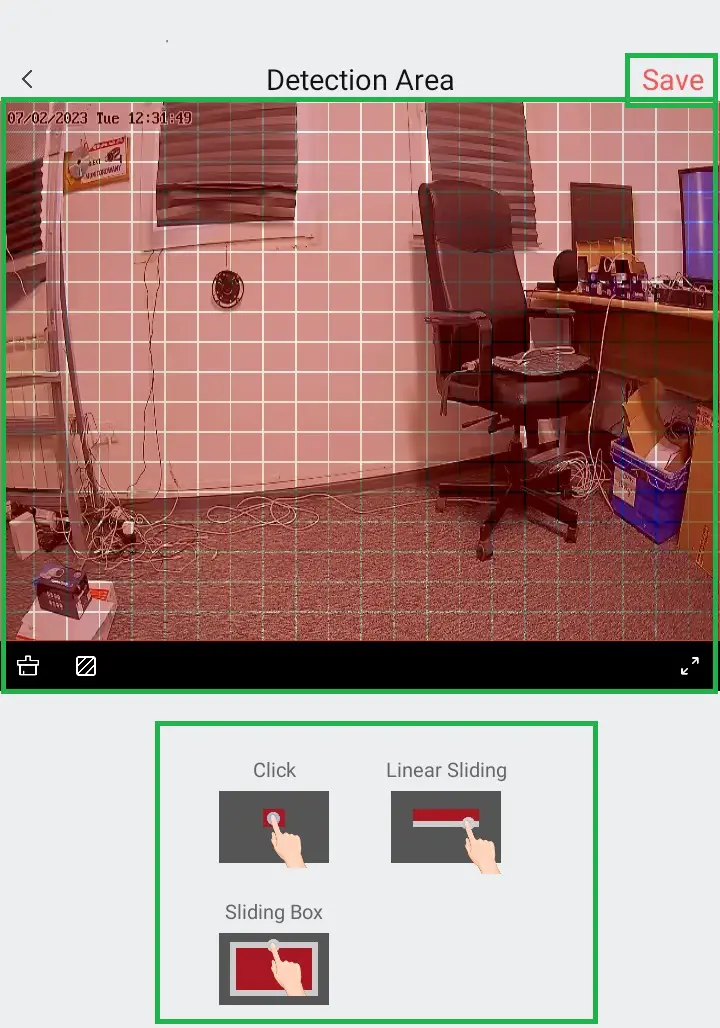
- Go to ‘Detection Area’.
- Set the area manually like it is shown on photo below.
- Press ‘Save’ in the top right corner after you finished setting it up.


 ul. J. K Branickiego 31A, 15-085 Bialystok
 +48 (85) 677 70 55
 [email protected]