Etross SMS Gate Way GSM & 4G LTE
User Manual
Overview
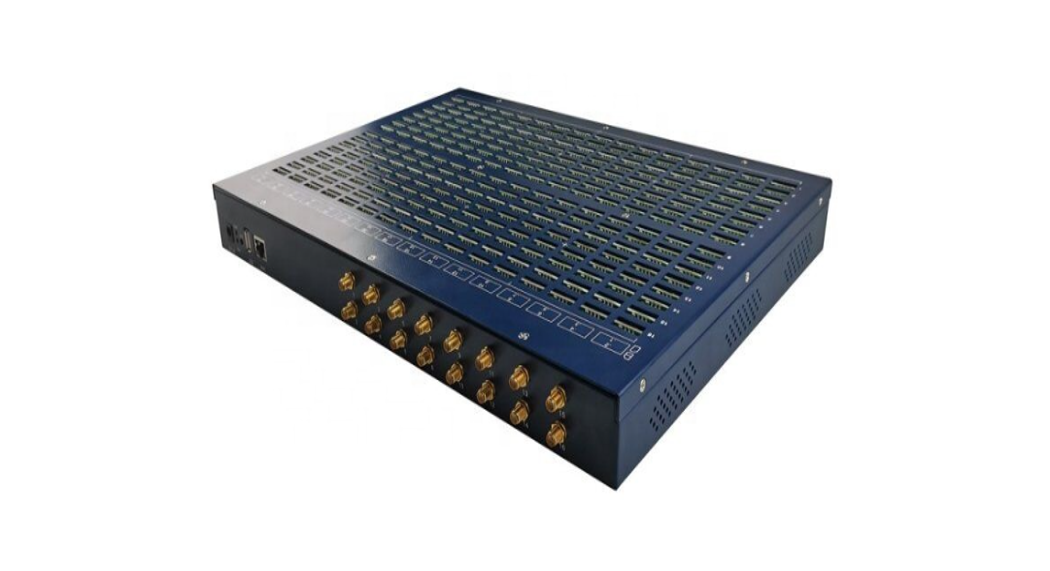
- 4 models of Etross SMS gateway are available: 32 ports X 1 SIM, 16 ports X 1 SIM, 16 ports X 32 SIMs, 8 ports X 1 SIM.
- Each model supports GSM or 4G network.
- All 4 models share the same management WEB GUI.
- GSM gateway does not support voice message function.
- 16 ports X 32 SIMs is used in this manual as an example for further explanation of WEB GUI.
32 ports X 1 SIM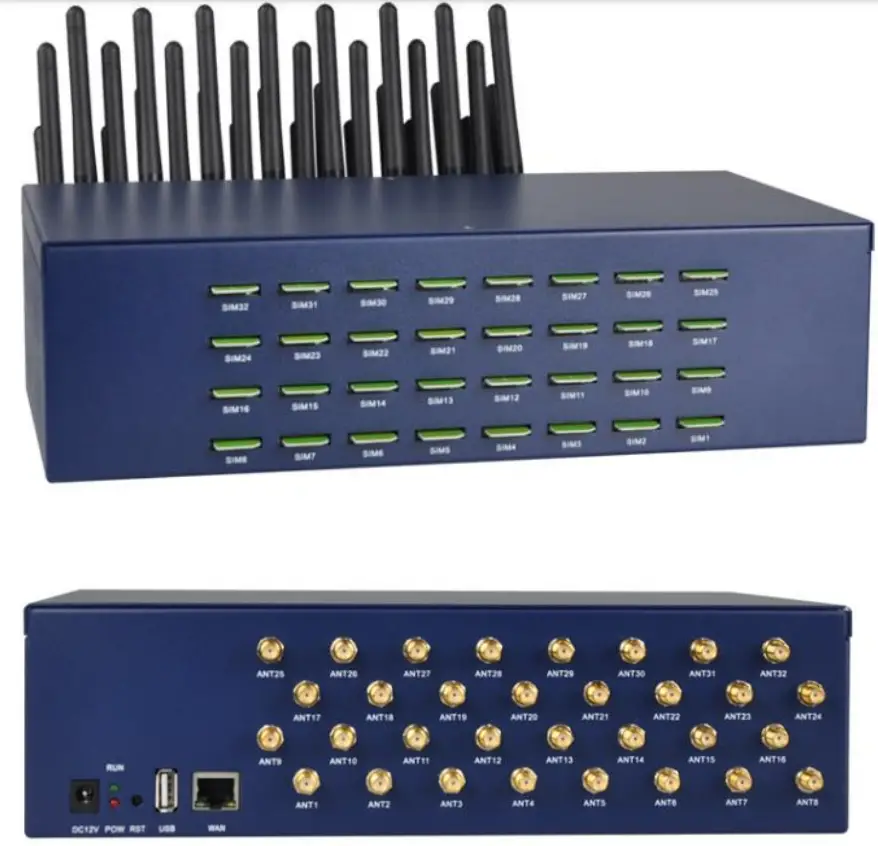 16 ports X 1 SIM
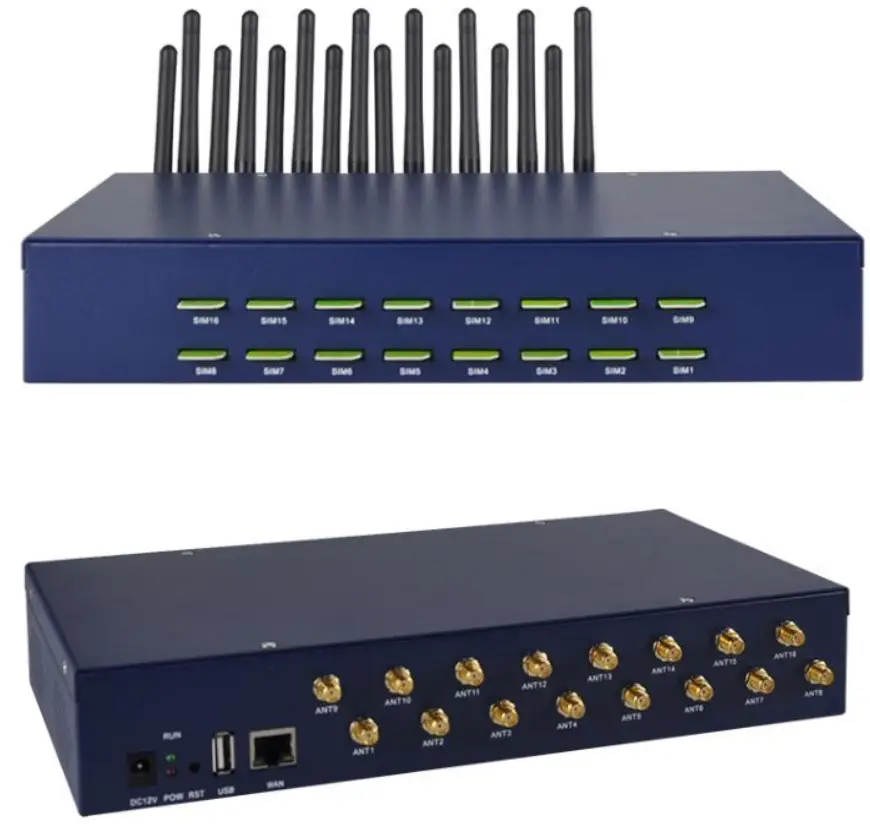 16 ports X 32 SIMs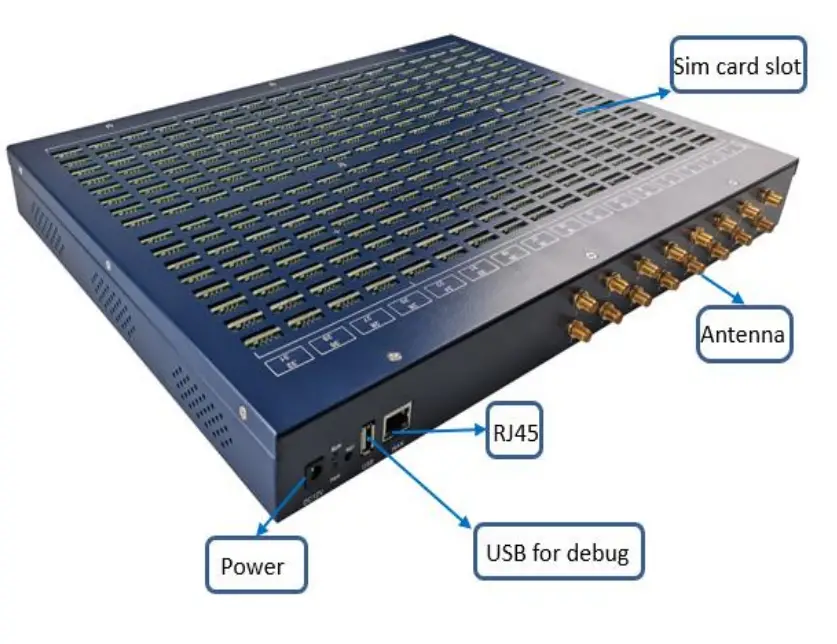
8 ports X 1 SIM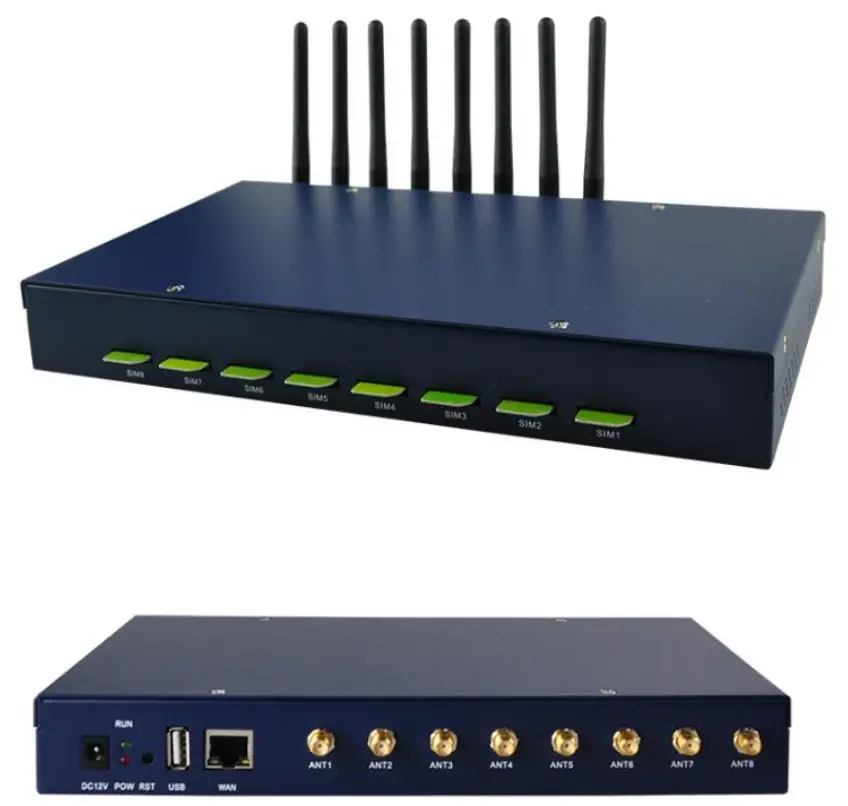
Feature
a. GSM/4G.
b. WEB GUI management.
c. SIM card rotation.
d. SMS sent number limitation.
e. Bulk SMS. f. Bulk voice messages delivery (support only 4G module).
g. Autorun task.
h. APIs for integration.
i. SIM card hot plug.
j. IMEI modification. k. USSD.
Installation
 Instructions
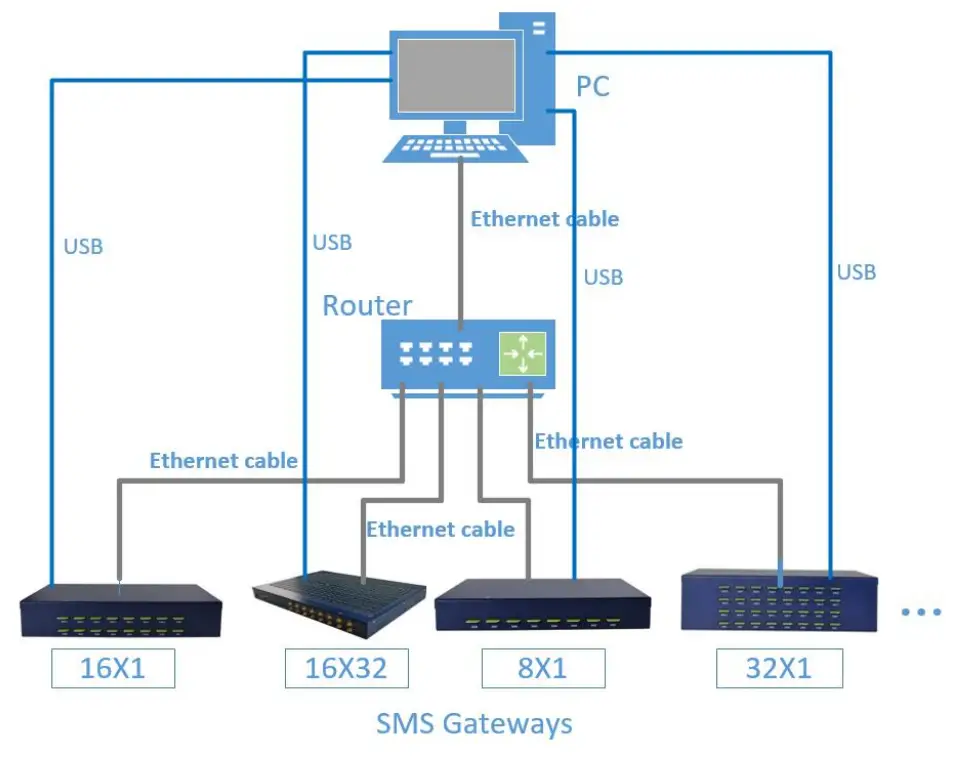 Instructions
- Setup the environment following the above illustration.
- Insert sim card into the slots of the device.
- Screw up antennas.
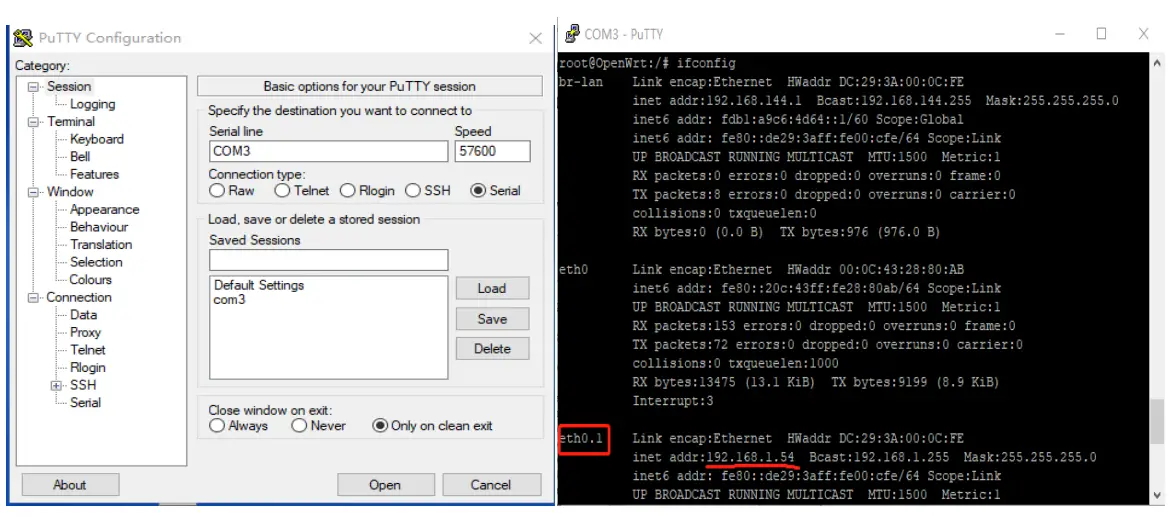
- Obtain IP address of the device:
a. send SMS (*****01#) to a sim card of the device and wait for the reply SMS with IP address. In case no SMS is received, please go to method b.
b. Install USB-to-UART driver on PC(driver file name: CP210x_VCP_Win_XP_S2K3_Vista_7.exe). Via serial port with USB cable from PC to SMS gateway, use PUTTY (baud rate 57600) to get IP address. Command: ifconfig
- Open Chrome browser and input IP address to enter WEB-GUI.
WEB-GUI
5.1 Task
5.1.1 Running
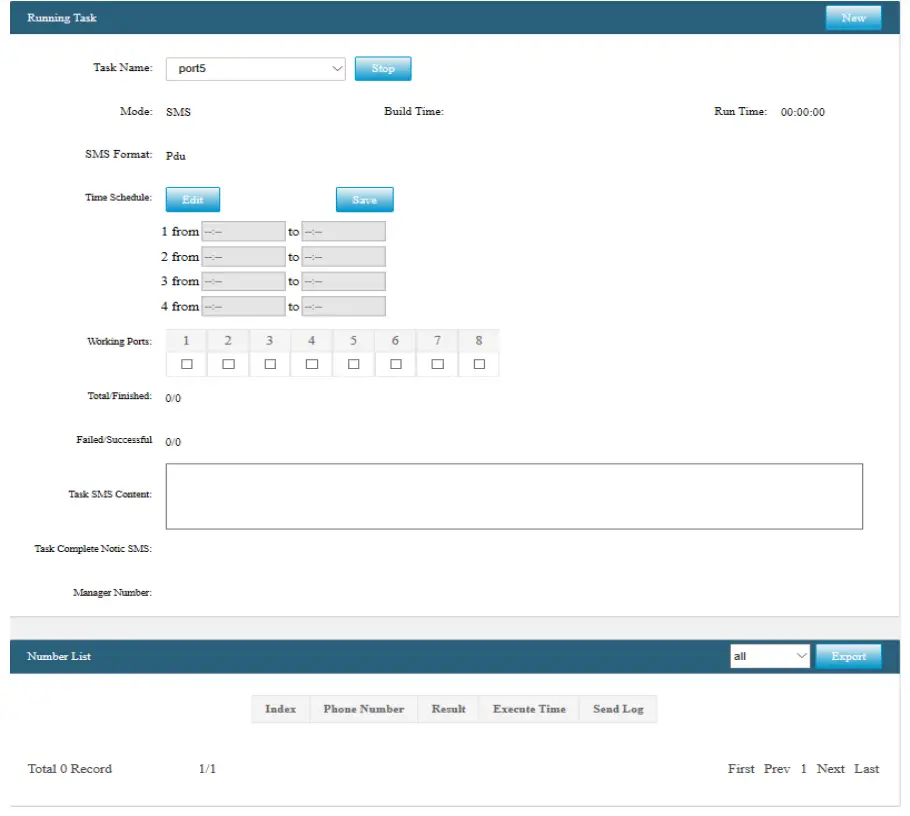
- Stop running tasks manually.
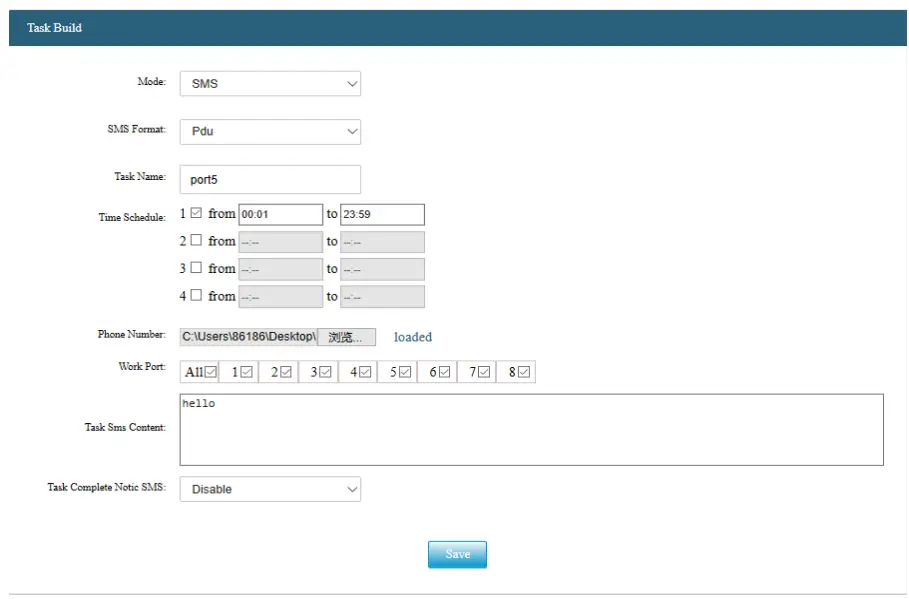
- Built autorun tasks by clicking the New button.
- Setup all the items in the below screenshot and the task will be running automatically.


5.1.2 Complete
1. Check task results by task name.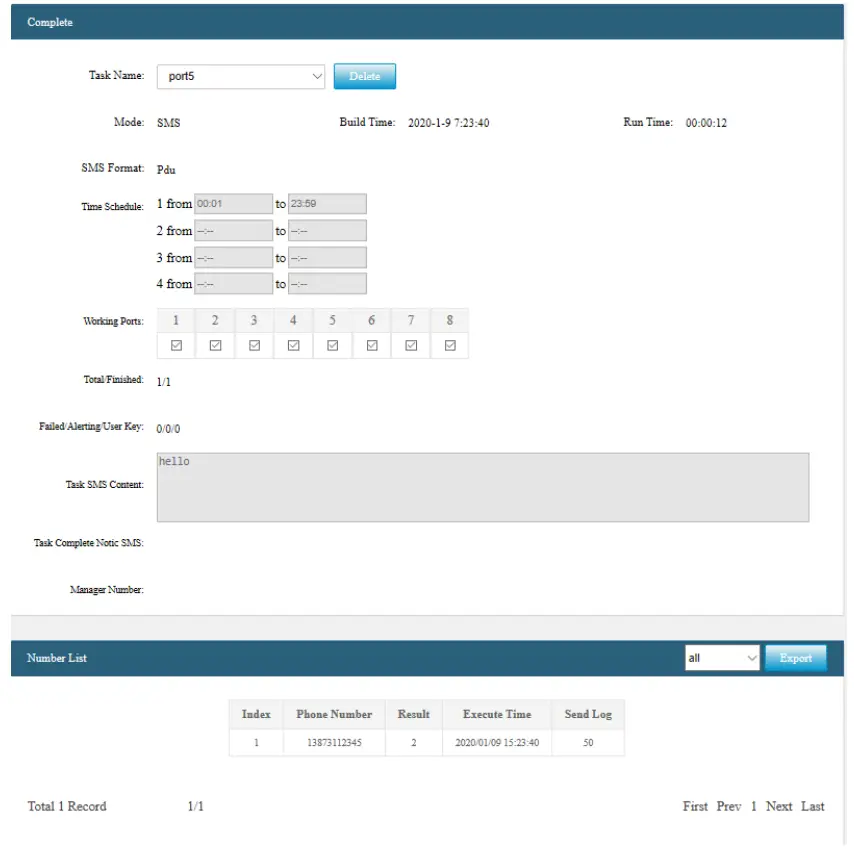
5.1.3 Incoming Calls
5.1.4 Receive SMS
SMS sent in the inbox.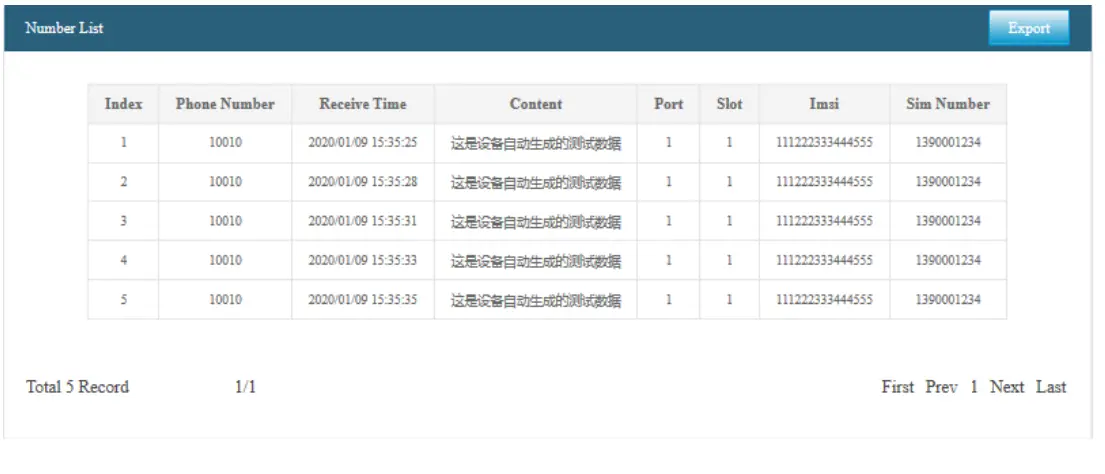 5.2 Device
5.2.1 Device status
Device status including model name, software version number, hardware version number, run time, date and status for each port.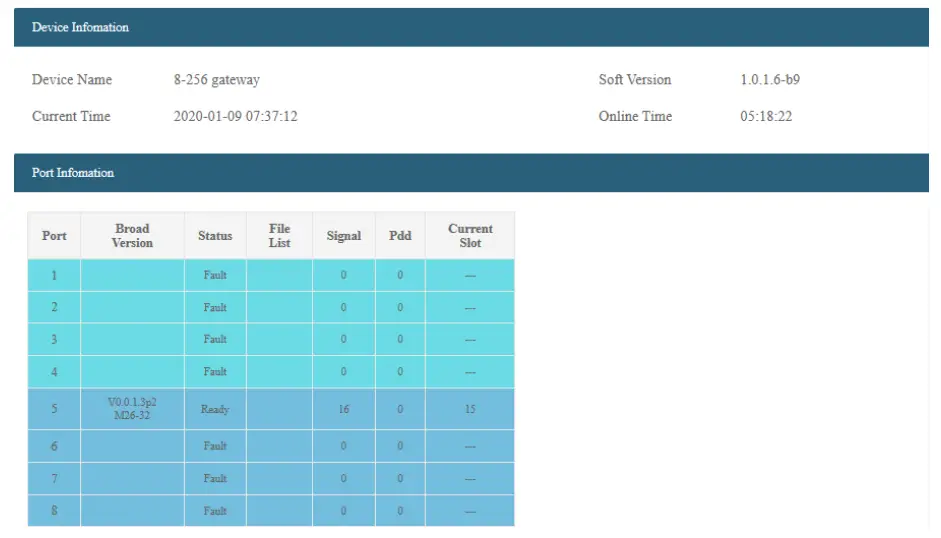 5.3 Sim Card
5.3.1 SIM Card status
List SIM status of every slot.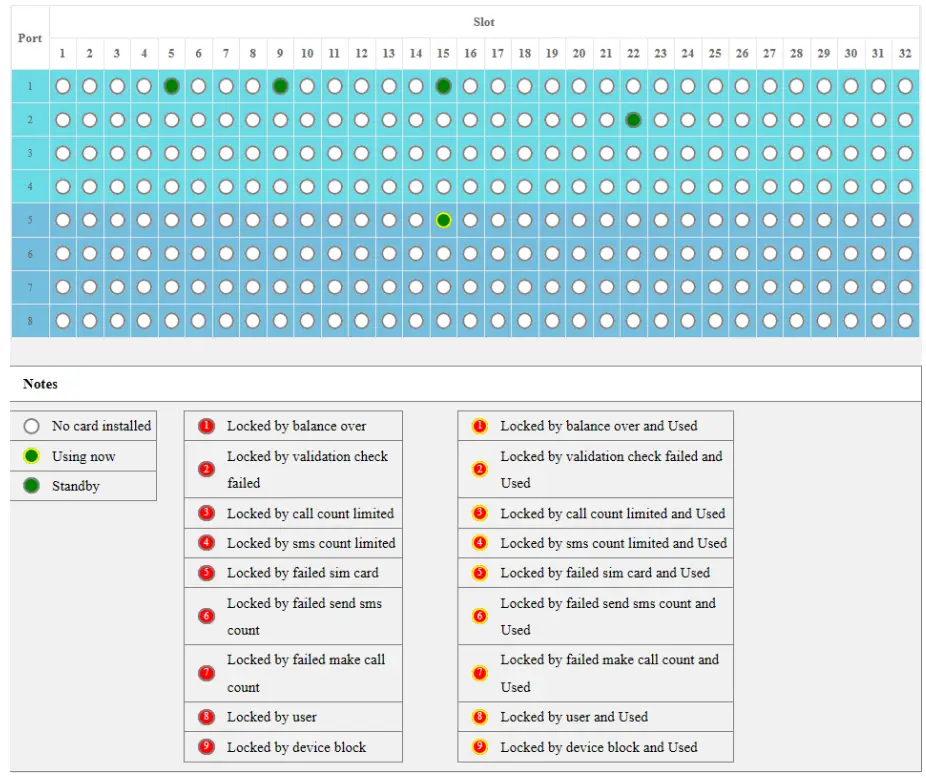 5.3.2 Lock & Unlock
Lock & Unlock the selected sim cards manually.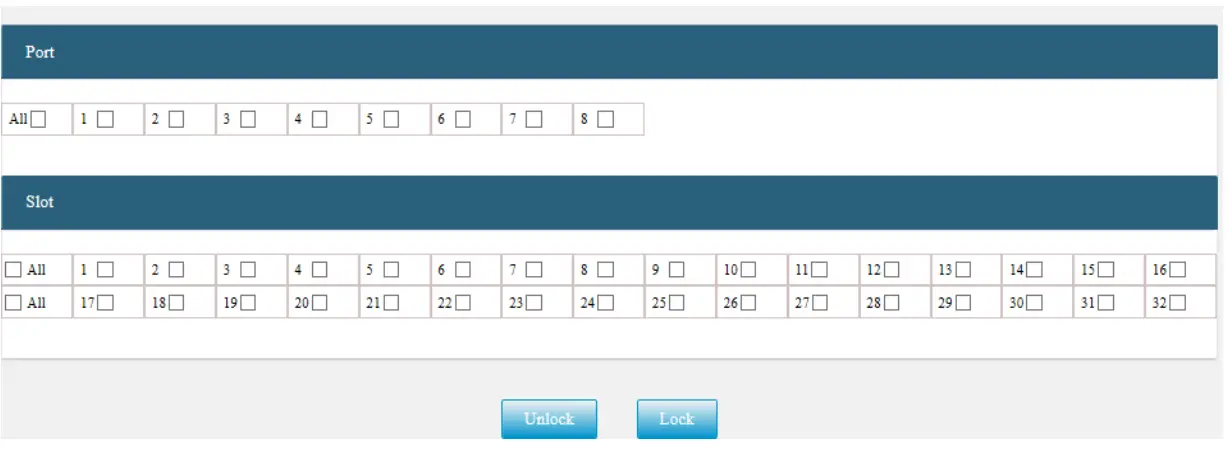 5.3.3 Manually Select
Put the selected sim card in use manually.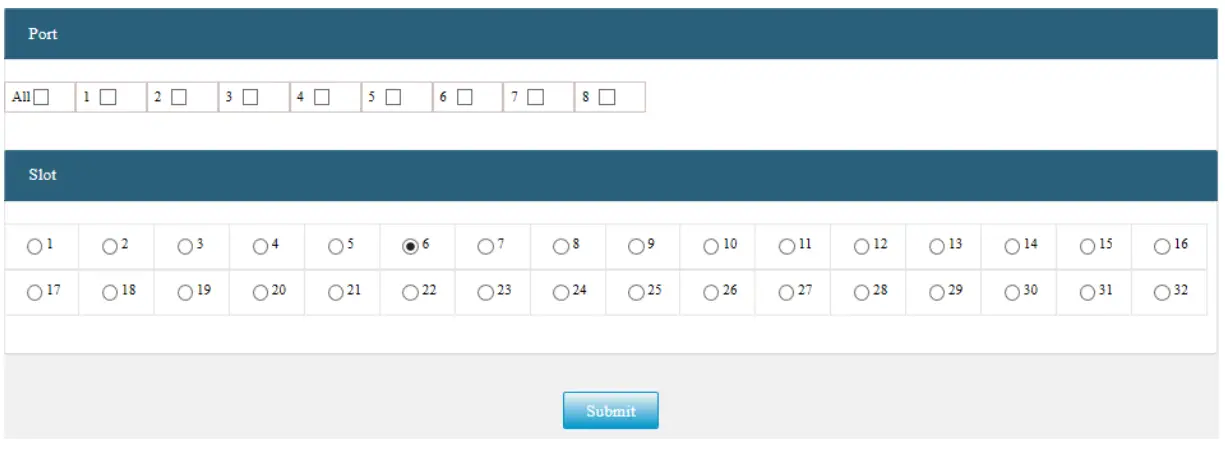 5.3.4 Statistics
List statistics of all the SIMs in the device.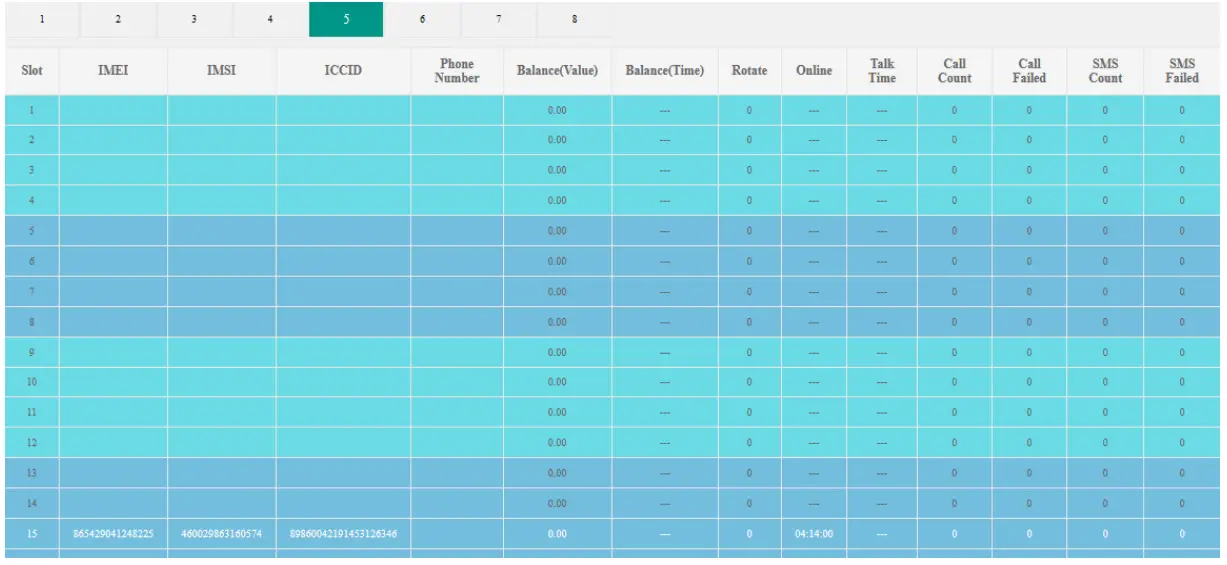 5.4 Limitation
5.4.1 Call Count
List the remaining number of calls for each SIM if the limitation is switched on.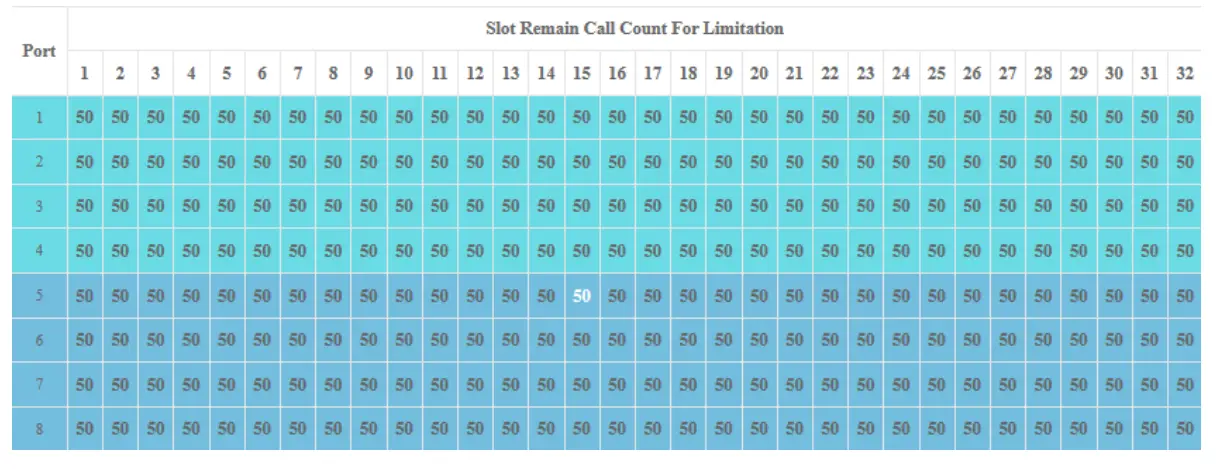 5.4.2 Call Setting
Settings of call count limitation.
Enable: ON/OFF.
Renew periodic reset of the count.
Start time: together with “Duration of Renew” defines the reset period. 0 and 1440 mean
00:00 to 23:59 of a day. Count: maximum number of outgoing calls.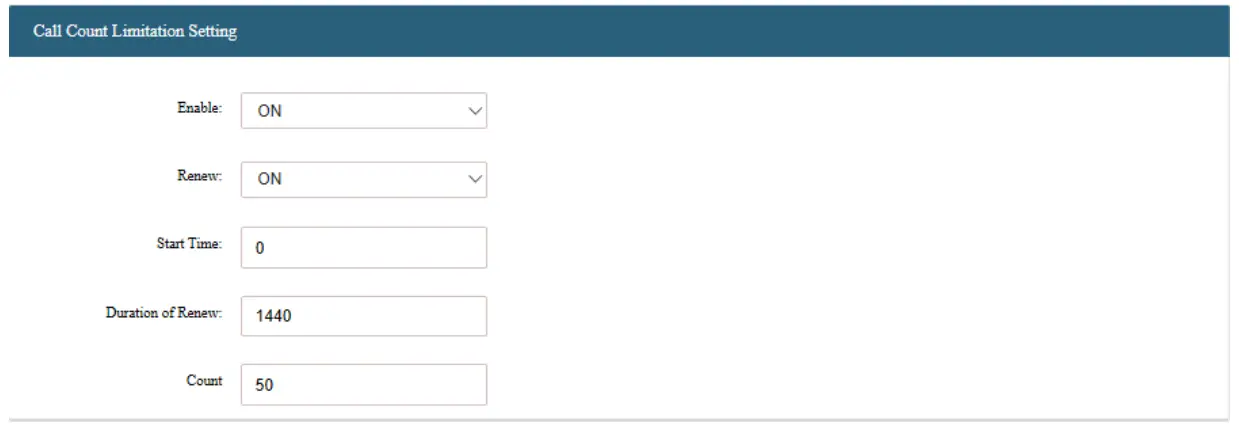 5.4.3 SMS Count
List the remaining number for each SIM if the limitation is switched on.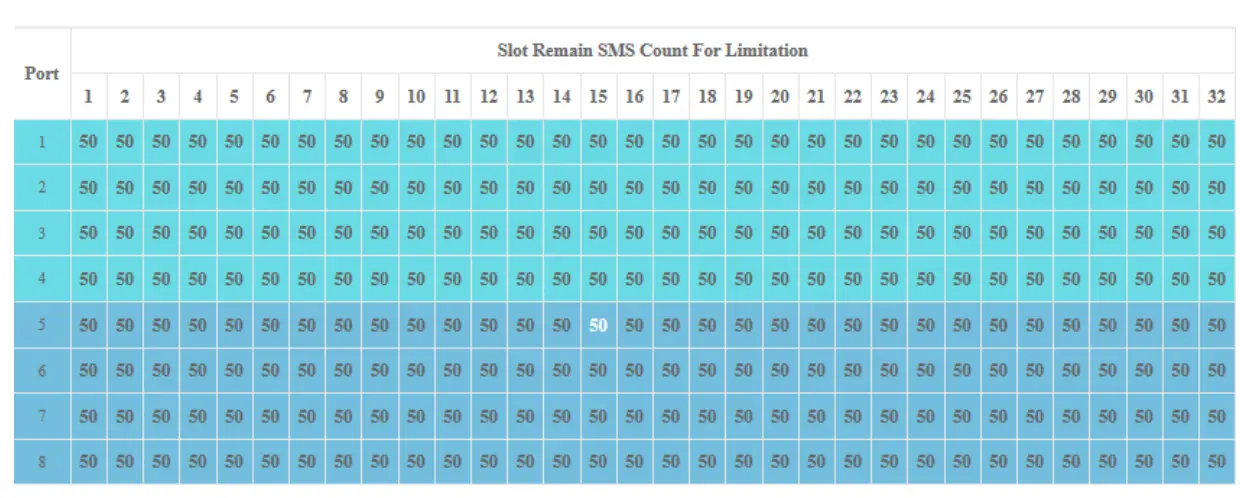 5.4.4 SMS Setting
Settings of SMS count limitation.
Enable: ON/OFF.
Renew periodic reset of count.
Start time: together with Duration of Renew defines the reset period. 0 and 1440 mean 00:00 to 23:59 of a day.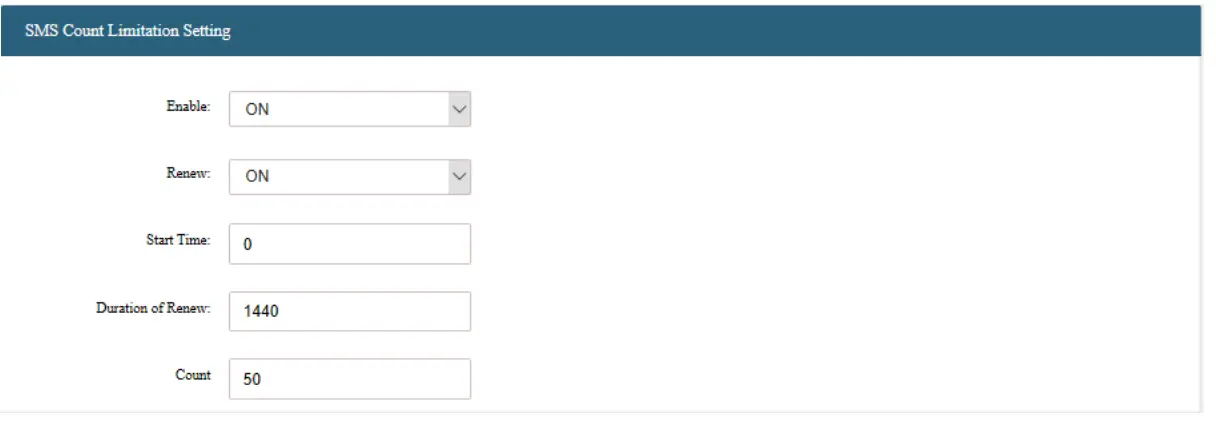 5.5 Human Behavior
5.5.1 SIM Rotate
Statistics of the current sim card in use of each port.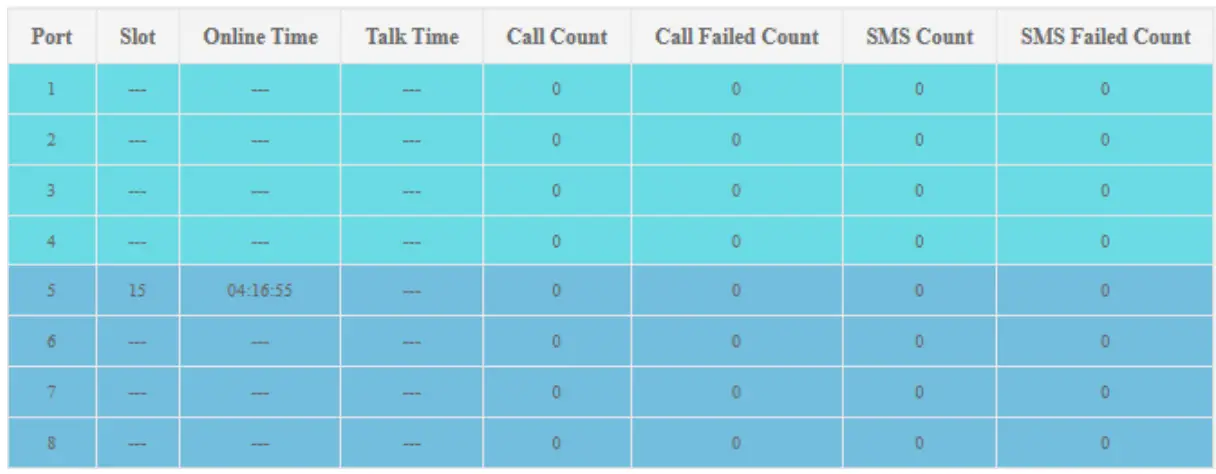 5.5.2 Rotate Setting
4 rotate rules in total.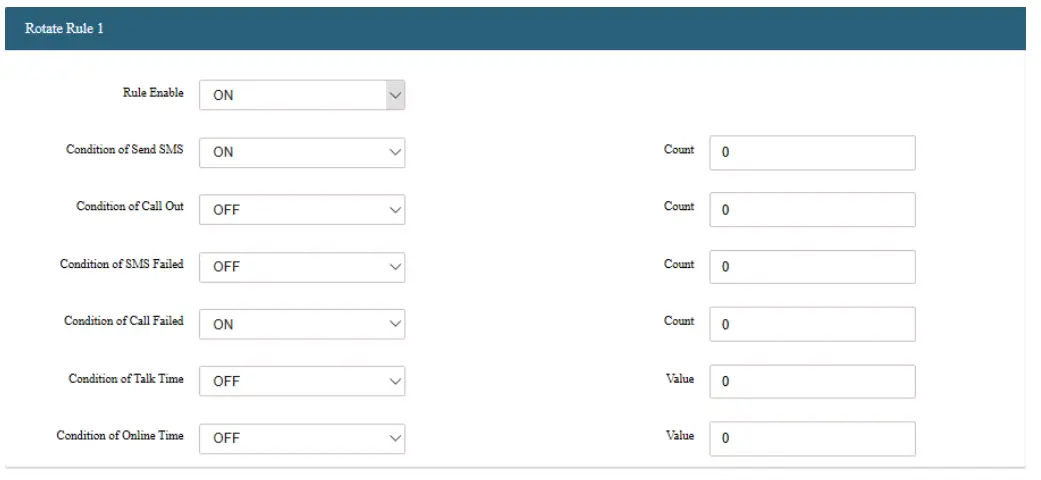 5.6 Port
5.6.1 ON/OFF
Manually turn on/off the selected ports.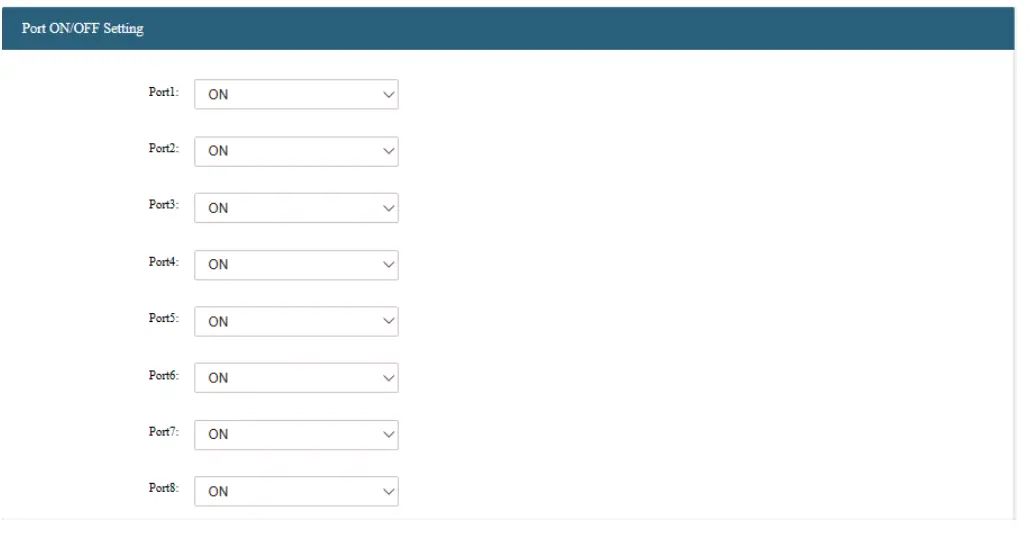 5.6.2 Port IMEI
List IMEI of all slots.
5.6.3 IMEI Setting
Customize IMEI for all slots.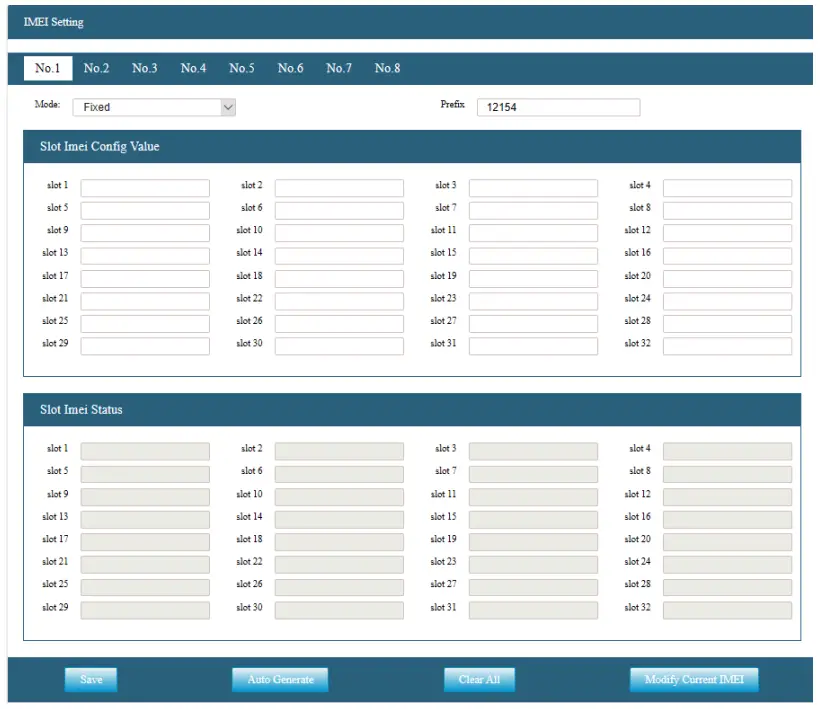 5.6.4 Board IVR File
Upload IVR file to selected ports.
File format: monophonic recording with .wav postfix.
Note: this function is only available with the EC25 module.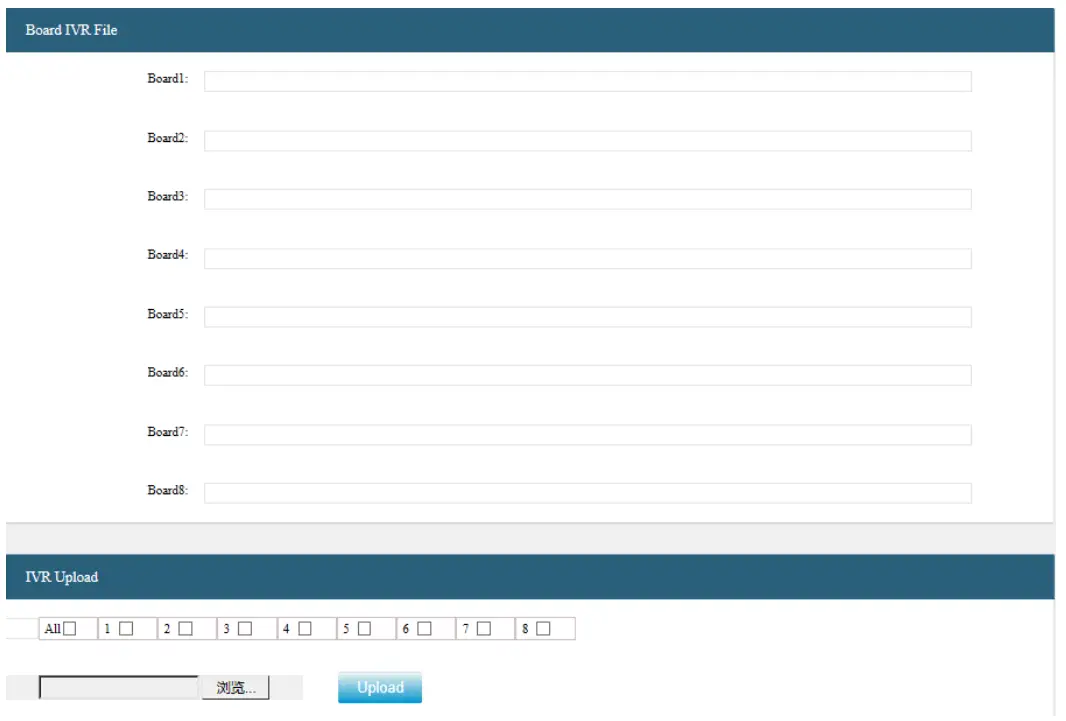 5.7 System
5.7.1 General
General settings including language, port number, time zone, etc.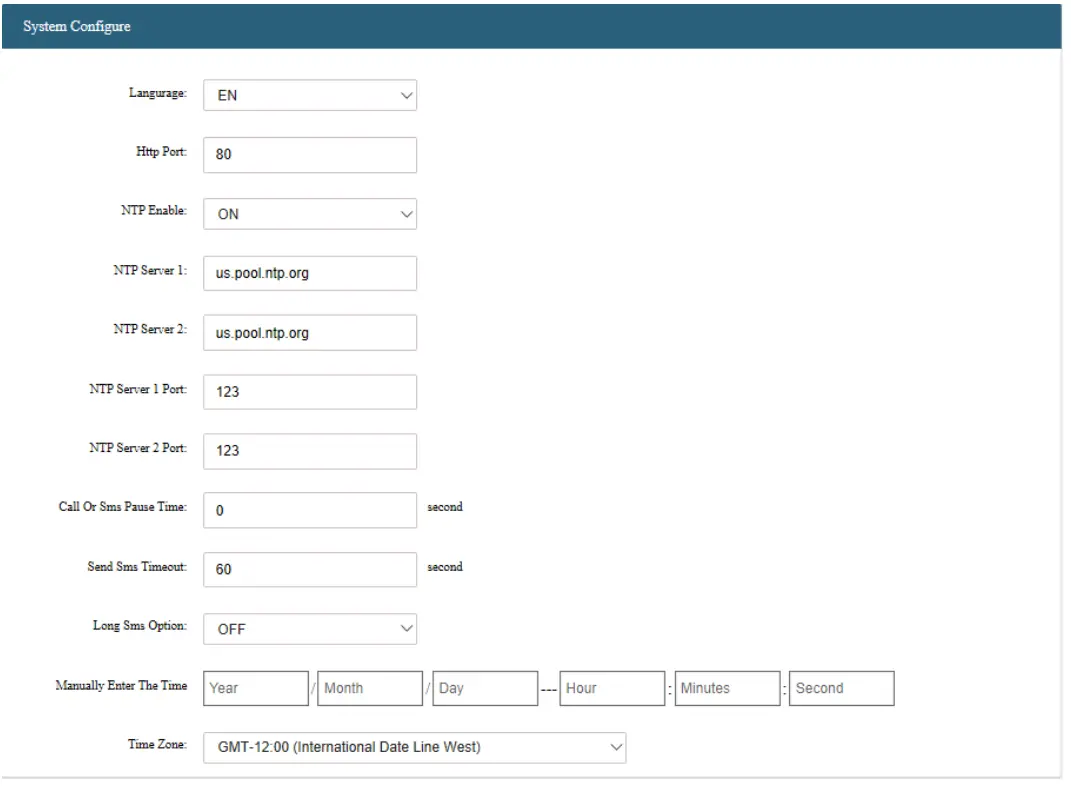 5.7.2 Network
Network configuration, support both DHCP and STATIC.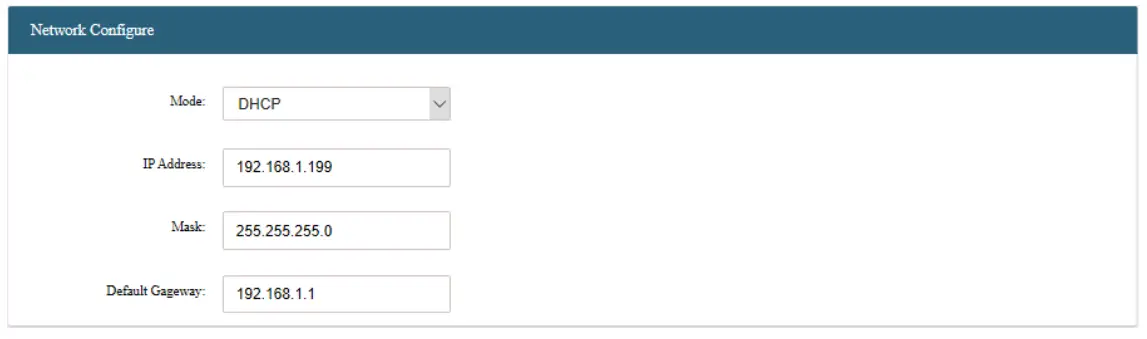 5.7.3 Backup & Restore
Backup device configuration into local files, restore device configuration from local files.
5.7.4 API Enable & disable
API interface, API setup including port number, user, and password.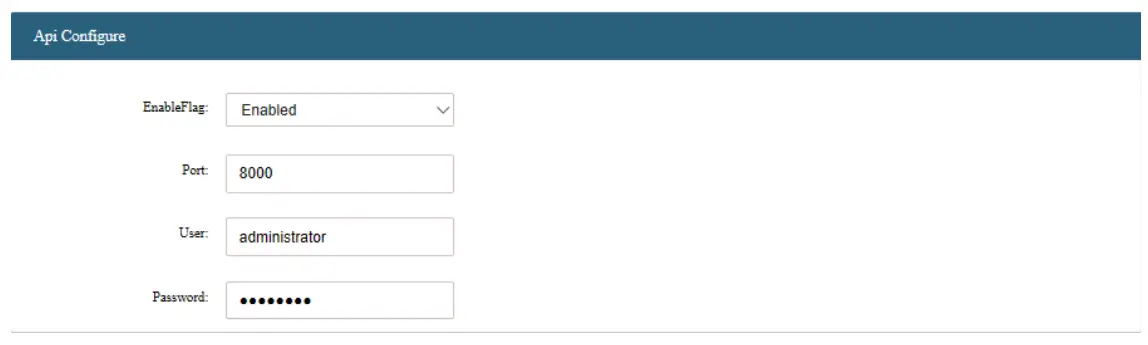 5.7.5 Upgrade
Software upgrade via WEB-GUI.
5.7.6 Reset & Reboot
Soft reset & reboot the device.
5.7.7 Username & Password
Setup username and password. By default: Username: admin Password: admin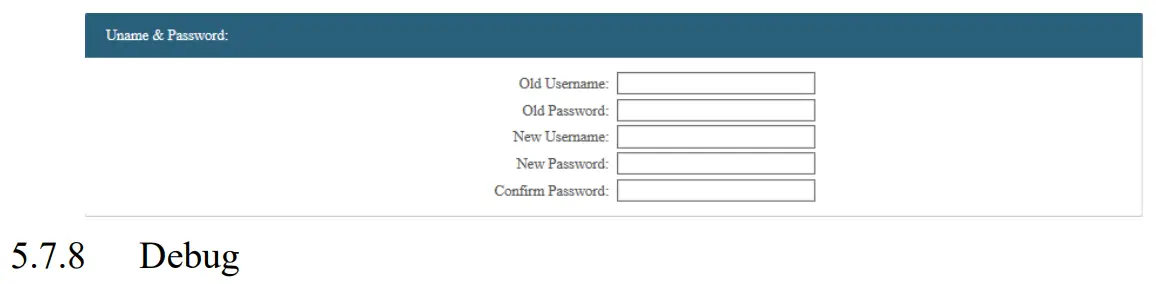
Packing list
| Name | Quantity |
| SMS Gateway | 1 |
| Antenna | 16 |
| User Manual | 1 |
| USB Cable | 1 |
| AC adapter | 1 |
| Network Cable | 1 |
Appendix
| Model Name | |
| Port Number | 16 |
| Slot Number Per Port | 32 |
| Built-in 4G modem | RF Bands: FDD: BI/B3/135/B7/B8/B20 TDD: B38/B40/1341 WCDMA: B I/B5/B8 GSM: 900/1800 |
| Noise level | Fanless |
| Network Protocols | IPv4, TCP, UDP, PPPoE, DHCP, DNS, NAT, HTTP, FTP, TFTP |
| Configuration and Maintenance | WEB-GUI Console, SSH command line |
| Firmware Update | TFTP, HTTP, SSH, COM |
| Hardware Interface | 1 LAN 10/100Base-T Ethernet (111-45 connector) 1 console (USB connector) |
| LEDs | 1 power and 64 groups of signal strength and running indicator (defining…) |
| Power Supply | 100-240VAC, 50 – 60 Hz |
| Dimensions | Width: mm Height: mm Depth: mm |
| Weight | |
| Operating Environment | Operating temperature: 0°C-60°C Operating humidity: 5— 95% |
| Warranty | 12 Months |