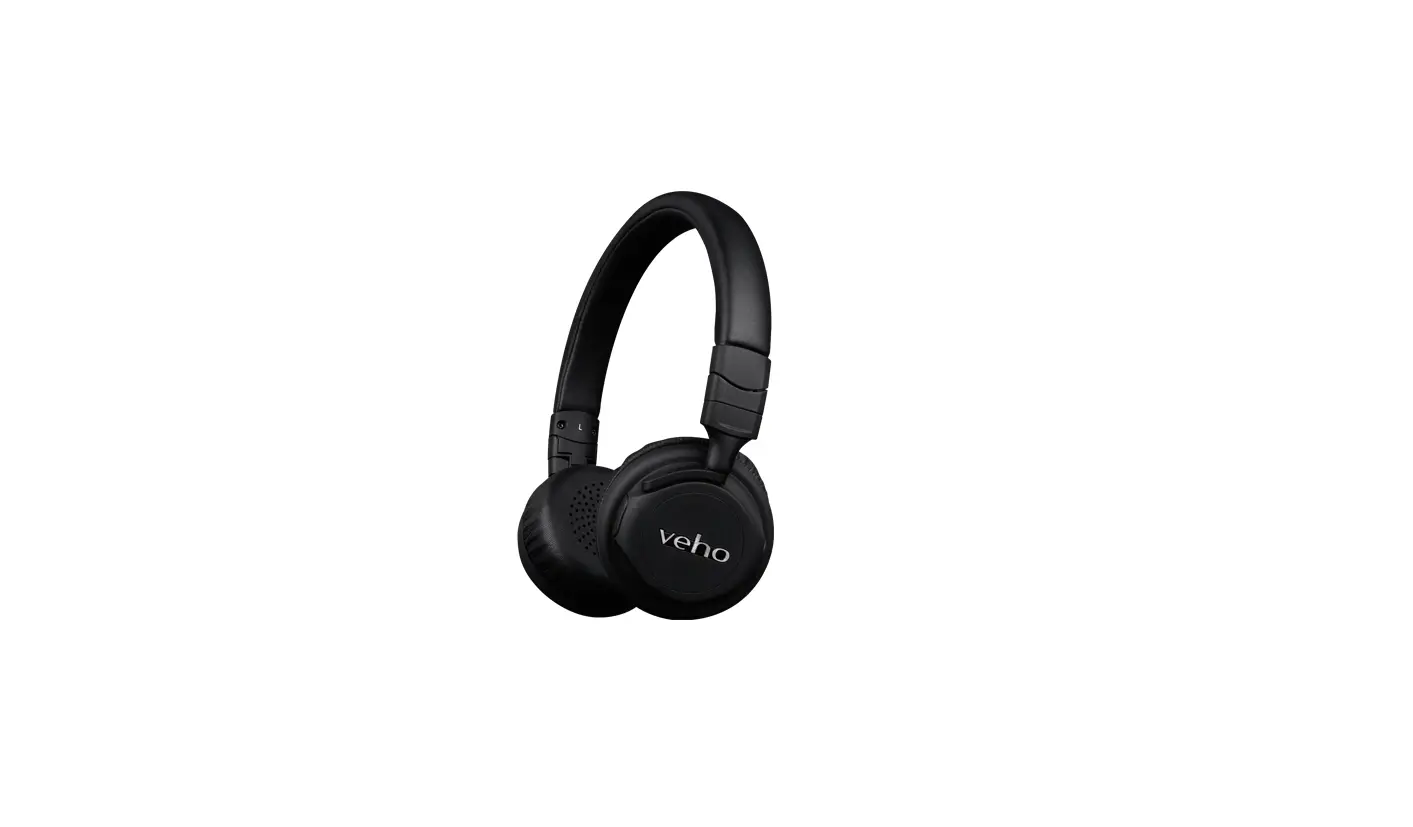
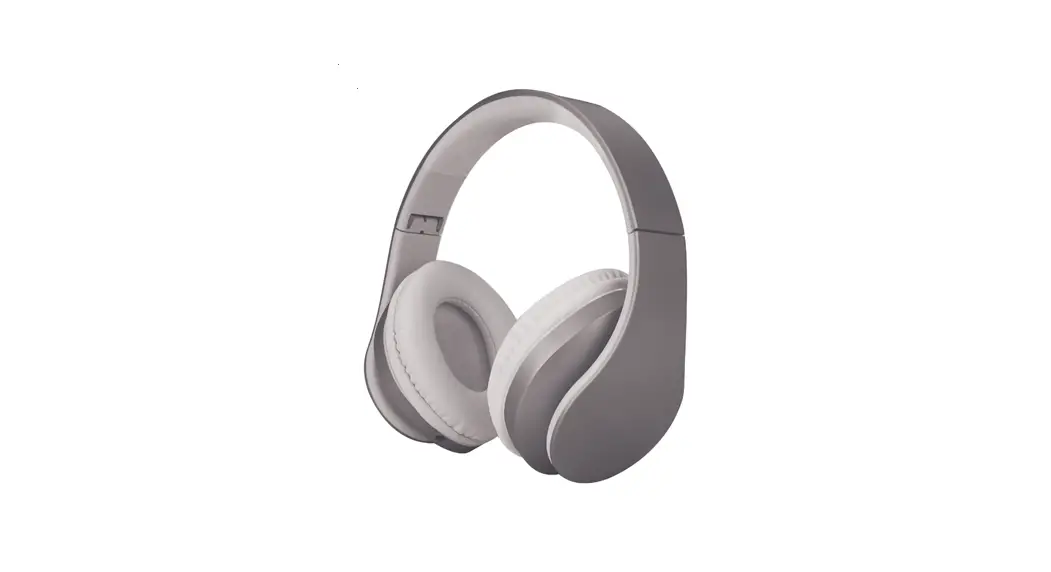
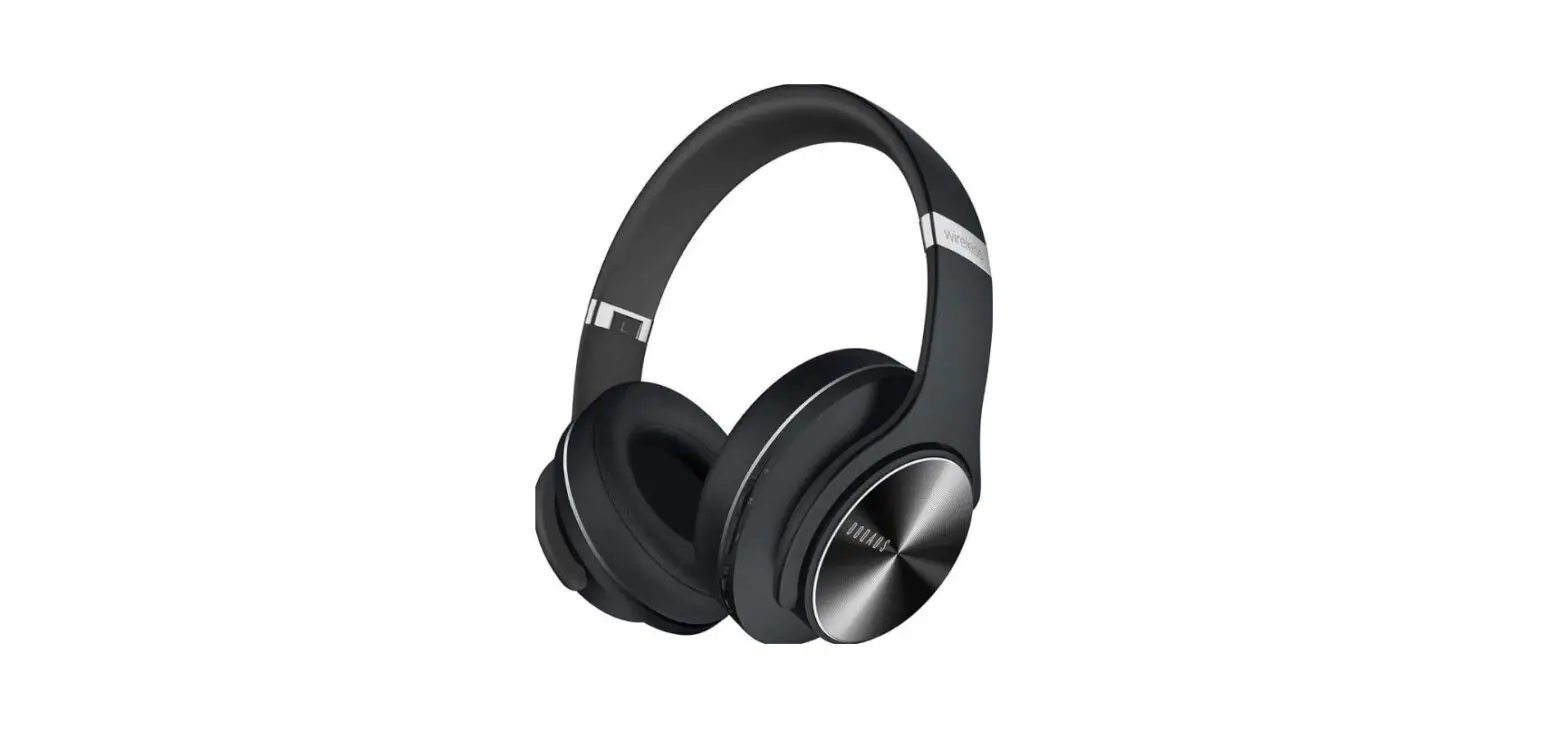
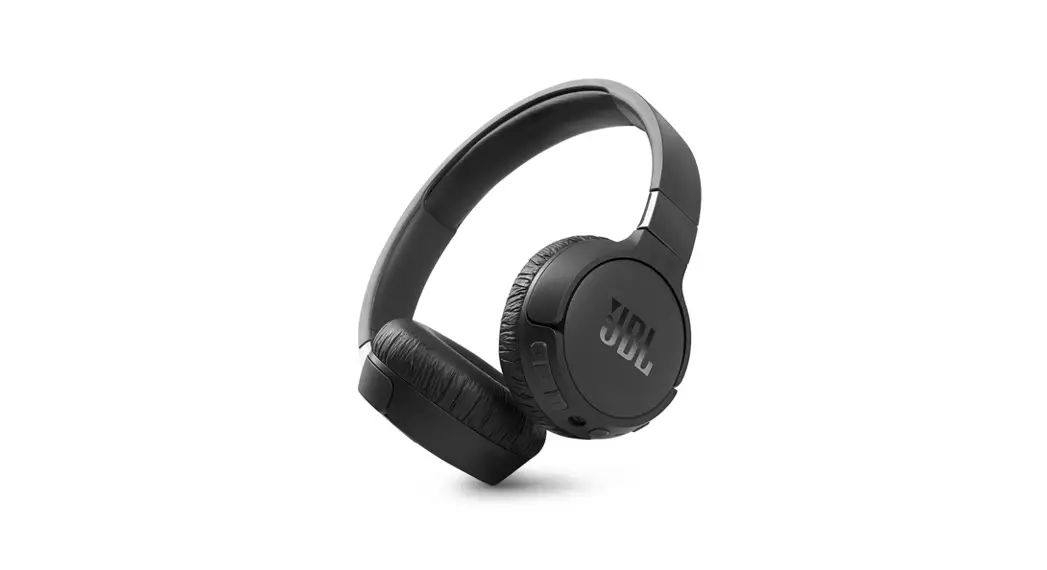
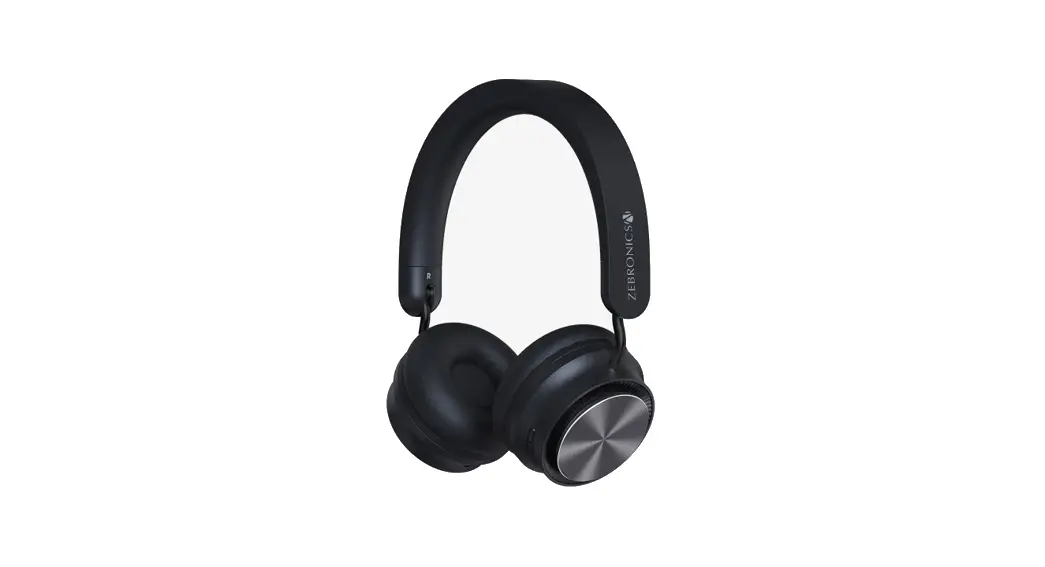
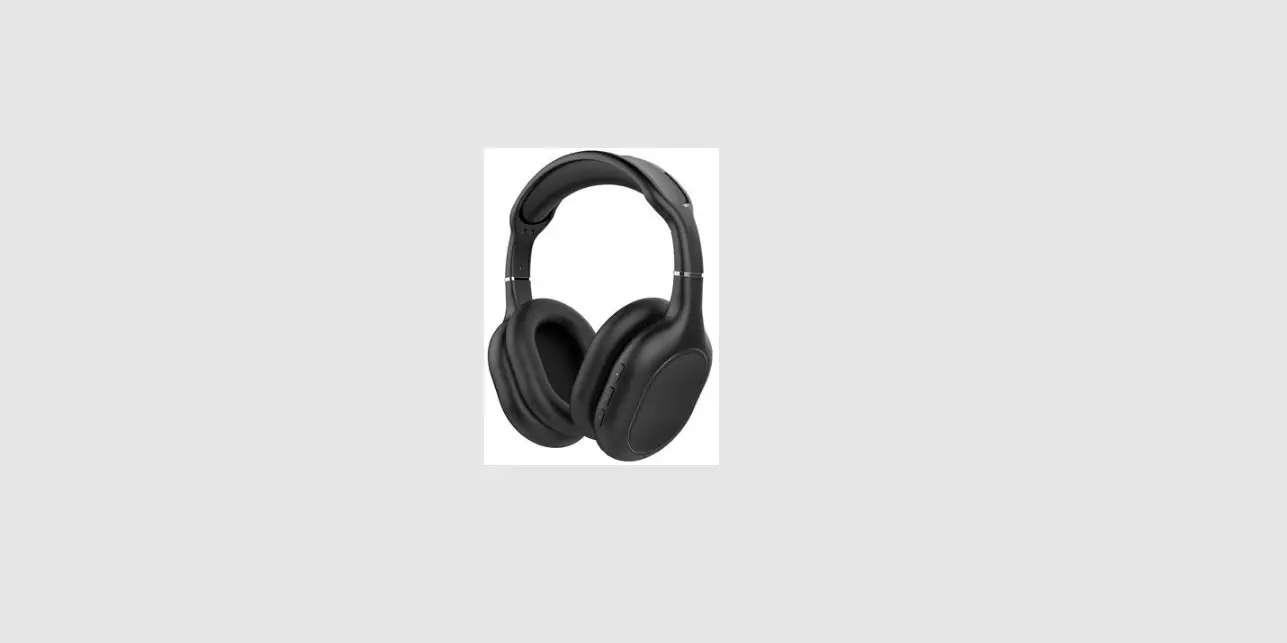
VEP-024-ZB7-B Wireless Headphone
Product Information:
The Veho ZB-7 headphones are a wireless headphones with active
noise cancelling feature. The headphones come with a USB-C charging
port and a 2.5mm audio port for line-in connection. The headphones
have a battery life of up to 32 hours and can be charged in
approximately 72 minutes. The headphones also have call functions
such as answering, ending, and rejecting calls, call mute/unmute,
call switch, and number redial. The product comes with a user
manual and line-in cable.
Product Usage:
Charging:
To charge the headphones, connect the supplied USB-C cable to
the headphones and then into a compatible 5V1A power source. The
status LED will show solid red when charging, turning blue when
fully charged. When the battery is low, a warning tone will sound
every 3 minutes.
Pairing:
To pair the headphones with a device, turn on the Bluetooth on
your device and search for “Veho ZB-7”. Once the device is found,
select it to complete the pairing process.
Line-In Connection:
To use the line-in connection, connect the supplied 2.5mm audio
cable from the headphone audio port to your device. The headphones
will default to line-in mode whilst the audio cable is
connected.
Functions:
The headphones have various call functions that can be accessed
by pressing the power button, volume buttons, and holding buttons
for a specific amount of time. These functions include
answering/ending calls, rejecting calls, call mute/unmute, call
switch, and number redial.
Reset:
To reset the headphones, ensure that the headphones are
disconnected from devices. Simultaneously press and hold the power
and volume – buttons for 5 seconds.
Specifications:
- Bluetooth Version: V5.0
- Driver Size: 40mm
- Speaker Sensitivity: 32 dB
- Impedance: 32
- Frequency Response: 20Hz-20KHz
- Battery Size: 500mAh
- Charging Time: Approximately 72 minutes
- Play Time: Up to 32 hours
- Charging Port Type: USB-C
- Wireless Range: Up to 10 meters
- Dimensions: 164.2mm x 190.6mm x 89.1mm
- Weight: 230g
Support:
If you need support or troubleshooting for your Veho ZB-7
Headphones, please contact us via our chat box on our website at
veho-world.com.
Veho Global Group, PO Box 436, Southampton, SO30 9DH, UK Veho Europe, 25 Place de la Madeleine, 75008 Paris
This symbol, affixed to the product or its packaging, indicates that the product must not be processed as household waste. This product should be correctly disposed of according to your local guidelines for electrical and battery operated products. Correct disposal of the battery will avoid potential harm to the environment and human health. For further information regarding the recycling of this product, please contact your local waste recycling centre.
The Bluetooth® word mark and logos are registered trademarks owned by Bluetooth SIG, Inc. and any use of such marks by VEHO GLOBAL GROUP LIMITED is under license. Other trademarks and trade names are those of their respective owners.
VEP-024-ZB7-B
Contents
English
6
Français
20
Español
34
Italiano
48
Deutsche
62
Nederlands
76
Dansk
90
Português
104
118
132
5
Guide to the headphones
1. Power button 2. Power status LED 3. Microphone 4. 2.5mm audio port 5. Active noise cancelling 6. Active noise cancelling LED 7. Volume + / Next track 8. Volume – / Previous track 9. USB-C charging port 10. Charging status LED
6
5
6
7 8
EN
1 2 3 4
9 10
7
Charging
Charging the headphones Connect the supplied USB-C cable to the headphones and then into a compatible 5V1A power source. The status LED will show solid red when charging, turning blue when fully charged. When the battery is low, a warning tone will sound every 3 minutes.
8
EN
9
Pairing
Pairing with a device Ensure the headphones are off. Press and hold the power button for 5 seconds, and wait until a `Pairing’ tone sounds and the power status LED flashes red/blue. Select `Veho ZB-7′ from the Bluetooth® menu on your device.
`Veho ZB-7′
10
EN
5 secs
11
Line-in cable
Using the Line-in cable Connect the supplied 2.5mm audio cable from the headphone audio port to your device. The headphones will default to line-in mode whilst the audio cable is connected.
12
EN
13
Functions
Power on/off Press and hold the power button for 3 seconds to turn on, the power status LED will flash blue. Press and hold the power button for another 3 seconds to turn off, the power status LED will flash red. Play/pause Press the power button once to play and once again to pause. Volume up/Next track Press the (+) button for 2 seconds to skip to the next track. Press once to increase the volume. Volume down/Previous track Press and hold the (-) button for 2 seconds to skip to the previous track. Press once to reduce the volume.
14
EN
Voice assistant Simultaneously press and hold the volume + and volume – buttons for 2 seconds. Active Noise Cancelling (ANC) Press the ANC button once to change modes between on/off/ambient mode. Active Noise Cancellation uses the microphone and speakers to reduce background and surrounding noises. Bass control Press and hold the ANC button for 2 seconds to change modes between bass up/normal. Multipoint connection Pair the headphones to a Bluetooth® device, disable Bluetooth® on this device and repeat pairing instructions with a second device. Multipoint connection allows the headphones to maintain simultaneous connections with two source devices.
15
Reset Ensure the headphones are disconnected from devices. Simultaneously press and hold the power and volume – buttons for 5 seconds. Answering/ending calls Press the power button once to answer an incoming call. Press once again to end the call. Rejecting calls Press and hold the power button for 2 seconds to reject an incoming call. Call mute/unmute Press and hold the volume + button for 3 seconds.
16
EN
Call switch Simultaneously press and hold the volume + and volume – buttons for 2 seconds during a call to switch between the headphones and mobile device. Number redial Double click the power button to redial the most recent contact on your call log.
17
Specifications
Bluetooth® version Driver size Speaker sensitivity Impedance Frequency response ANC reduction Input voltage Battery size Charge time Play time Charging port type Wireless range Dimensions Weight
V5.0 40mm 117 ±3dB
32 20Hz20KHz
32 dB 5V1A 500mAh Approx. 72 minutes Up to 32 hours USB-C Up to 10 meters 164.2mm x 190.6mm x 89.1mm
230g
18
EN
Support
Should you need to contact Veho for support or troubleshooting for your ZB-7 Headphones, please
contact us via our chat box on our website at:
veho-world.com
Guide des écouteurs
1. Bouton d’alimentation 2. Voyant d’état de l’alimentation 3. Micro 4. Port audio 2,5 mm 5. Suppression active du bruit 6. LED antibruit active 7. Volume + / Piste suivante 8. Volume – / Piste précédente 9. Port de charge USB-C 10. LED d’état de charge
20
FR
21
Mise en charge
Charger le casque Connectez le câble USB-C fourni au casque, puis à une source d’alimentation 5V1A compatible. Le voyant d’état s’allume en rouge fixe lors de la charge, devenant bleu lorsqu’il est complètement chargé. Lorsque la batterie est faible, une tonalité d’avertissement retentit toutes les 3 minutes.
22
FR
23
Jumelage
Couplage avec un appareil Assurez-vous que les écouteurs sont éteints. Appuyez sur le bouton d’alimentation et maintenez-le enfoncé pendant 5 secondes, et attendez jusqu’à ce qu’une tonalité “Appairage” retentisse et que le voyant d’état de l’alimentation clignote en rouge/bleu. Sélectionnez «Veho ZB-7» dans le menu Bluetooth® de votre appareil.
`Veho ZB-7′
24
FR
5 secondes 25
Câble d’entrée
Utilisation du câble d’entrée Connectez le câble audio 2,5mm fourni du port audio du casque à votre appareil. Le casque passe par défaut en mode entrée de ligne lorsque le câble audio est connecté.
26
FR
27
Les fonctions
Marche/arrêt Appuyez et maintenez enfoncé le bouton d’alimentation pendant 3 secondes pour allumer, et le voyant d’état de l’alimentation clignotera en bleu. Appuyez et maintenez enfoncé le bouton d’alimentation pendant 3 secondes supplémentaires pour éteindre, et le voyant d’état de l’alimentation clignotera en rouge. Lecture/pause Appuyez une fois sur le bouton d’alimentation pour lire et une fois de plus pour mettre en pause. Augmenter le volume/Piste suivante Appuyez sur le bouton (+) pendant 2 secondes pour passer à la piste suivante. Appuyez une fois pour augmenter le volume. Baisse du volume/Piste précédente Appuyez sur le bouton (-) et maintenez-le enfoncé pendant 2 secondes
28
FR
pour passer à la piste précédente. Appuyez une fois pour réduire le volume. Assistant vocal Appuyez simultanément sur les boutons volume + et volume – et maintenez-les enfoncés pendant 2 secondes. Suppression active du bruit (ANC) Appuyez une fois sur le bouton ANC pour changer de mode entre marche/ arrêt/mode ambiant. La suppression active du bruit utilise le microphone et les haut-parleurs pour réduire les bruits de fond et environnants. Contrôle des basses Appuyez sur le bouton ANC et maintenez-le enfoncé pendant 2 secondes pour changer de mode entre graves/normal.
29
Connexion multipoint Jumelez le casque à un appareil Bluetooth®, désactivez Bluetooth® sur cet appareil et répétez les instructions d’appariement avec un deuxième appareil. La connexion multipoint permet au casque de maintenir des connexions simultanées avec deux appareils sources. Réinitialiser Assurez-vous que les écouteurs sont déconnectés des appareils. Appuyez simultanément sur les boutons d’alimentation et de volume – et maintenezles enfoncés pendant 5 secondes. Répondre/terminer les appels Appuyez une fois sur le bouton d’alimentation pour répondre à un appel entrant. Appuyez à nouveau pour mettre fin à l’appel.
30
FR
Rejeter des appels Appuyez et maintenez enfoncé le bouton d’alimentation pendant 2 secondes pour rejeter un appel entrant. Appel muet/réactivé Appuyez et maintenez enfoncé le bouton volume + pendant 3 secondes. Commutateur d’appel Appuyez simultanément sur les boutons volume + et volume – et maintenez-les enfoncés pendant 2 secondes pendant un appel pour basculer entre le casque et l’appareil mobile. Rappel du numéro Double-cliquez sur le bouton d’alimentation pour recomposer le contact le plus récent de votre journal d’appels.
31
Caractéristiques
Version Bluetooth®
V5.0
Taille du pilote
40mm
Sensibilité du haut-parleur
117 ±3dB
Impédance
32
Fréquence de réponse
20Hz20KHz
Réduction de l’ANC Tension d’entrée
32 dB 5V1A
Taille de la batterie
500mAh
Temps de charge
Environ. 72 minutes
Récréation
Jusqu’à 32 heures
Type de port de charge
USB-C
Portée sans fil
Jusqu’à 10 mètres
Dimensions
164,2mm x 190,6mm x 89,1mm
Poids
230g
32
FR
Support
Si vous avez besoin de contacter Veho pour une assistance ou un dépannage pour votre casque ZB-7, veuillez nous contacter via notre boîte de discussion sur
notre site Web à :
veho-world.com
Guía de los auriculares
1. Botón de encendido 2. LED de estado de energía 3. Micrófono 4. Puerto de audio de 2,5mm 5. Cancelación activa de ruido 6. LED de cancelación activa de ruido 7. Volumen + / Pista siguiente 8. Volumen – / Pista anterior 9. Puerto de carga USB-C 10. LED de estado de carga
34
ES
35
Cargando
Cargando los auriculares Conecte el cable USB-C suministrado a los auriculares y luego a una fuente de alimentación compatible de 5V1A. El LED de estado se iluminará en rojo fijo durante la carga y se volverá azul cuando esté completamente cargado. Cuando la batería está baja, sonará un tono de advertencia cada 3 minutos.
36
ES
37
Emparejamiento
Emparejamiento con un dispositivo Asegúrese de que los auriculares estén apagados. Mantenga presionado el botón de encendido durante 5 segundos y espere hasta que suene un tono de “Emparejamiento” y el LED de estado de energía parpadee en rojo/azul. Seleccione `Veho ZB-7′ en el menú Bluetooth® de su dispositivo.
`Veho ZB-7′
38
ES
5 segundos 39
Cable de entrada
Uso del cable de entrada de línea Conecte el cable de audio de 2,5mm suministrado desde el puerto de audio de los auriculares a su dispositivo. Los auriculares pasarán por defecto al modo de entrada de línea mientras el cable de audio esté conectado.
40
ES
41
Funciones
Encendido/apagado Mantenga presionado el botón de encendido durante 3 segundos para encender, y el LED de estado de energía parpadeará en azul. Mantenga presionado el botón de encendido durante otros 3 segundos para apagar, y el LED de estado de energía parpadeará en rojo. Reproducir/pausar Presione el botón de encendido una vez para reproducir y una vez más para pausar. Subir volumen/Siguiente pista Pulse el botón (+) durante 2 segundos para pasar a la siguiente pista. Presione una vez para aumentar el volumen. Bajar volumen/Pista anterior Mantenga presionado el botón (-) durante 2 segundos para saltar a la pista anterior. Presione una vez para reducir el volumen.
42
ES
Asistente de voz Mantenga presionados simultáneamente los botones de volumen + y volumen durante 2 segundos. Cancelación activa de ruido (ANC) Presione el botón ANC una vez para cambiar los modos entre encendido/ apagado/modo ambiente. La cancelación activa de ruido utiliza el micrófono y los altavoces para reducir los ruidos de fondo y del entorno. Control de graves Mantenga presionado el botón ANC durante 2 segundos para cambiar de modo entre graves/ normal. Conexión multipunto Empareje los auriculares con un dispositivo Bluetooth®, desactive Bluetooth® en este dispositivo y repita las instrucciones de emparejamiento
43
con un segundo dispositivo. La conexión multipunto permite que los auriculares mantengan conexiones simultáneas con dos dispositivos fuente. Reiniciar Asegúrese de que los auriculares estén desconectados de los dispositivos. Mantenga presionados simultáneamente los botones de encendido y volumen durante 5 segundos. Responder/finalizar llamadas Presione el botón de encendido una vez para responder una llamada entrante. Presione una vez más para finalizar la llamada. Rechazar llamadas Mantenga presionado el botón de encendido durante 2 segundos para rechazar una llamada entrante.
44
ES
Silenciar/activar llamada Mantenga presionado el botón de volumen + durante 3 segundos. Cambio de llamada Mantenga presionados simultáneamente los botones de volumen + y volumen durante 2 segundos durante una llamada para cambiar entre los auriculares y el dispositivo móvil. Rellamada de número Haga doble clic en el botón de encendido para volver a marcar el contacto más reciente en su registro de llamadas.
45
Especificaciones
Versión de Bluetooth®
V5.0
Tamaño del controlador
40mm
Sensibilidad del altavoz
117 ±3dB
Impedancia
32
Respuesta frecuente
20Hz20KHz
Reducción ANC Voltaje de entrada
32dB 5V1A
Tamaño de la batería
500mAh
Tiempo de carga
Aprox. 72 minutos
Tiempo de juego
Hasta 32 horas
Tipo de puerto de carga
USB-C
Alcance inalámbrico
Hasta 10 metros
Dimensiones
164,2mm x 190,6mm x 89,1mm
Peso
230g
46
ES
Apoyo
Si necesita ponerse en contacto con Veho para obtener asistencia o solucionar problemas con sus auriculares ZB-7, comuníquese con nosotros a través de nuestro
cuadro de chat en nuestro sitio web en:
veho-world.com
Guida alle cuffie
IT
1. Pulsante di accensione 2. LED di stato dell’alimentazione 3. Microfono 4. Porta audio da 2,5mm 5. Cancellazione attiva del rumore 6. LED a cancellazione attiva del rumore 7. Volume + / Brano successivo 8. Volume – / Brano precedente 9. Porta di ricarica USB-C 10. LED stato di ricarica
48
49
Ricarica
IT
Ricarica delle cuffie Collegare il cavo USB-C in dotazione alle cuffie e quindi a una fonte di alimentazione 5V1A compatibile. Il LED di stato mostrerà una luce rossa fissa durante la ricarica, diventando blu quando è completamente carico.
Quando la batteria è scarica, viene emesso un segnale acustico ogni 3 minuti.
50
51
Accoppiamento
Accoppiamento con un dispositivo Assicurati che le cuffie siano spente. Tieni premuto il pulsante di accensione per 5 secondi e attendi finché non viene emesso un segnale acustico di “Associazione” e il LED di stato dell’alimentazione lampeggia in rosso/blu. Seleziona “Veho ZB-7″ dal menu Bluetooth® del tuo dispositivo.
`Veho ZB-7′
52
IT
5 secondi 53
Cavo di linea
IT
Utilizzando il cavo Line-in Collegare il cavo audio da 2,5mm in dotazione dalla porta audio delle cuffie al dispositivo. Le cuffie passeranno automaticamente alla modalità line-in mentre il cavo audio è collegato.
54
55
Funzioni
Accensione/spegnimento Tenere premuto il pulsante di accensione per 3 secondi per accendere e il LED di stato dell’alimentazione lampeggerà in blu. Tenere premuto il pulsante di accensione per altri 3 secondi per spegnere e il LED di stato dell’alimentazione lampeggerà in rosso. Riproduzione/pausa Premere il pulsante di accensione una volta per riprodurre e ancora una volta per mettere in pausa. Volume su/Traccia successiva Premere il pulsante (+) per 2 secondi per passare alla traccia successiva. Premere una volta per aumentare il volume. Volume giù/traccia precedente Tenere premuto il pulsante (-) per 2 secondi per passare alla traccia precedente. Premere una volta per ridurre il volume.
56
IT
Assistente vocale Tieni premuti contemporaneamente i pulsanti volume + e volume – per 2 secondi. Cancellazione attiva del rumore (ANC) Premere una volta il pulsante ANC per cambiare modalità tra on/off/ modalità ambiente. La cancellazione attiva del rumore utilizza il microfono e gli altoparlanti per ridurre i rumori di fondo e circostanti. Controllo dei bassi Tenere premuto il pulsante ANC per 2 secondi per cambiare modalità tra bassi su/normale. Connessione multipunto Associare le cuffie a un dispositivo Bluetooth®, disattivare il Bluetooth® su questo dispositivo e ripetere le istruzioni di associazione con un secondo dispositivo. La connessione multipunto consente alle cuffie di mantenere connessioni simultanee con due dispositivi sorgente.
57
Ripristina Assicurarsi che le cuffie siano scollegate dai dispositivi. Tieni premuti contemporaneamente i pulsanti di accensione e volume per 5 secondi. Rispondere/terminare le chiamate Premere una volta il pulsante di accensione per rispondere a una chiamata in arrivo. Premere ancora una volta per terminare la chiamata. Rifiuto delle chiamate Tenere premuto il pulsante di accensione per 2 secondi per rifiutare una chiamata in arrivo. Chiama muto/riattiva Tieni premuto il pulsante volume + per 3 secondi.
58
IT
Interruttore di chiamata Tenere premuti contemporaneamente i pulsanti volume + e volume – per 2 secondi durante una chiamata per passare dalle cuffie al dispositivo mobile e viceversa. Ricomposizione numero Fare doppio clic sul pulsante di accensione per ricomporre il contatto più recente nel registro delle chiamate.
59
Specifiche
Versione Bluetooth®
V5.0
Dimensioni del conducente
40mm
Sensibilità dell’altoparlante
117±3dB
Impedenza
32
Risposta in frequenza
20Hz20KHz
Riduzione dell’ANC Tensione di ingresso
32dB 5V1A
Dimensioni della batteria
500mAh
Tempo di ricarica
Circa. 72 minuti
Tempo di gioco
Fino a 32 ore
Tipo di porta di ricarica
USB-C
Portata senza fili
Fino a 10 metri
Dimensioni
164,2mm x 190,6mm x 89,1mm
Il peso
230g
60
IT
Supporto
Se hai bisogno di contattare Veho per supporto o risoluzione dei problemi per le tue cuffie ZB-7, contattaci
tramite la nostra casella di chat sul nostro sito Web all’indirizzo:
veho-world.com
Handleiding voor de koptelefoon
1. Aan/uit-knop 2. Voedingsstatus-LED 3. Microfoon 4. 2,5 mm audiopoort 5. Actieve ruisonderdrukking 6. LED voor actieve ruisonderdrukking 7. Volume + / Volgend nummer 8. Volume – / Vorig nummer 9. USB-C-oplaadpoort 10. LED laadstatus
62
5
6
7 8
NL
1 2 3 4
9 10
63
Opladen
De koptelefoon opladen Sluit de meegeleverde USBC-kabel aan op de hoofdtelefoon en vervolgens op een compatibele 5V/1A-voedingsbron. De status-LED brandt continu rood tijdens het opladen en wordt blauw wanneer deze volledig is opgeladen. Als de batterij bijna leeg is, klinkt er elke 3 minuten een waarschuwingssignaal.
64
NL
65
Koppelen
Koppelen met een apparaat Zorg ervoor dat de hoofdtelefoon is uitgeschakeld. Houd de aan/uit-knop 5 seconden ingedrukt en wacht tot een `Koppelings’-toon klinkt en de voedingsstatus-LED rood/blauw knippert. Selecteer `Veho ZB-7′ in het Bluetooth®-menu op uw apparaat.
`Veho ZB-7′
66
NL
5 seconden 67
Audiokabel
De audiokabel gebruiken Sluit de meegeleverde audiokabel van 2,5 mm aan op de audiopoort van de hoofdtelefoon en uw apparaat. De hoofdtelefoon gaat standaard naar de line-in-modus terwijl de audiokabel is aangesloten.
68
NL
69
Functies
Inschakelen / uitschakelen Houd de aan/uit-knop 3 seconden ingedrukt om in te schakelen, de voedingsstatus-LED zal blauw knipperen. Houd de aan/ uit-knop nog 3 seconden ingedrukt om uit te schakelen, de voedingsstatus-LED zal rood knipperen. Speel/pauze Druk eenmaal op de aan/uit-knop om af te spelen en nogmaals om te pauzeren. Volume omhoog/Volgend nummer Druk 2 seconden op de (+) knop om naar het volgende nummer te gaan. Druk eenmaal om het volume te verhogen. Volume lager/vorige nummer Houd de knop (-) 2 seconden ingedrukt om naar het vorige nummer te gaan. Druk eenmaal om het volume te verlagen. Stem assistent Houd tegelijkertijd de knoppen volume + en volume – 2 seconden ingedrukt.
70
NL
Actieve ruisonderdrukking (ANC) Druk eenmaal op de ANC-knop om van modus te wisselen tussen aan/uit/ omgevingsmodus. Actieve ruisonderdrukking gebruikt de microfoon en luidsprekers om achtergrond- en omgevingsgeluiden te verminderen. Bass controle Houd de ANC-knop 2 seconden ingedrukt om van modus te wisselen tussen bass omhoog/ normaal. Multipoint-verbinding Koppel de hoofdtelefoon aan een Bluetooth®-apparaat, schakel Bluetooth® op dit apparaat uit en herhaal de koppelingsinstructies met een tweede apparaat. Dankzij de multipoint-verbinding kan de hoofdtelefoon gelijktijdige verbindingen met twee bronapparaten onderhouden.
71
Resetten Zorg ervoor dat de hoofdtelefoon is losgekoppeld van apparaten. Houd tegelijkertijd de aan/ uit-knop en de volumeknop 5 seconden ingedrukt.
Beantwoorden/beëindigen van oproepen Druk eenmaal op de aan/uit-knop om een inkomende oproep te beantwoorden. Druk nogmaals om het gesprek te beëindigen.
Oproepen weigeren Houd de aan/uit-knop 2 seconden ingedrukt om een inkomende oproep te weigeren.
NL
Oproep dempen/dempen opheffen Houd de volumeknop + 3 seconden ingedrukt. Wisselgesprek Houd tijdens een gesprek tegelijkertijd de knoppen volume + en volume – 2 seconden ingedrukt om te schakelen tussen de hoofdtelefoon en het mobiele apparaat. Nummerherhaling Dubbelklik op de aan/uit-knop om het meest recente contact in uw oproeplog opnieuw te kiezen.
72
73
Specificaties
Bluetooth®-versie
V5.0
Driver size
40mm
Luidsprekergevoeligheid
117 ±3dB
Impedantie
32
Frequentiebereik
20Hz20KHz
ANC-reductie Ingangsspanning
32 dB 5V1A
Accu
500mAh
Oplaadtijd
Ca. 72 minuten
Speelduur
Tot 32 uur
Oplaadpoort type
USB-C
Draadloos bereik
Tot 10 meter
Afmetingen
164,2 mm x 190,6 mm x 89,1 mm
Gewicht
230g
74
NL
Support
Mocht u contact moeten opnemen met Veho voor ondersteuning of probleemoplossing voor uw ZB-7hoofdtelefoon, neem dan contact met ons op via onze
chatbox op onze website op:
veho-world.com
Leitfaden für die Kopfhörer
1. Netzschalter 2. Betriebsstatus-LED 3. Mikrofon 4. 2,5-mm-Audioanschluss 5. Aktive Geräuschunterdrückung 6. Aktive Rauschunterdrückungs-LED 7. Lautstärke + / Nächster Titel 8. Lautstärke – / Vorheriger Titel 9. USB-C-Ladeanschluss 10. Ladestatus-LED
76
DE
77
Laden
Aufladen der Kopfhörer Schließen Sie das mitgelieferte USB-C-Kabel an die Kopfhörer und dann an eine kompatible 5-V-1-A-Stromquelle an. Die Status-LED leuchtet während des Ladevorgangs durchgehend rot und wird blau, wenn sie vollständig aufgeladen ist. Wenn die Batterie schwach ist, ertönt alle 3 Minuten ein Warnton.
78
DE
79
Paarung
Kopplung mit einem Gerät Stellen Sie sicher, dass die Kopfhörer ausgeschaltet sind. Halten Sie die Ein/AusTaste 5 Sekunden lang gedrückt und warten Sie, bis ein ,,Pairing”-Ton ertönt und die Betriebsstatus-LED rot/blau blinkt. Wählen Sie ,,Veho ZB-7″ aus dem Bluetooth®Menü Ihres Geräts.
`Veho ZB-7′
80
DE
5 Sekunden 81
Line-In-Kabel
Verwenden des Line-In-Kabels Schließen Sie das mitgelieferte 2,5-mm-Audiokabel vom KopfhörerAudioanschluss an Ihr Gerät an. Die Kopfhörer gehen standardmäßig in den Line-In-Modus, während das Audiokabel angeschlossen ist.
82
DE
83
Funktionen
Einschalten/Ausschalten Halten Sie den Netzschalter zum Einschalten 3 Sekunden lang gedrückt, und die Betriebsstatus-LED blinkt blau. Halten Sie die Einschalttaste weitere 3 Sekunden lang gedrückt, um das Gerät auszuschalten, und die Betriebsstatus-LED blinkt rot. Spielpause Drücken Sie die Power-Taste einmal, um zu spielen und noch einmal, um zu pausieren. Lauter/Nächster Titel Drücken Sie die Taste (+) 2 Sekunden lang, um zum nächsten Titel zu springen. Drücken Sie einmal, um die Lautstärke zu erhöhen. Leiser/Vorheriger Titel Halten Sie die Taste (-) 2 Sekunden lang gedrückt, um zum vorherigen Titel zu springen. Drücken Sie einmal, um die Lautstärke zu verringern.
84
DE
Sprachassistent Halten Sie gleichzeitig die Tasten Lautstärke + und Lautstärke – 2 Sekunden lang gedrückt. Aktive Geräuschunterdrückung (ANC) Drücken Sie die ANC-Taste einmal, um den Modus zwischen Ein/ Aus/Umgebungsmodus zu wechseln. Die aktive Geräuschunterdrückung verwendet das Mikrofon und die Lautsprecher, um Hintergrund- und Umgebungsgeräusche zu reduzieren. Basssteuerung Halten Sie die ANC-Taste 2 Sekunden lang gedrückt, um zwischen Bass Up/Normal zu wechseln. Mehrpunktverbindung Koppeln Sie die Kopfhörer mit einem Bluetooth®-Gerät, deaktivieren Sie Bluetooth® auf diesem Gerät und wiederholen Sie die
85
Kopplungsanweisungen mit einem zweiten Gerät. Die Multipoint-Verbindung ermöglicht es dem Kopfhörer, gleichzeitig Verbindungen mit zwei Quellgeräten aufrechtzuerhalten. Zurücksetzen Stellen Sie sicher, dass die Kopfhörer von den Geräten getrennt sind. Halten Sie gleichzeitig die Ein-/Aus- und die Lautstärketaste – 5 Sekunden lang gedrückt. Anrufe annehmen/beenden Drücken Sie die Ein/AusTaste einmal, um einen eingehenden Anruf anzunehmen. Drücken Sie erneut, um den Anruf zu beenden. Anrufe ablehnen Halten Sie die Einschalttaste 2 Sekunden lang gedrückt, um einen eingehenden Anruf abzulehnen.
86
DE
Anruf stumm/laut schalten Halten Sie die Lautstärketaste + 3 Sekunden lang gedrückt. Anrufschalter Halten Sie während eines Anrufs gleichzeitig die Tasten ,,Lautstärke +” und ,,Lautstärke ” 2 Sekunden lang gedrückt, um zwischen den Kopfhörern und dem Mobilgerät umzuschalten. Wahlwiederholung Doppelklicken Sie auf die Ein/AusTaste, um den letzten Kontakt in Ihrem Anrufprotokoll erneut zu wählen.
87
Spezifikationen
Bluetooth®-Version
V5.0
Treibergröße
40mm
Lautsprecherempfindlichkeit
117 ±3dB
Impedanz
32
Frequenzgang
20Hz20KHz
ANC-Reduktion Eingangsspannung
32dB 5V1A
Batteriegröße
500mAh
Aufladezeit
Ca. 72 Minuten
Spielzeit
Bis zu 32 Stunden
Typ des Ladeanschlusses
USB-C
Drahtlose Reichweite
Bis zu 10 Meter
Maße
164,2mm x 190,6mm x 89,1mm
Gewicht
230g
88
DE
Unterstützung
Sollten Sie Veho für Support oder Fehlerbehebung für Ihre ZB-7-Kopfhörer kontaktieren müssen, kontaktieren Sie
uns bitte über unsere Chat-Box auf unserer Website unter:
veho-world.com
Vejledning til høretelefoner
1. Tænd/sluk-knap 2. Strømstatus LED 3. Mikrofon 4. 2,5mm lydport 5. Aktiv støjreduktion 6. Aktiv støjreducerende LED 7. Lydstyrke + / Næste spor 8. Lydstyrke – / Forrige nummer 9. USB-C opladningsport 10. Opladningsstatus LED
90
DK
91
Opladning
Opladning af høretelefoner Tilslut det medfølgende USBC-kabel til hovedtelefonerne og derefter til en kompatibel 5V1A-strømkilde. Status-LED’en lyser konstant rødt under opladning og bliver blåt, når den er fuldt opladet. Når batteriet er lavt, lyder der en advarselstone hvert 3. minut.
92
DK
93
Parring
Parring med en enhed Sørg for, at hovedtelefonerne er slukket. Tryk og hold tænd/sluk-knappen nede i 5 sekunder, og vent, indtil der lyder en `Parring’-tone, og strømstatus-LED’en blinker rødt/blåt. Vælg `Veho ZB-7′ fra Bluetooth®-menuen på din enhed.
`Veho ZB-7′
94
DK
5 sekunder 95
Line-in kabel
Brug af line-in-kablet Tilslut det medfølgende 2,5mm lydkabel fra hovedtelefonens lydport til din enhed. Hovedtelefonerne vil som standard være i line-intilstand, mens lydkablet er tilsluttet.
96
DK
97
Funktioner
Tænd/sluk Tryk og hold tænd/sluk-knappen nede i 3 sekunder for at tænde, og strømstatus-LED’en blinker blåt. Tryk og hold tænd/sluk-knappen nede i yderligere 3 sekunder for at slukke, og strømstatus-LED’en blinker rødt. Afspil/pause Tryk én gang på tænd/sluk-knappen for at afspille og igen for at holde pause. Lydstyrke op/Næste nummer Tryk på knappen (+) i 2 sekunder for at springe til næste spor. Tryk én gang for at øge lydstyrken. Lydstyrke ned/Forrige nummer Tryk og hold knappen (-) nede i 2 sekunder for at springe til det forrige nummer. Tryk én gang for at reducere lydstyrken.
98
DK
Stemmeassistent Tryk på og hold lydstyrke + og volumen – knapperne nede i 2 sekunder. Aktiv støjreduktion (ANC) Tryk én gang på ANCknappen for at skifte tilstand mellem tænd/sluk/ omgivelsestilstand. Aktiv støjreduktion bruger mikrofonen og højttalerne til at reducere baggrundsstøj og omgivende støj. Baskontrol Tryk og hold ANC-knappen nede i 2 sekunder for at skifte mellem bas op/normal. Multipoint forbindelse Par hovedtelefonerne med en Bluetooth®-enhed, deaktiver Bluetooth® på denne enhed, og gentag parringsvejledningen med en anden
99
enhed. Multipoint-forbindelse gør det muligt for hovedtelefonerne at opretholde samtidige forbindelser med to kildeenheder. Nulstil Sørg for, at hovedtelefonerne er afbrudt fra enhederne. Tryk og hold på tænd/sluk- og lydstyrkeknapperne samtidigt i 5 sekunder. Besvarelse/afslutning af opkald Tryk én gang på tænd/ sluk-knappen for at besvare et indgående opkald. Tryk igen for at afslutte opkaldet. Afvisning af opkald Tryk og hold tænd/sluk-knappen nede i 2 sekunder for at afvise et indgående opkald.
100
DK
Opkald slå lyd fra/til Tryk og hold volumen + knappen nede i 3 sekunder. Opkaldskontakt Tryk og hold lydstyrkeknapperne + og lydstyrke – samtidigt nede i 2 sekunder under et opkald for at skifte mellem hovedtelefonerne og mobilenheden. Nummer genopkald Dobbeltklik på tænd/slukknappen for at genopkalde den seneste kontakt på din opkaldslog.
101
Specifikationer
Bluetooth® version Driver størrelse Højttalerfølsomhed Impedans Frekvensrespons ANC reduktion Indgangsspænding Batteristørrelse Opladningstid Lege tid Type opladningsport Trådløs rækkevidde Dimensioner Vægt
V5.0 40mm 117 ±3dB
32 20Hz-20KHz
32dB 5V1A 500mAh Ca. 72 minutter Op til 32 timer USB-C Op til 10 meter 164,2mm x 190,6mm x 89,1mm
230g
102
DK
Support
Skulle du have brug for at kontakte Veho for support eller fejlfinding af dine ZB-7-hovedtelefoner, så kontakt os venligst via vores chatboks på vores hjemmeside på:
veho-world.com
Guia para os fones de ouvido
1. Botão liga/desliga 2. LED de status de energia 3. Microfone 4. Porta de áudio de 2,5mm 5. Cancelamento de ruído ativo 6. LED de cancelamento de ruído ativo 7. Volume + / Próxima faixa 8. Volume – / Faixa anterior 9. Porta de carregamento USB-C 10. LED de status de carregamento
104
PT
105
Carregamento
Carregando os fones de ouvido Conecte o cabo USB-C fornecido aos fones de ouvido e depois a uma fonte de alimentação 5V1A compatível. O LED de status ficará vermelho sólido durante o carregamento, ficando azul quando totalmente carregado. Quando a bateria estiver fraca, um tom de aviso soará a cada 3 minutos.
106
PT
107
Emparelhamento
Emparelhar com um dispositivo Certifique-se de que os fones de ouvido estejam desligados. Pressione e segure o botão liga/desliga por 5 segundos e espere até que um tom de `Emparelhamento’ soe e o LED de status de energia pisque em vermelho/azul. Selecione `Veho ZB-7′ no menu Bluetooth® do seu dispositivo.
`Veho ZB-7′
108
PT
5 segundos 109
Cabo de entrada
Usando o cabo de entrada de linha Conecte o cabo de áudio de 2,5mm fornecido da porta de áudio do fone de ouvido ao seu dispositivo. Os fones de ouvido serão padronizados para o modo line-in enquanto o cabo de áudio estiver conectado.
110
PT
111
Funções
Ligar/desligar Pressione e segure o botão liga/desliga por 3 segundos para ligar, e o LED de status de energia piscará em azul. Pressione e segure o botão liga/desliga por mais 3 segundos para desligar, e o LED de status de energia piscará em vermelho. A pausa Pressione o botão liga/desliga uma vez para reproduzir e mais uma vez para pausar. Aumentar o volume/Próxima faixa Pressione o botão (+) por 2 segundos para pular para a próxima faixa. Pressione uma vez para aumentar o volume. Diminuir volume/faixa anterior Pressione e segure o botão (-) por 2 segundos para pular para a faixa anterior. Pressione uma vez para reduzir o volume.
112
PT
Assistente de voz Pressione e segure simultaneamente os botões de volume + e volume – por 2 segundos. Cancelamento ativo de ruído (ANC) Pressione o botão ANC uma vez para alterar os modos entre ligar/desligar/ modo ambiente. O cancelamento de ruído ativo usa o microfone e os alto-falantes para reduzir ruídos de fundo e ao redor. Controle de graves Pressione e segure o botão ANC por 2 segundos para alterar os modos entre graves para cima/normal. Conexão multiponto Emparelhe os fones de ouvido com um dispositivo Bluetooth®, desative o Bluetooth® neste dispositivo e repita as instruções de emparelhamento
113
com um segundo dispositivo. A conexão multiponto permite que os fones de ouvido mantenham conexões simultâneas com dois dispositivos de origem. Redefinir Certifique-se de que os fones de ouvido estejam desconectados dos dispositivos. Simultaneamente, pressione e segure os botões de energia e volume por 5 segundos. Atender/encerrar chamadas Pressione o botão liga/ desliga uma vez para atender uma chamada recebida. Pressione mais uma vez para encerrar a chamada. Rejeitar chamadas Pressione e segure o botão liga/ desliga por 2 segundos para rejeitar uma chamada recebida.
114
PT
Chamada mudo/mudo Pressione e segure o botão de volume + por 3 segundos. Interruptor de chamada Pressione e segure simultaneamente os botões de volume + e volume – por 2 segundos durante uma chamada para alternar entre os fones de ouvido e o dispositivo móvel. Rediscagem do número Clique duas vezes no botão liga/ desliga para rediscar o contato mais recente em seu registro de chamadas.
115
Especificações
Versão Bluetooth®
V5.0
Tamanho do driver
40mm
Sensibilidade do alto-falante
117 ±3dB
Impedância
32
Resposta de frequência
20Hz20KHz
Redução de ANC Tensão de entrada
32 dB 5V1A
Tamanho da bateria
500mAh
Hora de carregar
Aproximadamente. 72 minutos
Tempo de jogo
Até 32 horas
Tipo de porta de carregamento
USB-C
Alcance sem fio
Até 10 metros
Dimensões
164,2mm x 190,6mm x 89,1mm
Peso
230g
116
PT
Apoiar
Se você precisar entrar em contato com a Veho para obter suporte ou solução de problemas para seus fones de ouvido ZB-7, entre em contato conosco por meio de
nossa caixa de bate-papo em nosso site em:
veho-world.com
1. 2. 3. 4. 2.5mm 5. 6. LED 7. +/ 8. – / 9. USB-C 10.
118
119
USB-C 5V1A LED 3
120
121
5 “” LED / ® “Veho ZB-7”
`Veho ZB-7′
122
5
123
2.5
124
125
/ 3 3 / / (+) 2 / (-) 2
126
+ – 2 (ANC) ANC // ANC 2 / ® ®
127
– 5 / 2 / + 3
128
+-2
129
® ANC
130
V5.0 40mm 117±3dB 32 20Hz20KHz 32 5V1A 500 72 32 USB-C 10 164.2mm x 190.6mm x 89.1mm 230
Veho ZB-7
veho-world.com
1. 2. LED 3. 4. 2.5mm 5. 6. LED 7. + / 8. – / 9. USB-C 10. LED
132
133
USB-C 5V1A LED 3
134
135
5 LED / Bluetooth® Veho ZB-7
`Veho ZB-7′
136
5
137
2.5mm
138
139
/ 3 LED 3 LED / 1 / (+) 2 1 / (-) 2 1
140
+ – 2 (ANC) ANC 1 // ANC 2 / Bluetooth® Bluetooth® 2
141
2 5 / 1 2
142
/ + 3 +-2
143
Bluetooth® ANC
144
V5.0 40mm 117±3dB 32 20Hz20KHz 32 5V1A 500mAh 72 32 USB-C 10 164.2mm×190.6mm×89.1mm 230g
ZB-7 Veho Web
veho-world.com
Other Veho products
Pebble PZ-12 Rugged Portable Power Bank 10,000mAh
M-Series MZ-S Wireless Speaker / Black, White, Orange, Blue
UW-29 Ultra-wide flat slim bezel 29 pro display / VHM-001-29UW
EC DECLARATION OF CONFORMITY
Hereby, Veho UK LTD declares that the radio equipment type (VEP-024-ZB7-B) is in compliance with Directive 2014/53/EU. The full text of the EU Declaration of Conformity is
available at https://veho-world.com/compliance/
Frequency band(s) – 20Hz-20KHz Maximum radio-frequency power – 10dBm
 Veho
Veho