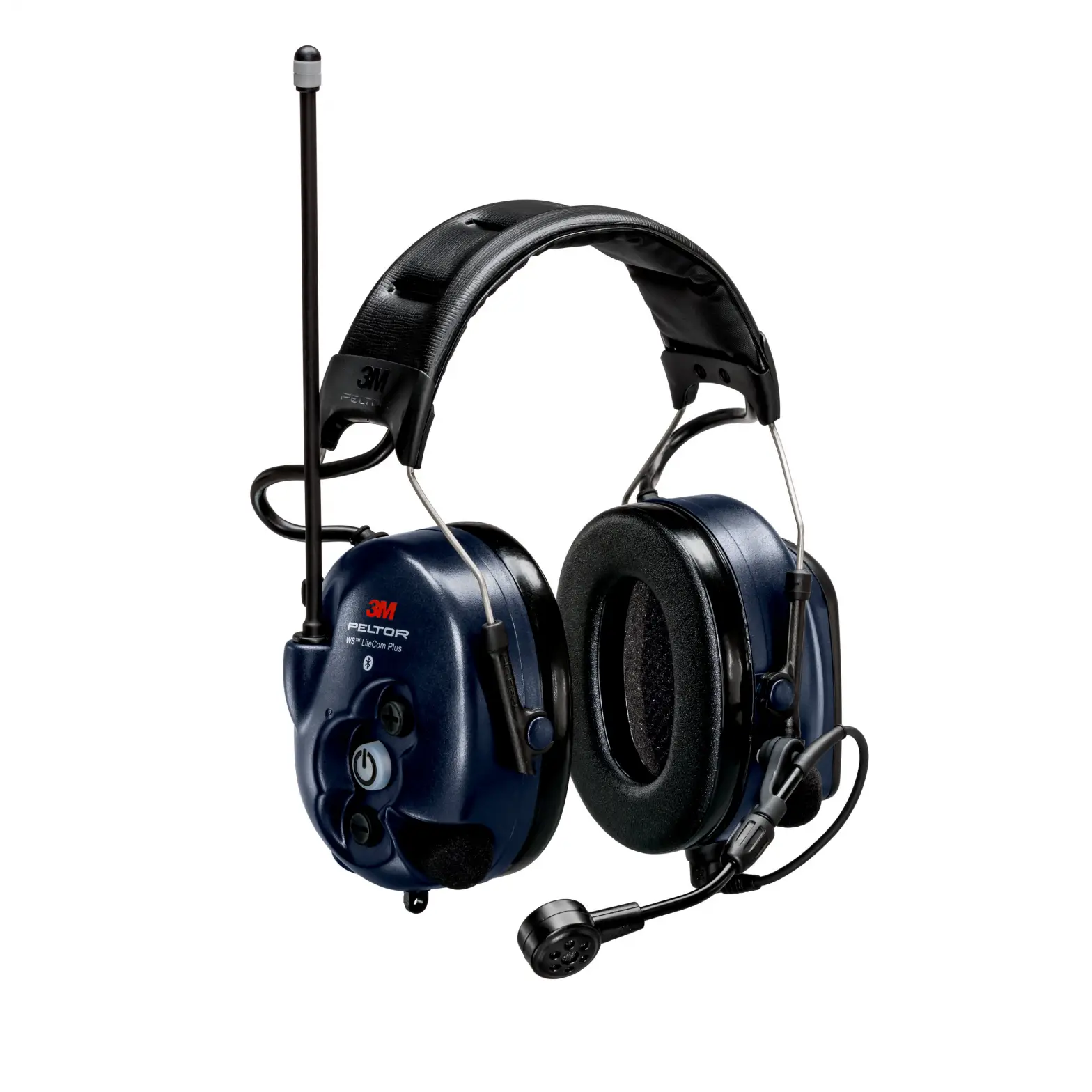
3M Peltor WS Alert X Headset User Manual

User Instructions for MRX21A4WS6, MRX21P3E4WS6
Allways read and follow all user instructions. For demonstrations purposes only. Inspect the hearing protector brfore rach use. If damaged, select as undermanaged hearing protector or avoid the noisy environment
Insert or replace batteries
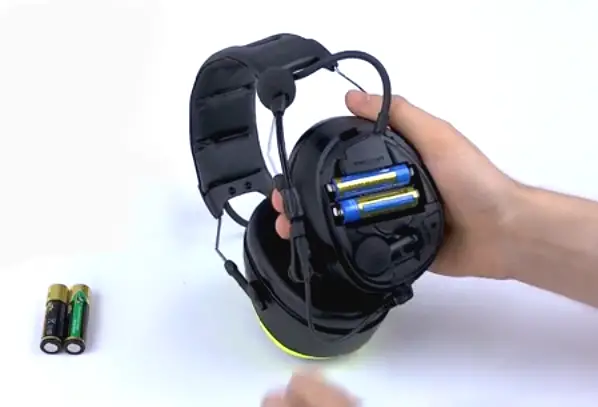
- Detach the latch on the left cup.
- Remove the lid.
- Insert or replace the batteries. Make sure the polarity corresponds to the markings.
- Close the lid and lock the latch.
Adjust the headset
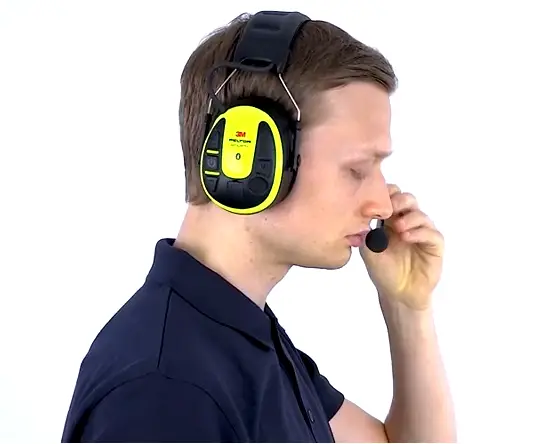
- Slide out the cups and tilt the top of the shell out, as the cable must be on the outside of the headband.
- Adjust the height of the cups by sliding them up or down while holding the headband in place.
- The headband should be positioned across the top of the head as shown and should support the weight of the headset.
Adjust the speech microphone
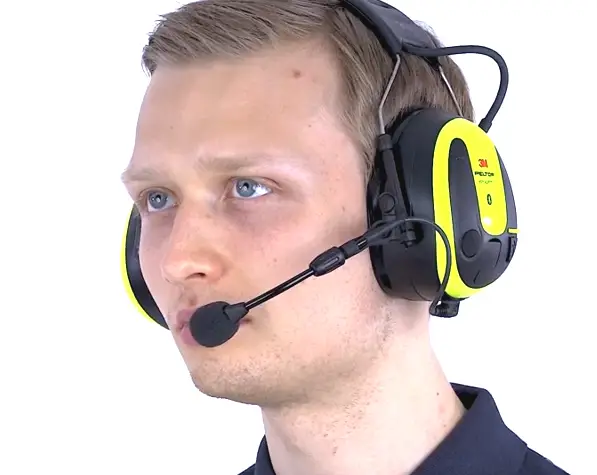
To maintain noise cancelling performance, the speech microphone should be positioned very close to your mouth (less than 3 mm or1/8 inch).
Power On/Off
- Long press (-2 seconds) the Power button to power the headset off or on.
- A voice message will notify “Power on” or “Power off’.
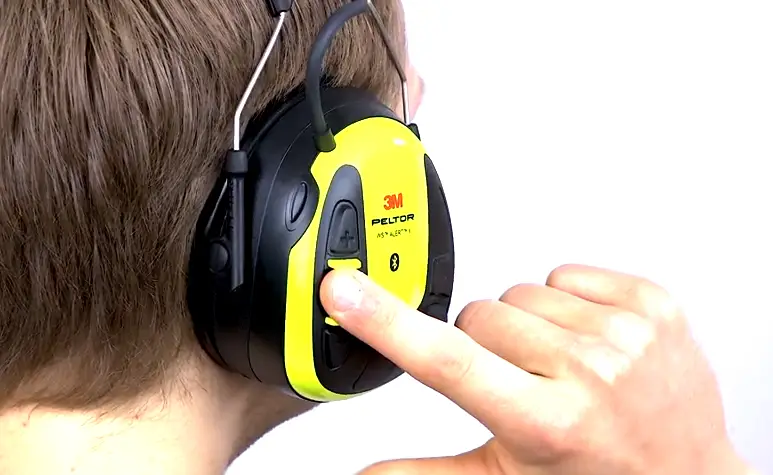
Power On – Bluetooth® Auto Pairing
- The first time the headset is powered on, it automatically enters pairing mode.
- A voice message will notify “Power on” and confirm “Bluetooth® pairing on”.
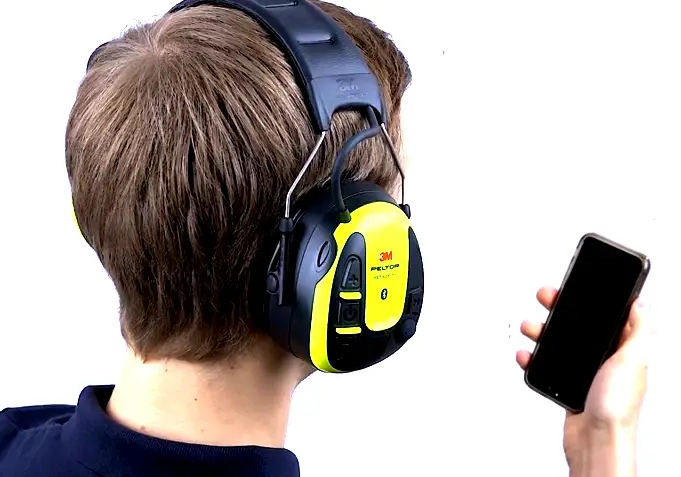
Power On – Bluetooth® Auto Pairing
- Make sure that Bluetooth is activated on your Bluetooth. device.
- Search and select “WS ALERT X” on your Bluetooth® device.
- A voice message confirms when the pairing is complete, “Pairing complete” and “Connected”.
Adjust the volume
1. Change the active sound source by short press (-1 second) the power button.
- Phone volume
- Ambient listening
- Streaming volume
- (Bluetootle radio volume)*
2. To adjust the active sound level, short press (-1 second) ) [ + ] button to increase or[ – ] button to decrease the volume.
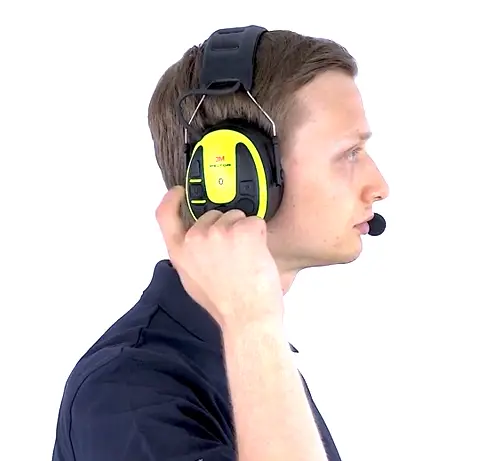
Note: Only heard, If you connect a Bluetooth Two-Way radio with the headset.
Communication Face To Face – PTL
The Push-To-Listen feature enables you to instantly listen to your environment by muting the Bluetooth audio volume and activating the ambient microphones.
- Short press (-1 second) the Power button two times to activate Push-To-Listen.
- Short press any button to deactivate Push-To-Listen.
1. Long press (-2 seconds) the [ M ] button to access the configuration menu.
A voice message will confirm “Menu”.
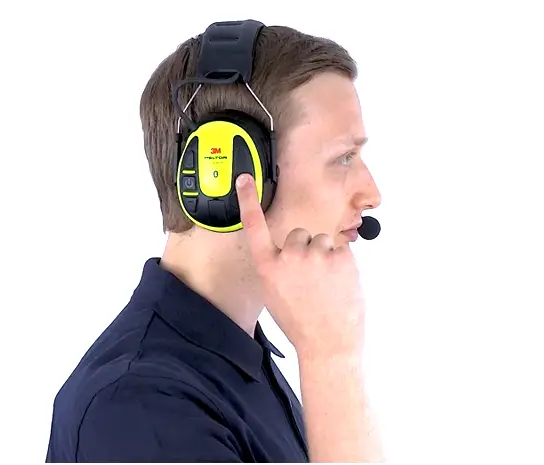
2. Short press ( -1second ) the [ M ] button to navigate through the menu. A voice message will confirm each menu step.
3. When the voice message says “Bluetootho pairing”, short press (-1 seconds) the [ + ] button to start pairing. A voice message will confirm “Bluetooth® pairing on”.
4. Make suet. Blueto.h5 is activated on your Bluetooth device.
6. Search and select “WS ALERT X” on your Bluetootho devic. A mice message confirms when the pairing is complete, “Pairing complete” and “Connected”
Bluetooth – Operate Phone
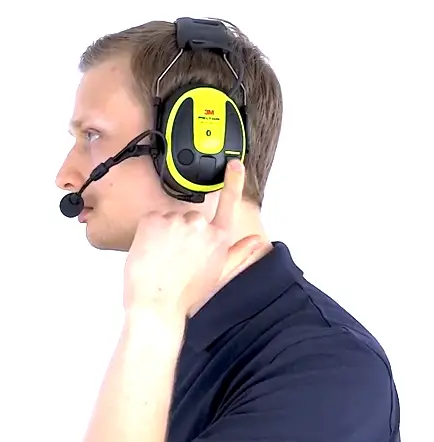
- To Answer incoming call, short press (~1 second) the luetooth Button
- To end outgoing call / call in progress, short press (~1 second ) the Bluetooth button.
- To active voice control, long press )~2 second) the Bluetooth button.
- To reject incoming call, Long press (~2 seconds) the Bluetooth bbutton.
- To Transfer the ongoing call between the phone and headset, Long press (~2 second) the Bluetooth Button.
Bluetooth – Operate Streaming
- To Start streaming, short press (~1 second) the Bluetooth button
- To skip forward, short press (~1 second) the Bluetooth button two times.
- To jump to previous track, short press (~1 second) the Bluetooth button three times.
- To pause the streaming, short press (~1 second) the Bluetooth button.
Configuring Your Headset
- Long Press (~2 seconds) the [ M ] button to acess the configuration menu.
A voice massage will confirm ” Menu”.
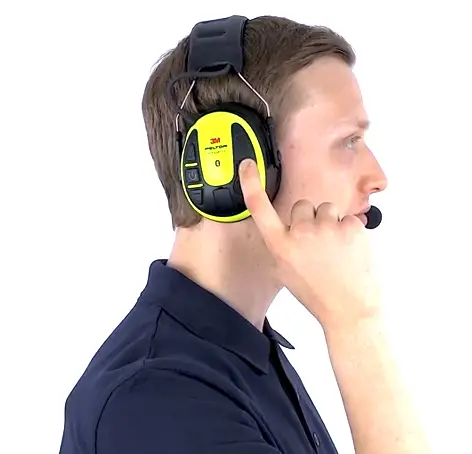
- Short press (~1 second ) the [ M ] button to navigate through the menu.
A voice massage will confirm each menu step:
Bluetooth Pairing
- Connect your 3M ” PELTOR WS ALERT X ” Headset with your Bluetooth device.
Bass Boost
- Bass boost gives a fuller bass sound to streamed stereo music.
- Short press (~1 second) [+ ] or [ – ] button to enable / disable bass boost.
Ambient Balance
- If you short press (~1 second) the [ – ] button it will increase the left side and reduce right side, and if you short press (~1 second) the [ + ] button it will increase right side and reduce left side.
- A voice massage will notify when the ambient balance is centered, ” Center”.
Abbient Equalizer
Ambient equalizer changes the frequency characteristics of the ambient sound. Short press (~1 second) [ – ] or [ + ] button to change the anbient equalizer levels, ” Low – Normal – High – Extra high.”
Sidetone Volume
Sidetone is audible feedback to the headset user during a conversation. Short press ( ~1 second ) the [ – ] or [ + ] button to changes the sidetone volume, ” Off-Low-Narmal-High”
Battery Type
Short Press (~1 second) the [ – ] or [ + ] button to change the battery type to either rechargeable or alkaline.
Reset To Factory Default
Short press (~1 second) the [ – ] or [ + ] button, Long Press (~2 seconds) the [ M ]button.
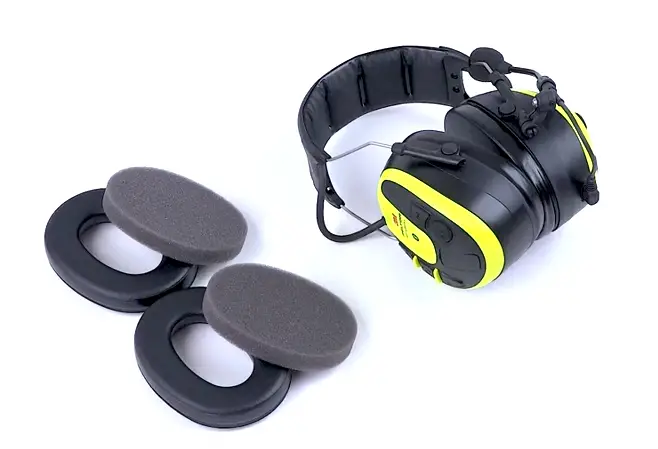
Change foam liners and ear cushions – Hygiene kit HY82
When used regulsrly,SM recommends replacing the foam liners and ear Mons et lesatwice Ye.. Frn Mem attenuation. hygiene, end combrt.
Change to Gel Rings HY80
The gel rings helps’. enhance comfort and to reduce pressure points, e.g. when using eyewear They consist of a soft and thin polyurethanes filled with silicon gel.
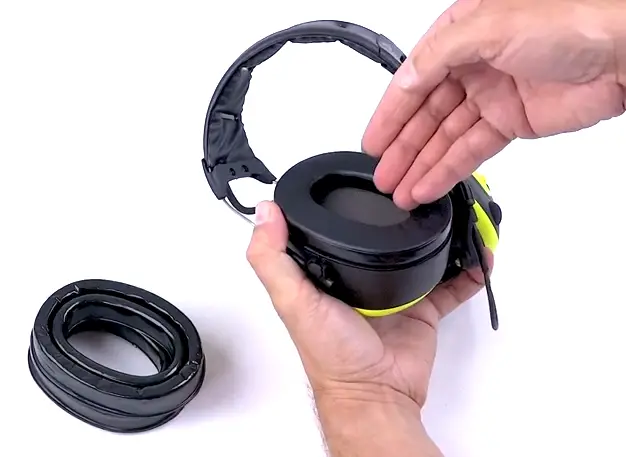
When used regularly, 3M recommends replacing .931 rings at least twice year to maintain consistent attenuation, hygiene, and comford.
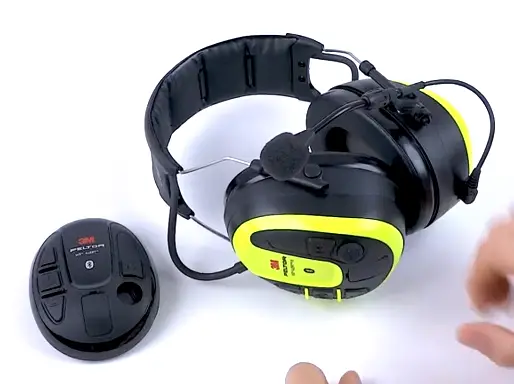
Change lids
Change to any 3M PELTOR WS ALERT accessory lids.
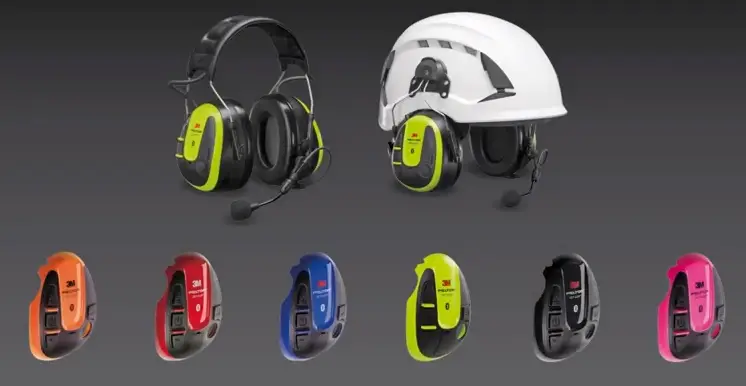
This video provides an overview of 3M'” PELTOR'” Products and doss not replace the need to read and understand the User Instructions. Always read and follow all User Instructions. Noise reduction may be lower if anything (e.g. caps, glasses, straps, etc.) is worn between the earmuff cushion and head. For best protection, ensure the entire earmuff cushion seals directly against the head. 3M PSD products are occupational use only.
In Europe, 3M PELTOR products may also be appropriate for certain non-work uses.
© 3M 2021. All rights reserved. The Bluetooth0 word mark and logos are registered trademarks owned by Bluetooth SIG, Inc. and any use of such marks by 3M Company is under license.
3M, PELTOR, WS and ALERT are trademarks of 3M Company, used under license in Canada.