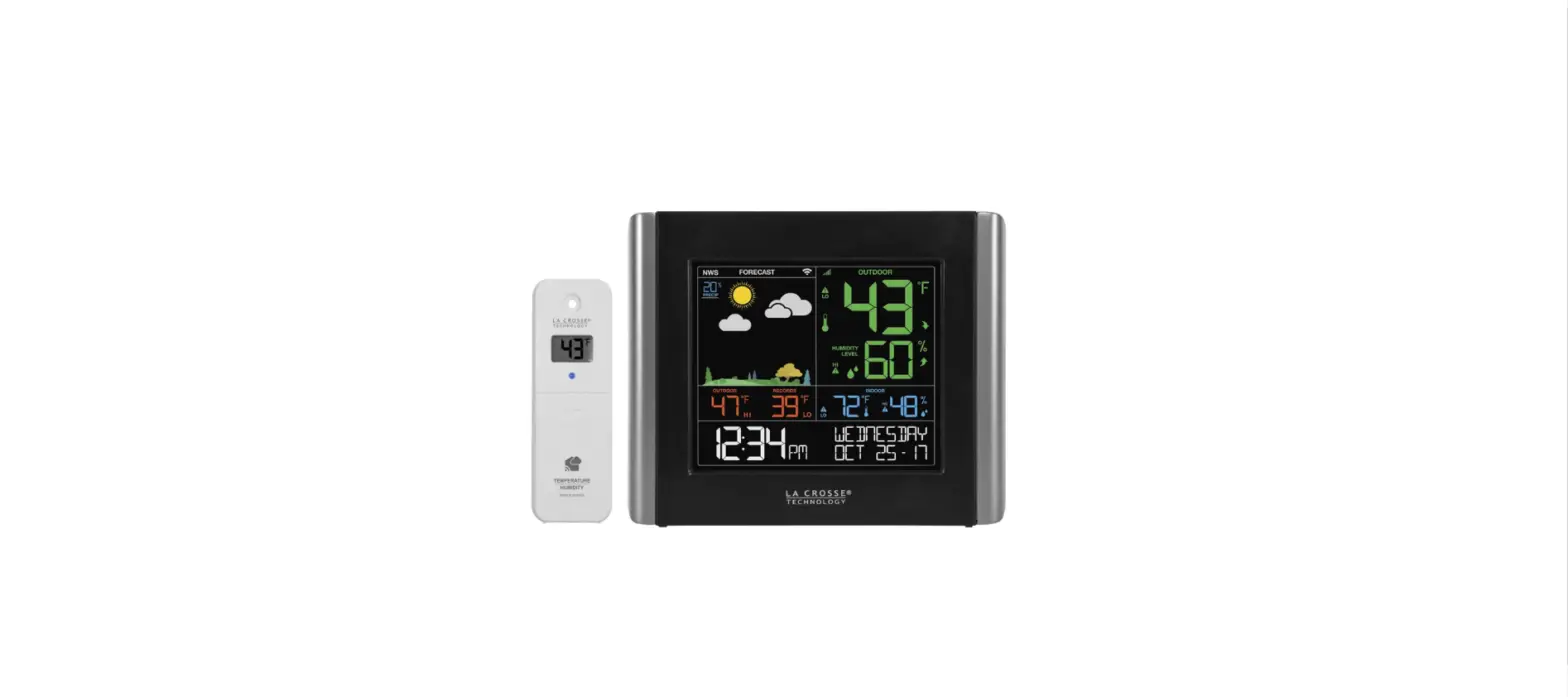

LA CROSSE V10-TH REMOTE MONITORING
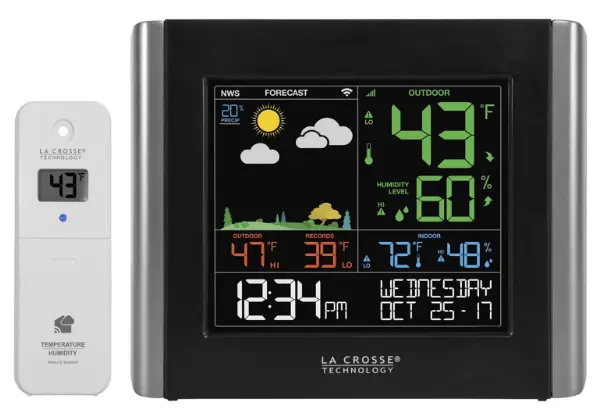
WHAT’S IN THE BOX
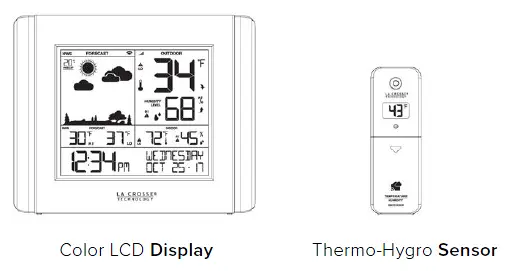
POWER UP
STEP 1:
Not Interested in Connecting to La Crosse View™? No Problem!
These enhanced features are optional & your weather station will function as a standalone unit without connecting to the app.
- OPTION 1
CONNECT TO LA CROSSE VIEW™
DOWNLOAD
Visit the App Store or Google Play Store to download the free La Crosse View™ app on your mobile device.
CHECK YOUR NETWORK
Confirm that your mobile device is connected to a 2.4GHz Wi-Fi Network before you connect your station
LAUNCH
Open the app on your iOS or Android device.
FOLLOW INSTRUCTIONS
The La Crosse View™ app will walk you through creating an account and automatically sets your time & local forecast.
Make Sure Your Station is Ready to Connect When connecting to the app, ensure the
The Wi-Fi Indicator icon is blinking. If it is not, hold the + & – buttons together. - OPTION 2
STANDALONE STATION
STATION SETUP
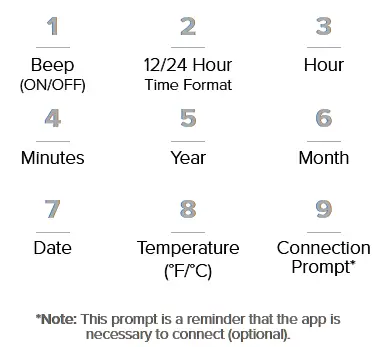
To enter the setup menu,
hold the SET button.
Press and release the – or + buttons to make adjustments.
Push the SET button to confirm.
SETUP ORDER
CAN I CONNECT LATER?
Of course! You can always connect your station to the app. See the full manual for more details.
MOUNTING BASICS
STEP 3:
At this time, all of your sensor information should be displayed on your station. Here are a few quick tips for mounting your sensors:
Keep out of direct sunlight & ensure the sensor is well-ventilated.
Be sure to mount your sensor vertically to all moisture to drain out properly.
We recommend mounting under a deck or eave facing north.
Note: For detailed mounting instructions, please review the full manual.
STATION OVERVIEW
IMPORTANT ICONS & HELPFUL TIPS
- Wi-Fi INDICATOR*
This icon measures your Wi-Fi connection strength - NWS FORECAST
When this appears, you’re now receiving enhanced NWS info - LOW BATTERY
Individual station/sensor indicators let you know which batteries to replace - SENSOR CONNECTION
The bars let you know the station & sensor are connected
BUTTONS (LOCATED ON TOP OF STATION) 
WI-FI SEARCH
Press and hold the + & – buttons together to look for the Wi-Fi Signal.
FACTORY RESET
Press and hold ALERTS & LIGHT buttons together to start over
HOW IT WORKS
DURING SETUP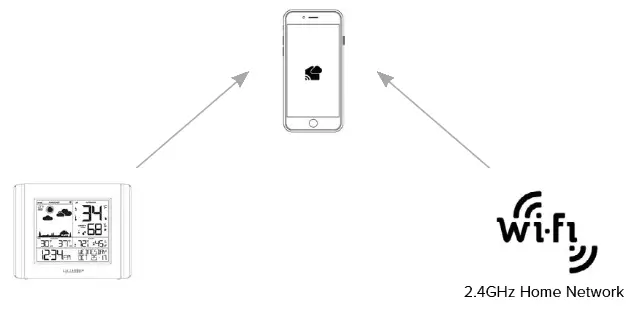
Your mobile device is used to establish the connection between your Wi-Fi network and the weather station. Dual-band routers have a 2.4 GHz frequency as well as the 5 GHz frequency.
AFTER SETUP 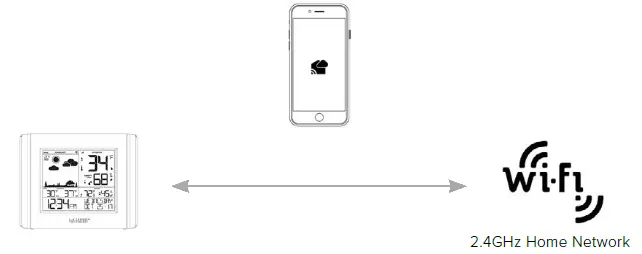
After you weather station is connected, you may choose a different Wi-Fi frequency or network for your phone.
WI-FI NETWORK REQUIREMENTS
- Broadcast Frequency: 2.4GHz (802.11 b/g/n)
- Network Name/Password: Must Not Exceed 45 Characters
- Network Speed: Must Be Greater than 1 Mbps
Note: If you have a multiple-band router, be sure your mobile device is connected to the 2.4 GHz frequency when setting up the app.
iOS REQUIREMENTS - iOS 9.0 or higher with cellular or Wi-Fi service
ANDROID REQUIREMENTS - Android OS 5.0 or higher with cellular or Wi-Fi service
STATION & SENSOR SPECS
STATION DISPLAY (V10-TH)
- Indoor Temperature Range: 32°F to 122°F (0°C to 50°C)
- Indoor Humidity Range: 10% to 99%RH
- Power Requirements: 5.0V AC Adapter + 3 “AA” Batteries
THERMO–HYGRO (LTV-TH2)
- Outdoor Temperature Range: -40°F to 140°F (-40°C to 60°C)
- Outdoor Humidity Range: 10% to 99%RH
- Power Requirements: 2 “AA” Batteries (not included)
- Sensor Transmission Range: 400 Feet (121.92 Meters)
WE’RE HERE TO HELP!
FIND FULL MANUALS ON THE SUPPORT TAB
www.lacrossetechnology.com/V10-TH
LA CROSSE VIEW APP SUPPORT
www.lacrossetechnology.com/lacrosseviewsupport/
JOIN THE CONVERSATION
Ask questions, watch detailed setup videos, and provide feedback on our social media outlets!
NEED MORE HELP?
If you require additional support, call our friendly customer support representatives based out of our office in La Crosse, Wisconsin.
Phone: 1.844.200.8752
Our knowledgeable customer support team is available Monday-Friday, 8 am-6pm CST.
CARE + MAINTENANCE
Do not mix old and new batteries.
Do not mix Alkaline, Lithium, standard, or rechargeable batteries. Always purchase the correct size and grade of battery most suitable for the intended use; Clean the battery contacts and also those of the device prior to battery installation; Ensure the batteries are installed with correct polarity (+ and -); Remove batteries from equipment that will not to be used for an extended period.
WARRANTY INFO
La Crosse Technology, Ltd. provides a 1-year limited-time warranty
(from date of purchase) on this product relating to manufacturing defects in materials & workmanship.
Before returning this product, please contact our friendly
customer support team with questions or visit our online support site.
Phone: 1.844.200.8752
For Full Warranty Details, Visit:
www.lacrossetechnology.com/support
FCC STATEMENT
This equipment has been tested and found to comply with the limits for a Class B digital device, pursuant to part 15 of the FCC Rules. These limits are designed to provide reasonable protection against harmful interference in a residential installation. This equipment generates, uses and can radiate radio frequency energy and, if not installed and used in accordance with the instructions, may cause harmful interference to radio communications. However, there is no guarantee that interference will not occur in a particular installation. If this equipment does cause harmful interference to radio or television reception, which can be determined by turning the equipment off and on, the user is encouraged to try to correct the interference by one or more of the following measures:
- Reorient or relocate the receiving antenna.
- Connect the equipment into an outlet on a circuit different from that to which the receiver is connected.
- Increase the separation between equipment & receiver.
- Consult the dealer or an experienced radio/TV technician for help.
This device must not be co-located or operating in conjunction with any other antenna or transmitter.
Operation is subject to the following two conditions:
- This device may not cause harmful interference, and
- This device must accept any interference received, including interference that may cause undesired operation.
Caution!
The manufacturer is not responsible for any radio or TV interference caused by unauthorized changes or modifications to this equipment. Such changes or modifications could void the user authority to operate the equipment.
All rights reserved. This manual may not be reproduced in any form, even in part, or duplicated or processed using an electronic, mechanical or chemical process without the written permission of the publisher.
This booklet may contain errors or misprints. The information it contains is regularly checked and corrections are included in subsequent editions.
We disclaim any responsibility for any technical error or printing error or their consequences. All trademarks and patents are recognized.
Apple and the Apple logo are trademarks of Apple Inc., registered in the U.S. and other countries. App Store is a service mark of Apple Inc.
Google Play and the Google Play logo are trademarks of Google Inc.