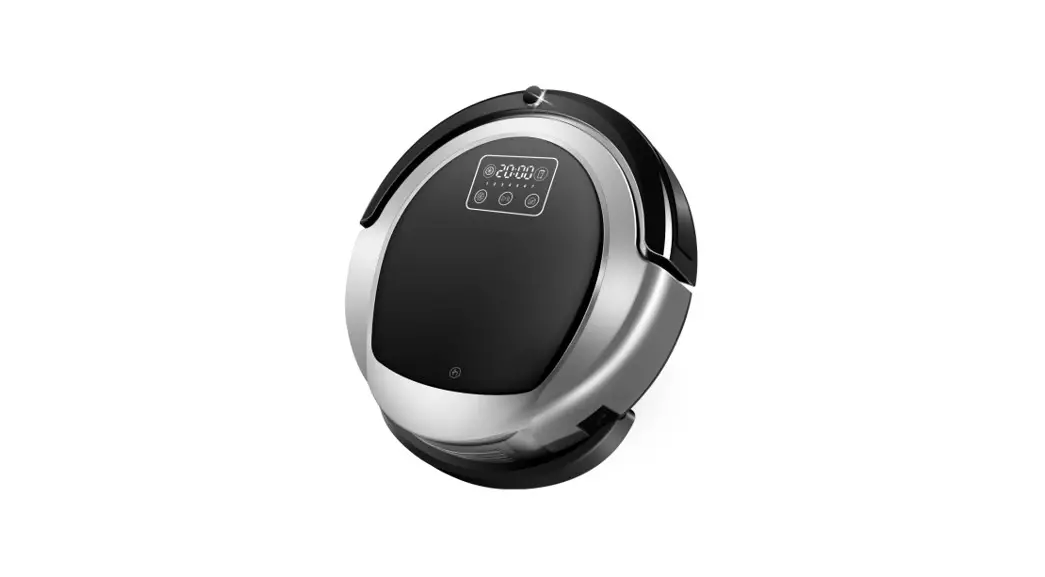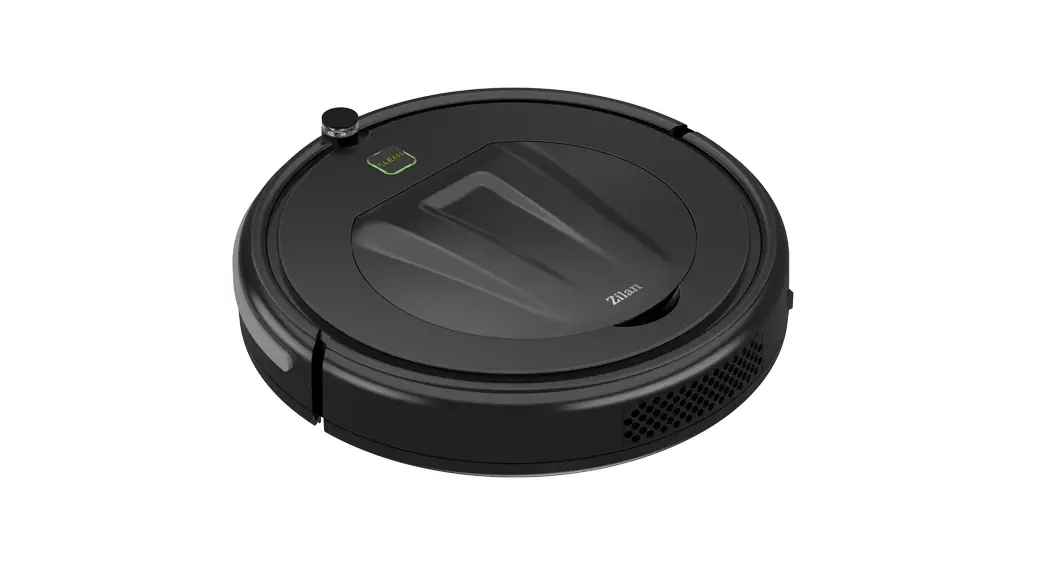

Smart Vacuum Cleaner
ZLN3500
Instruction Manual
18 Watt
100-240 Volt
50-60Hz
Safety & Warnings
- Read all instructions before using the appliance and retain them for reference.
- Only use accessories, including the charger, supplied or recommended by the original factory.
- Do not attempt to dismantle or repair the product yourself.
- Do not allow the product to vacuum hazardous materials.
- Do not allow the product or its charger to be exposed to water, heat, or sunlight.
- Use only as instructed for household use within an ambient temperature of 0v C° to 40 C°
Overview
Specifications
| Classification | Item | parameter |
| Dimensions | Diameter | 290mm |
| Net weight | 1.8kg | |
| Power | Voltage | 14.4V |
| Battery capacity | Ni-Mh battery 850mAh | |
| Sweeping parameters | Charoino mode | Manual charging |
| Sweeping mode | Random sweeping, edge sweeping, and automatic sweeping | |
| Charge time | 240-360min | |
| Operation time | 40-60min | |
| Control type | ||
List of accessories
| 1 | Main unit | 1 |
| 2 | Battery adaptor | 1 |
| 3 | Remote control | 1 |
| 4 | Side brush | 2(1x left+1x right |
| 5 | Dustbin | 1 |
| 6 | Main strainer | 1 |
| 7 | Preliminary strainer | 1 |
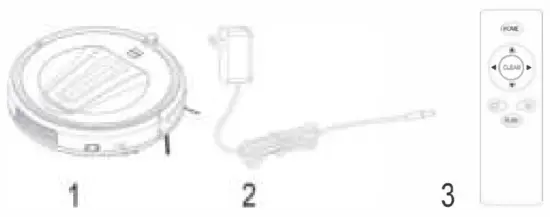
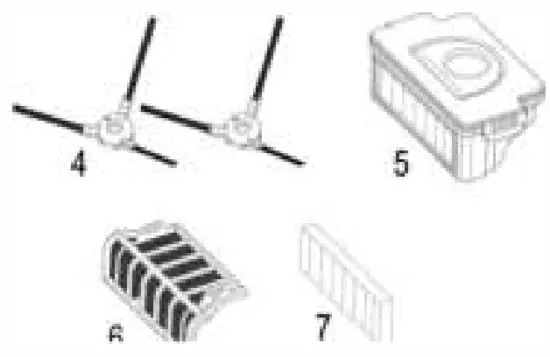
Remote control
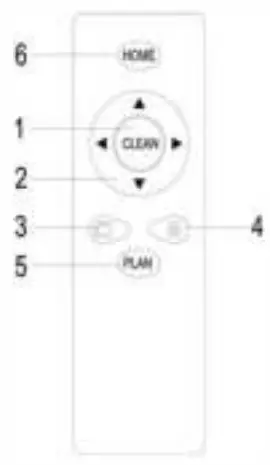
- Start/pause.
- Directional buttons
• When in standby mode, the unit will not respond to these commands. - “N/A”(edge cleaning) button
• When in standby mode, the unit will not respond to these commands. - “Random” button
• When in standby mode, the unit will not respond to these commands. - “Auto” button
• When in standby mode, the unit will not respond to these commands. - “respond” button
• In both operating and standby mode, the machine will beep in response.
Operation
In standby mode, the power switch on command has been set.
In operating mode, the machine sweeps: switch on and press “Start/stop”.
When the machine is working, the “Start/stop” light will be a solid blue.
Press the “Start/Stop” button or switch it off and it will stop working.
Note:
• Turn off when the machine will not be used.
• Do not start sweeping while the machine is being charged.
Auto sweeping mode: In operating mode, pressing the “Auto” button will begin automatic sweeping.
N/A sweeping mode: In operating mode, pressing the “N/A” button will set the machine to clean around the edges of the room.
Random sweeping mode: In operating mode, pressing the “Random” button will begin roaming. The machine will default to this when turned on.
Note:
- After a sweeping mode is selected, the machine will switch to another sweeping mode automatically according to the actual environment, so as to achieve the best sweeping effect.
- Under any sweeping mode, the machine will stop sweeping if you press either “start/pause” button of the remote control or the power button of the machine body.
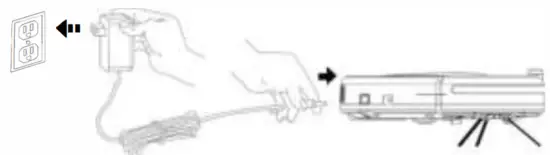
Charging: After turning off, connect the power adapter to the power supply and insert the other end into the charging port:
- On low power, the “start/suspend” button light will flash red.
- When charging, it will flash green
- When fully charged, it will be solid green.
- Charge for at least 6 hours the first time it is charged.
- Charge fully after each use.
- When the product is turned on and charged, if you remove the power adapter, the “start/suspend” light will flash red and green to remind you that the power switch is not turned off.
- If the machine will not be used for a long time, charge every 2 months to ensure good operation of the battery.
Cleaning & care
- Cleaning of side brushes
If side brushes are dirty, please wash them with clean water and use them after they get dry naturally. If they are damaged and cannot work normally, please change them.
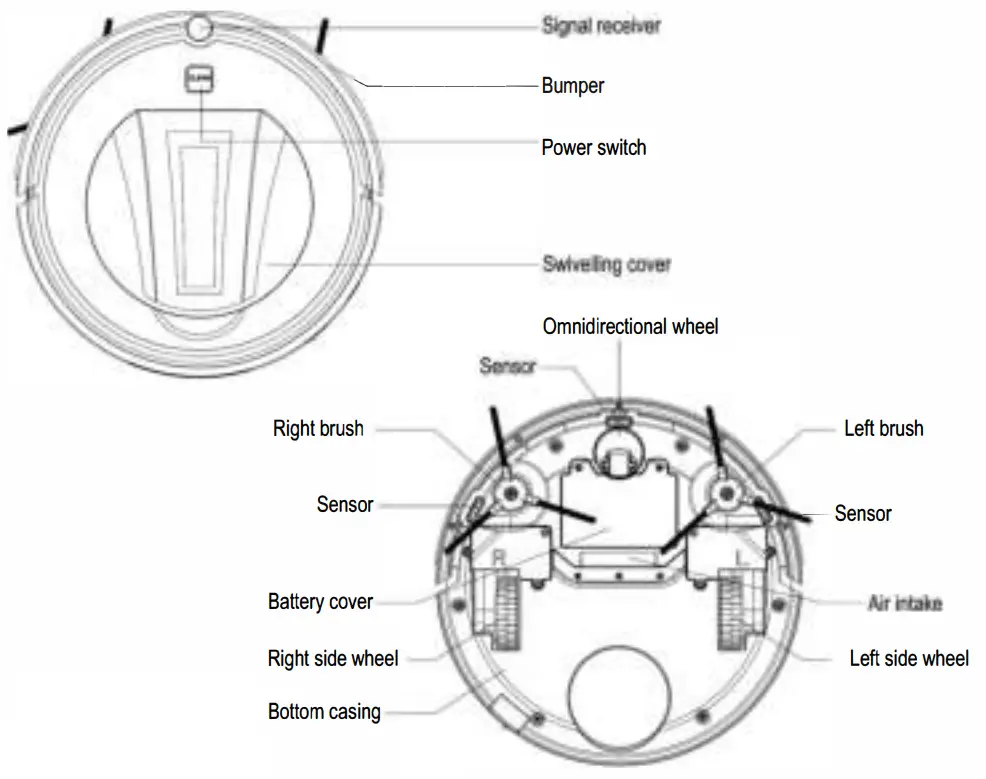
• When changing side brushes, refer to the “L” and “R” on the side brushes and indicated them on the base of the machine respectively.
• Wash side brushes after cleaning to ensure normal operation. - Cleaning the dustbin and strainer.
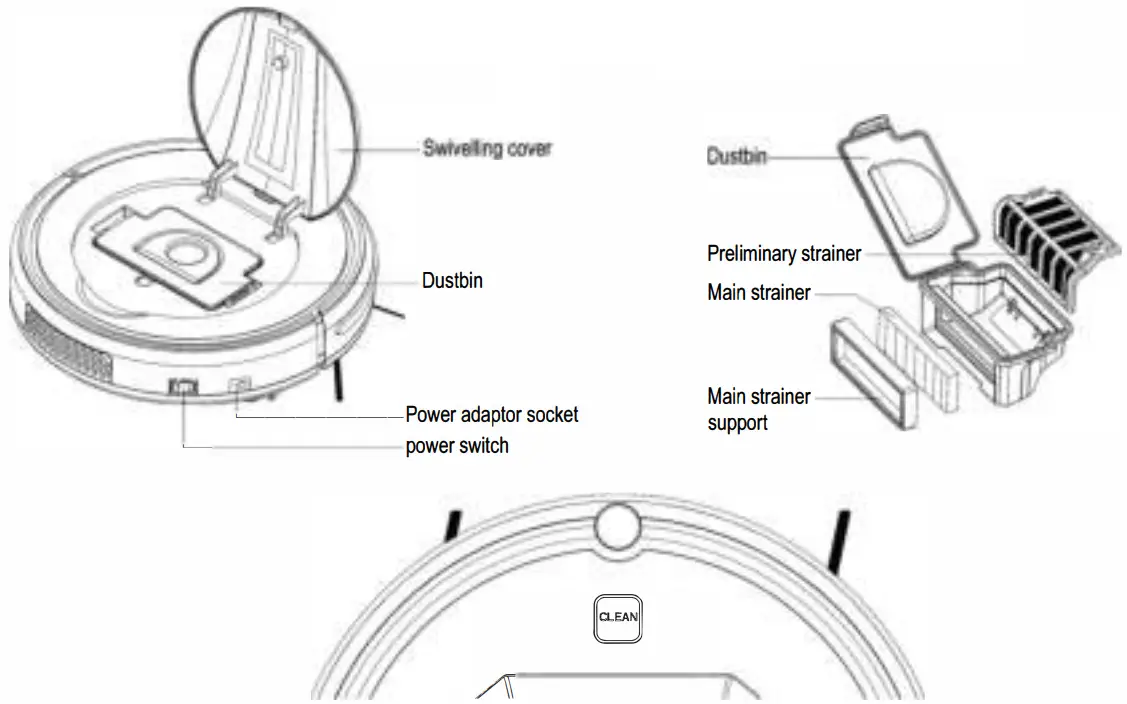
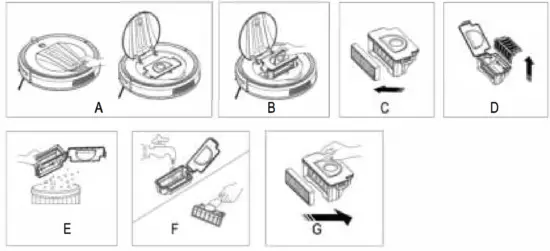
A. Remove the cover as instructed.
B. After taking out the dustbin, please check if the suction channel of the host is obstructed by foreign matters and also clean it up.
C. Remove the main strainer.
D. Remove the preliminary strainer.
E. Lower the dustbin until dust pours out.
F. Clean dustbin, preliminary strainer, and main strainer. Lt is best to clean after 15-30 days’ use, the lifespan of the main strainer is approximately 24 months.
Do not use a brush or water: knock gently or use a dryer to loosen dust.
G. Reassemble correctly to avoid damage to the machine.
• Clean dustbin and suction channel after each use.
• After washing components, allow them to dry naturally, but do not let them dry in the sunshine.
Replace the machine after drying to ensure good operation.
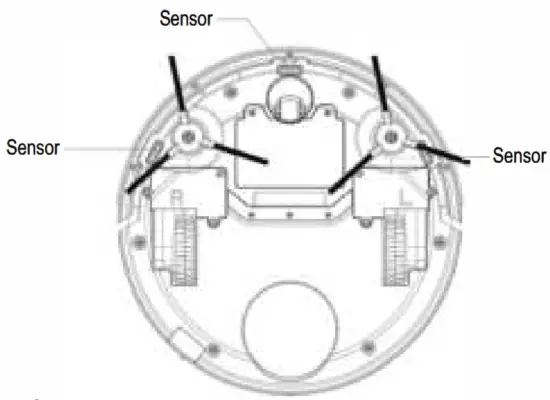
- Cleaning of the sensor lens
Use a soft cloth to gently wipe the sensors, positions indicated below:
Battery replacement
- Remove screws from the battery cover at the unit underside with a screwdriver.
- Remove the cover and take out the battery.
- Slightly open the look of the battery connecting pug to separate the battery from the unit.
- Connect the plug of the new battery with the socket of the unit.
- Insert the new battery with the face with the characters upwards.
- Tuck the wires neatly near the battery and look the battery cover.
- Switch on and confirm the machine works normally.
Note:
- Only use a battery supplied or recommended by Kogan
- Charge the new battery for 6 hours after replacement.
- Please dispose of the old battery in an environmentally-friendly manner.
Troubleshooting
| Issue | Cause | Steps to resolve |
| Red light flickers and buzzer sounds | Earth inspection fault | Lift and replace on floor |
| Red lights Long bright buzzer sounds | Drive wheels overloaded | Check left and right side wheels and brushes |
| Red lights flicker and | Collision switch fault | Check the flexibility of the bumper |
If an issue persists, turn the machine on and off at the switch on the base.
And if this still does not resolve the issue, contact original factory support.
 Zilan Group