

User Manual
How to install Guide
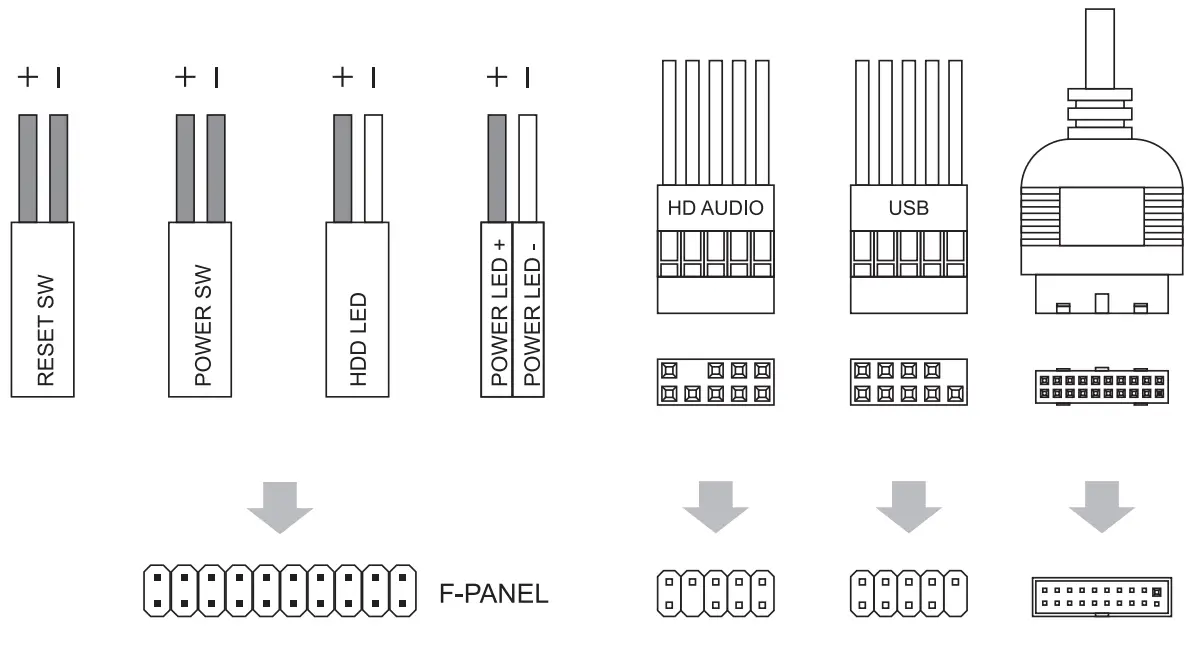
Front I/O Panel Cable Connection
Front Panel Connector
(Please refer to the motherboard’s manual for further Instructions).
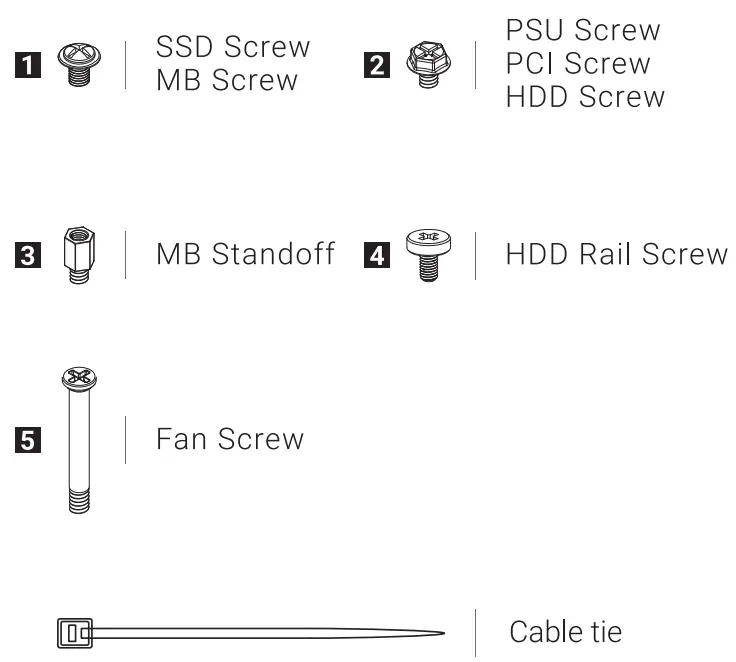
Accessory Bag Contents
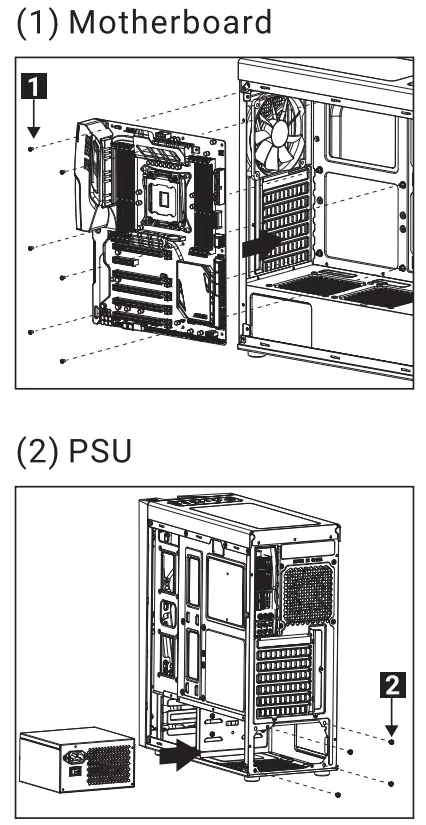
Install Motherboard
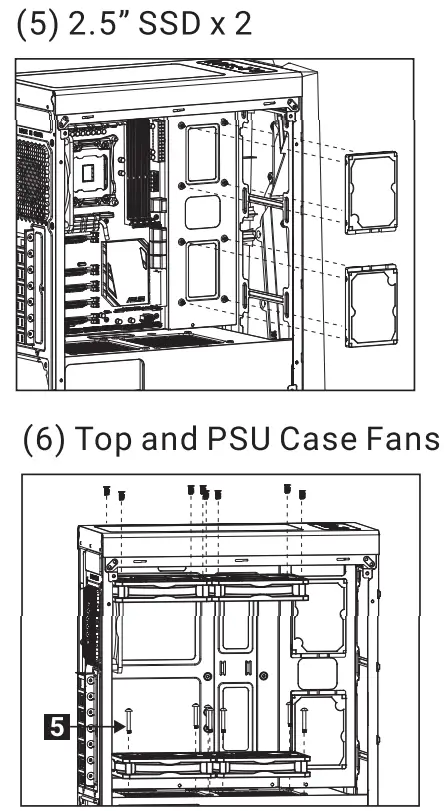
 | 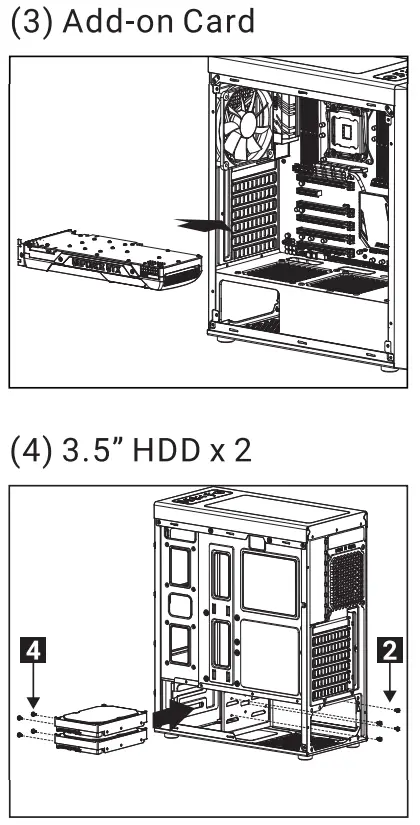 |
Remove front panel
 | 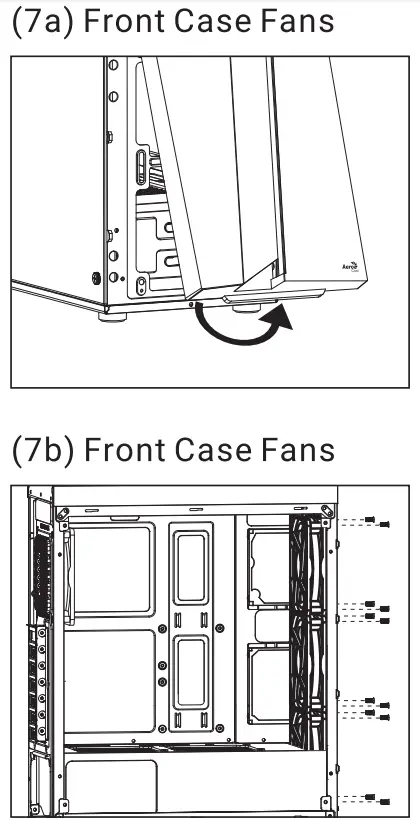 |
Remove Radiator
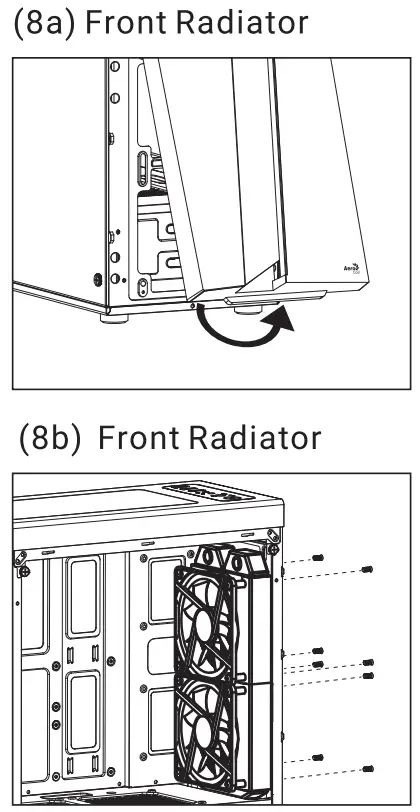
l/O Panel
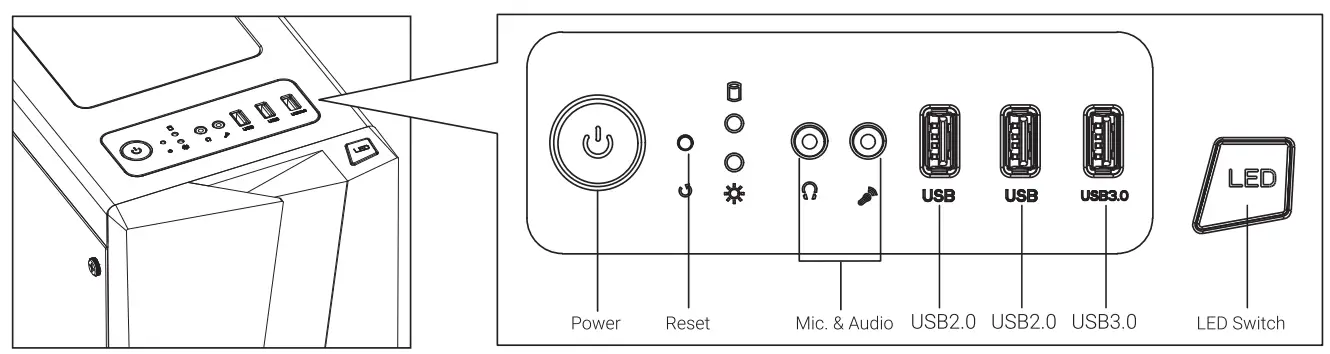
Note: Specifications may vary depending on your region. Contact your local retailer for more information.
 LED Mode Switch (Hold switch for 2 secs to turn off LED)