 Home
Home
User Manual
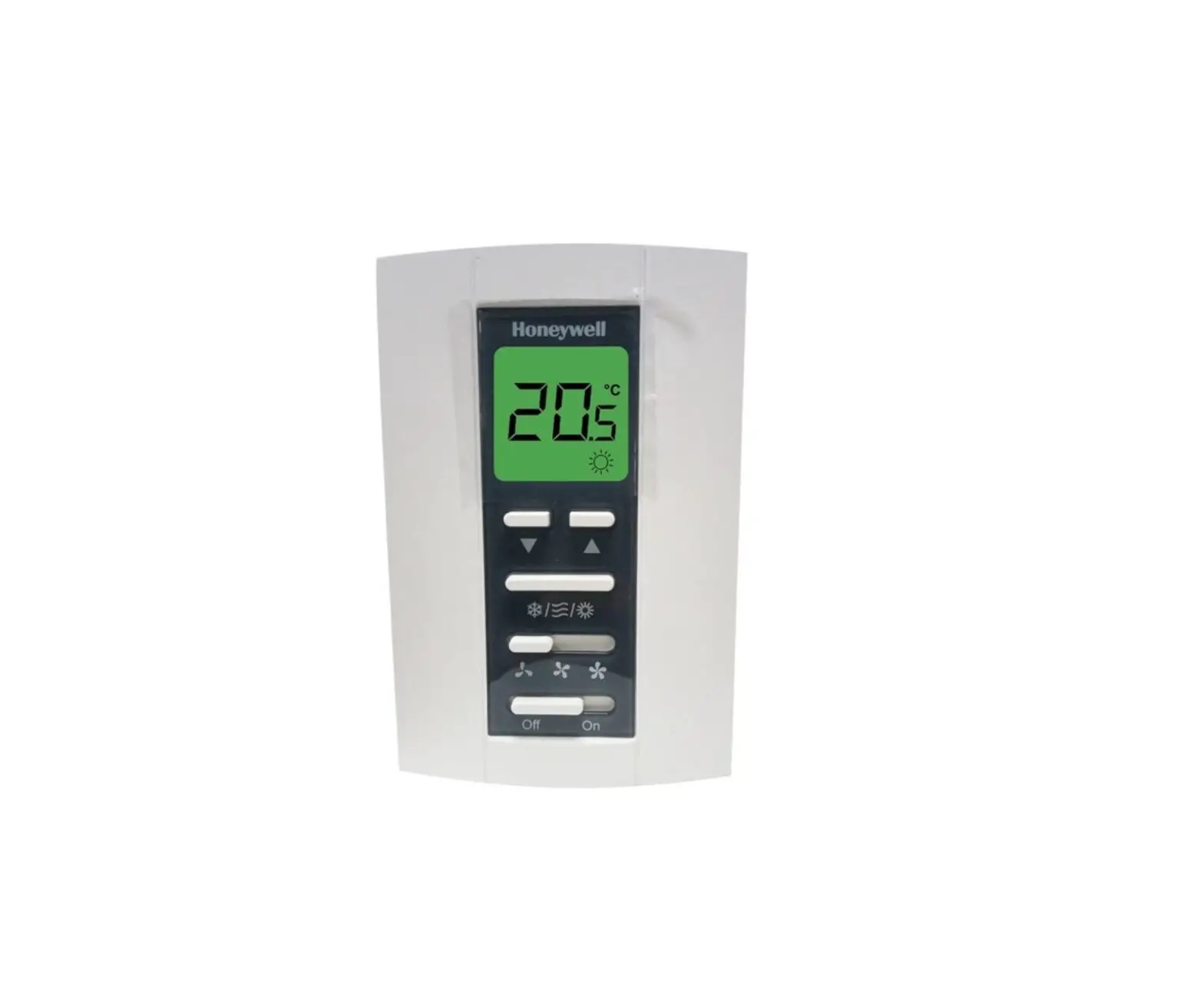
TF243 Series Digital Thermostat
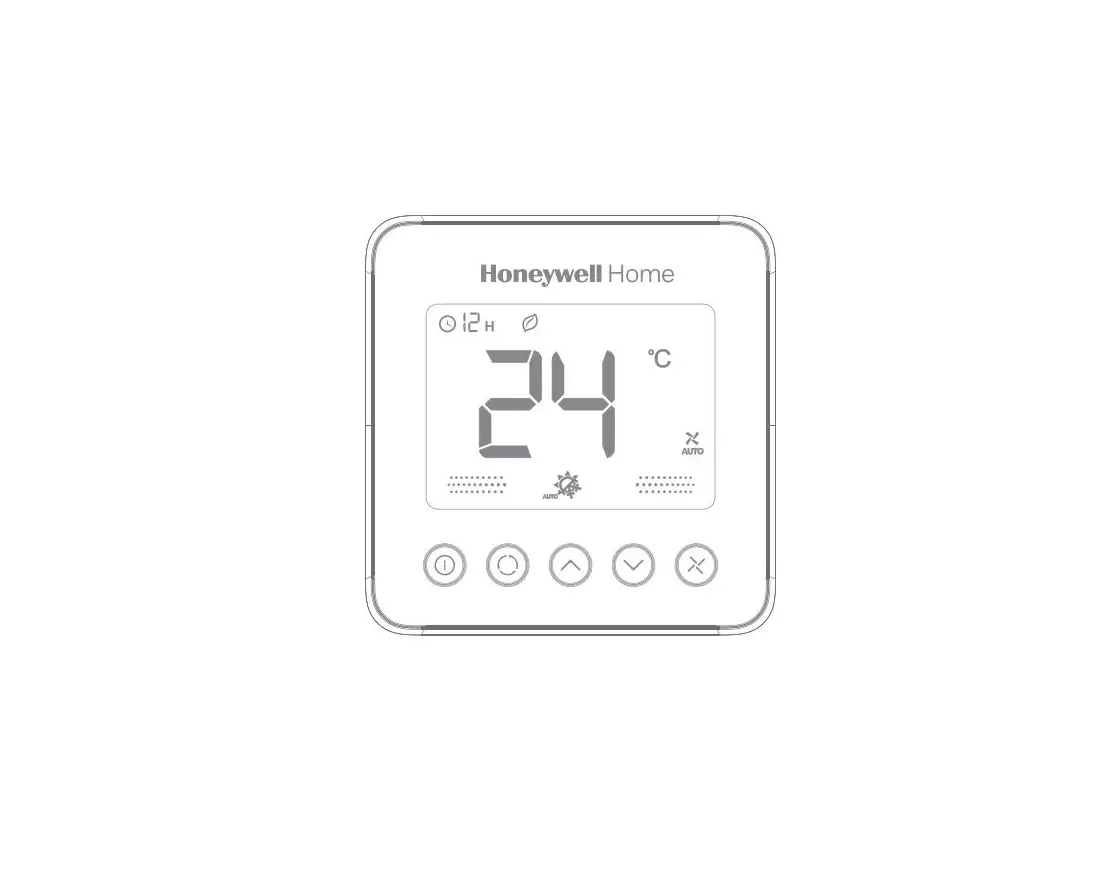
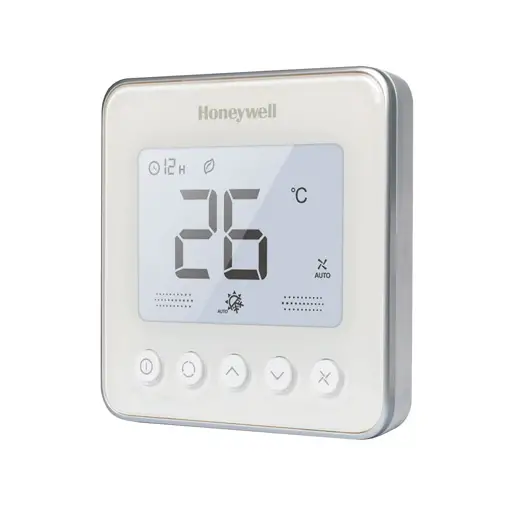
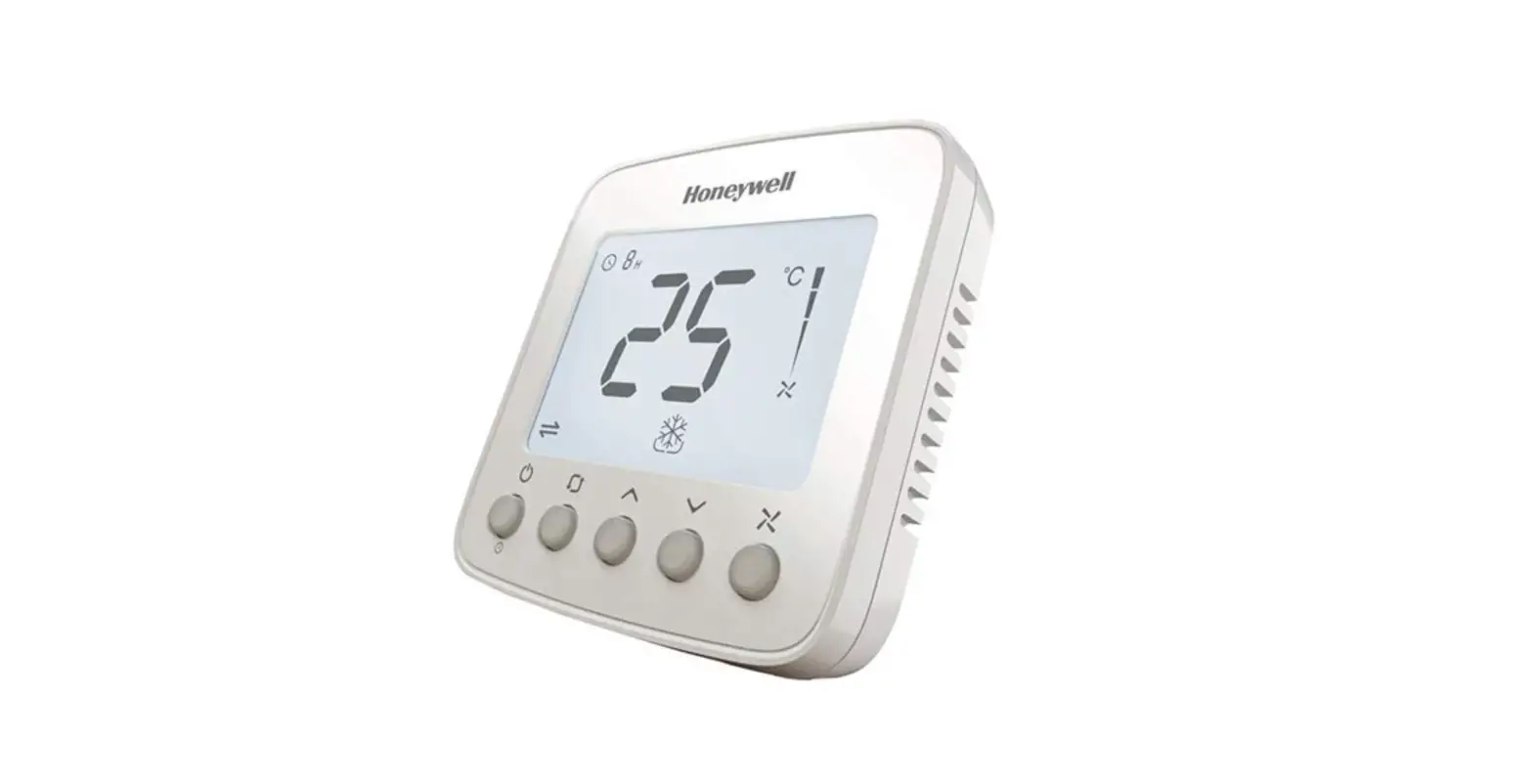
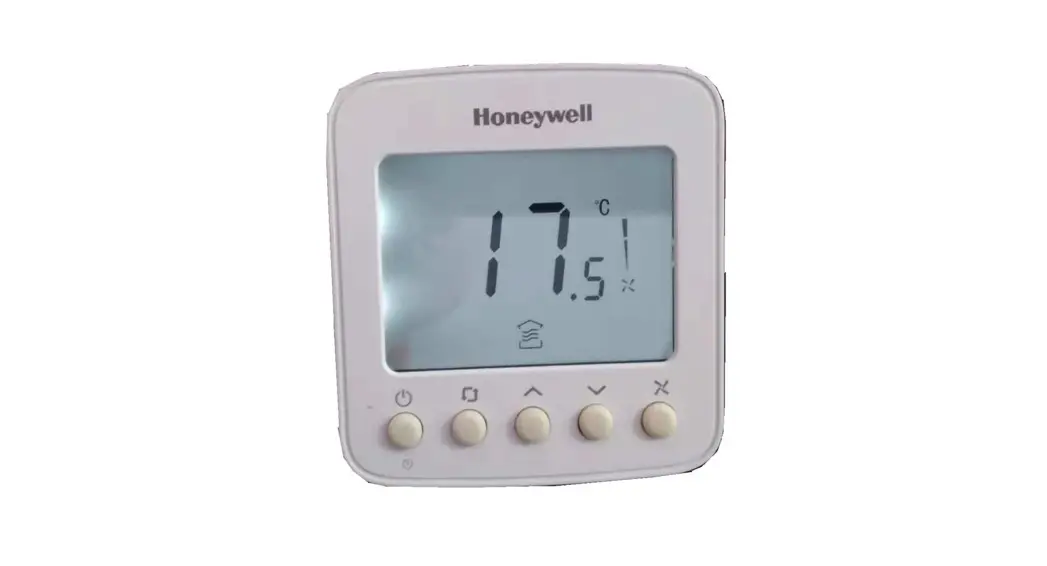
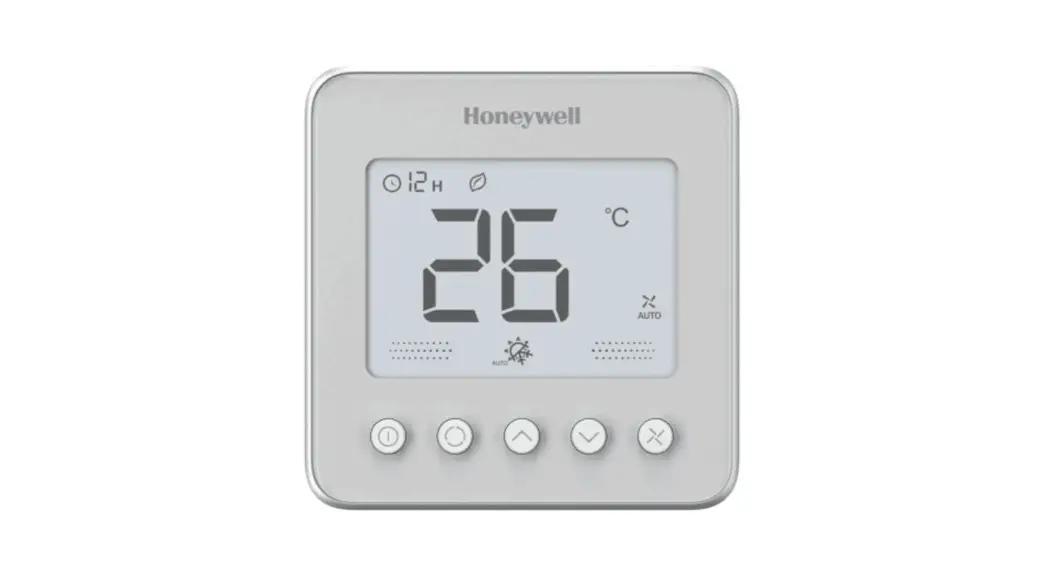
Thermostat Appearance
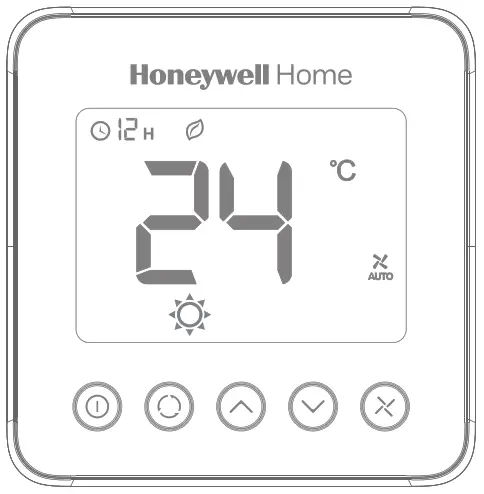
Operating Your Thermostat
 Power On/Off Time-off
- Press
 to switch on/off thermostat. When in off mode, the OFF icon and indoor temperature will display.
 - Press could set the automatic turn-off time when the thermostat is working.
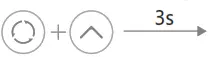
- Press and hold for more than 3s. After the timer icon flashes, press
 or to set turn off time, then press the button to exit.
 or
or  to set turn off time, then press the button to exit.
 Operating Mode
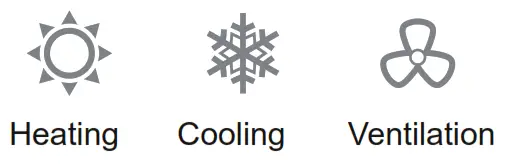
 Temperature Setting
In  or
or  mode, press or set the target room temperature.
 LCD Display
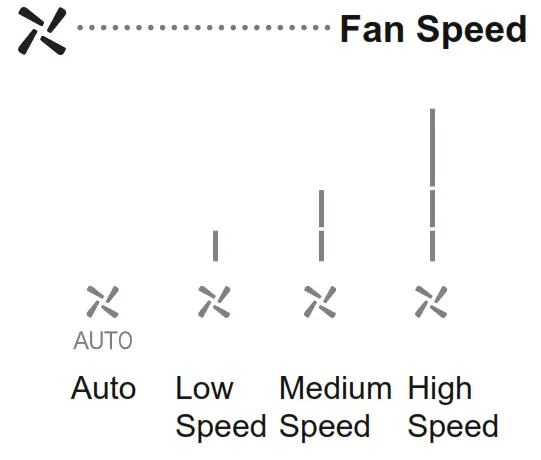 LCD Display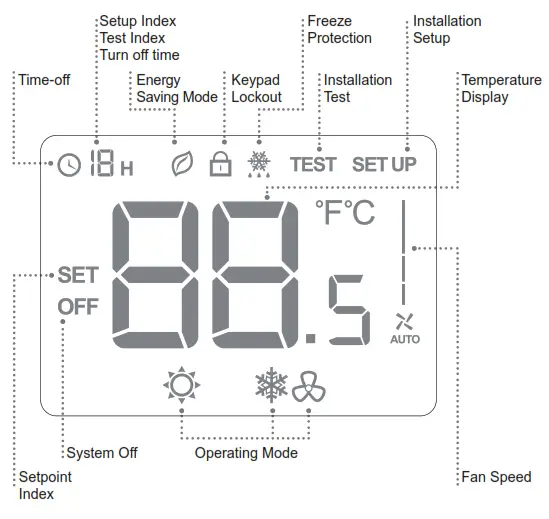
Trouble Shooting Tips
| If… | Then… |
 Doesn’t work Doesn’t work | Set the mode to (heating mode) by press Make sure the temperature is set above the room temperature Wait 5 minutes for the system to respond |
 Doesn’t work Doesn’t work | Set the mode to (cooling mode) by press Make sure the temperature is set below the room temperature Wait 5 minutes for the system to respond |
| Doesn’t work | Make sure the keypad is unlocked Check that the thermostat is on |
| Doesn’t work | Make sure the keypad is unlocked Make sure the system isn’t in  mode modeCheck that the thermostat is on |
| The system turns off automatically | Make sure the memorized time off value isn’t set to “0” |
| Time-off doesn’t work | Make sure the button is unlocked Make sure the turn off time is not 0 Make sure the thermostat is not in ISU Make sure the thermostat is not off |
Installation Guide

Must be installed by a trained and experienced installer
- Read instructions carefully. Failure to follow instructions will damage the product or cause a hazardous condition.
- Check the ratings in this booklet to verify that this product is suitable for your application.
- Always test for proper operation after installation.
Caution: ELECTRICAL HAZARD can cause electrical shock or equipment damage.
Disconnect power before installation, reparation, and detachment.
The manual interpretation is owned by Resideo Technologies, Inc. and its affiliates, we retain the rights that improve the products described in this manual without prior notice.
Installation Tips
TF243 Series is designed for standard 75x75x50mm wall mounting box installation.
Install the thermostat about 5 feet (1.5m) above the floor in an area with good air circulation at an average temperature.
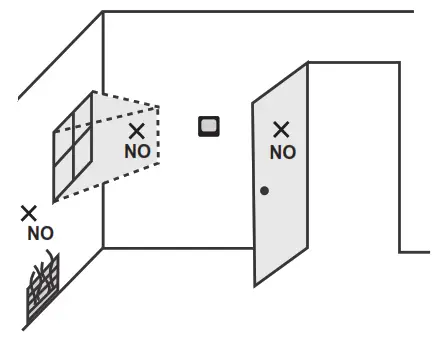 Do not install in locations where the thermostat can be affected by:
- Dead spots behind doors and in corners
- Hot or cold air from ducts
- Sunlight or radiant heat from appliances
- Concealed pipes or chimneys
- The temperature of the mounting box and wall should be in the operating temperature range.
Wiring and Installation
The screw must be locked tightly to avoid wire break off from the terminal. The wire should not be tangled and stacked between the front case assembly and the back case.
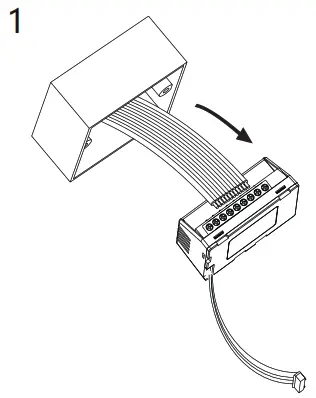
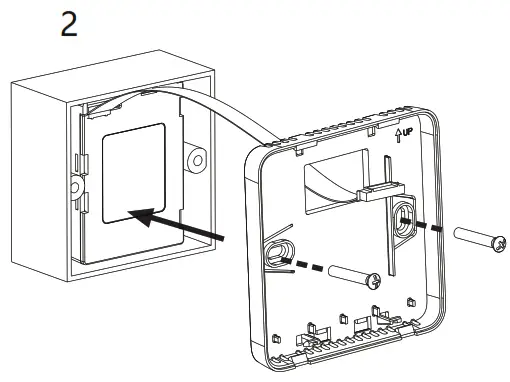
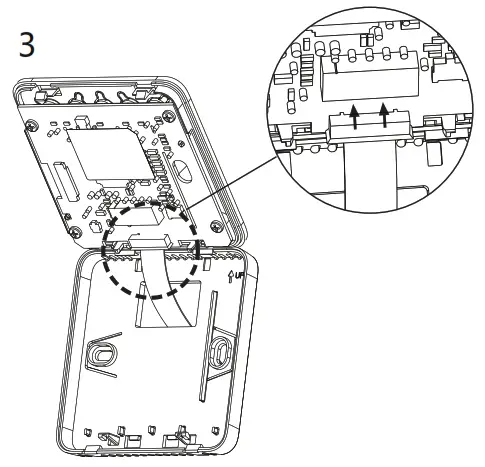
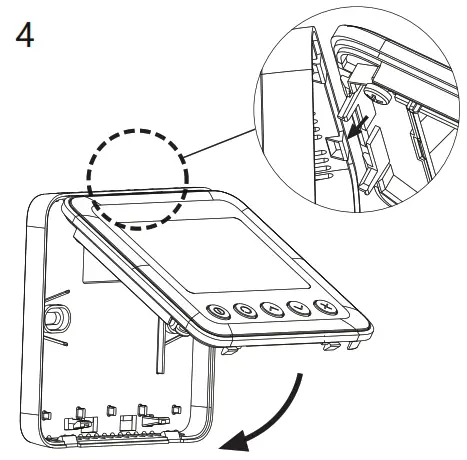
Terminal Designations
| Terminal | Description |
| R | 24VAC operating voltage |
| C | Common 24vac / Common for control output |
| RS | Remote temperature sensor/ Hotel card |
| vO | 0-10V Modulating signal output for valve |
| F3 | High-speed fan output |
| F2 | Medium speed fan output |
| F1 | Low-speed fan output |
| L | Live wire |
* Input rating: 24VAC(+10% , -10%) 50/60Hz 220/230VAC(+10% , -10%) 50/60Hz
* The vO terminal RL>600 ohms
Two pipe application
Wiring Diagram
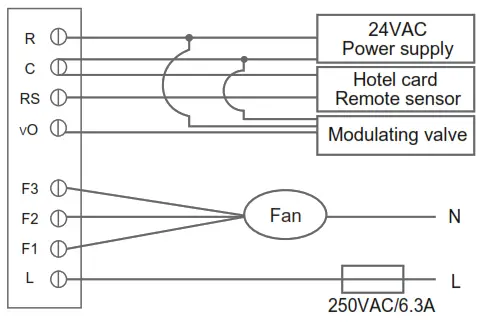
Valve type: Honeywell / Resideo VC7931 Serials
Warning
* The 24VAC power supply should meet Class2 SELV and less than 100VA
* A FUSE or BREAKER is necessary before L terminal.
WEEE Directive 2012/19/EU Waste of Electrical and Electronic Equipment Directive Disposal Information Do not dispose this device and contained batteries with the general household waste. For proper treatment, recovery, and recycling, please take the device and contained batteries to designated collection points. Disposing of this device and of contained batteries correctly will help save valuable resources and prevent any potential negative effects on human health and the environment, which could otherwise arise from inappropriate waste handling.
Installation Setup
 Enter or Exit Installation Setup Mode
ISU Code | Description | Possible Options |
| 1 | System Type | 0 Heat only |
| 1 Cool only | ||
| 2 Two pipes heating/cooling (Default) | ||
| 2 | Remote Sensor | 0 Temperature Sensor – Onboard Sensor (Default) RSB – Button (Default) |
| 1 Temperature Sensor – Remote Sensor (RSB is set to Button as default) | ||
| 2 RSB – Hotel Card NO (Temperature Sensor is set to Onboard Sensor as default) | ||
| 3 RSB – Hotel Card NC (Temperature Sensor is set to Onboard Sensor as default) | ||
| 3 | Temperature Scale | 0 ºF |
| 1 ºC (Default) | ||
| 4 | Fan Control Type | 0 Auto only Auto has fan ramping algorithm |
| 1 Manual only (3 speed: Low->Med->High-> Low) | ||
| 2 User can choose Auto or Manual (Default) (Low->Med->High->Auto-> Low) |
| ISU Code | Description | Possible Options |
| 8 | Display Temperature Adjustment | -2 ºC- 2 ºC, step 0.5 ºC, Default 0 ºC (-4 ºF- 4 ºF, step 1 ºF, Default 0 ºF ) |
| 9 | Temperature Display Mode | 0 Display room temperature (Default) |
| 1 Display setpoint | ||
| 10 | Heating Range Stops | 10-32 ºC Default 32 ºC (50-90ºF Default 90 ºF) |
| 11 | Cooling Range Stops | 10-32ºC Default 10 ºC (50-90ºF Default 50 ºF) |
| 12 | Keypad Lockout | 0 All keys are available (Default) |
| 1 System button locked out | ||
| 2 Fan and System buttons locked out | ||
| 3 All buttons locked out except power button | ||
| 4 All buttons are locked | ||
| 14 | Remote Setback Heating Setpoint | Range 10-21ºC Default : 18 ºC (Range 50-70ºF Default : 64 ºF) |
| 15 | Remote Setback Cooling Setpoint | Range 22-32ºC Default : 26 ºC (Range 72-90 ºF Default : 79 ºF) |
| 16 | Freeze Protection | 0 Disabled |
| 1 Enabled (Default) | ||
| 17 | Power Recovery Status | 0 OFF |
| 1 Previous status (Default) | ||
| 19 | Fan Mode In ES Mode | 0 Run as Auto fan speed when ISU_4=2 (Default) |
| 1 Run as Low fan speed when ISU_4=2 |

Pittway Sarl, Z.A. La Pièce 4,
1180 Rolle, Switzerland
Country of origin: China
©2020 Resideo Technologies, Inc. All rights reserved.
The Honeywell Home trademark is used under license from Honeywell International Inc.
This product is manufactured by Resideo Technologies, Inc. and its affiliates.
R32347117_B
Subject to Change without notice.
 HoneywellHome comfort Europe from Resideo
 Smart Home Products and Systems | Resideo