
Issue : March.16, 2021
No. T712802Ge
G
5/8/10 Bit System Instruction Manual for Reader/Writer
Type code Z6-01-UUSB interface

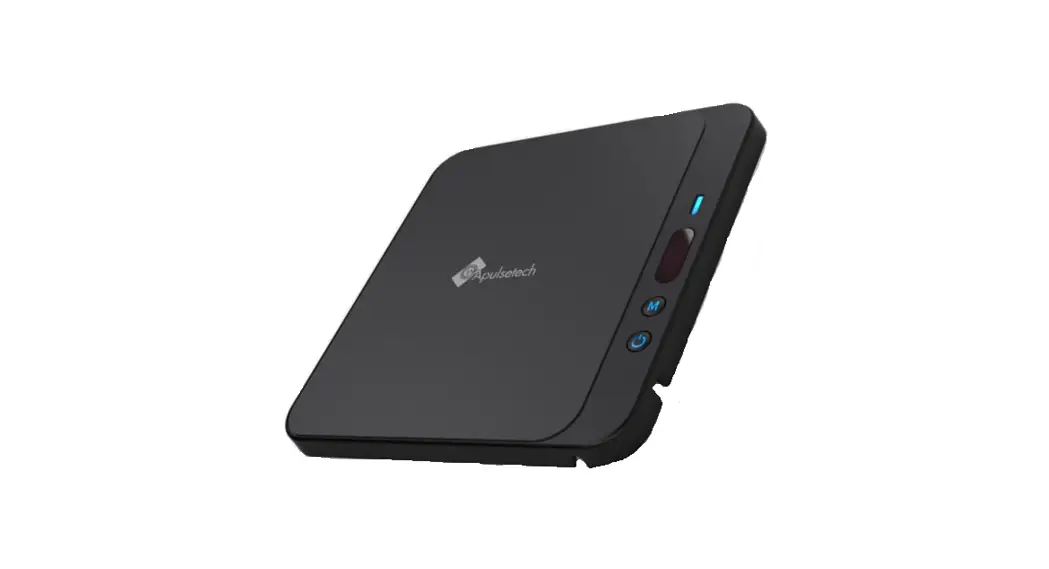
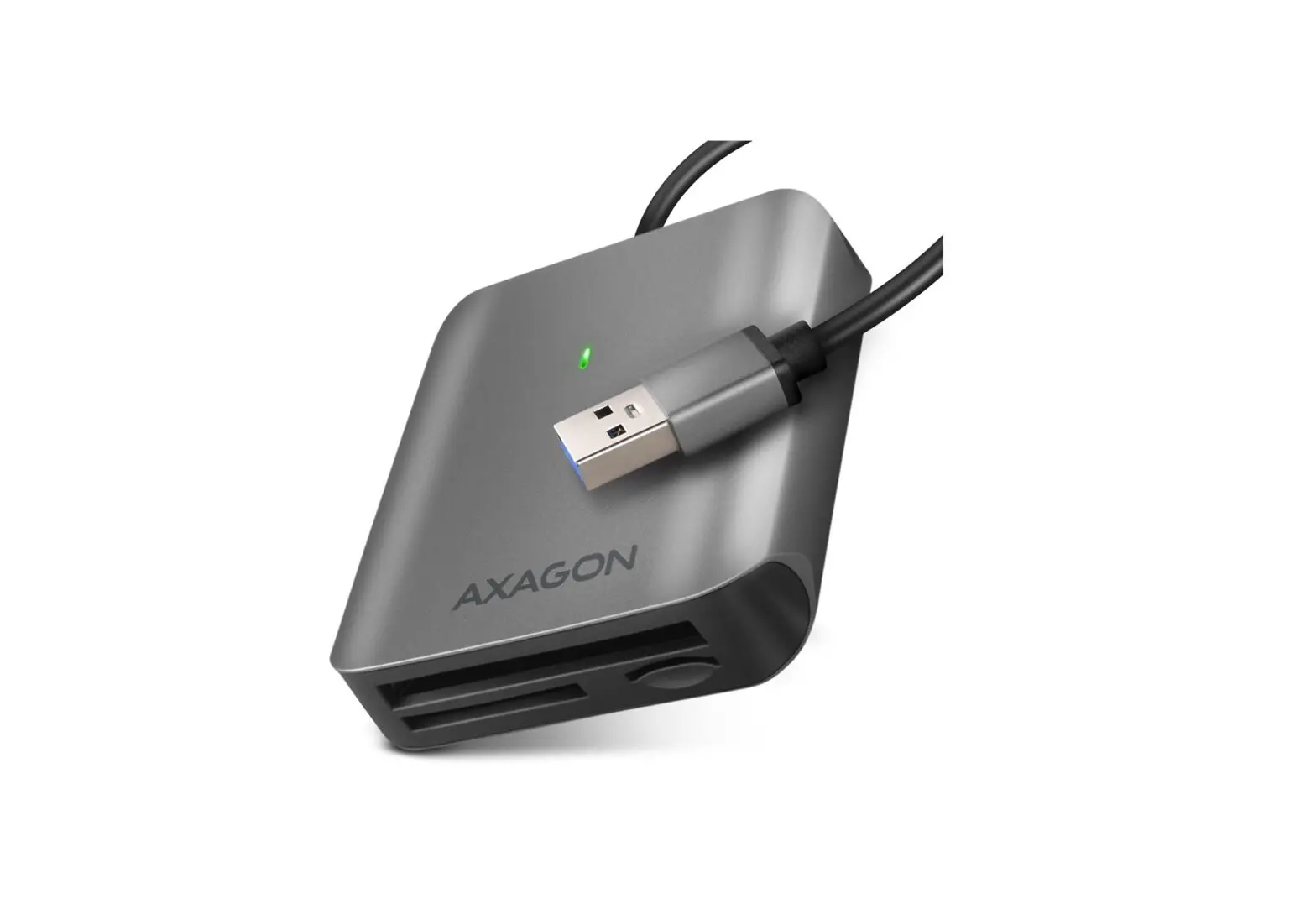
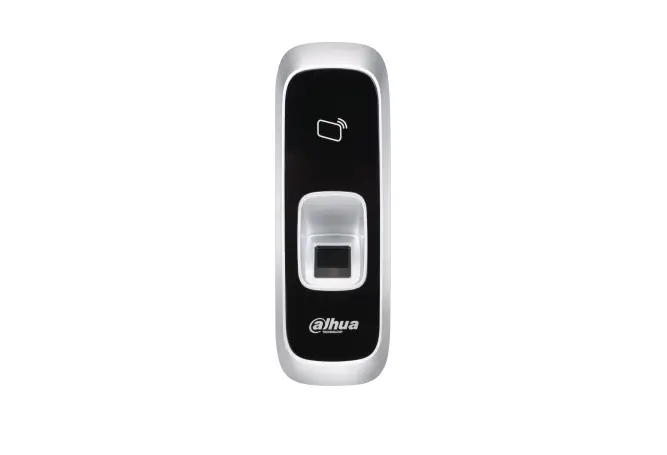
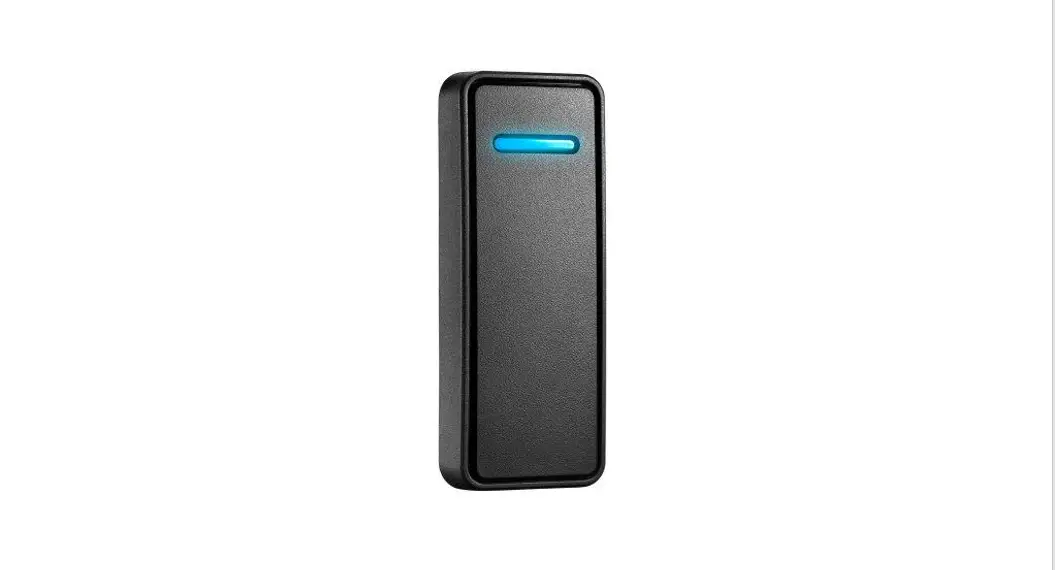
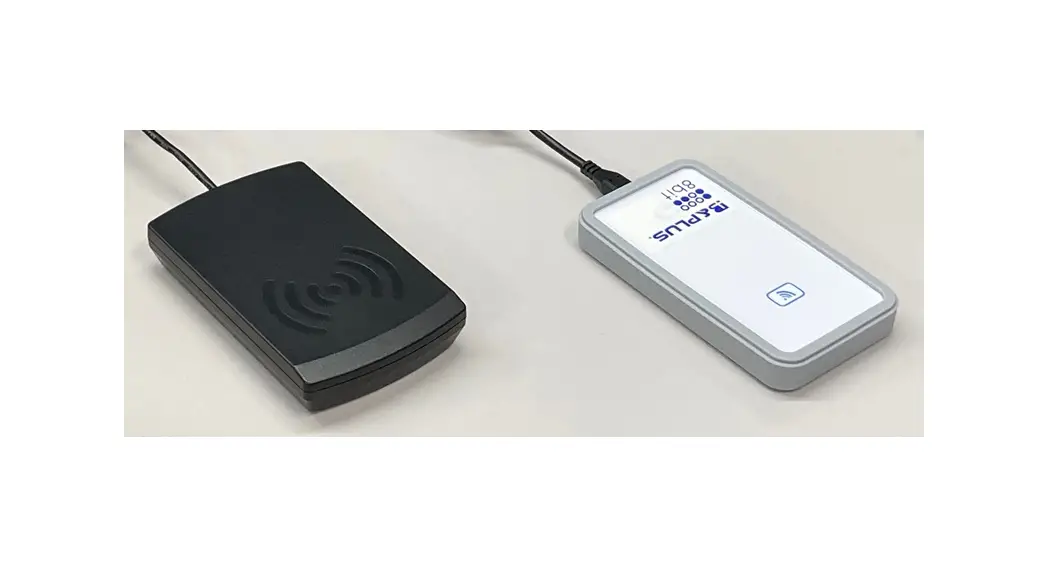
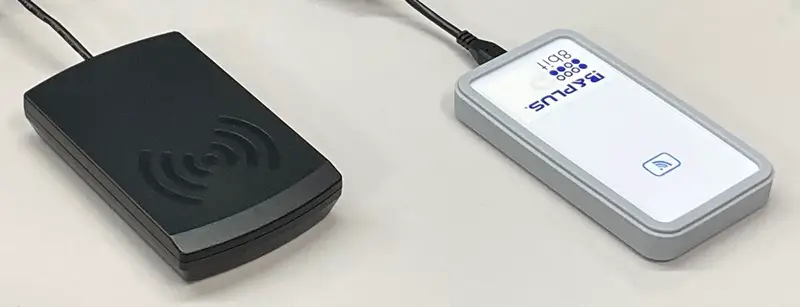 Left: This is the appearance provided until around April 2021. (Old) Right: This is the appearance provided after around April 2021. (New) The shape is different, but the function is the same.
Safety Considerations (Please read before use)
Before using Z6-01, read this manual carefully and operate properly, paying attention to the safety aspects.
[Planning the System]
- Do not exceed the specifications for supply voltage, conditions of use, etc. as indicated in this manual. This may cause severe overheating [Handling the System]
- Supply the power only described in the specification.
- Do not dismantle or modify the devices. This could cause malfunction or overheating.
- Dispose the device as the industrial waste.
Description
Description
“B&PLUS ID System / 5,8,10 bit System” is a RFID System by electromagnetic induction method, reading and writing of data. By Z6-01-U is connected by or USB to the PC, you are using an application (IDRWUSB) , it can be done easily from the personal computer, the editing and data writing and data reading of the Data carrier.
System configuration
| Data carrier | Reader/Writer Z6-01-U | PC Applicable OS see below |
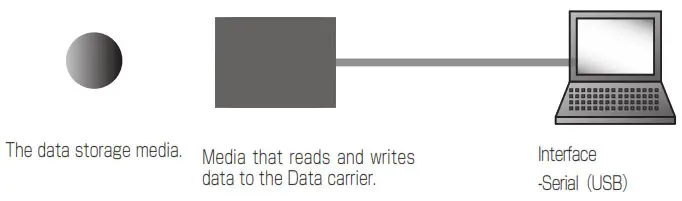
| Data carrier | The data storage media. |
| Reader/Writer | Media that reads and writes data to the Data carrier. |
| Driver | Driver to recognize the Reader/Writer to the PC. |
| Application | Software for performing data editing. |
| PC | In the application, edit the data and Instructions data communication. Applicable OS:Windwos 2000 / XP / Vista / 7 / 8 / 10 |
■ About Driver and Application software
Product documentation and software, it can be download from our web site.
URL: http://www.b-plus-kk.jp/download.html
The ID and password are as below.
ID: user , Passwordwirelessbplus
Driver and application depends on the connection method and the ID reader-writer.
| Type code | Connection | Application | Driver | COM port |
| Z6-01-U | USB | IDRWUSB-xxx | Need | Selected application is automatically |
Driver that you want to install different by Windows.
Windows2000 CDM20600.exe
OthersCDM20828_Setup.exe
Dimension and Specification.
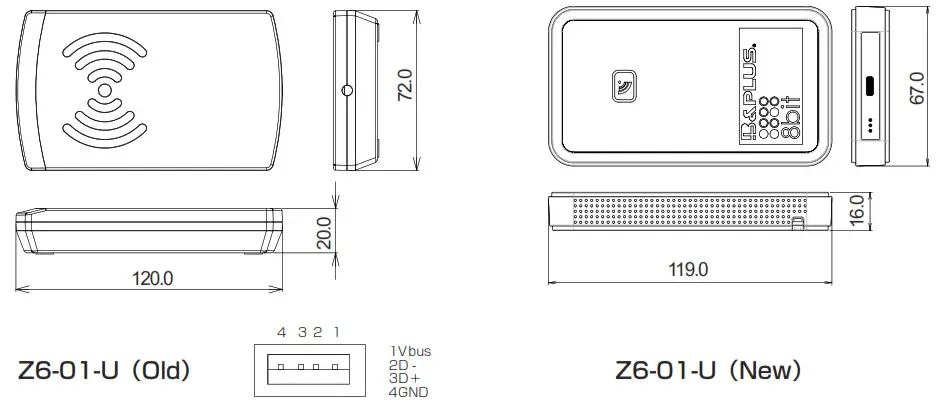
| Type code | Z6-0 1 -U (Old) | 1Z6-0 1 -U (New) |
| Applicable Data carrier | Z1 series | |
| Carrier frequency | 1 3.56MHz | |
| Interface | USB | |
| Supply voltage | 3.3V Max.190mA (Supply from USB ) | |
| Operating temperature / humidity | 0°C ~ +50°C / 20% ~ 80% (not to be frozen) | |
| Storage temperature / humidity | -10°C ~+70°C / 10% ~ 90% (not to be frozen) | |
| Material | ABS | Body: ABS Cover: Silicon rubber |
| Weight | 90 g | 116g |
| Radio standards law (Japan) | This machine has built-in high-frequency utilization equipment which acquired model designation (Ministry of Internal Affairs and Communications designated BC-09004). | |
Left: This is the appearance provided until around April 2021. (Old)
Right: This is the appearance provided after around April 2021. (New)
The shape is different, but the function is the same.
Applicable RFID chip
This unit corresponds to the communication protocol of the ID chip on the right table. When using other than our ID tag (Z1 series), please confirm when using, as the communication distance, the processing time and the communication quality depend on the characteristics of the ID chip and the ID reader/writer
| Chip | Maker | Capacity |
| MB89R118 | Fujitsu | 2000byte(FRAM) |
| I-CODE SLI,SLIX | NXP | 112byte |
| Tag-it HF-I plus | TI | 256byte |
| my-d(SRF55V02P) | Infineon | 224byte |
| my-d(SRF55V10P) | Infineon | 992byte |
| Tag-it HF-I standard | TI | 32byte |
| Tag-it HF-I pro | TI | 32byte |
It is a registered trademark of I-CODE SLI, SLIX is NXP semiconductor FRAM is Ramtron InternationalTag-it is Texas Instruments Incorporatedmy-d is Infineon Technologies.
Installation of driver or IDRW
Attention before installation
- Please start the installation from quit other applications.
- Depending on the version of windows,the different installation methods.
- The driver is intended to be treated as a COM port USB.
Installation of driver
- Starting the Installation You are using Windows2000, please double-click the “CDM20600.exe”. Errand, please double-click on the “CDM20828_Setup.exe” version of the other.
- Decompression of files ClickExtract

- Execution of installation Click
- Finished Click
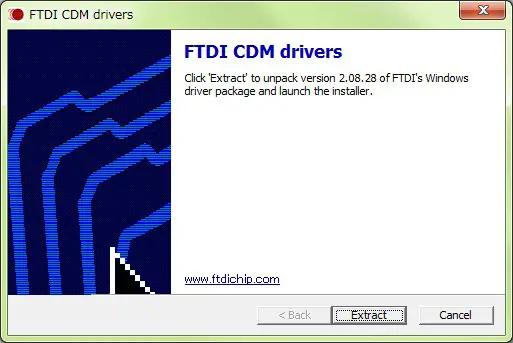
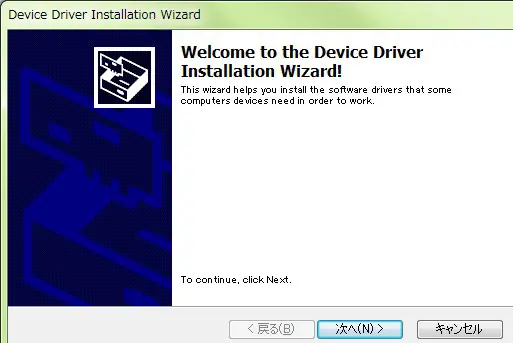
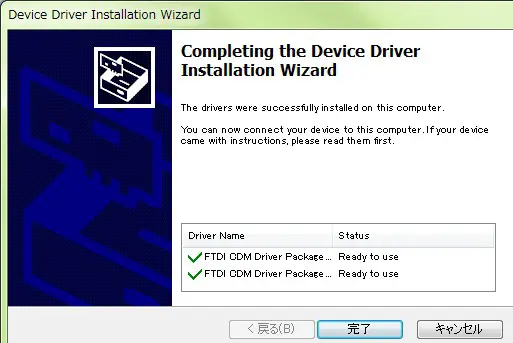
■ For drivers of this product This product uses USB interface IC by FTDI. The driver “VCP(Virtual COM port)” is also possible at the following Web sites by FTDI, be asked to download the latest version. http://www.ftdichip.com/
Installation of IDRWUSB
After selecting “DRWUSB” folder, then transfer by drag and drop to the location of any of the personal computer, it becomes the installation is complete.
How to use IDRWUSB
Setting of the COM port
Please select the port Reader/Writer is connected. Appropriate port number in the case of the Z6-01-U is the number in the “port(LPT and COM) ” of Device Manager of Windows, is listed as “USB Serial Port”.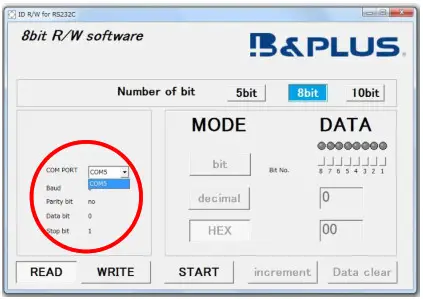
Select the bit number
Select 5 bits, 8 bits or 10 bits. In this manual, it is explained when 8 bit is selected.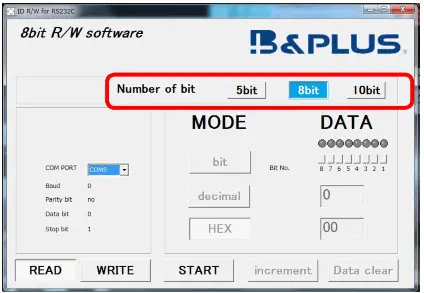
For IDRWUSB connection
The setting of the COM port is done application is automatic. When the configuration is properly completed, you will see configuration information.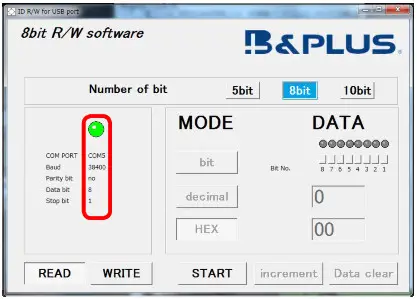
Reading of data
After is opposed to Active surface with the Data carrier, you click the “READ” , please click the “START” .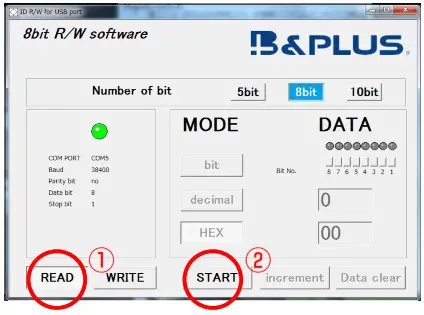 Data read from the Data carrier is displayed, “Finished” is displayed.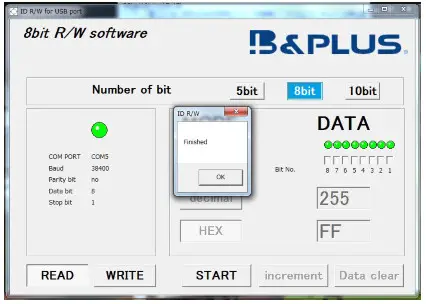
Writing of data
After is opposed to Active surface with the Data carrier, Click the “WRITE” , select “MODE” , input the data to “DATA” and then click the “START” . bit(Binary), decimal, HEX(hexadecimal) will be linked when you enter in any.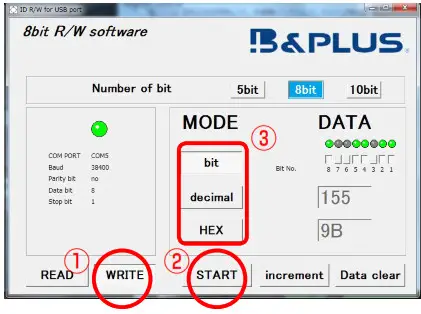 Data is written to the Data carrier, “Finished” is displayed.
Application software change history
| Date | File | Contents |
| 2015.04.30 | IDRWUSB_V300 | It corresponds to 10 bits. Release of USB application. |
| 2015.07.24 | IDRWUSB_V320 | Cottrdponds to Tag-it HF-I standard,plus,pro). “10bit” is added in the operation screen. |
| 2016.04.18 | IDRWUSB_V400 | Corresponds to 5 bits |
Wireless Power Supply by
Mail [email protected]
Web http://www.b-plus-kk.com
* Contents is subject to change without notice.