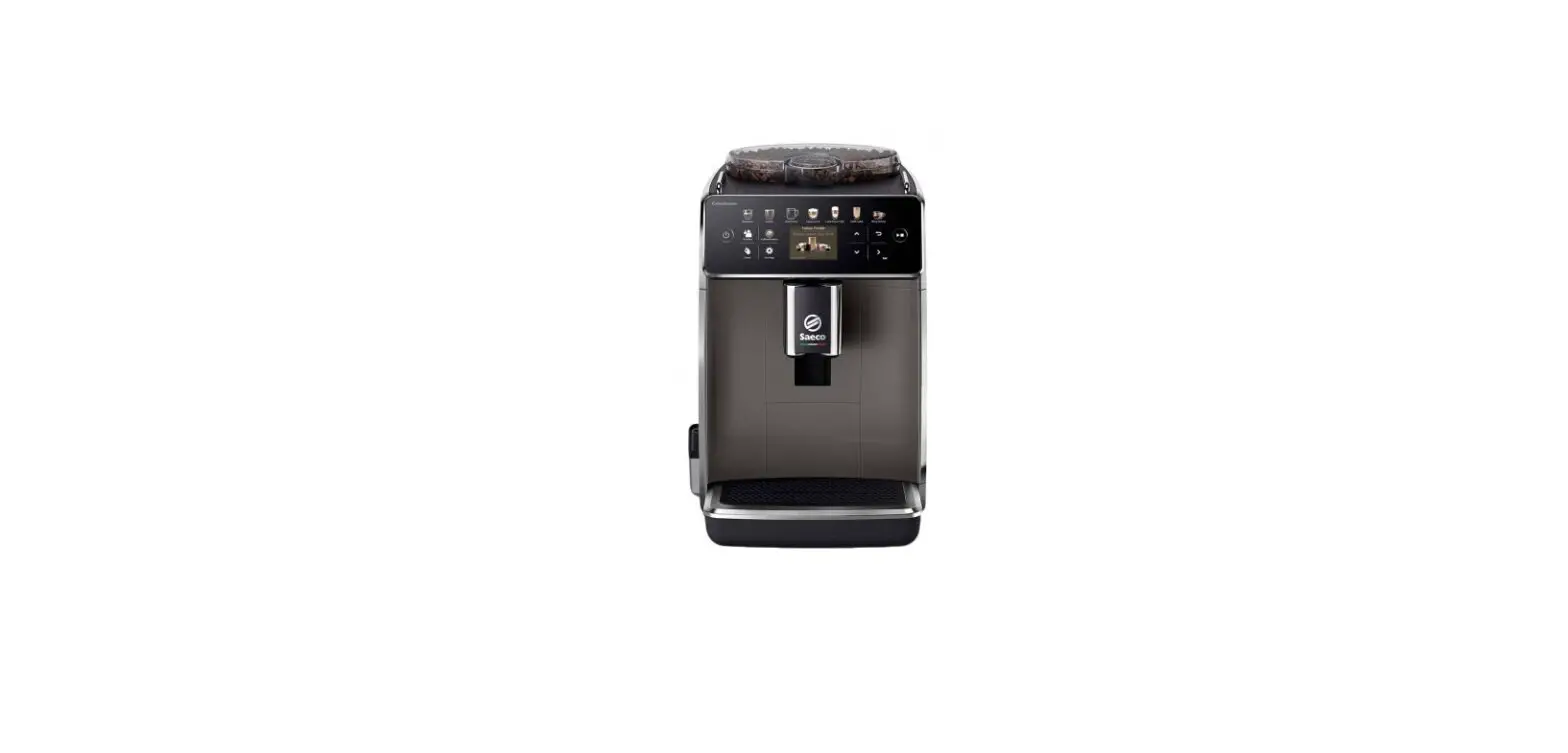
KKA894500M Coffee Machine
Product Information: Coffee Machine
The AEG Coffee Machine comes in three models: KKA894500M,
KKB894500B, and KKA894500T. The machine features a main switch,
accessories compartment, drip tray, hot water/steam connection
nozzle, coffee spout with adjustable height, pull out water tank,
brewing unit, ground coffee waste container, coffee bean container,
grinding adjustment dial, rotating cover, and a cup warming storage
area (available on the left model only). The machine also comes
with various accessories including a total hardness test indicator
paper, ground coffee measure, descaler (available on certain models
only), water softener filter (available on certain models only),
cleaning brush, hot water/steam spout, connection nozzle cover, and
milk container.
Product Usage Instructions
Safety Information
Before installing and using the appliance, carefully read the
supplied instructions. The manufacturer is not responsible for any
injuries or damages caused by incorrect installation and use. Keep
the instructions with the appliance for future reference.
Children and Vulnerable People Safety
Keep the appliance out of reach of children and vulnerable
people. Only allow children aged 8 years and above to use the
appliance if they have been given supervision or instructions.
General Safety
Surfaces marked with a symbol become hot during use (the symbol
is present in certain models only).
Installation
Only a qualified person must install this appliance. Refer to
the cable types applicable for installation or replacement: H05
VV-F, H05 V2V2-F (T90). For the section of the cable, refer to the
total power on the rating plate. The earth cord (green/yellow
cable) must be 2cm longer than the phase and neutral cables (blue
and brown cables).
Electrical Connection
There is a risk of fire and electric shock during electrical
connection. Refer to the supplied instructions.
Use
There is a risk of injury, burns, electric shock, or explosion
during use. Refer to the supplied instructions.
Care and Cleaning
There is a risk of injury, fire, or damage to the appliance
during care and cleaning. Refer to the supplied instructions.
Service
Refer to the supplied instructions for service information.
Disposal
There is a risk of injury or suffocation during disposal. Refer
to the supplied instructions.
Product Description
The AEG Coffee Machine features a control panel with various
icons and functions. The ON/OFF key activates and deactivates the
machine. A long press (3 sec.) of this key will turn off the
heaters. The MENU key lists the functions (cleaning, favourites,
options, settings). The FAVOURITES key lists the favourite
settings. The DISPLAY key shows the current settings of the coffee
machine. The HOT WATER key makes a hot water beverage. The BEVERAGE
OPTIONS key allows you to set beverage options (Aroma, Size, Cups,
Milk) and functions (Save options as default, Save as favourite,
Reset options, Remove favourite). Aroma has six options: Extra
mild, Mild, Normal, Strong, Extra strong, Pre-ground. Size has four
options: Small, Medium, Large, Extra large. Cups has two options: 1
cup, 2 cups. Milk has eight options: from 10% to 90%. The RINSING
key cleans and heats the machine. Touch the surface with fingertip.
Press Slide fingertip over the surface. Move
Before First Use
Refer to the supplied instructions before using the appliance
for the first time.
EN User Manual | Coffee machine
KKA894500M KKB894500B KKA894500T
Welcome to AEG! Thank you for choosing our appliance.
Get usage advice, trouble shooter, service and repair information at: aeg.com/support
Subject to change without notice.
CONTENTS
1. SAFETY INFORMATION ……………………………………………………………..2 2. SAFETY INSTRUCTIONS ……………………………………………………………4 3. PRODUCT DESCRIPTION…………………………………………………………..6 4. CONTROL PANEL ………………………………………………………………………7 5. BEFORE FIRST USE ………………………………………………………………….7 6. DAILY USE ………………………………………………………………………………..8 7. CARE AND CLEANING ……………………………………………………………..11 8. DESCALING …………………………………………………………………………….12 9. SETTING WATER HARDNESS…………………………………………………..12 10. WATER SOFTENER FILTER………………………………………………………12 11. TECHNICAL DATA…………………………………………………………………….13 12. DISPLAY MESSAGE …………………………………………………………………13 13. TROUBLESHOOTING GUIDE ……………………………………………………14
1. SAFETY INFORMATION
Before the installation and use of the appliance, carefully read the supplied instructions. The manufacturer is not responsible if an incorrect installation and use causes injuries and damages. Always keep the instructions with the appliance for future reference.
1.1 Children and vulnerable people safety
· The appliance is not intended for use by persons (including children) with reduced physical, sensory or mental capabilities, or lack of experience and knowledge, unless they are supervised or receive instructions concerning use of the application by a person responsible for their safety.
· Children should be supervised to ensure that they do not play with the appliance.
· For European markets only: · This appliance can be used by children aged from 8 years
and above if they have been given supervision or instruc-
2 ENGLISH
tion concerning use of the appliance in a safe way and if they understand the hazard involved. Cleaning and user maintenance shall not be made by children unless they are older than 8 and supervised. Keep the appliance and its cord out of the reach of children aged less than 8 years. · Children shall not play with the appliance.
1.2 General Safety
· Designated use: this appliance is designed and made to prepare coffee and milk based beverages and hot water. Any other use is considered improper and thus dangerous. The manufacturer is not liable for damage deriving from improper use of the appliance.
· The surface of the heating element remains hot after use and the outside of the appliance may retain the heat for several minutes depending on use.
· Clean all the components thoroughly, taking particular care with parts in contact with the coffee and milk.
· Cleaning and user maintenance shall not be made by children without supervision.
· Never submerge the appliance into water. · CAUTION: To prevent damage to the appliance do not use
alkaline cleaning agents when cleaning, use a soft cloth and a mild detergent. · This is an household appliance only. It is not intended to be used in: staff kitchen areas in shops, offices and other working environments; farm houses; by clients in hotels, motels and other residential type environments; bed and breakfast type environments. · If the plug or power cable is damaged, it must be replaced by customer services only to avoid all risk. · Appliances with removable cord: avoid splashes of water on the power cord connector or socket at the back of the appliance.
ENGLISH 3
· WARNING: Models with glass surfaces: do not use the appliance if the surface is cracked.
· For European markets only: · Appliances can be used by persons with reduced physical,
sensory or mental capabilities or lack of experience and knowledge if they have been given supervision or instruction concerning use of the appliance in a safe way and understand the hazards involved. · When not in use and before cleaning, always unplug the appliance.
Surfaces marked with this symbol become hot during use (the symbol is present in certain models only).
2. SAFETY INSTRUCTIONS
2.1 Installation
WARNING! Only a qualified person must install this appliance.
Read these instructions carefully before using the appliance. · Keep these instructions · Failure to respect these instructions may
result in burns or damage to the appliance. · Never touch the appliance with damp hands. · Never touch the plug with damp hands. · Make sure the socket used is freely acces-
sible at all times, enabling the appliance to be unplugged when necessary. · Unplug directly from the plug only. · Never pull the power cable as you could damage it. · To disconnect the appliance completely, place the main switch (A10) on the side of the appliance in the 0 position. · If the appliance is faulty, do not attempt to repair. · Turn it off using the main switch (A10), unplug from the mains socket and contact Customer Services. · Keep all packaging (plastic bags, polystyrene foam) away from children. · Install the appliance according to the instruc-
4 ENGLISH
tions in the handbook to guarantee there are no spills when it is pulled out from the cabinet. · The appliance has a cooling fan. This comes on whenever coffee, steam or hot water is delivered. After several minutes, the fan goes off automatically.
Cable types applicable for installation or replacement:
H05 VV-F, H05 V2V2-F (T90)
For the section of the cable refer to the total power on the rating plate. You can also refer to the table:
Total power (W) maximum 2300
Section of the cable (mm2)
3 x 1
The earth cord (green / yellow cable) must be 2 cm longer than phase and neutral cables (blue and brown cables).
2.2 Electrical connection
WARNING! Risk of fire and electric shock.
· Check that the mains power supply voltage corresponds to the value indicated on the rat-
ing plate on the side of the appliance. Connect the appliance to an efficiently earthed and correctly installed socket with a minimum current rating of 10A only. If the power socket does not match the plug on the appliance, have the socket replaced with a suitable type by a qualified professional. To comply with safety directives, an omnipolar switch with a minimum contact distance of 3 mm must be installed. Do not use multiple sockets or extensions. · Safety cutout devices must be included in the mains power supply in compliance with the installation regulations in the country concerned.
2.3 Use
WARNING! Risk of injury, burns and electric shock or explosion.
· This appliance produces hot water and steam may form while it is in operation. Avoid contact with splashes of water or hot steam. Use knobs and handles.
· Do not grasp the coffee maker when it is out of the cabinet. Do not rest recipients containing liquids or inflammable or corrosive materials on top of the appliance. Place the accessories required to make the coffee (the measure for example) in the special holder. Do not rest large objects which could obstruct movement or unstable objects on the appliance. Do not allow children and animals to stop or linger near the appliance when it is pulled out of the cabinet. Do not leave the appliance pulled out of the cabinet when it is being used. Do not leave the appliance pulled out of the cabinet when it is not needed.
· Do not use the appliance when extracted. Make sure the appliance is inactive before extracting it. The only exception is adjusting the coffee mill which must be done with the appliance out (see the section “Adjusting the coffee mill”).
· Use original or manufacturer recommended accessories and spare parts only.
· This appliance is designed and made to prepare coffee and heat drinks.
All other use is considered improper. This appliance is not suitable for commercial use. The manufacturer is not liable for damage deriving from improper use of the appliance. This appliance can be installed over a built-in oven if the latter is fitted with a cooling fan at the rear (maximum microwave power: 3 kW). · The manufacturer is not liable for damage deriving from failure to respect these instructions.
2.4 Care and cleaning
WARNING! Risk of injury, fire, or damage to the appliance.
· Before maintenance, deactivate the appliance and disconnect the mains plug from the mains socket.
· Make sure the appliance is cold. There is the risk that the glass panels can break.
· Replace immediately the door glass panels when they are damaged. Contact the Authorised Service Centre.
· Be careful when you remove the door from the appliance. The door is heavy!
· Clean regularly the appliance to prevent the deterioration of the surface material.
· Clean the appliance with a moist soft cloth. Use only neutral detergents. Do not use abrasive products, abrasive cleaning pads, solvents or metal objects.
· If you use an oven spray, follow the safety instructions on its packaging.
2.5 Service
· To repair the appliance contact the Authorised Service Centre.
· Use original spare parts only.
2.6 Disposal
WARNING! Risk of injury or suffocation.
· Disconnect the appliance from the mains supply.
· Cut off the mains electrical cable close to the appliance and dispose of it.
· Remove the door catch to prevent children or pets from becoming trapped in the appliance.
ENGLISH 5
3. PRODUCT DESCRIPTION
3.1 General overview
A11 A12 A13
A14
A1
A10
A2 A3
A9 A8 A7
A6 A5 A4
A1 Main Switch A2 Accessories compartment (left/right) A3 Drip tray A4 Drip tray drop down cover A5 Hot water/steam connection nozzle A6 Coffee spout (adjustable height) A7 Pull out water tank A8 Brewing unit
A9 Ground coffee waste container A10 Coffee bean container A11 Grinding adjustment dial A12 Ground coffee funnel A13 Rotating cover A14 Cup warming storage area (left)
Average temperature 35°C with cup warmer function enabled and automatic turning off set to at least 2 hours
3.2 Accessories
B1
B3
B4
B6
B8
B2
B5
B7
B1 “Total Hardness Test” indicator paper B2 Ground coffee measure B3 Descaler * B4 Water Softener Filter *
6 ENGLISH
B5 Cleaning brush B6 Hot water/steam spout B7 Connection nozzle cover B8 Milk container
(*) Available on certain models only
4. CONTROL PANEL
C1 C2 C3
C4
C5 C6 C7
Icons C1 C2 C3 C4 C5
C6
C7
Function ON/OFF MENU FAVOURITES DISPLAY HOT WATER
BEVERAGE OPTIONS
RINSING
Description To activate and deactivate the machine. A long press (3 sec.) of this key will turn off the heaters.
Lists the functions (cleaning, favourites, options, settings).
Lists the favourite settings.
Shows the current settings of the coffee machine
To make a hot water beverage
To set beverage options (Aroma, Size, Cups, Milk) and functions (Save options as default, Save as favourite, Reset options, Remove favourite). Aroma: Extra mild, Mild, Normal, Strong, Extra strong, Pre-ground Size: Small, Medium, Large, Extra large Cups: 1 cup, 2 cups Milk: from 10% to 90%
To clean and heat the machine
Touch the surface with fingertip. Press
Slide fingertip over the surface. Move
5. BEFORE FIRST USE
WARNING!
Refer to Safety chapters.
1. Clean the machine before first use
Refer to “Care and cleaning” chapter.
2. Connect the machine
Connect the machine to the mains electricity supply and switch ON the main switch A1
3. Setting and rinsing
Follow the instructions on the display.
ENGLISH 7
6. DAILY USE
WARNING!
Refer to Safety chapters.
NOTE ON ENERGY CONSUMPTION In order to fullfill the Energy consumption requirements the coffemachine is set as Default with 30minutes READY TO USE state. During this period of time the heaters are on and the coffemachine is ready for the use. A shorter or longer “Keep Warm” Time (Ready To Use) can be set inside the MENU.
When the machine is turned on and not in Ready to be used status, it performs an automatic preheat and rinse cycle which cannot be interrupted. The machine is ready for use only after completion of this cycle.
Preparation of each beverage can be customised by pressing Beverage options icon and saved as a favourite or save options as default; this feature allows the User to save the current settings. The Favourites icon on the control panel allows the user to prepare their favourite beverage directly.
6.1 Set the desired beverage
Icons
Beverage
Ristretto
Icons
Espresso Espresso lungo
Long coffee
Americano
8 ENGLISH
Beverage Espresso macchiato
Macchiato Cappuccino Cappuccino + Latte macchiato
Flat white Caffe latte
Milk Hot water
Steam Jug
6.2 Making coffee
1. Place a cup (or two cups) under the coffee spouts A6 .
2. Lower the spouts as near as possible to the cup. This makes a creamier coffee;
3. Select the desired coffee: Ristretto, Espresso, Espresso lungo, Long Coffee, Americano.
Espresso
6.4 Pre-ground coffee
1. Add one level measure of pre-ground coffee only when the machine is on.
START
4. Is it possible to customize Aroma, coffee quantity and number of cups by pressing Beverage options icon.
5. You can change the number of cups between 1 and 2, quickly with the icon.
6. Press START and the beverage delivery begins
6.3 Adjusting the coffee mill
CAUTION
Select a coffe beverage with extra strong taste and turn the grinding adjustment dial when the grinding is operating (Sound of grinding).
Dial position
Recommended for…
Turn clockwise (high number/courser grind) for a less dense crema. Rotate slowly 1 step at time while the grinding is operating (sound of grinding).
Turn anticlockwise (lower number/finer grind) for a denser crema. Rotate slowly 1 step at time while the grinding is operating (sound of grinding).
If the message “GROUND TOO FINE” appears on the display, and coffee is not dispensed, rotate the knob of 1 or 2 steps clockwise. You may need to serve at least 2 drinks to notice the adjustment.
2. Press Beverage options icon, select `Pre-ground’ and press OK icon.
3. Press START icon. Preparation begins.
6.5 Making automatic beverages with milk
1. Remove the hot water/steam spout B6 ; 2. Fill the milk container B8 with a sufficient
quantity of milk, not exceeding the MAX level marked on the container. 3. Insert the milk container B8 to the Steam connection nozzle A5 until the acoustic signal. 4. Place a cup under the coffe spouts. 5. Select the desired milk beverage: Espresso macchiato, Macchiato, Cappuccino, Cappuccino+, Latte macchiato, Flat white, Caffè latte, Milk. 6. Press START icon. Preparation begins.
Turn the froth adjustment dial on the milk container lid to adjust the amount of froth on the milk:
Dial position
Recommended for…
No Froth
Caffe latte / Hot milk
Latte macchiato Small amount of froth
Cappuccino / Milk Large amount of froth (frothed milk)
ENGLISH 9
6.6 Making milk beverages with the Steam Spout.
1. Insert the Steam Spout B6 into the Steam connection nozzle A5 and select the STEAM function on the display.
2. Press START to begin.
6.7 Autostart
You can set the Auto-start time in order to have the machine ready to use at a certain time (for example in the morning) so you can make coffee immediately. Inside the Menu can be set the preferred time. To enable this function, the time must already be set correctly.
6.8 Ready to use (keep warm)
The machine can be programmed to stay in Ready to use status from 15min to 3 hours. Inside the Menu can be set the preferred period of time. During this period of time the machine is ready to be used and the heaters are on. Time set from manufacturer is 30 minutes.
10 ENGLISH
7. CARE AND CLEANING
WARNING!
Refer to Safety chapters.
Clean the coffee machine
To clean the coffee machine select “Menu”, then “Cleaning”, “Cleaning guide” and then “Machine cleaning”. Follow the instructions on the display. The following parts of the machine must be cleaned regularly and let them dry: coffee ground container, drip tray, water tank and coffee spouts. Use a soft cloth with warm water and a mild detergent. None of these components of the machine can be washed in a dishwasher. Do not use solvents, abrasive detergents or alcohol to clean the coffee machine. Check regularly that the ground coffee funnel is not blocked. If necessary, remove coffee deposits with the brush supplied.
Brewing unit Rinsing
The brewing unit A8 can be removed only when the machine is off (Not in Ready to Use state), by pressing ON/OFF icon for 3 seconds. Press the two coloured release buttons inwards and at the same time pull the brewing unit outwards. Do not use washing up liquid to clean the brewing unit. It would remove the lubricant applied to the inside of the piston. Soak the brewing unit in water for about 5 minutes, then rinse. DO NOT PUT THE BREWING UNIT INTO THE DISHWASHER.
If the machine is not used for more than 3/4 days, before using it again, we strongly recommend switching it on and performing 2-3 rinse cycles by pressing icon.
Each time you prepare milk, clean the hot water/steam connection nozzle A5 with a clean cloth to remove milk residues from the gaskets.
Hot water/steam connection nozzle
To clean the Milk container B8 select “Menu”, then “Cleaning”, “Cleaning guide” and then “Milk jug cleaning”. Follow the instructions on the display.
components
Milk container
dishwasher
Make sure there are no milk residues on the hollow and groove under the dial. If necessary, scrape the groove with a toothpick.
Drip tray and ground coffee waste container
components
dishwasher
ENGLISH 11
8. DESCALING
The machine is developped to detect when it is time to run a descaling process. To perform an autonomous descaling process, please follow the below steps: 1. Remove the water softener filter B4
from the pull out water tank A7. 2. Select “Menu” and then “Cleaning”. 3. Select “Descaling” and follow the instruc-
tions on the display.
The descaling cycle cannot be canceled, but only temporarily interrupted by pressing STOP. Use only descaler authorised by the manufacturer: WebShop AEG: www.aeg.com/shop. cod. 9029798718 M3BICD200
9. SETTING WATER HARDNESS
The machine is set by default for a hardness level of 4. The machine can also be programmed according to the hardness of the mains water in the various regions so that the machine needs to be descaled less often.
9.1 Measuring water hardness
1. Remove the “Total hardness test” B1 . (attached to the Quick guide) indicator paper from its packaging.
2. Immerse the paper completely in a glass of water for one second.
3. Remove the paper from the water and
shake lightly. After about a minute, 1, 2, 3, or 4 red squares form, depending on the hardness of the water. Each square corresponds to one level.
9.2 Setting water hardness
1. Select “Menu” and then “Settings”. 2. Select “Setup” then “Water Hardness”
and set the required level from 1 to 4 (Level 1 = soft water; Level 4 = very hard water); The machine is now reprogrammed with the new water hardness setting.
10. WATER SOFTENER FILTER
Certain models are fitted with a water softener filter B4 . If this is not the case with your model, you are recommended to purchase one from Customer Services. The filter lasts about two months if the machine is used normally. If the coffee machine is left unused with the filter installed, it will last a maximum of 3 weeks.
10.1 Installing the filter
1. Remove the filter from its packaging. 2. Select “Menu” and then “Cleaning”. 3. Select “Water filter” then “Install/Replace”
and follow the instructions on the display.
10.2 Remove the filter
1. Select “Menu” and then “Cleaning”. 2. Select “Water filter” then “Remove (if
installed)” and follow the instructions on
the display. Use only water filter authorised by the manufacturer: WebShop AEG: www.aeg.com/shop. cod. 9029798726 M3BICF200
12 ENGLISH
11. TECHNICAL DATA
Voltage: 220-240 V~ 50-60 Hz max. 10A
Absorbed power: 1350W
Pressure:
15 bar
Water tank capacity: 2.5 litres
Size: LxHxD:
594x454x412mm
Weight:
20 kg
12. DISPLAYED MESSAGES
–
&/
0GGJDJBM +PVSOBM PG UIF &VSPQFBO 6OJPO “//&9 **
This appliance conforms to EC Regulation4ZNCPM 1935/2004 concerning materials and articles intended to come into contact with food.
The appliance must not be disposed of with household waste, but taken to an authorised waste separation and recycling centre.
Displayed message EMPTY GROUND COFFEE WASTE CONTAINER
INSERT THE GROUND COFFEE WASTE CONTAINER ADD PRE-GROUND COFFEE
GROUND TOO FINE. ADJUST GRIND LEVEL CLOCKWISE
TOO MUCH POWDER. SELECT A MILDER TASTE OR REDUCE THE AMOUNT OF PRE-GROUND COFFEE INSERT BREWING UNIT PLEASE DESCALE YOUR MACHINE
Possible cause
Action
The ground container is full.
Empty the ground coffee waste container, clean and replace. IMPORTANT: the container might not be full. This is a normal cleaning message to prevent from mold creation after some time.
The ground coffee waste container Insert correctly after cleaning the
is not positioned correctly.
ground coffee waste container.
The pre-ground coffee function has Place pre-ground coffee in the funbeen selected without placing any nel and repeat delivery pre-ground coffee in the funnel.
The pre-ground coffee funnel is clogged.
Empty the funnel with the help of a brush.
The grinding is too fine and the coffee is delivered too slowly or not at all.
Repeat coffee delivery and turn the grinding adjustment dial one click clockwise towards “7” while the coffee mill is in operation. If after making at least 2 coffees delivery is still too slow, repeat the correction procedure, turning the grinding adjustment dial another click until delivery is correct. If the problem persists, make sure the water tank is fully inserted.
If the softener filter is present, an air bubble may have been released inside the circuit, obstructing delivery.
Insert the hot water/steam spout in the machine and deliver a little water until the flow becomes regular.
Too much coffee has been used.
Select a milder taste or reduce the quantity of pre-ground coffee (maximum 1 measure).
The brewing unit is not placed in the correct position
The machine must be descaled.
Insert the brewing unit correctly in position after cleaning.
Follow the instructions on the display and the procedure
ENGLISH 13
Displayed message
Possible cause
PLEASE DESCALE YOUR MA-
The machine must be descaled.
CHINE.
YOU HAVE ## BEVERAGES LEFT.
REPLACE WATER SOFTNER FILTER
The softener filter is exhausted.
GENERAL ALARM: REFER TO USER MANUAL
The inside of the machine is very dirty.
STORE MILK CONTAINER IN THE The milk container was inserted in
FRIDGE
the machine for + 20 min
ASSEMBLE THE SPOUT ON THE Request for a milk drink for the
MILK CONTAINER
first time
Action
Press DESCALE to start descaling Follow the instructions on the display and follow the procedure
Follow the instructions on the display to replace or remove the filter. Follow the instructions in section “Water softener filter”.
Clean the inside of the machine thoroughly, as described in the section “Cleaning”. If the message is still displayed after cleaning, contact Customer Services.
Remove the milk container from the machine and place it in the fridge
Follow the instructions on the display
13. TROUBLESHOOTING GUIDE
Problem The coffee is not hot.
Possible cause A low coffee temperature is set.
The cups were not preheated.
The machine has cooled down because some time passed since the last coffee was made. The machine must be descaled
Solution
Set a hotter coffee temperature in the menu.
Warm the cups with hot water using the dedicated key on the display
C5 . Thrown away the water and
dry carefully the cups.
Heat up the coffee spouts by rinsing using the dedicated key on the
display C7 .
Proceed as described in section “Descaling”. Next, check the water hardness (“Measuring water hardness”) and make certain the machine setting matches the local water supply hardness (“Setting water hardness”).
14 ENGLISH
Problem The coffee is weak or not creamy enough.
The coffee is delivered too slowly or a drop at a time.
Coffee does not come out of one or both of the spouts. The machine does not turn on
The brewing unit cannot be extracted At the end of descaling, the machine requests a third rinse The milk does not come out of the milk spout The milk contains large bubbles and squirts out of the milk spout or there is little froth
The machine emits noises or small puffs of steam while not in use
Possible cause The coffee is ground too coarsely.
Coffee not fresh.
The coffee is unsuitable. The coffee is ground too finely.
The coffee spouts are blocked.
It is not plugged into the mains socket. The main switch is not turned on. The machine has not been turned off correctly During the two rinse cycles, the water tank has not been filled to the MAX level
The lid of the milk container is dirty
The milk is not cold enough or is not semi-skimmed or skimmed.
The froth adjustment dial is incorrectly adjusted. The milk container lid or froth adjustment dial is dirty
The hot water/steam connection nozzle is dirty
The machine is ready for use, or has recently been turned off, and condensate is dripping into the hot vaporiser
Solution
Turn the grinding adjustment dial one click anticlockwise towards “1” while the coffee mill is in operation. Continue one click at a time until coffee delivery is satisfactory. The effect is only visible after delivering 2 coffees (see section “Adjusting the coffee mill”).
The coffee pack has been opened for too long and has lost its taste.
Use coffee for espresso machines.
Turn the grinding adjustment dial one click clockwise towards “7” while the coffee mill is in operation. Continue one click at a time until coffee delivery is satisfactory. The effect is only visible after delivering 2 coffees (see section “Adjusting the coffee mill”).
Clean the spouts with a toothpick and run a rinsing process.
Plug into the mains socket.
Press the main switch A1 .
Turn the machine off by pressing for 3 seconds the ON/OFF icon
Follow the instructions displayed by the machine, but first empty the drip tray to avoid the water overflowing.
Clean the milk container lid
Use skimmed or semi-skimmed milk at refrigerator temperature (about 5° C). If the result is not as you wished, try changing brand of milk.
Adjust following the instructions in section “Adjusting the amount of froth”.
Clean the milk container lid and froth adjustment dial as described in section “Cleaning the milk container”.
Clean the connection nozzle as described in section “Cleaning the hot water/steam connection nozzle”.
This is part of normal operation. To limit the phenomenon, empty the drip tray.
ENGLISH 15
DEMO MODE CODE: 2.4.6.8
To exit from Demo mode, select “Setting”, then “Service” and then “Demo Mode ON/OFF”.
57132C7605_02_0622
 Welcome to AEG
 AEG - aeg.com