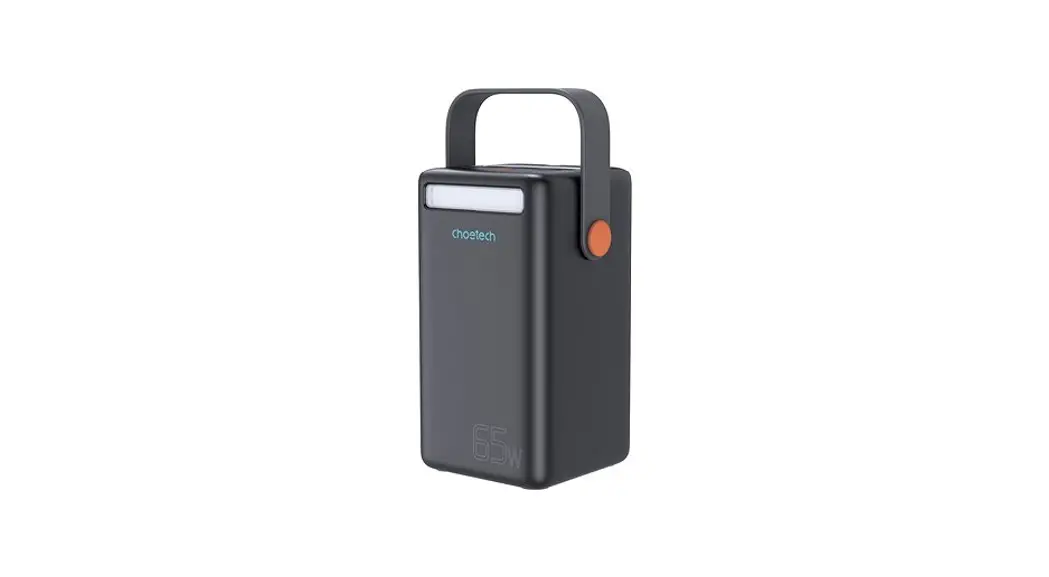
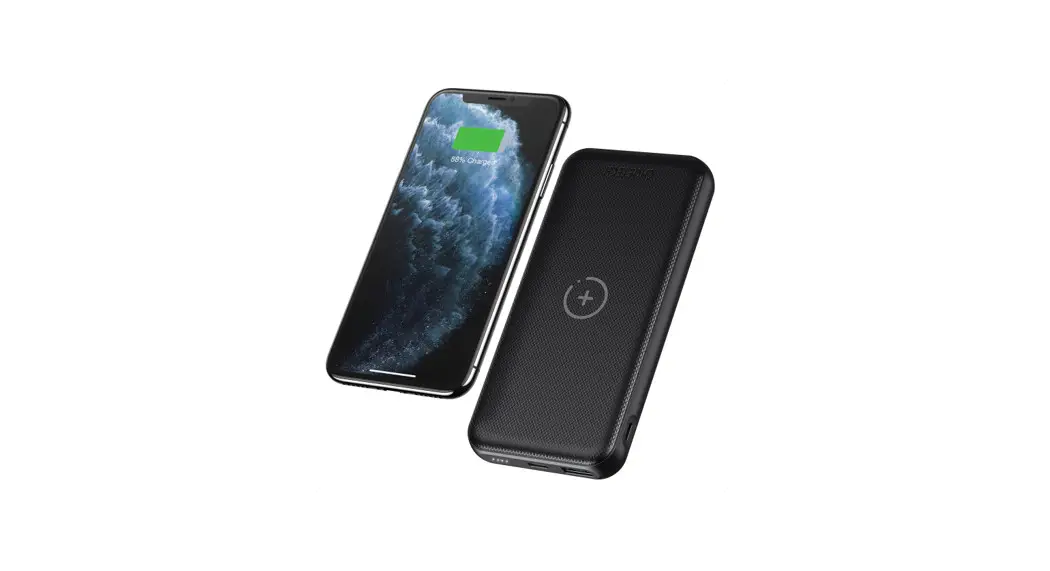
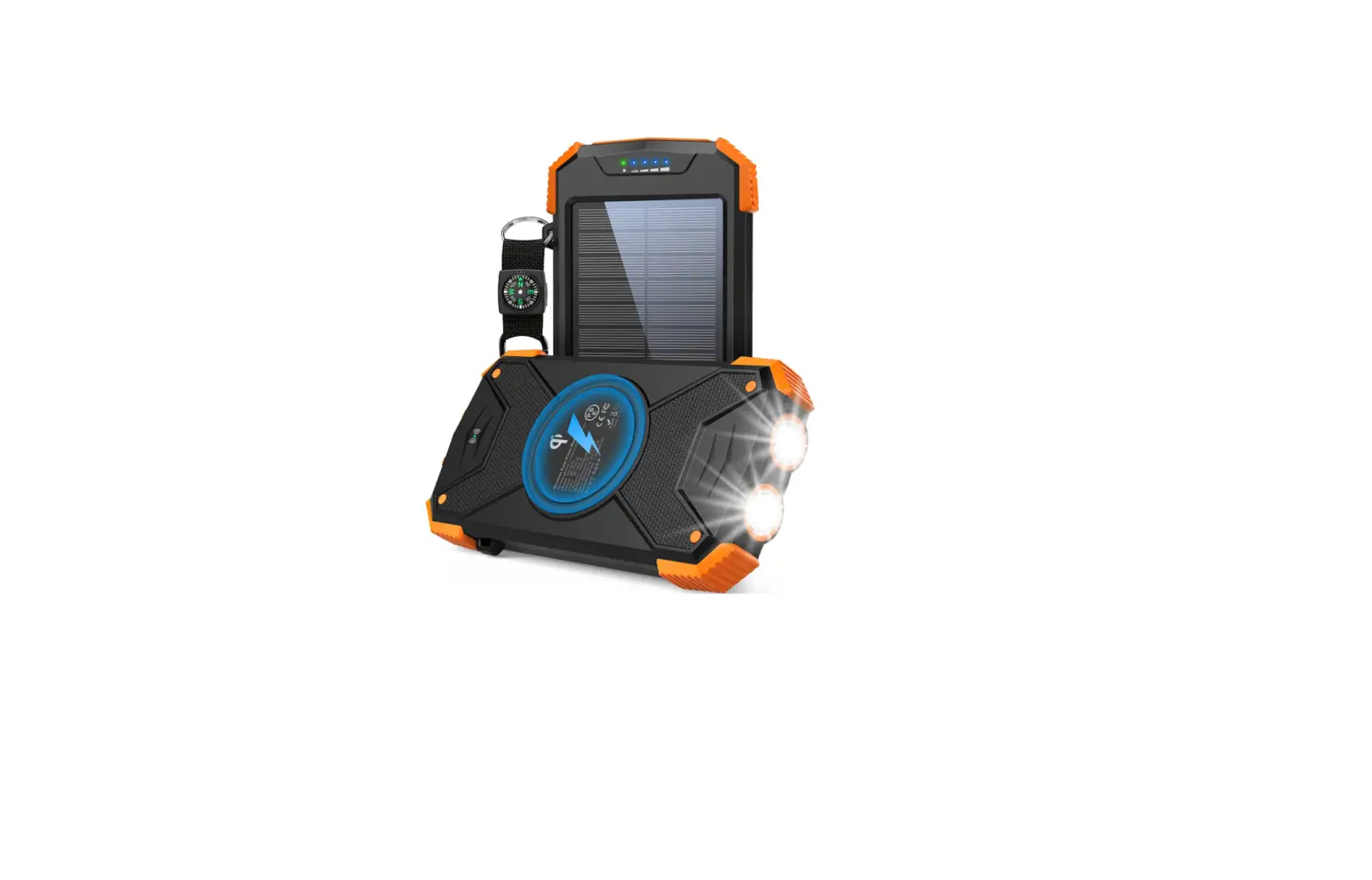
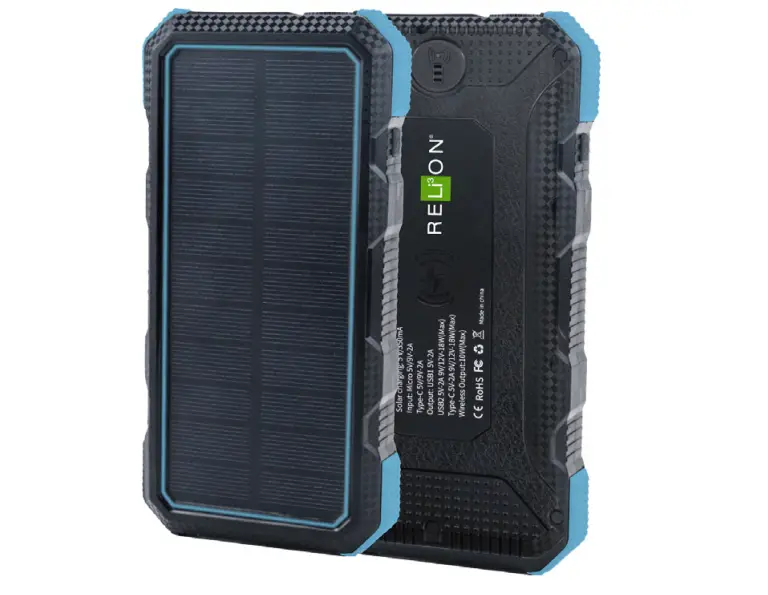
B657 Solar Wireless Power Bank
Product Information
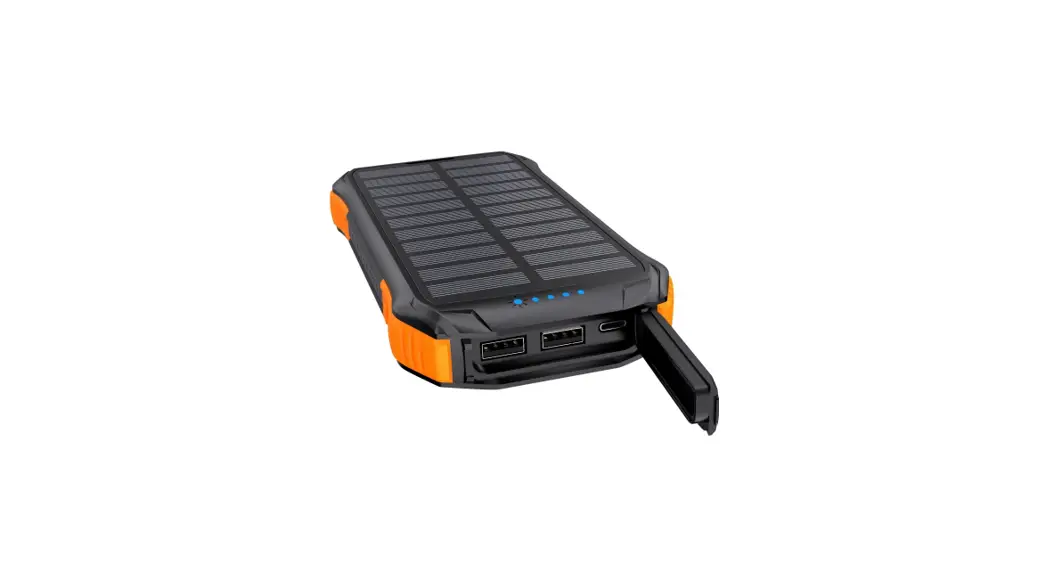
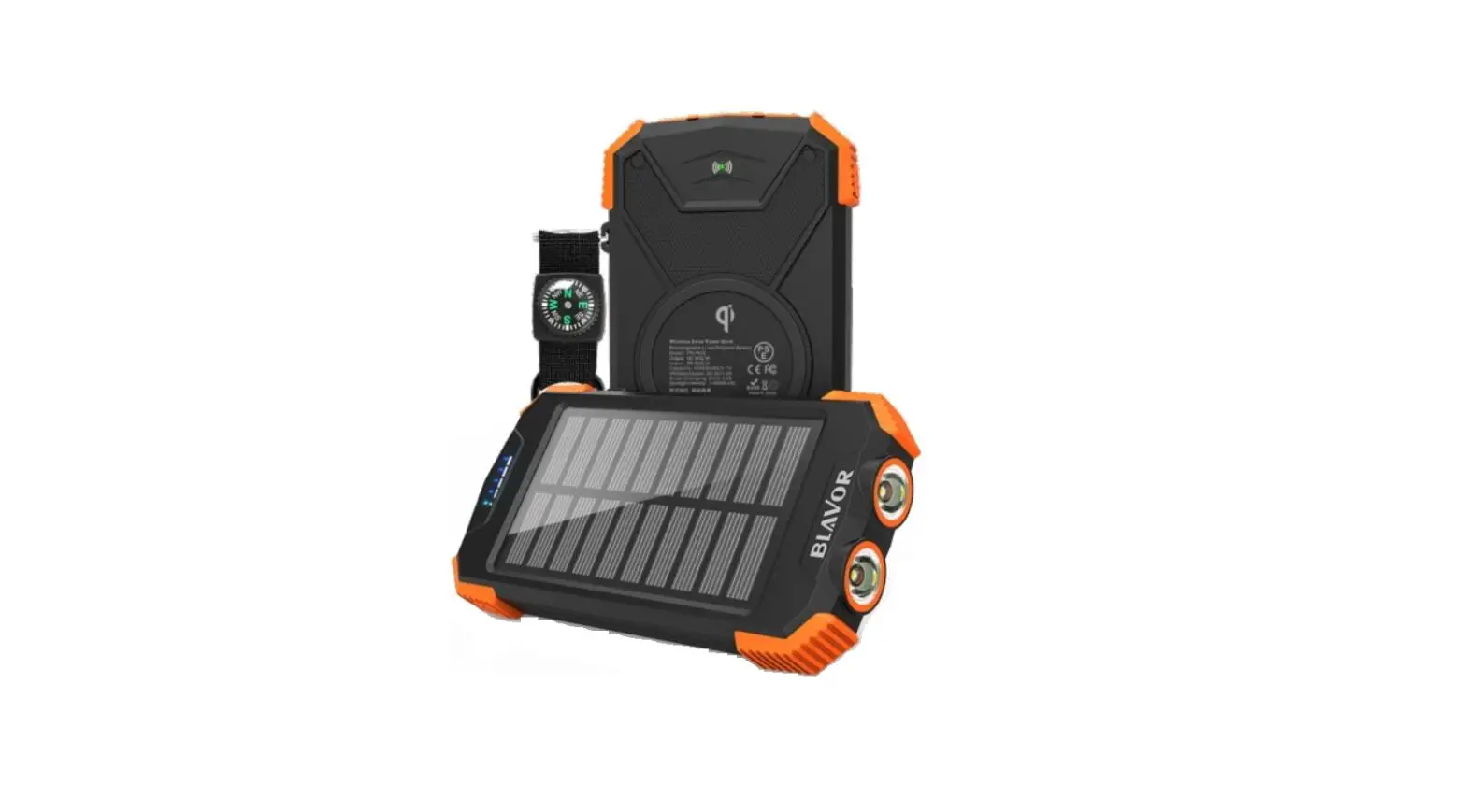
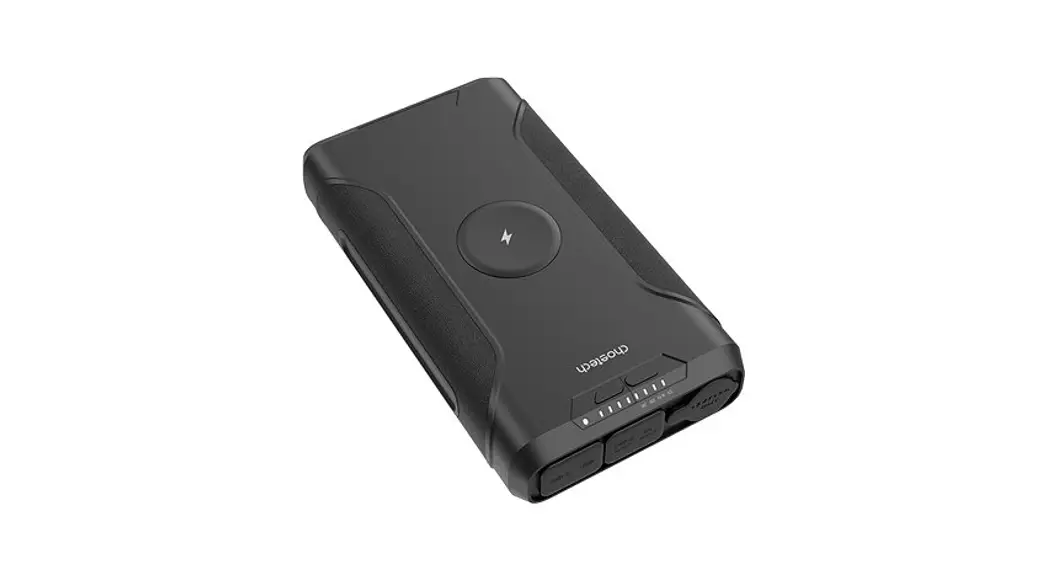
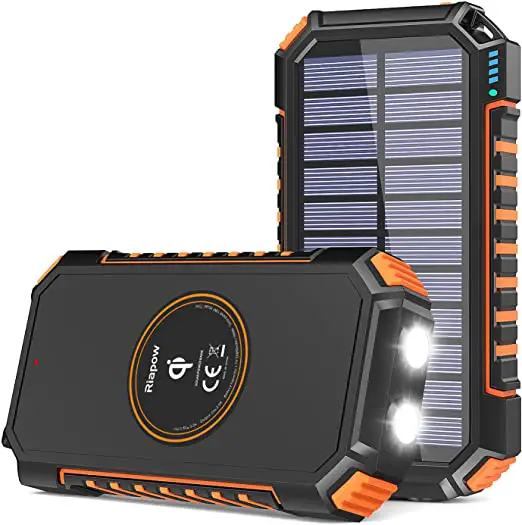
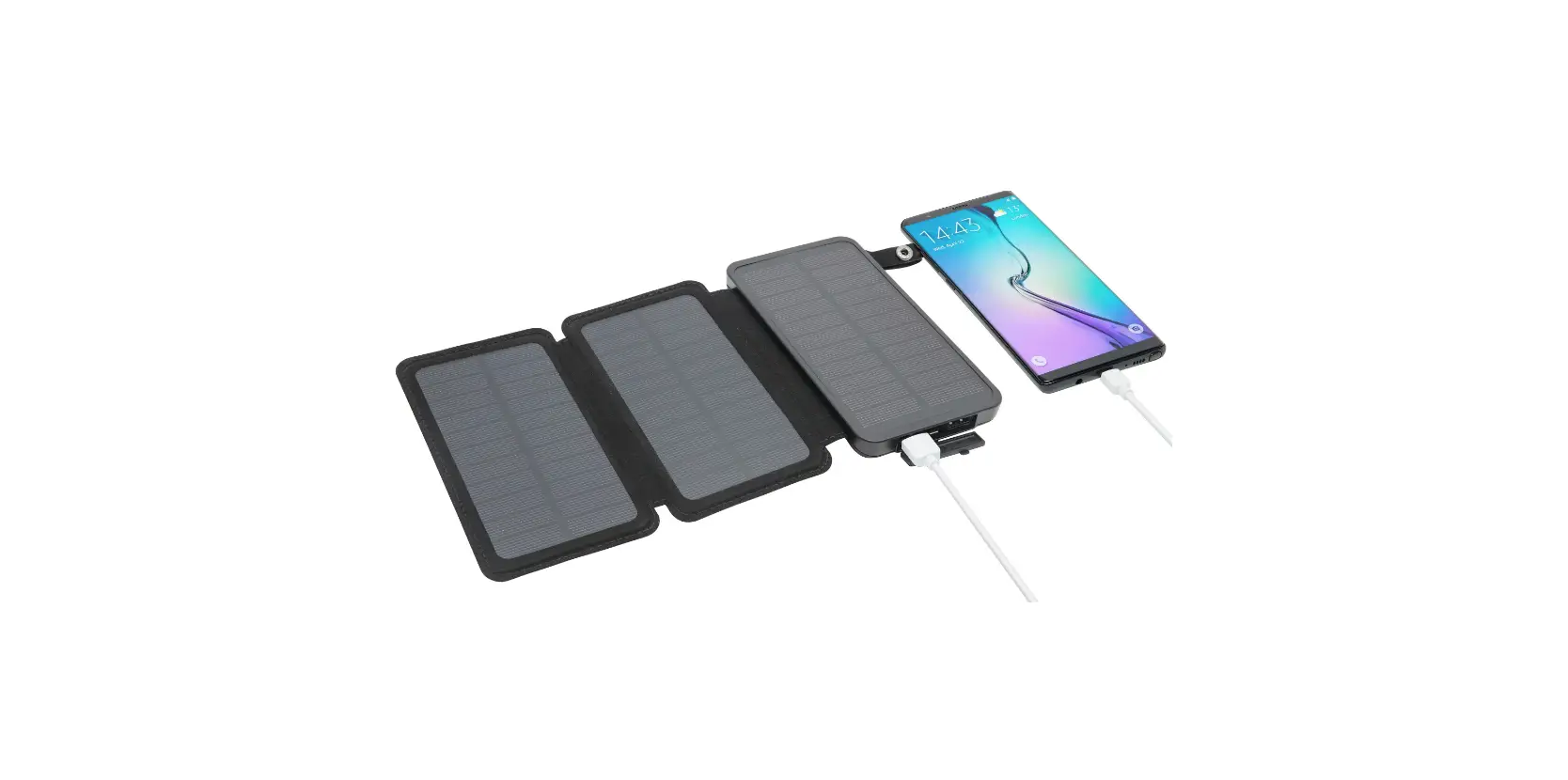
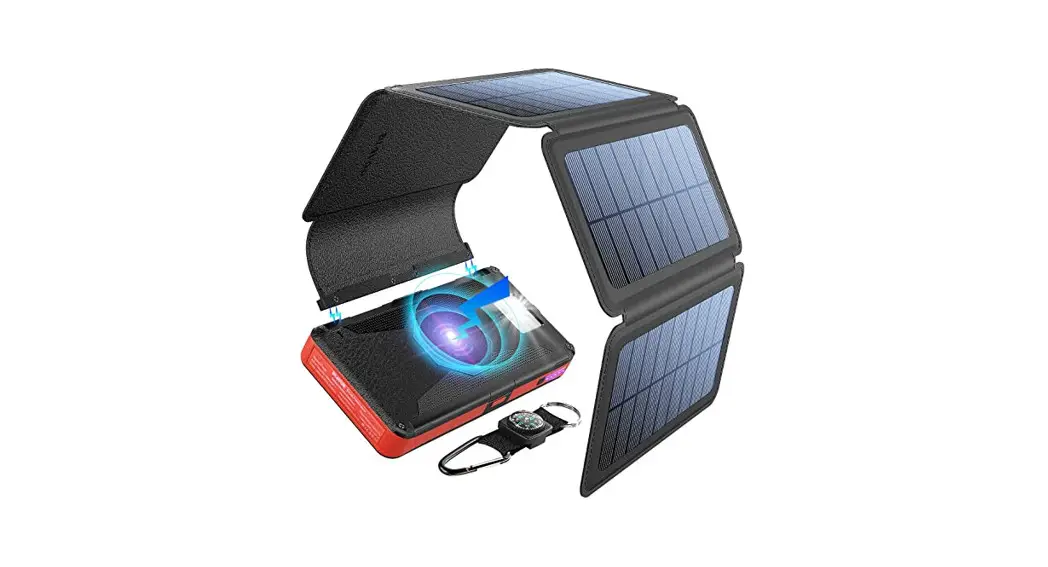
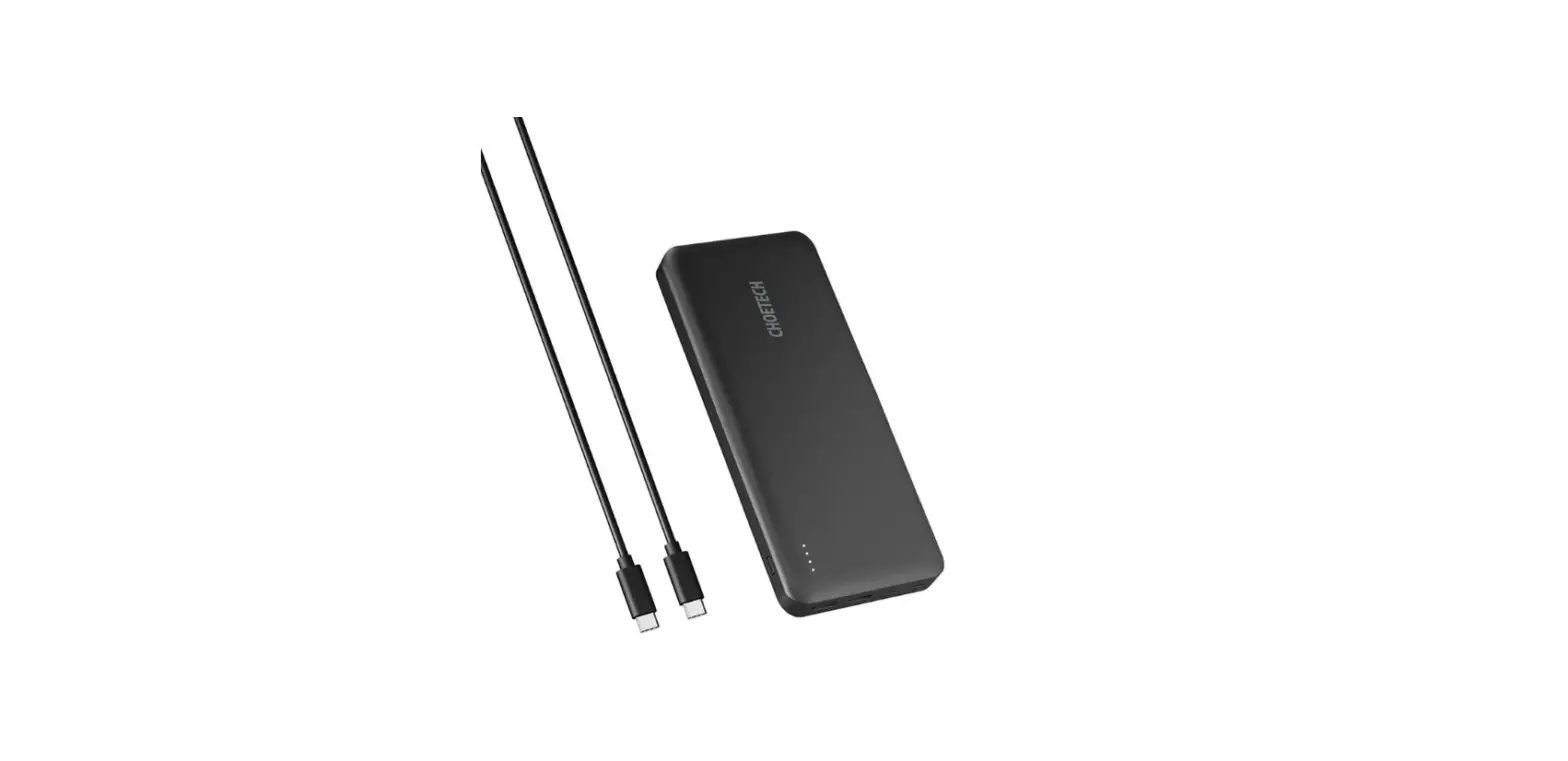
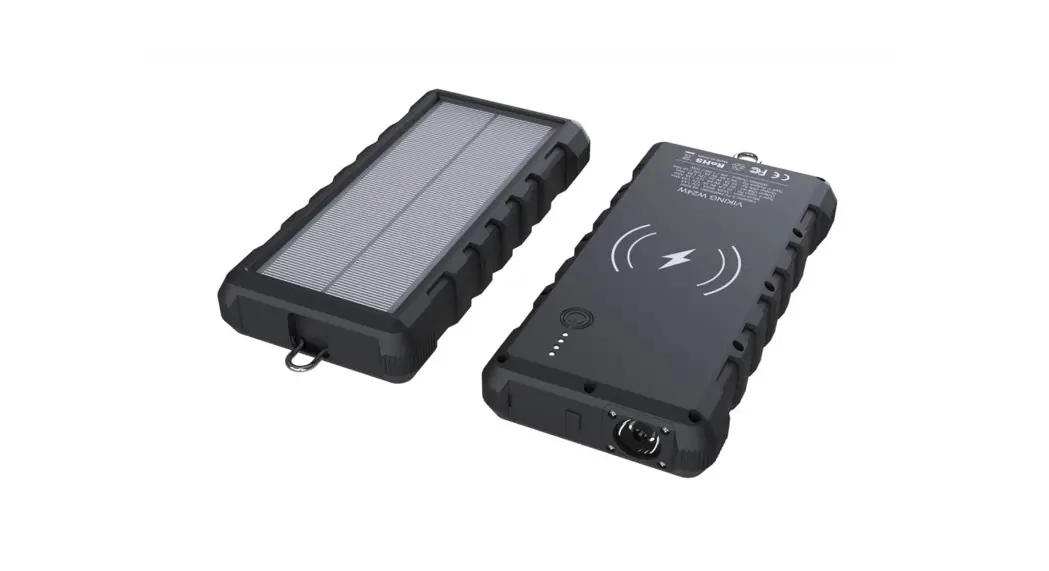
The Choetech Solar Wireless Power Bano is a portable power bank
with a 20000mAh (74Wh) capacity. It has multiple input and output
ports including USB-C, Micro-USB, and three USB-A ports. The power
bank also features wireless charging capability with a maximum
output of 20W. It has LED lights, a flashlight, and a solar panel
for recharging.
Product Specifications
- Capacity: 20000mAh (74Wh)
- Input:
- USB-C: 5V 3A, 9V 2.22A, 12V 1.67A (20W Max)
- Micro: 5V 2A, 9V 2A
- Solar Charging Input: 5.5V 300mA
- Output:
- USB-C: 5V 3A, 9V 2.22A, 12V 1.67A (20W Max)
- USB-A1: 5V 3A, 9V 2A, 12V 1.5A (18W Max)
- USB-A2: 5V 3A
- USB-A3: 5V 3A
- Wireless Charging Output: 5W, 7.5W, 10W, 20.0W (Max)
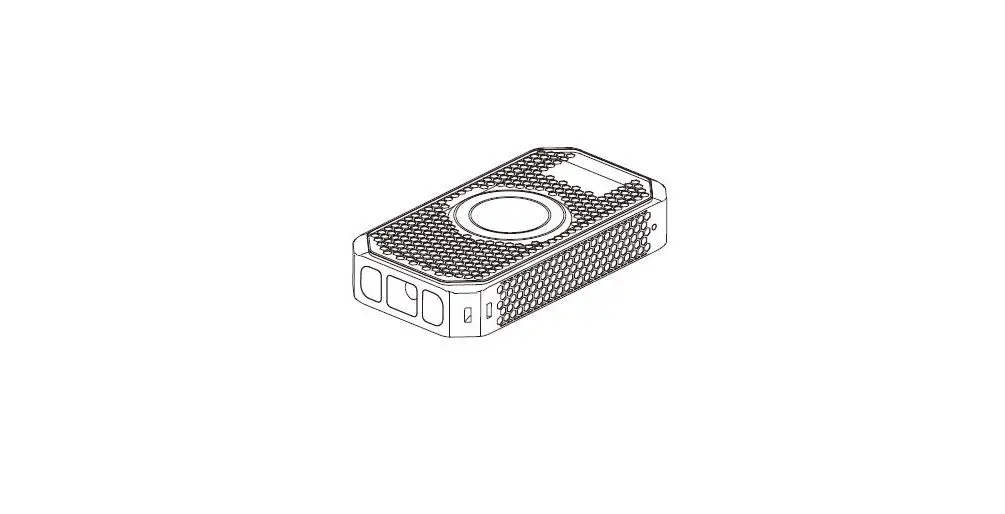
Product Diagram

Product Usage Instructions
Please read the following instructions carefully before first
use and keep the user manual for future reference.
Charging the Power Bank
- Connect the power bank to a power source using the included USB
cable. - The LED lights will turn on indicating that the power bank is
charging. The first frame LED will turn red in fast charging
mode. - The solar indicator will turn green when solar charging.
- When charging is completed, unplug the connection line in time
to avoid loss.
Charging Devices
- Charge your phone, tablet, or other devices with a USB cable by
connecting them to one of the available USB ports on the power
bank. - To charge your wireless device, place it on the wireless
charging area and click the switch button.
LED Lights
- Click the switch button to check the remaining power of the
battery. - Long press the power button for 2 seconds to activate LED
flashing mode. - Click the switch button again to activate dark mode.
- Click the switch button again to activate SOS danger signals
mode. - Click the switch button again to activate danger warning mode
with continuous flashing. - Click the switch button again to turn off LED lights.
Safety Instructions
- Fully charge the product for first use.
- If the product has abnormalities such as battery expansion,
leakage, deformation, water immersion, or short circuit, stop using
immediately. - Do not drop or use this product in high temperature, humid, or
strong magnetic environment. - Keep this product out of reach of children.
- Do not place unidentified objects such as metal in the wireless
charging area to avoid danger. - Do not put the product in the car or confined high-temperature
environment to avoid damage. - When the product is in the protection state due to short
circuit or over-discharge, contact customer support.
B657
User Manual · Uzivatelský manuál · Uzívateský manuál · Használati utasítás ·
Benutzerhandbuch
English 3 8 Cestina 9 14 Slovencina 15 20 Magyar 21 26 Deutsch 27 32
2
Dear customer,
Thank you for purchasing our product. Please read the following instructions carefully before first use and keep this user manual for future reference. Pay particular attention to the safety instructions. If you have any questions or comments about the device, please contact the customer line.
www.alza.co.uk/kontakt
+44 (0)203 514 4411
Importer
Alza.cz a.s., Jankovcova 1522/53, Holesovice, 170 00 Prague 7, www.alza.cz
3
Package List
1 x Choetech Solar Wireless Power Bano, 1 x User Manual
Product Specification:
Capacity Input Output
Total outputs
20000mAh (74Wh) USB-C: 5V 3A, 9V 2.22A, 12V 1.67A (20W Max) Micro: 5V 2A, 9V 2A Solar Charging Input: 5.5V 300mA USB-C: 5V 3A, 9V 2.22A, 12V 1.67A (20W Max) USB-A1: 5V 3A, 9V 2A, 12V 1.5A (18W Max) USB-A2: 5V 3A USB-A3: 5V 3A Wireless Charging Output: 5W, 7.5W, 10W 20.0W (Max)
Product Diagram:
1. USB-A1 4
2. USB-A2 3. USB-A3 4. Micro 5. USB-C 6. Waterproof cover 7. Solar panel 8. LED 9. Solar charging indicator 10. Power switch 11. LED flashlight 12. Heat dissipation fin 13. Wireless charging 14. Wireless charging indicator 15. Hanging hole
Instructions for use:
LED lights on/off using method 1. Click switch button to check the remaining power of the battery. 2. Long press the power button for 2s to LED flashing mode. 3. Click the switch button again to darken mode. 4. Click the switch button again to SOS danger signals mode. 5. Click the switch button again to danger warning mode with continues flashing. 6. Click the switch button again to turn off LED light.
Notice: Long press the power button to turn off LED in any mode.
1. Flashlight
2. Soft light
1. Lighting mode 2. Soft light mode 3. SOS mode 4. Danger warning mode
3. SOS mode
4. Strobe
5
Charge to the power bank 1. LED light is on when charging. The first frame LED is red in fast charging mode. 2. Solar indicator is green when solar charging.
Solar light turn green
Charge to devices 1. Charge to your phone, table and other devices with USB line. 2. Click the switch button to charge your wireless services while placing your phone on the charging area.
6
Notice
With lithium-ion battery, don’t disassemble the product without authorization to avoid physical or other injuries.
Please don’t disassemble, crush, pierce, burn or exposed to temperatures above 60°C environment to avoid fire hazard.
Important Safety Notes:
Please fully charge the product for the first use. If the product has abnormalities such as battery expansion, leakage, deformation,
water immersion or short circuit, please stop using immediately. Do not drop or use this product in high temperature, humid, strong magnetic
environment. Keep this product out reach of the children. Please do not place unidentified objects such as metal in the wireless charging area to
avoid danger. Please don’t put the product in the car or confined hight temperature environment to
avoid the damage. When charging is completed, please unplug the connection line in time to avoid loss. When the product is in the protection state due to the short circuit, over-discharge
(the product has no output), it can be reactivated by shortly pressing the switch button. If it is invalid, please connect to the external power adapter for charging to recover. Do not put your hand or fingers inside the product. This product ha built-in over-temperature protection function. When the ambient temperature exceeds the normal temperature range, over temperature protection will work. Just move the product to the normal temperature environment and click the button to restore the output. If the power bank is not used for a long time, over discharge may occur. In order not to affect the performance of the power bank, please fully charge and discharge the mobile power supply at least every 3 months.
7
EU Declaration of Conformity
This equipment is in compliance with the essential requirements and other relevant provisions of EU directives.
8
Vázený zákazníku,
Dkujeme vám za zakoupení naseho produktu. Ped prvním pouzitím si prosím pecliv pectte následující pokyny a uschovejte si tento návod k pouzití pro budoucí pouzití. Zvlástní pozornost vnujte bezpecnostním pokynm. Pokud máte k pístroji jakékoli dotazy nebo pipomínky, obrate se na zákaznickou linku.
www.alza.cz/kontakt
+420 225 340 111
Dovozce
Alza.cz a.s., Jankovcova 1522/53, Holesovice, 170 00 Praha 7, www.alza.cz
9
Seznam balení
1 x Choetech Solar Wireless Power Bank, 1 x uzivatelská pírucka
Specifikace produktu:
Kapacita Vstup Výstup
Celkové výstupy
20000 mAh (74 Wh) USB-C: 5 V 3 A, 9 V 2,22 A, 12 V 1,67 A (max. 20 W) Micro: 5 V 2 A, 9 V 2 A Vstup pro solární nabíjení: 5,5 V 300 mA USB-C: 5 V 3 A, 9 V 2,22 A, 12 V 1,67 A (max. 20 W) USB-A1: 5 V 3 A, 9 V 2 A, 12 V 1,5 A (max. 18 W) USB-A2: 5 V 3 A USB-A3: 5 V 3 A Výstup bezdrátového nabíjení: 5 W, 7,5 W, 10 W 20,0 W (max.)
Schéma výrobku:
1. USB-A1 10
2. USB-A2 3. USB-A3 4. Micro 5. USB-C 6. Vodotsný kryt 7. Solární panel 8. LED 9. Indikátor solárního nabíjení 10. Vypínac napájení 11. LED svítilna 12. Zebro pro odvod tepla 13. Bezdrátové nabíjení 14. Indikátor bezdrátového nabíjení 15. Závsný otvor
Návod k pouzití:
Zapnutí/vypnutí LED svtel pomocí metody 1. Kliknutím na tlacítko pepínace zkontrolujte zbývající energii baterie. 2. Dlouhým stisknutím tlacítka napájení na 2 s pejdte do rezimu blikání LED. 3. Optovným kliknutím na tlacítko pepínace rezim ztmavíte. 4. Optovným kliknutím na tlacítko pepínace pejdte do rezimu SOS signál nebezpecí. 5. Optovným kliknutím na tlacítko pepínace pejdete do rezimu varování ped nebezpecím, který nadále bliká. 6. Optovným kliknutím na tlacítko vypínace svtlo LED vypnete.
Upozornní: Dlouhým stisknutím tlacítka napájení vypnete LED v jakémkoli rezimu.
1. Svítilna
2. Mkké svtlo
1. Rezim osvtlení 2. Rezim mkkého svtla 3. Rezim SOS 4. Rezim varování ped nebezpecím
3. Rezim SOS
4. Stroboskop
11
Nabíjení do powerbanky 1. Pi nabíjení svítí kontrolka LED. V rezimu rychlého nabíjení svítí první LED dioda rámecku cerven. 2. Pi solárním nabíjení svítí solární indikátor zelen.
Solární svtlo zezelená
Nabíjení zaízení 1. Nabíjejte telefon, tablet a dalsí zaízení pomocí USB. 2. Kliknutím na tlacítko pepínace mzete nabíjet bezdrátová zaízení po polození telefonu na nabíjecí plochu.
12
Oznámení
U lithium-iontové baterie výrobek nerozebírejte bez povolení, abyste pedesli fyzickému nebo jinému zranní.
Abyste pedesli nebezpecí pozáru, nerozebírejte, nemackejte, nepropichujte, nespalujte a nevystavujte teplotám nad 60 °C.
Dlezité bezpecnostní pokyny:
Pi prvním pouzití výrobek pln nabijte. Pokud se u výrobku vyskytnou abnormality, jako je roztazení baterie, vytecení,
deformace, ponoení do vody nebo zkrat, okamzit jej pestate pouzívat. Nepouzívejte tento výrobek pi vysokých teplotách, ve vlhkém a siln magnetickém
prostedí. Uchovávejte tento výrobek mimo dosah dtí. Abyste pedesli nebezpecí, neumisujte do prostoru bezdrátového nabíjení
neidentifikovatelné pedmty, napíklad kovové. Aby nedoslo k poskození výrobku, nevkládejte jej do auta nebo do prostedí s
vysokou teplotou. Po dokoncení nabíjení vcas odpojte pívodní kabel, aby nedoslo ke ztrát. Pokud je výrobek v ochranném stavu z dvodu zkratu, nadmrného vybití (výrobek
nemá zádný výstup), lze jej znovu aktivovat krátkým stisknutím spínacího tlacítka. Pokud je neplatný, pipojte jej k externímu napájecímu adaptéru pro nabíjení, aby se obnovil. Nevkládejte do výrobku ruce ani prsty. Tento výrobek má zabudovanou funkci ochrany proti pehátí. Pokud okolní teplota pekrocí normální rozsah teplot, zafunguje ochrana proti pehátí. Stací výrobek pesunout do prostedí s normální teplotou a kliknutím na tlacítko obnovit výstup. Pokud se powerbanka delsí dobu nepouzívá, mze dojít k jejímu pebití. Aby nedoslo k ovlivnní výkonu powerbanky, nabíjejte a vybíjejte mobilní zdroj energie alespo jednou za 3 msíce.
13
EU prohlásení o shod
Toto zaízení je v souladu se základními pozadavky a dalsími píslusnými ustanoveními smrnic EU.
14
Vázený zákazník,
akujeme vám za zakúpenie násho výrobku. Pred prvým pouzitím si pozorne precítajte nasledujúce pokyny a uschovajte si tento návod na pouzitie pre budúce pouzitie. Venujte osobitnú pozornos bezpecnostným pokynom. Ak máte akékovek otázky alebo pripomienky k zariadeniu, obráte sa na zákaznícku linku.
www.alza.sk/kontakt
+421 257 101 800
Dovozca
Alza.cz a.s., Jankovcova 1522/53, Holesovice, 170 00 Praha 7, www.alza.cz
15
Zoznam balenia
1× Choetech Solar Wireless Power Bano, 1× návod na pouzitie
Specifikácia produktu:
Kapacita Vstup Výstup
Celkové výstupy
20000 mAh (74Wh) USB-C: 5V 3A, 9V 2,22A, 12V 1,67A (max. 20W) Micro: 5V 2A, 9V 2A Vstup pre solárne nabíjanie: 5,5V 300mA USB-C: 5V 3A, 9V 2,22A, 12V 1,67A (max. 20W) USB-A1: 5V 3A, 9V 2A, 12V 1,5A (max. 18W) USB-A2: 5V 3A USB-A3: 5V 3A Výstup bezdrôtového nabíjania: 5W, 7,5W, 10W 20,0 W (max.)
Schéma výrobku:
1. USB-A1 16
2. USB-A2 3. USB-A3 4. Mikro 5. USB-C 6. Vodoodolný kryt 7. Solárny panel 8. LED 9. Indikátor solárneho nabíjania 10. Vypínac napájania 11. LED baterka 12. Rebro pre odvod tepla 13. Bezdrôtové nabíjanie 14. Indikátor bezdrôtového nabíjania 15. Závesný otvor
Návod na pouzitie:
Zapnutie/vypnutie LED svetiel pomocou metódy 1. Kliknutím na tlacidlo prepínaca skontrolujte zostávajúcu energiu batérie. 2. Dlhým stlacením tlacidla napájania na 2 s prepnite na rezim blikania LED. 3. Opätovným kliknutím na tlacidlo prepínaca stmavíte rezim. 4. Opä kliknite na tlacidlo prepínaca do rezimu SOS signálov nebezpecenstva. 5. Opätovným kliknutím na tlacidlo prepínaca prejdete do rezimu varovania pred nebezpecenstvom, ktorý naalej bliká. 6. Opätovným kliknutím na tlacidlo vypínaca vypnete svetlo LED.
Upozornenie: Dlhým stlacením tlacidla napájania vypnete LED v akomkovek rezime.
1. Baterka
2. Mäkké svetlo
3. Rezim SOS
1. Rezim osvetlenia 2. Rezim jemného svetla 3. Rezim SOS 4. Rezim varovania pred nebezpecenstvom
4. Stroboskop
17
Nabíjanie do powerbanky 1. Pri nabíjaní svieti kontrolka LED. V rezime rýchleho nabíjania svieti prvá rámceková LED cervená. 2. Pri solárnom nabíjaní je indikátor zelený.
Solárne svetlo sa zmení na elené
Nabíjanie zariadenia 1. Nabíjajte svoj telefón, stôl a iné zariadenia pomocou linky USB. 2. Kliknutím na tlacidlo prepínaca môzete nabíja bezdrôtové sluzby a zárove polozi telefón na nabíjaciu plochu.
18
Oznámenie
Pri lítium-iónovej batérii nerozoberajte výrobok bez oprávnenia, aby ste predisli fyzickému alebo inému zraneniu.
Aby ste predisli nebezpecenstvu vzniku poziaru, nerozoberajte, nedrvte, neprepichujte, nespáte ani nevystavujte teplotám nad 60 °C.
Dôlezité bezpecnostné pokyny:
Pri prvom pouzití výrobok úplne nabite. Ak sa na výrobku vyskytnú abnormality, ako je rozahovanie batérie, vytecenie,
deformácia, ponorenie do vody alebo skrat, okamzite ho prestate pouzíva. Nepúsajte ani nepouzívajte tento výrobok v prostredí s vysokou teplotou, vlhkosou
a silným magnetickým poom. Tento výrobok uchovávajte mimo dosahu detí. Do oblasti bezdrôtového nabíjania neumiestujte neidentifikované predmety,
napríklad kovové, aby ste predisli nebezpecenstvu. Výrobok neumiestujte do auta ani do prostredia s vysokou teplotou, aby nedoslo k
jeho poskodeniu. Po skoncení nabíjania vcas odpojte prípojku, aby ste zabránili strate. Ke je výrobok v ochrannom stave z dôvodu skratu, nadmerného vybitia (výrobok
nemá výstup), mozno ho opätovne aktivova krátkym stlacením spínacieho tlacidla. Ak je neplatný, pripojte ho k externému napájaciemu adaptéru na nabíjanie, aby sa obnovil. Nevkladajte ruku ani prsty do výrobku. Tento výrobok má zabudovanú funkciu ochrany proti prehriatiu. Ke teplota okolia prekrocí normálny rozsah teplôt, zacne fungova ochrana proti prehriatiu. Stací presunú výrobok do prostredia s normálnou teplotou a kliknutím na tlacidlo obnovi výstup. Ak sa powerbanka dlhsí cas nepouzíva, môze dôjs k nadmernému vybitiu. Aby ste neovplyvnili výkon powerbanky, minimálne kazdé 3 mesiace mobilný zdroj energie úplne nabite a vybijete.
19
EÚ prehlásenie o zhode
Toto zariadenie je v súlade so základnými poziadavkami a alsími príslusnými ustanoveniami smerníc EÚ.
20
Kedves vásárló,
Köszönjük, hogy megvásárolta termékünket. Kérjük, az els használat eltt figyelmesen olvassa el az alábbi utasításokat, és rizze meg ezt a használati útmutatót a késbbi használatra. Fordítson különös figyelmet a biztonsági utasításokra. Ha bármilyen kérdése
vagy észrevétele van a készülékkel kapcsolatban, kérjük, forduljon az ügyfélvonalhoz.
www.alza.hu/kapcsolat
+36-1-701-1111
Importr
Alza.cz a.s., Jankovcova 1522/53, Holesovice, 170 00 Prága 7, www.alza.cz
21
Csomaglista
1 x Choetech Solar Wireless Power Bano, 1 x felhasználói kézikönyv
Termék specifikáció:
Kapacitás Bemenet Kimenet
Összes kimenet
20000mAh (74Wh) USB-C: 5V 3A, 9V 2.22A, 12V 1.67A (20W Max) Micro: 5V 2A, 9V 2A Napelemes töltés bemenet: 5,5V 300mA USB-C: 5V 3A, 9V 2.22A, 12V 1.67A (20W Max) USB-A1: 5V 3A, 9V 2A, 12V 1.5A (18W Max) USB-A2: 5V 3A USB-A3: 5V 3A Vezeték nélküli töltés kimenet: 5W, 7,5W, 10W 20.0W (Max)
Termékdiagram:
1. USB-A1 22
2. USB-A2 3. USB-A3 4. Micro 5. USB-C 6. Vízálló borítás 7. Napelem 8. LED 9. Napelemes töltésjelz 10. Tápkapcsoló 11. LED zseblámpa 12. Helvezet lamella 13. Vezeték nélküli töltés 14. Vezeték nélküli töltés kijelz 15. Akasztási lyuk
Használati utasítás:
LED világítás be/ki módszerrel 1. Kattintson a kapcsoló gombra az akkumulátor hátralév teljesítményének ellenrzéséhez. 2. Nyomja meg hosszan a bekapcsológombot 2 másodpercig a LED villogó üzemmódhoz. 3. Kattintson ismét a kapcsoló gombra a sötétít üzemmódhoz. 4. Kattintson ismét a kapcsoló gombra az SOS veszélyjelzés üzemmódba. 5. Kattintson ismét a kapcsoló gombra a veszélyre figyelmeztet üzemmódhoz, amely továbbra is villog. 6. Kattintson újra a kapcsoló gombra a LED fény kikapcsolásához.
Értesítés: A LED kikapcsolásához bármely üzemmódban hosszan nyomja meg a bekapcsológombot.
1. Zseblámpa
2. Lágy fény
1. Világítási mód 2. Lágy fény mód 3. SOS üzemmód 4. Veszélyre figyelmeztet üzemmód
3. SOS üzemmód
4. Stroboszkóp
23
Töltés a power bankba 1. Töltéskor a LED fény világít. Gyorstöltési módban az els keret LED pirosan világít. 2. A napelemes töltéskor a napelemes jelz zöld szín.
Napfény zöldre vált
Töltés az eszközökre 1. Töltés a telefonhoz, asztalhoz és más eszközökhöz USB-csatlakozóval. 2. Kattintson a kapcsoló gombra a vezeték nélküli szolgáltatások töltéséhez, miközben a telefont a töltfelületre helyezi.
24
Értesítés
Lítium-ion akkumulátorral, a fizikai vagy egyéb sérülések elkerülése érdekében ne szerelje szét a terméket engedély nélkül.
A tzveszély elkerülése érdekében ne szedje szét, ne törje össze, ne szúrja át, ne égesse el, és ne tegye ki 60 °C feletti hmérsékletnek.
Fontos biztonsági megjegyzések:
Kérjük, az els használat eltt töltse fel teljesen a terméket. Ha a termék rendellenességeket mutat, például az akkumulátor kitágulása, szivárgás,
deformáció, vízbe merülés vagy rövidzárlat, kérjük, azonnal hagyja abba a használatot. Ne ejtse le, és ne használja a terméket magas hmérséklet, párás, ers mágneses
környezetben. Tartsa ezt a terméket gyermekek számára elérhetetlen helyen. Kérjük, a veszély elkerülése érdekében ne helyezzen azonosítatlan tárgyakat, például
fémet a vezeték nélküli töltés területére. Kérjük, ne tegye a terméket autóba vagy zárt, magas hmérséklet környezetbe, hogy
elkerülje a károsodást. Ha a töltés befejezdött, a veszteség elkerülése érdekében idben húzza ki a
csatlakozóvezetéket. Ha a termék rövidzárlat, túlkisülés miatt védelmi állapotban van (a terméknek nincs
kimenete), a kapcsológomb rövid megnyomásával újra aktiválható. Ha érvénytelen, kérjük, csatlakoztassa a küls hálózati adapterhez a töltéshez a helyreállításhoz. Ne tegye a kezét vagy ujjait a termék belsejébe. Ez a termék beépített túlmelegedés elleni védelmi funkcióval rendelkezik. Ha a környezeti hmérséklet meghaladja a normál hmérsékleti tartományt, a túlhmérséklet-védelem mködésbe lép. Csak helyezze a terméket a normál hmérséklet környezetbe, és kattintson a gombra a kimenet visszaállításához. Ha a power bankot hosszú ideig nem használják, elfordulhat a túlkisülés. Annak érdekében, hogy ne befolyásolja a power bank teljesítményét, kérjük, legalább 3 havonta töltse fel és ürítse ki teljesen a mobil tápegységet.
25
EU-megfelelségi nyilatkozat
Ez a berendezés megfelel az alapvet követelményeknek és az uniós irányelvek egyéb vonatkozó rendelkezéseinek.
26
Sehr geehrter Kunde,
vielen Dank für den Kauf unseres Produkts. Bitte lesen Sie die folgenden Anweisungen vor dem ersten Gebrauch sorgfältig durch und bewahren Sie diese Bedienungsanleitung zum späteren Nachschlagen auf. Beachten Sie insbesondere die Sicherheitshinweise. Wenn Sie Fragen oder Kommentare zum Gerät haben, wenden Sie sich bitte an den Kundenservice.
www.alza.de/kontakt
0800 181 45 44
www.alza.at/kontakt
+43 720 815 999
Lieferant
Alza.cz a.s., Jankovcova 1522/53, Holesovice, 170 00 Prag 7, www.alza.cz
27
Liste der Pakete
1 x Choetech Solar Wireless Power Bano, 1 x Benutzerhandbuch
Produktspezifikation:
Kapazität Eingang Ausgang
Outputs insgesamt
20000mAh (74Wh) USB-C: 5V 3A, 9V 2.22A, 12V 1.67A (20W Max) Micro: 5V 2A, 9V 2A Solar-Ladeeingang: 5,5 V 300 mA USB-C: 5V 3A, 9V 2.22A, 12V 1.67A (20W Max) USB-A1: 5V 3A, 9V 2A, 12V 1.5A (18W Max) USB-A2: 5V 3A USB-A3: 5V 3A Wireless Charging Output: 5W, 7,5W, 10W 20,0 W (maximal)
Produkt-Diagramm:
28
1. USB-A1 2. USB-A2 3. USB-A3 4. Mikro 5. USB-C 6. Wasserdichte Abdeckung 7. Sonnenkollektor 8. LED 9. Solarladeanzeige 10. Netzschalter 11. LED-Taschenlampe 12. Wärmeableitungsrippe 13. Kabelloses Laden 14. Anzeige für kabelloses Laden 15. Aufhängeloch
Gebrauchsanweisung:
LED-Leuchten ein/aus mit Methode 1. Klicken Sie auf den Schaltknopf, um die verbleibende Batterieleistung zu überprüfen. 2. Drücken Sie die Einschalttaste 2 Sekunden lang, um den LED-Blinkmodus zu aktivieren. 3. Klicken Sie erneut auf die Schaltfläche, um den Modus abzudunkeln. 4. Klicken Sie erneut auf die Schaltfläche, um in den SOS-Gefahrensignalmodus zu wechseln. 5. Klicken Sie erneut auf die Schalttaste, um in den Gefahrenwarnmodus zu gelangen, in dem das Blinken weiter anhält. 6. Klicken Sie erneut auf die Schaltfläche, um das LED-Licht auszuschalten.
Hinweis: Drücken Sie die Einschalttaste lange, um die LED in jedem Modus auszuschalten.
1. Taschenlampe
2. Weiches Licht
1. Modus Beleuchtung 2. Modus “Weiches Licht 3. SOS-Modus 4. Gefahrenwarnmodus
3. SOS-Modus
4. Stroboskop
29
Aufladen der Powerbank 1. Die LED-Leuchte leuchtet beim Laden. Die erste Rahmen-LED leuchtet im Schnelllademodus rot. 2. Die Solaranzeige leuchtet grün, wenn die Solaranlage aufgeladen wird.
Solarlicht wird grün
Aufladen der Geräte 1. Laden Sie Ihr Telefon, Ihren Tisch und andere Geräte mit USB-Anschluss auf. 2. Klicken Sie auf die Umschalttaste, um Ihre drahtlosen Dienste aufzuladen, während Sie Ihr Telefon auf die Ladefläche legen.
30
Hinweis
Bei Lithium-Ionen-Akkus darf das Produkt nicht ohne Genehmigung zerlegt werden, um körperliche oder andere Verletzungen zu vermeiden.
Bitte nicht zerlegen, zerdrücken, durchstechen, verbrennen oder Temperaturen über 60°C aussetzen, um Brandgefahr zu vermeiden.
Wichtige Sicherheitshinweise:
Bitte laden Sie das Produkt vor der ersten Verwendung vollständig auf. Wenn das Produkt Anomalien aufweist, wie z. B. Ausdehnung der Batterie, Auslaufen,
Verformung, Eintauchen in Wasser oder Kurzschluss, verwenden Sie es bitte sofort nicht mehr. Lassen Sie das Gerät nicht fallen und verwenden Sie es nicht bei hohen Temperaturen, in feuchter Umgebung oder in stark magnetischer Umgebung. Bewahren Sie dieses Produkt außerhalb der Reichweite von Kindern auf. Bitte stellen Sie keine unbekannten Gegenstände, wie z. B. Metall, in den kabellosen Ladebereich, um Gefahren zu vermeiden. Bitte legen Sie das Produkt nicht ins Auto oder in eine Umgebung mit hohen Temperaturen, um Schäden zu vermeiden. Wenn der Ladevorgang abgeschlossen ist, ziehen Sie bitte rechtzeitig den Stecker aus der Steckdose, um Verluste zu vermeiden. Wenn sich das Produkt aufgrund eines Kurzschlusses oder einer Überentladung im Schutzzustand befindet (das Produkt hat keine Leistung), kann es durch kurzes Drücken des Schaltknopfes reaktiviert werden. Wenn es ungültig ist, schließen Sie es bitte an den externen Stromadapter an, um es aufzuladen und wiederherzustellen. Fassen Sie nicht mit der Hand oder den Fingern in das Innere des Produkts. Dieses Produkt hat eine eingebaute Übertemperaturschutzfunktion. Wenn die Umgebungstemperatur den normalen Temperaturbereich überschreitet, wird der Übertemperaturschutz aktiviert. Bewegen Sie einfach das Produkt in die normale Temperaturumgebung und klicken Sie auf die Schaltfläche, um die Ausgabe wiederherzustellen. Wenn die Powerbank über einen längeren Zeitraum nicht benutzt wird, kann es zu einer Überentladung kommen. Um die Leistung der Powerbank nicht zu beeinträchtigen, laden und entladen Sie die mobile Stromversorgung bitte mindestens alle 3 Monate vollständig.
31
EU-Konformitätserklärung
Dieses Gerät entspricht den grundlegenden Anforderungen und anderen relevanten Bestimmungen der EU-Richtlinien.
32
 alza.at
 Alza | Alza.co.uk
 alza.de
 alza.hu
 alza.sk