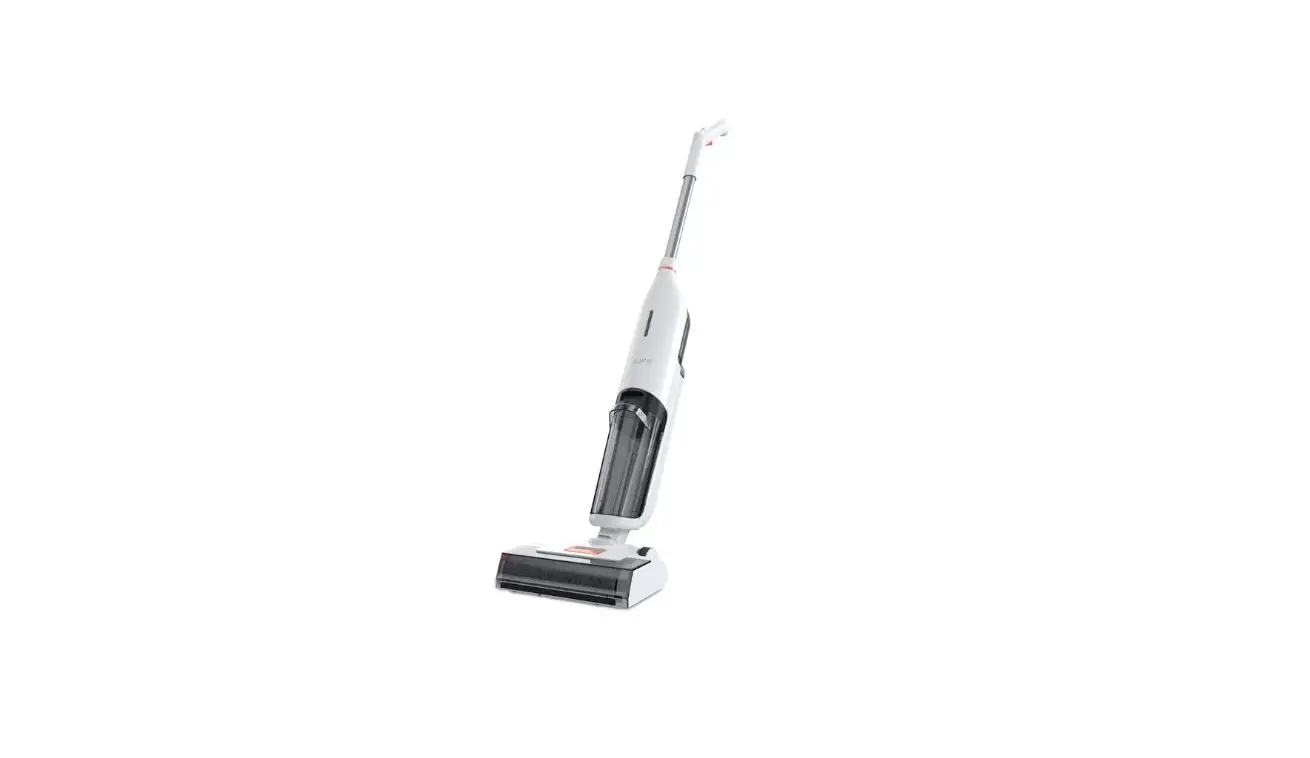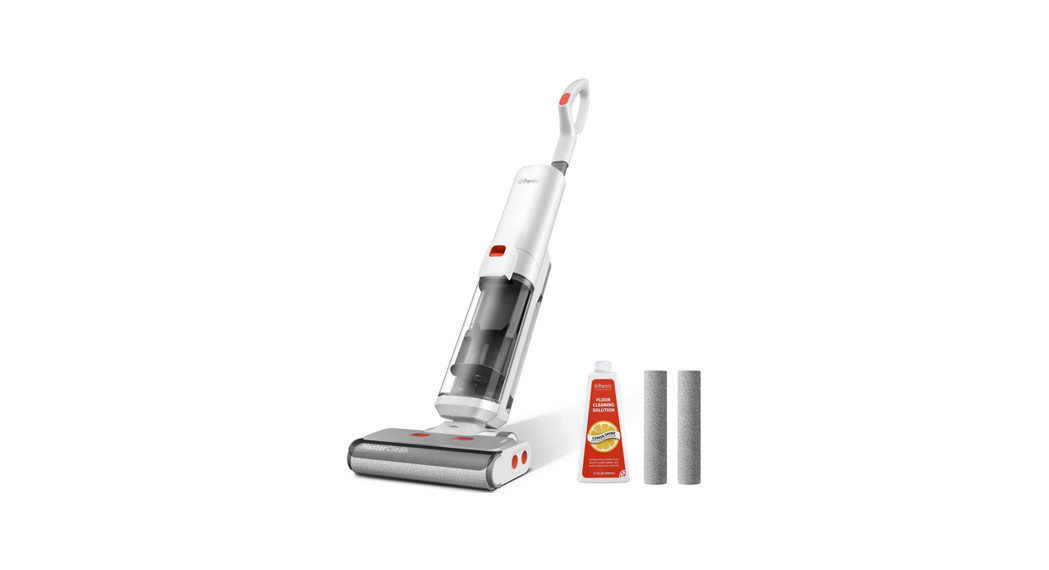
 User Manual
Cordless Wet Dry Vacuum Cleaner
Model: AC1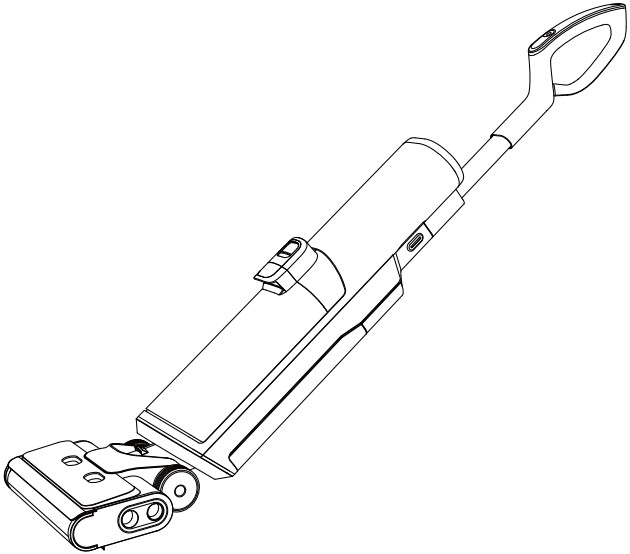
AC1 Cordless Wet Dry Vacuum Cleaner
V1.11 PLEASE READ CAREFULLY AND KEEP FOR FUTURE REFERENCE.
Precautions
Please read the following precautions carefully before using this appliance:
- Use only indoors on non-carpeted floor surfaces such as vinyl, tile, sealed wood, etc. Be careful not to run over loose objects or carpet edges.
- Use only the battery pack and charger specified by the Ultenic. Using any other battery pack may cause personal injury and fire risk.
- Do not use your product to clean flammable or chemical products such as gasoline, strong acids, or strong alkalis; do not use WashVac AC1 to pick up sharp objects such as metal nails, glass fragments, and needles.
- Do not touch the charger and the plug with wet hands.
- Do not use WashVac AC1 without the filter.
- Do not use with a damaged power cable or plug. If WashVac AC1 has been dropped, damaged, left outdoors, dropped into water, or failed to work properly, contact our service center.
- Be extra careful when cleaning on the stairs.
- Keep your hair, clothing, fingers, and all parts of your body away from openings and moving parts.
- Do not use WashVac AC1 when the water depth exceeds 5 mm.
- Turn off this appliance before making any adjustments, replacing accessories, or storing this appliance.
- WashVac AC1 can only be used, charged, and stored in a dry room where the temperature is higher than 4℃ but lower than 35℃.
- If you accidentally drop the battery, liquid may run out of the battery. Avoid touching it. If touched accidentally, rinse with water. If liquid gets into your eyes, seek medical help.
- If this appliance overheats, makes abnormal noise, produces abnormal smell or leaks, stop using it immediately.
- For long-term storage, please turn off WashVac AC1 and disconnect the power from the socket.
- Be sure to clean the dirty water tank after each use to avoid clogging, which will result in poor suction, motor overheating or shortened service life of this appliance.
- All data and technical descriptions in this manual are based on test results from Ultenic laboratory tests and Ultenic reserves the right of final interpretation.
FCC Statement
This device complies with Part 15 of the FCC Rules. Operation is subject to the following two conditions: (1) This device may not cause harmful interference, and (2) this device must accept any interference received, including interference that may cause undesired operation.
Warning: Changes or modifications not expressly approved by the party responsible for compliance could void the user’s authority to operate the equipment.
Note: This equipment has been tested and found to comply with the limits for a Class B digital device, pursuant to Part 15 of the FCC Rules. These limits are designed to provide reasonable protection against harmful interference in a residential installation. This equipment generates, uses, and can radiate radio frequency energy and, if not installed and used in accordance with the instructions, may cause harmful interference to radio communications. However, there is no guarantee that interference will not occur in a particular installation. If this equipment does cause harmful interference to radio or television reception, which can be determined by turning the equipment off and on, the user is encouraged to try to correct the interference by one or more of the following measures:
- Reorient or relocate the receiving antenna.
- Increase the separation between the equipment and receiver.
- Connect the equipment into an outlet on a circuit different from that to which the receiver is connected.
- Consult the dealer or an experienced radio/ TV technician for help.
About Your Product
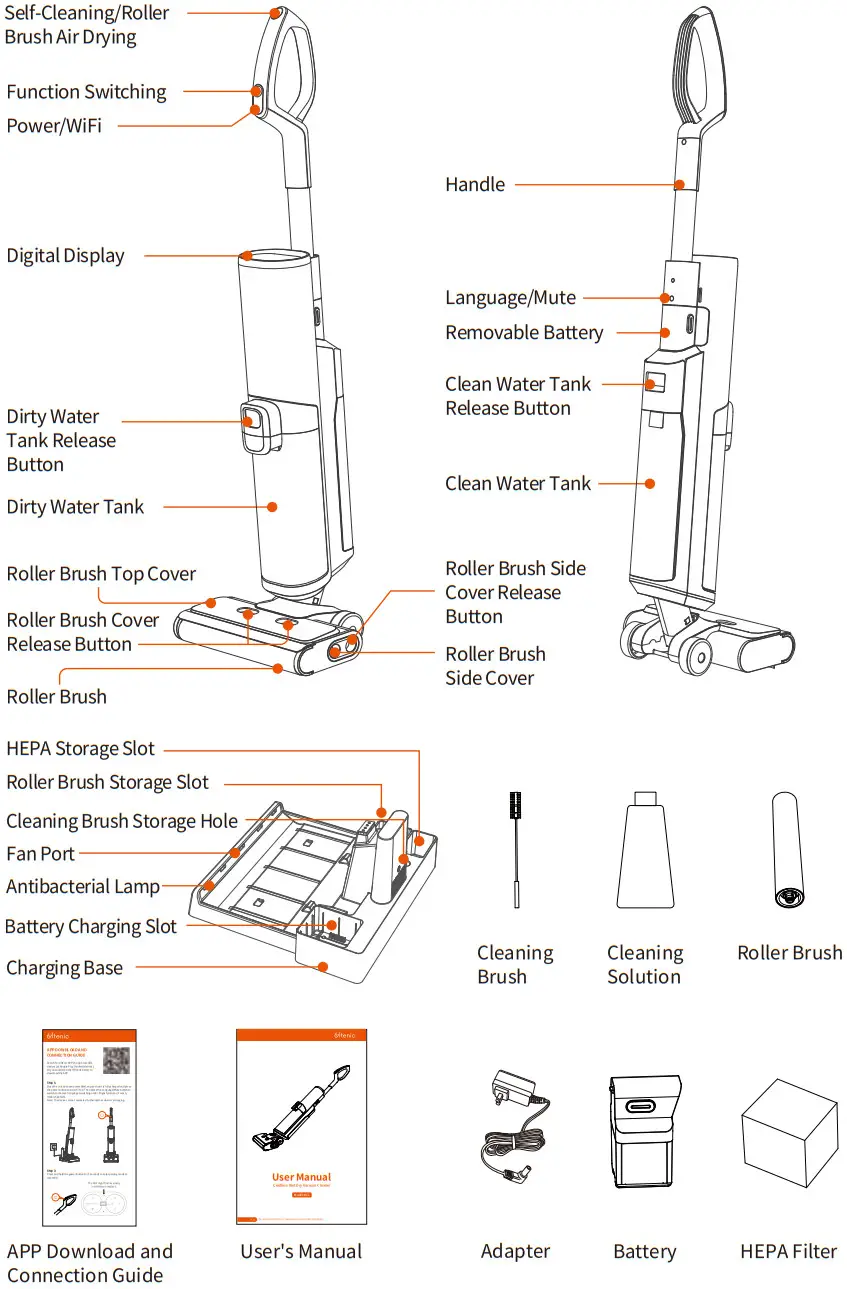 Display Indicator Diagram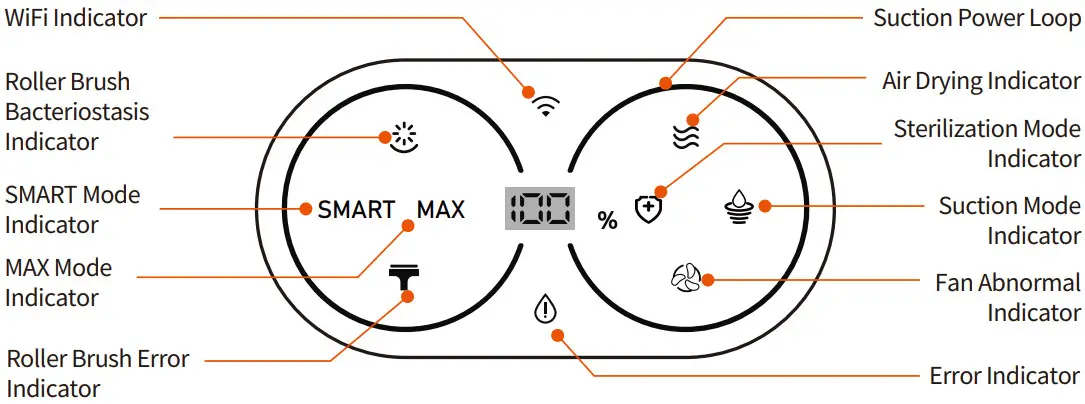
Accessories
Cleaning Tool:
Can be used to clean dirty water tank and tube.
Cleaning Solution:
It can remove dirt, grease and tough stains from hard floor surfaces such as tile, marble, sealed hardwood floors, etc. Add a bottle cap of cleaning solution (10ml) to each water tank filled with clean water, in a ratio of 1:100.
Note: Do not add non-special cleaning solution to avoid corrosion of the water tank.
HEPA Filter:
The filtered mounted on the sewage tank, dirty water and dust are discharged into the air to reduce air pollution and avoid water entering the motor and damaging it.
Roller Brush:
The roller head with bristles can be used for vacuuming and washing at the same time. (If there is a lot of hair at home, you can replace the composite roller brush to clean)
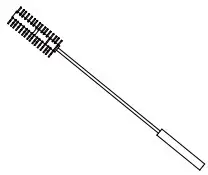 | 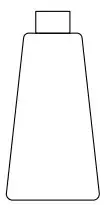 |  | 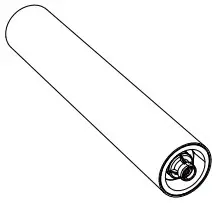 |
| Cleaning Tool | Cleaning Solution | HEPA Filter | Roller Brush |
Product Use
Assembly
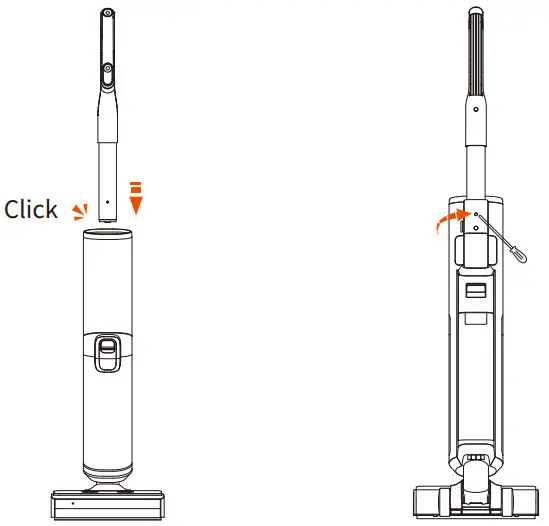
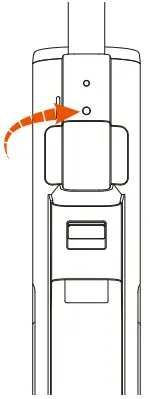
- To assemble the handle, insert it directly into the appliance until you hear a click.
- To disassemble the handle, use a tool (such as a screwdriver) to release the handle by pressing the spring, and then lift the released handle from the appliance.
 Charging
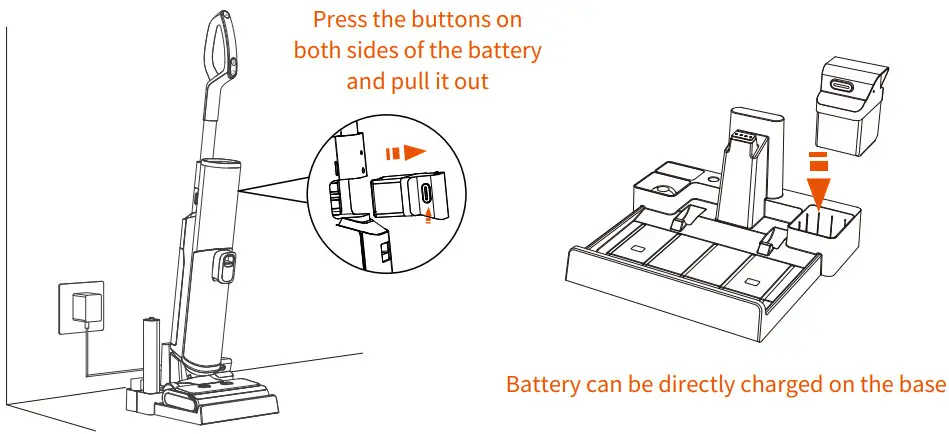
- Put the device on the charging stand first, then plug in the charger to charge. It may take 4 hours for a full charge.
(The battery can also be removed and separately charged on the base, but it must be ensured the charging slot is dry.) - To avoid tripping hazards, please place the appliance and the charging base close to a wall while charging.
Note: When not in use for a long period of time, the appliance must be charged once every month for optimal performance.
Operation
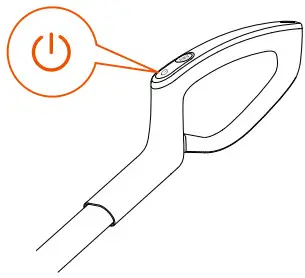
- Press the power button and the appliance will start in SMART by default. Press it again to turn off.

- Press the function button to switch among SMART, MAX, Sterilization and Suction Modes.

- Long-press the power button for 5s to configure the network. For operation instructions, please follow the“APP Download and Connection Guide

- Press the mute button for 5s to turn the sound on/off. Press the Language/Mute button to switch languages (In sequence: English, German, French, Italian and Spanish). Long-press for 3s to turn on/off the voice.

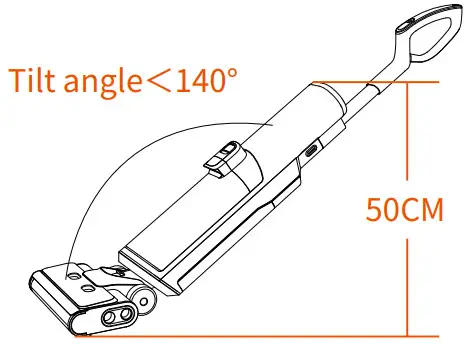
- Do not recline the appliance more than 140° to prevent water leakage.
(The appliance cannot be fully extended when the gap under the furniture is less than 50cm)
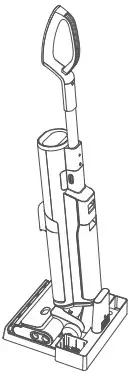
- After use, place the appliance vertically on the charging base for charging and storage.

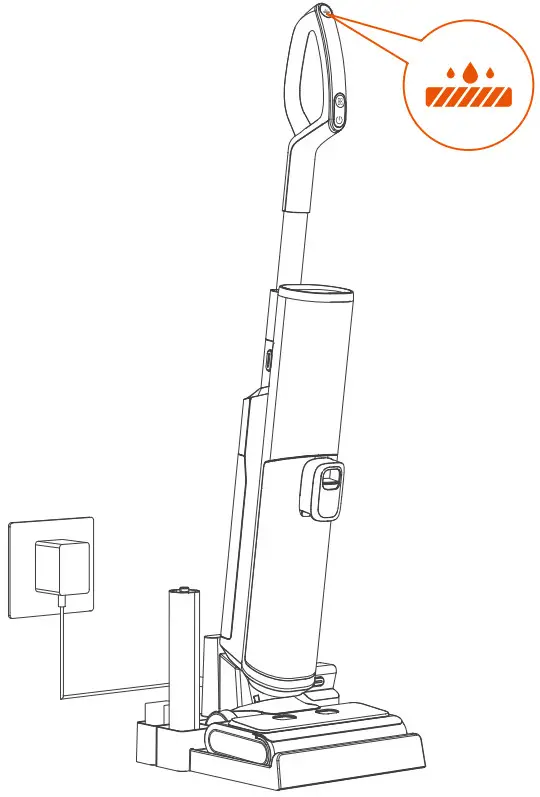
- When the appliance is charged on the charging base, you can press the self-cleaning button to automatically clean the roller brush and tube. After the self-cleaning, the Sterilization UV Light and fan will be turned on automatically after a delay of 5s.

- When the appliance is charged on the charging base, long-press the self-cleaning button for 5s to turn on/off the antibacterial lamp and fan.
Cleaning Mode
SMART Mode
In SMART mode, the appliance automatically applies different suction power and sprays the appropriate amount of water according to the degree of dirt on the floor detected by the sensor.
MAX Mode
In MAX mode, the appliance will apply max suction and spray max amount of water for deeper cleaning. Sterilization Mode
In Sterilization mode, the appliance will make sterilizing solution and work in SMART mode. Suction Mode
In Suction mode, the appliance only absorbs liquids and does not spray water.
Product Maintenance
To get the best performance and prevent odors, thoroughly clean and dry the clean water tank, dirty water tank, filters, cleaning tool, roller brush and roller brush cover, Roller brush side cover after each use.
After maintenance, place the appliance vertically on the charging base and store them in a dry place indoors.
Main Body
Before cleaning, stop the appliance and unplug the power plug.
Clean the surface with water or neutral detergent and wring out the cloth to prevent water from entering the appliance.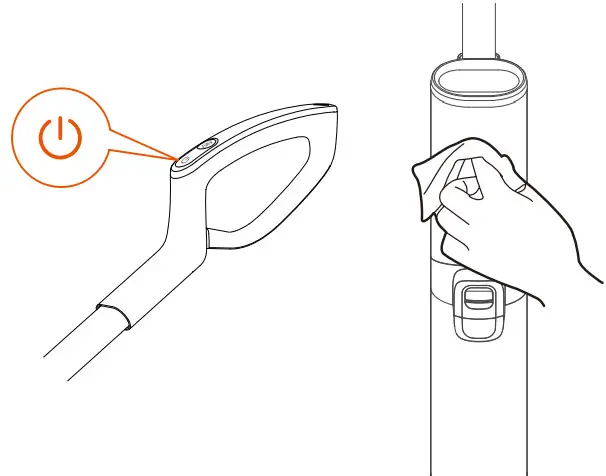 Dirty Water Tank
When the dirty water reaches the Max line, this appliance will stop working while displaying a reminder and playing a voice. Remove the tank, use a cleaning brush to remove residual debris, and flush the tank interior. (Pay attention to the direction of the hand)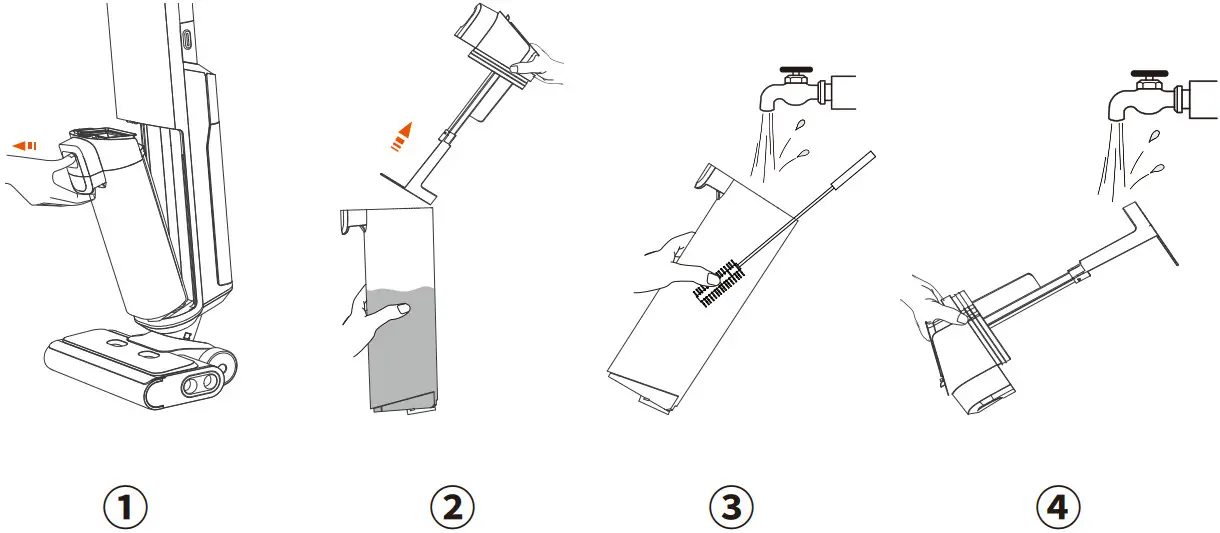 Roller brush self-cleaning
- After use, put this appliance back to the charging dock for self-cleaning. Press the self-cleaning button to start the process.
- After completion, you will hear the voice prompt “Cleaning completed, please clean the dirty water tank”.
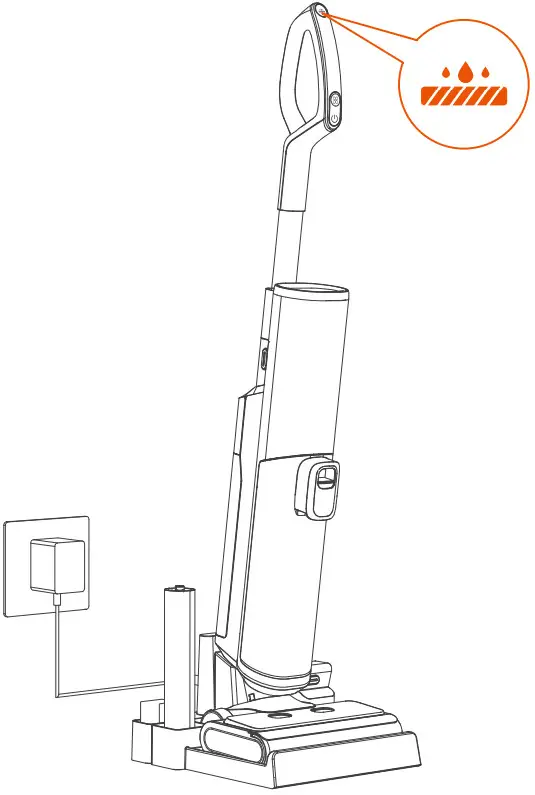 Note: Before self-cleaning, the battery level should exceed 20%, the dirty water tank should be emptied, and the water level of the clean water tank should exceed 40%.
Filter
Grab the sides of the filter and pull it up. Wash it under running water, and then install it back into the machine until it is dry.
* Your appliance has a spare filter for easy replacement.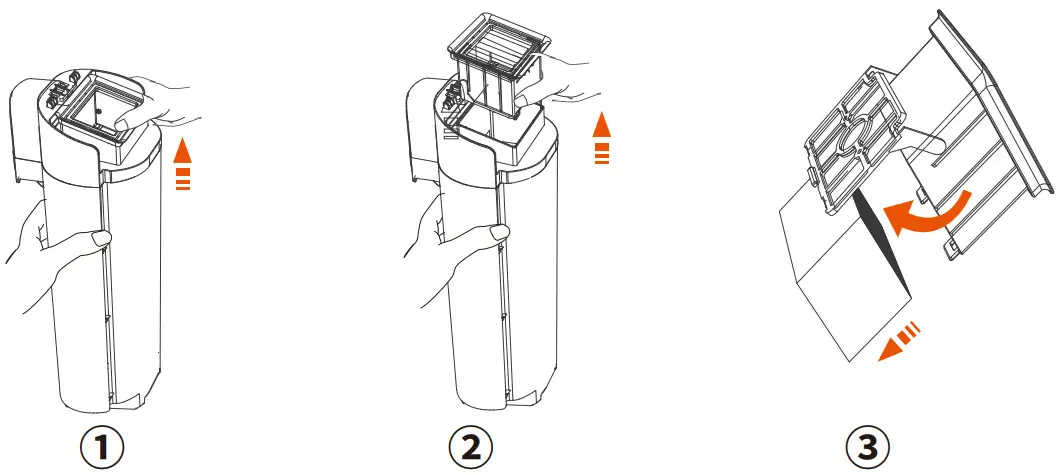 Roller brush top cover
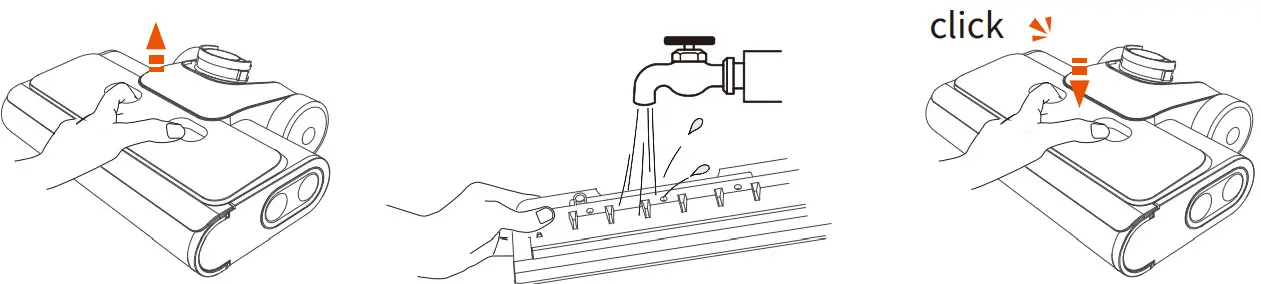
- Grab the front handle while holding down the button, and pull up to remove it.
- Wash it with water.
- Make sure the cover is locked in place when installed, to avoid water leakage.
 Roller Brush
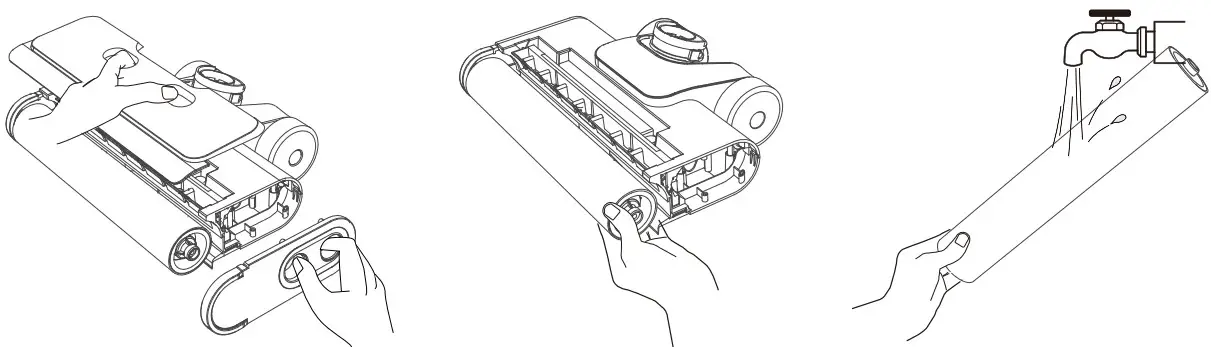
- Hold down the right button to remove the cover, and then pull out the Roller Brush to the right.
- Remove hair and debris from the Roller Brush with a cleaning tool, and then rinse with water.
- Remove hair and debris from the Roller Brush box and tube with the cleaning brush.
Note: Your appliance has a spare Roller Brush for easy replacement.
Troubleshooting
| Problem | Possible cause | Solution |
| The appliance is not turned on | Automatic overheating protection | Restart after cooling down |
| Can not run after turning on Voice prompt: standby | The machine stands upright | Step on the roller brush top, press down the handle and enter the working state |
| All lights are off during operation | Battery overheat or malfunction | Restart after cooling down |
| Error indicator flashes Voice prompt Check the roller brush | Roller brush is blocked; Roller brush not installed or absent | Clean the roller brush; Install the roller brush correctly |
| Error indicator flashes Voice prompt Water shortage in clean water tank, please add water | Clean water tank is empty | Add water or liquid to the clean water tank and reinstall it |
| Error indicator flashes Voice prompt Dirty water tank full, please clean up in time to avoid odor | Dirty water has reached the Max line | Empty the dirty water and reinstall the dirty water tank |
| Voice prompt check the dirty water tank | Dirty water tank absent | Install the dirty water tank correctly |
| WiFi indicator OFF | WiFi disconnected | Follow the instructions in the APP to connect to WiFi |
| Battery level indicator flashes Voice prompt insufficient power, please charge | Low battery | Charge the appliance or restart it |
| Weak suction | The filter is not installed; The filter is dirty or the tube is blocked. | Install the filter; Clean the filter and tube |
| High noise of the motor | The filter is not installed; The filter is dirty or the tube is blocked. | Install the filter; Clean the filter and tube |
| Error indicator flashes Voice prompt Fan error | Motor fault | Shut down and restart after 2 minutes. If it still doesn’t work, please contact the customer service: [email protected] |
Product Specification
| Product model | WashVac AC1 |
| Charging input | 100~240V |
| Voltage and electric quantity | 21.6V, 4000mAh |
| Rated power | 200W |
| Running time | SMART: ~45min MAX: ~25min |
| Charging time | 4h |
| Water flow rate | 45~200mL/min |
| Clean Water Tank Capacity | 1L |
| Dirty Water Tank Capacity | 1L |
| Water Resistant | IPX4 |
Customer Service
| United States | [email protected] |
| France | [email protected] |
| United Kingdom | [email protected] |
| Others | [email protected] |
 |  |  |
| www.ultenic.com | Ultenic_Official https://www.facebook.com/Ultenic-102819625028216 | ultenic__official |
 |  |  |
| UltenicOfficial | Ultenic_Official | Ultenic_Official |
Shenzhen Ultenic Technology Co.,Ltd
2110, Block B, Building 2, Zhongliangxiangyun, Ailian
Community, Longcheng Street, Longgang District,
Shenzhen, Guangdong Province, P.R. China
Ultenic Sp. Z o.o.
ul. Osiedle Przemystowe 16/2, 69-100 Slubice
ULTENIC UK LTD
71-75 Shelton Street, Covent Garden, London, WC2H 9JQ
[email protected] ULTENIC FRANCE
320 rue Saint-Honore 75001 Paris
E-mail: [email protected]